


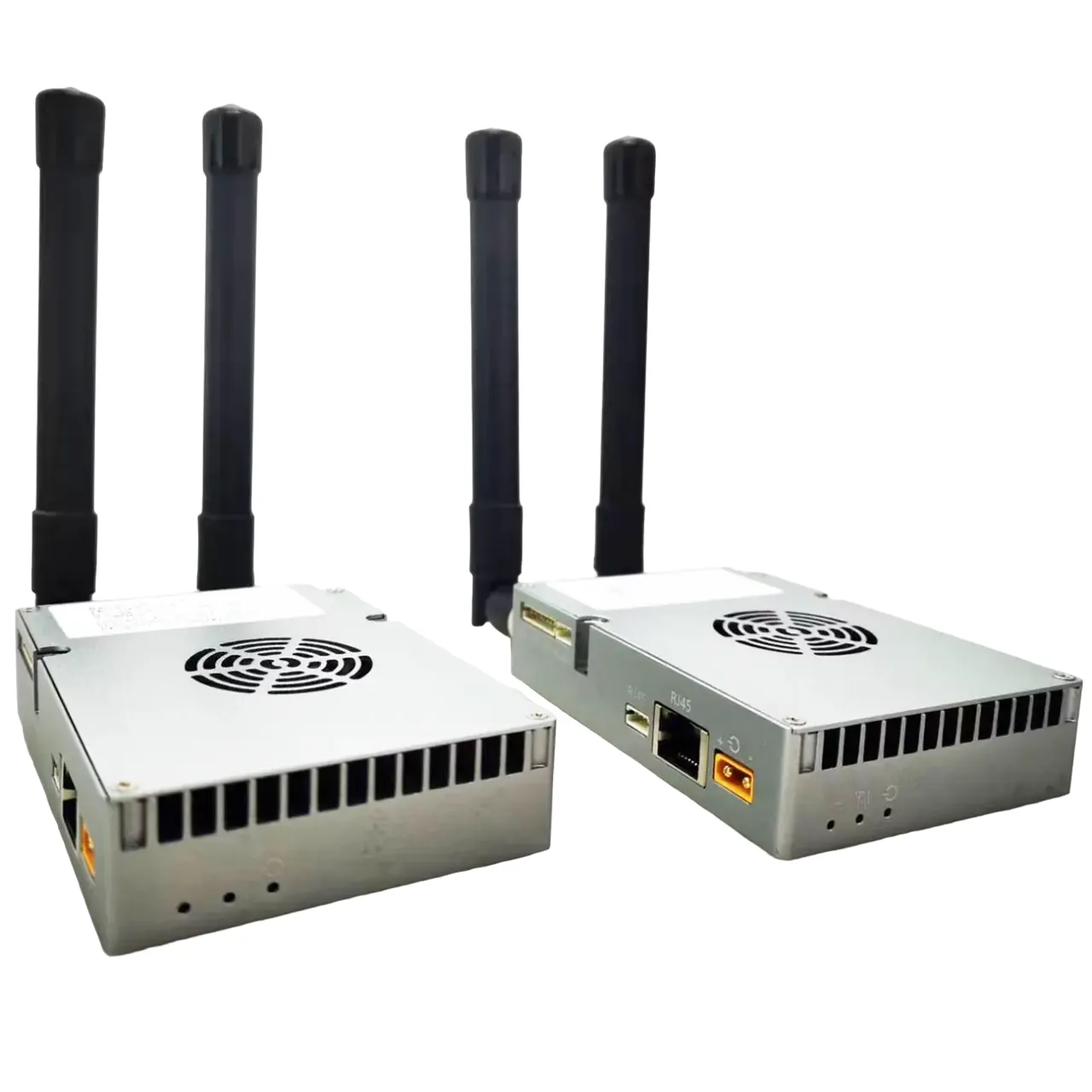
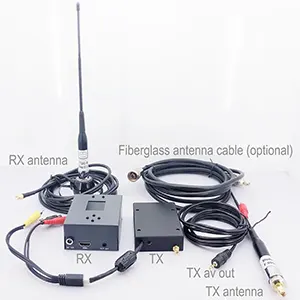



Low Latency H264 H265 SDI AHD to IP Video Encoder with UDP RTSP Streaming
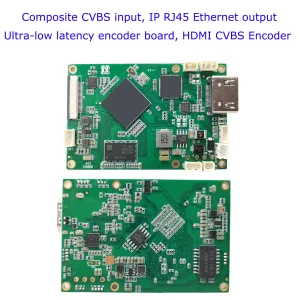
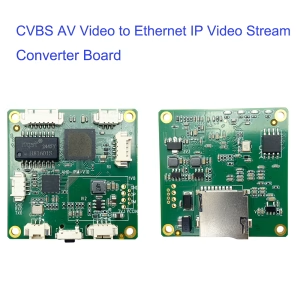
The Vcan1731 Video Encoder Module is a compact, high-performance H.265/H.264 encoding solution designed for professional video transmission over IP networks. It supports SDI, AHD, and analog (AV) video inputs and converts them into low-latency Ethernet streams for real-time monitoring, wireless transmission, or embedded system integration.
With ultra-low latency encoding, flexible I/O interfaces, and robust industrial design, this module is ideal for UAV systems, industrial inspection, surveillance, broadcast, and real-time wireless video links.
Table of Contents
Key Features
- Low-latency H.265 / H.264 hardware video encoding
- Supports up to Full HD 1080P @ 60fps
- Multiple video inputs: SDI / AHD / AV (CVBS)
- Ethernet output via RTSP / UDP TS streaming protocols
- Supports simultaneous audio encoding and transmission
- Built-in AAC stereo audio codec (16-bit, 32Kbps)
- Optional dual input mode: SDI + AHD/AV simultaneous encoding
- Ultra-low latency:
- ~200–250ms with H.265 decoder pairing
- ~80–150ms with H.264 low-latency mode pairing
- Integrated UART data transparent transmission over IP
- Web UI and UART-based configuration and management
- Adjustable bitrate control via Web UI or control UART
- Industrial-grade compact design for embedded applications
Product Overview
The Vcan1731 encoder converts SDI or analog video signals into IP-based streams in real time. After encoding, the video stream is transmitted over Ethernet using RTSP or UDP TS protocols, making it suitable for both wired and wireless transmission systems.
In addition to video and audio, the module supports one channel of UART data encapsulation, allowing telemetry or control data to be transmitted alongside the video stream. This makes it highly suitable for integrated communication systems such as UAV ground links, robotics, and remote monitoring platforms.
Video & Audio Specifications
Video Input
- SDI (MMCX female connector)
- AHD / CVBS (4-pin PH1.25mm connector)
- Auto-detection or software-controlled switching
- Optional simultaneous SDI + AHD/AV encoding
Supported Resolutions
- 1080p: 60 / 50 / 30 / 25 / 24 fps (progressive & interlaced)
- 720p: 60 / 50 / 30 fps
- AV (CVBS): NTSC 720×480 @60i, PAL 720×576 @50i
- AHD: 1080P30 / 1080P25 and similar formats
Video Encoding
- H.265 / H.264 hardware encoding
- Bitrate adjustable via Web UI or UART
- Low-latency H.264 mode using P-frame optimized encoding
Audio
- Embedded SDI audio or analog audio input
- AAC encoding, stereo, 16-bit, 32 Kbps
- Audio output supported via Ethernet-decoded stream
Streaming & Network
- Output formats:
- RTSP stream
- UDP TS stream
- RTSP + UDP TS simultaneous output
- Ethernet-based IP transmission
- Supports integration with third-party video players and decoders
- AES256 encryption for secure transmission
Control & Management
- Web-based UI for full configuration
- UART control interface for embedded integration
- Configurable bitrate, resolution, encoding mode, and network parameters
- Firmware upgrade via USB Host interface
UART Data Transmission
The Vcan1731 supports one channel of UART data encapsulation within the video stream. When paired with compatible decoder modules, UART data is transmitted transparently over IP alongside video, enabling:
- Remote telemetry transmission
- Sensor or control signal integration
- Bidirectional system communication (with compatible decoder systems)
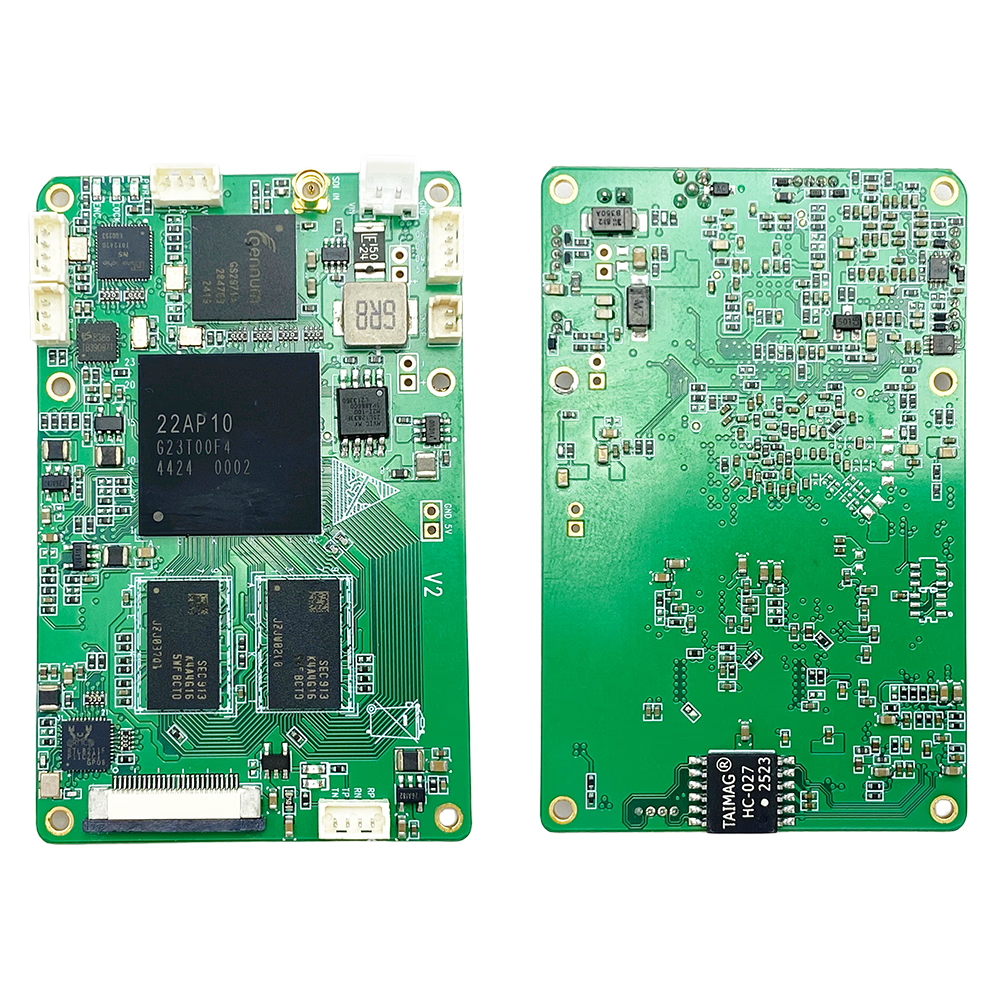
Interface Overview (I/O)
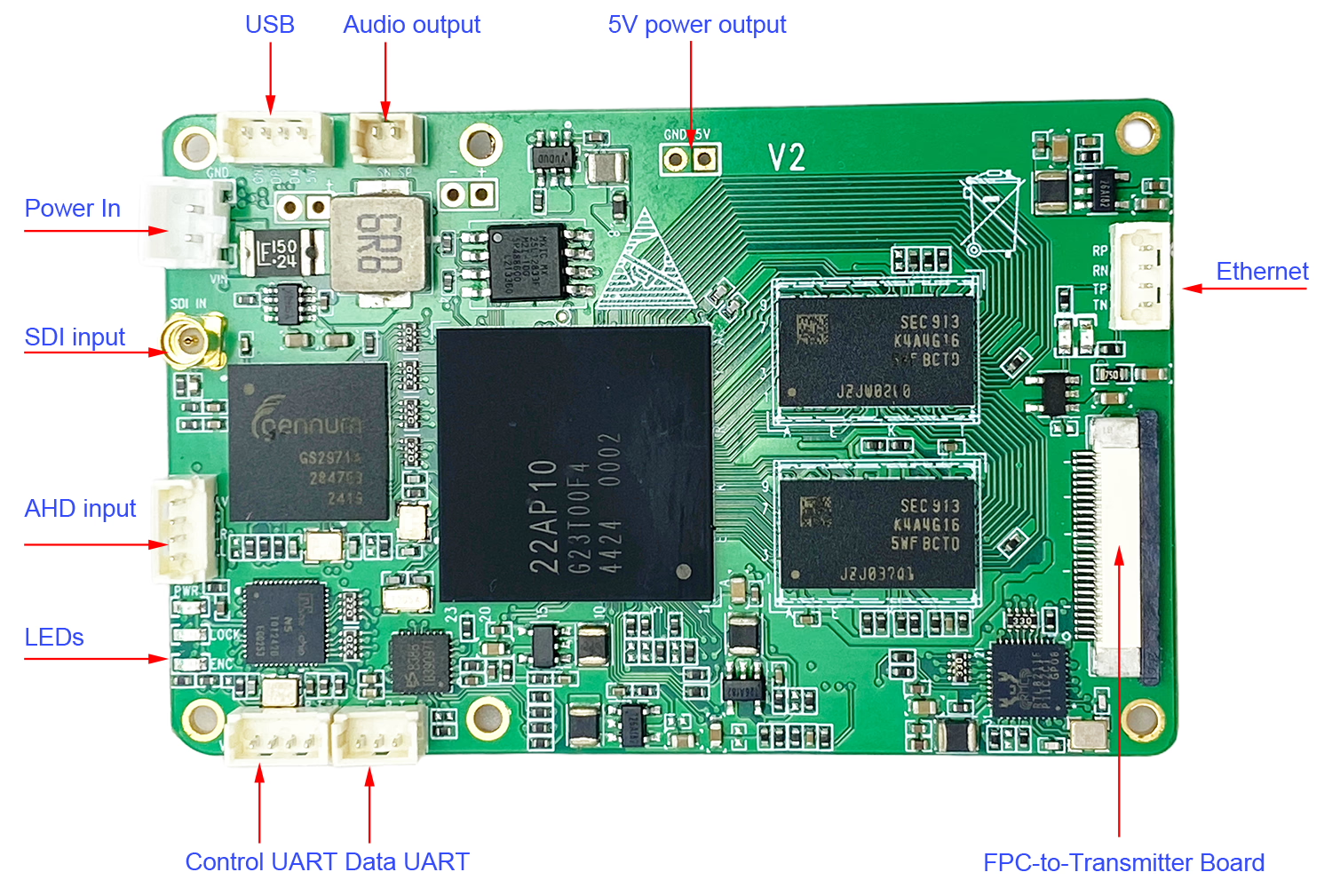
- SDI Input: MMCX female connector
- Analog Video/Audio Input: 4-pin PH1.25mm (AHD / CVBS compatible)
- Data UART: 3-pin PH1.25mm, TTL 3.3V (adjustable baud rate)
- Control UART (CFG): 4-pin PH1.25mm, TTL 3.3V
- USB Host: 4-pin PH1.25mm (firmware upgrade / reserved use)
- Audio Output: 2-pin PH1.25mm (line-out from remote stream)
- Power Input: 2-pin PH2.0mm (7–24V DC)
- Ethernet: 4-pin PH1.25mm
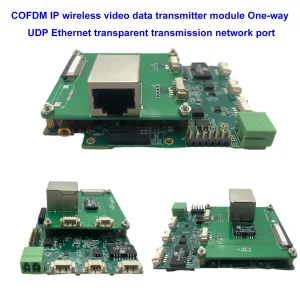
- FPC Interface: For COFDM or two-way OFDM modulator integration

LED Indicators
- PWR LED: Power status indicator (solid ON when powered)
- LOCK LED: Lights when valid video signal is detected
- ENC LED: Blinks during active video encoding
Power Supply
- Input voltage: 7–24V DC
- Power consumption: <320mA @ 12V
- Built-in anti-reverse protection
- Reserved 5V output available for external fan or auxiliary modules
Physical Characteristics
- Dimensions: 70 × 45 mm (excluding connectors)
- Weight: 18.6 g
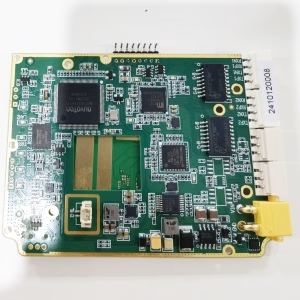
- Compact PCB design for embedded integration
Environmental Conditions
- Operating temperature: 0°C to +70°C
- Optional extended version: -40°C to +85°C
- Storage temperature: -40°C to +85°C
Typical Applications
- UAV / drone video transmission systems
- Industrial inspection and robotics
- Wireless live video streaming systems
- Security and surveillance solutions
- Embedded IP video conversion systems
FAQ
Q: I configured both RTSP and UDP streaming, but there is still no video stream output. What should I check?
A: Please connect the encoder board directly to your computer using an Ethernet cable.
- Open a web browser and enter: 192.168.1.30
- Log in to the encoder web interface.
- Go to the Video tab/page.
- Check the Input status information. You should see detected video input information such as: SDI 1080p30, AHD 1080p25, or other video format parameters. This information indicates that the encoder board has successfully detected the SDI/AHD camera video signal.
If no input information is displayed, the issue is related to the video input source. Please check: SDI/AHD camera power supply, Video cable connection, Camera output resolution and format compatibility, Whether the camera is outputting a valid video signal
If the input signal is detected correctly, then the hardware video source is working properly. Next, please check the encoder configuration settings, including: RTSP/UDP enable settings, Streaming address and port number, Network IP configuration, Bitrate and encoding parameters, Firewall or network blocking issues, VLC or player decoding settings.
For initial testing, we recommend using VLC Media Player to verify the RTSP stream connection locally before testing UDP multicast or external network streaming.
Q: Why can’t VLC play the UDP stream? Do I need special software?
A: The UDP stream is not standard MPEG-TS over UDP, but a custom low-latency protocol optimized for real-time transmission. Therefore, VLC may not decode it correctly. We recommend using our SPlayer, which is fully compatible and optimized for ultra-low latency playback. If needed, we can also provide an SDK and technical documentation, allowing customers to develop their own player or integrate the stream into third-party software.
Q: Can the UDP stream be changed to a standard format compatible with VLC or GStreamer? What are the differences between firmware versions?
A: Yes. We provide two different firmware versions:
- Engineering (Proprietary Protocol) Firmware: Uses a custom low-latency UDP protocol, Supports dual video inputs (SDI + AHD/CVBS simultaneous encoding), Requires our SPlayer or SDK-based player integration.
- Standard (MPEG-TS) Firmware: Uses standard MPEG-TS over UDP protocol, Fully compatible with VLC, GStreamer, and other standard players, Supports only one video input (SDI or AHD or CVBS) at a time, Does not support dual-input simultaneous encoding.
Summary: 1. Choose proprietary firmware for ultra-low latency + dual-channel encoding. 2. Choose standard firmware for broad compatibility with VLC/GStreamer.
Q: Does the system support multicast? Can I output one stream to multiple IPs?
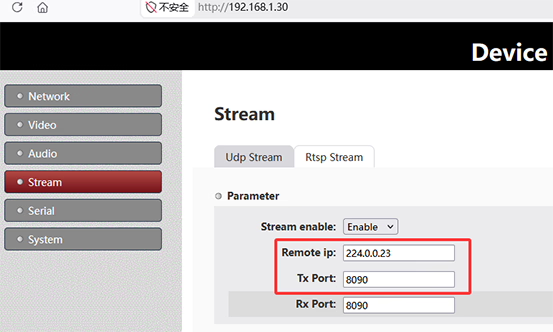
A: Yes. The system supports UDP multicast, allowing one stream to be delivered to multiple receivers simultaneously without duplicating the stream per IP. To use multicast, set the Remote IP on the sender side to a multicast address, for example 224.0.0.23. All receivers join the same multicast group using the same address. On the receiver side, configure the same multicast IP:
- Splayer: set Group IP to
224.0.0.23 - VLC: open
udp://@224.0.0.23:8090
Multicast enables one-to-many streaming within the same network. The actual device IP is not critical; instead, delivery depends on network multicast support and devices joining the same group. Note: Network conditions may affect performance. Environments with VPNs, virtual machines, multiple network adapters, or switches without IGMP support may impact multicast reception.

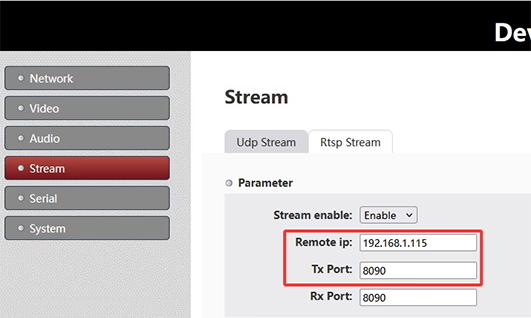
Unicast
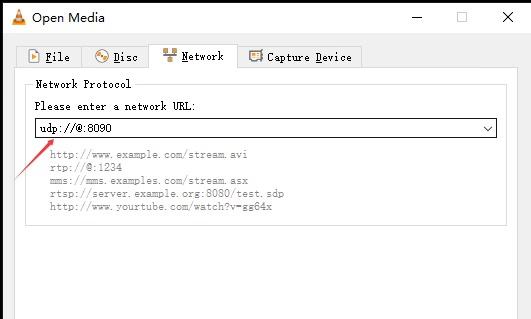
Firmware
SPlayer Versions
- V1.x: Single-stream playback (standard MPEG-TS firmware) update_image_ts_v1.1t_2025.8.27
- V2.x: Dual-stream playback (proprietary low-latency firmware, SDI + AHD support)




iVcan.com –
The Low Latency H.264/H.265 SDI AHD to IP Video Encoder with UDP/RTSP streaming (Vcan1731) delivers a very impressive and reliable performance. Setup is straightforward thanks to the intuitive Web UI, and configuration via UART is a strong advantage for embedded integration. The real standout feature is the ultra-low latency, which makes real-time monitoring feel smooth and highly responsive, especially in UAV and industrial inspection scenarios. Video quality remains stable even at 1080p 60fps, and switching between SDI, AHD, and CVBS inputs is seamless. Network streaming over RTSP and UDP works consistently, and multicast support is especially useful for multi-view systems. Overall, it feels like a well-engineered, industrial-grade solution that balances flexibility, stability, and performance very effectively for professional applications.