






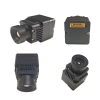
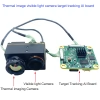

USB UVC camera video input to Ethernet IP video stream output
Table of Contents
Encoder Modules Boards









Decoder Modules Boards




Available for Customization
New Encoder Products
| No. | Product Name | Configuration | Key Features | Status |
|---|---|---|---|---|
| 1 | Dual-Channel USB UVC Visible Light Video Encoder | 2× USB input | Supports dual USB camera video encoding, and RTSP streaming; local CVBS/HDMI output; switchable display modes | Mass Production |
| 2 | Dual-Channel Encoder (1× USB Visible Light + 1× USB Thermal Imaging camera) | 2× USB input | Supports dual USB camera (visible + thermal) capture, encoding, and RTSP streaming; local CVBS/HDMI output; switchable display modes | Mass Production |
| 3 | RTSP Decoder HDMI/CVBS Display Module | HDMI + CVBS output | Supports up to 4×1080P@30fps RTSP stream decoding; Support video streaming protocol forwarding; HDMI/CVBS output display | Sample Available |
| 4 | RTSP Decoder HDMI/CVBS Display Module with 4.3"/5" LCD | HDMI output + LCD screen | Supports up to 4×1080P@30fps RTSP stream decoding; protocol forwarding; HDMI/CVBS output display | Debugging |
| 5 | Dual-Channel Encoder (1× USB Visible Light + 1× CVBS Analog) | 1× CVBS + 1× USB UVC input | Dual video (USB + CVBS), encoding and RTSP streaming; local CVBS/HDMI output; switchable display modes | Debugging |
| 6 | Dual-Channel Encoder (1× USB UVC + 1× AHD Analog) | 1× AHD + 1× USB UVC input | Dual video capture (USB + AHD), encoding and RTSP streaming; local CVBS/HDMI output; switchable display modes | Debugging |
| 7 | Dual-Channel Encoder (1× CVBS + 1× AHD Analog Video) | CVBS + AHD 2 video input | Dual analog video capture, encoding and RTSP streaming; local CVBS/HDMI output; switchable display modes | Debugging |
| 8 | Dual-Channel Encoder (1× CMOS Camera + 1× USB Thermal Imaging camera) | 1× USB interface | Supports CMOS + USB thermal camera capture, encoding and RTSP streaming; local CVBS/HDMI output; switchable display modes | Mass Production |
For customized video input/output conversion solutions not listed in our products, please contact us for OEM/ODM support. We can develop tailored products based on your requirements.
Feature
| CPU | CV1825 single-core ARM A53 1.2G |
| TPU | 0.5T computing power (INT8)
Supports mainstream neural network architectures: Caffe, Pytorch, TensorFlow (Lite), ONNX and MXNet, enabling pedestrian detection, face detection, face recognition, liveness detection (face anti-spoofing) and other video structured applications |
| Built-in DRAM | DDR3 16bitx1, maximum speed up to 1866Mbps, capacity 2Gbit (256MB) |
| FLASH | SPI 128MB flash |
| TF card | support |
| Network port | 100M |
| USB | 1 |
| Power input | 6-24V DC |
FAQ
Does it support CVBS PAL AV camera video input?
You need to add a CVBS to USB converter board to get IP ethernet video stream on our board.
Further Information
Strengths That Support the Use Case
- USB Port: Allows connection to a UVC-compliant camera for video input.
- TPU (0.5 TOPS INT8): Suitable for lightweight AI tasks like pedestrian detection, face recognition, and anti-spoofing.
- Neural Network Compatibility: Supports Caffe, PyTorch, TensorFlow Lite, ONNX, and MXNet—ideal for deploying pre-trained models.
- Ethernet Port (100M): Enables basic IP video streaming over LAN.
- Flexible Power Input (6–24V DC): Good for embedded or mobile applications.
Limitations to Consider
- CPU Performance: Single-core ARM A53 @1.2GHz may struggle with real-time video encoding (e.g., H.264/H.265) if no hardware encoder is present.
- Memory Constraints: 256MB DDR3 is minimal for video buffering, AI inference, and streaming simultaneously.
- No Mention of Hardware Video Encoder (VPU): If absent, software encoding may be too slow for smooth streaming.
- Only One USB Port: Limits peripheral expansion—if used for camera input, no room for other USB devices.
- Unclear Software Stack: You’ll need to verify whether the board supports GStreamer, FFmpeg, or RTSP/RTMP protocols.
Implementation Checklist
| Requirement | Status / Action Needed |
|---|---|
| UVC camera input via USB | Supported |
| AI-based video analysis | TPU-enabled |
| Real-time video encoding | Confirm hardware/software support |
| IP stream output (RTSP/RTMP) | Check protocol stack availability |
| Lightweight OS with media tools | Confirm Linux distro and toolchain |
Deployment Suggestion
If your goal is to stream video from a USB camera over Ethernet:
- Verify video encoding capability—either hardware or optimized software.
- Install a lightweight media framework like GStreamer or FFmpeg.
- Use TensorFlow Lite or ONNX models for AI inference on the TPU.
- Configure RTSP/RTMP streaming using available libraries or custom scripts.



iVcan.com –
I tested this board for converting USB UVC camera input into Ethernet IP video streams, and it performs impressively for lightweight AI video tasks. The built-in 0.5 TOPS TPU efficiently handles pedestrian detection, face recognition, and anti-spoofing, while the single-core ARM A53 CPU and 256MB DDR3 memory manage video processing adequately. Integration with mainstream neural networks like TensorFlow Lite, PyTorch, Caffe, and ONNX is seamless. The 100M Ethernet port allows reliable IP streaming, and flexible 6–24V power input makes deployment easy in embedded or mobile setups. While heavy real-time encoding may require optimization, overall it is a compact, versatile solution for AI-enabled IP video applications.