





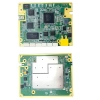
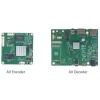
UVC USB Camera to IP Ethernet Streaming Encoder Board H.265/H.264 1080P60
Table of Contents
Overview
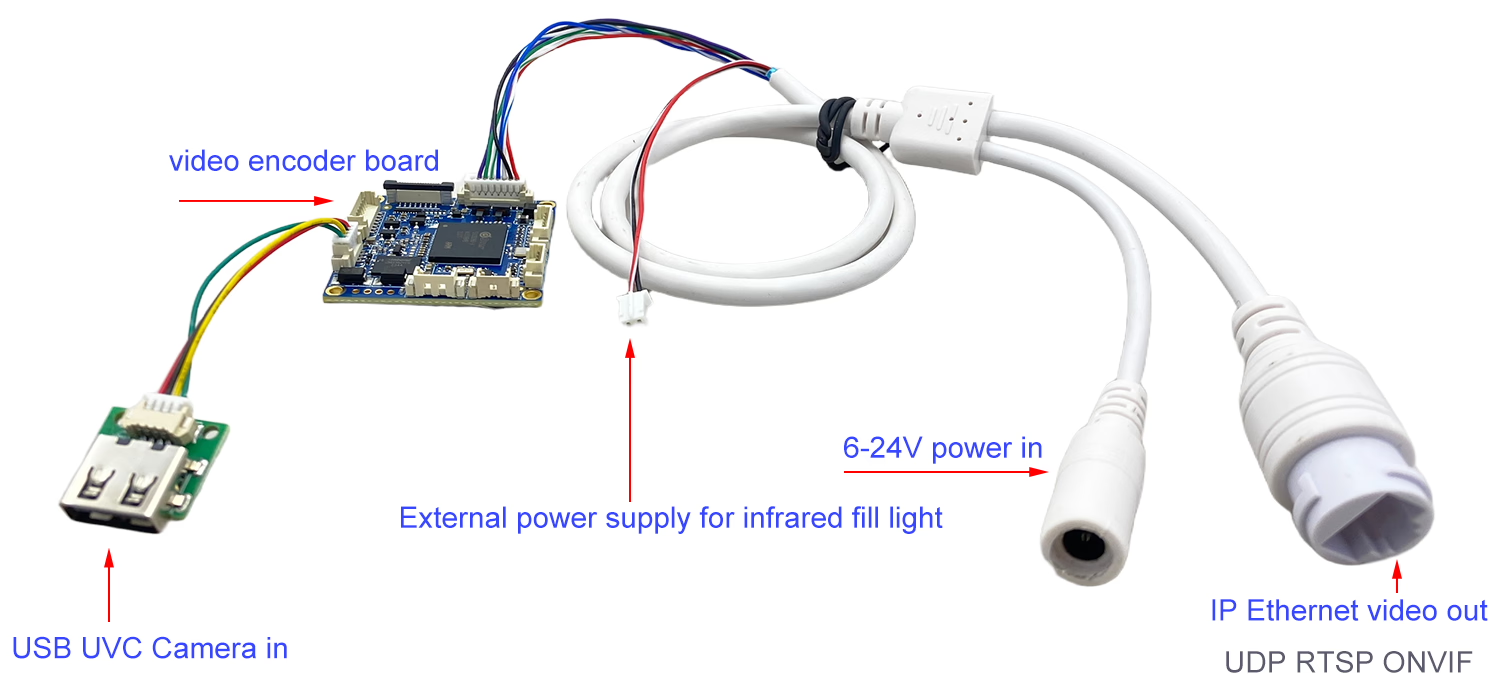
The UVC USB Camera to IP Ethernet Streaming Encoder Board is a high-performance video encoder module designed to convert USB camera video into IP network streams in real time.
It supports H.265/H.264 compression, ensuring ultra-low latency, high image quality, and low bit rate transmission. With wide power input, USB port, and support for RTSP, ONVIF, GB28181, and P2P protocols, this encoder board is perfect for drones, robots, industrial vision systems, and remote video conferencing.
Features
-
Real-Time USB to IP Encoding — Converts UVC USB camera video to network stream over Ethernet.
-
Supports H.265/H.264 compression for low bandwidth and excellent HD quality.
-
Full HD 1080P@60fps encoding, up to 4K@30fps HDMI output (via expansion board).
-
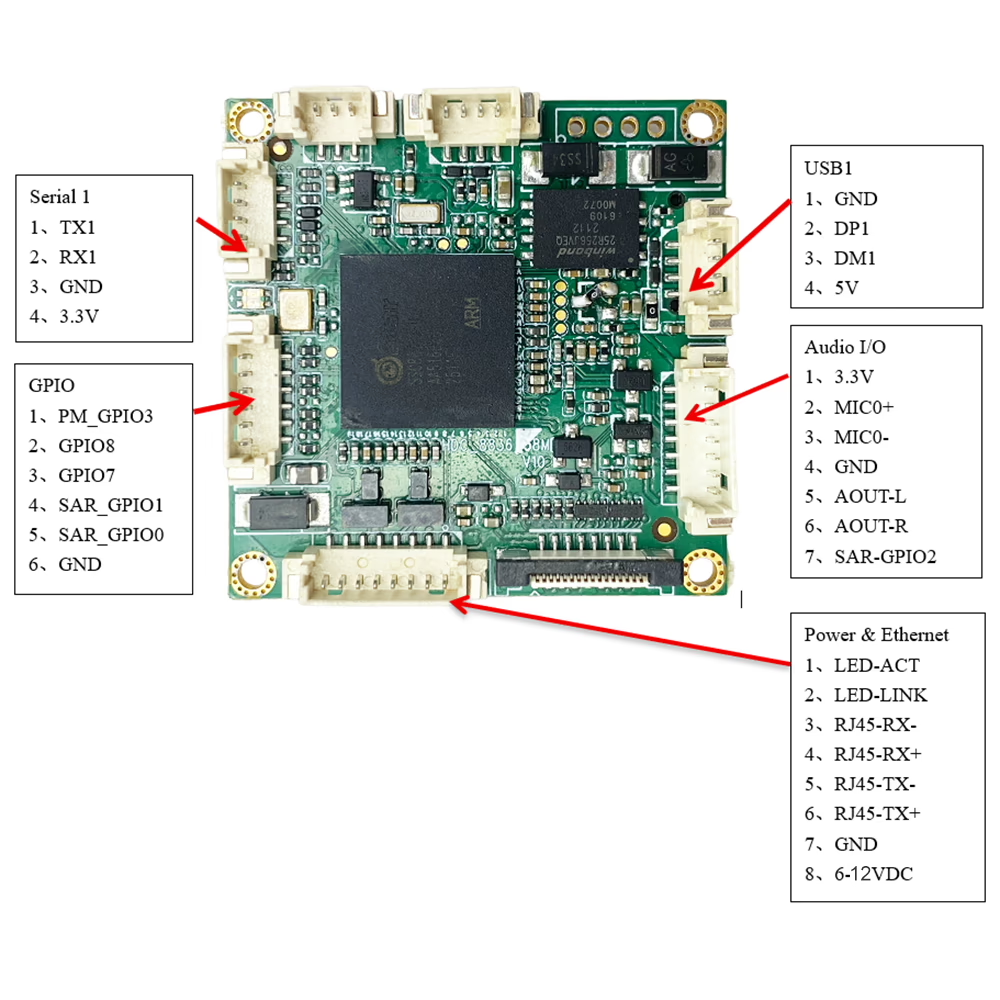
USB Port — Supports one USB camera or Wi-Fi/4G module expansion.
-
Two-Way Audio Intercom — Built-in G.711/AAC audio codec for full-duplex communication.
-
Multi-Protocol Support — RTSP, ONVIF, GB28181, P2P, HTTP, RTMP, TCP/IP, DHCP.
-
AI and OSD Customization — Supports NPU-based AI algorithm integration and OSD overlay.
-
Flexible Power Supply — DC 6–12V or PoE input supported.
-
Open Player SDK — Enables easy integration with custom platforms for secondary development.
-
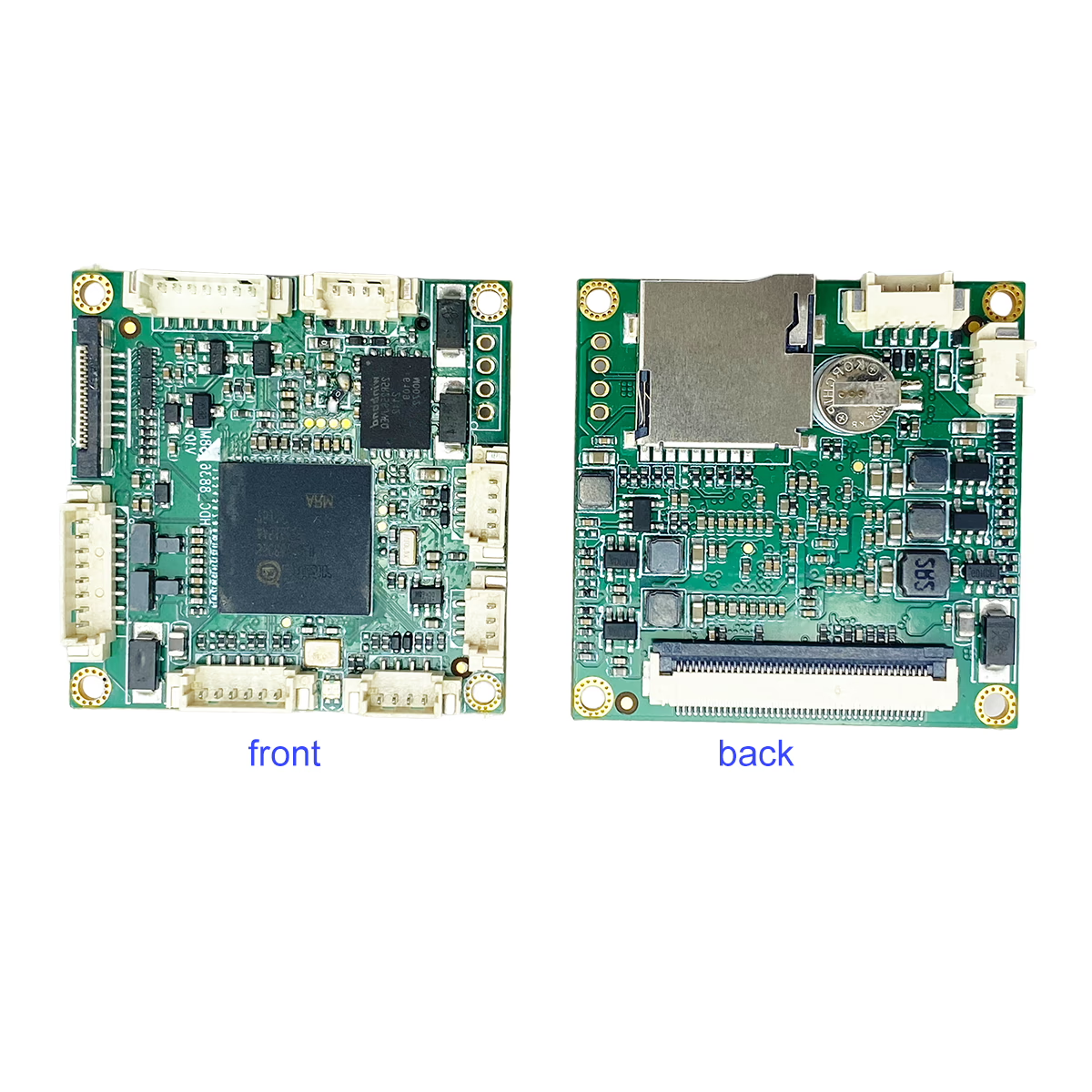
Compact Size — Only 38×38mm, with anti-static and surge protection design.
Specifications
| Item | Description |
|---|---|
| Model | 2169-UVC-IP |
| Main Processor | SSC8836Q-H with 0.5 TOPS NPU |
| Video Encoding | H.265/H.264, 0.1–8 Mbps adjustable, 1–60 fps |
| Resolution | Main stream: 1920×1080 / 1280×720; Sub stream: D1, VGA, 640×360 |
| Video Input | 1× USB UVC camera inputs (supports up to 1080P@60fps) |
| HDMI Output | Up to 1080P@60fps, supports 4K@30fps via add-on interface board |
| Audio | G.711/AAC, two-way voice intercom |
| Network Interface | 1× RJ45 (10/100M adaptive, lightning/ESD protection) |
| Network Protocols | TCP/IP, IPv4, RTSP, ONVIF, GB28181, HTTP, DHCP, RTMP, NTP |
| Serial Ports | 2× TTL UART |
| TF Card | 1× slot, supports up to 512GB |
| Audio Ports | 1× MIC input, 1× LINE output |
| Power Supply | DC 6–12V or PoE |
| Working Temperature | -20°C to +70°C |
| Dimensions | 38 × 38 mm |
Recommended Player
Applications
-
UAVs / Drones – Real-time aerial video streaming and monitoring.
-
Industrial Robots – Vision-based positioning, inspection, and automation control.
-
Unmanned Vehicles (UGV/USV) – Network video transmission for navigation and remote operation.
-
Network Video Conferencing Systems – Converts standard USB webcams into IP cameras.
-
Microscopy / Electronic Magnifiers – High-definition visual output for laboratory and educational use.
-
AI Vision Projects–Supports algorithm customization for smart recognition and analytics.
FAQ
Q: What is the default IP configuration for the device?
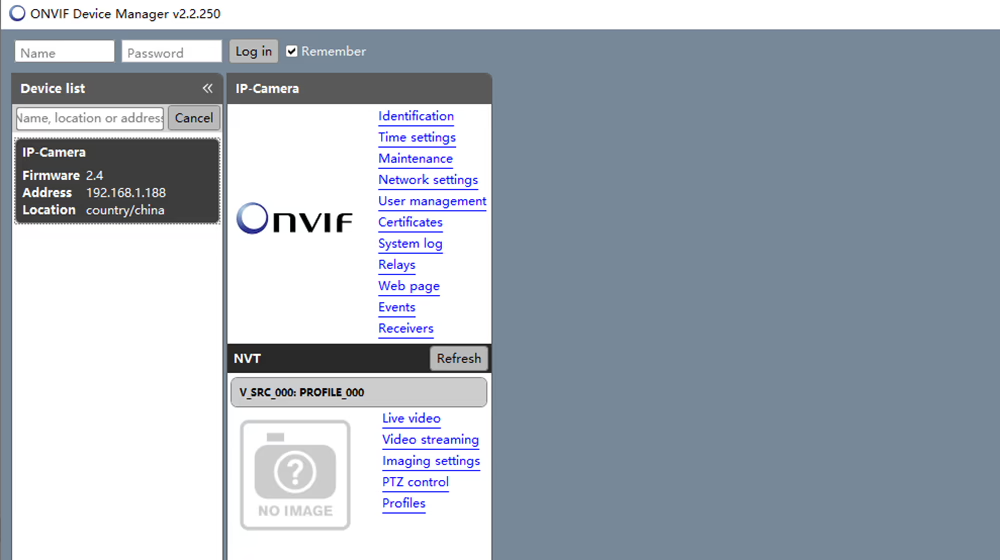
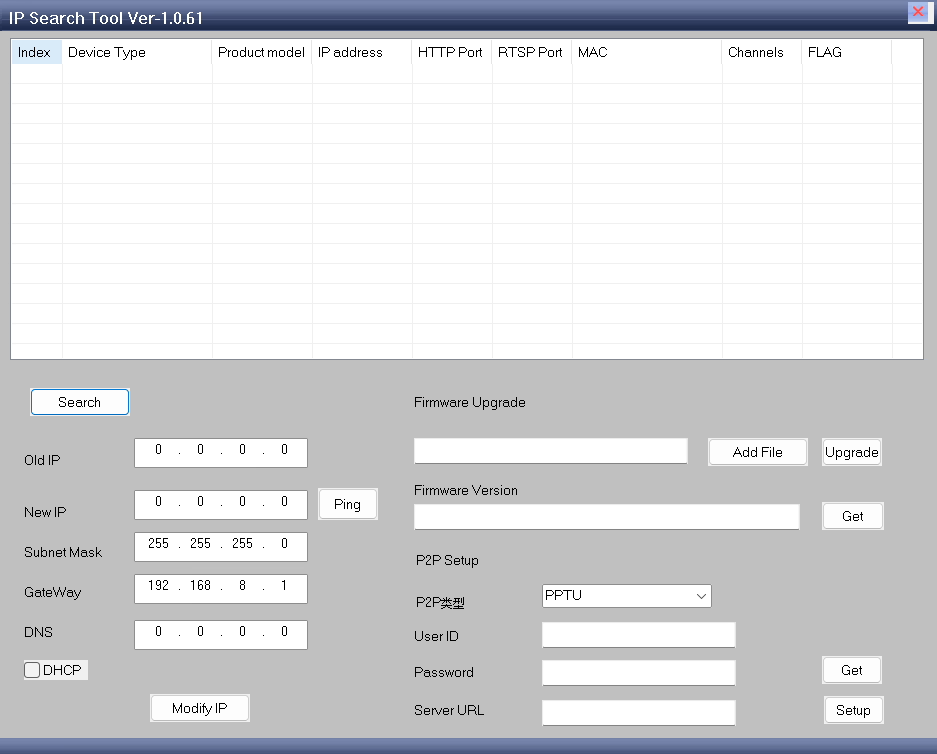
A: The device’s default IP address is 192.168.1.188. If the IP address has been changed and is unknown, you can still locate the device on the network:
- Connect the device (encoder board) to your computer using an Ethernet cable.
- Use the utility tool IPCSearchTool to scan the network. IP Search-EN-V1.0.61 Download
- The tool will detect the device and display its current IP address.
- Enter the detected IP address into a web browser.
- You will then be able to access the device’s configuration interface and live video preview page.
This method allows you to regain access even if the network settings have been modified.
Q: What user ID and password are needed to log in to the web interface?
A: The default login credentials for the device web interface are: Username: admin Password: admin .
Q: We are interested in the Player SDK. Can we receive and display the video stream in our own software?
A: Yes. We can provide the PC Player SDK source code, which enables customers to receive and display video streams in their own software applications and perform custom integration or secondary development as needed.
Download Link: PC Player SDK Source Code
Please note that the SDK is provided for independent development purposes only. We do not provide technical support, customization services, or engineering assistance for secondary development based on the SDK source code.
A: Yes. The hardware is capable of supporting two UVC-compliant USB video sources simultaneously. By using the appropriate firmware and software configuration, the board can capture video from both USB cameras and transmit them through a single Ethernet port as two independent network video streams.
Q1: What type of USB cameras can be used?
A1: It supports UVC-compliant USB cameras, including visible light and thermal imaging models.This device is designed to convert USB camera signals into IP streams.
Q2: Does it support Wi-Fi or 4G connectivity?
A2: Yes, one of the USB ports can be used for a Wi-Fi or 4G expansion module (extra cost).
Q3: Can it be used for AI image processing?
A3: Yes, the module integrates an NPU (0.5 TOPS) that supports AI algorithm customization.
Q4: Is SDK provided for software integration?
A4: Yes, we provide an open player SDK for PC, mobile, and embedded systems.
Q5: Can this module output HDMI video simultaneously?
A5: Yes, it supports HDMI 1080P60 output via an additional interface board.
Q6: What power options are available?
A6: Supports DC 6–12V input and PoE power supply for flexible deployment.
Q7. Can I connect a second USB camera via a USB hub or the USB0 port?
A7: No. The system currently supports only one USB camera input.
Even if you use a USB hub or attempt to connect through the USB0 port, the device cannot process or switch between two simultaneous USB camera inputs.
Q8. Does the system support dual-camera USB capture?
A8: No. Dual USB-camera input is not supported at this time. The system provides: One USB camera video input, and One network video stream output (IP stream), Additional USB video channels are not available.
Q9. What can be connected to the half-flex (half-pitch) cable connectors?
A9: The half-flex cable connectors are designed for factory-defined internal interfaces only, such as: Internal debugging ports, Extension modules,Specific hardware functions reserved for system integration. These connectors are not intended for externally connecting additional USB cameras or third-party devices.
Q10. Can I enable multi-camera support through firmware updates or custom settings?
A10: At present, multi-USB-camera support is not available and cannot be enabled through firmware. The hardware architecture is designed for single-camera USB input.
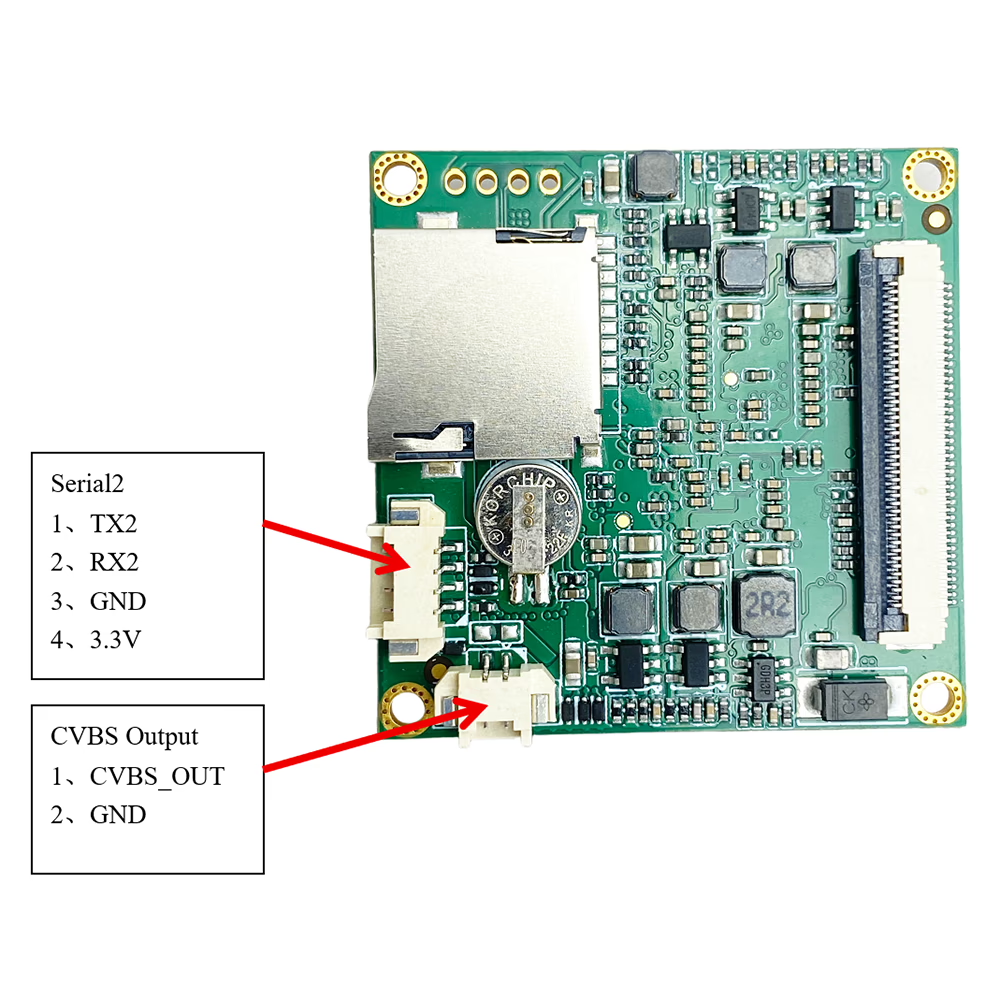
Q11: What is the purpose of the battery on the encoder board?
A11: The battery powers the on-board RTC (Real-Time Clock). The RTC keeps track of the system date and time even when the device is powered off, ensuring accurate timekeeping for functions such as timestamping recorded video or scheduling tasks.
Q12: What is the resolution of the analog video output?
A12: This USB-to-CVBS/video streaming encoder board outputs analog video with the following resolutions:
-
PAL: 720 × 576 pixels
-
NTSC: 720 × 480 pixels
Q13: Does the board provide both analog and IP outputs simultaneously? How is it determined which output is used?
A13: Yes, this USB UVC camera video encoder board supports simultaneous CVBS (analog) and IP/Ethernet video output. Both outputs can work at the same time, allowing you to monitor video via analog displays while streaming over the network. There is no need to switch between outputs; the board automatically provides both.
Q14: We want a working temperature range of -30°C to +50°C. Is this possible?
A14: Yes, we have conducted dedicated testing, and the board has been verified to start up and operate normally at -30°C and continue functioning correctly at +50°C.

Encoder Modules Boards









Decoder Modules Boards




Available for Customization
New Encoder Products
| No. | Product Name | Configuration | Key Features | Status |
|---|---|---|---|---|
| 1 | Dual-Channel USB UVC Visible Light Video Encoder | 2× USB input | Supports dual USB camera video encoding, and RTSP streaming; local CVBS/HDMI output; switchable display modes | Mass Production |
| 2 | Dual-Channel Encoder (1× USB Visible Light + 1× USB Thermal Imaging camera) | 2× USB input | Supports dual USB camera (visible + thermal) capture, encoding, and RTSP streaming; local CVBS/HDMI output; switchable display modes | Mass Production |
| 3 | RTSP Decoder HDMI/CVBS Display Module | HDMI + CVBS output | Supports up to 4×1080P@30fps RTSP stream decoding; Support video streaming protocol forwarding; HDMI/CVBS output display | Sample Available |
| 4 | RTSP Decoder HDMI/CVBS Display Module with 4.3"/5" LCD | HDMI output + LCD screen | Supports up to 4×1080P@30fps RTSP stream decoding; protocol forwarding; HDMI/CVBS output display | Debugging |
| 5 | Dual-Channel Encoder (1× USB Visible Light + 1× CVBS Analog) | 1× CVBS + 1× USB UVC input | Dual video (USB + CVBS), encoding and RTSP streaming; local CVBS/HDMI output; switchable display modes | Debugging |
| 6 | Dual-Channel Encoder (1× USB UVC + 1× AHD Analog) | 1× AHD + 1× USB UVC input | Dual video capture (USB + AHD), encoding and RTSP streaming; local CVBS/HDMI output; switchable display modes | Debugging |
| 7 | Dual-Channel Encoder (1× CVBS + 1× AHD Analog Video) | CVBS + AHD 2 video input | Dual analog video capture, encoding and RTSP streaming; local CVBS/HDMI output; switchable display modes | Debugging |
| 8 | Dual-Channel Encoder (1× CMOS Camera + 1× USB Thermal Imaging camera) | 1× USB interface | Supports CMOS + USB thermal camera capture, encoding and RTSP streaming; local CVBS/HDMI output; switchable display modes | Mass Production |
For customized video input/output conversion solutions not listed in our products, please contact us for OEM/ODM support. We can develop tailored products based on your requirements.
Relative Post




iVcan.com –
I’ve been using the UVC USB Camera to IP Ethernet Streaming Encoder Board for several months, and it has exceeded my expectations. The video quality is crystal clear, and the H.265 compression keeps the bandwidth surprisingly low. Setup was straightforward — my UVC camera was detected instantly, and the RTSP stream worked perfectly with VLC and ONVIF NVR. The low latency makes it ideal for my drone video and robotics projects. Stable performance, flexible power options, and excellent player SDK support. Highly recommended!