






Table of Contents
Why do we need to change D3 from the Transparent serial port to the AT command interaction
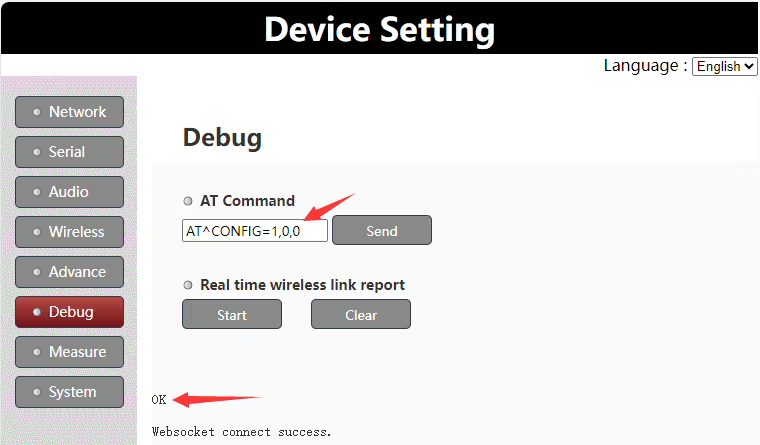
The default shipping configuration of the D3 serial port is used as a transparent serial port. If the customer needs to modify it for AT command interaction, the internal AT command can be sent under the web server to modify the role of the D3 serial port. The specific steps are as follows:
1. Log in to the debug page of the web server
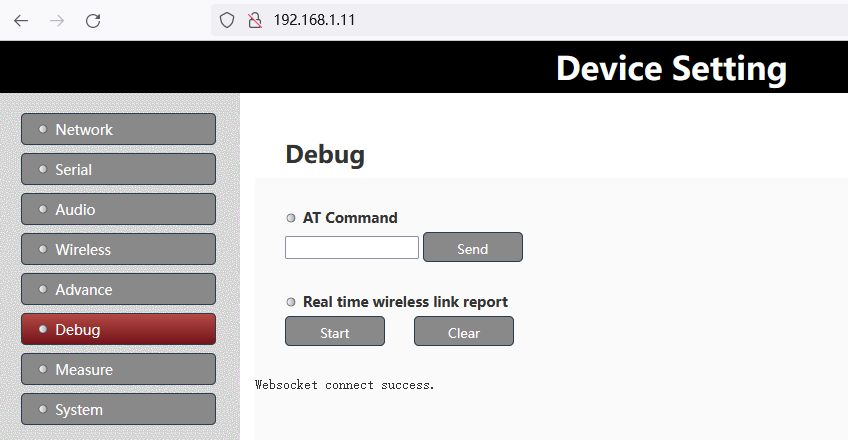
2. Enter the “AT^CONFIG=1,0,0” command in the “At Command” column, and the “OK” prompt will be returned if successful
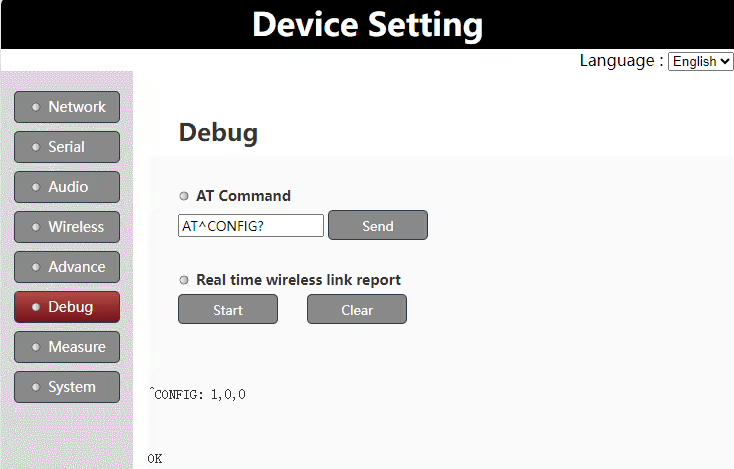
3. Enter “AT^CONFIG?” command in the “At Command” column to check again to confirm whether the configuration is successful
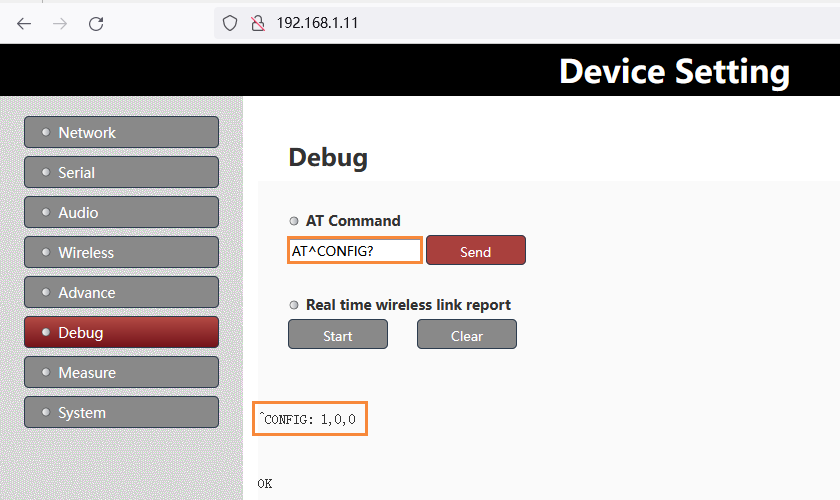
Note:
- After the above modification, you need to restart the power to take effect
- If you need to modify D3 to be a transparent serial port again, just replace the above AT command with “AT^CONFIG=0,0,0”.
Products for Change D3 from the transparent serial port to AT command



UART3 Configuration
The UART3(or D3 UART of TX900) can work as data uart and control uart. The default factory configuration of UART3 works as data uart from version 1.4. Customers can change it as their application requirement.
Version confirmation
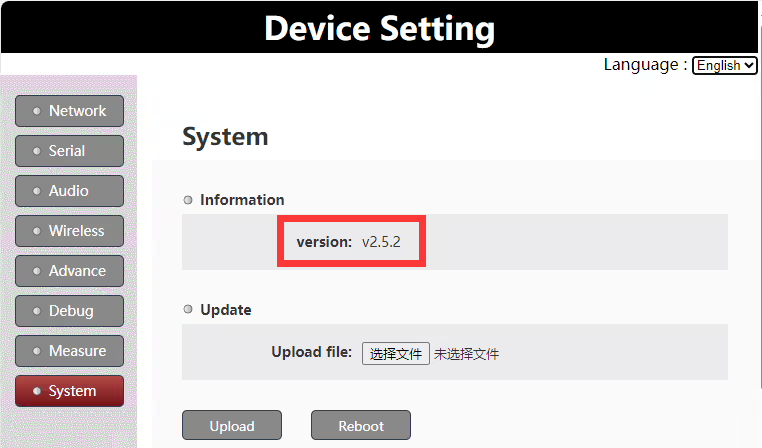
To be noticed: this document is only valid for version 1.4 and higher versions.
Set uart3 as control uart
Customers can set uart3 working as control uart via the web UI AT command.
AT command: AT^CONFIG=1,0,0
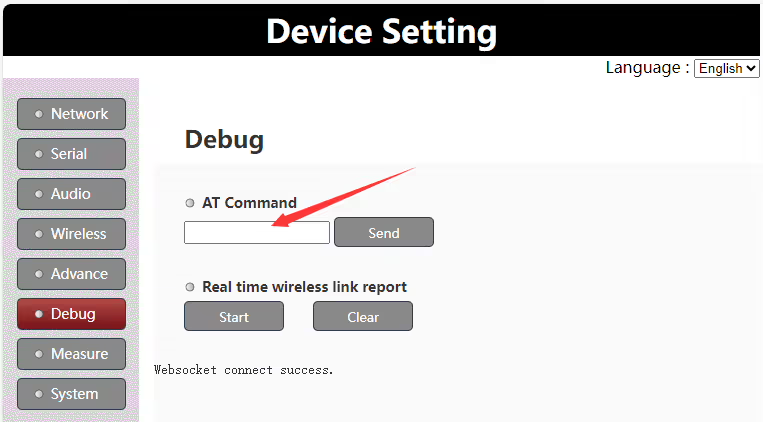
Run the AT command “AT^CONFIG=1,0,0” on web UI to set uart3 as control uart, it will return “ok” if succeeds. It needs to reboot the Vcan1681 module to enable the setting.
Set uart3 as data uart
Customers can set uart3 to work as data uart via the web UI AT command.
AT command: AT^CONFIG=0,0,0
Run the AT command “AT^CONFIG=0,0,0” on web UI to set uart3 as data uart, it will return “ok” if succeeds. It needs to reboot the Vcan1681 module to enable the setting.
Uart3 working mode query
Customers can query the current uart3 working mode via the web UI AT command.
AT command: AT^CONFIG?
Run the AT command “AT^CONFIG?” on the web UI to query the current uart3 working mode. It will return “ok” and the current working mode setting.
Ask A Question
Thank you for your response. ✨