





目录
Why do we need to change D3 from the Transparent serial port to the AT command interaction
D3串口默认出厂配置为透明串口. 如果客户需要修改为AT指令交互, the internal AT command can be sent under the web server to modify the role of the D3 serial port. 具体步骤如下:
1. 登录Web服务器的调试页面
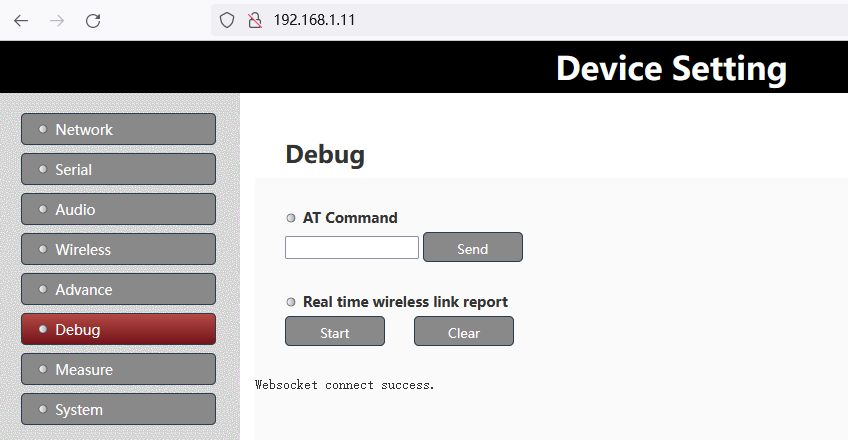
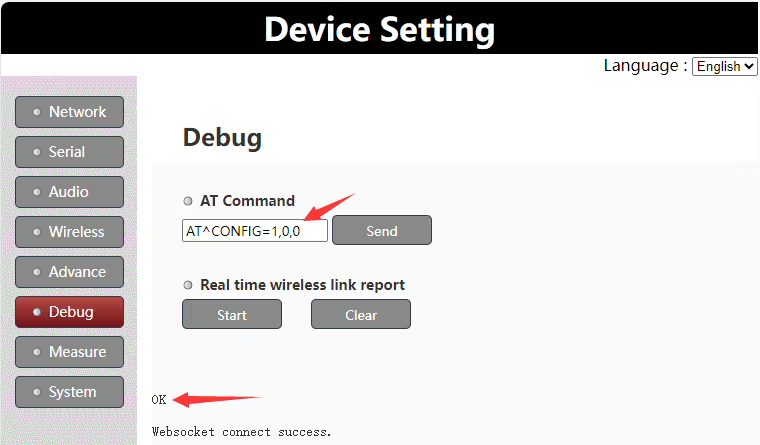
2. 输入 “AT^配置=1,0,0” 命令在 “在命令下” column, 和 “好的” 成功则返回提示
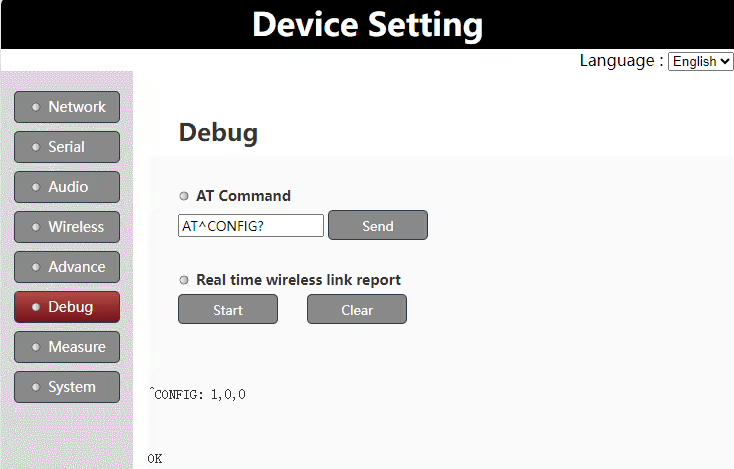
3. 进入 “AT^配置?” 命令在 “在命令下” 再次查看栏目确认是否配置成功
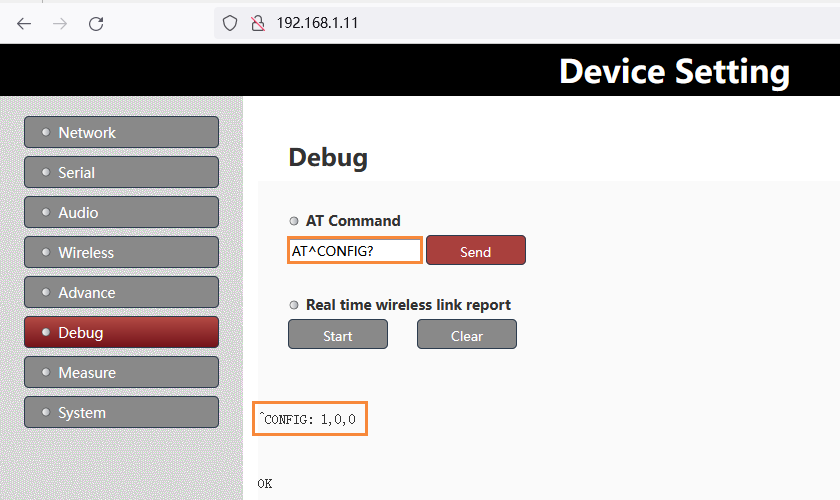
注意:
- 经过以上修改后, 需要重启电源才能生效
- 如果需要再次修改D3为透明串口, 只需将上面的 AT 命令替换为 “AT^配置=0,0,0”.
Products for Change D3 from the transparent serial port to AT command



UART3 Configuration
The UART3(or D3 UART of TX900) can work as data uart and control uart. The default factory configuration of UART3 works as data uart from version 1.4. Customers can change it as their application requirement.
Version confirmation
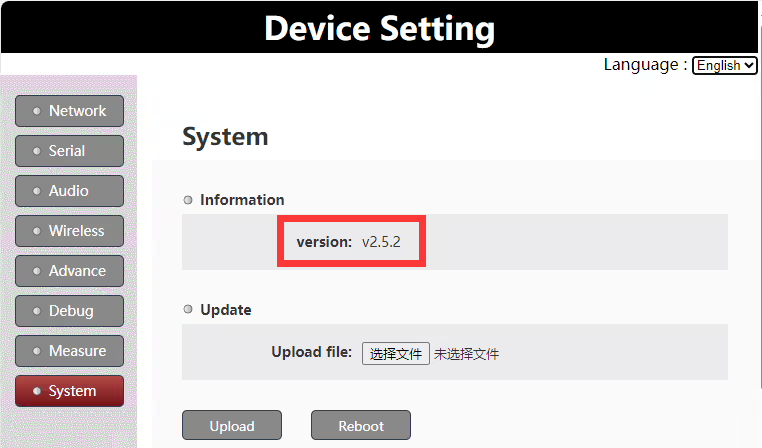
To be noticed: this document is only valid for version 1.4 and higher versions.
Set uart3 as control uart
Customers can set uart3 working as control uart via the web UI AT command.
AT命令: AT^配置=1,0,0
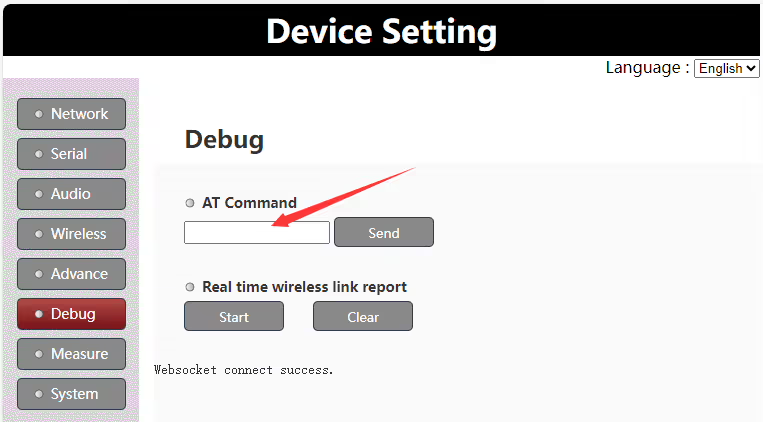
Run the AT command “AT^CONFIG=1,0,0” on web UI to set uart3 as control uart, it will return “ok” if succeeds. It needs to reboot the Vcan1681 module to enable the setting.
Set uart3 as data uart
Customers can set uart3 to work as data uart via the web UI AT command.
AT命令: AT^配置=0,0,0
Run the AT command “AT^CONFIG=0,0,0” on web UI to set uart3 as data uart, it will return “ok” if succeeds. It needs to reboot the Vcan1681 module to enable the setting.
Uart3 working mode query
Customers can query the current uart3 working mode via the web UI AT command.
AT命令: AT^配置?
Run the AT command “AT^CONFIG?” on the web UI to query the current uart3 working mode. It will return “ok” and the current working mode setting.
问一个问题
感谢您的回复。 ✨