





İçindekiler
Why do we need to change D3 from the Transparent serial port to the AT command interaction
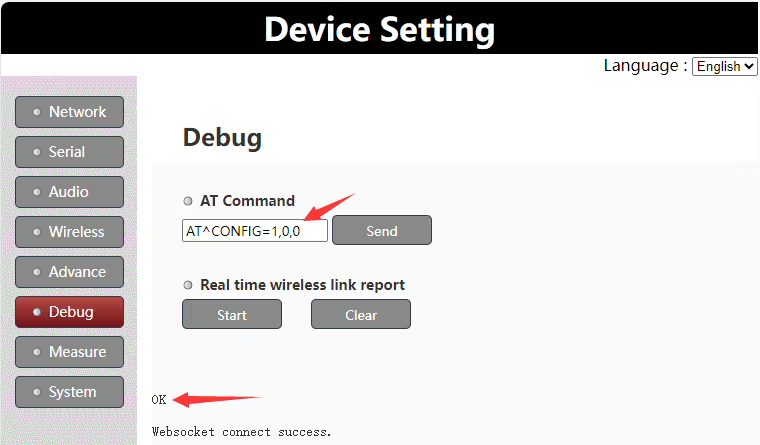
D3 seri bağlantı noktasının varsayılan gönderim yapılandırması şeffaf bir seri bağlantı noktası olarak kullanılır. Müşterinin AT komut etkileşimi için bunu değiştirmesi gerekiyorsa, the internal AT command can be sent under the web server to modify the role of the D3 serial port. Belirli adımlar aşağıdaki gibidir:
1. Web sunucusunun hata ayıklama sayfasında oturum açın
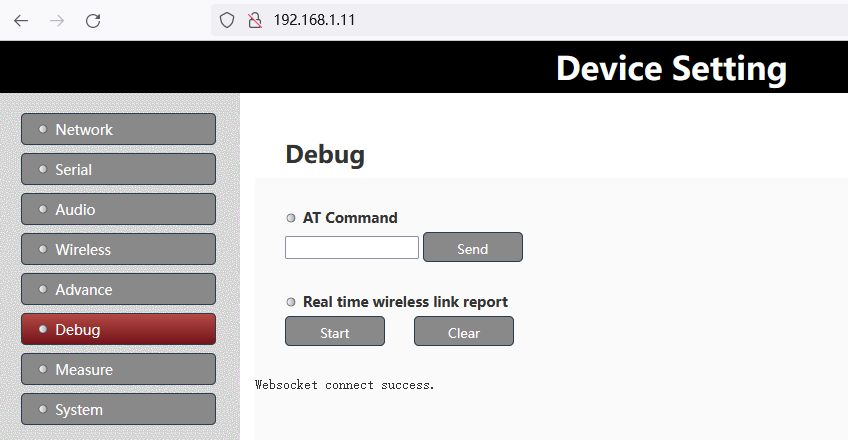
2. Girin “AT^CONFIG=1,0,0” içindeki komut “Komuta Altında” column, ve “TAMAM” Başarılı olursa istem döndürülür
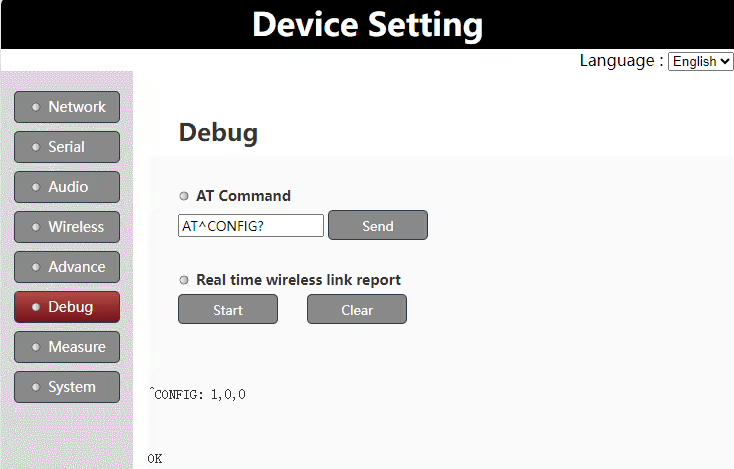
3. Girmek “AT^CONFIG?” içindeki komut “Komuta Altında” Yapılandırmanın başarılı olup olmadığını doğrulamak için tekrar kontrol edilecek sütun
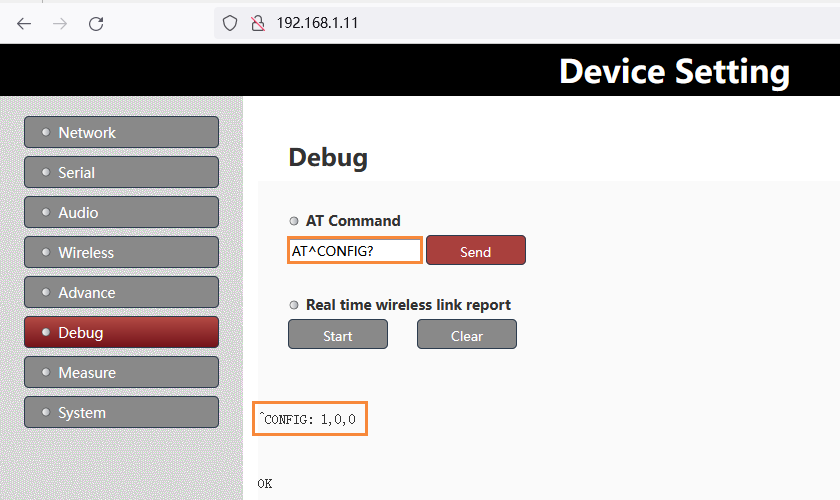
Not:
- Yukarıdaki değişiklikten sonra, etkili olması için gücü yeniden başlatmanız gerekir
- D3'ü tekrar şeffaf bir seri bağlantı noktası olacak şekilde değiştirmeniz gerekirse, yukarıdaki AT komutunu şununla değiştirin: “AT^CONFIG=0,0,0”.
Products for Change D3 from the transparent serial port to AT command



UART3 Configuration
The UART3(or D3 UART of TX900) can work as data uart and control uart. The default factory configuration of UART3 works as data uart from version 1.4. Customers can change it as their application requirement.
Version confirmation
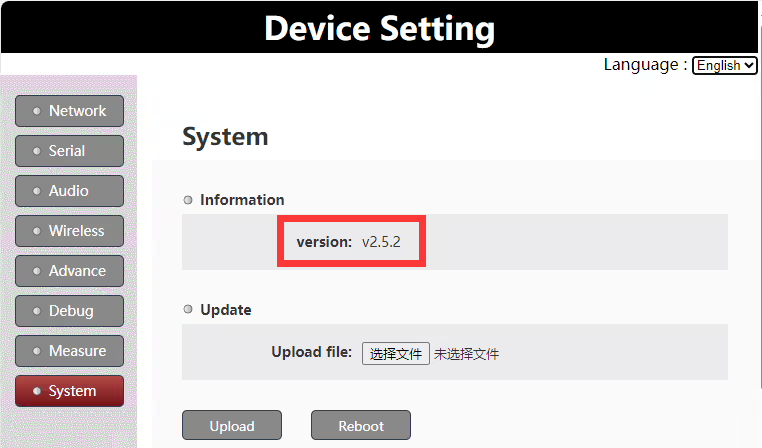
To be noticed: this document is only valid for version 1.4 and higher versions.
Set uart3 as control uart
Customers can set uart3 working as control uart via the web UI AT command.
AT komutu: AT^CONFIG=1,0,0
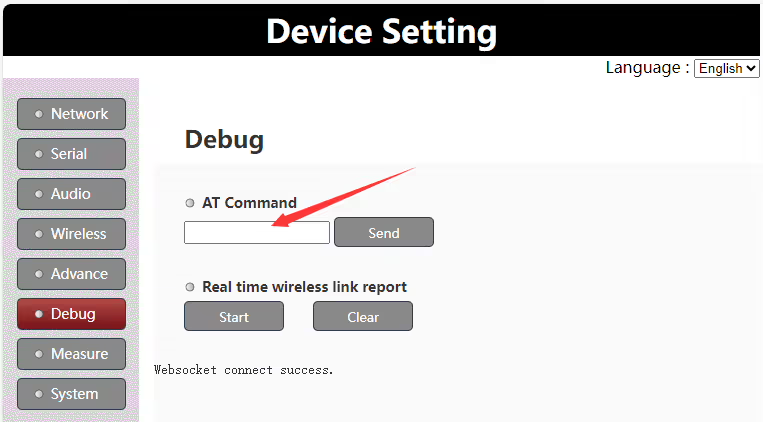
Run the AT command “AT^CONFIG=1,0,0” on web UI to set uart3 as control uart, it will return “ok” if succeeds. It needs to reboot the Vcan1681 module to enable the setting.
Set uart3 as data uart
Customers can set uart3 to work as data uart via the web UI AT command.
AT komutu: AT^CONFIG=0,0,0
Run the AT command “AT^CONFIG=0,0,0” on web UI to set uart3 as data uart, it will return “ok” if succeeds. It needs to reboot the Vcan1681 module to enable the setting.
Uart3 working mode query
Customers can query the current uart3 working mode via the web UI AT command.
AT komutu: AT^CONFIG?
Run the AT command “AT^CONFIG?” on the web UI to query the current uart3 working mode. It will return “ok” and the current working mode setting.
Bir soru sor
Yanıtınız için teşekkür ederiz. ✨