





Mục lục
Why do we need to change D3 from the Transparent serial port to the AT command interaction
Cấu hình vận chuyển mặc định của cổng nối tiếp D3 được sử dụng làm cổng nối tiếp trong suốt. Nếu khách hàng cần sửa đổi nó để tương tác với lệnh AT, the internal AT command can be sent under the web server to modify the role of the D3 serial port. Các bước cụ thể như sau:
1. Đăng nhập vào trang gỡ lỗi của máy chủ web
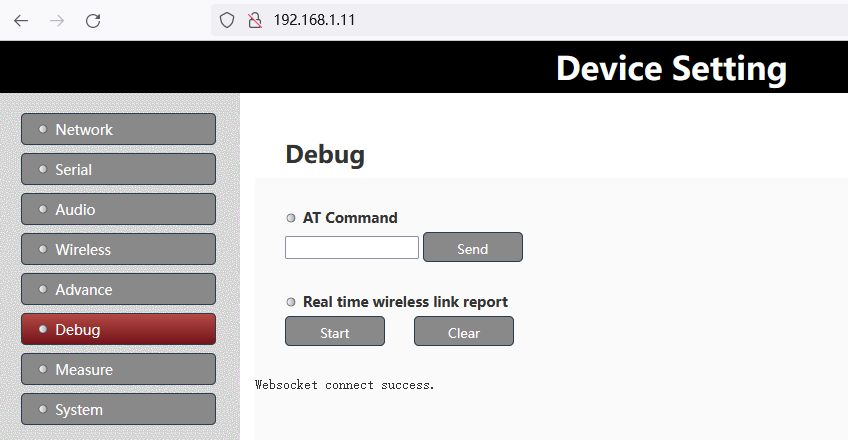
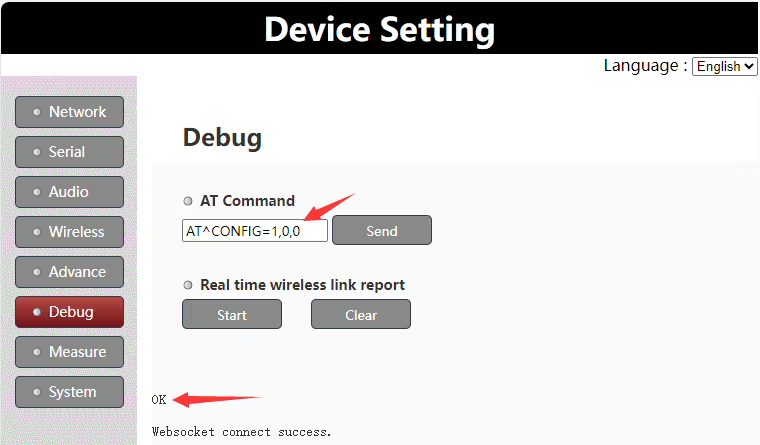
2. Nhập “TẠI^CẤU HÌNH=1,0,0” lệnh trong “Tại lệnh” column, và “ĐƯỢC RỒI” lời nhắc sẽ được trả lại nếu thành công
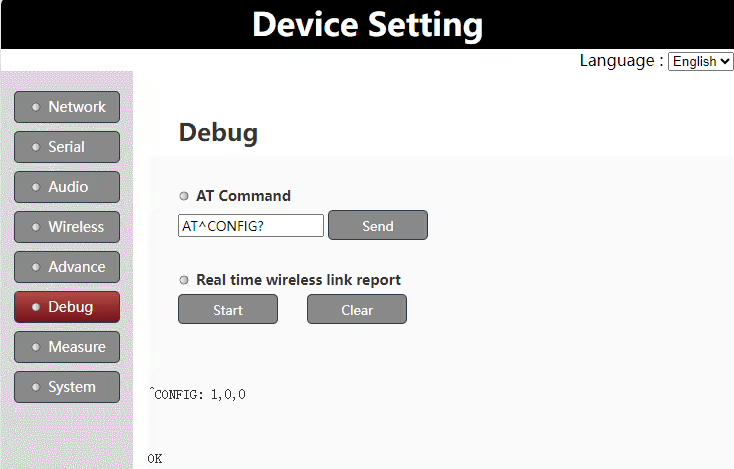
3. Đi vào “AT^CẤU HÌNH?” lệnh trong “Tại lệnh” cột để kiểm tra lại xác nhận cấu hình có thành công hay không
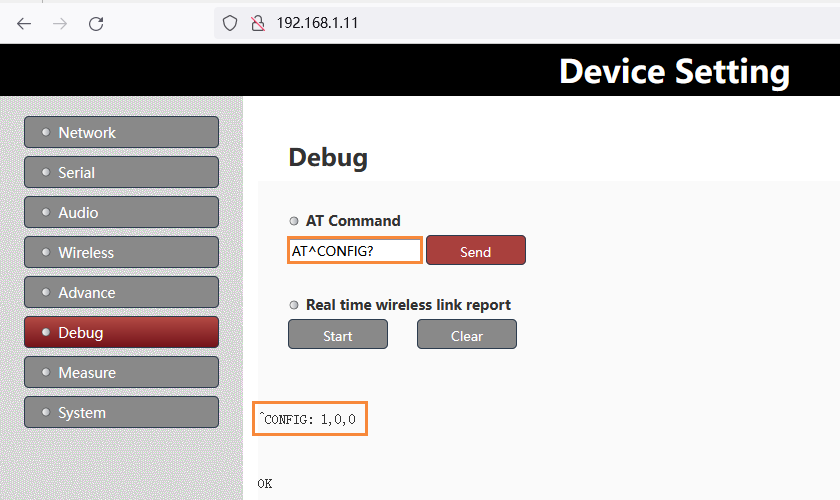
Ghi chú:
- Sau lần sửa đổi trên, bạn cần khởi động lại nguồn để có hiệu lực
- Nếu bạn cần sửa đổi D3 thành cổng nối tiếp trong suốt, chỉ cần thay thế lệnh AT ở trên bằng “TẠI^CẤU HÌNH=0,0,0”.
Products for Change D3 from the transparent serial port to AT command



UART3 Configuration
The UART3(or D3 UART of TX900) can work as data uart and control uart. The default factory configuration of UART3 works as data uart from version 1.4. Customers can change it as their application requirement.
Version confirmation
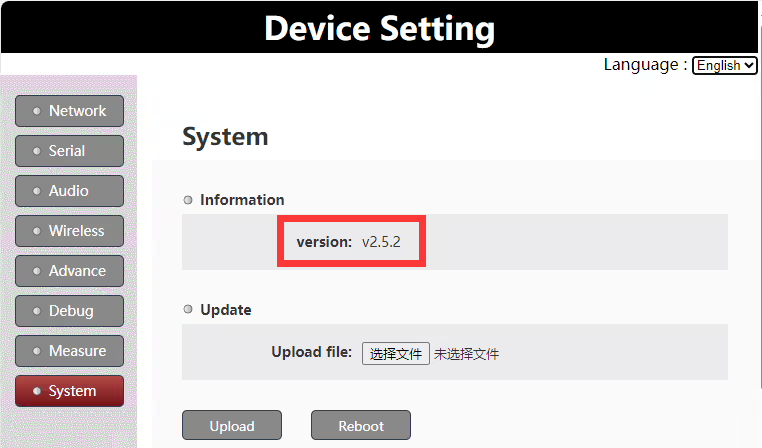
Để được chú ý: this document is only valid for version 1.4 and higher versions.
Set uart3 as control uart
Customers can set uart3 working as control uart via the web UI AT command.
Lệnh AT: TẠI^CẤU HÌNH=1,0,0
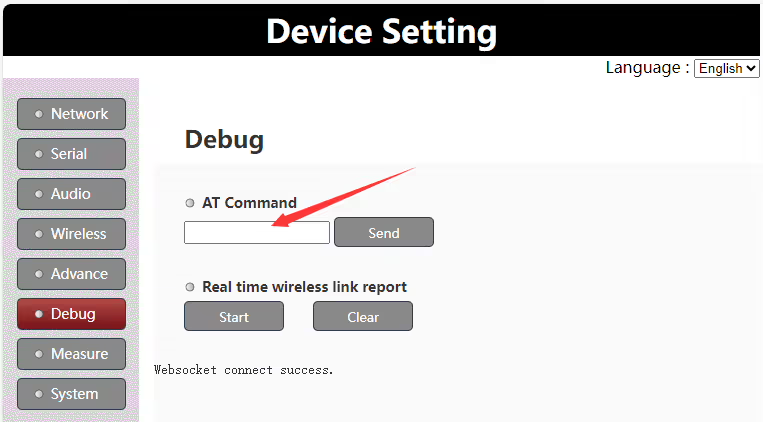
Run the AT command “AT^CONFIG=1,0,0” on web UI to set uart3 as control uart, it will return “ok” if succeeds. It needs to reboot the Vcan1681 module to enable the setting.
Set uart3 as data uart
Customers can set uart3 to work as data uart via the web UI AT command.
Lệnh AT: TẠI^CẤU HÌNH=0,0,0
Run the AT command “AT^CONFIG=0,0,0” on web UI to set uart3 as data uart, it will return “ok” if succeeds. It needs to reboot the Vcan1681 module to enable the setting.
Uart3 working mode query
Customers can query the current uart3 working mode via the web UI AT command.
Lệnh AT: AT^CẤU HÌNH?
Run the AT command “AT^CONFIG?” on the web UI to query the current uart3 working mode. It will return “ok” and the current working mode setting.
Đặt một câu hỏi
Tin nhắn của bạn đã được gửi