






Why 1681 Shows -20 dBm in Debug Mode Even When Set to 5 dBm
Table of Contents
Customer feedback issues
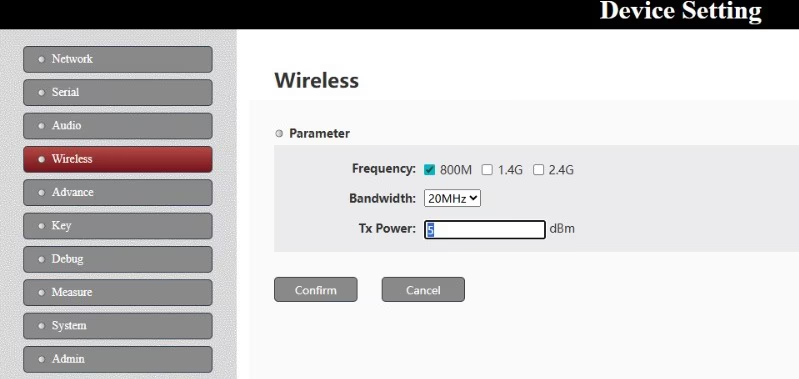
When operating the 1681 wireless transmission module, some users may encounter a situation where the transmit power is configured as 5 dBm in the web interface, yet the Debug page displays a value around -20 dBm.
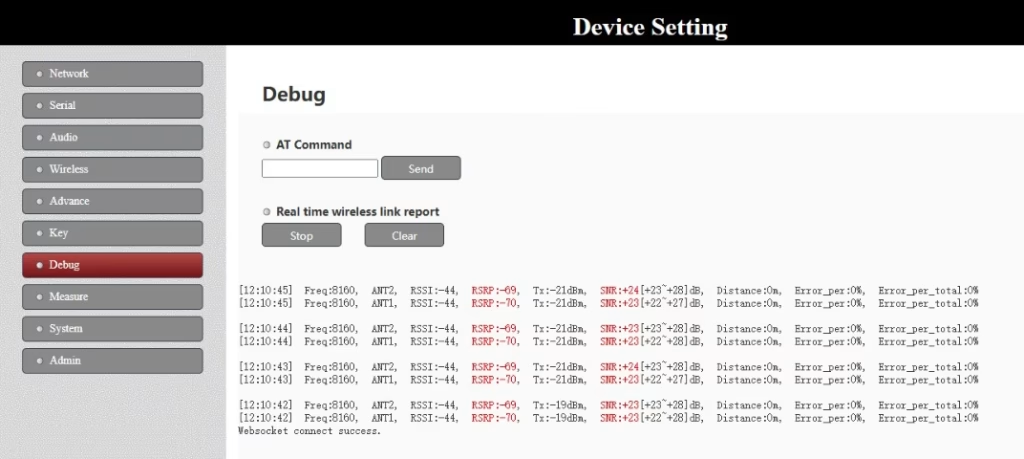
This behavior is expected and is directly related to how the 1681 manages transmit power under real operating conditions.
1681 Operating as an Access Node
In this setup, the 1681 is working as an access node at the air unit. (it also can set a central node at ground unit).
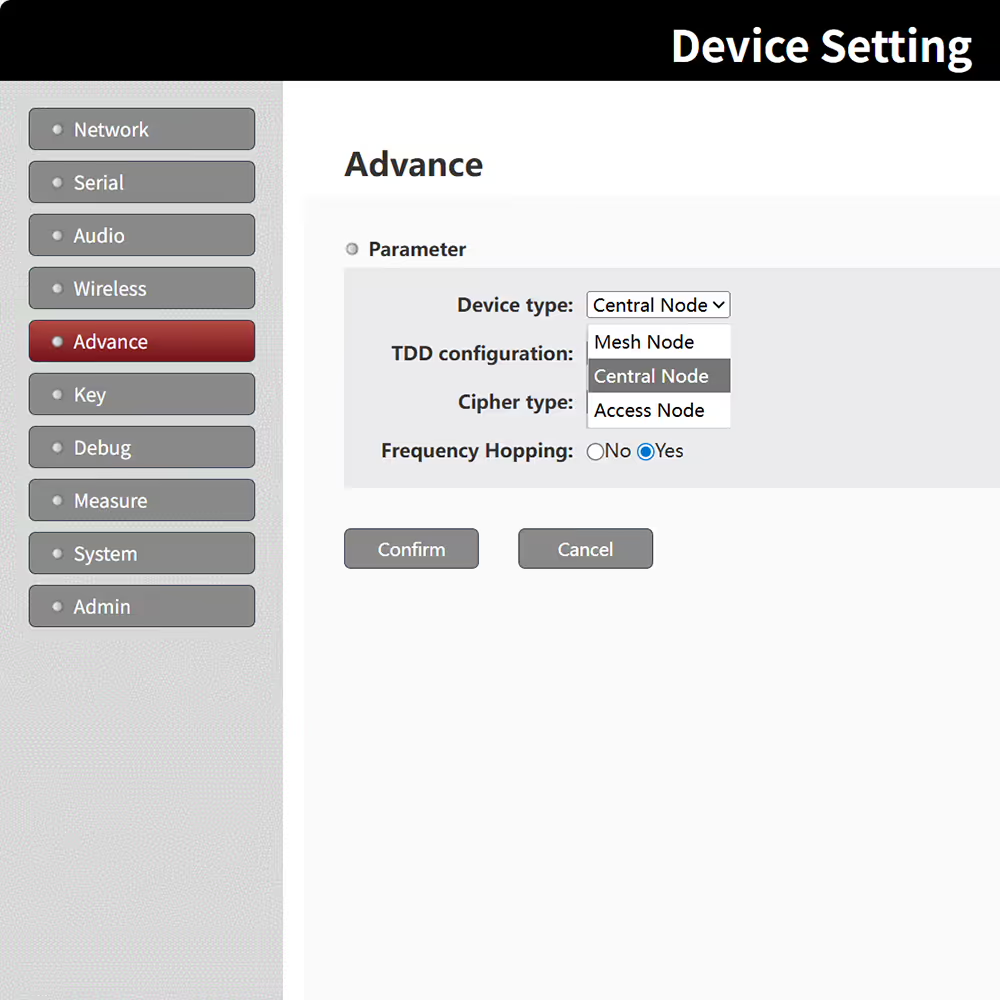
For access nodes, the transmit output power is adaptive rather than fixed. The system dynamically adjusts the output power based on distance and link quality.
How Adaptive Transmit Power Works
The 1681 uses adaptive power control to optimize wireless performance and system stability:
- Short distance / strong link
When the receiver is close and the signal quality is high, the 1681 will automatically reduce its transmit power.
As a result, the real-time value shown in the Debug interface may be as low as -20 dBm. - Long distance / weaker link
As the distance increases or the wireless link becomes weaker, the system will gradually increase the transmit power to maintain a reliable connection.
This adaptive mechanism helps reduce unnecessary RF interference, lowers noise, and improves overall network efficiency.
Web Configuration vs. Actual Output Power
It is important to distinguish between configuration settings and real-time measurements:
- Transmit power setting on the web page (e.g. 5 dBm)
This value defines the maximum output power limit allowed by the system. - Transmit power shown in Debug mode
This reflects the actual, real-time transmit output power, which varies automatically according to link conditions.
Therefore, setting the transmit power to 5 dBm does not mean the 1681 will always transmit at 5 dBm.
It only sets the upper boundary that the adaptive power control can reach when higher power is required.
You can also verify this behavior through practical testing.
If you move the devices several offices apart, or perform a corridor / cross-floor (run-through-building) test, you will observe that the transmit output power increases automatically.
For bi-directional UAV communication modules, when operating at longer distances or in environments with obstacles such as walls, floors, or buildings, the link quality degrades.
In these scenarios, the system will automatically raise the transmit power to compensate for the weaker signal and maintain a stable connection.
This dynamic power adjustment is specifically designed to support poor signal conditions, NLOS environments, and long-range drone applications, ensuring reliable communication without requiring manual power changes.
Conclusion
If the Debug interface of your 1681 module shows approximately -20 dBm while the transmit power is set to 5 dBm, this does not indicate a malfunction.
- The 1681 access node uses adaptive transmit power control
- Output power is reduced at short distances
- Transmit power increases automatically as distance grows
- The web setting acts as a maximum limit, not a constant output value
This design ensures efficient, stable, and interference-aware wireless communication.

Bidirectional Two-Ways
Ask A Question
Thank you for your response. ✨