






Table of Contents
Do you have any suggestions for installing a COFDM Wireless Video transmitter to get the best performance?
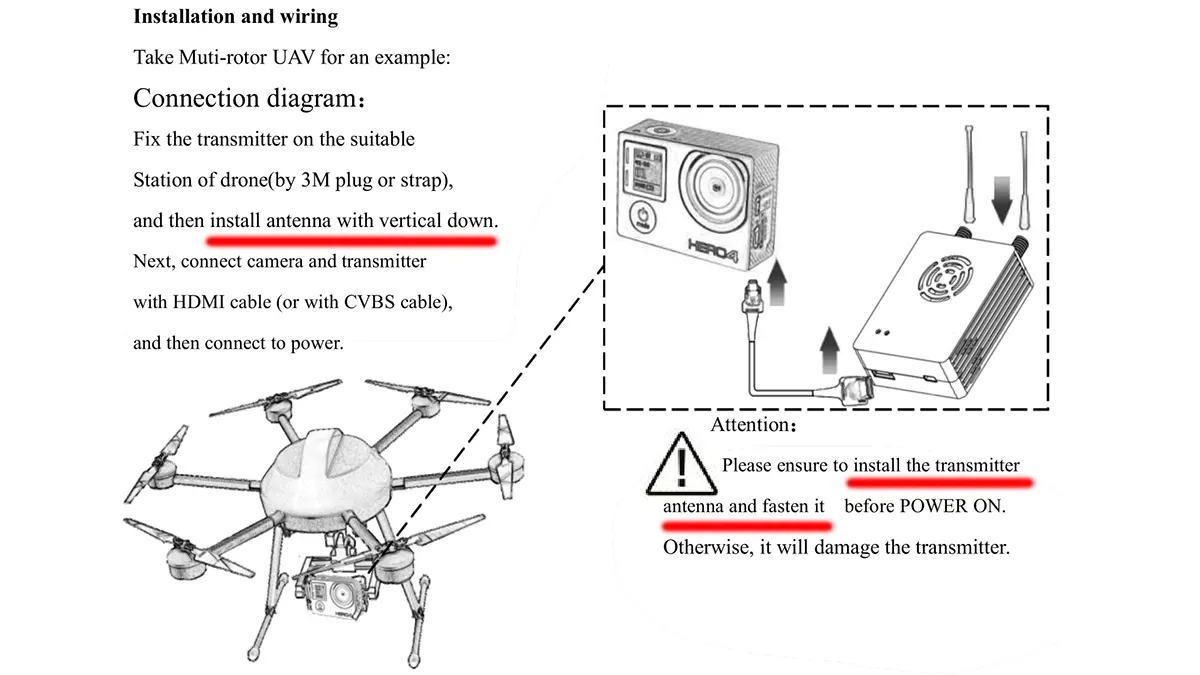
Installation Warning
1. Before Power On, the user should install the antenna and make sure that the interface is tightened. Otherwise, it will damage the circuit.
2. Please make sure the transmitter and receiver supply the voltage within the prescribed voltage range. Otherwise, it will damage the circuit.
3. Be able to keep the antenna of the transmitter down vertically and without any obstacles to prevent shortening communication distance because of blocking.
4. The antenna of the receiver should be able to keep away from large metal parts.
5. Please be sure to use the right type of antenna, the antenna frequency should be suitable for the transmitter frequency.
6. Please pay attention to keeping the proper distance between the electronic equipment to minimize electromagnetic interference.
Usage warning
1. Please make sure that all connecting wires are fastened and connected correctly.
2. There is no entry into any foreign body (e.g. liquid, sand, etc.)
3. The transmitter needs about 15 seconds to power on, after that, can transmit
4. Please ensure that there is no interference in the environment with the same frequency or high RF power wireless transmission equipment, otherwise, the receiver may not receive the video normally.
5. If the signal of the Receiver is poor, try to change the direction of the receiver antenna.
6. Using HDMI cable, LCD display, and other accessories, select a better electromagnetic shielding performance of the product as far as possible.
-
 Best FPV Video Transmitter Module 170-860Mhz Wireless RF audio video Transmitter for FPV Camera 3W PA 50km
 -
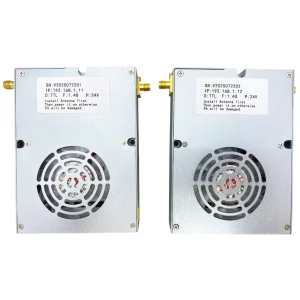 drone swarm mesh network 100km 60Mbps radio link 4-nodes 2X frequency hopping 2X 5-watt power amplifier
 -
 IP Mesh 100Mbps wireless video data transceiver 2X5W PA 16 hop
 -
 Drone Link for long-range Video Data Radio Telemetry Wireless transmission between UAV and Ground Control Station
 -
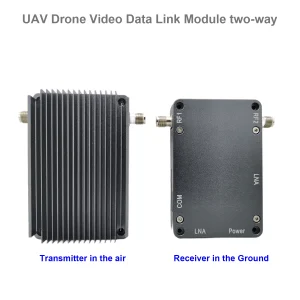 UAV drone video data link module wireless video transmitter and receiver for camera long-range TDD transceiver two-way vcan1401
 -
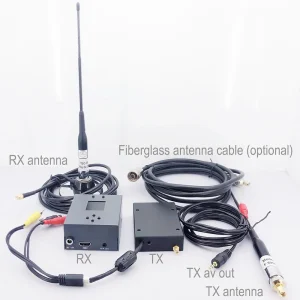 COFDM video transmitter-receiver AV in HDMI out FPV, Wireless 10km-15km-30km long-range cheaper and longer COFDM-912T
 -
 1740-1840Mhz 2WPA 30KM long range drone video transmitter and receiver with Sbus TTL
 -
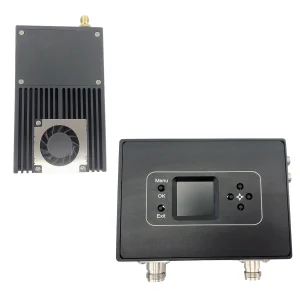 30Km long distance COFDM HDMI Wireless Video Transmitter Receiver full Set Audio Video TX RX for UAV Drone 1080P 908T
 -
 Two-way UAV Wireless Video Data RC Control Link module long-range bidirectional transceiver Transmitter-Receiver Vcan1681
Proper installation of a COFDM wireless video transmitter is crucial for achieving optimal performance, maintaining reliable signal transmission, and preventing equipment damage. Whether used for UAVs, drones, or other professional video transmission applications, following best practices ensures consistent video quality, extended transmission range, and long-term device reliability. Below are comprehensive suggestions for installation and usage, including warnings and practical tips.
Installation Recommendations
- Antenna Installation Before Power-On:
Always install the antenna on the transmitter before powering on the device. Ensure that the antenna interface is tightly secured. Failing to attach the antenna prior to powering on may result in severe damage to the transmitter circuit due to reflected RF power. The type of antenna must match the frequency range of the transmitter, as using an incorrect antenna can reduce efficiency, shorten transmission range, or even damage the device. - Power Supply Precautions:
Ensure that the transmitter and receiver are supplied with the correct voltage within the specified range. Overvoltage or undervoltage conditions can damage internal circuits and compromise system performance. Use regulated DC power supplies or UAV-compatible battery sources to avoid voltage fluctuations. - Transmitter Antenna Orientation:
For best signal propagation, position the transmitter antenna vertically and keep it free from obstructions such as walls, metallic structures, or dense materials. Obstructions in front of the antenna can significantly reduce communication distance and degrade video quality. Ideally, the antenna should be mounted as high as possible relative to the surrounding environment to maximize line-of-sight coverage. - Receiver Antenna Placement:
Keep the receiver antenna away from large metal objects or electromagnetic interference sources. Metal surfaces near the antenna can reflect or absorb the RF signal, causing signal attenuation or multipath interference. Ensure that the receiver antenna is also oriented vertically for optimal reception. - Antenna Selection:
Always use antennas designed specifically for the transmitter frequency band. Using an incompatible antenna will reduce system efficiency and transmission range. High-gain antennas can extend the communication distance but may reduce coverage in certain directions, so choose antenna types according to your specific operational environment. - Electromagnetic Interference Minimization:
Maintain adequate separation between the transmitter, receiver, and other electronic equipment. Keep the transmitter away from motors, power converters, GPS modules, and high-frequency electronics to reduce electromagnetic interference (EMI). Proper shielding and cable routing can further minimize EMI and improve signal stability.
Usage Warnings and Operational Tips
- Secure Connections:
Make sure all connecting wires, including power and video cables, are properly fastened and inserted. Loose connections can cause intermittent signal loss, video flickering, or system malfunctions. Regularly check connectors for wear and corrosion. - Prevent Foreign Objects:
Ensure that no foreign substances, such as liquids, dust, or sand, enter the transmitter or receiver enclosure. Exposure to moisture or debris may cause short circuits, corrosion, or permanent damage to electronic components. Consider using protective enclosures or covers in harsh environments. - Power-On Timing:
After powering on the transmitter, allow approximately 15 seconds for the system to initialize and stabilize before attempting video transmission. This startup period allows the COFDM encoder and RF circuits to lock frequency, synchronize with the receiver, and achieve optimal performance. - Avoid Frequency Interference:
Ensure that the operational environment is free from other high-power RF sources operating at the same frequency. Interference from other wireless systems may cause video dropouts, signal distortion, or reduced range. If multiple transmitters are used, maintain frequency separation to prevent cross-talk. - Signal Optimization:
If the receiver signal is weak or unstable, adjust the antenna orientation or reposition the receiver. Small changes in antenna angle or location can significantly improve signal quality and video reception. Line-of-sight between transmitter and receiver is ideal, but if obstacles exist, repositioning antennas can help reduce signal degradation. - Cable and Accessory Considerations:
When using HDMI cables, LCD displays, or other auxiliary equipment, select products with good electromagnetic shielding. Poorly shielded cables or accessories can introduce noise, degrade video quality, or reduce effective transmission distance. Keeping signal paths short and organized also minimizes interference. - Environmental Factors:
COFDM transmitters perform best under line-of-sight conditions. Avoid mounting the transmitter near reflective surfaces or inside metallic enclosures that may interfere with RF propagation. Temperature, humidity, and vibration can also affect transmitter performance, so ensure that the installation location is stable and within the operational specifications of the device.
Additional Practical Tips
- Label all cables and antennas for easier troubleshooting and maintenance.
- For mobile applications, ensure that antennas are mounted securely to prevent movement during operation.
- Test the system in the actual operational environment before full deployment to confirm range, video quality, and interference conditions.
- Periodically inspect connectors, antennas, and cables to maintain optimal performance and prevent failures.
- For UAV or drone applications, consider using gimbals or vibration isolation mounts for antennas and transmitters to further reduce interference and signal degradation caused by movement.
By following these detailed installation and usage suggestions, operators can ensure that their COFDM wireless video transmitter system performs reliably, provides maximum transmission range, and delivers high-quality video without interruptions. Proper care and attention to installation details are essential for achieving the full capabilities of professional long-distance wireless video transmission systems.
Ask A Question
Thank you for your response. ✨