






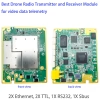
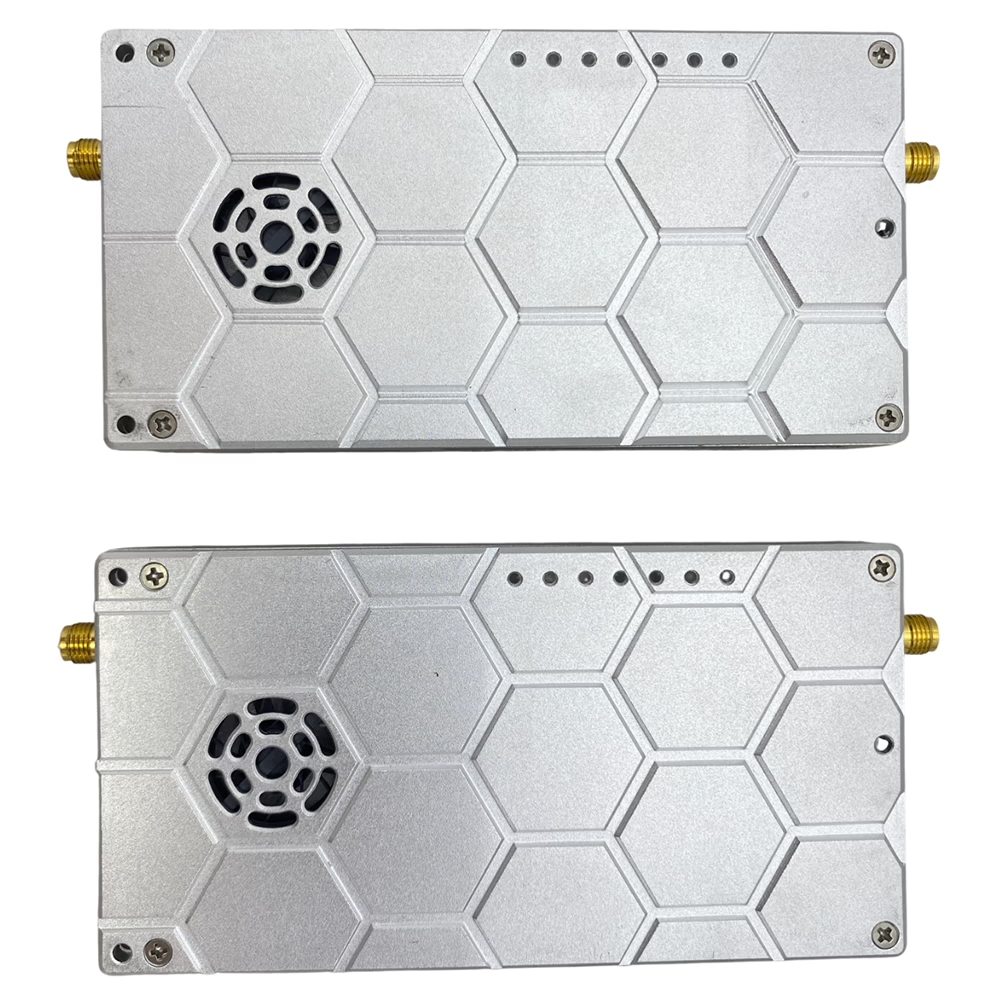
drone video data telemetry transmitter-receiver UAV radio link tdd transceiver
Table of Contents
Product Features
-
Camera Compatibility
-
Recommended: HD web camera with Ethernet (IP camera), most gimbal cameras have an Ethernet video output. (such as SIYI or Viewpro).
-
If your camera has only HDMI or CVBS output, an HDMI / CVBS encoder is required to convert video/audio to digital data before transmission.
-
At the receiver side:
-
Direct connection to computer for Mission Planner or QGC, or NVR via Ethernet.
-
For HDMI monitor output, an IP to HDMI decoder is required.
-
-
-
Interfaces
-
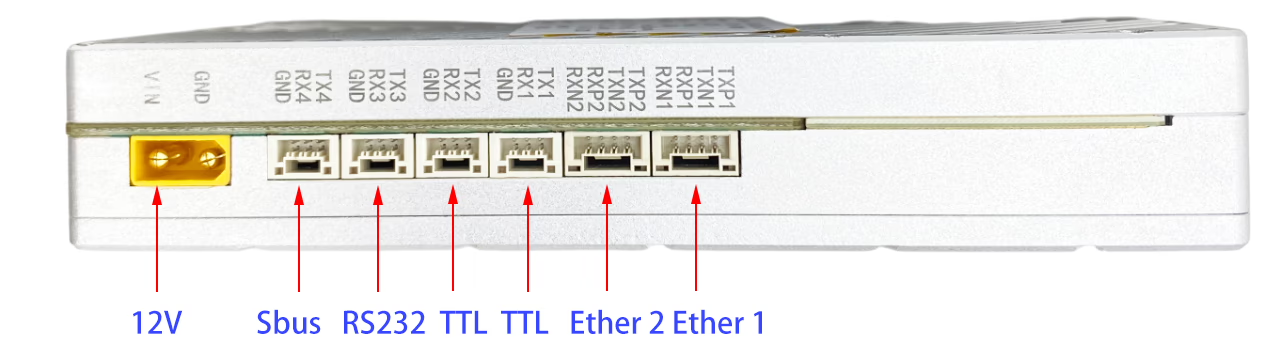
2 × Ethernet ports
-
4 × Data ports (default is 2x TTL, 1x RS232, 1x Sbus)
-
Default Data Interface: RS422 or other (optional TTL, SBus, UART, or RS485 upon request).
-
TTL compatible with flight controllers such as PixHawk and Sbus compatible with remote control.
-
-
Data Port Baud Rate
-
Data Port 1: 1200, 2400, 4800, 9600, 19200, 38400, 57600, 115200.
-
-
Wireless Technology
-
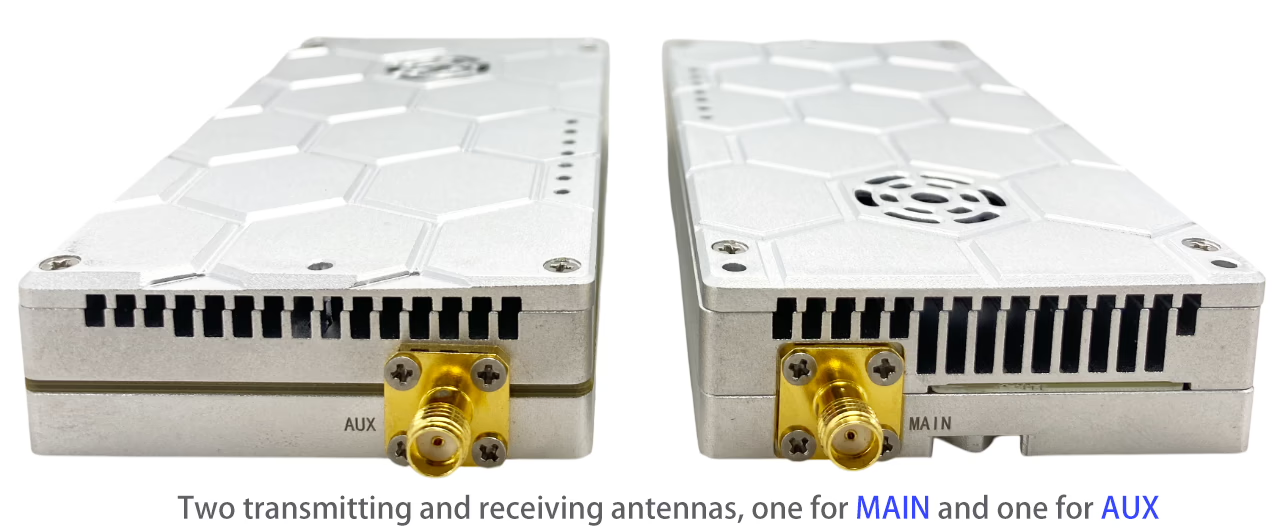
Dual antennas:
-
ANT Main (SMA connector): Transmit & Receive
-
ANT AUX: Receive only (diversity with ANT Main)
-
-
Frequency bands (with automatic frequency hopping):
-
1420–1530 MHz (1.4G, default)
-
806–826 MHz (800M) (800MHz, optional)
-
2401.5–2481.5 MHz (2.4G, optional)
-
-
Bandwidth options: 3 / 5 / 10 / 20 MHz
-
System throughput: up to 30 MBps (shared)
-
Modulation: Adaptive QPSK / 16QAM / 64QAM
-
Networking: point-to-point, point-to-multipoint star topology (e.g., 6 cameras + 1 transmitter to 1 receiver)
-
Transmit power: 2-watt (5W or 10W is optional)
-
Receiver sensitivity: -103 dBm @ 10 MHz bandwidth
-
Security: AES128 encryption/decryption
-
-
Transmission Distance Options
-
20 km / 50 km / 100 km / 150 km
-
-
Power & Consumption
-
2W PA: 12–16V, 33dBm, TX <12W, RX <10W (Connector: XT30PW / XT60PW)
-
5W PA: 24–25V, 37dBm, TX <22W, RX <16W
-
10W PA: 24–30V, 40–41dBm (recommended 28V), max 1.4A @28V, peak 2.8A @28V
-
Without external PA: 300mW, 25dBm
-
-
Management & Monitoring
-
Configuration and status monitoring via Web UI (default login: admin/admin).
-
Visit 192.168.10.230 on a browser to log in to the Web UI (Master / Central Node for the ground unit)
- Visit 192.168.10.231 on a browser to log in to the Web UI (Slave / Access Node for the air unit),
-
-
Physical Specs
-
Size: 115 × 59 × 21 mm (excluding connectors)
-
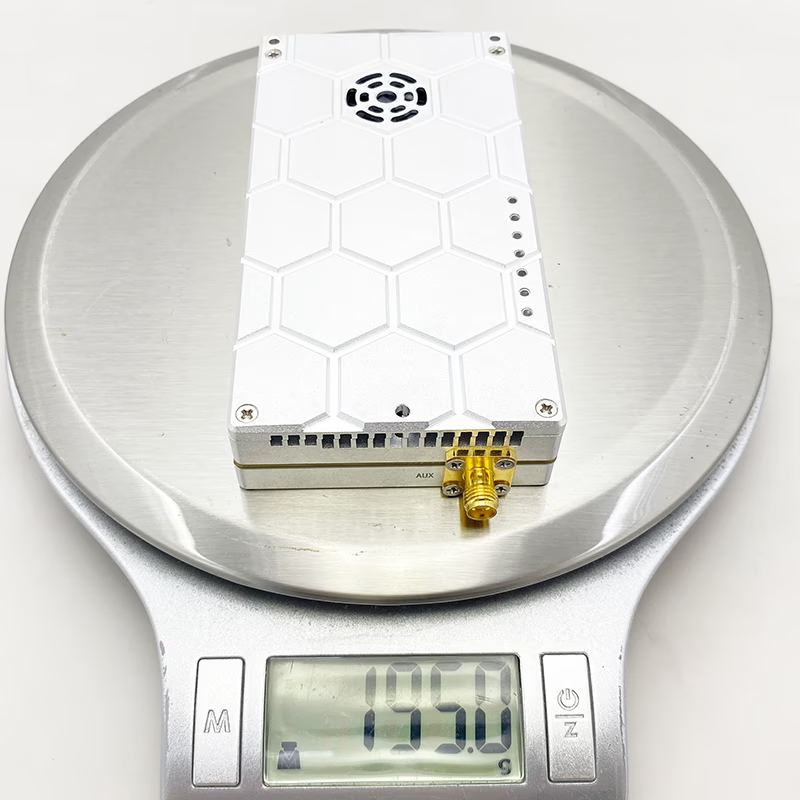
Weight:
- 2W: 195 grams
-
Specification
| System parameter | Technical index | |||
| Equipment type | Vcan2122 | |||
| Working frequency | 5655~5775MHz | |||
| RF channel | 2T2R | |||
| Transmission power | 30dBm (1W) | |||
| Transmission distance | Air to ground 15KM+(LOS) | |||
| Channel bandwidth | 10/20MHz | |||
| Modulation mode | QPSK/16QAM | |||
| Maximum speed | 23.9Mbps@20MHz | |||
| Encryption | AES256 | |||
| Transmission delay | ≤10ms | |||
| RF interface | SMA*2 | |||
| Device interface | Ethernet *1 | |||
| TTL/RS232 *1 | ||||
| TTL/RS232/SBUS*1 | ||||
| Consumption | ≤ 25W @4Mbps (air unit) | |||
| ≤ 10W @1Mbps (ground unit) | ||||
| Dimension(L*W*H) | 98.5*65.5*27mm | |||
| Weight | 198g | |||
| Working voltage | DC 9~26V, Typical value : +12V@3A | |||
| Working temperature | -40~+70℃ | |||
| Table 2 MCS and total throughput (10/20MHz bandwidth) | ||||
| No | MCS | 10M Total throughput(Mbps) | 20M Total throughput (Mbps) | |
| 1 | BPSK1/3 | nonsupport | 3.5 | |
| 2 | BPSK1/2 | nonsupport | 4.8 | |
| 3 | BPSK2/3 | nonsupport | 5.9 | |
| 4 | BPSK3/4 | nonsupport | 6.8 | |
| 5 | QPSK1/3 | 4.0 | 7.0 | |
| 6 | QPSK1/2 | 5.8 | 9.7 | |
| 7 | QPSK2/3 | 7.1 | 11.9 | |
| 8 | QPSK3/4 | 8.1 | 13.7 | |
| 9 | 16QAM1/3 | 8.0 | 11.7 | |
| 10 | 16QAM1/2 | 11.6 | 16.9 | |
| 11 | 16QAM2/3 | 14.2 | 20.8 | |
| 12 | 16QAM3/4 | 16.4 | 23.9 | |
Dimension and weight
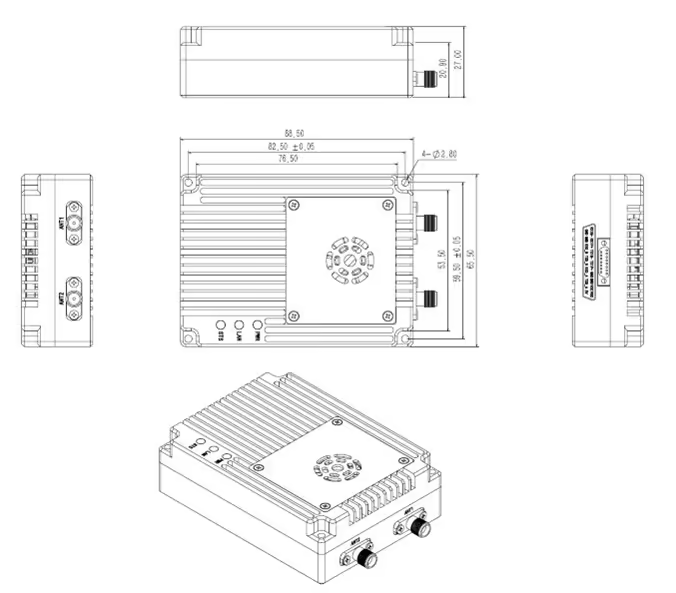
Dimensional diagram
Dimension and weight
- Dimension: 98.5mm*65.5mm*27mm(include SMA 10mm)
- Weight: 198g
Interface Definition
Interface diagram
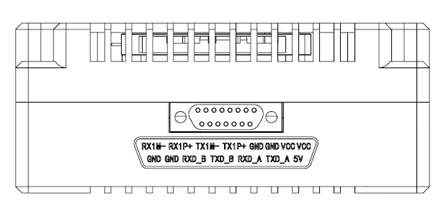
The interface of the device adopts J30J-15PIN, with 1 power supply, 1 network port, 1 RS232/TTL, and 1 RS232/TTL/SBUS.
Interface definition
| Linear order | Pin name | Interface definition | Interface description | Signal direction |
| 1 | VCC |
Power DC 9~26V
|
Power positive | I |
| 2 | VCC | Power positive | I | |
| 3 | GND | Power negative | I | |
| 4 | GND | Power negative | I | |
| 5 | TX1P+ |
Ethernet *1
|
TX+ | O |
| 6 | TX1M- | TX- | O | |
| 7 | RX1P+ | RX+ | I | |
| 8 | RX1M- | RX- | I | |
| 9 | 5V | 5V Output | SBUS 5V Output | O |
| 10 | TXD_A | Serial port 1
RS232/TTL |
Serial port 1 TX | O |
| 11 | RXD_A | Serial port 1 RX | I | |
| 12 | SBUS /TXD_B | Serial port 2
SBUS/TTL/RS232 (NOTE 3) |
Serial port 2 TX | O |
| 13 | SBUS /RXD-B | Serial port 2 RX | I | |
| 14 | GND | Serial port 2 Ground | O | |
| 15 | GND | Ground | Serial port 1 Ground | O |
Note 1: Signal direction I indicate radio input and direction O shows radio output.
Note 2: Serial port 1 can be used only with RS232/TTL, PIN10,11,15. Delivery is determined by the hardware. Note 3: Serial port 2 can be used as RS232/TTL/SBUS. The factory is determined by hardware. TTL and SBUS can be switched by software.
Note 4: When serial port 2 uses one SBUS, PIN9,13,14 is used at the ground end. Use PIN12,14 for the sky end. Note 5: If two SBUS are required, configure pin12->pin12 for the sky SBUS mapping. pin13->pin13.
Description of the product status indicator
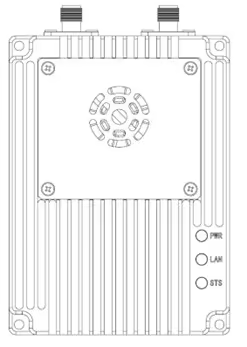
The device is powered on, and the PWR keeps on.
LAN(green light)
The network port indicator blinks when data is being sent
or received。
STS(Four-colour light)
Different colored lights indicate the current signal quality.
| The STS light represents the SNR size of the received signal | |
| STS colour | SNR |
| Blue | No connection is established |
| green | SNR>10dBm |
| yellow | 6dBm<SNR<10dBm |
| red | SNR<6dBm |
| Module type | Mode | PWR | LAN | STS |
| master | unsynchronized | The green light is steady on | Data is being transmitted and blinking | Blue light on |
| master | synchronization | The green light is steady on | Data is being transmitted and blinking | (green/yellow/red)
Proportional to the strength of the received signal |
| slave | unsynchronized | The green light is steady on | Data is being transmitted and blinking | Blue light on |
| slave | synchronization | The green light is steady on | Data is being transmitted and blinking | ( green/yellow/red )
Proportional to the strength of the received signal |
When the primary and secondary devices are not synchronized, the power PWR indicator of the primary and secondary devices is steady on, and the STS blue indicator of the primary device is always on. The blue light from the device’s STS flashes. When the master and slave are synchronized, the master and slave’s STS light becomes a
three-color light, and the green light is displayed if the signal quality is good. A yellow
light indicates moderate communication quality. A red light indicates poor communication quality. When the network port is sending or receiving data, the LAN indicators of the primary and secondary devices blink.
Customizable Options
Camera & Video Input
-
Compatible with IP cameras (Ethernet).
-
Optional HDMI or CVBS encoder for analog cameras.
-
Custom encoder integration upon request.
Interfaces & Data Ports
-
Default: 2 × TTL, 1 × RS232, 1 × Sbus.
-
Optional: RS422, UART, RS485, or fully customized data interface mapping.
-
Adjustable baud rates for flight controller or telemetry integration.
Wireless Frequency Bands
-
Default: 1420–1530 MHz (1.4G).
-
Optional: 806–826 MHz (800M) or 2401.5–2481.5 MHz (2.4G).
-
Custom frequency range available for government/military projects (upon request).
Bandwidth & Modulation
-
Selectable bandwidth: 3 / 5 / 10 / 20 MHz.
-
Adaptive modulation: QPSK / 16QAM / 64QAM.
-
Option to lock fixed modulation for specific environments.
Networking Modes
-
Point-to-point link.
-
Point-to-multipoint star network (e.g., multiple cameras to one receiver).
-
Custom mesh networking support upon request.
Transmit Power Levels
-
Default 2W output.
-
Optional 5W or 10W external PA (custom voltage and connector options available).
-
Special configurations for low-power portable or long-distance applications.
Transmission Distance
-
Standard: 20 km / 50 km / 100 km / 150 km.
-
Extended distance customization with directional antennas or higher gain PAs.
Security
-
Default AES128 encryption.
-
Option to upgrade to AES256 or proprietary encryption methods.
Management & Monitoring
-
Standard Web UI (IP configurable).
-
Custom firmware branding or management interface available for OEM projects.
-
Remote monitoring & telemetry API integration available.
Physical & Power
-
Default compact module: 115 × 59 × 21 mm.
-
Power input options: 12–16V (2W), 24–25V (5W), 24–30V (10W).
-
Connector customization: XT30PW / XT60PW or user-defined.
-
Enclosure and heat dissipation design can be tailored for UAV, vehicle, or maritime use.
Applications
-
Drone and UAV Video Transmission
-
Real-time aerial video streaming for surveillance, mapping, and inspection.
-
Used in agriculture, construction, and infrastructure monitoring.
-
Supports FPV (First Person View) for drone pilots.
-
-
Security and Surveillance Systems
-
Wireless transmission from CCTV cameras to remote monitoring stations.
-
Useful for large campuses, factories, or outdoor areas where cabling is difficult.
-
-
Broadcasting and Live Event Streaming
-
Live video transmission for concerts, sports events, and TV productions.
-
Can replace traditional wired systems for temporary setups.
-
-
Robotics and Remote Control Vehicles
-
Transmits camera feeds from ground robots, autonomous vehicles, or ROVs (Remote Operated Vehicles).
-
Enables real-time monitoring and control in hazardous environments.
-
-
Industrial Monitoring and Inspection
-
Wireless video for pipelines, power lines, wind turbines, and other industrial assets.
-
Provides remote observation in hard-to-reach locations.
-
-
Emergency and Public Safety Applications
-
Video feeds from drones or portable cameras for disaster response, firefighting, or police operations.
-
Rapid deployment in areas without infrastructure.
-
-
Research and Scientific Exploration
-
Real-time video transmission from wildlife cameras, underwater ROVs, or other field equipment.
-
Allows remote data collection without disturbing the environment.
-
-
Education and Training
-
Wireless video for classrooms, training centers, or virtual reality simulations.
-
Enables instructors to provide live demonstrations remotely.
-
FAQ
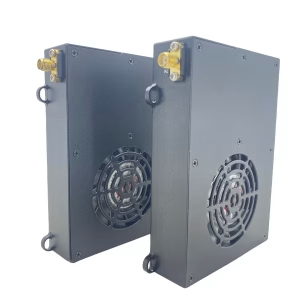
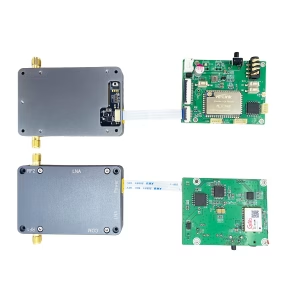
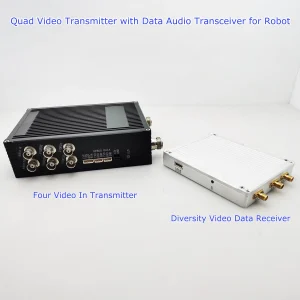
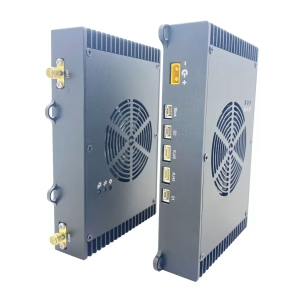
I’m searching for a wireless video telemetry system, including both ground and air units, that can transmit and receive over a 22km distance, using a 2-watt PA.
This model is what you need.




iVcan.com –
I have been using the drone video data telemetry transmitter-receiver UAV radio link (2W PA, 20KM range) for several weeks, and it has exceeded my expectations in every way. The video transmission is extremely stable and clear, with no noticeable latency even at long distances. The system works perfectly with my IP camera setup, and I also tested it with HDMI using an encoder—both delivered excellent results. The dual Ethernet ports and multiple data interfaces (SBus, RS232, TTL) make integration with Pixhawk and ground control software very smooth. I especially appreciate the long-range capability and AES128 encryption, which give me both performance and security. The unit is lightweight at only 195 grams, yet powerful enough for demanding UAV missions. Overall, this transmitter-receiver is reliable, efficient, and ideal for professional drone applications.