





Table of Contents
Tools and Materials Needed
- Small knife / utility knife
- Precision screwdriver (matching the screw type)
- New lens and lens tube
- Anti-static gloves (optional but recommended to avoid sensor contamination)
- Lens cleaning cloth and alcohol (for cleaning lens or tube)

Step 1: Remove the Original Lens
- Check how the lens is fixed:
- In your case, the lens is glued in place.
- Cut the glue carefully:
- Use a small knife to gently score a circle around the lens where it meets the camera body.
- Avoid pressing too hard to prevent scratching the lens or camera body.
- Unscrew and remove the lens:
- Once the glue is cut, rotate the lens gently clockwise or counterclockwise to unscrew it.
- If the lens is stuck, you can slightly soften the glue with low heat (like a hairdryer on a low setting), but avoid high temperatures that could damage the sensor.
Step 2: Remove the Lens Mounting Tube
- Locate the screws holding the lens tube:
- Typically, there are four small screws securing the tube to the camera.
- Unscrew carefully:
- Use a precision screwdriver to remove the screws.
- Keep track of the screws and any small parts—number or photograph them for easy reassembly.
- Remove the lens tube:
- Gently lift it off. Be careful not to lose any washers or spacers inside.
Step 3: Install the New Lens Tube
- Align the new tube:
- Make sure it lines up with the camera body and screw holes.
- Hand-tighten screws first:
- Insert all four screws lightly to ensure proper alignment, then fully tighten them.
- Check stability:
- Ensure the tube sits evenly and doesn’t wobble.
Step 4: Install the New Lens
- Clean the lens and tube interface:
- Use a lens cloth or alcohol wipe to remove dust or fingerprints.
- Insert and secure the lens:
- Place the lens into the tube and rotate or press it into position, depending on the lens mounting style.
- If there is a locking thread, rotate clockwise until snug. Do not overtighten.
Step 5: Secure the Lens
- Check the screws:
- Ensure both the lens tube and lens are firmly in place and do not move.
- Tighten all screws fully:
- Secure the lens assembly to prevent any wobble.
- Final check:
- Make sure the lens sits flush with the camera body.
- Test rotation and focus, if adjustable.
- Power on the camera and check image clarity to ensure proper installation.
Additional Tips
If the new lens requires calibration or focus adjustment, follow the manufacturer’s instructions.
Wear anti-static gloves to protect the sensitive thermal sensor.
Avoid touching the lens surface directly to prevent fingerprints and smudges.
Handle screws and the lens gently—thermal camera components are delicate.


$684.00
$750.00
$89.00

Price range: $270.00 through $720.00
$1,200.00

$1,999.00

$1,100.00
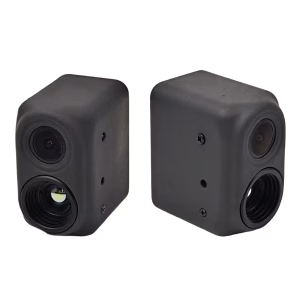
FPV camera
fpv dual lens night thermal imaging and daylight camera for drones, HD vision, low-light real-time
Price range: $253.00 through $580.00
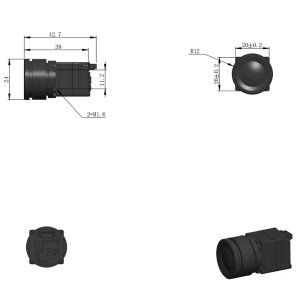
Thermal Camera
Original price was: $258.00.$110.00Current price is: $110.00.

Ask A Question
Thank you for your response. ✨