






The customer’s HDMI-SDI COFDM video transmitter failed. Perhaps there was a problem with the power supply. During the startup process, it was impossible to determine which part was the cause of the failure. The engineer provided the following method.
If you don’t see the lights flashing on the encoder board and baseband board, please consult the schematic diagram of our encoder board and verify the voltage of all power supplies.
Our HDMI SDI COFDM Video Transmitter must first be connected to the video source and our baseband module before it can start working; otherwise, the baseband will not work. Simply connect it to the SDI or CVBS camera. The encoder board sends data to the baseband board, and only then will the baseband board start working. Unlike our competitors, our baseband board does not operate immediately upon being powered on.
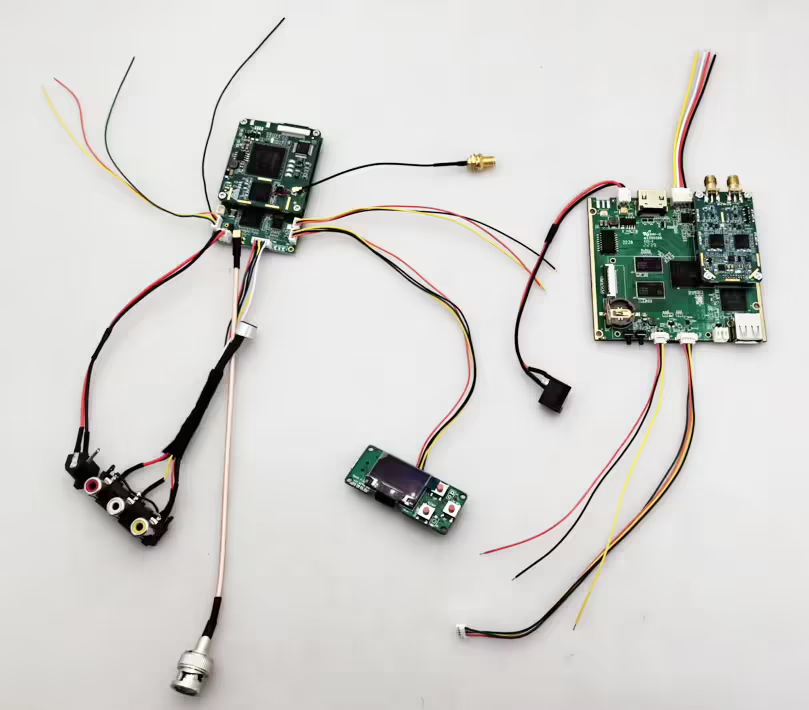
Connect the LCD parameter board and check the display. If there is an LCD parameter configuration board, connect it to see if the parameters can be read out. If the parameters cannot be read out, it indicates a hardware problem and that the self-test has not passed. If the parameters can be read out, check the information displayed in the camera status bar.
The LCD screen has not read the parameters. This could be due to a hardware issue, such as the camera interface chip not being detected, leading to a failed self-test and startup failure. Customers can only use a multimeter to measure the output voltages on the board to check for normal readings.
The engineer suspected that a specific interface chip was abnormal. If the customer needs to assess the situation on-site, they must configure the serial port to connect to the PC, press Ctrl+C after powering on, then adjust the boot startup parameters to enter debugging mode, and inspect the debugging information.
This is just an exclusion. If the interface chip is broken, it has to be replaced. I believe the customer does not have a replacement interface chip.
The command to enter is
setenv bootargs 'mem=256M console=ttyAMA0,115200 root=/dev/mtdblock2 rootfstype=squashfs mtdparts=hi_sfc:1024K(boot),3072K(kernel),5120K(rootfs),7168K(data)'Copy and paste and press Enter, then enter the boot and press Enter.
In the video, we ran the following software on the computer.
https://www.vandyke.com/products/securecrt
This approach utilizes our HDMI SDI COFDM transmitter to send startup serial port print data through a computer. This enables engineers to examine any problems that arise during the startup phase and suggest suitable fixes.
As a leading provider of HDMI SDI COFDM Video Transmitters, we are happy to provide tailored solutions, including frequency adjustments ranging from 50MHz to 5000MHz, bandwidth modifications from 2Mb to 8Mb, and options for one-way or two-way transmission.
-
 COFDM Modulator Demodulator Module Encoder Decoder HDMI CVBS AV Input AES 256 FHD RF streaming
 -
 Low Latency SDI AHD CVBS In Video encoder IP Ethernet Output for drone composite AV H265 encoding PCBA
 -
 Wireless Video Transmitter and Receiver for Camera, HDMI HD H265 264 encoder 1W/2.5W PA 1080P60 Vcan1726
Ask A Question
Thank you for your response. ✨