





Sommario
Simple Introduction for New Users
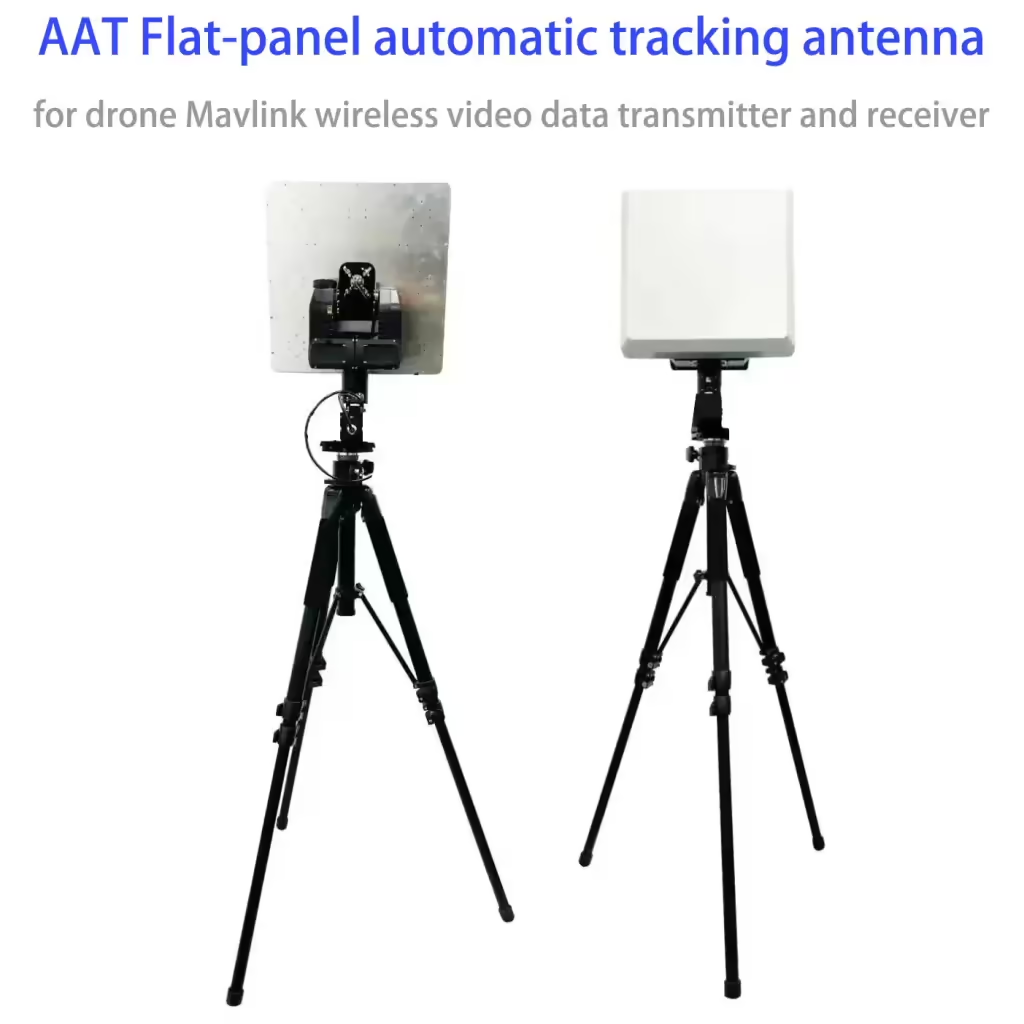
Nostro Localizzatore automatico dell'antenna (AAT) uses MAVLink data sent from your flight controller to know where the aircraft is and how high it is, so it can automatically point the antenna toward your aircraft during flight.
Although MAVLink is a common communication protocol, different flight controllers send position and altitude data in different ways. Because of this, the tracker must receive the correct MAVLink messages at a sufficient update rate to work properly.
What data does the tracker need?
To track an aircraft correctly, the Automatic Antenna Tracker must receive:
- GPS position (latitude and longitude)
- Altitudine (height of the aircraft)
These data are normally sent by the flight controller through the telemetry radio using MAVLink.
If the tracker receives general MAVLink data (Per esempio, heartbeat messages) Ma does not receive valid position or altitude data, it will show the warning:
DLink:1% msg?
This means the tracker is connected, Ma important tracking data is missing or sent too slowly.
Altitude source: BARO or GPS
Automatic Antenna Tracker allows you to choose where the altitude data comes from:
ALT = BARO (recommended for most users)
- Altitude is based on the barometric sensor inside the flight controller
- This mode works best with ArduPilot and most APM-based controllers
- Provides smoother and more stable tracking
ALT = GPS
- Altitude is taken directly from the GPS
- Recommended for PX4 / PIX-based flight controllers
- Useful when barometric altitude is not available or not reliable
Why is message update rate important?
For smooth and accurate antenna tracking, position and altitude data must be updated frequently.
We recommend setting the MAVLink position-related messages to 5 Hz or higher.
Low update rates may cause slow response or unstable tracking.
If tracking does not work
If the tracker shows no data link activity, si prega di controllare:
- The telemetry radio is powered and transmitting data
- TX/RX cables are connected correctly
- The baud rate of the tracker, radio, and flight controller match
You can also check the RX counter in the tracker menu to confirm whether data is being received.
Riepilogo
- Automatic Antenna Tracker tracks your aircraft using MAVLink position and altitude data
- Correct MAVLink messages and update rates are essential
- Choose the correct altitude source (BARO or GPS) for your flight controller
- Proper configuration ensures reliable and accurate antenna tracking
Please check details on the users manual of Automatic Antenna Tracker, Pagina 14-15.
The MAVLink protocol has been used/implemented in many Flight Controllers, Stazioni di controllo a terra(GCS) and trackers. But actually many devices use the MAVLink in their own way. One of the reasons is that MAVLink is not clear enough to define how to send some important data
between the Plane And GCS. There are so many different MAVLink messages which can be used to send GPS Coordinates, Altitudes…
Automatic Antenna Tracker needs both these 2 MAVLink messages to track. MAVLINK_MSG_ID_GPS_RAW_INT MAVLINK_MSG_ID_GLOBAL_POSITION_INT
If the Automatic Antenna Tracker receives some correct MAVLink data packs (Battito del cuore?) but not able to find the above 2 messages, it will display “DLink:1% msg?” to remind you to check if the above 2 messages are sent at 1Hz or a higher frequency.
In Automatic Antenna Tracker, If you choose menu “Protocol->ALT=BARO”, MAVLINK_MSG_ID_GLOBAL_POSITION_INT.relative_altis used as the data source of the altitude. This works for most ArduPilots. (APM), and Our AP.
You can check “FlightInfo-> ALT/BARO” to read the current GPS-ALT and Baro-Alt. Automatic Antenna Tracker uses “Baro” Alt to track.
Another option is “Protocol->ALT=GPS”. In questo caso, MAVLINK_MSG_ID_GPS_RAW_INT will be used as the data source of the altitude. This works for most PIX4 Flight Controllers.
In questo caso, “FlightInfo-> ALT/BARO” are both from MAVLINK_MSG_ID_GPS_RAW_INT messaggio.
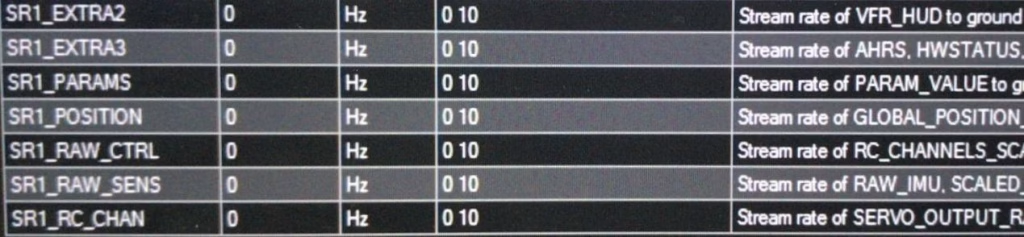
We recommend our users to set the update frequency of the above 2 messages higher to get better tracking performance. The method varies from different Flight Controllers. Take the ArduPilot Mega as an example, you can search for string”SR1_” in Mission Planner “All parameters List” to get a table of MAVLink messages updating frequency for Telemetry1 port.
Please set SR1_POSITION to 5Hz or higher in this case. 0=Disable.
TroubleShooting: My Data Radio doesn’t work with Automatic Antenna Tracker. Only VLink:0% is displayed
- Check if the tracker is receiving data from your date radio. Check Menu item
“Factory->CoreData->RX”. This number will increase when the tracker receives any data from U3RX (Datalink port) or U2RX(External GPS port). If the RX doesn’t increate at all, please check your cables again and make sure your DataRadio is sending out date on its TX wire.
- Check menu “BaudRate” again to make sure you are using a proper baudrate, especially after you apply a new firmware.
Fai una domanda
Grazie per la risposta. ✨