






Table of Contents
What is the COFDM Transceiver?
COFDM Transceiver is a pair of devices that can get and send out data and video. COFDM transmitter and receiver is a one-way link, it only supports unidirectional transmission.
The COFDM transceiver consists of two sets of COFDM transmitters and receivers, which transmit in opposite directions so that one device can receive and send data, video, and audio to another paired device. So COFDM Transceive is a two-way transmission link.
Both COFDM transceiver has ethernet IP RJ45 connectors, it is like an invisible net cable. It supports connecting an IP camera and also supports connecting two far-way computers, it supports running ping commands at Windows OS CMD, which will feedback on the transmission time.
How to choose a COFDM Transceiver?
When choosing a COFDM transceiver, you may need to consider several factors:
Frequency
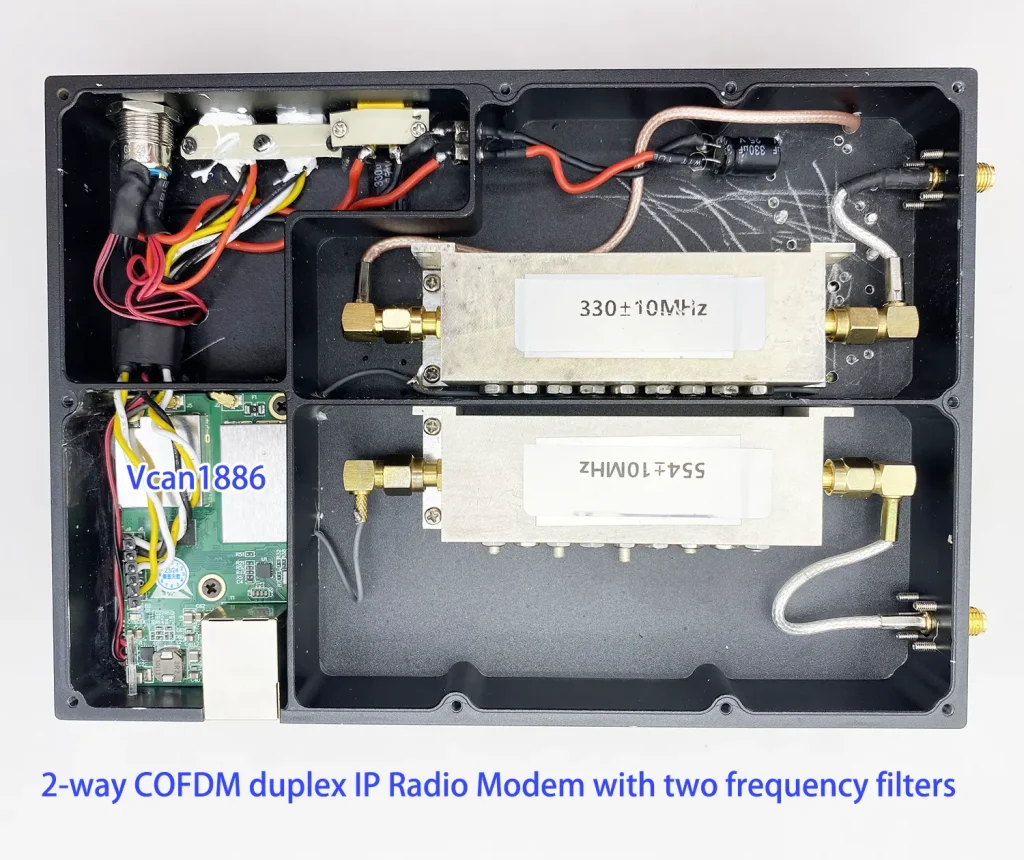
COFDM transmitters and receivers transmit in one direction, so only one frequency needs to be considered. COFDM transceivers are bidirectional transmissions, so two frequencies need to be considered. The two frequency ranges should be separated as much as possible to avoid interference. In order to eliminate clutter and avoid interference, it is also necessary to consider adding a wave pass filter.
The specific frequency range can be from 170 to 860 MHz. For example, select 300Mhz for the uplink frequency and 600Mhz for the downlink frequency.
The specific choice should also consider the local frequency occupancy situation. If there is DVB-T or DVB-T2 digital TV in the local area, it is also necessary to avoid the frequencies that have been selected by digital TV as much as possible.
After selecting the frequency for transmission, the frequency of the receiver must also be kept in the same range to complete transmission and reception.
Bandwidth
Unlike digital TV, which has 6, 7, and 8Mhz bandwidth, the COFDM transceiver’s bandwidth can be customized, such as 2MHZ and 4MHz.
Power Amplifier
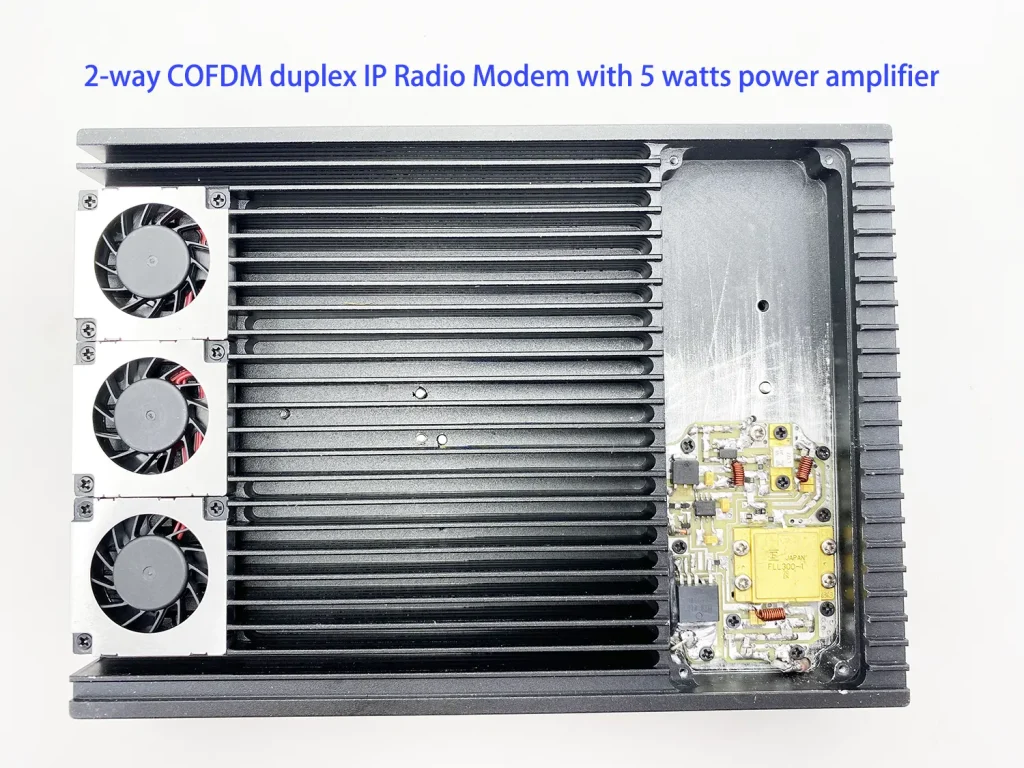
The power amplifier mentioned here is a device that can increase the power of the COFDM signal output from the transmitter, which can improve signal quality and coverage.
The power amplifier of the COFDM transmitter needs to maintain signal linearity and efficiency. Generally, choose the appropriate power amplifier based on the distance you need to transmit. The following is a table of correspondence between transmission distance and power amplifier for your reference.
| Power Amplifier | LOS | NLOS |
| 500mW | >10Km | <300m |
| 1W | >30Km | <500m |
| 5W | >60Km | <1500m |
| 20W | >120km | <3000m |
| 50W | >200Km | <5000m |
| 100W | >250Km | <10Km |
Sensitivity
Sensitivity refers to the ability of a wireless video transmitter to transmit weak signals and have them received by the receiver.
Sensitivity is usually measured in decibels (dB) or decibel milliwatts (dBm) and represents the minimum signal power level that a transmitter can detect and process.
The higher the sensitivity, the better the performance and range of wireless video transmission.
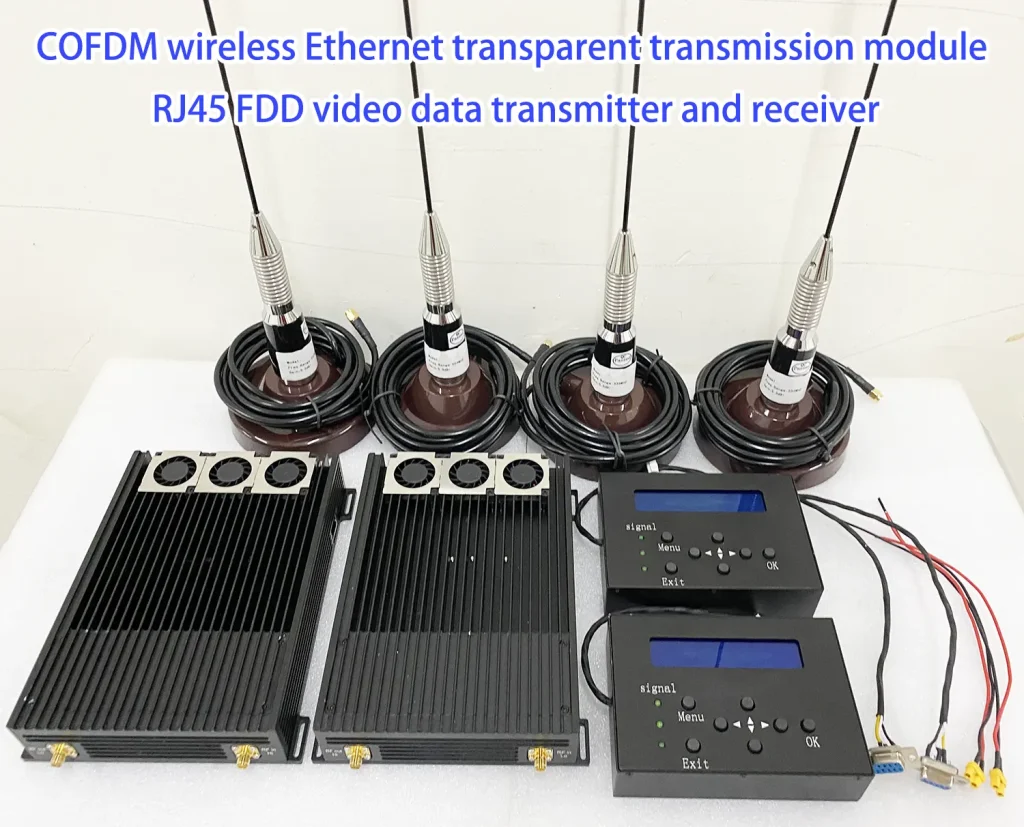
The products of COFDM Transceiver
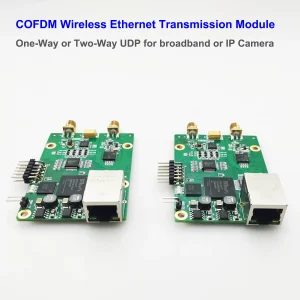

COFDM usually has two COFDM operating frequencies from 170Mhz to 860Mhz. The selected frequencies need to be as far apart as possible to avoid mutual interference.
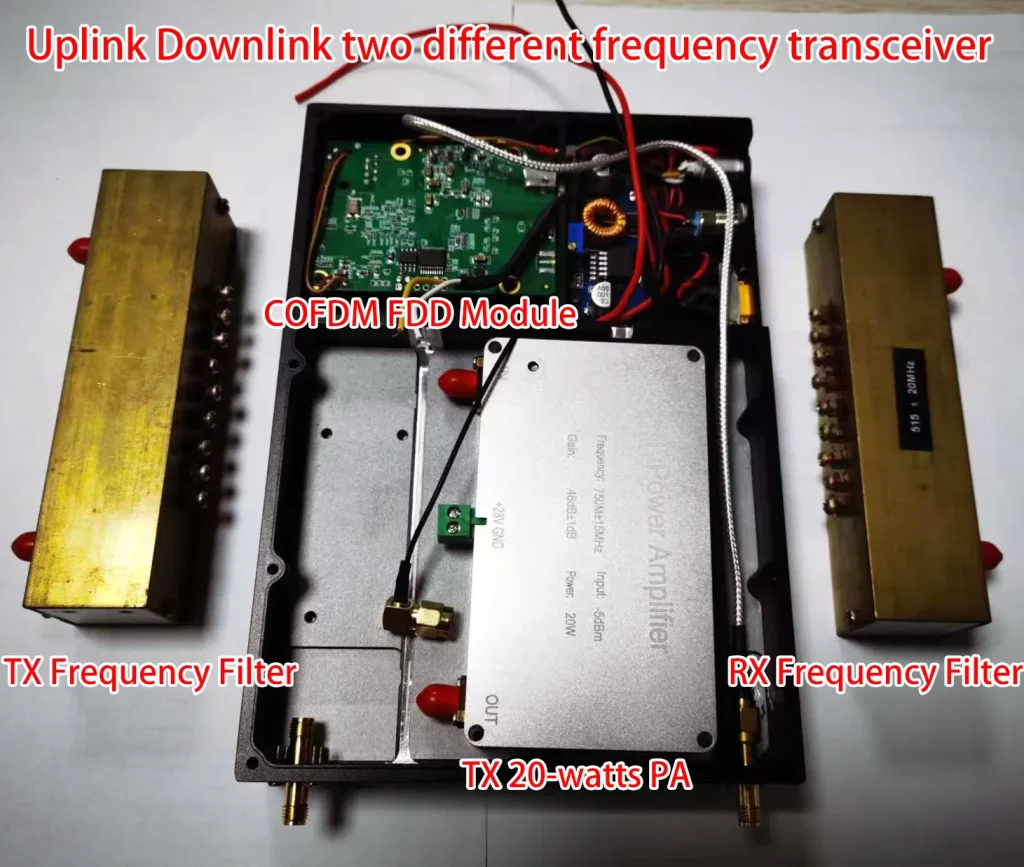
In actual use, it is necessary to add a PA power amplifier, filter, and antenna matching the working frequency.
The package of the COFDM Transceiver
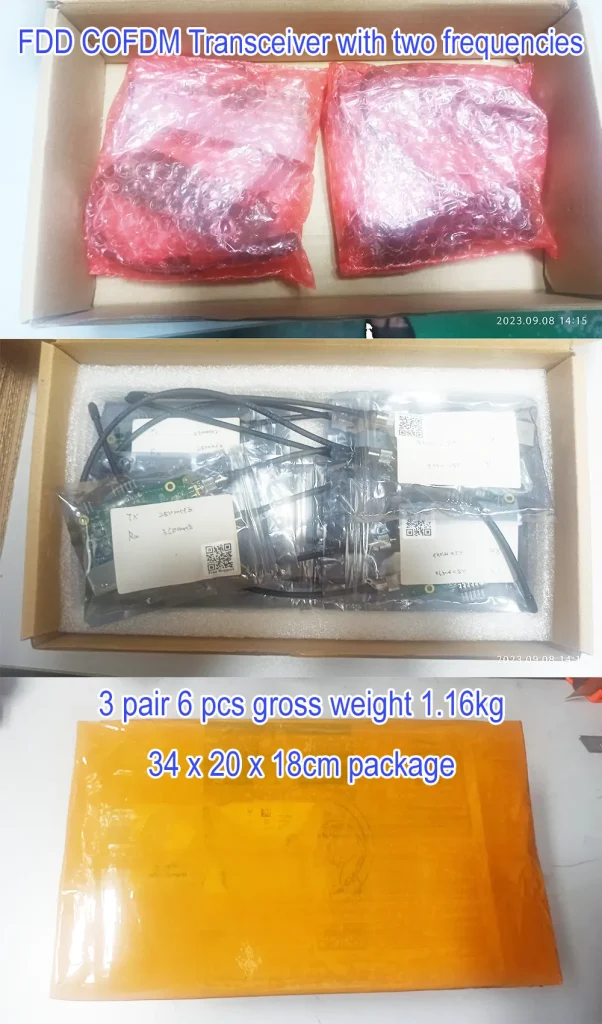
COFDM transceiver, also named Bidirectional COFDM Ethernet Radio, Bidirectional Wireless Ethernet Bridge.
Can you customize the frequency 340Mhz and 554Mhz COFDM transceiver for me?
Yes.
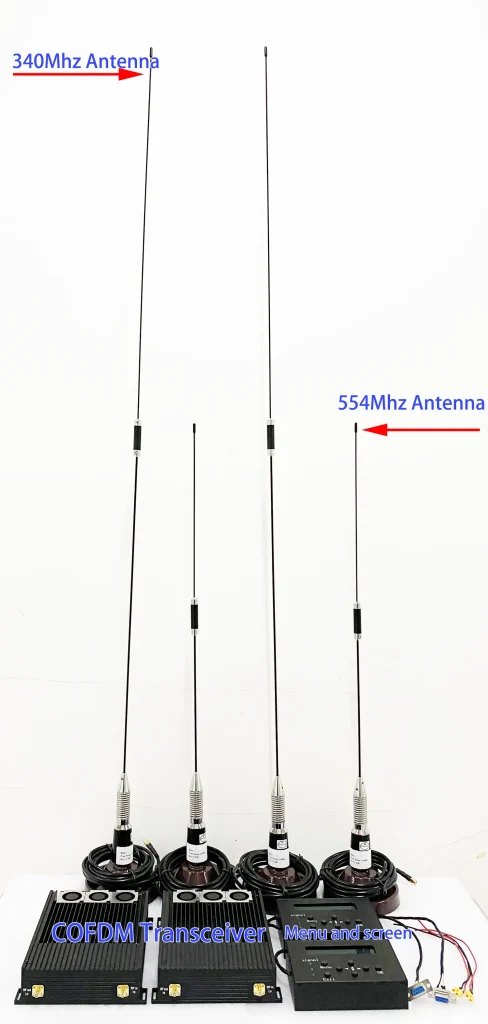
Why the two filters per transciever are used? One filter for RX and one PA for TX are enough?
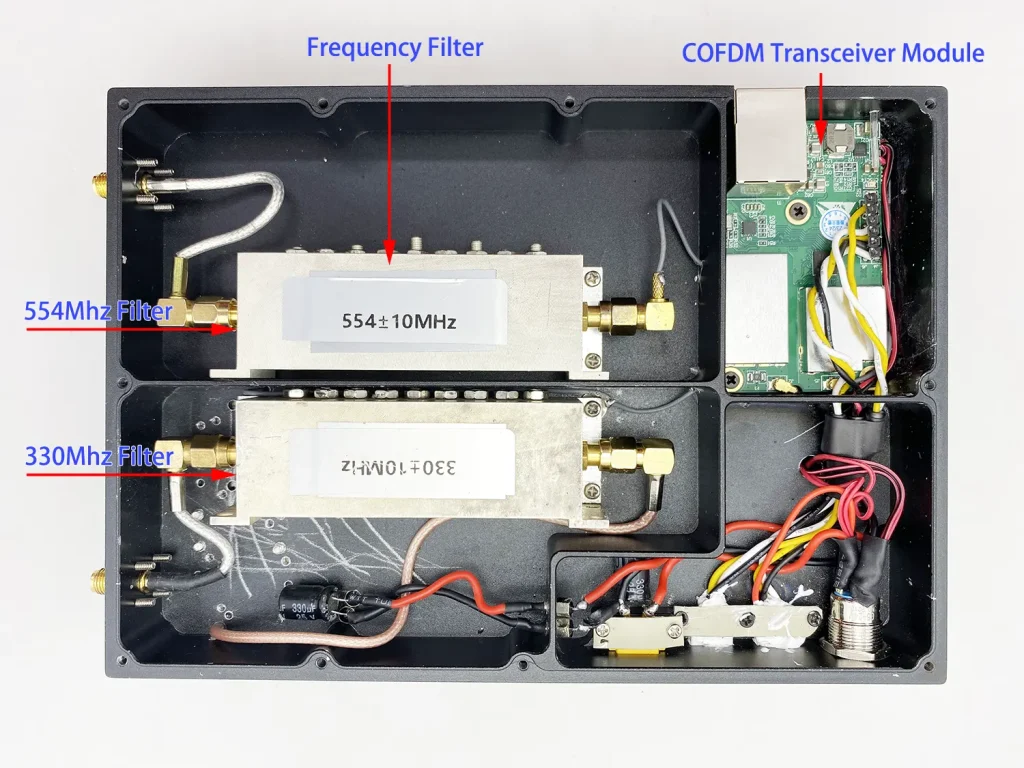
- Filters are added to avoid interfering with or being interfered with by other devices.
Please test the transceiver first without connecting the filter. - The transmitter adds a filter because it has a power amplifier, It will emit a strong signal to avoid interfering with other equipment on the plane.
- The receiver add filter allows the receiver to receive only the desired signal and avoid clutter, and that signal sensitivity is improved.
- You need to connect the filter when the transmission distance is not far or the signal strength is very poor in the test.
- If the transmitter does not add a filter, it may interfere with the flight control or the power battery. Some customers have encountered this phenomenon before, and the filter has solved the problem.
- You take the sample now and suggest buying it together when you test it and need the filter, and it will take more time and freight to deliver it.
Can you customize the frequency 175Mhz and 320Mhz COFDM transceiver for me?

Question: I want to control and transmit data from my microcomputer to the module, but failure. Please help me.
i connected transmission module by data serial port to my system and trying to send {00000101}{00000000} , but see only this in output: 0xA 0x80 0xA 0x80 0x6A 0x0 0x0. I’m trying to communicate with the module using its protocol and parse the resulting commands, but the output doesn’t match the protocol’s specification. I’d like to send commands to my microcomputer via the UART port. My microcomputer connects to the transmission module’s data and control serial ports, and a third port connects to the menu board’s control port. Is the error coming from a module? When the module connects to the menu board, it communicates at a baud rate of 19200, with no parity. Is there a particular UART port that I should use and do I need to configure the flow control? I also attempted to transmit menu board data from my microcomputer to the module, but communication failed. Do these modules always use this protocol to communicate, or can they also exchange other types of data? Could I get a more detailed protocol manual, please?
Answer: I recommend you first test the function on two computers, connecting them via two modules. If successful, connect it to your microcomputer. Although we have a computer for testing functionality, we lack access to your microcomputer to investigate the issue.
Communication control serial port parameters
- 8 data bits
- 1 stop bit
- even parity
- Baud rate: 19200
- Data port is RS232
Mini_COFDM Ethernet module communication control protocol Vcan1886
Or please check the below operation video.
Questions: How to calculate SNR and RSSI on your radio link? I want to get more parameters for my application.
Answer: You can see our parameter board tool, which is connected to the control serial port on the drone’s wireless link. It can read the current data of the wireless link module (such as whether the signal is locked, SNR, RSSI, signal strength, etc.), and can also modify the current parameters (frequency, bandwidth, encryption password, etc.)
Please download our firmware compressed file and let your engineers refer to it to implement the above functions.
Please check above file, we made it for our menu and screen tool, you can try to do that at same methods.
Question: A 12V power supply was used for this setup; could the power supply be the problem? Should we perhaps go with 20V?
Modulation bandwidth: 4 MHz wideband.
• FEC: 5/6
• Modulation type: QPSK
• Guard interval: 1/4
• Traffic parameters:
• Protocol: UDP broadcast
• Packet size: 1024 Byte
• Transmission rate: 100 packets per second
No need 20V, 12V is ok for the cofdm transceiver board testing.
Question: What mean of db and dbm at the below picture of cofdm transceiver menu and screen.
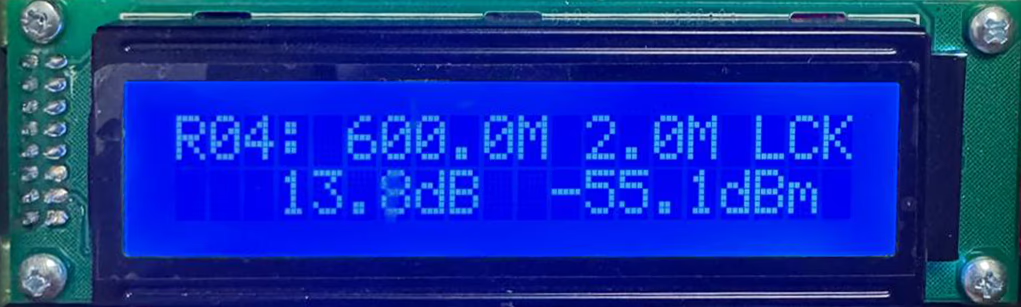
-13.8dBm is SNR and -55.1dBm is signal strength.
- Signal Strength:
- Represents the raw power of a received signal, typically measured in dBm (decibel-milliwatts).
- Examples:
- Satellite TV: Strength ≥60% is needed for basic function.
- Cellular networks: RSRP > -90 dBm is strong; < -110 dBm is weak.
- Governed by: Transmitter power, antenna alignment, cable quality, and distance.
- SNR (Signal-to-Noise Ratio):
- Measures signal clarity by comparing signal power to background noise, in dB.
- Formula: SNR (dB) = Signal Strength (dBm) – Noise Level (dBm).
- Examples:
- WiFi: SNR ≥25 dB supports HD streaming; <10 dB causes disconnections.
- Lidar: SNR directly impacts detection range in bright environments.
Question: Could you share your configurations for the 50 km and 100 km distances? I am referring to frequency, filters, power amplifier, and antennas.
The average output power of 100km is greater than 20W, and the peak-to-shoulder ratio is greater than 30dB (QPSK). The firmware setup is same, but the hardware need different power amplifier and frequency filter.
It depends on the usage environment you need. If it is a line-of-sight mobile state, the frequency requirement does not matter. If it is a non-line-of-sight state, the lower the frequency, the better. The gain of the antenna depends on its length, which in turn depends on the frequency. The lower the frequency, the longer the antenna. For antennas of the same length, the higher the frequency, the higher the gain. The lower the frequency, the lower the gain.
50km can use 5-watts power amplifier, 100km can use 10-watts power amplifier.
Taking 700MHz as an example, the antenna gain is 3.5dBi, the antenna length is less than 30cm, the output power is 42dBm, and the transmission distance is up to 115km.
Ask A Question
Thank you for your response. ✨