






In our two-way wireless link system TX900, the output power is automatically adjusted based on transmission distance. If you need to test the PA (Power Amplifier) output power, the automatic adjustment must be temporarily disabled, and long-range mode enabled. This guide provides a safe, step-by-step procedure.
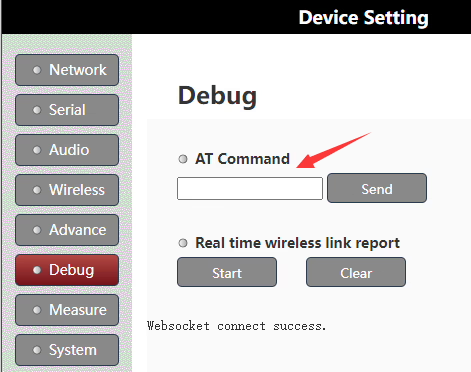
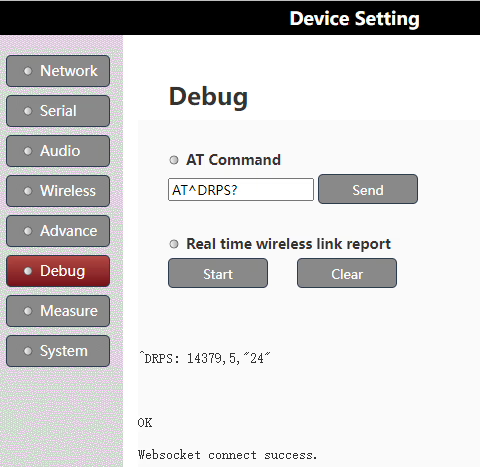
Table of Contents
Step 1: Stop the Wireless Modem
Before making any changes, stop the modem to prepare for configuration:
AT+CFUN=0
Step 2: Enable QPSK Single-Antenna Long-Range Mode
Activate the long-range test mode to fix the output power for accurate measurement: (The TX900 purchased by the customer operates at 800 MHz, and the shipped 800 MHz units are configured with a 2 W transmit power using the specific set parameter 19. Therefore, this naming corresponds to that configuration. For other frequencies, please confirm with us first.)
AT^DSONCTX=1,8160,5,"19",0,0,0
Step 3: Start the Wireless Modem
Restart the modem to apply the changes:
AT+CFUN=1
Step 4: Measure the Spectrum
Perform spectrum measurements on ANT1. Make sure your measurement equipment is correctly connected and calibrated.
Step 5: Restore Normal Operation
After testing, return the modem to normal operation by executing:
AT+CFUN=0              // Stop the modem
AT^DSONCTX=0           // Disable long-range test mode
AT+CFUN=1              // Start the modem in normal mode
Important Safety Precautions
- Only trained engineers should perform this procedure.
- Improper testing may damage the device. Any damage requires repair in China.
- Double-check all commands and connections before executing.
By following these steps, you can safely test PA output on a two-way wireless link while ensuring the device returns to normal operation afterward.
Ask A Question
Thank you for your response. ✨