






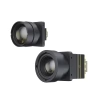
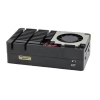
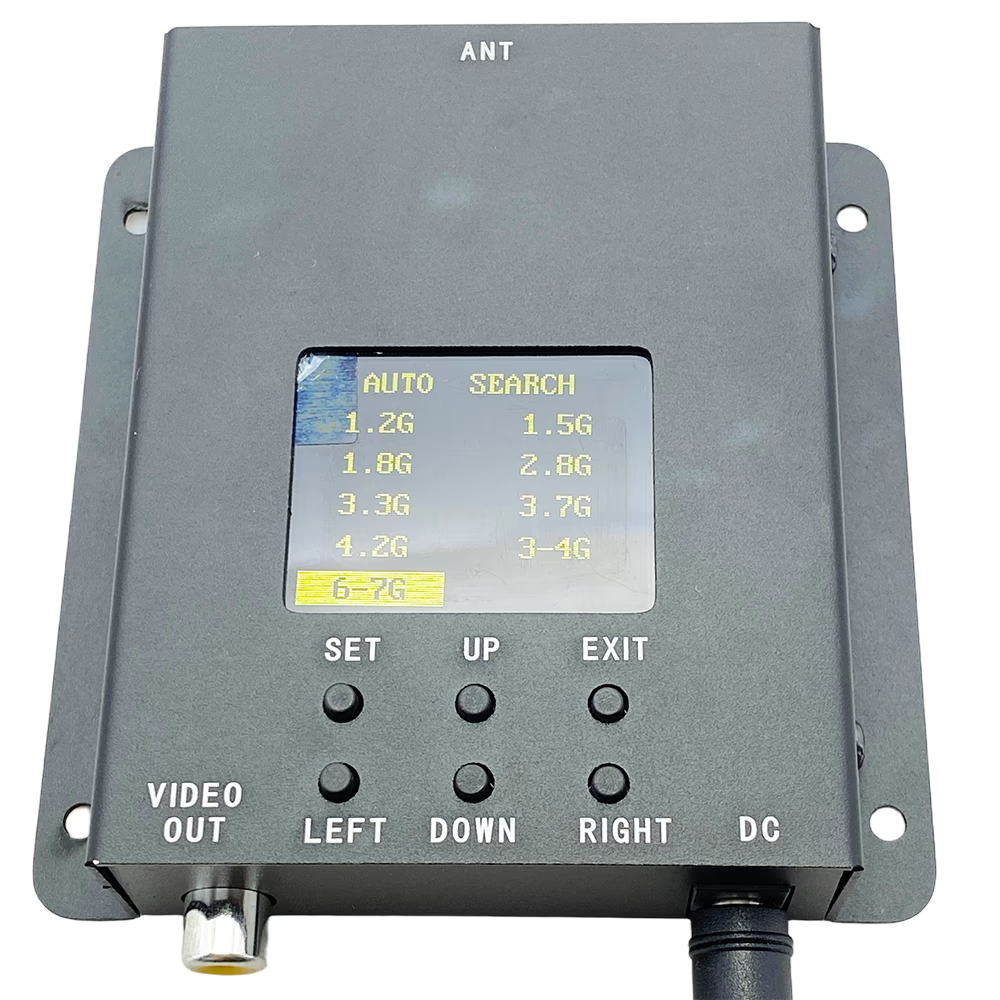

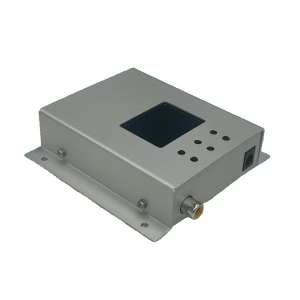

1.2G-7.2G Ultra-Wideband FPV Video Receiver VRX 1.2G 1.5G 1.8G 2.8G 3.3G 3.7G 4.2G 3-4G 6-7G
Ultra-wideband FPV receiver covering 1.2G to 7.2GHz for unmatched compatibility and flexibility.
One receiver, endless possibilities—supporting all major FPV bands from 1.2G to 7GHz.
Automatic channel scanning makes fast, reliable signal locking simple and effortless.
Table of Contents
Overview
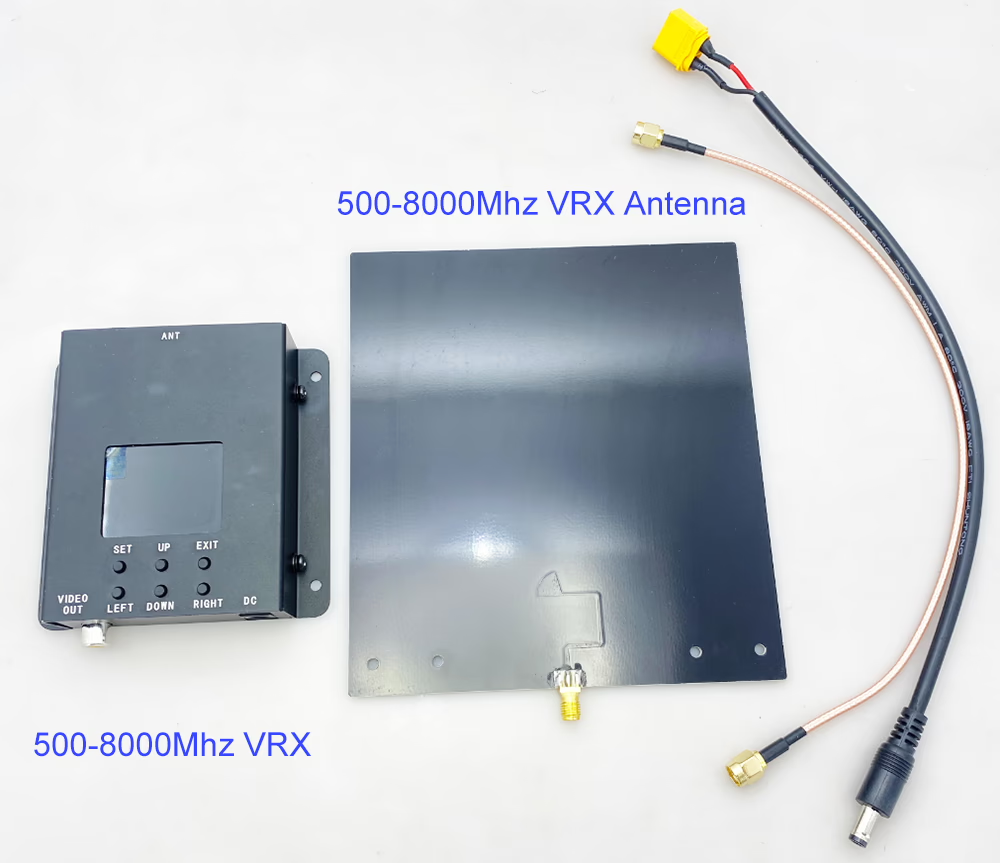
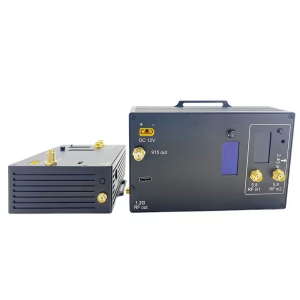
This 1.2G-7.2G Ultra-Wideband FPV Video Receiver VRX is a professional-grade ultra-wideband analog video receiver designed for FPV racing, drone aerial photography, and long-range remote monitoring. Covering an extensive frequency range from 1.2G to 7.2GHz, it supports all major analog video transmission protocols, including NTSC and PAL. The Vcan2165 automatically selects the best signal, minimizing video noise and tearing, providing a stable, low-latency FPV experience for both hobbyists and professional users.
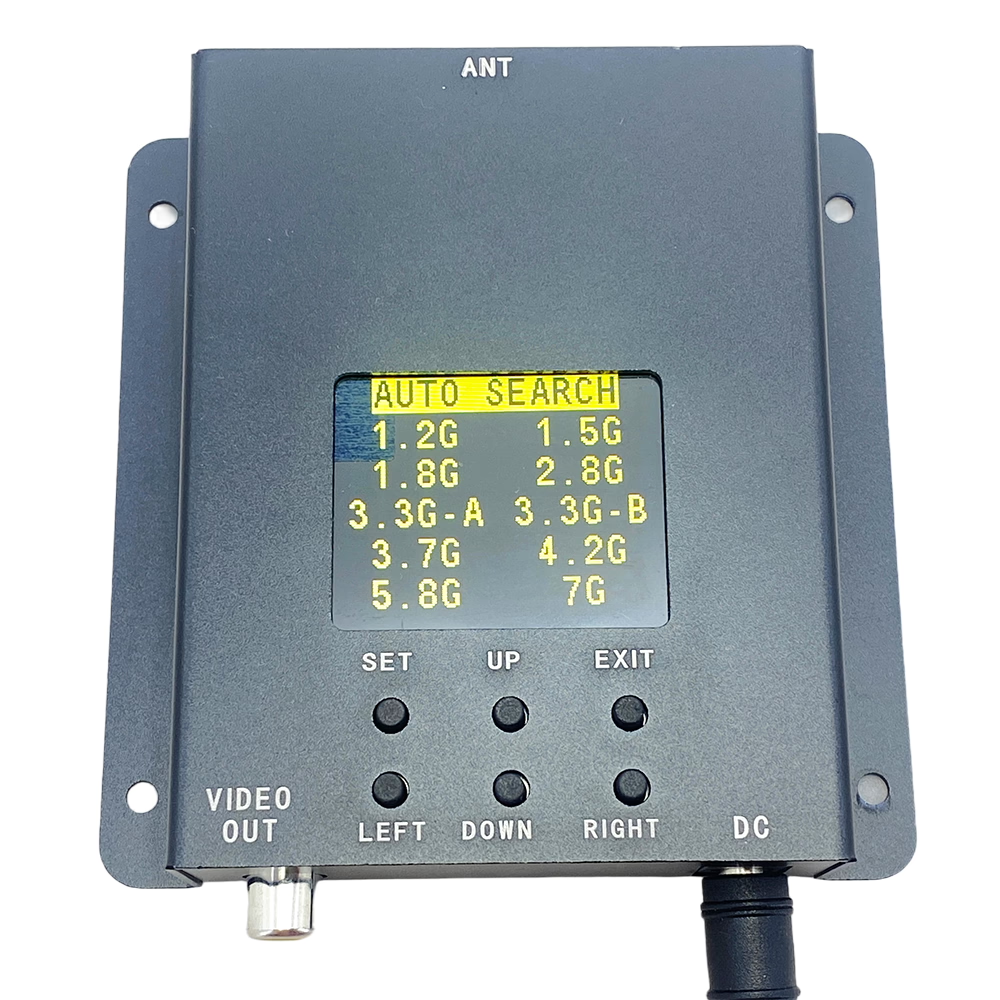
Features
-
Ultra-Wideband Coverage: Supports 900MHz, 1.2GHz, 1.3GHz, 1.5GHz, 2.4GHz, 2.8GHz, 3.3GHz, 3.7GHz, 4.2GHz, 3-4GHz, 5.8GHz, 6-7GHz, 7GHz and other standard or custom frequency bands.
-
High Sensitivity: Exceptional reception performance ensures stable video signals even at long distances.
-
Automatic Scanning: One-button scan to detect active channels in range.
-
Low-Latency Video: Optimized analog processing delivers minimal delay for real-time FPV.
-
User-Friendly Interface: LCD screen displays operational status; intuitive buttons for navigation and channel selection.
-
Rugged and Reliable: Works in ventilated environments with anti-static protection.
Specifications
| Parameter | Specification |
|---|---|
| Frequency Range | 500MHz – 8GHz |
| Reception Mode | Auto Search / Fixed Channel |
| Sensitivity | -90 dBm |
| Reception Distance | 10m – 50km (depends on antenna and environment) |
| Input Voltage | 12–28V DC |
| Power Interface | DC-005 |
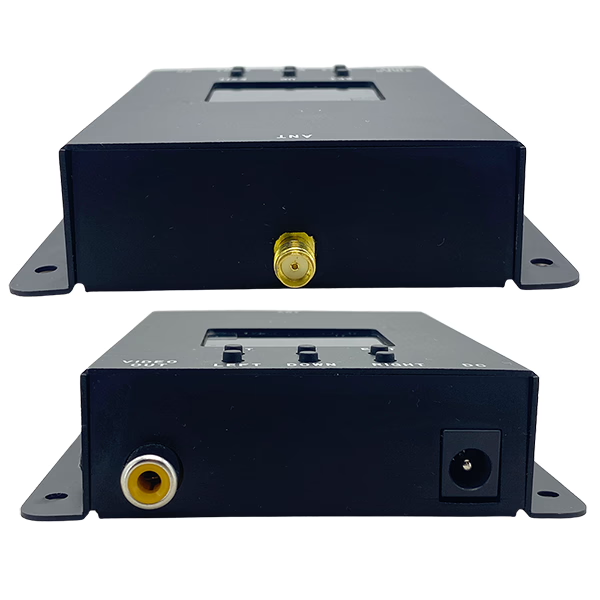
| Antenna Interface | SMA |
| Video Output | RCA (Yellow) |
| Video Format | NTSC / PAL (auto-detect) |
| Dimensions | 90 x 92 x 24 mm |
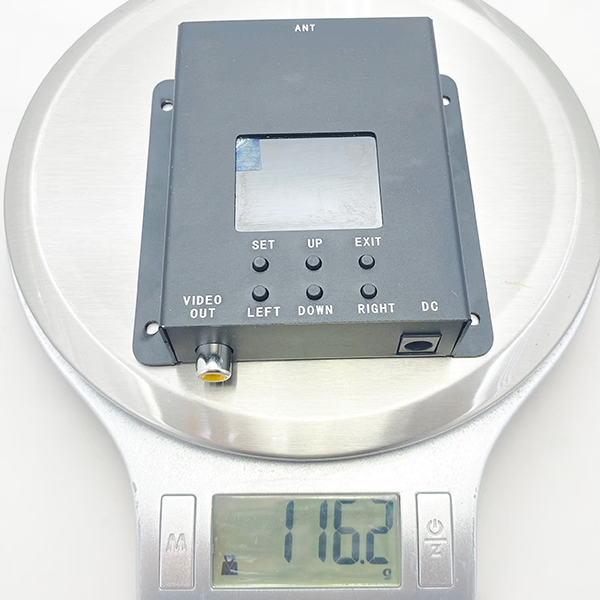
| Weight | 119.5 g |
Buttons and Interfaces
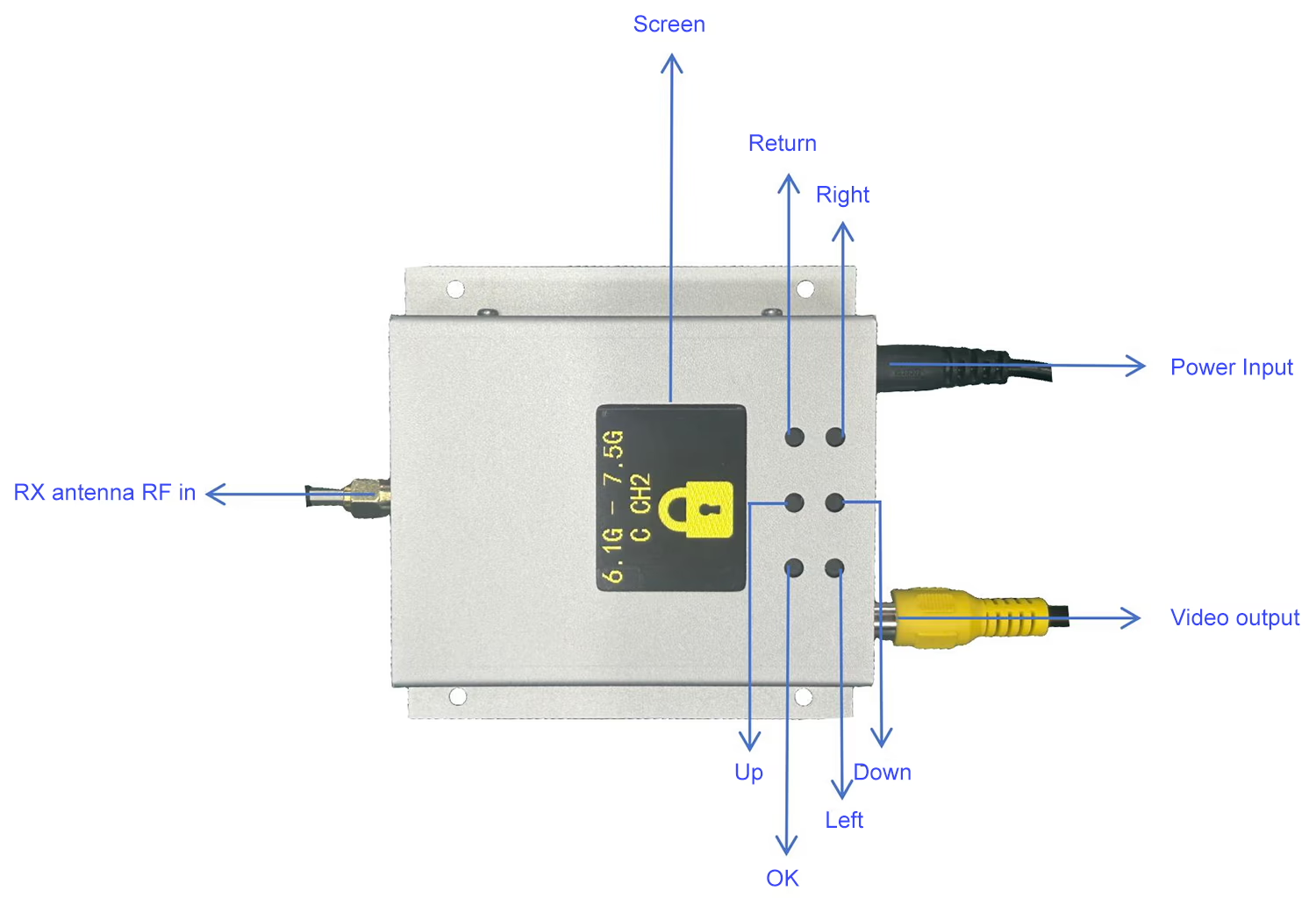
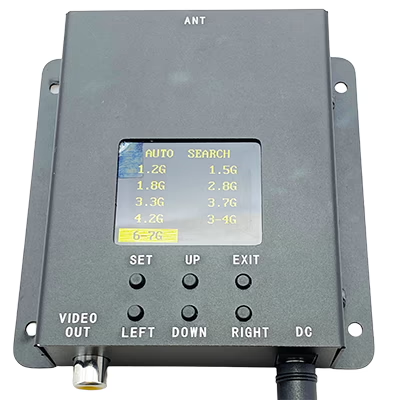
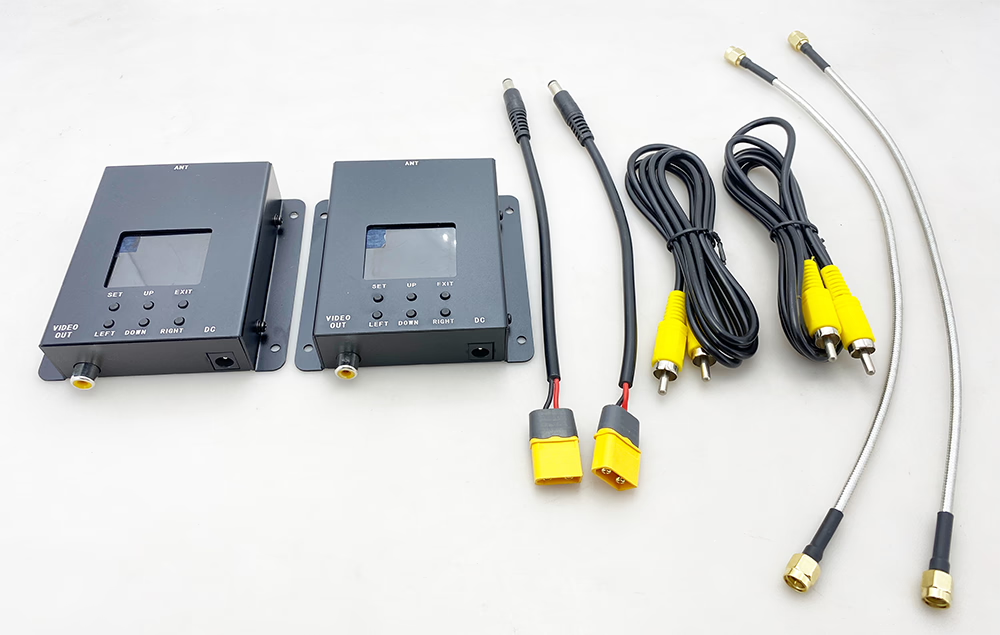
LCD Screen: Shows the operating status.
Button Area:
· Return Key: Performs the return operation and exits the locked frequency band.
· OK Key: Confirms the operation and locks the frequency point.
· Up Key: Moves upward.
· Down Key: Moves downward.
· Left Key: Moves left.
· Right Key: Moves right.
User Guide
1. Installation and Connection
· Screw the corresponding antenna (e.g., 7G) onto the antenna port.
· Use a regulated power supply module to provide a 12–28V DC input.
· Connect the RCA video output to a display device using a video cable.
2. Basic Operation
· Power On: The receiver powers on automatically when connected to the power supply.
· Channel Selection:
-
Use the arrow keys (Up, Down, Left, Right) to browse and select frequency bands.
-
Press the Enter key to confirm and lock the selected frequency.
-
Press the Back key to return or exit the current operation.
· Auto Scan: -
Select “Auto Search” mode to let the receiver automatically scan nearby video transmission channels.
-
Each detected channel will display its video for 5 seconds before switching to the next one.
-
Press the Enter key to lock onto the desired image.
Frequency
| No.\ CH | 0 | 1 | 2 | 3 | 4 | 5 | 6 | 7 |
| 1 | 6110 | 6130 | 6150 | 6170 | 6190 | 6210 | 6230 | 6250 |
| 2 | 6270 | 6290 | 6310 | 6330 | 6350 | 6370 | 6390 | 6410 |
| 3 | 6430 | 6450 | 6470 | 6490 | 6510 | 6530 | 6550 | 6570 |
| 4 | 6590 | 6610 | 6630 | 6650 | 6670 | 6690 | 6710 | 6730 |
| 5 | 6750 | 6770 | 6790 | 6810 | 6830 | 6850 | 6870 | 6890 |
| 6 | 6910 | 6930 | 6950 | 6970 | 6990 | 7010 | 7030 | 7050 |
| 7 | 7070 | 7090 | 7110 | 7130 | 7150 | 7170 | 7190 | 7210 |
| 8 | 6115 | 6265 | 6425 | 6585 | 6745 | 6905 | 7065 | 7185 |
Applications
-
FPV Racing Drones
-
Aerial Photography and Videography
-
Remote Monitoring and Surveillance
-
Drone Research and Development
-
Professional FPV Training and Competitions
Customizable Options
-
Frequency bands: Customers can choose specific bands like 5.8GHz only or multi-band configurations.
-
Antenna types: Compatible with SMA antennas for different ranges and directional needs.
-
Video output format: NTSC or PAL for regional compatibility.
FAQ
Q1: Does the video signal search run continuously in a loop from 500 MHz to 8000 MHz, or do I need to press the search button each time?
A1: The Wideband FPV VRX supports continuous auto-scanning. During the search process:
- If a video signal is detected, the VRX display will show a clear video feed.
- To lock onto this frequency, press the SET button. Without locking, the receiver will automatically move to the next frequency after 3 seconds.
- Pressing SET again unlocks the current frequency and resumes the automatic scanning process.
- When the scan reaches 8000 MHz without finding a video signal, it will automatically restart from 500 MHz, continuously looping through the frequency range.
- The search will keep cycling until a signal is locked manually using the SET button.
This ensures uninterrupted scanning across all bands while giving you control to lock onto any active FPV video channel.
Q: Can I connect an external device (e.g., ESP32) to the receiver to read or modify the frequency?
A: Yes, it is technically possible. Some customers have purchased samples and implemented their own custom modifications. However, please note that we do not provide technical support for such secondary development. Customers would need to handle this independently.
Q: Does the receiver support frequencies that are not included in the preloaded channel list?
A: Yes. For frequencies outside of the preloaded channel list, the receiver supports automatic scanning within the 500–7300 MHz range.
Q1: What type of video signals does 500MHz-8000MHz 8G Ultra-Wideband FPV Video Receiver support?
A1: It supports standard analog video formats NTSC and PAL and automatically detects the correct format.
Q2: Can it work with drones over long distances?
A2: Yes, depending on antenna and environment, it can receive signals up to 50 km.
Q3: What power supply is required?
A3: A regulated 12–28V DC power source is required.
Q4: Is the device safe to operate without an antenna?
A4: No, always ensure the antenna is securely connected before powering on to prevent damage.
Q5: Can I lock onto a specific channel?
A5: Yes, it allows both automatic scanning and manual channel locking for stable reception.
Q6: Can it be used in high-temperature environments?
A6: It should be used in ventilated environments to prevent overheating.
Q7: Can your VRX work with future transmitters outside the 6–7 GHz range?
A7: Yes. Our VRX frequency range is 500–8000 MHz, not limited to the 6–7 GHz band. This means future transmitters supporting a wider frequency range will still be compatible with our receivers, ensuring flexibility for long-term upgrades and diverse applications.
Q: The specification states that the receiver works from 500–8000 MHz, but the product description only shows part of this range. Can you provide the full frequency range and explain how to tune it?
A: Yes. The receiver fully supports 500–8000 MHz.
-
If you do not know the transmitter’s frequency:
You can use the 500–8000 MHz automatic search function to scan and lock onto the active signal. -
If you already know the transmitter’s approximate frequency:
You can enter the menu and select the closest preset frequency band, then perform a search within that band for faster and more accurate tuning.Available preset Channel options in the menu: 1.2 GHz, 1.5 GHz, 1.8 GHz, 2.8 GHz, 3.3 GHz, 3.7 GHz, 4.2 GHz, 3-4 GHz, 6-7 GH
- Check the preset frequency list for each channel.
These presets help the receiver focus its scan in the correct segment of the full 500–8000 MHz range.
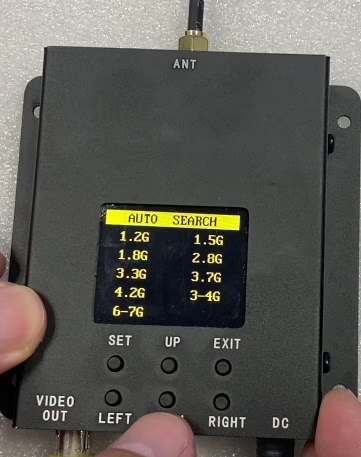
Q: Does this 500–8000 MHz FPV VRX come with a remote control? so I can manually enter a frequency to search channels.
A: Currently, it does not include a remote control for manual frequency input. The receiver automatically scans channels within a preset range of commonly used frequencies. Please test the sample first. If you confirm that manual frequency input is required, we will develop this feature for you and can customize the device to support manual frequency entry for channel searching.
Q: Does the UWB VRX support automatic frequency hopping between different VTX bands (e.g. 1.2 GHz and 3.3 GHz)?
A: Although our UWB (Ultra-Wideband) VRX supports a wide tuning range from 1.2 GHz to 7.2 GHz, it can only operate on one frequency at a time.
The VRX cannot simultaneously receive FPV video signals from VTXs operating on different frequency bands, such as 1.2 GHz and 3.3 GHz. When the VTX is working at 1.2 GHz, the VRX must be tuned or scanned and paired at 1.2 GHz. If the VTX is switched to 3.3 GHz, the VRX must also be retuned or rescanned to 3.3 GHz, and the previous 1.2 GHz link will be disconnected.
Therefore, automatic recovery or frequency hopping across different bands is not supported. The VRX supports frequency scanning and tuning within the same band, but it does not support cross-band operation or simultaneous multi-band reception.
Q: What is the gain of the UWB antenna? Is it omni or directional?
A: The default configuration uses a directional antenna with a gain of 6 dBi. You may also use your own antenna. For optimal performance, it is recommended to use a narrowband antenna optimized for your target frequency range—for example, antennas designed specifically for 6.1–7.2 GHz can provide lower VSWR and higher gain than a general-purpose UWB antenna.
Q: Do you offer multi-frequency fusion VTX/VRX that combines two signals into one stable image?
A: Currently, our FPV VTX and VRX systems do not support cross-band operation. Even with a high-power amplifier (e.g., 5 W+), it is not possible to achieve 50 km range using analog 1.2 GHz systems.
For extended range and stable cross-band operation, we recommend using our digital video transmission solutions. These systems support frequency hopping across bands, interference avoidance, and can maintain clear image quality and reliable links over distances of 50–200 km.
Q: Can I remotely change the frequency of this FPV drone repeater?
A: Currently, the frequency must be adjusted manually using the buttons on the receiver and the on-screen parameters. If remote frequency control is required, your software engineer can implement it by reading the frequency-setting commands and connecting a microcontroller. Through a 100-meter Ethernet connection, the frequency adjustment commands can be transmitted remotely, allowing the operator and the remote controller to stay in a safe location while modifying video signal settings.
Q: I want to receive good signal strength from a drone without knowing its exact direction. Can I use an omnidirectional antenna for this purpose?
A: Currently, there is no single omnidirectional antenna that can cover an extremely wide frequency range from 500 MHz to 8 GHz. To achieve full coverage across the receiver’s frequency range (1.2–7 GHz), engineers recommend using four separate receiver units, each with its own omnidirectional antenna, tuned to different frequency bands.
Recommended Setup:
| Frequency Range | Antenna Type | Quantity | Approx. Length | Typical Gain |
|---|---|---|---|---|
| 1.2 – 1.8 GHz | Omnidirectional | 1 | 200 mm | 2–3 dBi |
| 2.8 – 3.3 GHz | Omnidirectional | 1 | 150 mm | 2–3 dBi |
| 3.7 – 4.2 GHz | Omnidirectional | 1 | 150 mm | 2–3 dBi |
| 6 – 7 GHz | Omnidirectional | 1 | 150 mm | 2–3 dBi |
Notes:
- Each antenna covers a specific frequency range with relatively low gain.
- Using multiple antennas ensures the receiver can maintain omnidirectional coverage without needing to know the drone’s direction.
Q: Why isn’t the 4.5–6 GHz frequency range listed in the specifications?
A: The frequencies shown on the screen are preset commonly used bands to make channel scanning faster and more convenient for users. Even if a specific frequency (such as 4.5–6 GHz) is not listed, the receiver can still detect and match it by using the automatic scanning function, allowing it to find the video signal transmitted by the transmitter.
Q: How much time is needed for a full scan in 5 MHz increments from 500 MHz to 8 GHz?
A: A full scan typically takes about 15–20 minutes. If no signal is found, the device will automatically restart scanning from the beginning. When a signal is detected, the user needs to press a button to lock onto the current frequency and video; otherwise, the device will resume scanning to the next frequency after 5 seconds.
Q: Why does scanning take 15–20 minutes, and can I change the channel grid?
A: The scanning range is very wide (500–7200 MHz), so 15–20 minutes is normal. The frequency step size (channel grid) is optimized in the firmware to balance scan speed and detection performance, and cannot be changed by users. To speed up coverage, you can run two or three devices simultaneously instead of relying on a single device.
Relative Post
- Typical band frequency range of 500-8000MHz FPV receivers
- User Manual of UWB FPV Video Receiver 500MHz-8GHz
YouTube Video

7GHz FPV VRX receiver
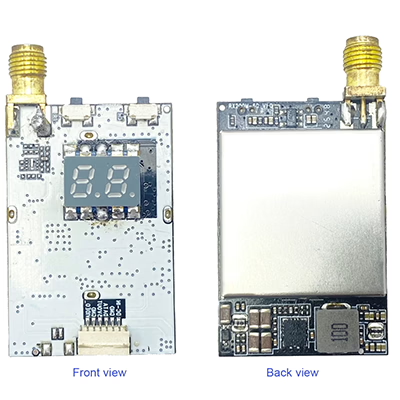
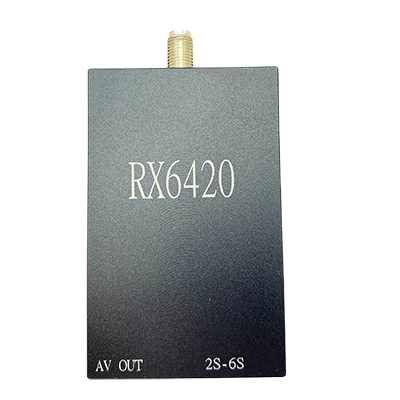
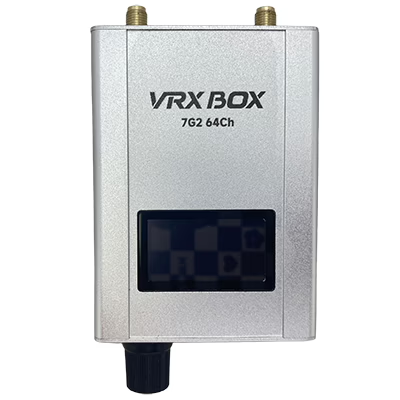
7GHz FPV VTX transmitter

Future-proof your FPV system with a 500–8000MHz receiver ready for new transmitters.
Rugged design, smart scanning, and ultra-wide coverage for demanding FPV environments.
Unlock clean analog video across multiple bands with one powerful FPV video receiver.
Simplify your setup with a single FPV VRX that supports nearly every analog band.


iVcan.com –
This wideband FPV video receiver has truly impressed me with its performance and versatility. It covers multiple frequency bands from 500MHz to 8GHz, making it compatible with nearly all my FPV transmitters. The automatic scanning function quickly locks onto the best signal, and the video quality is stable and clear with almost zero delay. The build quality feels solid, and setup is straightforward — just connect the antenna and power up. It’s a reliable choice for drone pilots and FPV enthusiasts who value smooth and long-range video reception.