






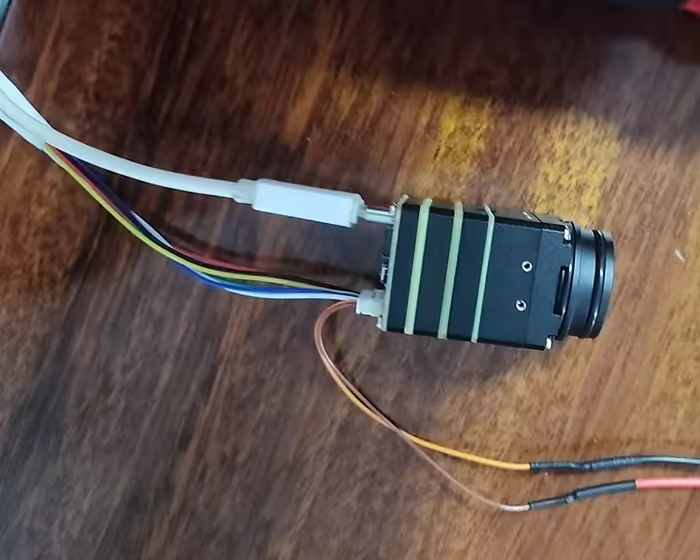
Một số khách hàng hỏi liệu camera chụp ảnh nhiệt của chúng tôi có thể hiển thị nhiệt độ của các vật thể quan sát được trong video không. Câu trả lời là có.
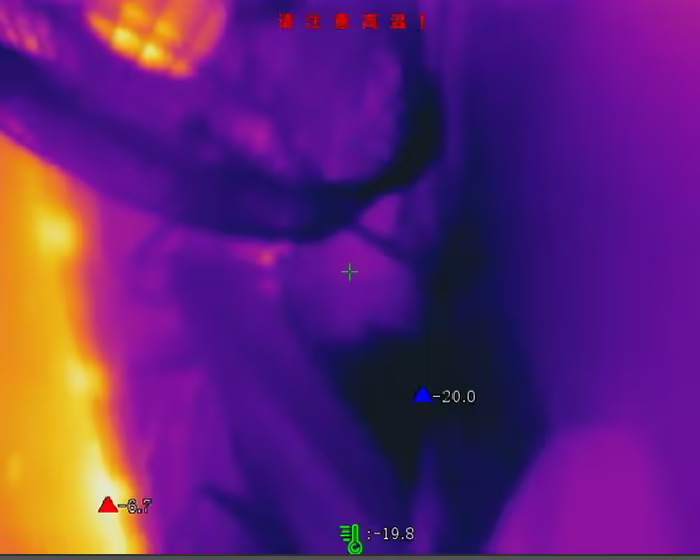
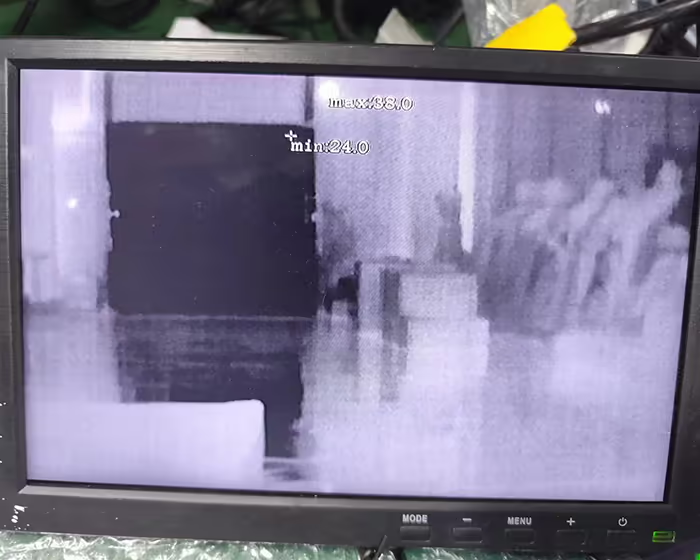
Những hình ảnh sau đây cho thấy cao nhất, thấp nhất, và nhiệt độ trung bình trong video từ camera chụp ảnh nhiệt.
Mục lục
hướng dẫn lắp ghép giao thức truyền thông nhiệt độ của camera chụp ảnh nhiệt
Nhận dạng truyền thông
Theo môi trường phát triển riêng, hoàn thành quyền truy cập của thiết bị và thực hiện giao tiếp(Nếu dấu thời gian cần được căn chỉnh trong kế hoạch, nó cần được sửa mỗi khi bật máy tính, và nó cần được sửa ít nhất một lần một ngày);
Hiệu chỉnh thời gian
Để tìm dữ liệu đo nhiệt độ toàn màn hình của một khung chuyển động nhất định, cần truy cập vào thiết bị để thực hiện hiệu chỉnh thời gian trên mô-đun nhằm đảm bảo hiệu suất thời gian thực;
Cần lưu ý phong trào này chỉ hỗ trợ giờ, từ phút, giây, và mili giây cho dấu thời gian, và không hỗ trợ năm, tháng, ngày, và các ngày trong tuần (hiển thị dưới dạng 0 ở định dạng dữ liệu tương ứng).
Thu thập dữ liệu
Mô-đun này cung cấp các phương pháp thu thập dữ liệu đo nhiệt độ và truyền phát video khác nhau. Theo nhu cầu riêng của bạn, bạn có thể chọn loại và xử lý dữ liệu tương ứng và trình bày nó trên máy chủ;
Ủng hộ
- Dữ liệu thời gian thực đo nhiệt độ toàn màn hình;
- Dữ liệu phát trực tuyến thời gian thực YUV;
- Đo nhiệt độ toàn màn hình + Dữ liệu phát trực tuyến thời gian thực YUV;
(xem trang đính kèm để biết chi tiết)
Hiệu chuẩn đo nhiệt độ
Sau khi tích hợp và triển khai trên toàn bộ máy, sự tăng nhiệt độ có thể ảnh hưởng đến độ chính xác đo nhiệt độ của chuyển động đo nhiệt độ. Cần đặt module đo nhiệt độ vào thiết bị sau khi động cơ nhiệt đã ổn định, sau đó thực hiện hiệu chuẩn đo nhiệt độ để đảm bảo Độ chính xác của toàn bộ sản phẩm máy.
[Hiệu chỉnh bằng một cú nhấp chuột]
Động cơ sưởi ấm bằng điện
Thiết bị được tích hợp vào toàn bộ máy. Động cơ sưởi điện cần được ổn định trước khi hiệu chuẩn. Nên dùng nhiều hơn 2 giờ. Trong môi trường quy trình ổn định, bao bì sẽ không bị ảnh hưởng bởi các nguồn nhiệt, gió, vv;
Cần sử dụng thân đen để đặt bốn mức nhiệt độ 35°C, 60° C, 100° C, và 200°C là điểm hiệu chuẩn đo nhiệt độ tiếp theo;
Đặt thông số hiệu chuẩn
Đặt các thông số hiệu chỉnh của chuyển động, khoảng cách, độ phát xạ của vật đen, nhiệt độ điểm hiệu chuẩn
Thu thập nhiệt độ hiệu chuẩn
Lấy sản phẩm hoàn chỉnh, ở khoảng cách đã đặt, căn chỉnh tâm của màn hình chụp ảnh nhiệt với vật đen ở các điểm nhiệt độ khác nhau để thu được nhiệt độ, và chờ đợi sự trở lại hoàn tất (một lần cho mỗi điểm nhiệt độ);
Chỉnh sửa bằng một cú nhấp chuột
Sau khi có được điểm hiệu chuẩn, thực hiện thao tác chỉnh sửa bằng một cú nhấp chuột;
Kiểm tra độ chính xác
Sau khi hoàn tất việc sửa, kiểm tra từng điểm nhiệt độ hiệu chuẩn để xem độ chính xác của phép đo có nằm trong phạm vi ±1,5°C hay ±1,5% giá trị đọc không (cái nào là giá trị lớn hơn). Nếu nó nằm ngoài phạm vi, lặp lại các bước ③, ④, và ⑤.
Giao thức truyền thông tích hợp nhiệt độ camera chụp ảnh nhiệt lựa chọn
Bổ sung giao thức UVC
1. Dữ liệu thời gian thực đo nhiệt độ toàn màn hình
| Bù lại | Cánh đồng | Kích thước(byte) | Giá trị | Sự miêu tả | chú ý |
| 0 | u32MagicKhông | 4 | số thứ tự khung,Số thứ tự khung được tải lên trong thời gian thực là số chẵn tăng liên tục.10001002, 1004, 1006 | 0x70827773 “FRMI”ofascllcode*/ | |
| 4 | u32Kích thước tiêu đề | 4 | Chiều dài HEAD*/ | ||
| 8 | u32StreamType | 4 | kiểu dữ liệuRTData:XemSTREAM_TYPE_E*/ | ||
| 12 | u32StreamLen | 4 | DATAđộ dài(Bao gồm cả front4byte) */ | ||
| 16 | u32RTDataType | 4 | 1-14dữ liệu bitNaked; 2-Dữ liệu kết quả đo nhiệt độ toàn màn hình; 3-Dữ liệu YUV*/ | ||
| 20 | u32FrmNum | 4 | Không được hỗ trợ hiển thị dưới dạng 0 | ||
| 24 | u32StdStamp | 4 | Dấu thời gian tương đối DSP*/ | Không được hỗ trợHiển thị dưới dạng 0 | |
| 28 | năm | 2 | Năm*/ | Không được hỗ trợ hiển thị dưới dạng 0 | |
| 30 | tháng | 2 | mặt trăng*/ | Không được hỗ trợ hiển thị dưới dạng 0 | |
| 32 | ngàyTrong tuần | 2 | 0:Chủ Nhật~6:Thứ bảy | Không được hỗ trợ hiển thị dưới dạng 0 | |
| 34 | ngày | 2 | ngày*/ | Không được hỗ trợ hiển thị dưới dạng 0 | |
| 36 | giờ | 2 | Giờ*/ | ||
| 38 | phút | 2 | phút*/ | ||
| 40 | thứ hai | 2 | Thứ hai*/ | ||
| 42 | mili giây | 2 | mili giây*/ | ||
| 44 | u32Chiều rộng | 4 | Độ rộng dữ liệu thô | ||
| 48 | chiều cao u32 | 4 | Dữ liệu trần trụi cao | ||
| 52 | u32Len | 4 | 98304 | Đã sửa số kênh 0 | |
| 56 | u32Fps | 4 | 25 | Tốc độ khung hình tải lên theo thời gian thực-Hiện đã cố định25 | |
| 60 | u32Chan | 4 | 0 | Số kênh, Đã sửa 0 | |
| 64 | u32TmDataMode | 4 | 1 | 0for4byte, 1for2byte*/ | |
| 68 | u32TmScale | 4 | Tỷ lệ chia tỷ lệ đo nhiệt độ | ||
| 72 | u32TmOffset | 4 | 0 | Độ lệch đo nhiệt độ, Hiện đã được sửa thành 0 | |
| 76 | bylsFreezedata | 4 | Cho dù đó là dữ liệu bị đóng băng, 1-đông cứng, 0Không đông lạnh | ||
| 124 | độ phân giải[12] | 48 | 0 | byte dành riêng | |
| 128 | u32CrcVal | 4 | Mã kiểm tra cấu trúc xác minh dữ liệu phía trước cấu trúc |
2. Dữ liệu phát trực tuyến thời gian thực YUV
| Gọi món | Cánh đồng | Kích thước | Loại giá trị | Sự miêu tả | chú ý |
| 0 | YUV_Data_Magic_Head | 4 | Con số | Chữ ma thuật trên đầu được chỉ định là0x050508e7 | |
| 1 | tiêu đềLen | 4 | Con số | Độ dài dữ liệu tiêu đề, tính bằng byte, cố định ở mức tính toán tối đa | |
| 2 | Tổng dữ liệuLen | 4 | Con số | Tất cả độ dài dữ liệu, bao gồm dữ liệu tiêu đề, được tính bằng byte và được cố định ở mức tính toán tối đa. | |
| 3 | Đã sửa số kênh 0 | 1 | Con số | Số kênh, Đã sửa 0 | |
| 4 | kín đáo | 3 | 0 | dành riêng3byte | |
| 5 | Năm | 2 | 0 | Năm | Không được hỗ trợ, hiển thị dưới dạng 0 |
| 6 | Tháng | 2 | 0 | mặt trăng 1-12 | Không được hỗ trợ, hiển thị dưới dạng 0 |
| 7 | Ngày trong tuần | 2 | 0 | ngày trong tuần | Không được hỗ trợ, hiển thị dưới dạng 0 |
| 0-Chủ Nhật 1-Thứ Hai | Không được hỗ trợ, hiển thị dưới dạng 0 | ||||
| 2-Thứ Ba 3-Thứ Tư | Không được hỗ trợ, hiển thị dưới dạng 0 | ||||
| 4-Thứ Năm 5-Thứ Sáu | Không được hỗ trợ, hiển thị dưới dạng 0 | ||||
| 6-Thứ bảy | Không được hỗ trợ, hiển thị dưới dạng 0 | ||||
| 8 | Ngày | 2 | 0 | ngày 1-31 | Không được hỗ trợ, hiển thị dưới dạng 0 |
| 9 | Giờ | 2 | 0 | Giờ 0-23 | |
| 10 | Phút | 2 | 0 | phút 0-59 | |
| 11 | Thứ hai | 2 | 0 | Thứ hai 0-59 | |
| 12 | millisecond | 2 | 0 | millisecond 0-999 | |
| 13 | TMInfoVị trí | 1 | Bool | Vị trí hiển thị thông tin đo nhiệt độ: | |
| 0-tuân theo các quy tắc(giá trị mặc định) | |||||
| 1-Hiển thị ở góc trên bên trái | |||||
| 14 | bShowMaxTemp | 1 | Bool | Có hiển thị nhiệt độ cao nhất hay không: 0-không hiển thị(giá trị mặc định),1-trình diễn | |
| 15 | bShowMinTemp | 1 | Bool | Có hiển thị nhiệt độ thấp nhất hay không: 0-không hiển thị(giá trị mặc định),1-trình diễn | |
| 16 | bHiển thịNhiệt độ trung bình | 1 | Bool | 0 độ C (mặc định) | |
| 17 | đơn vị nhiệt độ | 1 | Con số | đơn vị nhiệt độ | |
| chế độ tạm thời | |||||
| 1-độ F | |||||
| 2-Kelvin | |||||
| 18 | chế độ tạm thời | 1 | Con số | Chế độ đo nhiệt độ:0-Đo nhiệt độ chuyên nghiệp,1-Đo nhiệt độ thông thường | |
| Số vùng đo nhiệt độ | |||||
| 19 | điểmTmpNum | 1 | Con số | Số điểm đo nhiệt độ, tối đa 10 | |
| 20 | hộpTmpNum | 1 | Con số | Số lần đo nhiệt độ khung hình, tối đa 10 | |
| 21 | dòngTmpNum | 1 | Con số | Số đường đo nhiệt độ, tối đa 1 dải | |
| 22 | tổng cộng | 1 | Con số | Tổng của ba điều trên hiện hỗ trợ nhiều nhất21Vì mục đích mở rộng tiếp theo, không giới hạn phạm vi của số này. | |
| 23 | dành riêng1 | 18 | Con số | dành riêng18byte | |
| Danh sách kết quả vùng đo nhiệt độ xuất hiện theo vòng lặp. Hiện tại, nó hỗ trợ lên đến 21, và số lượng được xác định bởi tổng số ở trên. | |||||
| 24 | ID khu vực | 1 | Con số | Danh sách kết quả vùng đo nhiệt độ xuất hiện theo vòng lặp. Hiện tại, nó hỗ trợ lên đến 21, được xác định bởi tổng số trên. | |
| 25 | Khu vực đã bật | 1 | Bool | Kích hoạt vùng | |
| 0-đóng cửa | |||||
| 1-bật lên | |||||
| 26 | loại vùng | 1 | Con số | Loại diện tích | |
| 0-Không có loại vùng | |||||
| 1-Loại vùng đa giác | |||||
| 2-Loại diện tích tuyến tính | |||||
| 3-kiểu vùng điểm | |||||
| 27 | Điểm_Num | 1 | Con số | số đỉnh hợp lệ, Hỗ trợ nhiều nhất10 tọa độ của các đỉnh hợp lệ | |
| Trong một quy tắc đo nhiệt độ duy nhất, tọa độ đỉnh của quy tắc đo nhiệt độ, ở đây theo Point_Num ở trênXác định có bao nhiêu tọa độ đỉnh cần gửi | |||||
| 28 | Điểm_X | 4 | Con số | Tọa độ trục X cấp độ đỉnh hiện tại, bình thường hóa to0-1000 | |
| 29 | Điểm_Y | 4 | Con số | đỉnh hiện tại là trục dọc VÀ tọa độ trục, bình thường hóa to0-1000 | |
| 30 | tỷ lệ phát thải | 4 | Con số | Độ phát xạ—-Số dấu phẩy động:[0.00, 1.00] | |
| 31 | khoảng cách | 4 | Con số | khoảng cách | |
| 0.3-3m | |||||
| Giao thức được truyền theo cm, và người dùng diễn giải nó theo centimet. | |||||
| 32 | phản xạ nhiệt độ | 4 | Con số | Nhiệt độ phản ánh: | |
| -100.0~1000.0oC (chính xác đến dấu thập phân1bit, khi truyền(giá trị thực +100)*10Chuyển đổi sang số nguyên không âm | |||||
| 33 | phút Tmp | 4 | Con số | nhiệt độ tối thiểu: [-40.0, 1000.0], đơn vị độ C | |
| 34 | phútTmp_X | 4 | Con số | mức nhiệt độ tối thiểu Tọa độ trục X, bình thường hóa to0-1000 | |
| 35 | phútTmp_Y | 4 | Con số | Tọa độ dọcANDAxis có nhiệt độ thấp nhất, bình thường hóa to0-1000 | |
| 36 | nhiệt độ tối đa | 4 | Con số | nhiệt độ tối đa: [-40.0, 1000.0], đơn vị độ C | |
| 37 | tối đaTmp_X | 4 | Con số | mức nhiệt độ tối đa Tọa độ trục X, bình thường hóa to0-1000 | |
| 38 | tối đaTmp_Y | 4 | Con số | nhiệt độ tối đa tọa độ dọcANDAxis, bình thường hóa to0-1000 | |
| 39 | avrTmp | 4 | Con số | nhiệt độ trung bình: [-40.0, 1000.0], đơn vị độ C | |
3.Đo nhiệt độ toàn màn hình + Dữ liệu phát trực tuyến thời gian thực YUV
| Cánh đồng | Kích thước(byte) | Giá trị | Sự miêu tả | chú ý | |
| u32MagicKhông | 4 | 0x70827773 “FRMI”ofascllcode*/ | |||
| u32Kích thước tiêu đề | 4 | Chiều dài HEAD*/ | |||
| u32StreamType | 4 | kiểu dữ liệuRTData:XemSTREAM_TYPE_E | |||
| u32StreamLen | 4 | DATAđộ dài(Bao gồm cả front4byte) */ | |||
| bIFRYuv | 4 | Có mang theoYUVpicture*/ | |||
| STREAM_FS_SUPPLE_INFO_TEMP Cấu trúc thông tin bổ sung dữ liệu nhiệt độ thời gian thực | u32TmDataMode | 4 | 1 | 0for4byte, 1for2byte*/ | |
| u32TmScale | 4 | Tỷ lệ chia tỷ lệ đo nhiệt độ | |||
| u32TmOffset | 4 | 0 | Độ lệch đo nhiệt độ,Hiện đã được sửa thành 0 | ||
| bylsFreezedata | 4 | Cho dù đó là dữ liệu bị đóng băng, 1-đông cứng, 0Không đông lạnh | |||
| STREAM_RT_DATA_INFO_S Cấu trúc đầu ra dữ liệu nhiệt độ thời gian thực | u32RTDataType | 4 | 1-14dữ liệu bitNaked; 2-Dữ liệu kết quả đo nhiệt độ toàn màn hình; 3-Dữ liệu YUV*/ | ||
| u32FrmNum | 4 | số thứ tự khung,Số thứ tự khung được tải lên trong thời gian thực là số chẵn tăng liên tục.10001002, 1004, 1006 | |||
| u32StdStamp | 4 | 0 | Dấu thời gian tương đối DSP*/ | Không được hỗ trợhiển thị là0 | |
| năm | 2 | 0 | Năm*/ | Không được hỗ trợhiển thị là0 | |
| tháng | 2 | 0 | mặt trăng*/ | Không được hỗ trợhiển thị là0 | |
| ngàyTrong tuần | 2 | 0 | 0:Chủ Nhật~6:Thứ bảy | Không được hỗ trợhiển thị là0 | |
| ngày | 2 | 0 | ngày*/ | Không được hỗ trợhiển thị là0 | |
| giờ | 2 | 0 | Giờ*/ | ||
| phút | 2 | 0 | phút*/ | ||
| thứ hai | 2 | 0 | Thứ hai*/ | ||
| mili giây | 2 | 0 | mili giây*/ | ||
| u32Chiều rộng | 4 | Độ rộng dữ liệu thô*/ | |||
| chiều cao u32 | 4 | Dữ liệu trần trụi cao*/ | |||
| u32Len | 4 | 98304 | Độ dài của ma trận đo nhiệt độ thời gian thực,tính bằng byte,Plus4byte,like4BytesfloatMa trận nhiệt kế: 256*192*2 | ||
| u32Fps | 4 | 25 | Tốc độ khung hình tải lên theo thời gian thực-Hiện đã cố định25 | ||
| u32Chan | 4 | 1 | Số kênh, đã sửa1 | ||
| RT_YUV_DATA_INFO_S thời gian thựcYUVCấu trúc đầu ra của | u32FrmNum | 4 | số thứ tự khung,Số thứ tự khung được tải lên trong thời gian thực là số chẵn tăng liên tục.1000, 1002, 1004, 1006 | ||
| u32Chiều rộng | 4 | Chiều rộng dữ liệu YUV | |||
| chiều cao u32 | 4 | YUVDữ liệu cao | |||
| u32Len | 4 | Độ dài dữ liệu YUV(DỮ LIỆU2) | |||
| u32StdStamp | 4 | 0 | Dấu thời gian tương đối DSP*/ | Không được hỗ trợhiển thị là0 | |
| năm | 2 | 0 | Năm*/ | Không được hỗ trợhiển thị là0 | |
| tháng | 2 | 0 | mặt trăng*/ | Không được hỗ trợhiển thị là0 | |
| ngàyTrong tuần | 2 | 0 | 0:Chủ Nhật~6:Thứ bảy | Không được hỗ trợhiển thị là0 | |
| ngày | 2 | 0 | ngày*/ | Không được hỗ trợhiển thị là0 | |
| giờ | 2 | 0 | Giờ*/ | ||
| phút | 2 | 0 | phút*/ | ||
| thứ hai | 2 | 0 | Thứ hai*/ | ||
| mili giây | 2 | 0 | mili giây*/ | ||
| IFR_REALTIME_TM_OUTCOME_UPLOAD_INFOCấu trúc đầu ra của thông tin đo nhiệt độ thời gian thực | đơn vị nhiệt độ | 4 | đơn vị nhiệt độ,Độ C mặc định,Chủ yếu được sử dụng để tải lên | ||
| refTempkey | 1 | Công tắc nhiệt độ phản chiếu | |||
| độ phân giải[3] | 3 | dự trữ | |||
| f32Khoảng cách | 4 | Đo khoảng cách | |||
| nhiệt độ giới thiệu | 4 | Nhiệt độ phản ánh,Chuyển đổi dựa trên nhiệt độ phản ánh | |||
| tỷ lệ phát thải | 4 | Độ phát xạ, [0.00, 1.0] | |||
| envTemp | 4 | nhiệt độ môi trường xung quanh,Khi không có cảm giác nhiệt độ, nó được lấy từ thư viện thuật toán đo nhiệt độ. | |||
| phútTmp | 4 | Nhiệt độ tối thiểu toàn màn hình | |||
| maxTmp | 4 | Nhiệt độ tối đa toàn màn hình | |||
| avrTmp | 4 | Nhiệt độ trung bình toàn màn hình | |||
| IFR_POINT*3(Lưu tọa độ nhiệt độ cao nhất và thấp nhất trong kết quả đo,chuẩn hóa thành 0-1000, chỉ số mảng: 0-nhiệt độ tối đa, 1-nhiệt độ thấp nhất, 2-nhiệt độ trung bình) | |||||
| x | 4 | ||||
| và | 4 | ||||
| u32TempMode | 4 | 0:Đo nhiệt độ chuyên nghiệp, 1:Đo nhiệt độ thông thường | |||
| resv[5] | 20 | dự trữ | |||
| điểmSố | 4 | Số điểm đo nhiệt độ,tối đa10 cá nhân | |||
| hộpSố | 4 | Số lần đo nhiệt độ khung hình,tối đa10 cá nhân | |||
| dòngSố | 4 | Số đường đo nhiệt độ,nhất1dải | |||
| tổng cộng | 4 | Tổng số của ba bên | |||
| kín đáo[8] | 32 | dự trữ | |||
| IFR_OUTCOME_INFO*21(kết quả đo nhiệt độ) | |||||
| cho phép | 1 | //<Có bật hay không: 0-Không,1-Vâng | |||
| khu vực | 1 | //<ID khu vực | |||
| kín đáo[2] | 2 | //<trường dành riêng | |||
| reftemp | 4 | ||||
| dành riêng[20] | 1 | //<trường dành riêng | |||
| f32Khoảng cách | 4 | //<khoảng cách | |||
| u8res | 1 | //<trường dành riêng | |||
| u8maxTmpStat | 1 | //Xem trạng thái nhiệt độ tối đaTM_TEMP_STAT_E | |||
| u8minTmpStat | 1 | //Xem trạng thái nhiệt độ thấp nhấtTM_TEMP_STAT_E | |||
| u8avgTmpStat | 1 | //Trạng thái nhiệt độ nhiệt độ trung bình xemTM_TEMP_STAT_E | |||
| loại vùng | 4 | Loại diện tích | |||
| Tên[32] | 32 | tên khu vực | |||
| tỷ lệ phát thải | //<Độ phát xạ: [0.00, 1.00] | ||||
| phútTmp | //<nhiệt độ tối thiểu: [-40.0, 1000.0],Đơn vị độ C | ||||
| maxTmp | //<nhiệt độ tối đa: [-40.0, 1000.0],Đơn vị độ C | ||||
| avrTmp | //<nhiệt độ trung bình: [-40.0, 1000.0],Đơn vị độ C | ||||
| khác biệt | //<chênh lệch nhiệt độ: [0.0, 1040.0],Đơn vị độ C | ||||
| IFR_POINT*2(Lưu tọa độ nhiệt độ cao nhất và thấp nhất trong kết quả đo,chuẩn hóa thành 0-1000, chỉ số mảng:0-nhiệt độ tối đa, 1-nhiệt độ thấp nhất) | |||||
| x | 4 | ||||
| và | 4 | ||||
| điểmSố | 4 | Số đỉnh thực tế của đa giác (diện tích đa giác) | |||
| IFR_POINT*12(diện tích đa giác) tọa độ | |||||
| x | 4 | ||||
| và | 4 | ||||
| loại tải lên | 1 | 1 | Loại dữ liệu tải lên theo thời gian thực-Loại dữ liệu tải lên theo thời gian thực đo nhiệt độ toàn màn hình 0-JPEG;1-YUV | ||
| độ phân giải[11] | 44 | 0 | kín đáo | ||
| u32CrcVal | 4 | Mã kiểm tra cấu trúc xác minh dữ liệu phía trước cấu trúc | |||
Camera chụp ảnh nhiệt hiện nay cũng được sử dụng trên máy bay không người lái.
Họ tìm thấy mục tiêu ẩn náu vào ban đêm, trên bãi cỏ, hoặc trong rừng.
Có ba loại pixel chính: 256 x 192, 384 x 288, và 640 x 512.
Khoảng cách phát hiện là 150 mét và 300 mét.
Camera chụp ảnh nhiệt cũng có giao diện đầu ra video thông thường và giao diện đầu ra USB.
Thường cũng có giao diện cổng nối tiếp để gửi lệnh đến camera để điều chỉnh thông số. chẳng hạn như phóng to, thu nhỏ, và màu video.
Nó có kích thước nhỏ và có thể thay thế các camera ánh sáng nhìn thấy thông thường.
Đăng từ Tệp VF-202401
Đặt một câu hỏi
Tin nhắn của bạn đã được gửi