





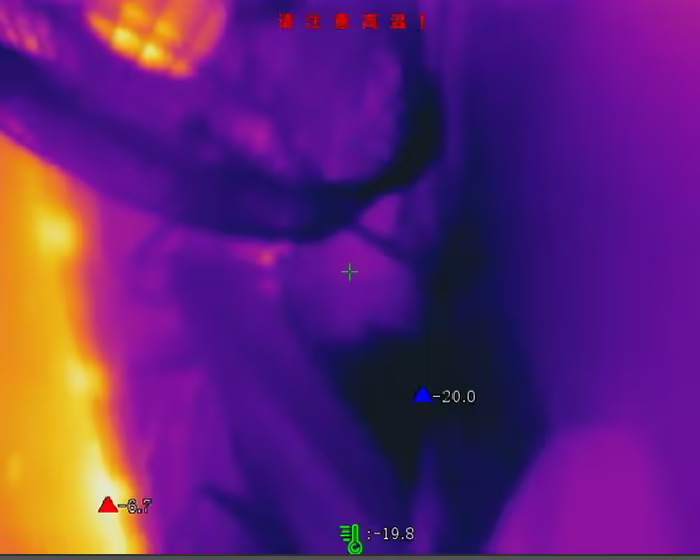
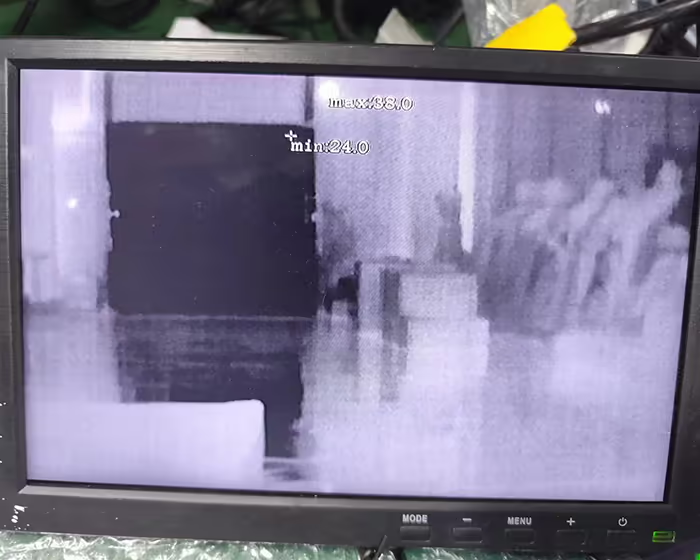
Some customers ask if our thermal imaging cameras can display the temperature of observed objects in the video. Odpowiedź brzmi: tak.

The following pictures show the highest, lowest, and average temperatures in the video from the thermal imaging camera.
Spis treści
thermal imaging camera temperature communication protocol docking guide
Communication identification
According to the own development environment, complete the access of the device and realize communication(If the time stamp needs to be aligned in the plan, it needs to be corrected every time the computer is turned on, and it needs to be corrected at least once a day);
Time calibration
To find the full-screen temperature measurement data of a certain frame of the movement, it is necessary to access the device to perform time calibration on the module to ensure real-time performance;
It should be noted this movement only supports hours, minutes, towary drugiej jakości, and milliseconds for timestamps, and does not support years, miesiące, dni, and days of the week (displayed as 0 in the corresponding data format).
Data acquisition
The module provides different video streaming and temperature measurement data acquisition methods. According to your own needs, you can select the corresponding data type and process and present it on the host;
Wsparcie
- Full-screen temperature measurement real-time data;
- YUV real-time streaming data;
- Full-screen temperature measurement + YUV real-time streaming data;
(see attached page for details)
Temperature measurement calibration
After integration and deployment into the whole machine, the temperature rise may affect the temperature measurement accuracy of the temperature measurement movement. It is necessary to place the temperature measurement module in the device after the heat engine has stabilized, and then perform temperature measurement calibration to ensure The accuracy of the whole machine product.
[One-click calibration]
Electric heating engine
The equipment is integrated into the whole machine. The electric heating engine needs to be stabilized before calibration. It is recommended to take more than 2 godziny. In a stable process environment, the packaging will not be affected by heat sources, wind, itp.;
It is necessary to use a black body to set four temperatures of 35°C, 60°C, 100°C, and 200°C as subsequent temperature measurement calibration points;
Set calibration parameters
Set the calibration parameters of the movement, dystans, blackbody emissivity, calibration point temperature
Calibration temperature acquisition
Take the complete product, at the set distance, align the center of the thermal imaging screen with the black body at different temperature points to obtain the temperature, and wait for the return to complete (once for each temperature point);
One-click correction
After obtaining the calibration point, perform a one-click correction operation;
Accuracy inspection
After completing the correction, inspect each calibration temperature point to see if the measurement accuracy is within ±1.5°C or ±1.5% of the reading (w zależności od tego, która wartość jest większa). If it is out of range, repeat steps ③, ④, and ⑤.
thermal imaging camera temperature Integration communication protocol wybór
UVC protocol supplement
1. Full-screen temperature measurement real-time data
| Offset | Field | Rozmiar(bajt) | Wartość | Opis | Uwaga |
| 0 | u32MagicNo | 4 | the frame sequence number,The frame sequence number uploaded in real time is a continuously increasing even number.10001002, 1004, 1006 | 0x70827773 “FRMI”ofascllcode*/ | |
| 4 | u32HeaderSize | 4 | HEADlength*/ | ||
| 8 | u32StreamType | 4 | data typeRTData:SeeSTREAM_TYPE_E*/ | ||
| 12 | u32StreamLen | 4 | DATAlength(Including the front4byte) */ | ||
| 16 | u32RTDataType | 4 | 1-14bitNaked data; 2-Full screen temperature measurement result data; 3-YUVdata*/ | ||
| 20 | u32FrmNum | 4 | Not supported displayed as 0 | ||
| 24 | u32StdStamp | 4 | DSPrelative timestamp*/ | Not supportedDisplayed as 0 | |
| 28 | rok | 2 | Year*/ | Not supported displayed as 0 | |
| 30 | month | 2 | moon*/ | Not supported displayed as 0 | |
| 32 | dayOfWeek | 2 | 0:Sunday~6:Sobota | Not supported displayed as 0 | |
| 34 | day | 2 | day*/ | Not supported displayed as 0 | |
| 36 | godzina | 2 | Hour*/ | ||
| 38 | minuta | 2 | minute*/ | ||
| 40 | drugi | 2 | Second*/ | ||
| 42 | milliSecond | 2 | millisecond*/ | ||
| 44 | u32Width | 4 | Raw data width | ||
| 48 | u32Height | 4 | High naked data | ||
| 52 | u32Len | 4 | 98304 | Channel number fixed 0 | |
| 56 | u32Fps | 4 | 25 | Real-time upload frame rate-Currently fixed25 | |
| 60 | u32Chan | 4 | 0 | Channel number, naprawił 0 | |
| 64 | u32TmDataMode | 4 | 1 | 0for4byte, 1for2byte*/ | |
| 68 | u32TmScale | 4 | Temperature measurement scaling ratio | ||
| 72 | u32TmOffset | 4 | 0 | Temperature measurement offset, Currently fixed to 0 | |
| 76 | bylsFreezedata | 4 | Whether it is frozen data, 1-freeze, 0Not frozen | ||
| 124 | res[12] | 48 | 0 | reserved bytes | |
| 128 | u32CrcVal | 4 | The structure check code verifies the data in front of the structure |
2. YUV real-time streaming data
| Zamówienie | Field | Rozmiar | Value type | Opis | Uwaga |
| 0 | YUV_Data_Magic_Head | 4 | Numer | The magic word on the head is specified as0x050508e7 | |
| 1 | HeaderLen | 4 | Numer | Header data length, in bytes, fixed to the maximum calculation | |
| 2 | TotalDataLen | 4 | Numer | All data lengths, including header data, are in bytes and are fixed to the maximum calculation. | |
| 3 | Channel number fixed 0 | 1 | Numer | Channel number, naprawił 0 | |
| 4 | skryty | 3 | 0 | reserved3bytes | |
| 5 | Rok | 2 | 0 | Rok | Not supported, displayed as 0 |
| 6 | Miesiąc | 2 | 0 | moon 1-12 | Not supported, displayed as 0 |
| 7 | Day of Week | 2 | 0 | day of week | Not supported, displayed as 0 |
| 0-Sunday 1-Monday | Not supported, displayed as 0 | ||||
| 2-Tuesday 3-Wednesday | Not supported, displayed as 0 | ||||
| 4-Thursday 5-Friday | Not supported, displayed as 0 | ||||
| 6-Sobota | Not supported, displayed as 0 | ||||
| 8 | Dzień | 2 | 0 | day 1-31 | Not supported, displayed as 0 |
| 9 | Godzina | 2 | 0 | Godzina 0-23 | |
| 10 | Chwila | 2 | 0 | minuta 0-59 | |
| 11 | Drugi | 2 | 0 | Drugi 0-59 | |
| 12 | milisekunda | 2 | 0 | milisekunda 0-999 | |
| 13 | TMInfoPosition | 1 | Bool | Temperature measurement information display location: | |
| 0-follow the rules(wartość domyślna) | |||||
| 1-Display in the upper left corner | |||||
| 14 | bShowMaxTemp | 1 | Bool | Whether to display the highest temperature: 0-Do not show(wartość domyślna),1-show | |
| 15 | bShowMinTemp | 1 | Bool | Whether to display the lowest temperature: 0-Do not show(wartość domyślna),1-show | |
| 16 | bShowAvgTemp | 1 | Bool | 0 stopni Celsjusza (domyślny) | |
| 17 | tempUnit | 1 | Numer | temperature unit | |
| temp mode | |||||
| 1-Fahrenheit | |||||
| 2-Kelvin | |||||
| 18 | tempMode | 1 | Numer | Temperature measurement mode:0-Expert temperature measurement,1-Ordinary temperature measurement | |
| Number of temperature measurement areas | |||||
| 19 | pointTmpNum | 1 | Numer | Number of temperature measurement points, max.10 | |
| 20 | boxTmpNum | 1 | Numer | Number of frame temperature measurements, max.10 | |
| 21 | lineTmpNum | 1 | Numer | Number of line temperature measurement lines, max.1strip | |
| 22 | całkowity | 1 | Numer | The sum of the above three currently supports the most21For the sake of subsequent expansion, do not limit the range of this number. | |
| 23 | reserved1 | 18 | Numer | reserved18bytes | |
| The list of temperature measurement area results appears in a loop. Obecnie, it supports up to 21, and the number is determined by the total above. | |||||
| 24 | Region ID | 1 | Numer | The list of temperature measurement area results appears in a loop. Obecnie, it supports up to 21, which is determined by the total above. | |
| 25 | RegionEnabled | 1 | Bool | Zone enable | |
| 0-closure | |||||
| 1-turn on | |||||
| 26 | region type | 1 | Numer | Area type | |
| 0-No zone type | |||||
| 1-Polygon area type | |||||
| 2-Linear area type | |||||
| 3-point area type | |||||
| 27 | Point_Num | 1 | Numer | number of valid vertices, Most supported10 coordinates of valid vertices | |
| Within a single temperature measurement rule, the vertex coordinates of the temperature measurement rule, here according to the abovePoint_NumDetermine how many vertex coordinates to send | |||||
| 28 | Point_X | 4 | Numer | Current vertex level X Axis coordinates, normalized to0-1000 | |
| 29 | Point_Y | 4 | Numer | the current vertex is Y vertical AND Axis coordinates, normalized to0-1000 | |
| 30 | emission Rate | 4 | Numer | Emissivity—-Floating point numbers:[0.00, 1.00] | |
| 31 | dystans | 4 | Numer | dystans | |
| 0.3-3M | |||||
| The protocol is transmitted in centimeters, and users interpret it in centimeters. | |||||
| 32 | reflectiveTemperature | 4 | Numer | Reflected temperature: | |
| -100.0~1000.0℃ (accurate to decimal point1bit, when transmitting(actual value+100)*10Convert to non-negative integer | |||||
| 33 | min Tmp | 4 | Numer | minimalna temperatura: [-40.0, 1000.0], unit Celsius | |
| 34 | minTmp_X | 4 | Numer | minimum temperature levelXAxis coordinates, normalized to0-1000 | |
| 35 | minTmp_Y | 4 | Numer | lowest temperature verticalANDAxis coordinates, normalized to0-1000 | |
| 36 | max Tmp | 4 | Numer | maximum temperature: [-40.0, 1000.0], unit Celsius | |
| 37 | maxTmp_X | 4 | Numer | maximum temperature levelXAxis coordinates, normalized to0-1000 | |
| 38 | maxTmp_Y | 4 | Numer | maximum temperature verticalANDAxis coordinates, normalized to0-1000 | |
| 39 | avrTmp | 4 | Numer | average temperature: [-40.0, 1000.0], unit Celsius | |
3.Full-screen temperature measurement + YUV real-time streaming data
| Field | Rozmiar(bajt) | Wartość | Opis | Uwaga | |
| u32MagicNo | 4 | 0x70827773 “FRMI”ofascllcode*/ | |||
| u32HeaderSize | 4 | HEADlength*/ | |||
| u32StreamType | 4 | data typeRTData:SeeSTREAM_TYPE_E | |||
| u32StreamLen | 4 | DATAlength(Including the front4byte) */ | |||
| bIFRYuv | 4 | Whether to carryYUVpicture*/ | |||
| STREAM_FS_SUPPLE_INFO_TEMP Real-time temperature data additional information structure | u32TmDataMode | 4 | 1 | 0for4byte, 1for2byte*/ | |
| u32TmScale | 4 | Temperature measurement scaling ratio | |||
| u32TmOffset | 4 | 0 | Temperature measurement offset,Currently fixed to0 | ||
| bylsFreezedata | 4 | Whether it is frozen data, 1-freeze, 0Not frozen | |||
| STREAM_RT_DATA_INFO_S Real-time temperature data output structure | u32RTDataType | 4 | 1-14bitNaked data; 2-Full screen temperature measurement result data; 3-YUVdata*/ | ||
| u32FrmNum | 4 | frame sequence number,The frame sequence number uploaded in real time is a continuously increasing even number.10001002, 1004, 1006 | |||
| u32StdStamp | 4 | 0 | DSPrelative timestamp*/ | Not supporteddisplayed as0 | |
| rok | 2 | 0 | Year*/ | Not supporteddisplayed as0 | |
| month | 2 | 0 | moon*/ | Not supporteddisplayed as0 | |
| dayOfWeek | 2 | 0 | 0:Sunday~6:Sobota | Not supporteddisplayed as0 | |
| day | 2 | 0 | day*/ | Not supporteddisplayed as0 | |
| godzina | 2 | 0 | Hour*/ | ||
| minuta | 2 | 0 | minute*/ | ||
| drugi | 2 | 0 | Second*/ | ||
| milliSecond | 2 | 0 | millisecond*/ | ||
| u32Width | 4 | Raw data width*/ | |||
| u32Height | 4 | High naked data*/ | |||
| u32Len | 4 | 98304 | The length of the real-time temperature measurement matrix,in bytes,Plus4bytes,like4BytesfloatThermometry matrix: 256*192*2 | ||
| u32Fps | 4 | 25 | Real-time upload frame rate-Currently fixed25 | ||
| u32Chan | 4 | 1 | Channel number, fixed1 | ||
| RT_YUV_DATA_INFO_S real timeYUVThe output structure of | u32FrmNum | 4 | frame sequence number,The frame sequence number uploaded in real time is a continuously increasing even number.1000, 1002, 1004, 1006 | ||
| u32Width | 4 | YUVData width | |||
| u32Height | 4 | YUVHigh data | |||
| u32Len | 4 | YUVData length(DATA2) | |||
| u32StdStamp | 4 | 0 | DSPrelative timestamp*/ | Not supporteddisplayed as0 | |
| rok | 2 | 0 | Year*/ | Not supporteddisplayed as0 | |
| month | 2 | 0 | moon*/ | Not supporteddisplayed as0 | |
| dayOfWeek | 2 | 0 | 0:Sunday~6:Sobota | Not supporteddisplayed as0 | |
| day | 2 | 0 | day*/ | Not supporteddisplayed as0 | |
| godzina | 2 | 0 | Hour*/ | ||
| minuta | 2 | 0 | minute*/ | ||
| drugi | 2 | 0 | Second*/ | ||
| milliSecond | 2 | 0 | millisecond*/ | ||
| IFR_REALTIME_TM_OUTCOME_UPLOAD_INFOOutput structure of real-time temperature measurement information | tempUnit | 4 | temperature unit,Default Celsius,Mainly used for uploading | ||
| refTempkey | 1 | Reflective temperature switch | |||
| res[3] | 3 | reserve | |||
| f32Distance | 4 | Measure distance | |||
| refTemp | 4 | Reflected temperature,Switch based on reflected temperature | |||
| emissionRate | 4 | Emissivity, [0.00, 1.0] | |||
| envTemp | 4 | ambient temperature,When there is no temperature sense, it is obtained from the temperature measurement algorithm library. | |||
| minTmp | 4 | Full screen minimum temperature | |||
| maxTmp | 4 | Full screen maximum temperature | |||
| avrTmp | 4 | Full screen average temperature | |||
| IFR_POINT*3(Save the highest and lowest temperature coordinates in the test results,normalized to0-1000,array subscript: 0-maximum temperature, 1-lowest temperature, 2-average temperature) | |||||
| X | 4 | ||||
| i | 4 | ||||
| u32TempMode | 4 | 0:Expert temperature measurement, 1:Ordinary temperature measurement | |||
| resv[5] | 20 | reserve | |||
| pointNum | 4 | Number of temperature measurement points,maximum10indivual | |||
| boxNum | 4 | Number of frame temperature measurements,maximum10indivual | |||
| lineNum | 4 | Number of line temperature measurement lines,most1strip | |||
| całkowity | 4 | The sum of the three parties | |||
| skryty[8] | 32 | reserve | |||
| IFR_OUTCOME_INFO*21(temperature measurement result) | |||||
| włączać | 1 | //<Whether to enable: 0-NIE,1-Tak | |||
| regionld | 1 | //<areaID | |||
| skryty[2] | 2 | //<reserved fields | |||
| reftemp | 4 | ||||
| reservedex[20] | 1 | //<reserved fields | |||
| f32Distance | 4 | //<dystans | |||
| u8res | 1 | //<reserved fields | |||
| u8maxTmpStat | 1 | //See the maximum temperature stateTM_TEMP_STAT_E | |||
| u8minTmpStat | 1 | //See the lowest temperature statusTM_TEMP_STAT_E | |||
| u8avgTmpStat | 1 | //Average temperature temperature status seeTM_TEMP_STAT_E | |||
| regiontype | 4 | Area type | |||
| nazwa[32] | 32 | area name | |||
| emissionRate | //<Emissivity: [0.00, 1.00] | ||||
| minTmp | //<minimalna temperatura: [-40.0, 1000.0],Unit Celsius | ||||
| maxTmp | //<maximum temperature: [-40.0, 1000.0],Unit Celsius | ||||
| avrTmp | //<average temperature: [-40.0, 1000.0],Unit Celsius | ||||
| diffTmp | //<temperature difference: [0.0, 1040.0],Unit Celsius | ||||
| IFR_POINT*2(Save the highest and lowest temperature coordinates in the test results,normalized to0-1000,array subscript:0-maximum temperature, 1-lowest temperature) | |||||
| X | 4 | ||||
| i | 4 | ||||
| pointNum | 4 | Actual number of vertices of the polygon (polygon area) | |||
| IFR_POINT*12(polygon area) coordinates | |||||
| X | 4 | ||||
| i | 4 | ||||
| uploadType | 1 | 1 | Real-time data upload type-Full-screen temperature measurement real-time upload data type 0-JPEG;1-YUV | ||
| res[11] | 44 | 0 | skryty | ||
| u32CrcVal | 4 | The structure check code verifies the data in front of the structure | |||
Thermal imaging cameras are now also used on drones.
They find targets hidden at night, in the grass, or in the forest.
There are three main types of pixels: 256 X 192, 384 X 288, i 640 X 512.
The detection distance is 150 meters and 300 metrów.
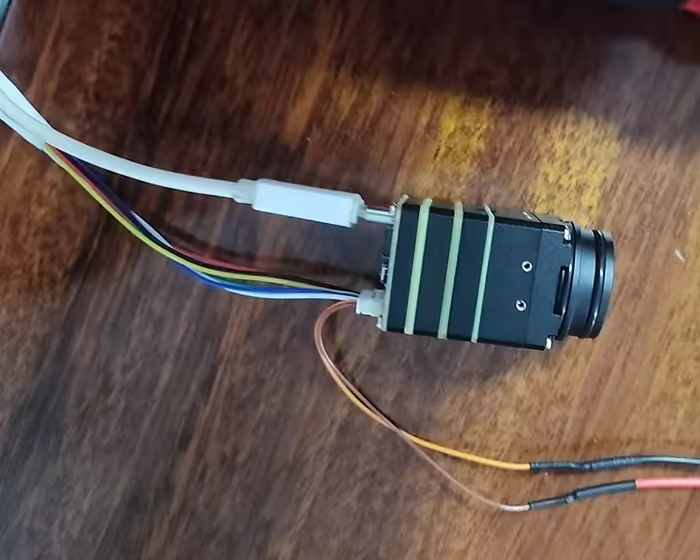
The thermal imaging camera also has a normal video output interface and a USB output interface.
There is usually also a serial port interface for sending commands to the camera to adjust parameters. such as zoom in, zoom out, and video color.
It is small in size and can replace common visible light cameras.
Post from File VF-202401
Zadać pytanie
Twoja wiadomość została wysłana