






FAQ: È possibile modificare la frequenza LO del downconverter (per esempio., da 1750 MHz a 875 MHz o 750 MHz)?
Q: Ciao, è possibile modificare i convertitori in basso che abbiamo acquistato da te per dimezzare la frequenza LO? Attualmente operano a 1750 MHz: possono risolvere il problema 875 MHz o essere impostato su 750 MHz?
UN: sì, il LO (Oscillatore locale) la frequenza può essere modificata. però, consigliamo vivamente che la modifica venga eseguita dai nostri ingegneri, o di restituirci l'unità per la regolazione per garantire prestazioni e stabilità ottimali.
Se preferisci modificalo tu stesso, è possibile anche seguendo la procedura seguente.
🔧 Guida all'automodifica
Sommario
1. Configurazione dell'hardware
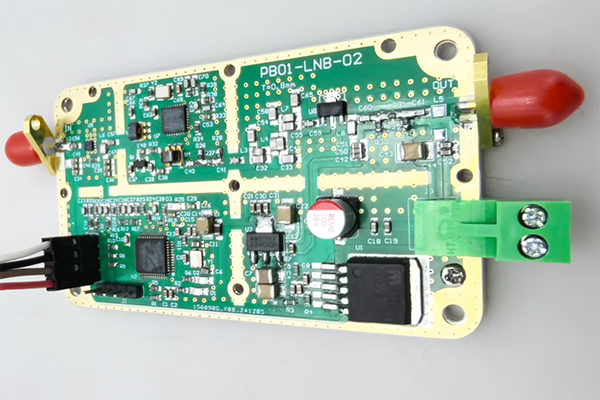
- Aprire la custodia metallica dell'FDC (Convertitore di frequenza verso il basso).
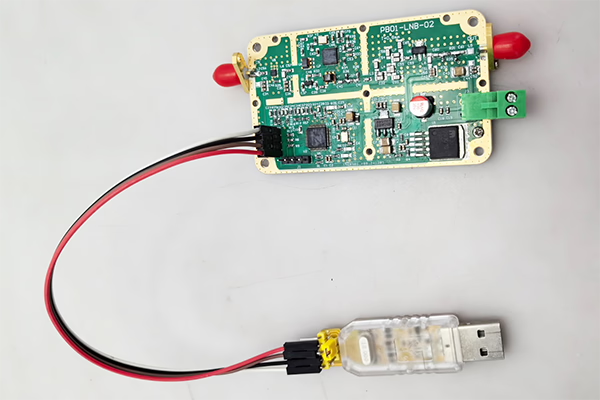
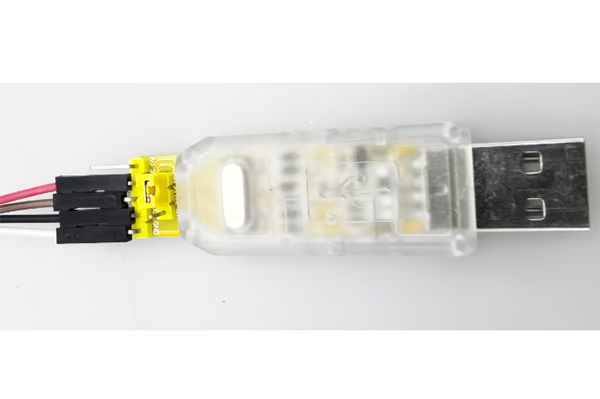
- Collega il dispositivo al computer utilizzando un Adattatore da USB a TTL.
Cablaggio (3 solo collegamenti):
- TX→RX
- RX→TX
- Terra → Terra
Se necessario, puoi anche realizzare tu stesso il cavo.

2. Controllo software tramite porta seriale
Utilizzare uno strumento terminale seriale per inviare comandi al modulo.
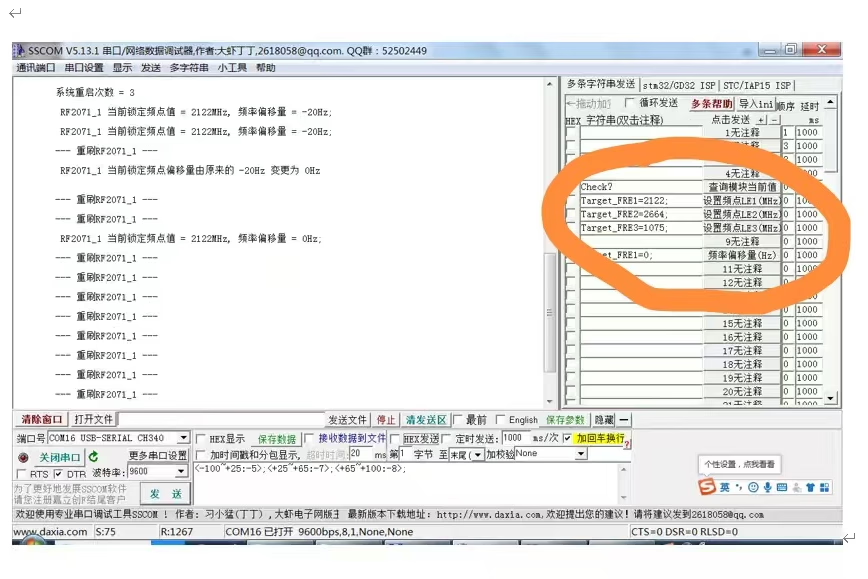
3. Controlla lo stato attuale
Comando:
check?
Descrizione:
- Restituisce lo stato operativo corrente e i valori di frequenza rilevati.
Importante:
- Il comando deve terminare con un punto interrogativo (?), altrimenti non sarà valido.
4. Modifica la frequenza LO
È possibile regolare la frequenza LO inviando i seguenti comandi:
Target_FRE1=XXXX;
Target_FRE2=XXXX;
Target_FRE3=XXXX;
Spiegazione:
XXXX= valore di frequenza desiderato (unità: MHz)- Ogni comando corrisponde ad uno specifico modulo LO (LE1 / LE2 / LE3)
- Il sistema si bloccherà automaticamente sulla nuova frequenza dopo l'impostazione
Esempi:
- Imposta LO su 875 MHz:
Target_FRE1=875;
- Imposta LO su 750 MHz:
Target_FRE1=750;
Importante:
- Ogni comando deve terminare con un punto e virgola (;), altrimenti non sarà valido.
⚠️Note importanti
- Assicurarsi che la frequenza LO target rientri nell'intervallo operativo supportato dall'hardware.
- La modifica del LO può influire sulla frequenza di uscita IF e sulle prestazioni del sistema.
- Una configurazione errata può portare all'instabilità del segnale o alla perdita del blocco.
✅ Raccomandazione
Per ottenere i migliori risultati ed evitare potenziali problemi, consigliamo:
- Contattando il nostro team tecnico per ricevere assistenza, o
- Restituirci l'unità per modifiche e calibrazioni professionali
Se hai domande o hai bisogno del software di configurazione, sentitevi liberi di contattarci.
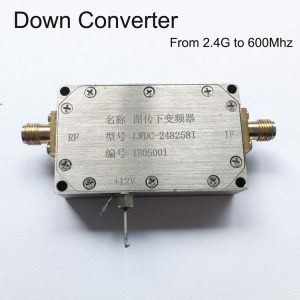
Convertitore BDC Block Down

Convertitore BDC Block Down
3200-3800MHz a 200-800MHz COFDM Down Converter BDC – Shifter di frequenza RF
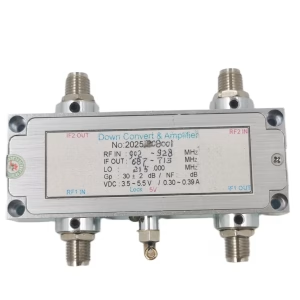
Convertitore BDC Block Down
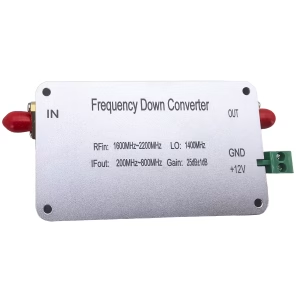
Convertitore BDC Block Down
1600-2200 Convertitore in giù di frequenza MHz in 200-800 Mixer MHZ BDC
Convertitore BDC Block Down

Convertitore BDC Block Down
Convertitore BDC Block Down
Frequenza da 2100-2500 Mhz fino a 350-750 Mhz COFDM RF Down Converter BDC
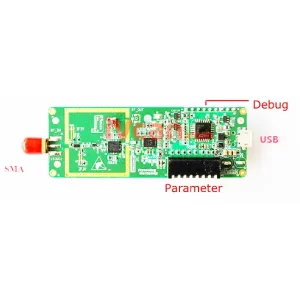
Convertitore BDC Block Down
FAQ
Se è necessario regolare il LO (oscillatore locale) portata del downconverter, è necessario prima rimuovere le viti inferiori e aprire il coperchio superiore del downconverter. Solo allora potrai accedere al connettore interno e collegare l'adattatore da USB a UART.
Q: Cosa sono TX e RX? Non riesco a trovarli sul convertitore.
UN: TX e RX sono segnali di comunicazione UART standard:
- TX (Trasmettere): dati in uscita dal dispositivo
- RX (Ricevere): input dei dati nel dispositivo
Non sono moduli separati; sono già etichettati sui pin di interfaccia del convertitore.
Q: Quali pin sono disponibili sul connettore?
UN: Il connettore ha quattro pin:
- GND - Terra
- TX – Trasmettere
- RX - Ricevere
- 3.3V - Alimentazione elettrica (NON 5 V)
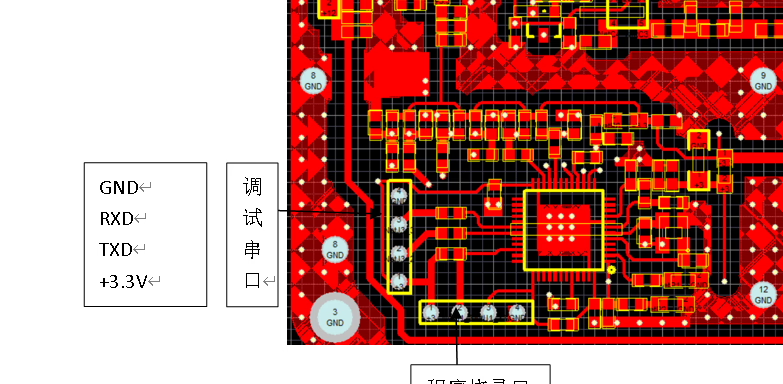
Q: Come devo collegarlo correttamente??
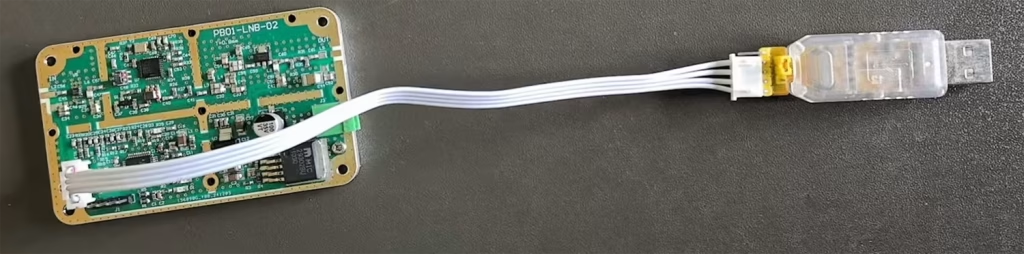
UN: Si prega di collegarsi come segue:
- Terra → Terra
- TX→RX (collegamento incrociato)
- RX→TX (collegamento incrociato)
- 3.3V → Ingresso alimentazione (dall'adattatore USB-UART o da una sorgente regolata da 3,3 V)
⚠️ Importante: TX e RX devono essere incrociati; altrimenti, la comunicazione non funzionerà.

Q: Posso usare l'alimentazione a 5 V?
UN: ❌No, 5V non è consentito.
✔ Solo 3.3alimentazione V è supportato.
L'uso di 5 V lo farà danneggiare o bruciare il downconverter.
Q: Posso alimentarlo tramite USB?
UN: sì. Se l'adattatore da USB a UART fornisce un file stabile 3.3Uscita V., puoi:
- Utilizza USB 3,3 V per alimentare il downconverter
- Connetti la trasmissione / RX / GND per la comunicazione
Q: Utilizzo del software
UN: Dopo il cablaggio corretto, puoi usare Software SSCOM a:
- Aprire la porta seriale
- Comunicare con il dispositivo
- Regola l'oscillatore locale (Lo) frequenza e altri parametri
Note importanti sulla sicurezza ⚠️
- Assicurarsi che il connettore sia inserito con l'orientamento corretto
- NON collegarlo al contrario
- NON utilizzare l'alimentazione a 5 V
- Un cablaggio errato può danneggiare permanentemente il downconverter
Fai una domanda
Grazie per la risposta. ✨