






FAQ: Bisakah frekuensi LO dari downconverter diubah (misalnya, dari 1750 MHz untuk 875 MHz atau 750 MHz)?
Q: Halo, dapatkah konverter bawah yang kami beli dari Anda dimodifikasi untuk memotong frekuensi LO menjadi dua? Mereka saat ini beroperasi di 1750 MHz—dapatkah mereka menyiasatinya 875 MHz atau disetel ke 750 MHz?
SEBUAH: iya nih, LO (Osilator Lokal) frekuensi dapat diubah. Namun, kami sangat menyarankan agar modifikasi dilakukan oleh teknisi kami, atau Anda mengembalikan unit kepada kami untuk penyesuaian guna memastikan kinerja dan stabilitas yang optimal.
Jika Anda lebih suka memodifikasinya sendiri, bisa juga dengan mengikuti prosedur di bawah ini.
🔧 Panduan Modifikasi Diri
Daftar isi
1. Pengaturan Perangkat Keras
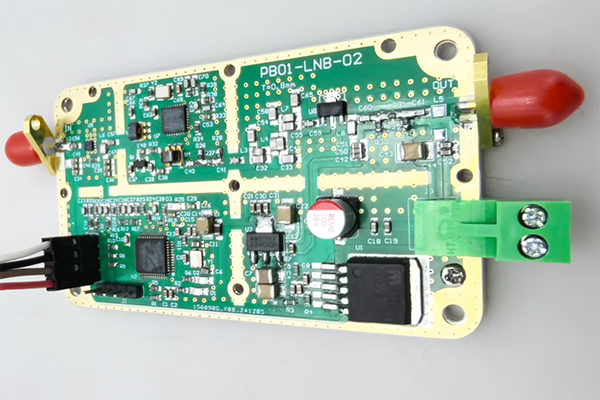
- Buka penutup logam FDC (Konverter Turun Frekuensi).
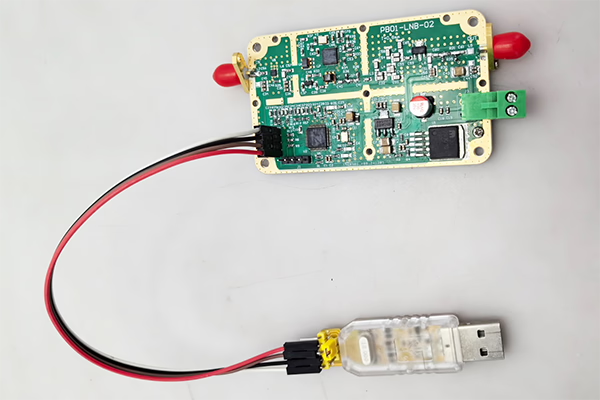
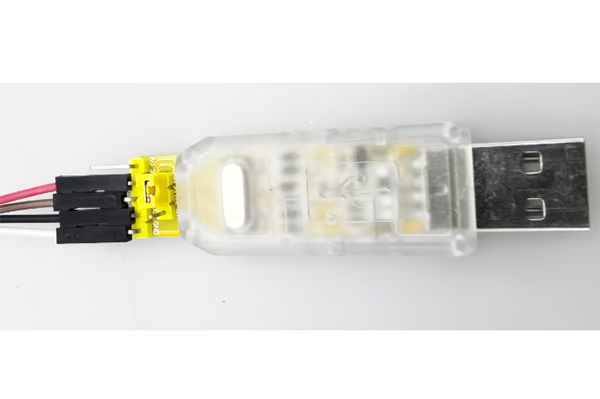
- Hubungkan perangkat ke komputer Anda menggunakan a Adaptor USB-ke-TTL.
Pengkabelan (3 koneksi saja):
- TX → RX
- RX → TX
- GND → GND
Anda juga dapat membuat kabelnya sendiri jika diperlukan.

2. Kontrol Perangkat Lunak melalui Port Serial
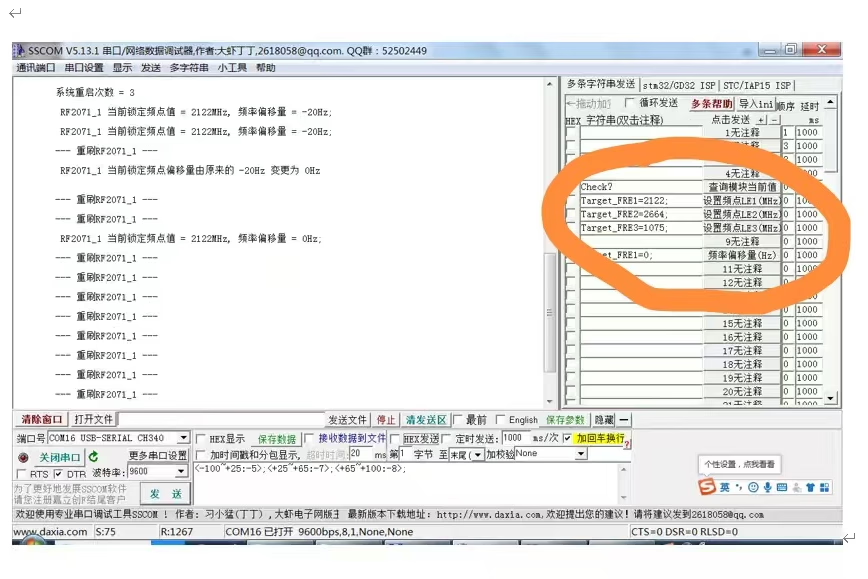
Gunakan alat terminal serial untuk mengirim perintah ke modul.
3. Periksa Status Saat Ini
Memerintah:
check?
Deskripsi:
- Mengembalikan status pengoperasian saat ini dan nilai frekuensi yang terdeteksi.
Penting:
- Perintah harus diakhiri dengan tanda tanya (?), jika tidak maka akan menjadi tidak valid.
4. Ubah Frekuensi LO
Anda dapat mengatur frekuensi LO dengan mengirimkan perintah berikut:
Target_FRE1=XXXX;
Target_FRE2=XXXX;
Target_FRE3=XXXX;
Penjelasan:
XXXX= nilai frekuensi yang diinginkan (satuan: MHz)- Setiap perintah sesuai dengan modul LO tertentu (LE1 / LE2 / LE3)
- Sistem akan secara otomatis mengunci kembali ke frekuensi baru setelah pengaturan
Contoh:
- Setel LO ke 875 MHz:
Target_FRE1=875;
- Setel LO ke 750 MHz:
Target_FRE1=750;
Penting:
- Setiap perintah harus diakhiri dengan titik koma (;), jika tidak maka akan menjadi tidak valid.
⚠️ Catatan Penting
- Pastikan frekuensi LO target berada dalam jangkauan pengoperasian perangkat keras yang didukung.
- Mengubah LO dapat mempengaruhi frekuensi keluaran IF dan kinerja sistem.
- Konfigurasi yang tidak tepat dapat menyebabkan ketidakstabilan sinyal atau hilangnya kunci.
✅ Rekomendasi
Untuk hasil terbaik dan menghindari potensi masalah, kami merekomendasikan:
- Menghubungi tim teknik kami untuk mendapatkan panduan, atau
- Mengembalikan unit kepada kami untuk modifikasi dan kalibrasi profesional
Jika Anda memiliki pertanyaan atau memerlukan perangkat lunak konfigurasi, jangan ragu untuk menghubungi kami.
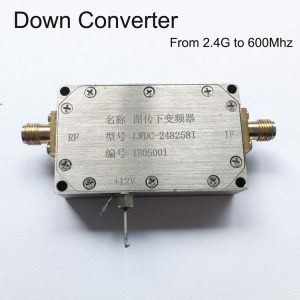
Konverter Blokir BDC

Konverter Blokir BDC
3200-3800MHZ hingga 200-800MHz COFDM DOWN CONVERTER BDC – Shifter frekuensi RF
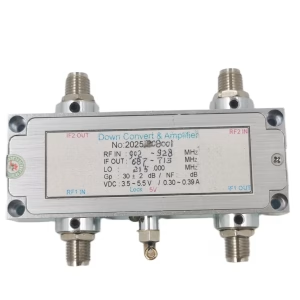
Konverter Blokir BDC
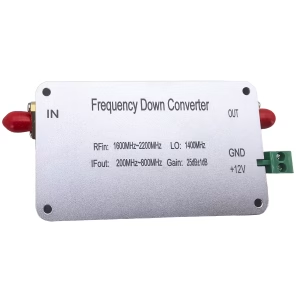
Konverter Blokir BDC
1600-2200 MHz frekuensi down converter ke 200-800 MHZ Mixer BDC
Konverter Blokir BDC

Konverter Blokir BDC
Konverter Blokir BDC
Frekuensi 2100-2500Mhz hingga 350-750Mhz COFDM RF Down Converter BDC
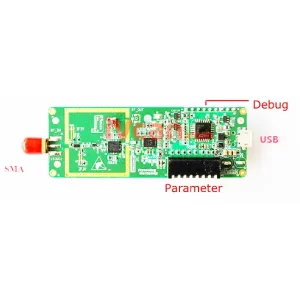
Konverter Blokir BDC
Frekuensi Turun Konverter 2.4G ke 250Mhz DVB-T COFDM Digital HDTV RF Microwave Module Board
FAQ
If you need to adjust the LO (Osilator Lokal) range of the downconverter, you must first remove the bottom screws and open the top cover of the downconverter. Only then will you be able to access the internal connector and plug in the USB-to-UART adapter.
Q: What are TX and RX? I cannot find them on the converter.
SEBUAH: TX and RX are standard UART communication signals:
- TX (Mengirimkan): data output from the device
- RX (Menerima): data input to the device
They are not separate modules; they are already labeled on the interface pins of the converter.
Q: What pins are available on the connector?
SEBUAH: The connector has four pins:
- GND – Ground
- TX – Transmit
- RX – Receive
- 3.3V – Power supply (NOT 5V)
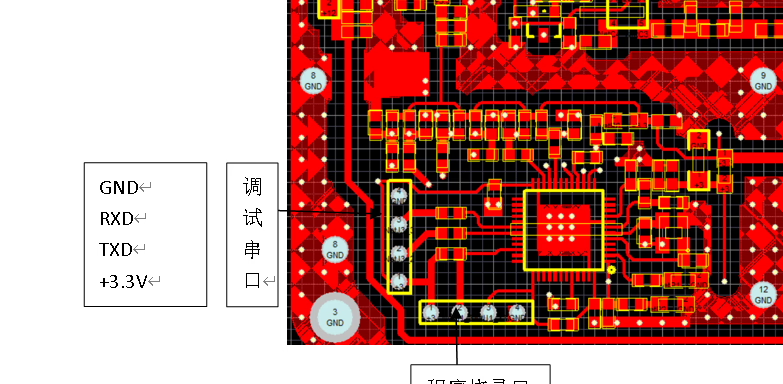
Q: How should I wire it correctly?
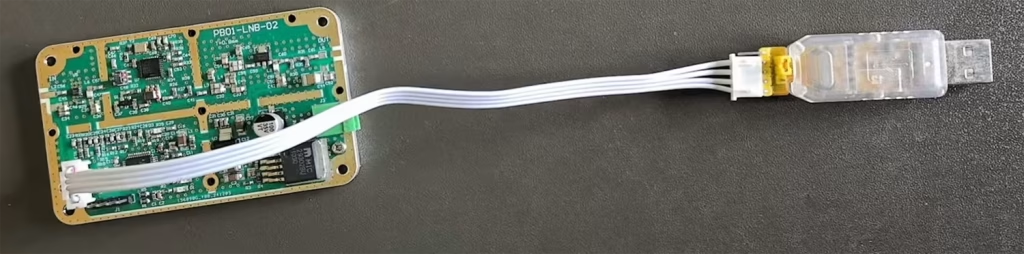
SEBUAH: Please connect as follows:
- GND → GND
- TX → RX (cross connection)
- RX → TX (cross connection)
- 3.3V → Power supply input (from USB-to-UART adapter or regulated 3.3V source)
⚠️ Penting: TX and RX must be crossed; jika tidak, communication will not work.

Q: Can I use 5V power?
SEBUAH: ❌ No, 5V is not allowed.
✔ Only 3.3power supply V didukung.
Using 5V will damage or burn out the downconverter.
Q: Can I power it via USB?
SEBUAH: iya nih. If your USB-to-UART adapter provides a stable 3.3Output V, kamu bisa:
- Use USB 3.3V to power the downconverter
- Connect TX / RX / GND for communication
Q: Software usage
SEBUAH: After correct wiring, Anda bisa menggunakannya SSCOM software untuk:
- Open the serial port
- Communicate with the device
- Adjust the local oscillator (Lo) frequency and other parameters
Important safety notes ⚠️
- Ensure the connector is inserted in the correct orientation
- Do NOT plug it in backwards
- Do NOT use 5V power
- Incorrect wiring may permanently damage the downconverter
Berikan pertanyaan
Terima kasih atas tanggapan Anda. ✨