





常問問題: 下變頻器的LO頻率可以修改嗎 (例如, 從 1750 兆赫至 875 兆赫或 750 兆赫)?
Q: 你好, can the down converters we bought from you be modified to cut the LO frequency in half? 他們目前經營於 1750 MHz——他們可以解決嗎 875 MHz 或設定為 750 兆赫?
一個: 是, 本振 (本地振盪器) 頻率可以修改. 然而, 我們強烈建議由我們的工程師進行修改, 或者您將設備返回給我們進行調整,以確保最佳性能和穩定性.
如果您願意自己修改, 也可以依照以下步驟進行.
🔧 Self-Modification Guide
目錄
1. Hardware Setup
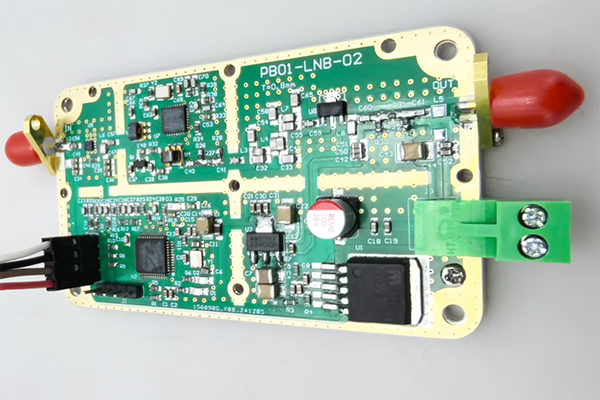
- Open the metal enclosure of the FDC (降頻轉換器).
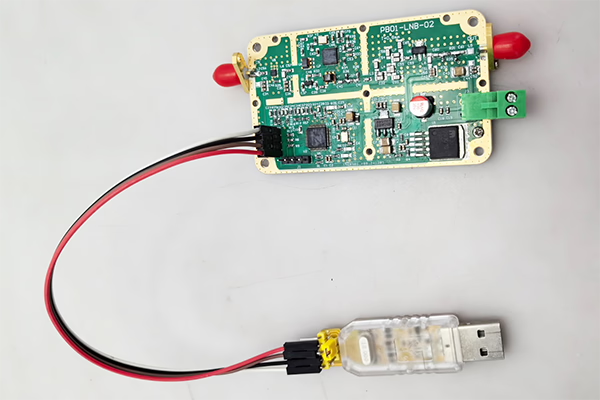
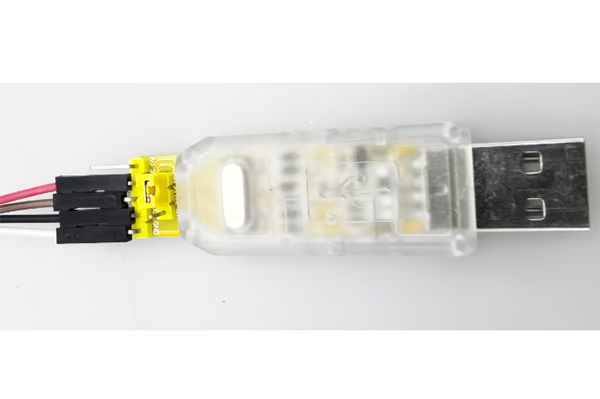
- Connect the device to your computer using a USB-to-TTL adapter.
Wiring (3 connections only):
- TX → RX
- RX → TX
- GND → GND
You may also make the cable yourself if needed.

2. Software Control via Serial Port
Use a serial terminal tool to send commands to the module.
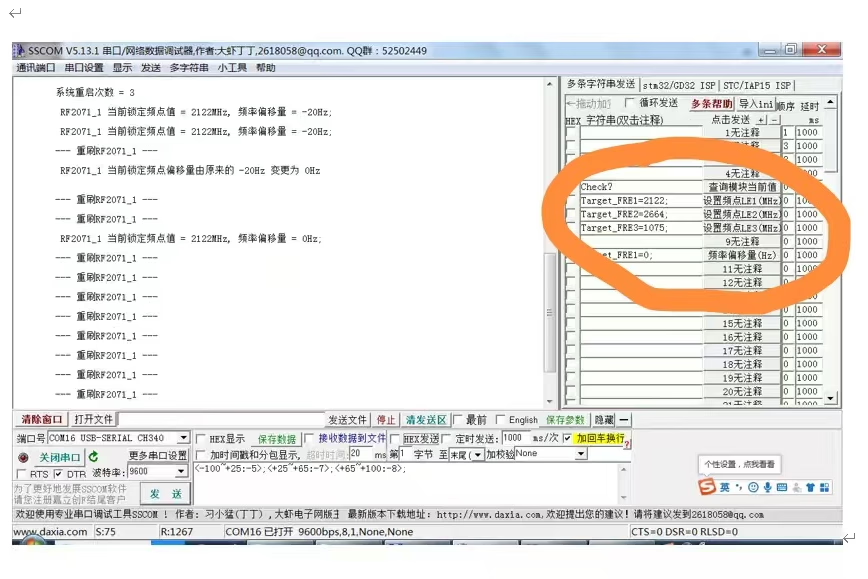
3. Check Current Status
命令:
check?
描述:
- Returns the current operating status and detected frequency values.
重要的:
- The command must end with a question mark (?), otherwise it will be invalid.
4. Modify LO Frequency
You can adjust the LO frequency by sending the following commands:
Target_FRE1=XXXX;
Target_FRE2=XXXX;
Target_FRE3=XXXX;
解釋:
XXXX= desired frequency value (單元: 兆赫)- Each command corresponds to a specific LO module (LE1 / LE2 / LE3)
- The system will automatically relock to the new frequency after setting
Examples:
- Set LO to 875 兆赫:
Target_FRE1=875;
- Set LO to 750 兆赫:
Target_FRE1=750;
重要的:
- Each command must end with a semicolon (;), otherwise it will be invalid.
⚠️ Important Notes
- Ensure the target LO frequency is within the supported operating range of the hardware.
- Changing the LO may affect IF output frequency and system performance.
- Improper configuration may lead to signal instability or loss of lock.
✅ Recommendation
For best results and to avoid potential issues, 我們推薦:
- Contacting our engineering team for guidance, 或者
- Returning the unit to us for professional modification and calibration
If you have any questions or need the configuration software, feel free to contact us.
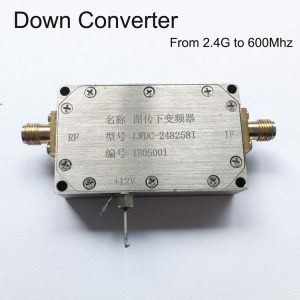

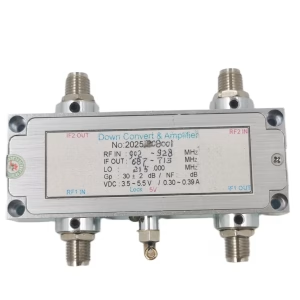
BDC 塊下變頻器
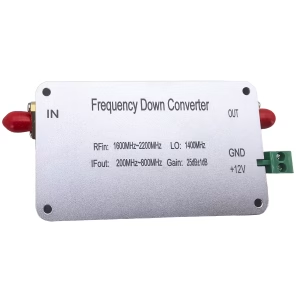
BDC 塊下變頻器
BDC 塊下變頻器

BDC 塊下變頻器
常問問題
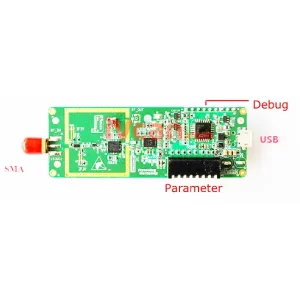
If you need to adjust the LO (local oscillator) range of the downconverter, you must first remove the bottom screws and open the top cover of the downconverter. Only then will you be able to access the internal connector and plug in the USB-to-UART adapter.
Q: What are TX and RX? I cannot find them on the converter.
一個: TX and RX are standard UART communication signals:
- TX (傳送): data output from the device
- 接收 (收到): data input to the device
They are not separate modules; they are already labeled on the interface pins of the converter.
Q: What pins are available on the connector?
一個: The connector has four pins:
- 接地 – Ground
- TX – Transmit
- 接收 – Receive
- 3.3V – Power supply (NOT 5V)
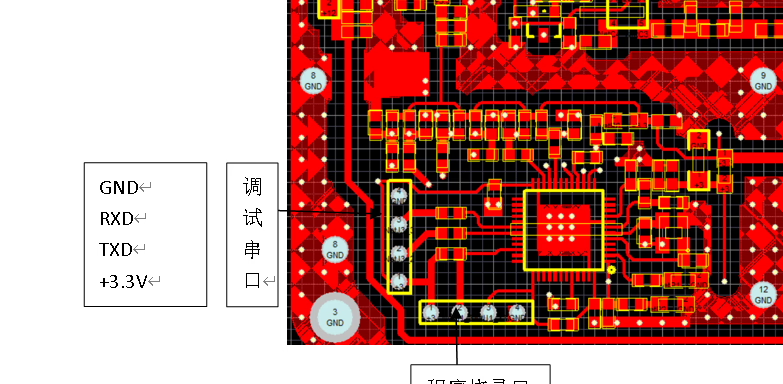
Q: How should I wire it correctly?
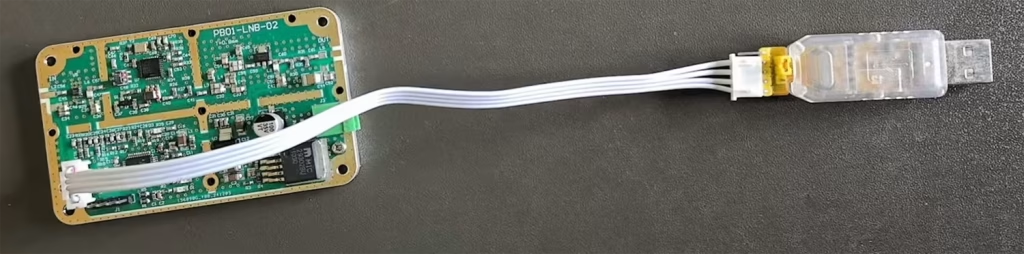
一個: Please connect as follows:
- GND → GND
- TX → RX (cross connection)
- RX → TX (cross connection)
- 3.3V → Power supply input (from USB-to-UART adapter or regulated 3.3V source)
⚠️ Important: TX and RX must be crossed; 否則, communication will not work.

Q: Can I use 5V power?
一個: ❌ No, 5V is not allowed.
✔ Only 3.3電源電壓 支援.
Using 5V will damage or burn out the downconverter.
Q: Can I power it via USB?
一個: 是. If your USB-to-UART adapter provides a stable 3.3輸出電壓, 你可以:
- Use USB 3.3V to power the downconverter
- Connect TX / 接收 / GND for communication
Q: Software usage
一個: After correct wiring, 你可以使用 SSCOM software 到:
- Open the serial port
- Communicate with the device
- Adjust the local oscillator (洛) frequency and other parameters
Important safety notes ⚠️
- Ensure the connector is inserted in the correct orientation
- Do NOT plug it in backwards
- Do NOT use 5V power
- Incorrect wiring may permanently damage the downconverter
問一個問題
感謝你的回應。 ✨