






ՀՏՀ: Կարո՞ղ է փոփոխվել ներքևի փոխարկիչի LO հաճախականությունը (Է.Գ., -ից 1750 ՄՀց դեպի 875 MHz կամ 750 MHz)?
Q: Բարեւ, կարո՞ղ են ձեզնից գնված ներքև փոխարկիչները փոփոխվել՝ LO հաճախականությունը կիսով չափ կրճատելու համար? Նրանք ներկայումս գործում են 1750 ՄՀց — կարո՞ղ են դրանք աշխատել շուրջը 875 ՄՀց կամ սահմանել 750 MHz?
A: այո, LO (Տեղական օսցիլյատոր) հաճախականությունը կարող է փոփոխվել. սակայն, Մենք խստորեն խորհուրդ ենք տալիս, որ փոփոխությունն իրականացվի մեր ինժեներների կողմից, կամ որ դուք վերադարձնեք միավորը մեզ՝ ճշգրտման համար՝ ապահովելու օպտիմալ աշխատանք և կայունություն.
Եթե նախընտրում եք փոփոխել այն ինքներդ, դա հնարավոր է նաև՝ հետևելով ստորև նշված ընթացակարգին.
🔧 Ինքնափոխման ուղեցույց
Բովանդակություն
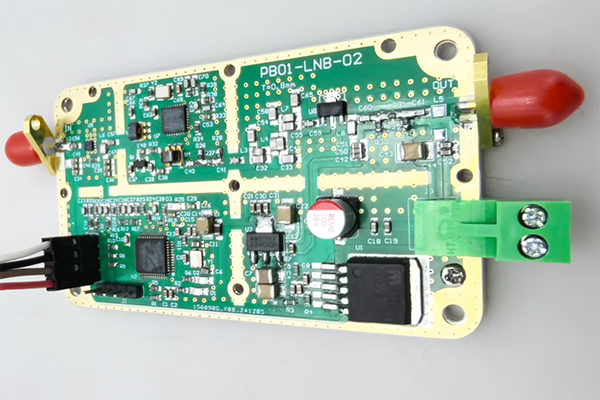
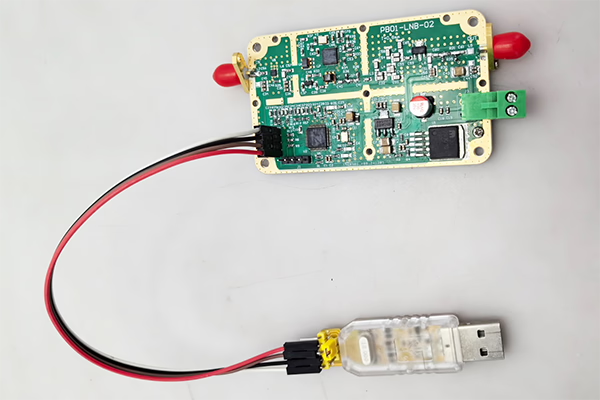
1. Սարքավորումների տեղադրում
- Բացեք FDC-ի մետաղական պարիսպը (Հաճախականության իջեցման փոխարկիչ).
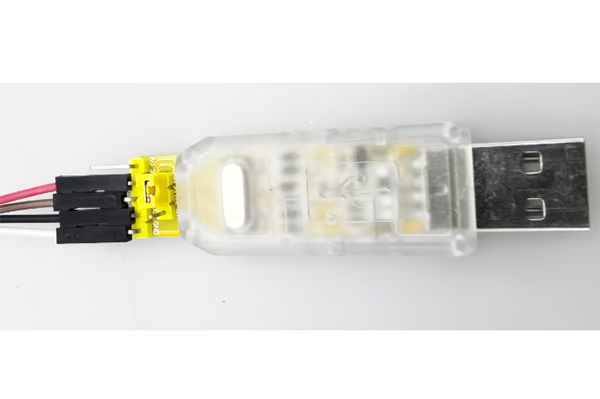
- Սարքը միացրեք ձեր համակարգչին՝ օգտագործելով a USB-to-TTL ադապտեր.
Հաղորդալարեր (3 միայն միացումներ):
- TX → RX
- RX → TX
- GND → GND
Անհրաժեշտության դեպքում դուք կարող եք նաև ինքներդ պատրաստել մալուխը.

2. Ծրագրային ապահովման կառավարում սերիական պորտի միջոցով
Մոդուլին հրամաններ ուղարկելու համար օգտագործեք սերիական տերմինալի գործիք.
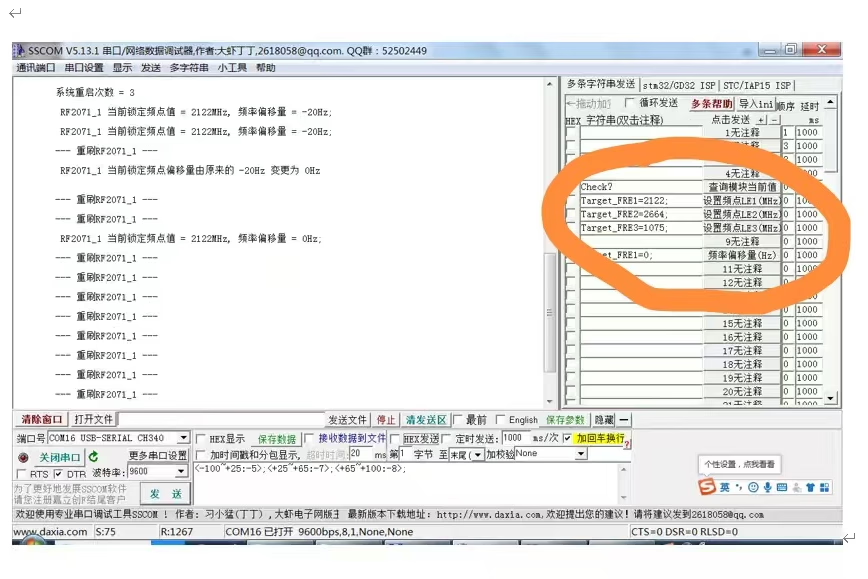
3. Ստուգեք ընթացիկ կարգավիճակը
Հրաման:
check?
նկարագրություն:
- Վերադարձնում է ընթացիկ աշխատանքային կարգավիճակը և հայտնաբերված հաճախականության արժեքները.
Կարևոր:
- Հրաման պետք է ավարտվի հարցականով (?), հակառակ դեպքում այն անվավեր կլինի.
4. Փոփոխել LO հաճախականությունը
Դուք կարող եք կարգավորել LO հաճախականությունը՝ ուղարկելով հետևյալ հրամանները:
Target_FRE1=XXXX;
Target_FRE2=XXXX;
Target_FRE3=XXXX;
բացատրություն:
XXXX= ցանկալի հաճախականության արժեքը (միավոր: MHz)- Յուրաքանչյուր հրաման համապատասխանում է կոնկրետ LO մոդուլին (LE1 / LE2 / LE3)
- Կարգավորումից հետո համակարգը ավտոմատ կերպով կվերաբացվի նոր հաճախականության վրա
Օրինակներ:
- Սահմանել LO-ն 875 MHz:
Target_FRE1=875;
- Սահմանել LO-ն 750 MHz:
Target_FRE1=750;
Կարևոր:
- Յուրաքանչյուր հրաման պետք է ավարտվի ստորակետով (;), հակառակ դեպքում այն անվավեր կլինի.
⚠️ Կարևոր նշումներ
- Համոզվեք, որ թիրախային LO հաճախականությունը գտնվում է սարքաշարի աջակցվող գործող տիրույթում.
- LO-ի փոփոխությունը կարող է ազդել IF ելքային հաճախականության և համակարգի աշխատանքի վրա.
- Սխալ կազմաձևումը կարող է հանգեցնել ազդանշանի անկայունության կամ կողպեքի կորստի.
✅ Առաջարկություն
Լավագույն արդյունքների և հնարավոր խնդիրներից խուսափելու համար, խորհուրդ ենք տալիս:
- Ուղղորդման համար կապվեք մեր ինժեներական թիմի հետ, կամ
- Միավորը վերադարձվում է մեզ՝ մասնագիտական փոփոխությունների և չափաբերման համար
Եթե ունեք հարցեր կամ կարիք ունեք կազմաձևման ծրագրակազմի, ազատ զգալ կապվել մեզ հետ.
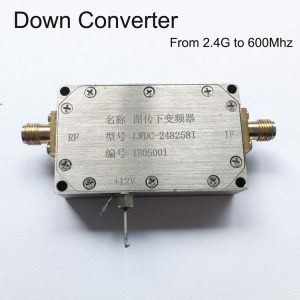
BDC Block Down փոխարկիչ

BDC Block Down փոխարկիչ
3200-3800MHZ- ից 200-800 մմ COFDM Down Converter BDC – ՌԴ հաճախության շեղում
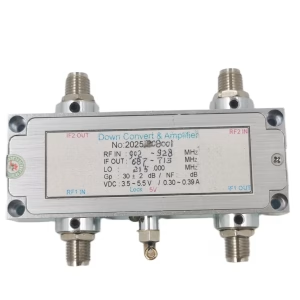
BDC Block Down փոխարկիչ
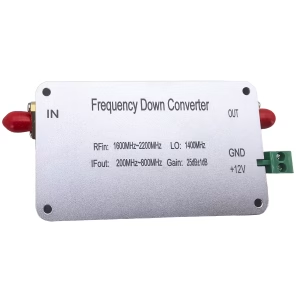
BDC Block Down փոխարկիչ
1600-2200 MHZ հաճախականությունը փոխարկիչ է 200-800 MHZ Mixer BDC
BDC Block Down փոխարկիչ

BDC Block Down փոխարկիչ
BDC Block Down փոխարկիչ
Հաճախականություն 2100-2500 ՄՀց մինչև 350-750 ՄՀց COFDM RF Down Converter BDC
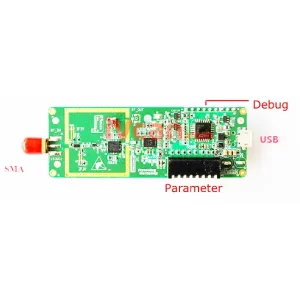
BDC Block Down փոխարկիչ
ՀՏՀ
Եթե Ձեզ անհրաժեշտ է կարգավորել LO-ն (Տեղական տատանում) ներքևի փոխարկիչի միջակայքը, նախ պետք է հանեք ներքևի պտուտակները և բացեք ներքևի փոխարկիչի վերին կափարիչը. Միայն դրանից հետո դուք կկարողանաք մուտք գործել ներքին միակցիչ և միացնել USB-to-UART ադապտերը.
Q: Ինչ են TX-ը և RX-ը? Ես չեմ կարող գտնել դրանք փոխարկիչի վրա.
A: TX-ը և RX-ը ստանդարտ UART կապի ազդանշաններ են:
- TX (Փոխանցել): տվյալների ելք սարքից
- RX (Ստանալ): տվյալների մուտքագրում սարքին
Դրանք առանձին մոդուլներ չեն; դրանք արդեն պիտակավորված են փոխարկիչի միջերեսային կապում.
Q: Ինչ կապում կան միակցիչի վրա?
A: Միակցիչն ունի չորս կապում:
- GND - Հող
- TX - Փոխանցել
- RX - Ստանալ
- 3.3V - Էլեկտրամատակարարում (ՈՉ 5 Վ)
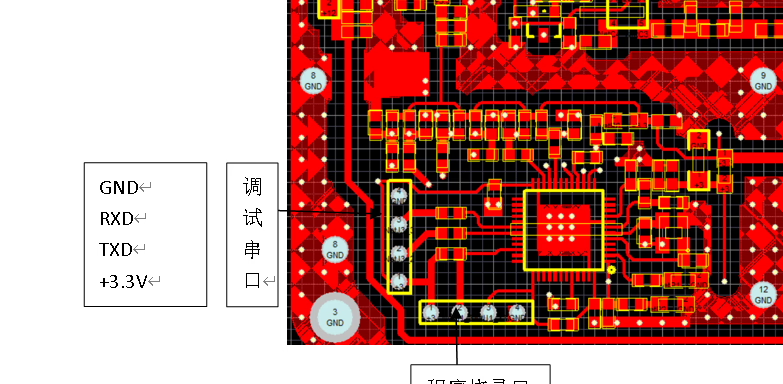
Q: Ինչպես պետք է այն ճիշտ լարեմ?
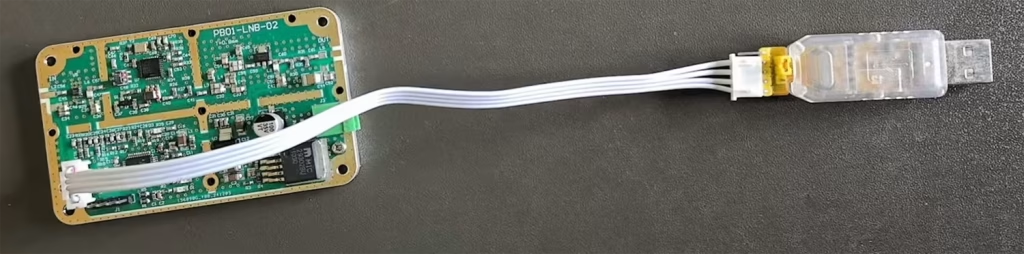
A: Խնդրում ենք միացնել հետևյալ կերպ:
- GND → GND
- TX → RX (խաչաձեւ կապ)
- RX → TX (խաչաձեւ կապ)
- 3.3V → Էլեկտրամատակարարման մուտքագրում (USB-UART ադապտերից կամ կարգավորվող 3.3V աղբյուրից)
⚠️ Կարևոր է: TX-ը և RX-ը պետք է հատվեն; այլապես, հաղորդակցությունը չի աշխատի.

Q: Կարո՞ղ եմ օգտագործել 5 Վ հոսանք?
A: ❌ Ոչ, 5V չի թույլատրվում.
✔ Միայն 3.3V Սնուցման Աջակցվում է.
Օգտագործելով 5V կամք վնասել կամ այրել ներքևի փոխարկիչը.
Q: Կարո՞ղ եմ այն միացնել USB-ի միջոցով?
A: այո. Եթե ձեր USB-to-UART ադապտեր ապահովում է կայուն 3.3V ելք, դու կարող ես:
- Օգտագործեք USB 3.3V՝ ներքևի փոխարկիչը միացնելու համար
- Միացնել TX / RX / GND կապի համար
Q: Ծրագրաշարի օգտագործում
A: Ճիշտ լարերից հետո, դուք կարող եք օգտագործել SSCOM ծրագրակազմ դեպի:
- Բացեք սերիական պորտը
- Շփվել սարքի հետ
- Կարգավորել տեղական oscillator (LO) հաճախականությունը և այլ պարամետրեր
Կարևոր անվտանգության նշումներ ⚠️
- Համոզվեք, որ միակցիչը տեղադրված է ճիշտ կողմնորոշմամբ
- Մի միացրեք այն հետին
- Մի օգտագործեք 5 Վ հոսանք
- Սխալ լարերը կարող են ընդմիշտ վնասել ներքևի փոխարկիչը
Հարց տվեք
Ձեր հաղորդագրությունն ուղարկված է