






FAQ: Kan de LO-frequentie van de downconverter worden gewijzigd? (Bijv., van 1750 MHz tot 875 MHz 750 MHz)?
Q: Hallo, Kunnen de downconverters die we bij u hebben gekocht, worden aangepast om de LO-frequentie te halveren?? Ze zijn momenteel actief op 1750 MHz – kunnen ze hier mee werken? 875 MHz of ingesteld zijn 750 MHz?
EEN: Ja, de LO (Lokale oscillator) frequentie kan worden gewijzigd. Echter, wij raden ten zeerste aan om de wijziging door onze technici te laten uitvoeren, of dat u het apparaat aan ons retourneert voor aanpassing om optimale prestaties en stabiliteit te garanderen.
Als u het liever zelf aanpast, het is ook mogelijk door de onderstaande procedure te volgen.
🔧 Handleiding voor zelfmodificatie
Inhoudsopgave
1. Hardware-installatie
- Open de metalen behuizing van de FDC (Frequentie omlaag-omzetter).
- Sluit het apparaat aan op uw computer met behulp van een USB-naar-TTL-adapter.
Bedrading (3 alleen verbindingen):
- TX → RX
- RX → TX
- GND → GND
Indien nodig kunt u de kabel ook zelf maken.

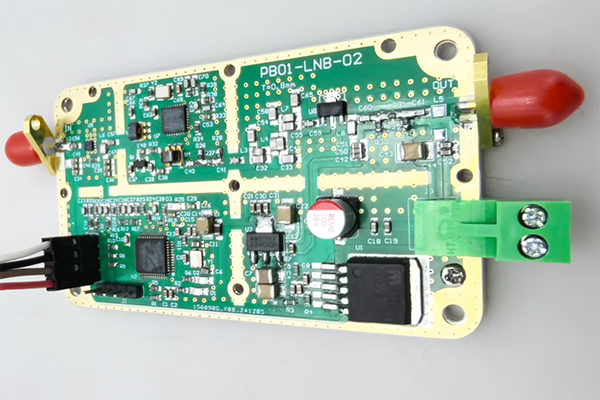
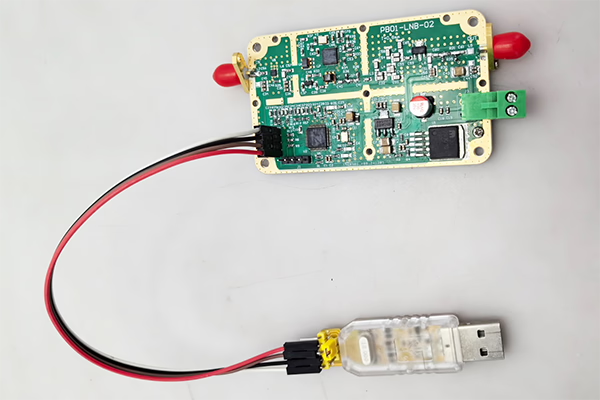
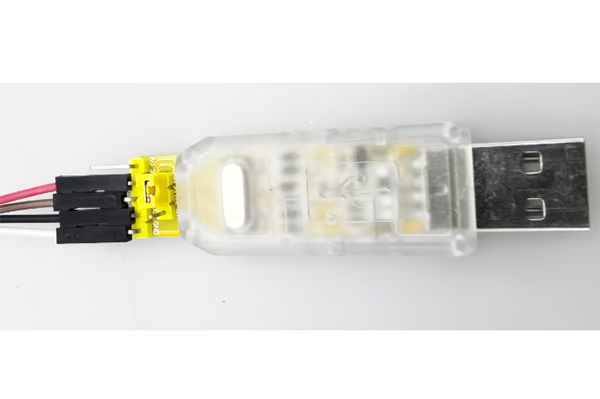
2. Softwarebesturing via seriële poort
Gebruik een seriële terminaltool om opdrachten naar de module te verzenden.
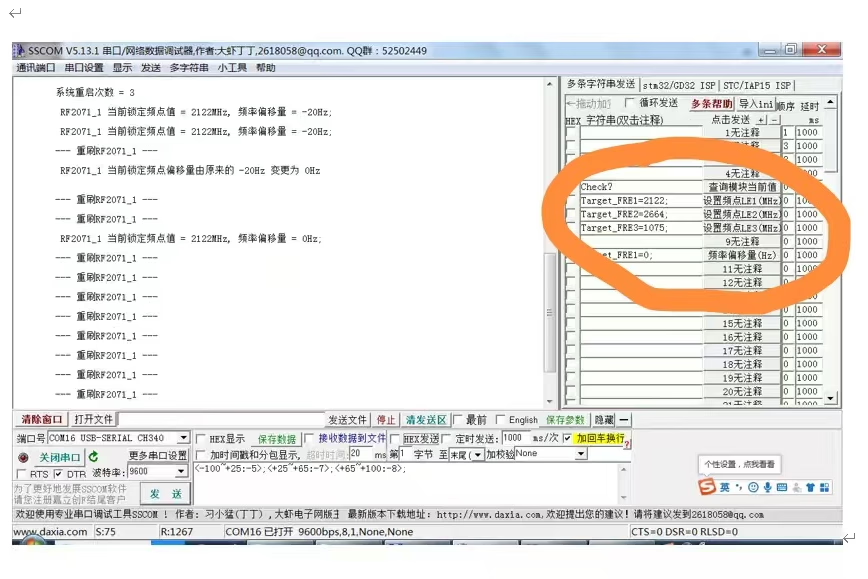
3. Controleer de huidige status
Commando:
check?
Beschrijving:
- Retourneert de huidige bedrijfsstatus en gedetecteerde frequentiewaarden.
Belangrijk:
- Het commando moet eindigen met een vraagteken (?), anders is het ongeldig.
4. Wijzig LO-frequentie
U kunt de LO-frequentie aanpassen door de volgende opdrachten te verzenden:
Target_FRE1=XXXX;
Target_FRE2=XXXX;
Target_FRE3=XXXX;
Uitleg:
XXXX= gewenste frequentiewaarde (eenheid: MHz)- Elke opdracht komt overeen met een specifieke LO-module (LE1 / LE2 / LE3)
- Het systeem zal na het instellen automatisch opnieuw vergrendelen op de nieuwe frequentie
Voorbeelden:
- Stel LO in op 875 MHz:
Target_FRE1=875;
- Stel LO in op 750 MHz:
Target_FRE1=750;
Belangrijk:
- Elke opdracht moet eindigen met een puntkomma (;), anders is het ongeldig.
⚠️ Belangrijke opmerkingen
- Zorg ervoor dat de doel-LO-frequentie binnen het ondersteunde werkbereik van de hardware ligt.
- Het wijzigen van de LO kan de IF-uitgangsfrequentie en de systeemprestaties beïnvloeden.
- Onjuiste configuratie kan leiden tot signaalinstabiliteit of verlies van vergrendeling.
✅ Aanbeveling
Voor het beste resultaat en om mogelijke problemen te voorkomen, wij raden aan:
- Neem contact op met ons technische team voor advies, of
- Het apparaat aan ons retourneren voor professionele aanpassing en kalibratie
Als u vragen heeft of de configuratiesoftware nodig heeft, neem gerust contact met ons op.
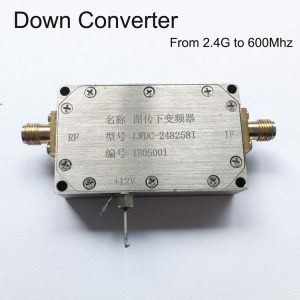
BDC Block Down-converter

BDC Block Down-converter
3200-3800MHz tot 200-800 MHz COFDM Down Converter BDC – RF Frequency Shifter
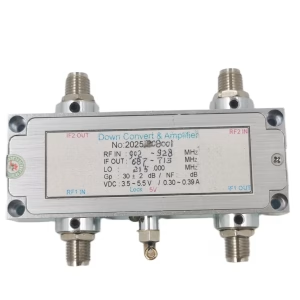
BDC Block Down-converter
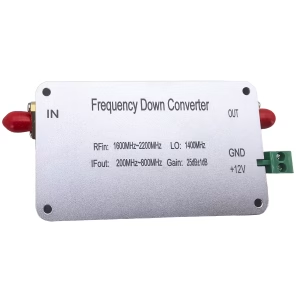
BDC Block Down-converter
1600-2200 MHz frequentie down converter naar 200-800 MHz Mixer BDC
BDC Block Down-converter

BDC Block Down-converter
BDC Block Down-converter
Frequentie 2100-2500Mhz tot 350-750Mhz COFDM RF Down Converter BDC
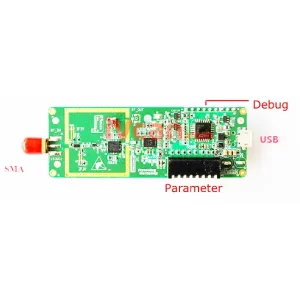
BDC Block Down-converter
Frequentie Omlaag Converter 2.4G naar 250Mhz DVB-T COFDM Digitale HDTV RF Magnetron Module Board
FAQ
If you need to adjust the LO (lokale oscillator) range of the downconverter, you must first remove the bottom screws and open the top cover of the downconverter. Only then will you be able to access the internal connector and plug in the USB-to-UART adapter.
Q: What are TX and RX? I cannot find them on the converter.
EEN: TX and RX are standard UART communication signals:
- TX (zenden): data output from the device
- RX (Ontvangen): data input to the device
They are not separate modules; they are already labeled on the interface pins of the converter.
Q: What pins are available on the connector?
EEN: The connector has four pins:
- GND – Ground
- TX – Transmit
- RX – Receive
- 3.3V – Power supply (NOT 5V)
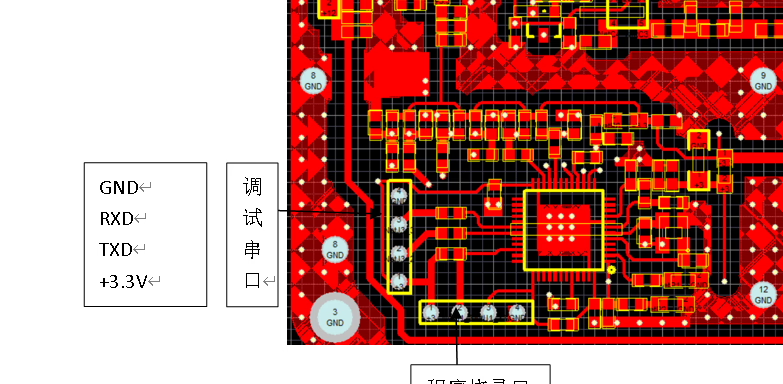
Q: How should I wire it correctly?
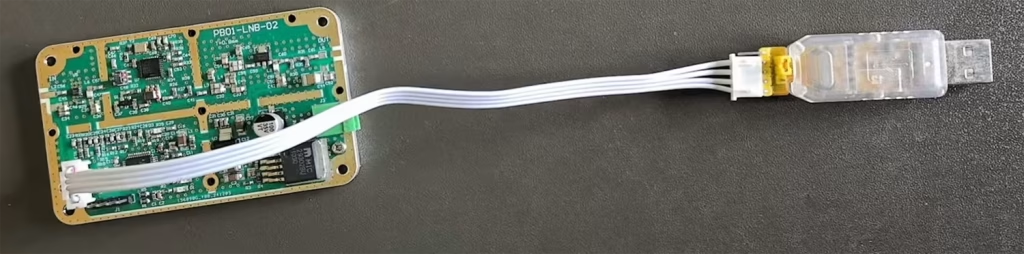
EEN: Please connect as follows:
- GND → GND
- TX → RX (cross connection)
- RX → TX (cross connection)
- 3.3V → Power supply input (from USB-to-UART adapter or regulated 3.3V source)
⚠️ Belangrijk: TX and RX must be crossed; anders-, communication will not work.

Q: Can I use 5V power?
EEN: ❌ No, 5V is not allowed.
✔ Only 3.3V voeding is ondersteund.
Using 5V will damage or burn out the downconverter.
Q: Can I power it via USB?
EEN: Ja. If your USB-to-UART adapter provides a stable 3.3V-uitgang, jij kan:
- Use USB 3.3V to power the downconverter
- Connect TX / RX / GND for communication
Q: Software usage
EEN: After correct wiring, je kunt gebruiken SSCOM software tot:
- Open the serial port
- Communicate with the device
- Adjust the local oscillator (Slot) frequency and other parameters
Important safety notes ⚠️
- Ensure the connector is inserted in the correct orientation
- Do NOT plug it in backwards
- Do NOT use 5V power
- Incorrect wiring may permanently damage the downconverter
Een vraag stellen
Bedankt voor je reactie. ✨