






คำถามที่พบบ่อย: สามารถปรับเปลี่ยนความถี่ LO ของดาวน์คอนเวอร์เตอร์ได้หรือไม่ (เช่น, จาก 1750 เมกะเฮิรตซ์ถึง 875 MHz หรือ 750 เมกะเฮิรตซ์)?
Q: สวัสดี, ตัวแปลงดาวน์ที่เราซื้อจากคุณสามารถปรับเปลี่ยนเพื่อลดความถี่ LO ลงครึ่งหนึ่งได้หรือไม่? ปัจจุบันพวกเขาดำเนินการอยู่ที่ 1750 MHz—พวกมันสามารถแก้ไขได้ 875 MHz หรือตั้งค่าเป็น 750 เมกะเฮิรตซ์?
ก: ใช่, โล (ออสซิลเลเตอร์ท้องถิ่น) ความถี่สามารถแก้ไขได้. อย่างไรก็ตาม, เราขอแนะนำอย่างยิ่งให้วิศวกรของเราดำเนินการแก้ไข, หรือคุณส่งคืนเครื่องให้เราทำการปรับเปลี่ยนเพื่อให้มั่นใจถึงประสิทธิภาพและความเสถียรสูงสุด.
หากคุณต้องการปรับเปลี่ยนด้วยตัวเอง, ก็สามารถทำได้โดยทำตามขั้นตอนด้านล่างนี้.
🏽 คู่มือการปรับเปลี่ยนตนเอง
สารบัญ
1. การตั้งค่าฮาร์ดแวร์
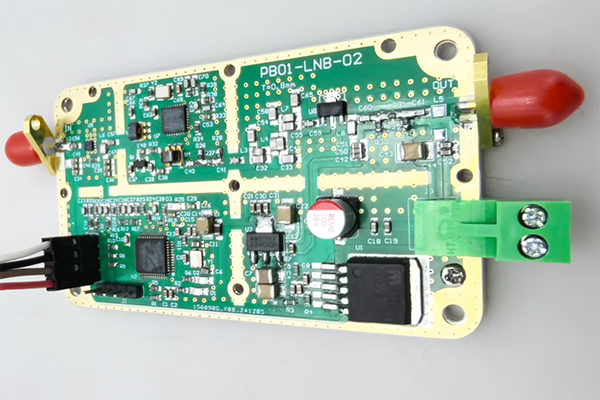
- เปิดกล่องโลหะของ FDC (ตัวแปลงความถี่ลง).
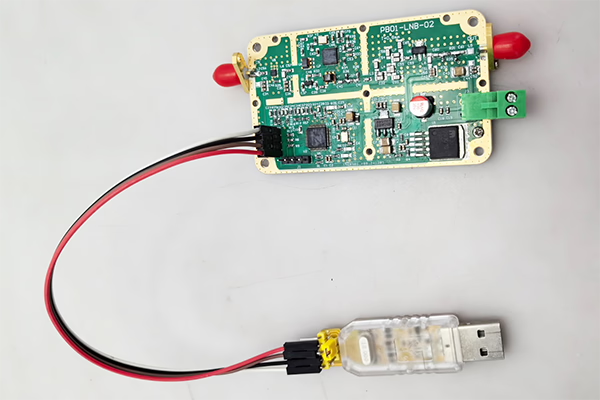
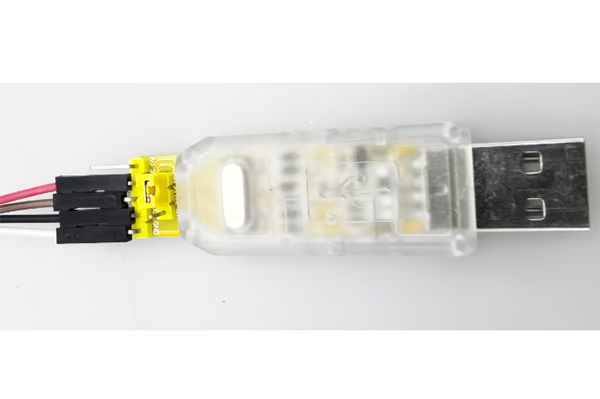
- เชื่อมต่ออุปกรณ์เข้ากับคอมพิวเตอร์ของคุณโดยใช้ อะแดปเตอร์ USB เป็น TTL.
สายไฟ (3 การเชื่อมต่อเท่านั้น):
- เท็กซัส → รับ
- รับ → เท็กซัส
- GND → GND
คุณสามารถสร้างสายเคเบิลด้วยตัวเองได้หากจำเป็น.

2. ซอฟต์แวร์ควบคุมผ่านพอร์ตอนุกรม
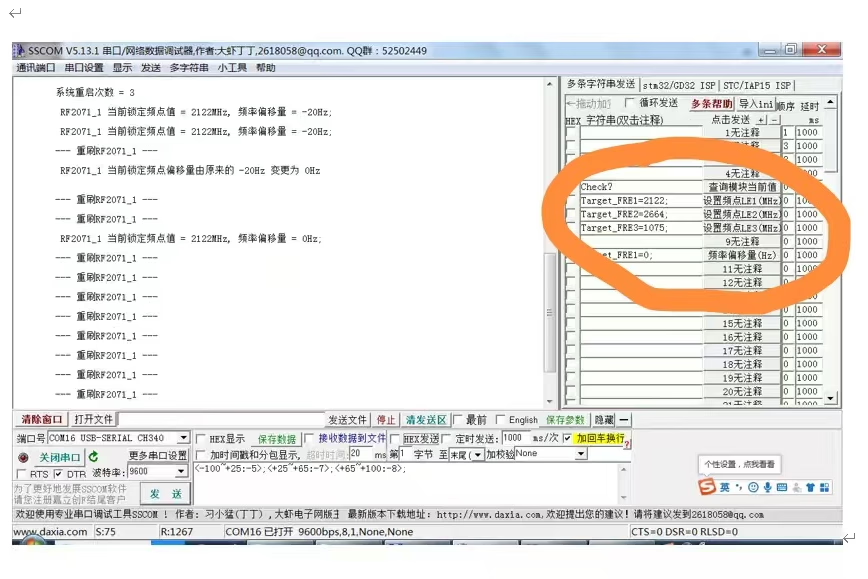
ใช้เครื่องมือเทอร์มินัลอนุกรมเพื่อส่งคำสั่งไปยังโมดูล.
3. ตรวจสอบสถานะปัจจุบัน
สั่งการ:
check?
ลักษณะ:
- ส่งกลับสถานะการทำงานปัจจุบันและค่าความถี่ที่ตรวจพบ.
สำคัญ:
- คำสั่ง ต้องลงท้ายด้วยเครื่องหมายคำถาม (?), มิฉะนั้นจะถือเป็นโมฆะ.
4. แก้ไขความถี่ LO
คุณสามารถปรับความถี่ LO ได้โดยการส่งคำสั่งต่อไปนี้:
Target_FRE1=XXXX;
Target_FRE2=XXXX;
Target_FRE3=XXXX;
คำอธิบาย:
XXXX= ค่าความถี่ที่ต้องการ (หน่วย: เมกะเฮิรตซ์)- แต่ละคำสั่งสอดคล้องกับโมดูล LO เฉพาะ (LE1 / LE2 / LE3)
- ระบบจะรีล็อคไปที่ความถี่ใหม่โดยอัตโนมัติหลังการตั้งค่า
ตัวอย่าง:
- ตั้งค่า LO เป็น 875 เมกะเฮิรตซ์:
Target_FRE1=875;
- ตั้งค่า LO เป็น 750 เมกะเฮิรตซ์:
Target_FRE1=750;
สำคัญ:
- แต่ละคำสั่ง ต้องลงท้ายด้วยเครื่องหมายอัฒภาค (;), มิฉะนั้นจะถือเป็นโมฆะ.
⚠️หมายเหตุสำคัญ
- ตรวจสอบให้แน่ใจว่าความถี่ LO เป้าหมายอยู่ภายในช่วงการทำงานที่รองรับของฮาร์ดแวร์.
- การเปลี่ยน LO อาจส่งผลต่อความถี่เอาท์พุต IF และประสิทธิภาพของระบบ.
- การกำหนดค่าที่ไม่เหมาะสมอาจทำให้สัญญาณไม่เสถียรหรือสูญเสียการล็อค.
✅ข้อแนะนำ
เพื่อผลลัพธ์ที่ดีที่สุดและเพื่อหลีกเลี่ยงปัญหาที่อาจเกิดขึ้น, เราขอแนะนำ:
- ติดต่อทีมวิศวกรของเราเพื่อขอคำแนะนำ, หรือ
- ส่งเครื่องกลับมาให้เราเพื่อทำการดัดแปลงและสอบเทียบอย่างมืออาชีพ
หากคุณมีคำถามหรือต้องการซอฟต์แวร์กำหนดค่า, โปรดติดต่อเรา.
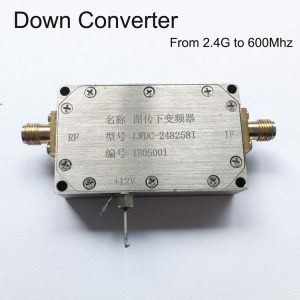
ตัวแปลง BDC บล็อกดาวน์

ตัวแปลง BDC บล็อกดาวน์
3200-3800MHZ ถึง 200-800MHz COFDM DOWN CONVERTER BDC – ตัวเปลี่ยนความถี่ RF
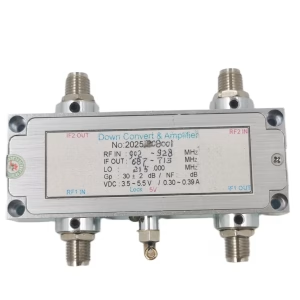
ตัวแปลง BDC บล็อกดาวน์
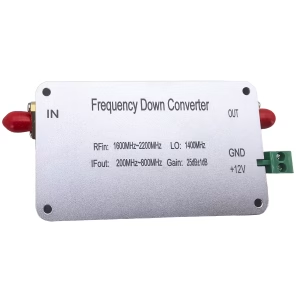
ตัวแปลง BDC บล็อกดาวน์
ตัวแปลง BDC บล็อกดาวน์

ตัวแปลง BDC บล็อกดาวน์
ตัวแปลง BDC บล็อกดาวน์
ความถี่ 2100-2500Mhz ลงไป 350-750Mhz COFDM RF Down Converter BDC
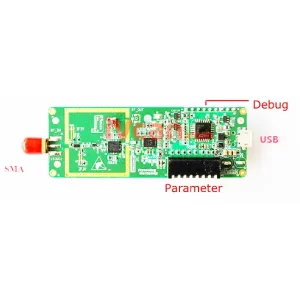
ตัวแปลง BDC บล็อกดาวน์
ตัวแปลงความถี่ลง 2.4G ถึง 250Mhz DVB-T COFDM Digital HDTV RF ไมโครเวฟโมดูลบอร์ด
คำถามที่พบบ่อย
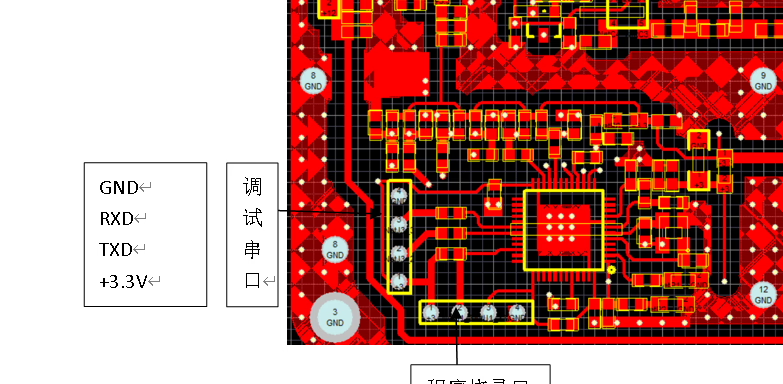
หากคุณต้องการปรับ LO (ออสซิลเลเตอร์ท้องถิ่น) ช่วงของดาวน์คอนเวอร์เตอร์, คุณต้องถอดสกรูด้านล่างออกก่อน และเปิดฝาครอบด้านบนของดาวน์คอนเวอร์เตอร์. จากนั้นคุณจะสามารถเข้าถึงตัวเชื่อมต่อภายในและเสียบอะแดปเตอร์ USB เป็น UART ได้.
Q: TX และ RX คืออะไร? ฉันไม่พบพวกเขาในตัวแปลง.
ก: TX และ RX เป็นสัญญาณการสื่อสาร UART มาตรฐาน:
- เท็กซัส (ส่ง): ข้อมูลที่ส่งออกจากอุปกรณ์
- RX (รับ): ป้อนข้อมูลไปยังอุปกรณ์
ไม่ใช่โมดูลที่แยกจากกัน; มีป้ายกำกับไว้บนหมุดอินเทอร์เฟซของตัวแปลงแล้ว.
Q: มีพินใดบ้างบนตัวเชื่อมต่อ?
ก: ขั้วต่อมีสี่พิน:
- GND - พื้น
- เท็กซัส – ส่ง
- RX - รับ
- 3.3V – แหล่งจ่ายไฟ (ไม่ใช่ 5V)
Q: จะต้องต่อสายอย่างไรให้ถูกต้อง?
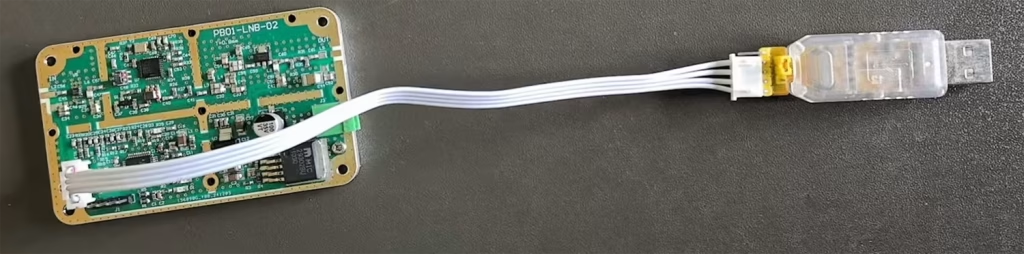
ก: กรุณาเชื่อมต่อดังต่อไปนี้:
- GND → GND
- เท็กซัส → รับ (การเชื่อมต่อข้าม)
- รับ → เท็กซัส (การเชื่อมต่อข้าม)
- 3.3V → อินพุตแหล่งจ่ายไฟ (จากอะแดปเตอร์ USB เป็น UART หรือแหล่งจ่ายไฟ 3.3V ที่มีการควบคุม)
⚠️สำคัญ: จะต้องข้าม TX และ RX; มิฉะนั้น, การสื่อสารจะไม่ทำงาน.

Q: ใช้ไฟ 5V ได้ไหม?
ก: ❌ ไม่, 5วีไม่ได้รับอนุญาต.
✔เท่านั้น 3.3แหล่งจ่ายไฟ V ได้รับการสนับสนุน.
การใช้ไฟ 5V จะ เกิดความเสียหายหรือทำให้ดาวน์คอนเวอร์เตอร์ไหม้.
Q: จ่ายไฟผ่าน USB ได้ไหมครับ?
ก: ใช่. หากอะแดปเตอร์ USB เป็น UART ของคุณมีความเสถียร 3.3เอาท์พุทวี, คุณสามารถ:
- ใช้ USB 3.3V เพื่อจ่ายไฟให้กับดาวน์คอนเวอร์เตอร์
- เชื่อมต่อเท็กซัส / RX / GND สำหรับการสื่อสาร
Q: การใช้ซอฟต์แวร์
ก: หลังจากเดินสายไฟถูกต้องแล้ว, คุณสามารถใช้ได้ ซอฟต์แวร์ SSCOM ไปยัง:
- เปิดพอร์ตอนุกรม
- สื่อสารกับอุปกรณ์
- ปรับออสซิลเลเตอร์เฉพาะที่ (LO) ความถี่และพารามิเตอร์อื่นๆ
หมายเหตุด้านความปลอดภัยที่สำคัญ ⚠️
- ตรวจสอบให้แน่ใจว่าเสียบขั้วต่ออยู่ในทิศทางที่ถูกต้อง
- อย่าเสียบกลับด้าน
- ห้ามใช้ไฟ 5V
- การเดินสายที่ไม่ถูกต้องอาจทำให้ดาวน์คอนเวอร์เตอร์เสียหายอย่างถาวร
ถามคำถาม
ข้อความของคุณถูกส่งแล้ว