






È possibile ottenere le coordinate attuali del tracker (non il consiglio) alla stazione di terra?
È possibile impostare le coordinate del tracker dalla stazione di terra?
Abbiamo trovato la "porta inferiore a 6 pin" che ha un connettore di alimentazione da 12 V. Per favore, chiarisci, è un'uscita di potenza o è possibile fornire energia lì?
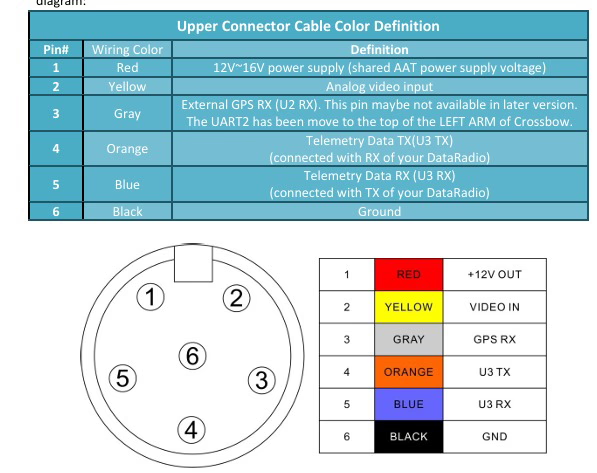
E' possibile impostare o simulare manualmente le coordinate GPS del localizzatore stesso (la stazione dell'antenna terrestre), per esempio, dal software di controllo a terra? Ciò sarebbe utile nei casi in cui il localizzatore non si trova esattamente nella posizione iniziale predefinita o quando si testa il sistema in ambienti chiusi.
Come inviare coordinate a AAT tramite computer per simulare?
sì, esiste un software in grado di emettere il protocollo GPS per sostituire il GPS locale. Ma è necessario aprire il coperchio sinistro per funzionare. E USBTTL e USBTTL hanno prese corrispondenti sulla scheda. Scollegare temporaneamente il GPS originale e collegare la nuova linea.
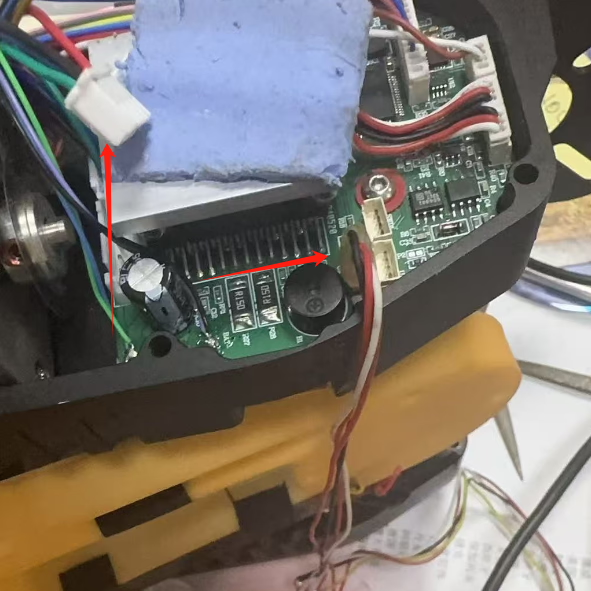
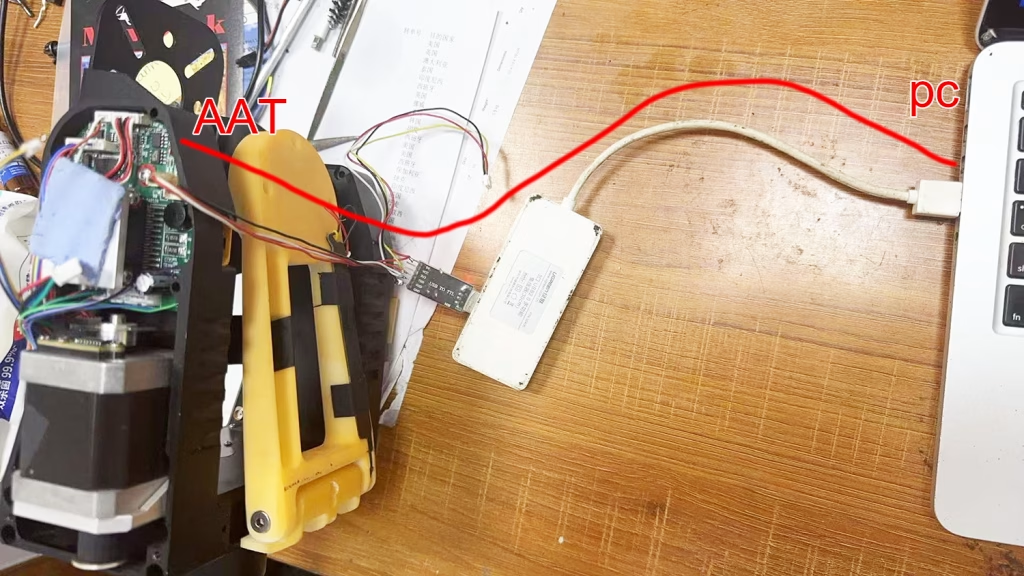
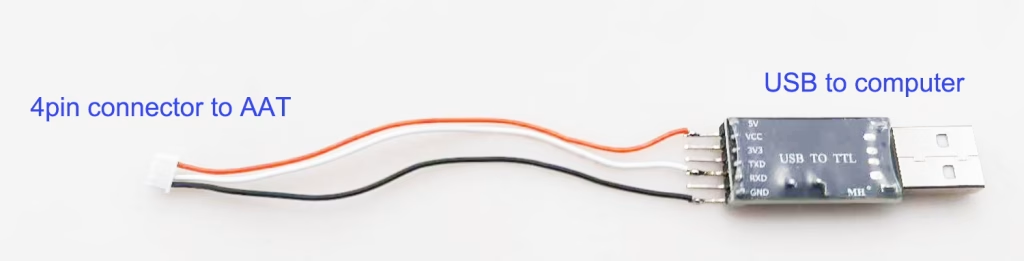
| AAT | diametro della colonna | PC |
|---|---|---|
| GND | – | GND |
| 5V | – | 5V |
| TX | – | RX |
| RX | – | TX |
Assicurati che il firmware non sia successivo a AAT_92B4. Come aggiornare il firmware automatico dell'antenna tracker?
Scarica GPS Emulator.exe sul PC. Scarica l'emulatore GPS
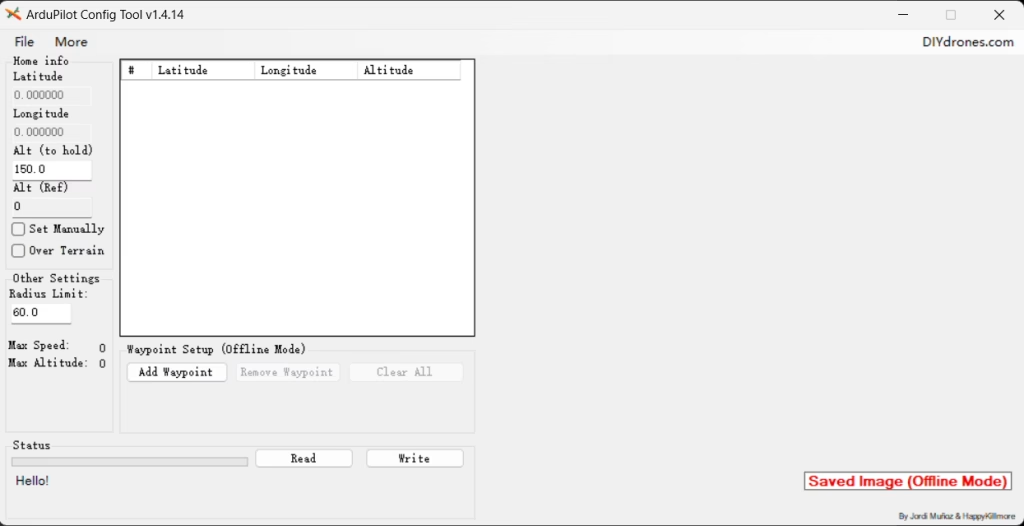
115200bps, aprire la porta seriale corrispondente, Collegare, Quindi inizia
Esiste qualche documento di istruzioni/SDK per la configurazione esterna di AAT (Sistema di tracciamento automatico dell'antenna)? Dobbiamo ottenere le coordinate attuali di AAT e inviare le coordinate ad AAT.
Abbiamo precedentemente descritto come collegare AAT a un computer, inviare coordinate virtuali ad AAT tramite software di simulazione computerizzata, quindi AAT regolerà la direzione e l'angolo dell'antenna direzionale a pannello piatto.
Ora parliamo di come ottenere le coordinate attuali da AAT. Se vuoi ottenere le coordinate del gimbal, è necessario stabilire una comunicazione con il gimbal.
Si prega di scaricare e fare riferimento al pacchetto compresso sopra per lo sviluppo. AAT_Comm
- Collega Crossbow al tuo computer con il cavo USB-TTL. Selezionare la porta COM corretta.
- Aggiorna firmware MFDAATV1_91A1.bin

- Esegui mavlinkproj.exe (Con la selezione della porta COM corretta).
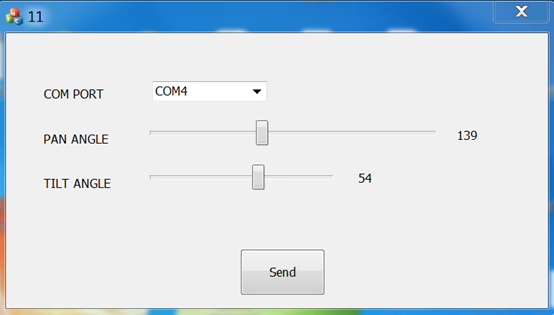
- Imposta il tracker su 115200 bps

- Selezionare un angolo nell'interfaccia utente di MAVLinkProj e fare clic sul pulsante Invia. Il tracker punterà all'angolo corrispondente.
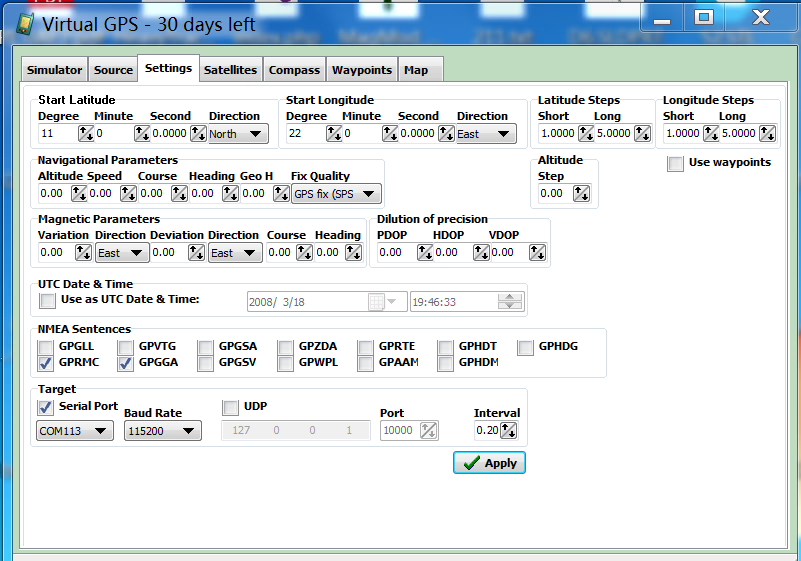
Software GPS virtuale
https://drive.google.com/file/d/1mMuYwTiEwhZMjvik3tHJGuilWp0BHOdD/view?usp=drive_link
Fai una domanda
Grazie per la risposta. ✨