





İzleyicinin mevcut koordinatlarını almak mümkün mü? (tahta değil) yer istasyonuna?
Is it possible to set the tracker coordinates from the ground station?
We found ‘6pin lower port’ it has a 12V power connector. Please clarify, is it a power output or can power be supplied there?
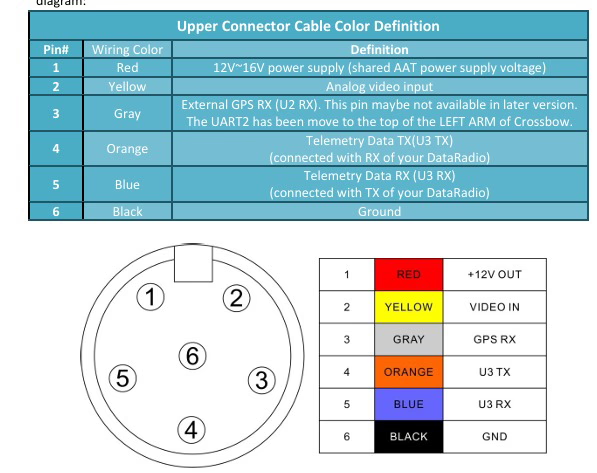
Is it possible to manually set or simulate the GPS coordinates of the tracker itself (the ground antenna station), Örneğin, from the ground control software? This would be helpful in cases where the tracker is not located exactly at the default home position or when testing the system indoors.
Simülasyon için bilgisayar aracılığıyla koordinatlar AAT'ye nasıl gönderilir??
Evet, there is software that can output GPS protocol to replace local GPS. But you need to open the left cover to operate. And USBTTL and USBTTL have corresponding sockets on the board. Temporarily unplug the original GPS and plug in the new line.
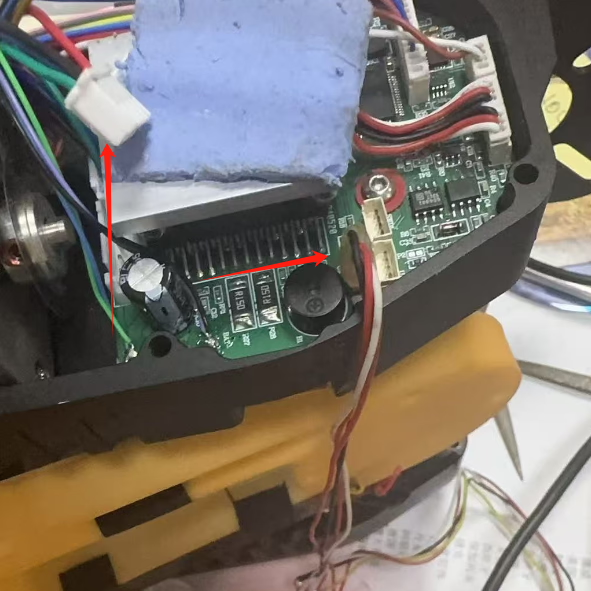
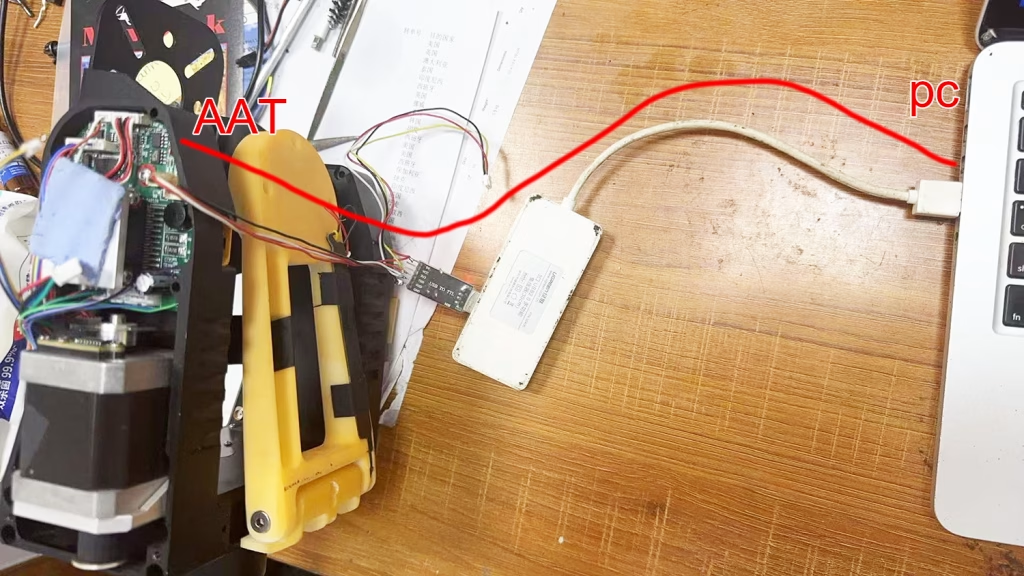
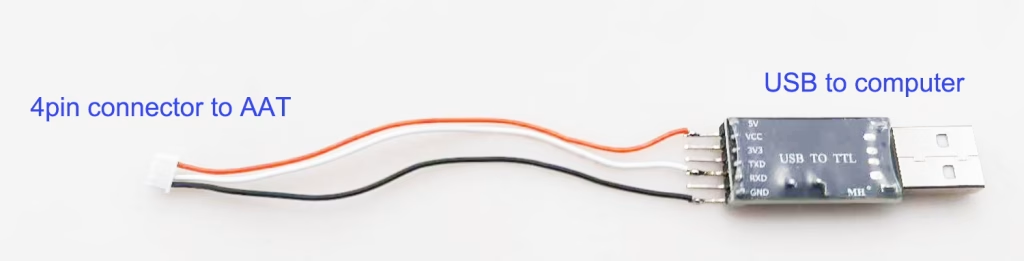
| AAT | kablo | bilgisayar |
|---|---|---|
| GND | – | GND |
| 5V | – | 5V |
| Teksas | – | RX |
| RX | – | Teksas |
Please sure that your firmware is not late than AAT_92B4. otomatik anten izleyici donanım yazılımı nasıl yükseltilir?
Download GPS Emulator.exe on the PC. Download GPS Emulator
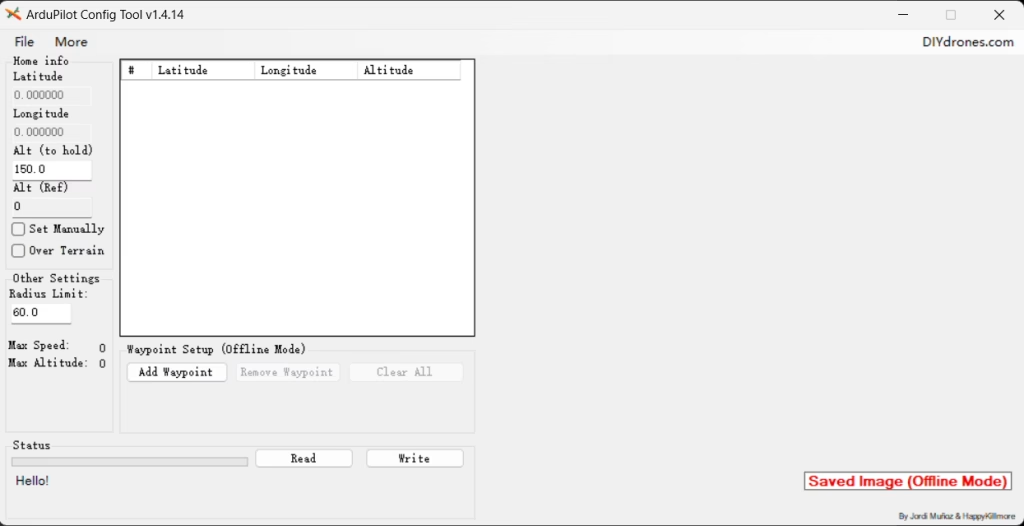
115200bps, open the corresponding serial port, Bağlamak, Then Start
Is there any instruction/SDK document for external configuration of AAT (Automatic Antenna Tracking System)? We need to get the current coordinates of AAT and send coordinates to AAT.
We have previously described how to connect AAT to a computer, send virtual coordinates to AAT through computer simulation software, and then AAT will adjust the direction and angle of the flat-panel directional antenna.
Now let’s talk about how to get the current coordinates from AAT. If you want to obtain the gimbal coordinates, you need to establish communication with the gimbal.
Please download and refer to the above compressed package for development. AAT_Comm
- Connect Crossbow to your computer with the USB-TTL cable. Select correct COM port.
- Update Firmware MFDAATV1_91A1.bin

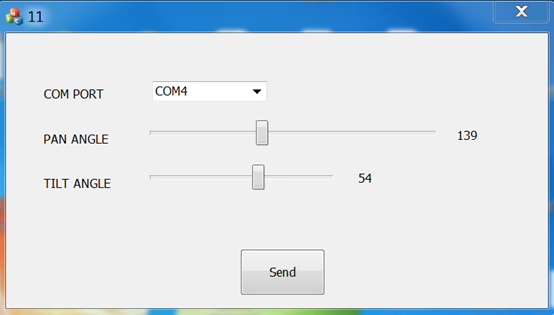
- Run MAVLinkProj.exe (with selecting correct COM port).

- Set the tracker to 115200 bps

- Select an angle in the MAVLinkProj UI and click Send button. The tracker will point to the corresponding angle.


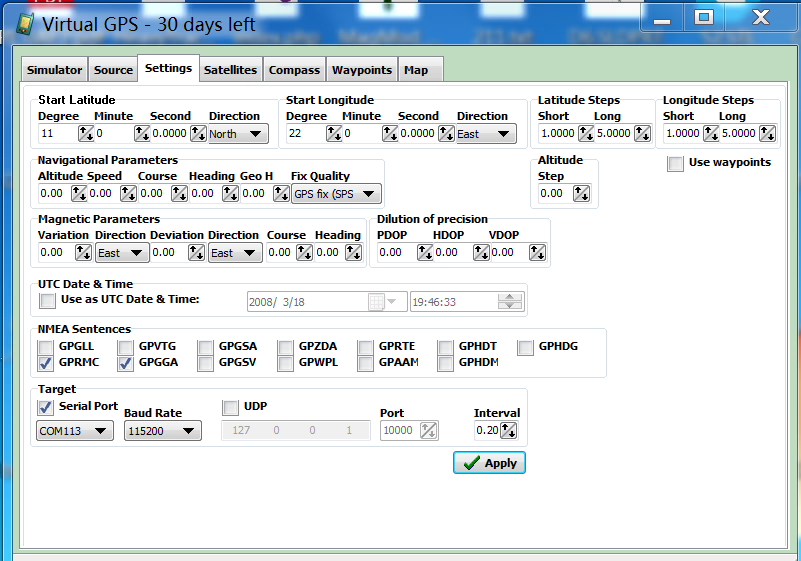
Virtual GPS software
https://drive.google.com/file/d/1mMuYwTiEwhZMjvik3tHJGuilWp0BHOdD/view?usp=drive_link
Bir soru sor
Yanıtınız için teşekkür ederiz. ✨