






Est-il possible d'obtenir les coordonnées actuelles du tracker (pas le conseil d'administration) à la station?
Est-il possible de définir les coordonnées du tracker depuis la station de sol?
Nous avons trouvé un «port inférieur à 6 pin» Il a un connecteur d'alimentation 12V. Veuillez clarifier, Est-ce une puissance de sortie ou peut y être alimentée?
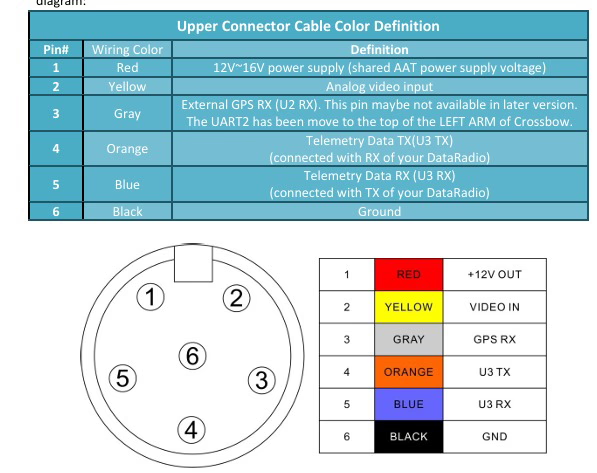
Est-il possible de définir ou de simuler manuellement les coordonnées GPS du tracker lui-même (la station d'antenne au sol), par exemple, à partir du logiciel de contrôle du sol? Cela serait utile dans les cas où le tracker n'est pas situé exactement à la position domestique par défaut ou lors du test du système à l'intérieur.
Comment envoyer des coordonnées à AAT via l'ordinateur pour simuler?
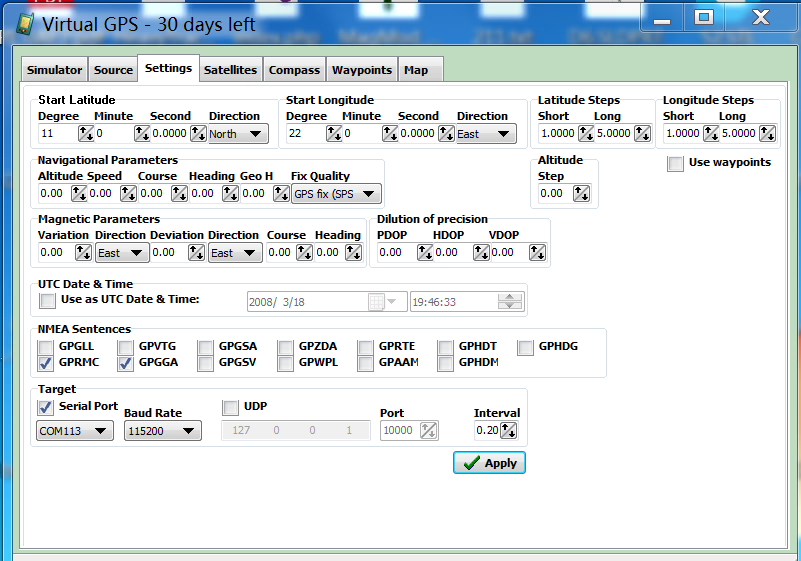
Oui, Il existe des logiciels qui peuvent produire un protocole GPS pour remplacer le GPS local. Mais vous devez ouvrir la couverture gauche pour fonctionner. And USBTTL and USBTTL have corresponding sockets on the board. Temporarily unplug the original GPS and plug in the new line.
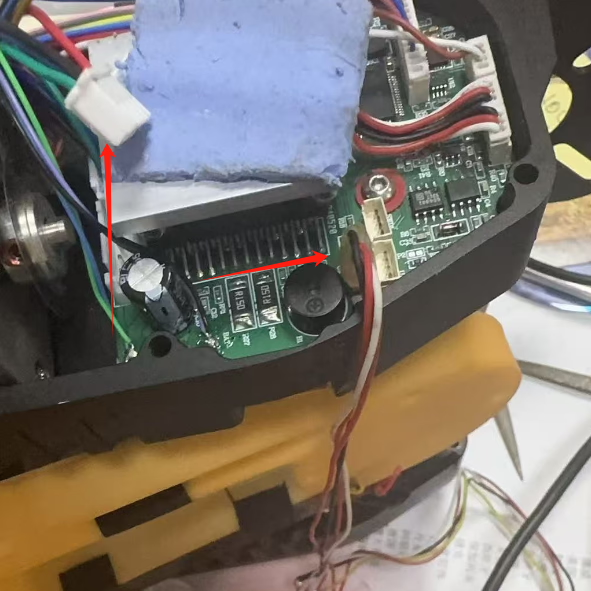
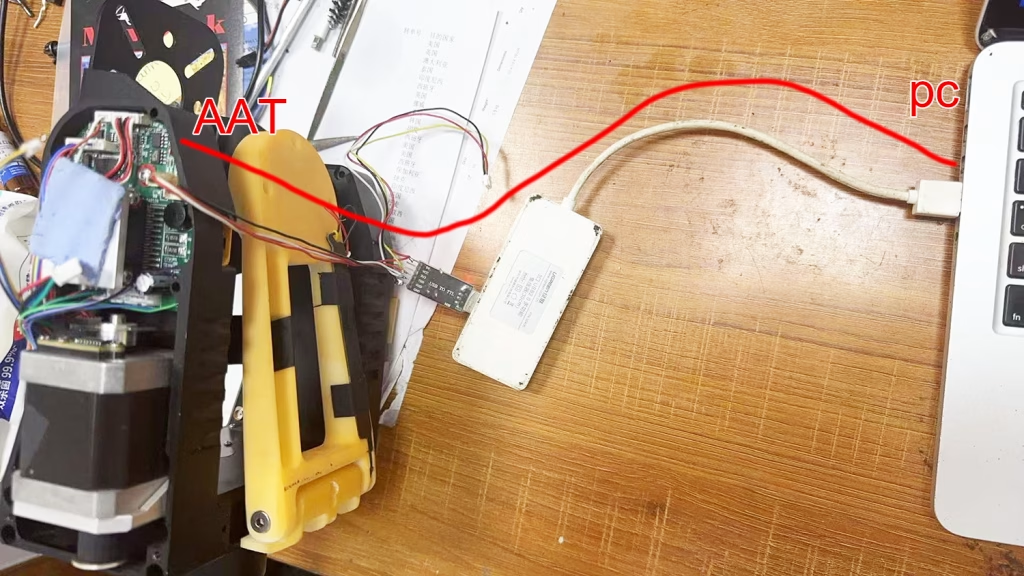
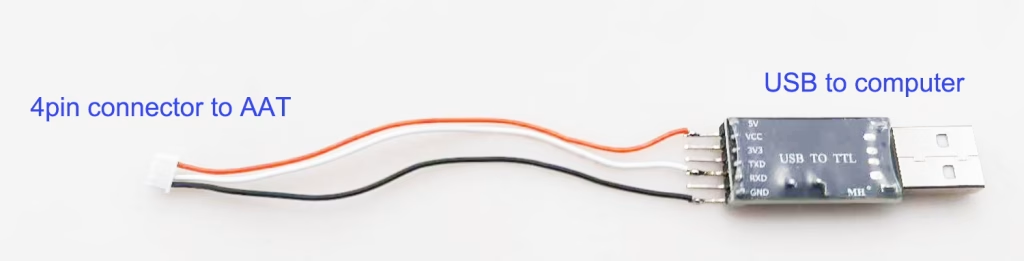
| AAT | Rapport de fonction de retournement d'écran | ordinateur personnel |
|---|---|---|
| GND | – | GND |
| 5V | – | 5V |
| TX | – | RX |
| RX | – | TX |
Please sure that your firmware is not late than AAT_92B4. Comment mettre à niveau le firmware de tracker d'antenne automatique?
Download GPS Emulator.exe on the PC. Download GPS Emulator
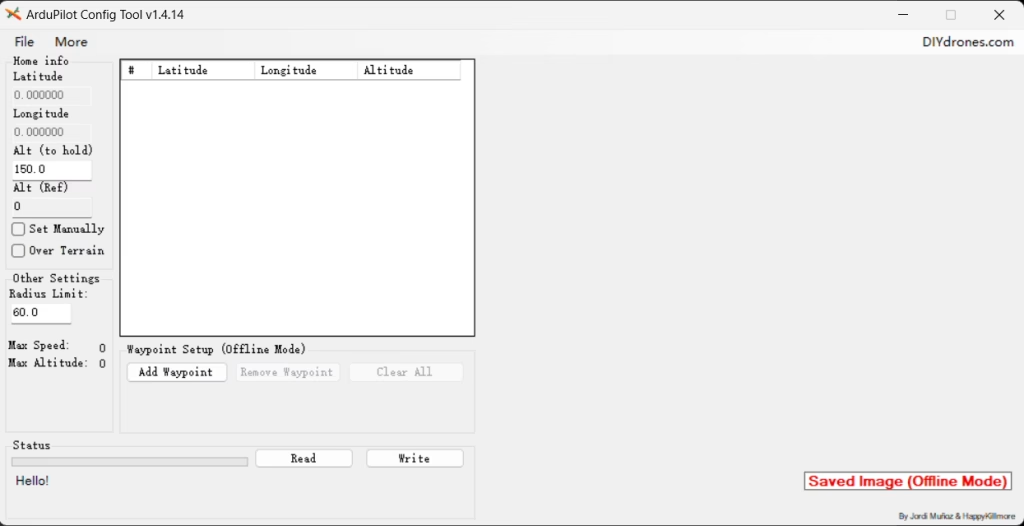
115200points de base, open the corresponding serial port, Relier, Then Start
Is there any instruction/SDK document for external configuration of AAT (Automatic Antenna Tracking System)? We need to get the current coordinates of AAT and send coordinates to AAT.
We have previously described how to connect AAT to a computer, send virtual coordinates to AAT through computer simulation software, and then AAT will adjust the direction and angle of the flat-panel directional antenna.
Now let’s talk about how to get the current coordinates from AAT. Si vous souhaitez obtenir les coordonnées de cardan, Vous devez établir une communication avec le cardan.
Veuillez télécharger et consulter le package compressé ci-dessus pour le développement. Aat_comm
- Connectez l'arbalète à votre ordinateur avec le câble USB-TTL. Sélectionnez le port COM correct.
- Mettre à jour le firmware MFDAATV1_91A1.BIN

- Exécuter mavlinkproj.exe (avec sélection du port com correct).
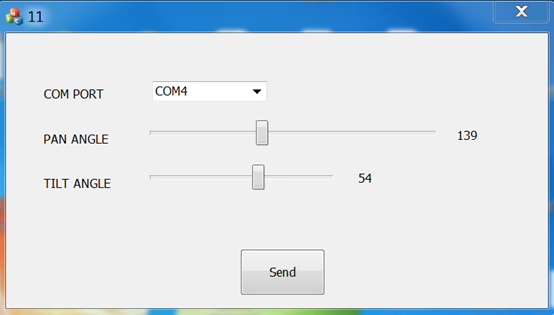
- Définissez le tracker sur 115200 points de base

- Sélectionnez un angle dans l'interface utilisateur MavLinkProj et cliquez sur le bouton Envoyer. Le tracker pointera vers l'angle correspondant.
Logiciel GPS virtuel
https://drive.google.com/file/d/1mMuYwTiEwhZMjvik3tHJGuilWp0BHOdD/view?usp=drive_link
Poser une question
Merci pour votre réponse. ✨