





Wireless broadband SDR ad hoc network module
ワイヤレスブロードバンドSDRアドホックネットワークモジュール双方向ビデオ, 声, データの透過的な送信
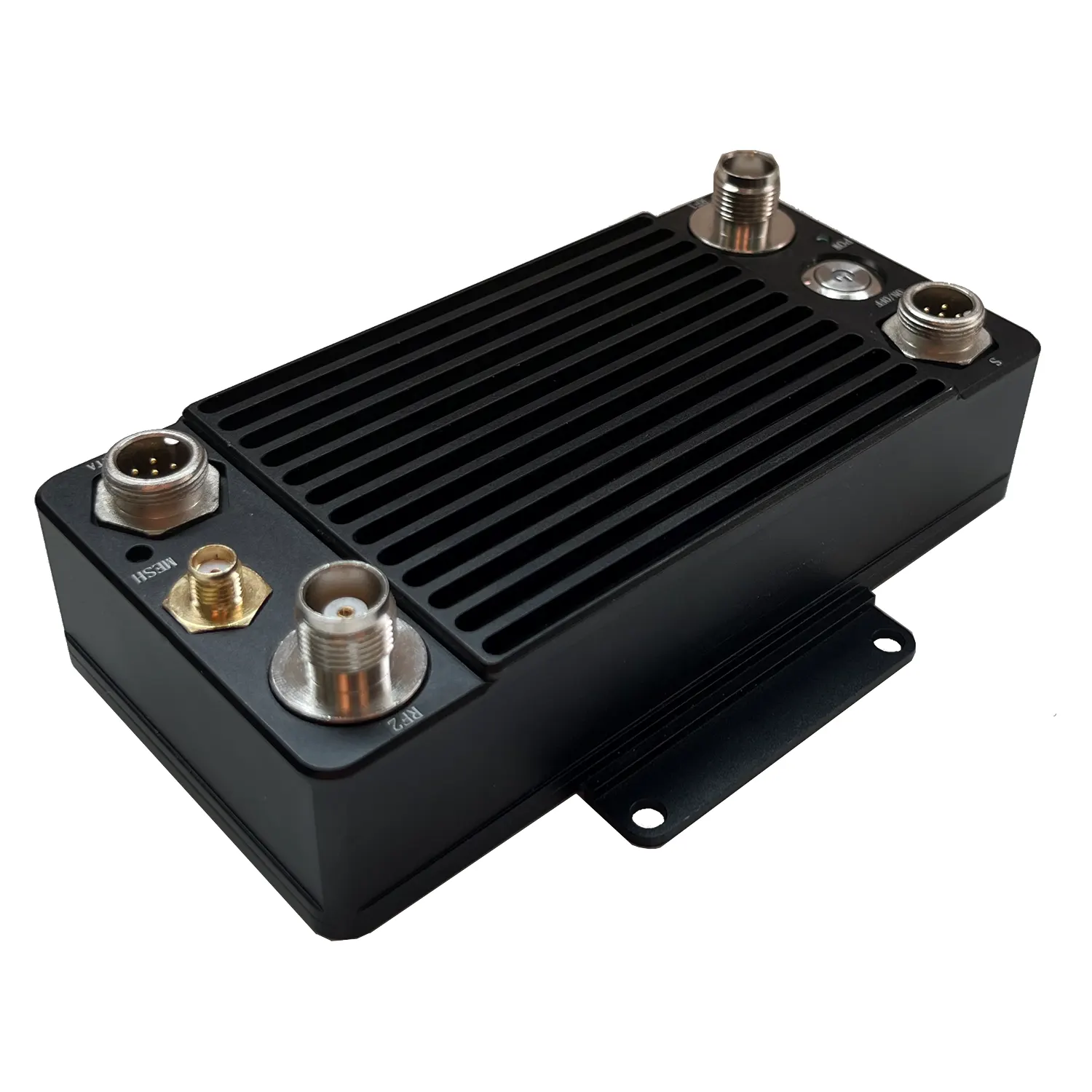
目次
アドバンテージ
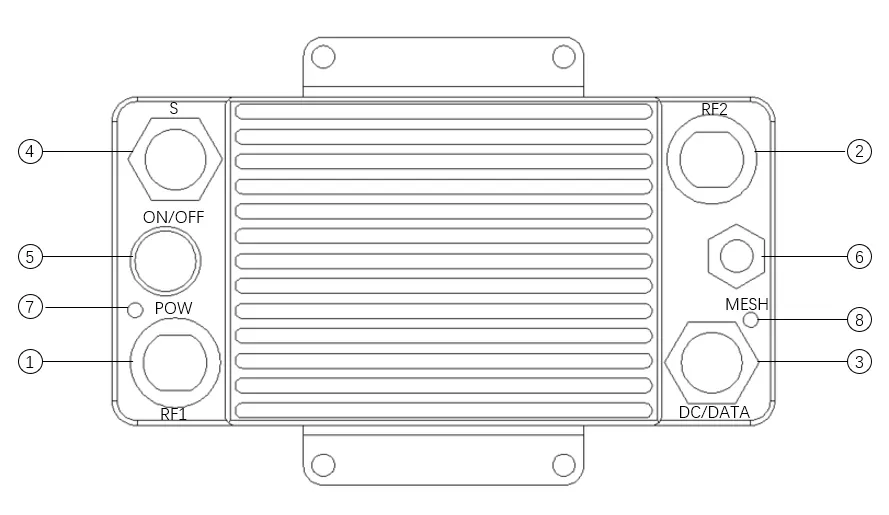
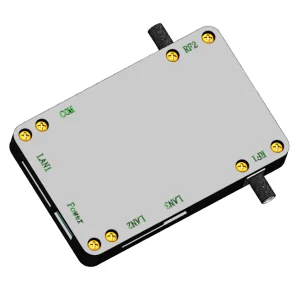
① Ad hoc radio frequency 1
② Ad hoc radio frequency 2
③ DC 12V input/network port
④ RS232/voice (選ぶ 1 から 2)
⑤ Power switch
⑥ GPS Beidou/WIFI (選ぶ 1 から 2)
⑦ Power Indicator
⑧ Ad hoc network indicator
特徴
- No center anti-destroy network structure: The departure or damage of any node does not affect the operation of the overall network
- Multiple business data: Support video, 声, location, センサー, and other IP-based data transmission
- Multiple access methods: Support Ethernet port, and serial port, can support the transmission of control commands and video data at the same time
- 強力な抗干渉能力: Support automatic spectrum migration and frequency hopping working mode
- コンパクトなサイズ: Size 133×66×33mm; Weight 400g
仕様
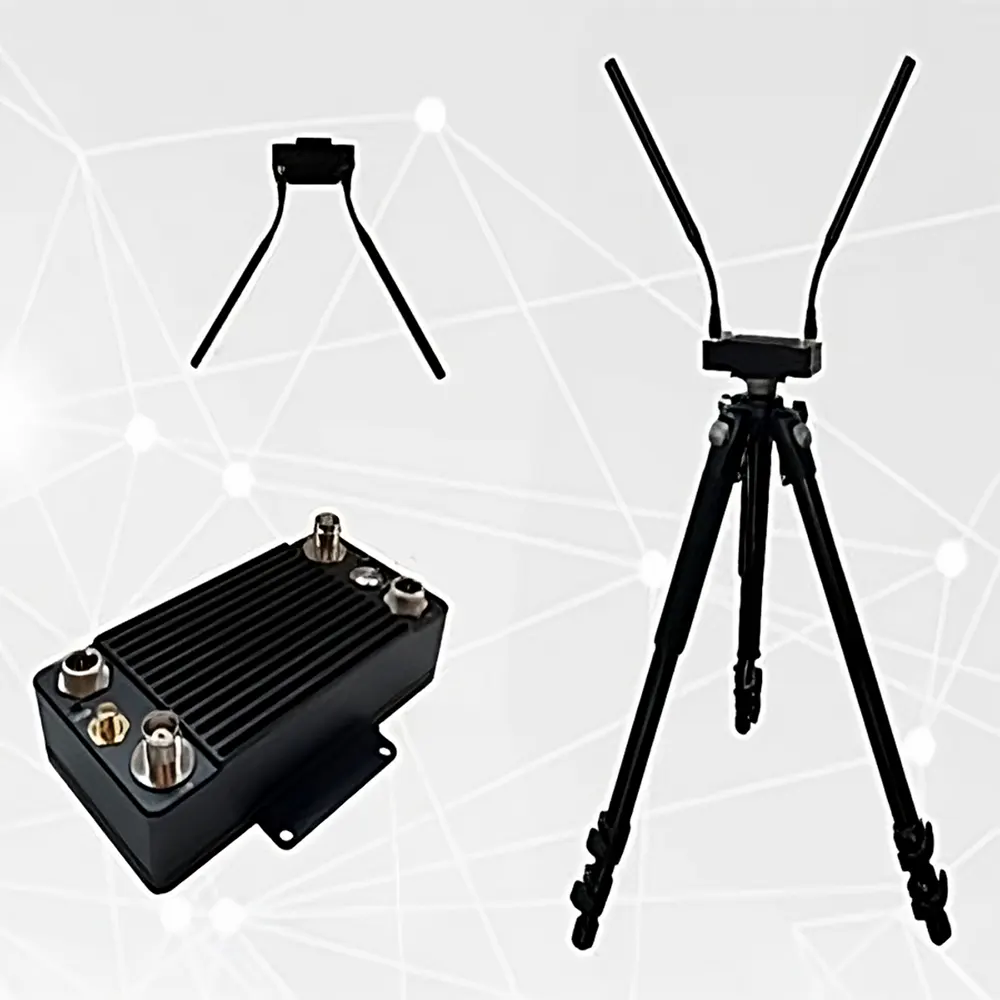
Package Include
(1). One ad hoc network host
(2). 2 専用周波数帯 (1.4GHz) アンテナ (異なるモデルに応じて, 他のタイプのアンテナはオプションです)
(3). Common frequency band (2.4Ghz/GPS Beidou) アンテナ (選ぶ 1 から 2)
(4). Power supply/network port conversion cable 1 ピース
(5). Voice/RS232 transfer cable 1 (選ぶ 1 から 2)
(6). DC 12V adapter 1pc
インストール手順
1. アンテナを設置する: 専用の周波数帯域アンテナを接続します (またはフィーダー) to the TNC head (RF1/RF2), 押して回転させて固定します, アンテナがしっかりと緩んでいないことを確認してください;
2. Install the power supply/network port conversion cable: connect the aviation plug (2 コア) to the main engine aviation seat, しっかりと接触するようにナットを締めます。.
起動手順
- スイッチを押してください, 電源を入れます, the indicator light of the power switch is on, システムはセルフテストを開始します (アンテナを接続せずに電源を入れることは禁止されています, and it is forbidden to use other types of adapters)
- After the self-inspection is completed after the neighbor node is found, the self-organizing network indicator is always on, indicating that the network is successfully established
ネットワーキング
The networking indicator light indicates the status of being in the network or being disconnected from the network. When the indicator light is on, it indicates that the network has been established. Green indicates that the network quality with neighboring nodes is good, orange indicates normal, and red indicates poor quality.
| シリアルナンバー | 州 | 意味 |
| 1 | light off | offline |
| 2 | 緑色の点灯 | good network quality |
| 3 | Orange is always on | Average network quality |
| 4 | 赤で点灯 | poor network quality |
予防
- アンテナがしっかりと締められていることを確認してください;
- テスト中はアンテナを地面に対して垂直に保ちます;
- テスト中はアンテナに手や他の物体を触れないでください。;
- デバイス間で互いに近づきすぎることはお勧めできません, それらは 5M 以上離れている必要があります;
- テスト条件がある場合, ノードの 1 つを立てるのに最適な高さを選択してください;
- ネットワークインジケータライトで通信リンクが正常かどうかを確認します, ネットワークインジケータライトは常に点灯しています, リンク層が正常に接続されたことを示します;
- WEBインターフェースを通じて周囲のノイズ状況を確認し、周囲に同一チャネル干渉があるかどうかを確認します。;
- について 5 ネットワーキングが成功してから数秒後, ping パケットを通じて各ノードのネットワーク接続を確認できます。;
- カメラが, パソコン, 接続する必要がある他のデバイスが同じ IP アドレス セグメント内にある, 有線接続であれば正常に通信可能です, NexFi デバイスの同じアドレス セグメントを使用せずに (NexFi デバイスは MAC アドレスを介して通信します);
- 交通の流れ, 人の流れ, 建物, 木々は通信品質にさまざまな程度の影響を与えます;
- 建物の内外で侵入テストを行う場合, 外部ノードは建物に近づきすぎないようにしてください, 距離は10M以上である必要があります;
- より長いテスト距離を達成する必要がある場合, you can adjust the bandwidth to 5Mhz through the management interface, さらに大きな帯域幅を実現する必要がある場合は、, 20Mhzに調整できます;
- 動画配信に利用する場合, 動画のフリーズを避けるために, カメラの解像度を調整することでビデオ効果を最適化できます, フレームレート, トランスコーディングストリーム, およびその他のパラメータ;
- If it is used for open-air day and night testing, 防水対策を講じ、良好な放熱接触を確保してください。.


レビュー
まだレビューはありません.