





Encoder Modulator Decoder Demodulator Module Parameter Configuration Instructions COFDM AT Command

Download the Encoder Modulator Decoder Demodulator Module Parameter Configuration Instructions below if you need a PDF file.
Update Record:
| 버전 | 날짜 | 기술 |
| 1.0 1.1 1.2 1.3 1.4 1.5 1.6 1.7 1.8 1.9 2.0 2.1 | 2016-10-24 2016-11-1 2016-12-26 2017-2-14 2017-2-28 2017-3-27 2017-4-19 2017-5-18 2017-9-12 2018-3-15 2019-6-25 2023-2-24 | 초기 버전 ATDR reply distinguishing module ATSE, ATGE add audio switch ATSP 프로토콜 추가 Add ATST, ATGT protocol ATGE command add AESfor status acquisition Added ATGB protocol AV and HDMI output control Support for obtaining the current AV output standard Added ATSU, ATGUcommands ATOSD를 추가했습니다., ATSIP, ATGIP commands Added ATSAD, ATGAD commands |
Users may need to modify the configuration parameters of the module during the use of the COFDM modulator and demodulator module. 사용자의 작업을 단순화하기 위해, 몇 가지 간단한 AT 명령으로 매개변수 구성을 설계합니다.. 사용자는 지정된 AT 명령을 사용하고 해당 매개변수를 전달하여 COFDM 모듈의 매개변수 설정을 완료하면 됩니다..
Suitable Models


Command Introduction
The AT command for configuring COFDM module parameters starts with “에” 그리고 밑줄로 끝납니다 “_”. 각 AT 명령에는 매개변수가 여러 개 있거나 매개변수가 없습니다., 각 AT 명령에는 반환 값이 있습니다.. For details, please refer to the introduction of the following commands.
Users can configure the parameters of the module through the configuration serial port (TTL 수준, 3.3V) of the COFDM module. For detailed serial port configuration, refer to the figure below. Please use tools such as “Serial Port Debugging Assistant” to send AT commands to the COFDM module, pay attention to the use of 텍스트, for example:

기음ommand Classification
The AT commands for configuring COFDM module parameters are mainly divided into the following two categories:
| Query Commands | ATDR, ATG, ATGE, 돌아와요 , ATGR, 교통안전, ATGB, ATGU, ATGIP |
| Setting Commands | ATSD, ATSG, ATSM, ATSE, ATSI, 노파, ATSR, ATSP, ATST, 남성,ATOSD, ATSIP |
From the perspective of whether to save after power-off, the setting commands can be divided into:
| Power-off Saving Commands | ATSD, ATSE, ATSI, 노파, ATSR, ATSP, ATST, 남성, ATSIP |
| Power-off Not Saving Commands | ATSG, ATSM, ATOSD |
According to the configuration transmitter or receiver, the classification is as follows:
| Sender Configuration Commands | ATDR, ATSD, ATG, ATSG, ATSM, ATSE, ATGE, ATSI, 돌아와요, 노파, ATSP, ATST, 교통안전, 남성, ATGU, ATOSD |
| Receiver Configuration Commands | ATDR, ATSR, ATGR, ATSP, ATST, 교통안전, ATGB, ATSIP, ATGIP |
Command Details
Ping Command
| 체재 | ATDR_ |
| 매개 변수 | 아니 |
| 사용 | for the integrated system to check whether the serial port is connected and identify the connected modules. |
| 반환 값 | RCB returns the “장치 프로필” 끈 SUE1 returns “ATDRSUE1 확인” 끈 SHD1 returns “ATDRSHD1 확인” 끈 |
| 주목 | 쿼리 명령 |
Set Device Command
| 체재 | ATSD $(미모), $(미군 병사), $(코드_레이트), $ (별자리), $(주파수(KHz)), $(bw(KHz)), $(tx1_이득), $(tx2_gain)_ 예: ATSD0,1,0,0,800000,8000,86.0,86.0_ |
| 매개 변수 | One Antenna/Dual antenna mimo: 0 미모 비활성화; 1 미모 활성화 Guard Interval GI: 0 1/32; 1 1/16; 2 1/8; 3 1/4 Convolution Code Rate: 0 1/2; 1 2 /3; 2 3/4; 3 5/6; 4 7/8; 별자리: 0 QPSK; 1 QAM16; 2 QAM64; RCB Carrier Center Frequency(kHz) 200000~2700000(200MHz~2.7GHz, 1KHz 단계) RC900 Carrier center Frequency(kHz) 750000~930000(750MHz~930MHz, 1KHz 단계) RCB Channel bandwidth bw(KHz) 2000~8000(2MHz~8MHz, 1KHz 단계) RCB Channel bandwidth bw(KHz) 2000~8000 (2MHz~8MHz, 1KHz 단계) 송신 안테나 1 이득 tx1_gain 0.0~89.75dB, 0.25dB stepping 송신 안테나 2 이득 tx2_gain 0.0~89.75dB, 0.25dB stepping |
| 반환 값 | ~와 같은:ATSD0,1,0,0,800000,8000,86.0,86.0_ SISO,미군 병사: 1/16, CR:1/2, 모드: QPSK, 주파수:800000KHz,bw:8000KHz,tx1_이득:86.000000 tx2_gain:86.000000 좋아요 |
| 메모 | 명령 설정, 전원이 꺼지면 저장. Different Bandwidths, 가드 간격, Convolution code rates, Data rate calculation formulas corresponding to constellations 무선 인터페이스 속도 속도(MBps) = (대역폭(메가 헤르츠) * 8.0/7.0) / (1+미군 병사) * 1512/2048*로그2(별자리 포인트) * 코드_레이트 * 188/204. 8MHz 대역폭을 예로 들면, 다양한 가드 간격, convolution code rates, data rates corresponding to constellations and required receiving signal-to-noise ratios  |
에스et Gain Command
| 체재 | ATSG$( tx1_이득),$( tx1_이득)_ 예: ATSG85.0,85.0_ |
| 매개 변수 | tx1_이득: Transmitter 1 얻다 tx2_gain: Transmitter 2 얻다 |
| 사용 | To dynamically adjust the output power. If the signal SNR/RSSI of the receiver is high, 원격 제어 링크를 통해 출력 전력을 줄일 수 있습니다.. When the SNR/RSSI of the end signal is low, increase the output power (transmitter) |
| 반환 값, | 예: ATSG85.0,85.0_set gain 85.000000 85.000000 좋아요 |
| 주목 | 설정 명령, power off will not save. |
Set Modulation Mode comman디
| 체재 | ATSM$(미군 병사), $(코드_레이트), $(별자리)_ 예: ATSM1,1,2_ |
| 매개 변수 | Gard interval GI: 0 1/32; 1 1/16; 2 1/8; 3 1 /4; Convolution code rate: 0 1/2; 1 2/3; 2 3/4; 3 5/6; 4 7/8; 별자리: 0 QPSK; 1 QAM16; 2 QAM64 |
| 사용 | 무선 인터페이스 속도를 동적으로 조정, the air interface rate can be increased when the distance is short, and the air interface rate can be reduced when the distance is long (transmitter) |
| 반환 값 | 예:ATSM1,1,2_GI:1/16, CR:2/3, 모드: QAM64, 좋아요 |
| 주목 | 설정 명령, power off will not save. |
지et Device Status Command
| 체재 | ATGD_ |
| 매개 변수 | 아니 |
| 사용 | query the current number of transmit antennas, 가드 간격, convolution code rate, 별자리의 수, transmit frequency, 대역폭, gain parameters (transmitter) |
| 반환 값 | 예: ATGD_ SISO, 미군 병사:1 /16, CR: 1/2, 모드: QPSK, 주파수: 800000KHz, bw: 8000KHz, tx1_이득: 86.000000 tx2_gain: 86.000000 좋아요 |
| 주목 | 쿼리 명령 |
Set Encoder Command
| 체재 | ATSE$(llc),$(RT),$(비트 전송률) ,$(gop),$(오디오)_ 예: ATSE0,0,0.0,0,0_ |
| 매개 변수 | 1. Enhanced data reliability option llc: 0 장애를 입히다; 1 ~할 수 있게 하다 (requires the receiving end to enable this option at the same time, use in pairs, because more redundant data is added to enhance reliability, the video bit rate of the transmitting end should be set when this option is turned off half of) 2. Real-time priority/quality priority rt: 0 image quality priority; 1 real-time priority; 3. 비트레이트: 0 시스템이 결정하게 하라; >0 비트 전송률 지정(뜨다) 4. I frame interval GOP: 0 시스템이 결정하게 하라; >0 specify GOP 5. Audio encoding option audio: 0 장애를 입히다; 1 ~할 수 있게 하다 |
| 사용 | 인코딩 매개변수를 설정하는 데 사용됩니다. (Transmitter) |
| 반환 값 | 예:ATSE0, 0,0.0,0,0_ 방법:0,RT:0,비트 전송률: 0.0Mbps의,gop:0,오디오:0,좋아요 |
| 주목 | 설정 명령, save when power is off. |
Get Encoder Command
| 체재 | ATGE_ |
| 매개 변수 | 아니 |
| 사용 | querying encoding parameters (송신 종료) |
| 반환 값 | 예:ATGE_MODE:0, RT:0,비트 전송률:4.0Mbps의,gop:10,오디오:0,에이즈:0, 좋아요 |
| 주목 | Query command AES means the current encryption status: 0 장애를 입히다; 1 ~할 수 있게 하다 |
Get Input Command
| 체재 | 반품_ |
| 매개 변수 | 아니 |
| 사용 | query the current camera input parameters (transmitter) |
| 반환 값 | 예:ATGI_input_size: 1080p, 입력 속도: 60fps, 센서_유형: HDMI,좋아요 |
| 주목 | 쿼리 명령 |
Set Input Command
| 체재 | ATSI$(입력_크기),$(입력 속도)_ 예: ATSI1080,25_ |
| 매개 변수 | 1. 입력 해상도 input_size: 0 시스템이 감지하도록 놔두세요; >0 입력 크기 지정 2. 입력 프레임 속도 input_rate: 0 시스템이 감지하도록 놔두세요; > 0 입력 fps 지정 |
| 사용 | To specify the input resolution and frame rate to meet some special signal sources, or some special application needs (transmitter) |
| 반환 값 | 예: ATSI1080,25_ Input_size:1080p,입력 속도: 25fps, 좋아요 |
| 비고 | 사용자가 이 명령을 통해 입력 해상도와 프레임 속도를 지정한 후, 시스템은 더 이상 신호 소스를 감지하지 않습니다 (use with caution). The user can restore the default through the following command: ATSI0,0_Set the command and save it after power-off. |
Set Output Command
| 체재 | 노파(출력_크기),$(출력_속도)_ 예: ATSO720,30_ |
| 매개 변수 | 1. Transmitter: 인코딩 출력 해상도 output_size: 0 input_size와 같음; >0 specify output size 2. 수화기: HDMI 출력 해상도 (720, 1080) 3. Transmitter: 인코딩 출력 프레임 속도: 0 input_rate와 같음; >0 출력 속도 지정 (fps) 4. 수화기: HDMI 출력 프레임 속도 720p는 프레임 속도를 지원합니다. (50, 60); 1080p는 프레임 속도를 지원합니다 (24, 25, 30, 50, 60) |
| 사용 | 1. Transmitter: Used to specify the encoding output resolution and frame rate to meet the requirements of certain applications for zooming and frame reduction 2. 수화기: HDMI 출력의 해상도와 프레임 속도를 구성하는 데 사용됩니다. |
| 반환 값 | 예: ATSO720,30_ 출력_크기: 720p, 출력_속도: 30fps, 좋아요 |
| 비고 | 1. For HDMI input only, this command is invalid for AV input 2. Output_size <= 입력_크기; 출력_속도<=입력_속도 3. Set the command and save it after the power is off. |
입력 소스 설정 명령 (HDMI 전환 / CVBS 입력)
| 체재 | ATSU$(빈),$(아인)_ 예: ATSU0,1 _ |
| 매개 변수 | 1. 비디오 입력 선택 VIN: 0 시스템이 감지하도록 놔두세요; 1 강제 CVBS 입력; 2 강제 hdmi/SDI 입력 2. 오디오 입력 선택 AIN: 0 시스템이 감지하도록 놔두세요; 1 강제 아날로그 입력 |
| 사용 | 특정 애플리케이션 요구 사항을 충족하는 데 사용됩니다. (예: HDMI/SDI 입력 비디오, 마이크 입력 오디오) |
| 반환 값 | 예: ATSU0,1_ ATSU0,1 OK |
| 주목 | 설정 명령, 전원 꺼짐 저장. |
Get User Command
| 체재 | ATGU _ 예: ATGU_ |
| 매개 변수 | 아니 |
| 사용 | To query user-specific configuration |
| 반환 값 | 예: ATGU_ ATGU0,1 OK |
| 주목 | 쿼리 명령 return parameter description please refer to the ATSU command |
Set Receiver Command
| 체재 | ATSR $(주파수), $(bw ), $(llc), $(cvbs)_ 예: ATSR320000,6000,0,0_ |
| 매개 변수 | 1. DR2C carrier frequency freq(KHz) 200000~860000(200MHz~860MHz, 1KHz 단계) 2. DR900 carrier center frequency freq(KHz) 200000~1600000(200MHz~1.6GHz, 1KHz 단계) 3. DR2C 채널 대역폭 bw(KHz) 2000~8000(2MHz~8MHz, 1KHz 단계) 4. DR900 channel bandwidth bw(KHz) 3200~8000(3.2MHz~8MHz, 1KHz 단계) 5. Enhanced data reliability option llc: 0 장애를 입히다; 1 ~할 수 있게 하다 (it is required that the transmitter should also enable this option at the same time, and use it in pairs. Since more redundant data is added to enhance reliability, the video bit rate of the transmitter should be set to when this option is turned off half of) 6. AV output system cvbs: 0 단짝; 1 NTSC |
| 사용 | To set the receiver parameter |
| 반환 값 | 예: ATSR320000,6000,0,0_ ATSR320000,6000,0,0 OK |
| 주목 | 설정 명령, save when power is off. |
Get Receiver Command
| 체재 | ATGR_ |
| 매개 변수 | 아니 |
| ATGR_ | the receiving end parameter |
| 반환 값 | 예: ATGR_ ATGR320000,6000,0,aes:0,cvbs:0 좋아요 |
| 주목 | 1. 쿼리 명령 2. Aes parameter indicates the current encryption status: 0 장애를 입히다;1 ~할 수 있게 하다 3. CVBS parameter Indicates the current AV output standard: 0 단짝;1 NTSC |
Get Bit Error Rate Command
| 체재 | ATGB_ |
| 매개 변수 | 아니 |
| 사용 | querying the bit error rate and signal strength of the dual antennas at the receiving end |
| 반환 값 | 예: ATGB_ ATGB ber1:0.00% 베르2:0.00% RSSI1 :54 RSSI2:53 잠금1:1 잠금2:1 좋아요 |
| 비고 | 1. Query commands 2. Ber1 and ber2 respectively indicate the bit error rate of each antenna, ~에 이르기까지 0.0% 에게 100.0% 3. RSSI1 and RSSI2 respectively indicate the signal strength of each antenna, ~에 이르기까지 0 에게 100 4. Lock1 and Lock2 respectively indicate the signal locking status of each antenna (1 Represents signal lock) |
Set Password Command
| 체재 | ATSP$(비밀번호), $(비밀번호)_ 예: ATSP123456, 123456_ |
| 매개 변수 | AES 키 비밀번호: 6-숫자 비밀번호 (아스키) AES 키 비밀번호: 6-숫자 비밀번호 (아스키) (repeat it for confirmation) |
| 사용 | 트랜시버의 AES 키를 설정하는 데 사용됩니다. (송신기와 수신기) |
| 반환 값 | 예: ATSP123456_ ATSP123456 확인 |
| 주목 | 1. 비밀번호가 모두 입력된 경우 0, AES encryption is turned off. 2. Set the command and save it after powering it off. |
Set Data Transfer Command
| 체재 | ATST$(전송 속도), $( 둥가)_ 예: ATST115200,0_ |
| 매개 변수 | 1. Baud rate baud rate: 1200、2400、4800、9600、19200、38400、57600、115200 2. Check Code: 0: 없음; 1: 이상한; 2: 심지어 |
| 사용 | Used to set the baud rate and parity bit of the serial port for data transparent transmission |
| 반환 값 | 예: ATST115200,0_ ATST115200,0 OK |
| 비고 | 명령 설정 |
Get Data Transfer Command
| 체재 | ATGT_ |
| 매개 변수 | 아니 |
| 사용 | Used to query the baud rate and check code |
| 반환 값 | 예: ATGT_ ATGT115200,0 OK |
| 비고 | 쿼리 명령 |
Set IP Address Command
| 체재 | ATSIP$(아이피), $(아이피)_ 예: ATSIP192.168.1.215,192.168.1.215_ |
| 매개변수 | 로컬 IP 주소 로컬 IP 주소 (확인을 반복) |
| 사용 | Used to set the receiver IP address |
| 반환 값 | 예: ATSIP_192.168.1 .215,192.168.1.215_ ATSIP192.168.1.215 OK |
| 비고 | 1. IP 주소를 설정한 후, the receiving end needs to be restarted to take effect. 2. Set the command and save it after powering it off. |
Get IP Address Command
| 체재 | ATGIP_ 예: ATGIP_ |
| 매개 변수 | 아니 |
| 사용 | 수신측의 현재 IP 주소를 쿼리하려면 |
| 반환 값 | 예: ATGIP_ ATGIP192.168.0.215 확인 |
| 주목 | 쿼리 명령 |
OSD Overlay Protocol
| 체재 | ATOSD$(idx), $(엑스), $(와이), $(str)_ 예:ATOSD0,40,20,높이: 100중_ |
| 매개 변수 | 1. IDX index: 0~7 (supports OSD overlay for 8 지역) 2. X-coordinate: 0~1919 3. Y coordinate: 0~1079 4. str: the string to be displayed at the corresponding coordinates (the space symbol is used to clear the display) |
| 사용 | on the video screen.OSD information |
| 반환 값 | 아니 |
| 비고 | 1. 사용자는 최대 1920에 따라 OSD 디스플레이의 x 및 y 좌표를 지정합니다.×1080 픽셀, 시스템은 실제 디스플레이 상황에 따라 좌표를 수정합니다.. 2. The ‘_’ character cannot be contained in the str parameter |
Set Gain To Adjust
| 체재 | ATSAD$(주파수),$(adjust) _ 예:ATSAD700000,2.5_ |
| 매개 변수 | wireless central working frequency: 주파수(KHz) 200000~2700000(200MHz~2.7GHz, step: 1KHz) Adjust the value(데시벨): ATSD cmd will subtract this value to set the wireless gain |
| 기능 | Specify and adjust the value for the wireless gain setting using by ATSD cmd |
| 피드백 | 예: ATSAD700000,2.5_ freq:700000,adjust:2.50 좋아요 |
| 댓글 | Setting command is still valid when stopping power or resetting. |
Get Gain To Adjust
| 체재 | ATGAD[$(주파수)]_ 예:ATGAD700000_ |
| 매개 변수 | wireless central working frequency: 주파수(KHz) 200000~2700000(200MHz~2.7GHz, step: 1KHz) When no parameter provides, it will list all the freq that have adjusted value. |
| 기능 | Inquiry adjust the value for wireless gain setting using ATSD cmd |
| 피드백 | 예: ATGAD700000_ freq:700000,adjust:2.50 OK ATGAD_ freq:700000 750000 좋아요 |
| 댓글 | Inquiry command. |
Serial Port Utility software download
HTTPS://www.alithon.com/downloads
자주하는 질문
1. How can I return to the No Password setting with 000000 indications after the change?
Reset the password to 000000 (one must not be missing) through the Parameter Configuration Panel Board.
or set it through 그만큼 ATSP_command
2. I see that Gain is the output power of the transmitter. Please tell me the range of settings of this parameter. All setting level (얻다) good for linear output operation? Or do you suggest some limited range for better linear operation?
The Gain of the COFDM configuration is the internal Gain, not the actual output power of the transmitter. The internal gain range is 0~89.75dB and the linear output:
1. At around 300~500MHz, the Gain is set to 89.75, and the actual output power of the transmitter module is about -5dBm.
2. At around 1000~1500MHz, the Gain is set to 89.75, and the actual output power of the transmitter module is about -6dBm to -10dBm.
3. I tried to set – B bandwidth (kHz) and E bit rate (Mbps의). When I set E, the new value does not apply. 그래서. the E setting is only for monitoring of available bitrate? if I wish to change the E (비트레이트) I have to change only B (대역폭)? Am I right?
It is not recommended to modify the video bit rate ‘E’ directly, because if the output video bit rate is greater than the wireless air interface rate, the system will not work normally.
기본적으로, the internal video bit rate ‘E’ will be set to 0 for automatic. Customers only need to modify ‘B’ to modify the wireless parameters, and the video bit rate will automatically adapt.
You can also adjust the wireless air interface rate by modifying GI and CR.
For more details on the Encoder Modulator Decoder Demodulator Module, please send an inquiry to us.


COFDM 변조기 복조기 모듈 인코더 디코더 HDMI CVBS AV 입력 AES 256 FHD RF 스트리밍
$1,450.00
COFDM 변조기 복조기 모듈 인코더 디코더 HDMI CVBS AV 입력 AES 256 FHD RF 스트리밍
목차
또 다른 측면도

COFDM 인코더 모듈, CVBS / HDMI 입력, IP 출력

COFDM 인코더 보드에 대한 자세한 내용은, 여기를 방문해주세요
COFDM 인코더 모듈 장점:
- 초저지연 H.265/H.264 오디오 및 비디오 인코딩 최대 지원 1080P@60 실시간 비디오 캡처 및 인코딩
- HDMI 또는 AV 오디오 및 비디오 입력, 인코딩 후, 이더넷 포트 출력 또는 무선 모듈로 출력, 비디오 인코딩 비트 전송률을 동적으로 구성할 수 있습니다.
- 오디오 입력 및 오디오 디코딩 출력 지원
- 두 개의 비디오 지원 (HDMI+꺼짐) 동시 입력 인코딩 (옵션, 기본값은 HDMI 또는 AV 인코딩입니다., 두 개의 입력 소싱 중 하나를 선택하세요.). )
- 웹 UI 또는 직렬 포트 UART AT 명령 구성 관리를 위해

COFDM 송신기 모듈
COFDM 송신기 모듈
COFDM 변조기-복조기 데이터시트 다운로드
COFDM 복조기 Vcan1776RX-H264 데이터시트
TX RX 보드의 마지막 버전
텍사스: V6.5.6p
RX: 4.1.2p
COFDM 무선 비디오 인코더 변조기 보드
SDI+AHD+CVBS 비디오 인코더 및 H264 H265 디코더
일부 클라이언트에는 SDI AHD CVBS 비디오 인코더 변조기 송신기 비디오 디코더 복조기 수신기 HDMI 출력도 필요합니다.. 우리는 또한 이러한 기능을 지원하는 다른 모델 Vcan1776-SDI+AHD+CVBS를 보유하고 있습니다..
 H264 H265 및 초저 지연 시간을 지원하는 비디오 디코더 보드?
 H264 H265 및 초저 지연 시간을 지원하는 비디오 디코더 보드?
왼쪽 파란색 디코더 보드는 H265 및 H264 디코딩을 지원하지만 낮은 대기 시간 디코딩은 지원하지 않습니다.. (삼선 칩셋)
오른쪽 칠판은 H264 디코딩을 지원하지만 H264 저지연 디코딩을 지원합니다.. (하이실리콘)
자주하는 질문
질문: 정확한 RF 전력 출력은 얼마입니까? 1400 메가 헤르츠? 소프트웨어를 사용하여 출력 전력을 조정할 수 있습니까??
답변: 1400MHz에서 최대 RF 전력은 약 -9 에게 -12 dBm, 정확한 RF 전력은 다음을 통해 설정할 수 있습니다. 매개변수 구성 보드 또는 AT 명령으로 uart를 통해.


상대 게시물
- 무선 비디오 수신기용 SD 업그레이드 카드 만드는 방법?
- COFDM 비디오 수신기 펌웨어를 업그레이드하는 방법?
- COFDM HD 비디오 수신기의 시작 로고를 변경하는 방법?
- SD 카드를 FAT32로 포맷하면 비디오 녹화 문제가 해결됩니다..
- COFDM 수신기 구성 및 스트리밍 프로토콜 가이드
- COFDM 무선 비디오 송신기 디코더 수신기 보드를 통해 사용자 정의 OSD 메뉴 플라잉 데이터를 오버레이 보내는 방법
- COFDM 모듈 매개변수 구성 UART AT 명령
| 비디오 입력 | HDMI+CVBS, SDI+AHD( 또는 CVBS) |
|---|
1 검토하다 COFDM 변조기 복조기 모듈 인코더 디코더 HDMI CVBS AV 입력 AES 256 FHD RF 스트리밍
리뷰 추가


관련 상품

CVBS HDMI에서 IP 인코더
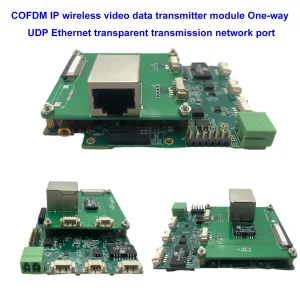

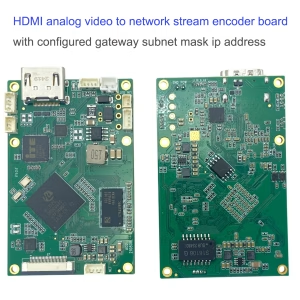
CVBS HDMI에서 IP 인코더
HDMI analog video to network stream encoder board with configured gateway subnet mask ip address


TX RX 모듈

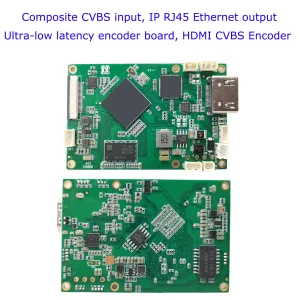
CVBS HDMI에서 IP 인코더
SDI 또는 HDMI-IP 인코더 변조기 CVBS H.265 H.264 인코딩 보드 UAV Drone Robotic 용 pcba 이더넷 RSTP UDP
인코더 모듈 보드









Decoder Modules Boards




사용자 정의 가능
새로운 인코더 제품
| 아니. | 제품명 | 구성 | 주요 특징 | 상태 |
|---|---|---|---|---|
| 1 | 듀얼 채널 USB UVC 가시광선 비디오 인코더 | 2× USB input | 듀얼 USB 카메라 비디오 인코딩 지원, and RTSP streaming; 로컬 CVBS/HDMI 출력; 전환 가능한 디스플레이 모드 | 양산 |
| 2 | 듀얼 채널 인코더 (1× USB 가시광선 + 1× USB 열화상 카메라) | 2× USB input | Supports dual USB camera (보이는 + 열의) 포착, 부호화, and RTSP streaming; 로컬 CVBS/HDMI 출력; 전환 가능한 디스플레이 모드 | 양산 |
| 3 | RTSP 디코더 HDMI/CVBS 디스플레이 모듈 | HDMI + CVBS 출력 | 최대 4×1080P@30fps RTSP 스트림 디코딩 지원; 비디오 스트리밍 프로토콜 전달 지원; HDMI/CVBS 출력 디스플레이 | Sample Available |
| 4 | RTSP 디코더 HDMI/CVBS 디스플레이 모듈 4.3"/5" LCD | HDMI 출력 + LCD 화면 | 최대 4×1080P@30fps RTSP 스트림 디코딩 지원; protocol forwarding; HDMI/CVBS 출력 디스플레이 | 디버깅 |
| 5 | 듀얼 채널 인코더 (1× USB 가시광선 + 1× CVBS 아날로그) | 1× CVBS + 1× USB UVC 입력 | 듀얼 비디오 (USB + CVBS), 인코딩 및 RTSP 스트리밍; 로컬 CVBS/HDMI 출력; 전환 가능한 디스플레이 모드 | 디버깅 |
| 6 | 듀얼 채널 인코더 (1× USB UVC + 1× AHD 아날로그) | 1× AHD + 1× USB UVC 입력 | 듀얼 비디오 캡처 (USB + AHD), 인코딩 및 RTSP 스트리밍; 로컬 CVBS/HDMI 출력; 전환 가능한 디스플레이 모드 | 디버깅 |
| 7 | 듀얼 채널 인코더 (1× CVBS + 1× AHD 아날로그 비디오) | CVBS + AHD 2 비디오 입력 | Dual analog video capture, 인코딩 및 RTSP 스트리밍; 로컬 CVBS/HDMI 출력; 전환 가능한 디스플레이 모드 | 디버깅 |
| 8 | 듀얼 채널 인코더 (1× CMOS 카메라 + 1× USB 열화상 카메라) | 1× USB 인터페이스 | CMOS 지원 + USB thermal camera capture, 인코딩 및 RTSP 스트리밍; 로컬 CVBS/HDMI 출력; 전환 가능한 디스플레이 모드 | 양산 |
당사 제품에 포함되지 않은 맞춤형 비디오 입출력 변환 솔루션의 경우, OEM/ODM 지원을 원하시면 문의해주세요. We can develop tailored products based on your requirements.
iVcan.com –
이 COFDM 모듈은 우리 라이브 프로덕션 팀이 절실히 필요했던 전문가급 백본입니다.! 우리는 부피가 큰 10,000달러 장비를 이 소형 장치로 교체했습니다., 3km에 달하는 혼란스러운 도시 전역에서 드론과 랠리 차량의 HDMI/CVBS를 통해 지연 시간 없는 1080p 비디오 스트리밍. AES-256 암호화는 중요한 긴급 상황 중에 피드를 안전하게 유지합니다., 내장된 비트 오류 보정 기능으로 콘크리트 구조물과 빗물 속에서도 선명한 선명도를 유지했습니다.. 설정에는 몇 분이 걸렸습니다.: 방금 카메라를 AV/HDMI 입력에 연결했습니다., RF 매개변수 설정, 그리고 스트림을 누르세요. 방송사용, 최초 대응자, 또는 변조 방지가 필요한 산업 검사, 군사급 보안을 갖춘 장거리 HD 비디오, 이 모듈은 기존 비용의 일부만으로 완벽한 성능을 제공합니다.!