




एनकोडर मॉड्यूलेटर डिकोडर डेमोडुलेटर मॉड्यूल पैरामीटर कॉन्फ़िगरेशन निर्देश सीओएफडीएम एटी कमांड

Download the Encoder Modulator Decoder Demodulator Module Parameter Configuration Instructions below if you need a PDF file.
Update Record:
| संस्करण | तारीख | विवरण |
| 1.0 1.1 1.2 1.3 1.4 1.5 1.6 1.7 1.8 1.9 2.0 2.1 | 2016-10-24 2016-11-1 2016-12-26 2017-2-14 2017-2-28 2017-3-27 2017-4-19 2017-5-18 2017-9-12 2018-3-15 2019-6-25 2023-2-24 | प्रारंभिक संस्करण ATDR reply distinguishing module एटीएसई, ATGE add audio switch एटीएसपी प्रोटोकॉल जोड़ें Add ATST, ATGT protocol ATGE command add AESfor status acquisition Added ATGB protocol AV and HDMI output control Support for obtaining the current AV output standard Added ATSU, ATGUcommands ATOSD जोड़ा गया, एटीएसआईपी, ATGIP commands Added ATSAD, ATGAD commands |
Users may need to modify the configuration parameters of the module during the use of the COFDM modulator and demodulator module. उपयोगकर्ता के संचालन को सरल बनाने के लिए, हम पैरामीटर कॉन्फ़िगरेशन को कुछ सरल एटी कमांड में डिज़ाइन करते हैं. उपयोगकर्ता को केवल निर्दिष्ट एटी कमांड का उपयोग करने और सीओएफडीएम मॉड्यूल की पैरामीटर सेटिंग को पूरा करने के लिए संबंधित पैरामीटर पास करने की आवश्यकता है.
Suitable Models
-
 सीओएफडीएम मॉड्यूलेटर डेमोडुलेटर मॉड्यूल एनकोडर डिकोडर एचडीएमआई सीवीबीएस एवी इनपुट एईएस 256 FHD आरएफ स्ट्रीमिंग
 -
ड्रोन यूएवी वायरलेस वीडियो ट्रांसमीटर और रिसीवर Vcan1870 के लिए COFDM रिले रिपीटर मॉड्यूल
-
कैमरे के लिए वायरलेस वीडियो ट्रांसमीटर और रिसीवर, एचडीएमआई एचडी एच 265 264 एनकोडर 1W/2.5W PA 1080P60 Vcan1726
-
यूएवी ड्रोन रोबोटिक के लिए एसडीआई या एचडीएमआई टू आईपी एनकोडर मॉड्यूलेटर सीवीबीएस एच.265 एच.264 एन्कोडिंग बोर्ड पीसीबीए ईथरनेट आरएसटीपी यूडीपी


Command Introduction
The AT command for configuring COFDM module parameters starts with “पर” और अंडरस्कोर के साथ समाप्त होता है “_”. प्रत्येक एटी कमांड में कई या कोई पैरामीटर नहीं होते हैं, और प्रत्येक एटी कमांड का रिटर्न वैल्यू होता है. For details, please refer to the introduction of the following commands.
Users can configure the parameters of the module through the configuration serial port (टीटीएल स्तर, 3.3वी) of the COFDM module. For detailed serial port configuration, refer to the figure below. Please use tools such as “Serial Port Debugging Assistant” to send AT commands to the COFDM module, pay attention to the use of मूलपाठ, उदाहरण के लिए:

सीommand Classification
The AT commands for configuring COFDM module parameters are mainly divided into the following two categories:
| Query Commands | एटीडीआर, एटीजी, एटीजीई, वापस आओ , एटीजीआर, यातायात सुरक्षा, एटीजीबी, एटीजीयू, एटीजीआईपी |
| Setting Commands | एटीएसडी, एटीएसजी, एटीएसएम, एटीएसई, एटीएसआई, बुढ़िया, एटीएसआर, एटीएसपी, एटीएसटी, पुरुष,ATOSD, एटीएसआईपी |
From the perspective of whether to save after power-off, the setting commands can be divided into:
| Power-off Saving Commands | एटीएसडी, एटीएसई, एटीएसआई, बुढ़िया, एटीएसआर, एटीएसपी, एटीएसटी, पुरुष, एटीएसआईपी |
| Power-off Not Saving Commands | एटीएसजी, एटीएसएम, ATOSD |
According to the configuration transmitter or receiver, the classification is as follows:
| Sender Configuration Commands | एटीडीआर, एटीएसडी, एटीजी, एटीएसजी, एटीएसएम, एटीएसई, एटीजीई, एटीएसआई, वापस आओ, बुढ़िया, एटीएसपी, एटीएसटी, यातायात सुरक्षा, पुरुष, एटीजीयू, ATOSD |
| Receiver Configuration Commands | एटीडीआर, एटीएसआर, एटीजीआर, एटीएसपी, एटीएसटी, यातायात सुरक्षा, एटीजीबी, एटीएसआईपी, एटीजीआईपी |
Command Details
Ping Command
| प्रारूप | एटीडीआर_ |
| पैरामीटर | नहीं |
| उपयोग | for the integrated system to check whether the serial port is connected and identify the connected modules. |
| Return value | RCB returns the “डिवाइस प्रोफाइल” डोरी SUE1 returns “ATDRSUE1 ठीक है” डोरी SHD1 returns “एटीडीआरएसएचडी1 ठीक है” डोरी |
| टिप्पणी | query command |
Set Device Command
| प्रारूप | एटीएसडी $(मीमो), $(गी), $(कोड_दर), $ (तारामंडल), $(फ्रीक(KHz)), $(बी.डब्ल्यू(KHz)), $(tx1_gain), $(tx2_gain)_ उदाहरण: ATSD0,1,0,0,800000,8000,86.0,86.0_ |
| पैरामीटर | One Antenna/Dual antenna mimo: 0 मिमो अक्षम; 1 मिमो सक्षम करें Guard Interval GI: 0 1/32; 1 1/16; 2 1/8; 3 1/4 Convolution Code Rate: 0 1/2; 1 2 /3; 2 3/4; 3 5/6; 4 7/8; नक्षत्र: 0 QPSK; 1 QAM16; 2 QAM64; RCB Carrier Center Frequency(kHz) 200000~2700000(200मेगाहर्ट्ज~2.7GHz, 1KHz कदम) RC900 Carrier center Frequency(kHz) 750000~930000(750MHz~930MHz, 1KHz कदम) RCB Channel bandwidth bw(KHz) 2000~8000(2मेगाहर्ट्ज~8मेगाहर्ट्ज, 1KHz कदम) RCB Channel bandwidth bw(KHz) 2000~8000 (2मेगाहर्ट्ज~8मेगाहर्ट्ज, 1KHz कदम) संचारण एंटीना 1 लाभ tx1_लाभ 0.0~89.75dB, 0.25dB stepping संचारण एंटीना 2 लाभ tx2_लाभ 0.0~89.75dB, 0.25dB stepping |
| Return Value | जैसे कि:ATSD0,1,0,0,800000,8000,86.0,86.0_ SISO,सैनिक: 1/16, करोड़:1/2, एमओडी: QPSK, फ्रीक:800000KHz,बी.डब्ल्यू:8000KHz,tx1_gain:86.000000 tx2_gain:86.000000 ठीक है |
| टिप्पणी | आदेश सेट करें, save when power off. Different Bandwidths, गार्ड अंतराल, Convolution code rates, Data rate calculation formulas corresponding to constellations एयर इंटरफ़ेस दर दर(एमबीपीएस) = (बैंडविड्थ(मेगाहर्ट्ज) * 8.0/7.0) / (1+सैनिक) * 1512/2048*लॉग2(नक्षत्र बिंदु) * कोड_दर * 188/204. उदाहरण के तौर पर 8MHz बैंडविड्थ लें, विभिन्न गार्ड अंतराल, convolution code rates, data rates corresponding to constellations and required receiving signal-to-noise ratios  |
एसet Gain Command
| प्रारूप | एटीएसजी$( tx1_gain),$( tx1_gain)_ उदाहरण: ATSG85.0,85.0_ |
| पैरामीटर | tx1_gain: ट्रांसमीटर 1 पाना tx2_gain: ट्रांसमीटर 2 पाना |
| उपयोग | To dynamically adjust the output power. If the signal SNR/RSSI of the receiver is high, रिमोट कंट्रोल लिंक के माध्यम से आउटपुट पावर को कम किया जा सकता है. When the SNR/RSSI of the end signal is low, increase the output power (ट्रांसमीटर) |
| Return Value, | उदाहरण: ATSG85.0,85.0_set gain 85.000000 85.000000 ठीक है |
| टिप्पणी | setting command, power off will not save. |
Set Modulation Mode commanडी
| प्रारूप | एटीएसएम$(गी), $(कोड_दर), $(तारामंडल)_ उदाहरण: एटीएसएम1,1,2_ |
| पैरामीटर | Gard interval GI: 0 1/32; 1 1/16; 2 1/8; 3 1 /4; Convolution code rate: 0 1/2; 1 2/3; 2 3/4; 3 5/6; 4 7/8; नक्षत्र: 0 QPSK; 1 QAM16; 2 QAM64 |
| उपयोग | एयर इंटरफ़ेस दर को गतिशील रूप से समायोजित करें, the air interface rate can be increased when the distance is short, and the air interface rate can be reduced when the distance is long (ट्रांसमीटर) |
| Return Value | उदाहरण:ATSM1,1,2_GI:1/16, करोड़:2/3, एमओडी: QAM64, ठीक है |
| टिप्पणी | setting command, power off will not save. |
जीet Device Status Command
| प्रारूप | एटीजीडी_ |
| पैरामीटर | नहीं |
| उपयोग | query the current number of transmit antennas, रक्षक अंतराल, convolution code rate, नक्षत्रों की संख्या, transmit frequency, बैंडविड्थ, gain parameters (ट्रांसमीटर) |
| Return Value | उदाहरण: एटीजीडी_ SISO, सैनिक:1 /16, करोड़: 1/2, एमओडी: QPSK, फ्रीक: 800000KHz, बी.डब्ल्यू: 8000KHz, tx1_gain: 86.000000 tx2_gain: 86.000000 ठीक है |
| टिप्पणी | query command |
Set Encoder Command
| प्रारूप | एटीएसई$(llc),$(आर टी),$(बिटरेट) ,$(गोप),$(ऑडियो)_ उदाहरण: ATSE0,0,0.0,0,0_ |
| पैरामीटर | 1. Enhanced data reliability option llc: 0 अक्षम करना; 1 सक्षम (requires the receiving end to enable this option at the same time, use in pairs, because more redundant data is added to enhance reliability, the video bit rate of the transmitting end should be set when this option is turned off half of) 2. Real-time priority/quality priority rt: 0 image quality priority; 1 real-time priority; 3. बिटरेट: 0 सिस्टम को निर्णय लेने दीजिए; >0 बिटरेट निर्दिष्ट करें(तैरना) 4. I frame interval GOP: 0 सिस्टम को निर्णय लेने दीजिए; >0 specify GOP 5. Audio encoding option audio: 0 अक्षम करना; 1 सक्षम |
| उपयोग | एन्कोडिंग पैरामीटर सेट करने के लिए उपयोग किया जाता है (ट्रांसमीटर) |
| Return Value | उदाहरण:ATSE0, 0,0.0,0,0_ तरीका:0,आर टी:0,बिटरेट: 0.0एमबीपीएस,गोप:0,ऑडियो:0,ठीक है |
| टिप्पणी | setting command, save when power is off. |
Get Encoder Command
| प्रारूप | ATGE_ |
| पैरामीटर | नहीं |
| उपयोग | querying encoding parameters (अंत भेजना) |
| Return Value | उदाहरण:ATGE_MODE:0, आर टी:0,बिटरेट:4.0एमबीपीएस,गोप:10,ऑडियो:0,एईएस:0, ठीक है |
| टिप्पणी | Query command AES means the current encryption status: 0 अक्षम करना; 1 सक्षम |
Get Input Command
| प्रारूप | वापस करना_ |
| पैरामीटर | नहीं |
| उपयोग | query the current camera input parameters (ट्रांसमीटर) |
| Return Value | उदाहरण:ATGI_input_size: 1080पी, इनपुट दर: 60एफपीएस, सेंसर_प्रकार: HDMI,ठीक है |
| टिप्पणी | query command |
Set Input Command
| प्रारूप | एटीएसआई$(इनपुट_आकार),$(इनपुट दर)_ उदाहरण: एटीएसआई1080,25_ |
| पैरामीटर | 1. इनपुट रिज़ॉल्यूशन इनपुट_आकार: 0 सिस्टम को पता लगाने दें; >0 इनपुट आकार निर्दिष्ट करें 2. इनपुट फ़्रेम दर इनपुट_रेट: 0 सिस्टम को पता लगाने दें; > 0 इनपुट एफपीएस निर्दिष्ट करें |
| उपयोग | To specify the input resolution and frame rate to meet some special signal sources, or some special application needs (ट्रांसमीटर) |
| Return Value | उदाहरण: एटीएसआई1080,25_ Input_size:1080पी,इनपुट दर: 25एफपीएस, ठीक है |
| Remarks | उपयोगकर्ता द्वारा इस कमांड के माध्यम से इनपुट रिज़ॉल्यूशन और फ़्रेम दर निर्दिष्ट करने के बाद, सिस्टम अब सिग्नल स्रोत का पता नहीं लगाएगा (use with caution). The user can restore the default through the following command: ATSI0,0_Set the command and save it after power-off. |
Set Output Command
| प्रारूप | बुढ़िया(आउटपुट_आकार),$(आउटपुट_दर)_ उदाहरण: एटीएसओ720,30_ |
| पैरामीटर | 1. ट्रांसमीटर: एन्कोडिंग आउटपुट रिज़ॉल्यूशन आउटपुट_आकार: 0 इनपुट_आकार के बराबर; >0 specify output size 2. रिसीवर: एचडीएमआई आउटपुट रिज़ॉल्यूशन (720, 1080) 3. ट्रांसमीटर: एन्कोडिंग आउटपुट फ़्रेम दर आउटपुट_रेट: 0 इनपुट_रेट के बराबर; >0 आउटपुट_रेट निर्दिष्ट करें (एफपीएस) 4. रिसीवर: HDMI आउटपुट फ़्रेम दर 720p फ़्रेम दर का समर्थन करता है (50, 60); 1080p फ़्रेम दर का समर्थन करता है (24, 25, 30, 50, 60) |
| उपयोग | 1. ट्रांसमीटर: Used to specify the encoding output resolution and frame rate to meet the requirements of certain applications for zooming and frame reduction 2. रिसीवर: एचडीएमआई आउटपुट के रिज़ॉल्यूशन और फ्रेम दर को कॉन्फ़िगर करने के लिए उपयोग किया जाता है |
| Return Value | उदाहरण: एटीएसओ720,30_ आउटपुट_आकार: 720पी, आउटपुट_दर: 30एफपीएस, ठीक है |
| Remarks | 1. For HDMI input only, this command is invalid for AV input 2. Output_size <= इनपुट_आकार; आउटपुट_दर<=input_rate 3. Set the command and save it after the power is off. |
Set Input Sources Command (switch HDMI / CVBS input)
| प्रारूप | एटीएसयू$(विन),$(ऐन)_ उदाहरण: ATSU0,1 _ |
| पैरामीटर | 1. Video input selection VIN: 0 सिस्टम को पता लगाने दें; 1 force CVBS input; 2 force hdmi/SDI input 2. Audio input selection AIN: 0 सिस्टम को पता लगाने दें; 1 एनालॉग इनपुट को बाध्य करें |
| उपयोग | विशिष्ट एप्लिकेशन आवश्यकताओं को पूरा करने के लिए उपयोग किया जाता है (उदाहरण: एचडीएमआई/एसडीआई इनपुट वीडियो, एमआईसी इनपुट ऑडियो) |
| Return Value | उदाहरण: ATSU0,1_ ATSU0,1 OK |
| टिप्पणी | setting command, power-off save. |
Get User Command
| प्रारूप | एटीजीयू _ उदाहरण: एटीजीयू_ |
| पैरामीटर | नहीं |
| उपयोग | To query user-specific configuration |
| Return Value | उदाहरण: एटीजीयू_ ATGU0,1 OK |
| टिप्पणी | query command return parameter description please refer to the ATSU command |
Set Receiver Command
| प्रारूप | एटीएसआर $(फ्रीक), $(बी.डब्ल्यू ), $(llc), $(सीवीबीएस)_ उदाहरण: ATSR320000,6000,0,0_ |
| पैरामीटर | 1. DR2C carrier frequency freq(KHz) 200000~860000(200मेगाहर्ट्ज~860 मेगाहर्ट्ज, 1KHz कदम) 2. DR900 carrier center frequency freq(KHz) 200000~1600000(200MHz~1.6GHz, 1KHz कदम) 3. DR2C चैनल बैंडविड्थ bw(KHz) 2000~8000(2मेगाहर्ट्ज~8मेगाहर्ट्ज, 1KHz कदम) 4. DR900 channel bandwidth bw(KHz) 3200~8000(3.2मेगाहर्ट्ज~8मेगाहर्ट्ज, 1KHz कदम) 5. Enhanced data reliability option llc: 0 अक्षम करना; 1 सक्षम (it is required that the transmitter should also enable this option at the same time, and use it in pairs. Since more redundant data is added to enhance reliability, the video bit rate of the transmitter should be set to when this option is turned off half of) 6. AV output system cvbs: 0 दोस्त; 1 एनटीएससी |
| उपयोग | To set the receiver parameter |
| Return Value | उदाहरण: ATSR320000,6000,0,0_ ATSR320000,6000,0,0 OK |
| टिप्पणी | setting command, save when power is off. |
Get Receiver Command
| प्रारूप | एटीजीआर_ |
| पैरामीटर | नहीं |
| एटीजीआर_ | the receiving end parameter |
| Return Value | उदाहरण: एटीजीआर_ ATGR320000,6000,0,aes:0,सीवीबीएस:0 ठीक है |
| टिप्पणी | 1. क्वेरी आदेश 2. Aes parameter indicates the current encryption status: 0 अक्षम करना;1 सक्षम 3. CVBS parameter Indicates the current AV output standard: 0 दोस्त;1 एनटीएससी |
Get Bit Error Rate Command
| प्रारूप | एटीजीबी_ |
| पैरामीटर | नहीं |
| उपयोग | querying the bit error rate and signal strength of the dual antennas at the receiving end |
| Return Value | उदाहरण: एटीजीबी_ ATGB ber1:0.00% बेर2:0.00% RSSI1 :54 RSSI2:53 ताला1:1 ताला2:1 ठीक है |
| Remarks | 1. Query commands 2. Ber1 and ber2 respectively indicate the bit error rate of each antenna, से लेकर 0.0% सेवा मेरे 100.0% 3. RSSI1 and RSSI2 respectively indicate the signal strength of each antenna, से लेकर 0 सेवा मेरे 100 4. Lock1 and Lock2 respectively indicate the signal locking status of each antenna (1 Represents signal lock) |
Set Password Command
| प्रारूप | एटीएसपी$(पासवर्ड), $(पासवर्ड)_ उदाहरण: ATSP123456, 123456_ |
| पैरामीटर | एईएस कुंजी पासवर्ड: 6-अंकों का पासवर्ड (एएससीआईआई) एईएस कुंजी पासवर्ड: 6-अंकों का पासवर्ड (एएससीआईआई) (repeat it for confirmation) |
| उपयोग | Used to set the AES key of the transceiver (ट्रांसमीटर और रिसीवर) |
| Return Value | उदाहरण: ATSP123456_ ATSP123456 OK |
| टिप्पणी | 1. When the password is all 0, AES encryption is turned off. 2. Set the command and save it after powering it off. |
Set Data Transfer Command
| प्रारूप | एटीएसटी$(बॉड दर), $( समता)_ उदाहरण: ATST115200,0_ |
| पैरामीटर | 1. Baud rate baud rate: 1200、2400、4800、9600、19200、38400、57600、115200 2. Check Code: 0: कोई नहीं; 1: विषम; 2: यहां तक की |
| उपयोग | Used to set the baud rate and parity bit of the serial port for data transparent transmission |
| Return Value | उदाहरण: ATST115200,0_ ATST115200,0 OK |
| Remarks | आदेश सेट करें |
Get Data Transfer Command
| प्रारूप | ATGT_ |
| पैरामीटर | नहीं |
| उपयोग | Used to query the baud rate and check code |
| Return Value | उदाहरण: ATGT_ ATGT115200,0 OK |
| Remarks | क्वेरी आदेश |
Set IP Address Command
| प्रारूप | एटीएसआईपी$(आई पी), $(आई पी)_ उदाहरण: ATSIP192.168.1.215,192.168.1.215_ |
| पैरामीटर | स्थानीय आईपी पता स्थानीय आईपी पता (पुष्टि करने के लिए दोहराएँ) |
| उपयोग | Used to set the receiver IP address |
| Return Value | उदाहरण: ATSIP_192.168.1 .215,192.168.1.215_ ATSIP192.168.1.215 OK |
| Remarks | 1. IP एड्रेस सेट करने के बाद, the receiving end needs to be restarted to take effect. 2. Set the command and save it after powering it off. |
Get IP Address Command
| प्रारूप | एटीजीआईपी_ उदाहरण: एटीजीआईपी_ |
| पैरामीटर | नहीं |
| उपयोग | to query the current IP address of the receiving end |
| Return value | उदाहरण: एटीजीआईपी_ ATGIP192.168.0.215 OK |
| टिप्पणी | query command |
OSD Overlay Protocol
| प्रारूप | ATOSD$(आईडीएक्स), $(एक्स), $(y), $(एसटीआर)_ उदाहरण:ATOSD0,40,20, ऊंचाई: 100एम_ |
| पैरामीटर | 1. IDX index: 0~7 (supports OSD overlay for 8 क्षेत्रों) 2. X-coordinate: 0~1919 3. Y coordinate: 0~1079 4. एसटीआर: the string to be displayed at the corresponding coordinates (the space symbol is used to clear the display) |
| उपयोग | on the video screen.OSD information |
| Return value | नहीं |
| Remarks | 1. उपयोगकर्ता अधिकतम 1920 के अनुसार ओएसडी डिस्प्ले के x और y निर्देशांक निर्दिष्ट करता है×1080 पिक्सेल, और सिस्टम वास्तविक प्रदर्शन स्थिति के अनुसार निर्देशांक को सही करेगा. 2. The ‘_’ character cannot be contained in the str parameter |
Set Gain To Adjust
| प्रारूप | ATSAD$(फ्रीक),$(adjust) _ उदाहरण:ATSAD700000,2.5_ |
| पैरामीटर | wireless central working frequency: Freq(KHz) 200000~2700000(200मेगाहर्ट्ज~2.7GHz, step: 1KHz) Adjust the value(डीबी): ATSD cmd will subtract this value to set the wireless gain |
| समारोह | Specify and adjust the value for the wireless gain setting using by ATSD cmd |
| प्रतिक्रिया | उदाहरण: ATSAD700000,2.5_ freq:700000,adjust:2.50 ठीक है |
| टिप्पणियाँ | Setting command is still valid when stopping power or resetting. |
Get Gain To Adjust
| प्रारूप | ATGAD[$(फ्रीक)]_ उदाहरण:ATGAD700000_ |
| पैरामीटर | wireless central working frequency: Freq(KHz) 200000~2700000(200मेगाहर्ट्ज~2.7GHz, step: 1KHz) When no parameter provides, it will list all the freq that have adjusted value. |
| समारोह | Inquiry adjust the value for wireless gain setting using ATSD cmd |
| प्रतिक्रिया | उदाहरण: ATGAD700000_ freq:700000,adjust:2.50 OK ATGAD_ freq:700000 750000 ठीक है |
| टिप्पणियाँ | Inquiry command. |
Serial Port Utility software download
hTTPS://www.alithon.com/downloads
सामान्य प्रश्न
1. How can I return to the No Password setting with 000000 indications after the change?
Reset the password to 000000 (one must not be missing) through the Parameter Configuration Panel Board.
or set it through the एटीएसपी_command
2. I see that Gain is the output power of the transmitter. Please tell me the range of settings of this parameter. All setting level (Gain) good for linear output operation? Or do you suggest some limited range for better linear operation?
The Gain of the COFDM configuration is the internal Gain, not the actual output power of the transmitter. The internal gain range is 0~89.75dB and the linear output:
1. At around 300~500MHz, the Gain is set to 89.75, and the actual output power of the transmitter module is about -5dBm.
2. At around 1000~1500MHz, the Gain is set to 89.75, and the actual output power of the transmitter module is about -6dBm to -10dBm.
3. I tried to set – B bandwidth (kHz) and E bit rate (एमबीपीएस). When I set E, the new value does not apply. इसलिए. the E setting is only for monitoring of available bitrate? if I wish to change the E (बिटरेट) I have to change only B (बैंडविड्थ)? Am I right?
It is not recommended to modify the video bit rate ‘E’ directly, because if the output video bit rate is greater than the wireless air interface rate, the system will not work normally.
By default, the internal video bit rate ‘E’ will be set to 0 for automatic. Customers only need to modify ‘B’ to modify the wireless parameters, and the video bit rate will automatically adapt.
You can also adjust the wireless air interface rate by modifying GI and CR.
For more details on the Encoder Modulator Decoder Demodulator Module, please send an inquiry to us.


सीओएफडीएम मॉड्यूलेटर डेमोडुलेटर मॉड्यूल एनकोडर डिकोडर एचडीएमआई सीवीबीएस एवी इनपुट एईएस 256 FHD आरएफ स्ट्रीमिंग
$1,450.00
सीओएफडीएम मॉड्यूलेटर डेमोडुलेटर मॉड्यूल एनकोडर डिकोडर एचडीएमआई सीवीबीएस एवी इनपुट एईएस 256 FHD आरएफ स्ट्रीमिंग
विषयसूची
एक और पार्श्व दृश्य

COFDM एनकोडर मॉड्यूल, CVBS / HDMI इनपुट, आईपी आउटपुट

COFDM एनकोडर बोर्ड के बारे में अधिक जानकारी के लिए, कृपया यहाँ जाएँ
COFDM एनकोडर मॉड्यूल लाभ:
- अल्ट्रा-लो विलंबता H.265/H.264 ऑडियो और वीडियो एन्कोडिंग अधिकतम समर्थन 1080P@60 वास्तविक समय वीडियो कैप्चर और एन्कोडिंग
- एचडीएमआई या एवी ऑडियो और वीडियो इनपुट, एन्कोडिंग के बाद, ईथरनेट पोर्ट आउटपुट या वायरलेस मॉड्यूल का आउटपुट, वीडियो एन्कोडिंग बिट दर को गतिशील रूप से कॉन्फ़िगर किया जा सकता है
- ऑडियो इनपुट और ऑडियो डिकोडिंग आउटपुट का समर्थन करें
- दो वीडियो का समर्थन करें (HDMI+बंद) एक साथ इनपुट एन्कोडिंग (विकल्प, डिफ़ॉल्ट एचडीएमआई या एवी एन्कोडिंग है, दो इनपुट सोर्सिंग में से एक चुनें). )
- वेब यूआई या सीरियल पोर्ट यूएआरटी एटी कमांड कॉन्फ़िगरेशन प्रबंधन के लिए

COFDM ट्रांसमीटर मॉड्यूल
COFDM ट्रांसमीटर मॉड्यूल
सीओएफडीएम मॉड्यूलेटर-डिमोडुलेटर डेटाशीट डाउनलोड
COFDM डेमोडुलेटर Vcan1776RX-H264 डेटाशीट
TX RX बोर्ड का अंतिम संस्करण
टेक्सास: वी6.5.6पी
RX: 4.1.2पी
COFDM वायरलेस वीडियो एनकोडर मॉड्यूलेटर बोर्ड
SDI+AHD+CVBS वीडियो एनकोडर और H264 H265 डिकोडर
कुछ ग्राहकों को एसडीआई एएचडी सीवीबीएस वीडियो एनकोडर मॉड्यूलेटर ट्रांसमीटर वीडियो डिकोडर डेमोडुलेटर रिसीवर एचडीएमआई आउटपुट की भी आवश्यकता होती है. हमारे पास एक अन्य मॉडल Vcan1776-SDI+AHD+CVBS भी है जो इन कार्यों का समर्थन करता है.
 कौन सा वीडियो डिकोडर बोर्ड H264 H265 और सुपर-लो लेटेंसी को सपोर्ट करता है?
 कौन सा वीडियो डिकोडर बोर्ड H264 H265 और सुपर-लो लेटेंसी को सपोर्ट करता है?
बाईं ओर का नीला डिकोडर बोर्ड H265 और H264 डिकोडिंग का समर्थन करता है लेकिन कम-विलंबता डिकोडिंग का समर्थन नहीं करता है. (सैमसन चिपसेट)
दाईं ओर का ब्लैकबोर्ड H264 डिकोडिंग का समर्थन करता है लेकिन H264 कम-विलंबता डिकोडिंग का समर्थन करता है. (Hisilicon)
सामान्य प्रश्न
सवाल: सटीक आरएफ पावर आउटपुट क्या है? 1400 मेगाहर्ट्ज? क्या मैं सॉफ़्टवेयर का उपयोग करके आउटपुट पावर को समायोजित कर सकता हूँ??
उत्तर: 1400 मेगाहर्ट्ज पर अधिकतम आरएफ पावर लगभग है -9 सेवा मेरे -12 dBm, सटीक आरएफ पावर को इसके माध्यम से सेट किया जा सकता है पैरामीटर कॉन्फ़िगरेशन बोर्ड या एटी कमांड के साथ यूआर्ट के माध्यम से.


सापेक्ष पोस्ट
- वायरलेस वीडियो रिसीवर के लिए एसडी अपग्रेड कार्ड कैसे बनाएं?
- COFDM वीडियो रिसीवर फ़र्मवेयर को कैसे अपग्रेड करें?
- सीओएफडीएम एचडी वीडियो रिसीवर का शुरुआती लोगो कैसे बदलें?
- SD कार्ड को FAT32 में फ़ॉर्मेट करने से वीडियो रिकॉर्डिंग समस्या ठीक हो जाएगी.
- COFDM रिसीवर कॉन्फ़िगरेशन और स्ट्रीमिंग प्रोटोकॉल गाइड
- सीओएफडीएम वायरलेस वीडियो ट्रांसमीटर डिकोडर रिसीवर बोर्ड के माध्यम से उपयोगकर्ता-परिभाषित ओएसडी मेनू फ्लाइंग डेटा को ओवरले कैसे करें
- सीओएफडीएम मॉड्यूल पैरामीटर कॉन्फ़िगरेशन यूएआरटी एटी कमांड
| वीडियो इनपुट | एचडीएमआई+सीवीबीएस, एसडीआई+एएचडी( या सीवीबीएस) |
|---|
1 के लिए समीक्षा करें सीओएफडीएम मॉड्यूलेटर डेमोडुलेटर मॉड्यूल एनकोडर डिकोडर एचडीएमआई सीवीबीएस एवी इनपुट एईएस 256 FHD आरएफ स्ट्रीमिंग
कोई समीक्षा जोड़ें


संबंधित उत्पाद
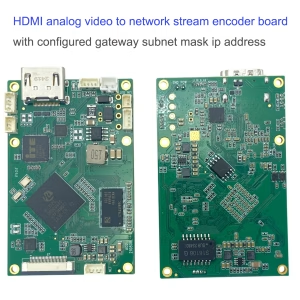
सीवीबीएस एचडीएमआई से आईपी एनकोडर
कॉन्फ़िगर गेटवे सबनेट मास्क आईपी पते के साथ नेटवर्क स्ट्रीम एनकोडर बोर्ड पर एचडीएमआई एनालॉग वीडियो
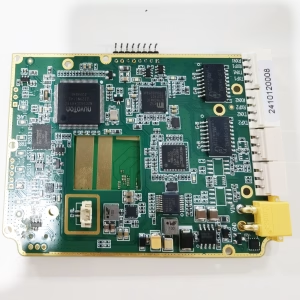


डीवीबी-टी आईपी एएसआई टीएस

एनकोडर मॉड्यूल बोर्ड









डिकोडर मॉड्यूल बोर्ड




अनुकूलन के लिए उपलब्ध है
नए एनकोडर उत्पाद
| नहीं. | प्रोडक्ट का नाम | विन्यास | प्रमुख विशेषताऐं | स्थिति |
|---|---|---|---|---|
| 1 | डुअल-चैनल USB UVC विज़िबल लाइट वीडियो एनकोडर | 2× यूएसबी इनपुट | दोहरी USB कैमरा वीडियो एन्कोडिंग का समर्थन करता है, और आरटीएसपी स्ट्रीमिंग; स्थानीय सीवीबीएस/एचडीएमआई आउटपुट; स्विच करने योग्य डिस्प्ले मोड | बड़े पैमाने पर उत्पादन |
| 2 | दोहरे चैनल एनकोडर (1× यूएसबी दृश्यमान लाइट + 1× यूएसबी थर्मल इमेजिंग कैमरा) | 2× यूएसबी इनपुट | डुअल यूएसबी कैमरा को सपोर्ट करता है (दृश्यमान + थर्मल) कब्जा, एन्कोडिंग, और आरटीएसपी स्ट्रीमिंग; स्थानीय सीवीबीएस/एचडीएमआई आउटपुट; स्विच करने योग्य डिस्प्ले मोड | बड़े पैमाने पर उत्पादन |
| 3 | आरटीएसपी डिकोडर एचडीएमआई/सीवीबीएस डिस्प्ले मॉड्यूल | HDMI + सीवीबीएस आउटपुट | 4×1080P@30fps तक RTSP स्ट्रीम डिकोडिंग का समर्थन करता है; वीडियो स्ट्रीमिंग प्रोटोकॉल अग्रेषण का समर्थन करें; एचडीएमआई/सीवीबीएस आउटपुट डिस्प्ले | नमूना उपलब्ध है |
| 4 | आरटीएसपी डिकोडर एचडीएमआई/सीवीबीएस डिस्प्ले मॉड्यूल के साथ 4.3"/5" एलसीडी | HDMI उत्पादन + एलसीडी स्क्रीन | 4×1080P@30fps तक RTSP स्ट्रीम डिकोडिंग का समर्थन करता है; प्रोटोकॉल अग्रेषण; एचडीएमआई/सीवीबीएस आउटपुट डिस्प्ले | डिबगिंग |
| 5 | दोहरे चैनल एनकोडर (1× यूएसबी दृश्यमान लाइट + 1× सीवीबीएस एनालॉग) | 1× सीवीबीएस + 1× यूएसबी यूवीसी इनपुट | दोहरी वीडियो (USB + CVBS), एन्कोडिंग और आरटीएसपी स्ट्रीमिंग; स्थानीय सीवीबीएस/एचडीएमआई आउटपुट; स्विच करने योग्य डिस्प्ले मोड | डिबगिंग |
| 6 | दोहरे चैनल एनकोडर (1× यूएसबी यूवीसी + 1× एएचडी एनालॉग) | 1× एएचडी + 1× यूएसबी यूवीसी इनपुट | दोहरी वीडियो कैप्चर (USB + ए.एच.डी), एन्कोडिंग और आरटीएसपी स्ट्रीमिंग; स्थानीय सीवीबीएस/एचडीएमआई आउटपुट; स्विच करने योग्य डिस्प्ले मोड | डिबगिंग |
| 7 | दोहरे चैनल एनकोडर (1× सीवीबीएस + 1× एएचडी एनालॉग वीडियो) | CVBS + ए.एच.डी 2 वीडियो इनपुट | दोहरी एनालॉग वीडियो कैप्चर, एन्कोडिंग और आरटीएसपी स्ट्रीमिंग; स्थानीय सीवीबीएस/एचडीएमआई आउटपुट; स्विच करने योग्य डिस्प्ले मोड | डिबगिंग |
| 8 | दोहरे चैनल एनकोडर (1× सीएमओएस कैमरा + 1× यूएसबी थर्मल इमेजिंग कैमरा) | 1× यूएसबी इंटरफ़ेस | सीएमओएस का समर्थन करता है + यूएसबी थर्मल कैमरा कैप्चर, एन्कोडिंग और आरटीएसपी स्ट्रीमिंग; स्थानीय सीवीबीएस/एचडीएमआई आउटपुट; स्विच करने योग्य डिस्प्ले मोड | बड़े पैमाने पर उत्पादन |
अनुकूलित वीडियो इनपुट/आउटपुट रूपांतरण समाधानों के लिए जो हमारे उत्पादों में सूचीबद्ध नहीं हैं, OEM/ODM समर्थन के लिए कृपया हमसे संपर्क करें. हम आपकी आवश्यकताओं के आधार पर अनुरूप उत्पाद विकसित कर सकते हैं.
iVcan.com –
यह COFDM मॉड्यूल पेशेवर-ग्रेड रीढ़ है जिसकी हमारी लाइव प्रोडक्शन टीम को सख्त जरूरत है! हमने इस कॉम्पैक्ट इकाई के साथ एक भारी $10K रिग को बदल दिया, 3 किमी शहरी अराजकता में ड्रोन और रैली कारों से एचडीएमआई/सीवीबीएस के माध्यम से शून्य-विलंबता 1080पी वीडियो स्ट्रीमिंग. AES-256 एन्क्रिप्शन ने एक हाई-प्रोफाइल आपातकालीन घटना के दौरान फ़ीड को सुरक्षित रखा, जबकि अंतर्निहित बिट-त्रुटि सुधार ने कंक्रीट संरचनाओं और बारिश के माध्यम से क्रिस्टल स्पष्टता बनाए रखी. सेटअप में कुछ मिनट लगे: अभी-अभी कैमरे को AV/HDMI इनपुट से जोड़ा गया है, आरएफ पैरामीटर सेट करें, और स्ट्रीम हिट करें. प्रसारकों के लिए, पहली उत्तरदाता, या औद्योगिक निरीक्षणों में छेड़छाड़-प्रूफ की आवश्यकता होती है, सैन्य-ग्रेड सुरक्षा के साथ लंबी दूरी का एचडी वीडियो, यह मॉड्यूल पारंपरिक लागत के एक अंश पर त्रुटिहीन प्रदर्शन प्रदान करता है!