UAVビデオデータエアトランスミッターとグランドレシーバーを構成する方法, 以下のモデルの適切です.
$722.00 – $1,250.00価格帯: $722.00 を通して $1,250.00
UAVビデオデータエアトランスミッターを構成する方法
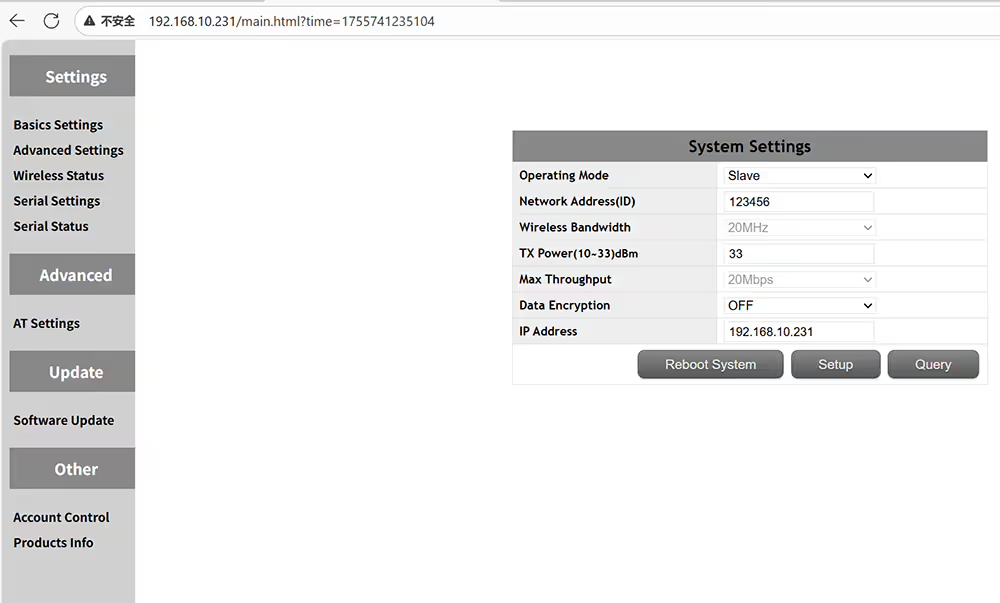 空気ユニットUAVビデオデータ送信機を設定する方法
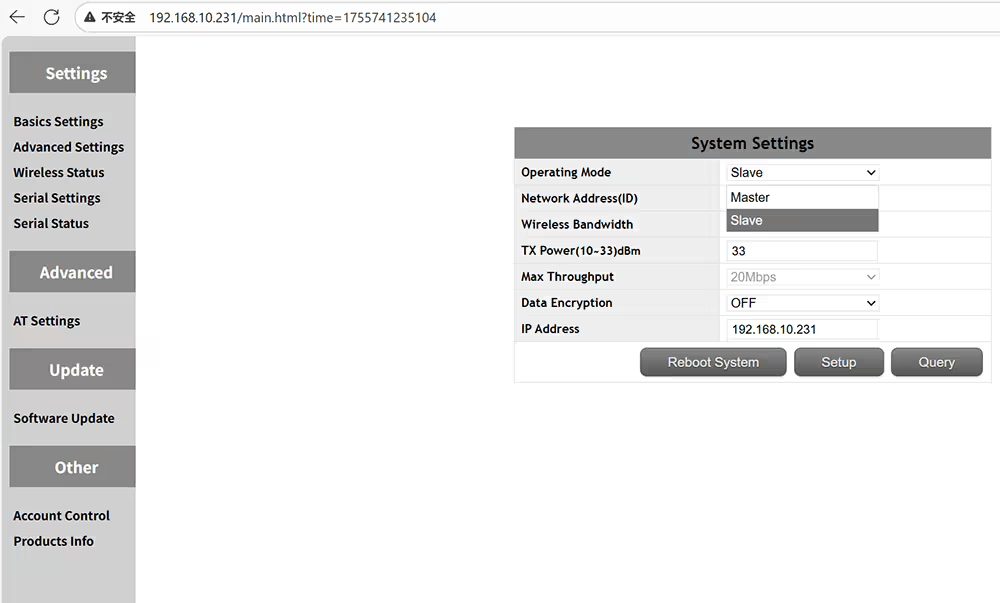 マスターはセントラルノードを意味しますグラウンドレシーバースレーブはアクセスノードを意味しますエアトランスミッター
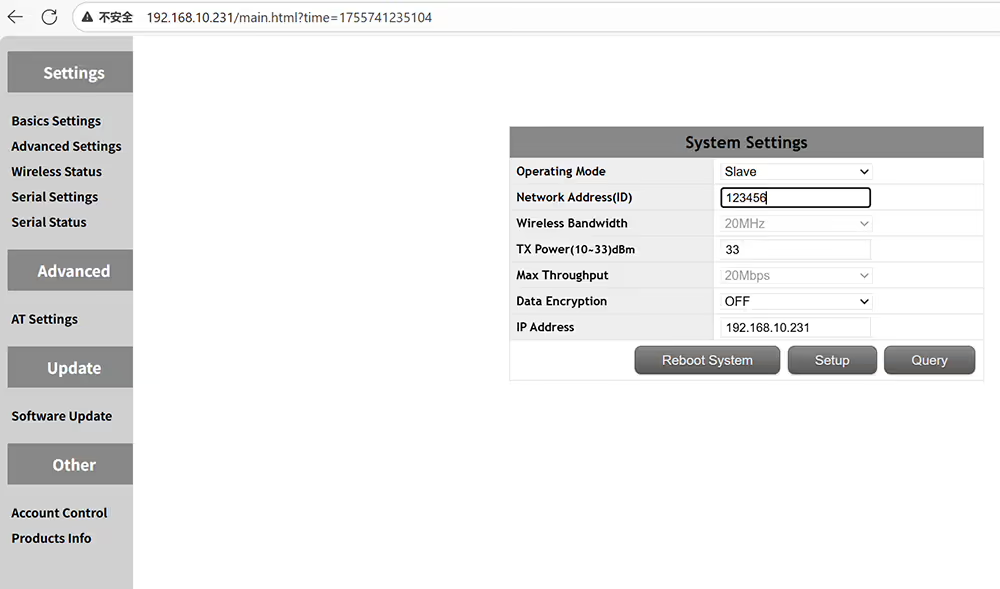 送信機と受信機をペアリングする場合は、同じIDを設定してください
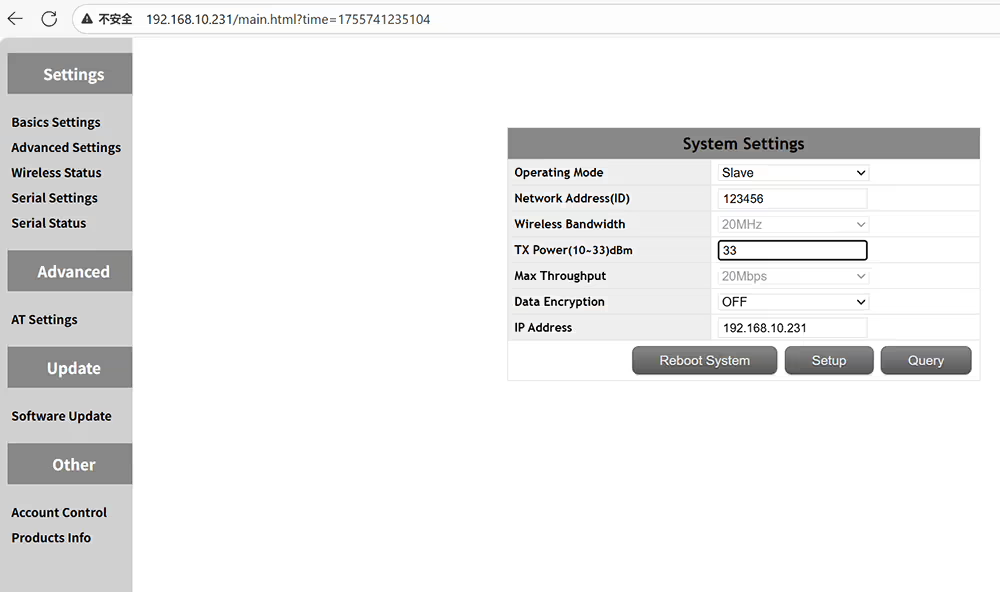 出力アンプは 2 ワット
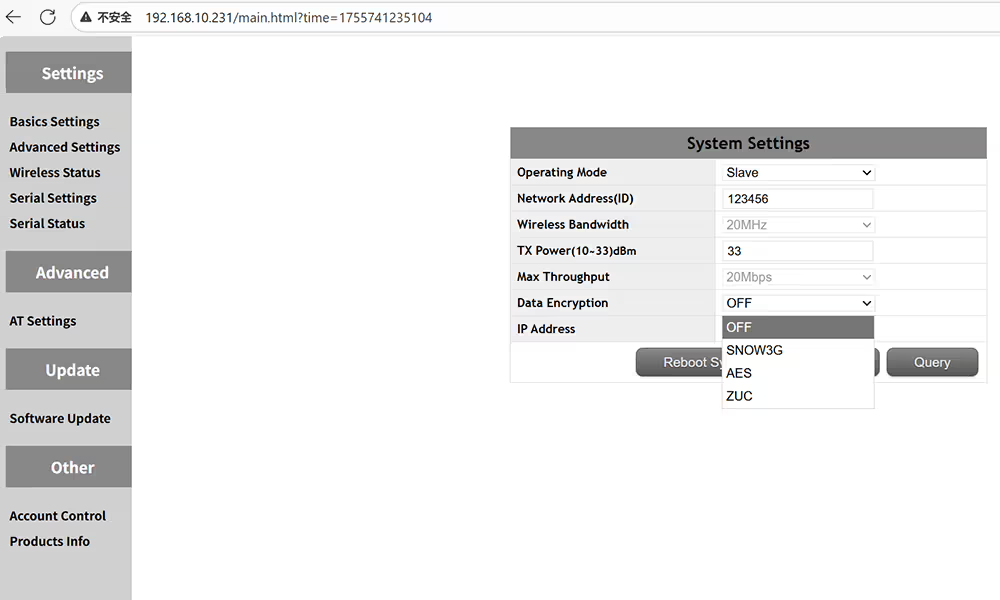 オプションの暗号化方法Snow3g Aes Zuc
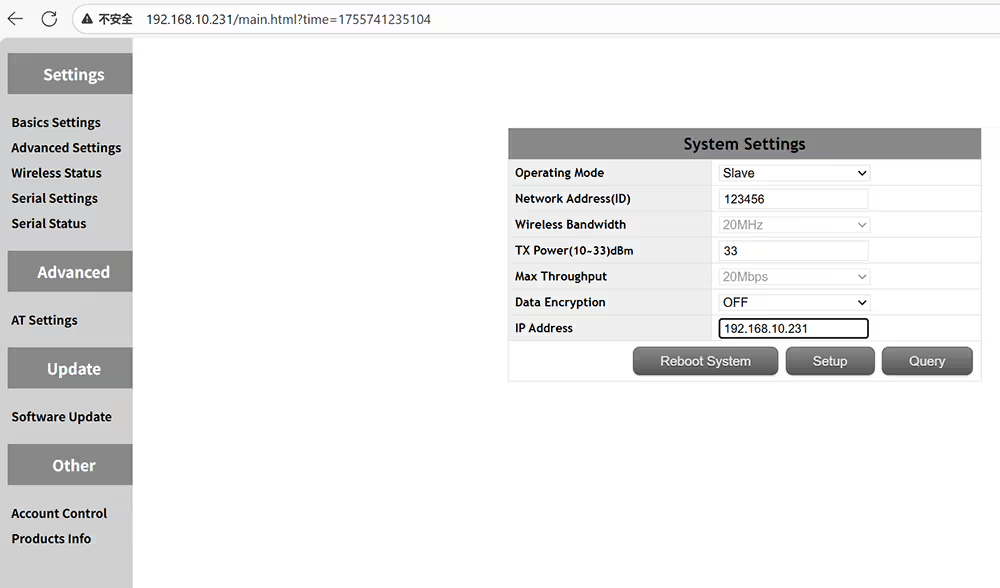 デバイスのIPアドレスをカスタマイズし、同じネットワークセグメントで確認する
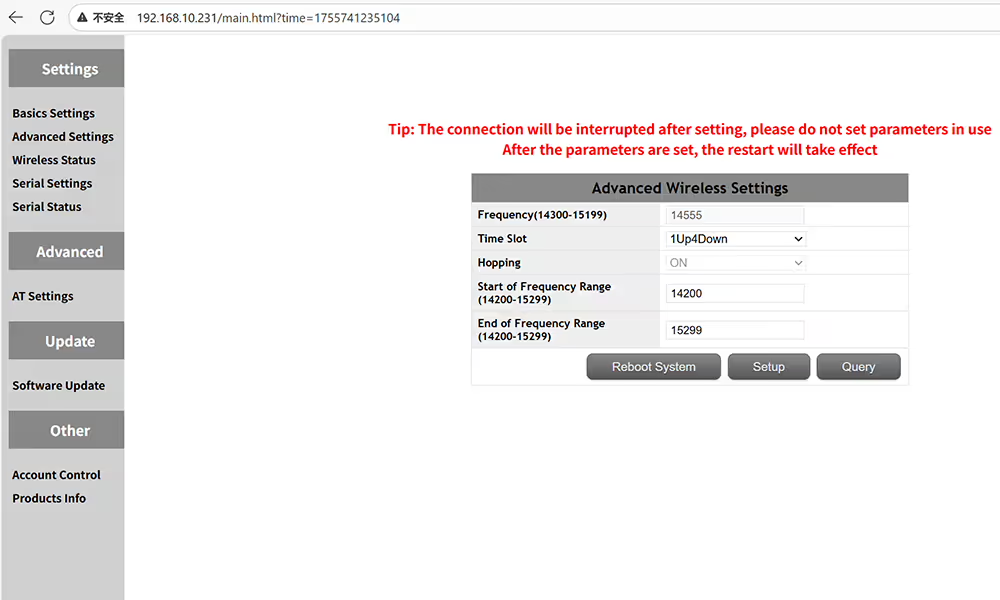 空気側の周波数とタイムスロットの高度な設定
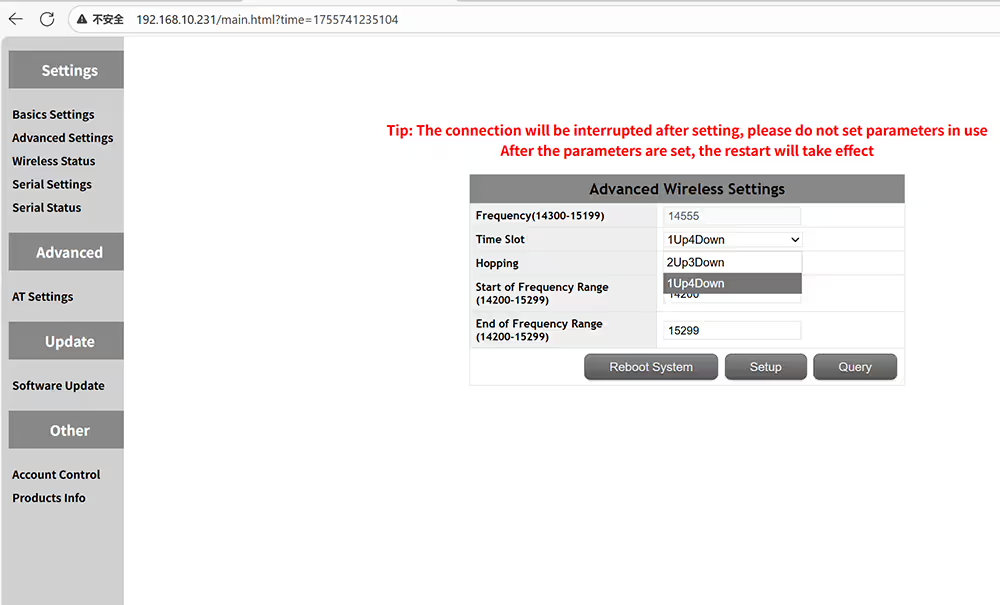 マスターとスレーブタイムスロットが同じであることを確認してください
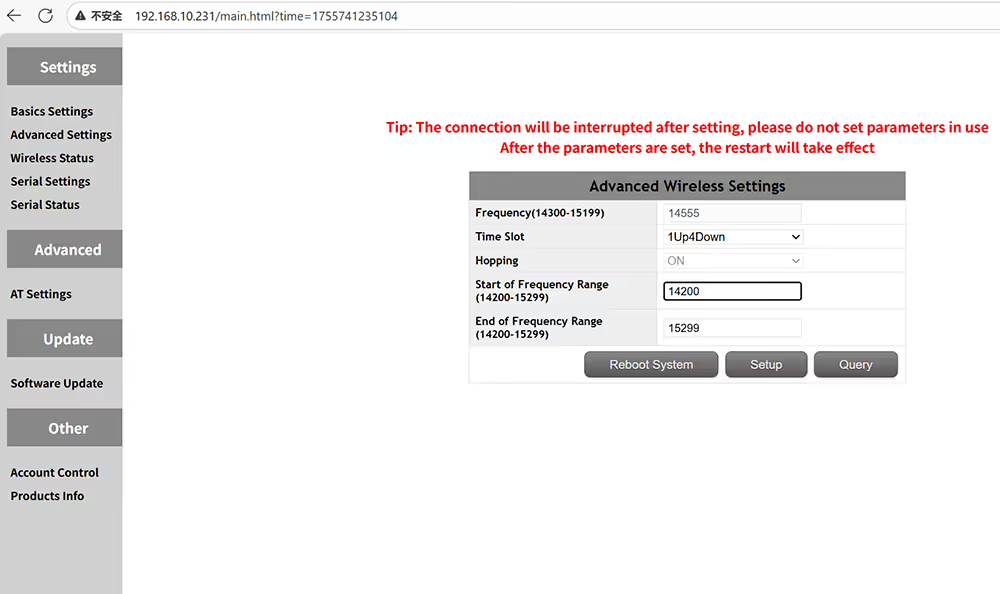 動作周波数範囲の開始周波数を設定します
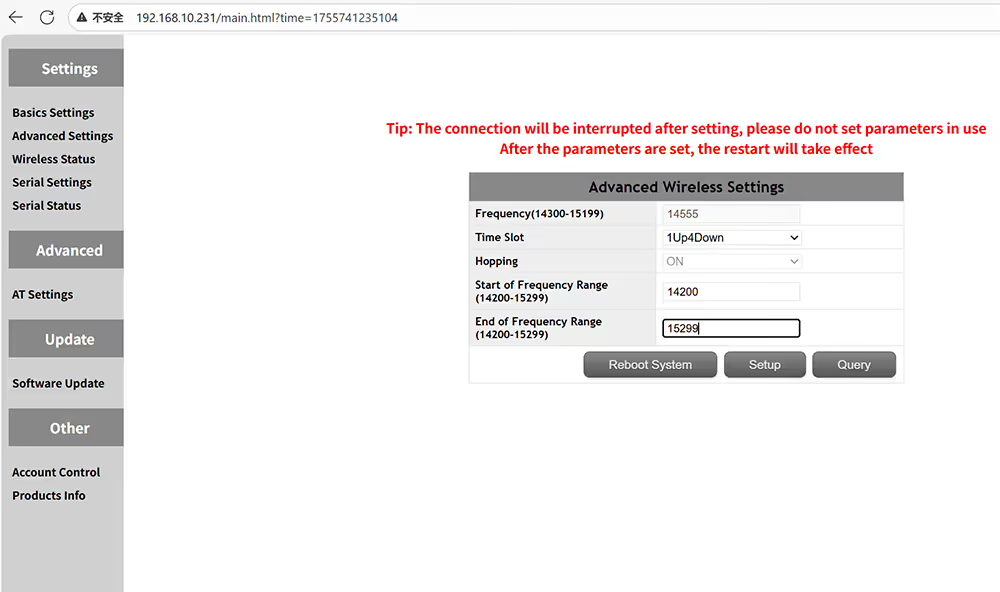 動作周波数範囲の終了周波数を設定します
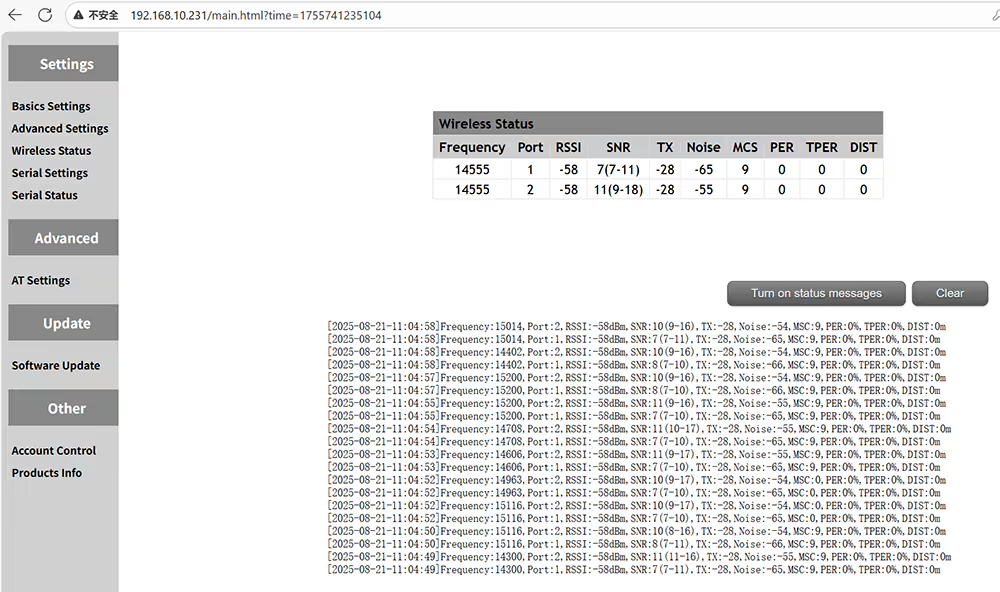 クエリ距離あたりの周波数RSSI SNRノイズMSCを含むワイヤレスステータス
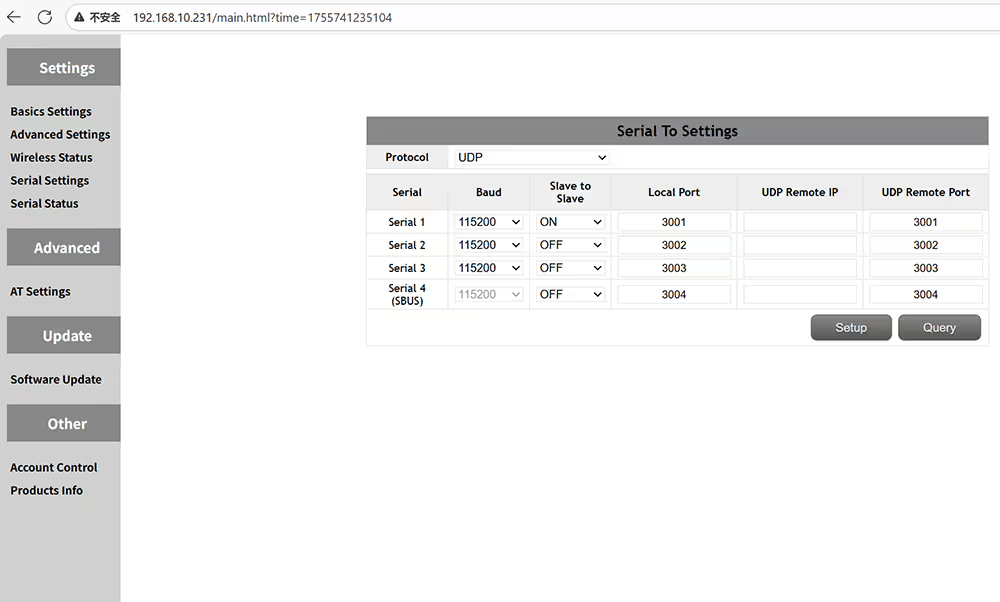 データシリアルポート定義設定
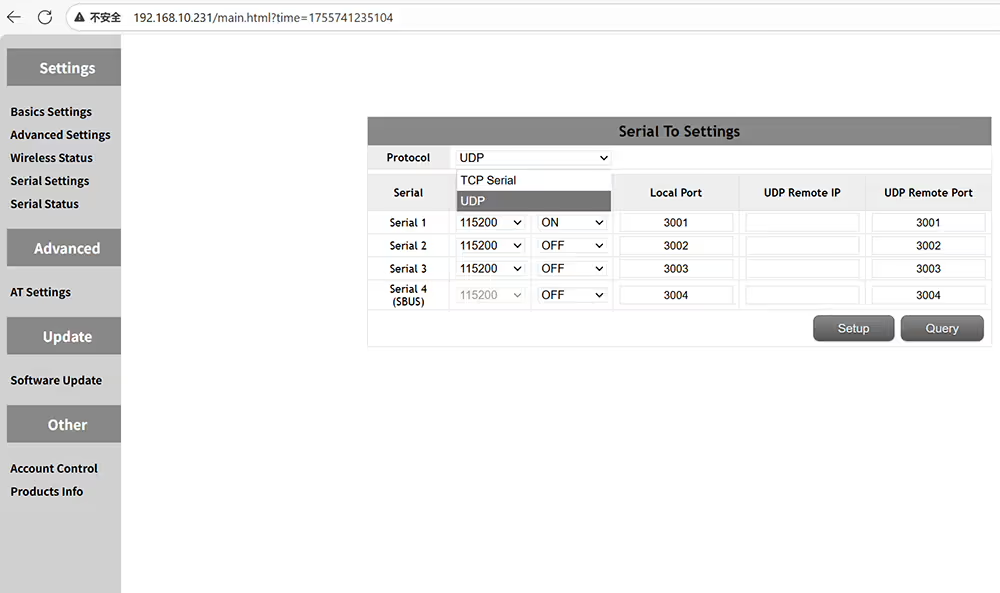 サポートされているプロトコルはTCPおよびUDPです
 サポートされているボーレートには含まれます 9600, 19200, 38400, 57600, 115200, 230400, そして 460800
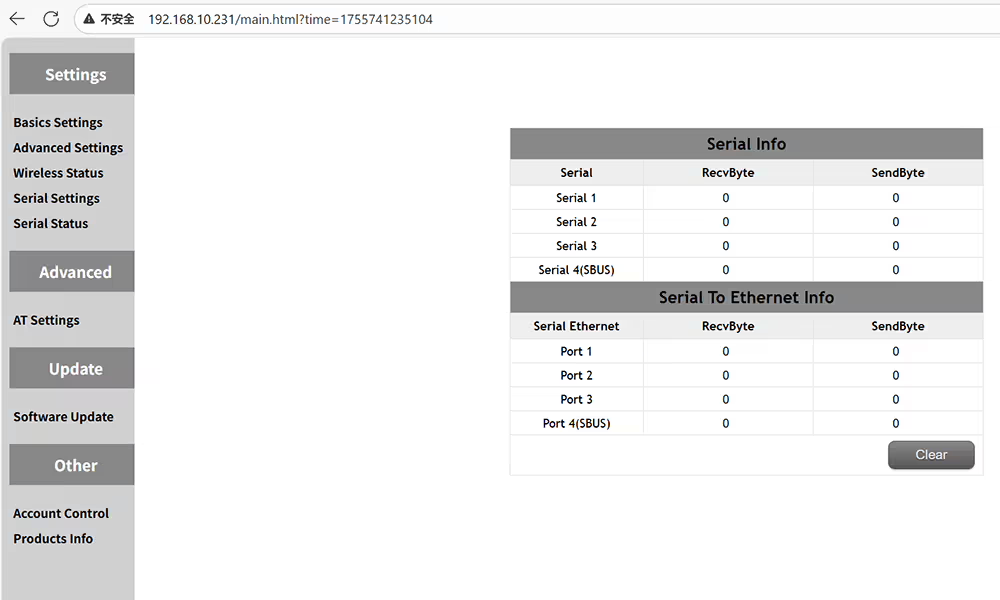 シリアルポートのステータスを確認してください, 送信および受信したデータの量など
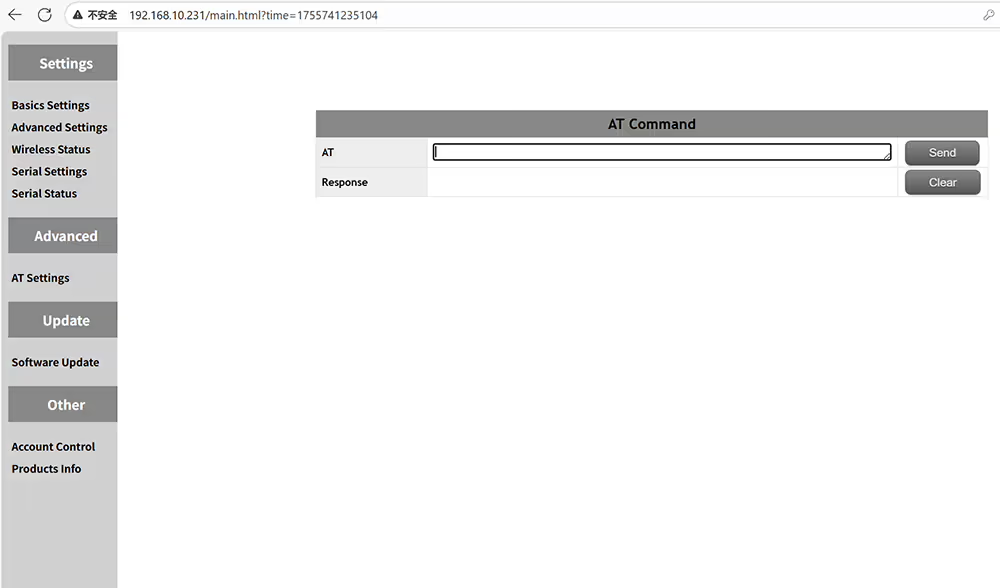 より多くの関数情報を取得するには、コマンドで送信します
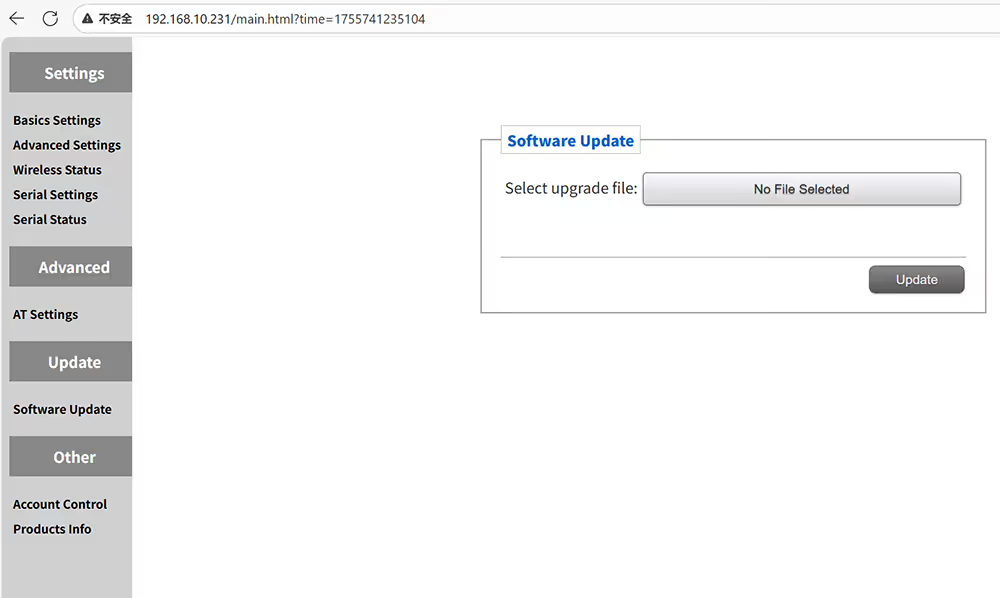 UAVのビデオデータトランシーバーをアップグレードします
 Web UI管理ページのユーザー名とパスワードを変更する
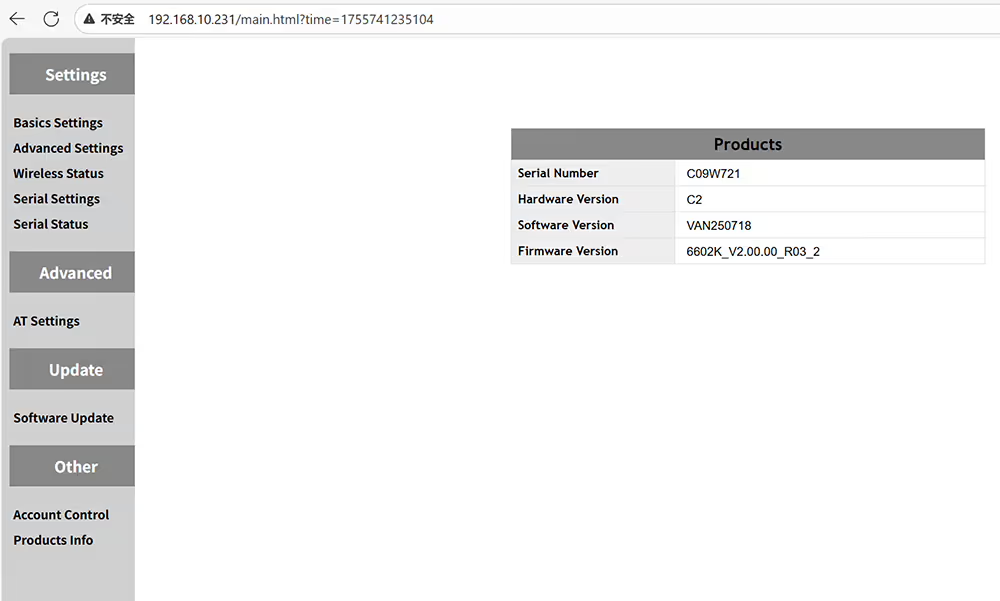 現在のデバイスのハードウェアとソフトウェア情報をクエリする
UAVビデオデータグラウンドレシーバーを構成する方法
 役割ID帯域幅を設定する方法TXパワー暗号化グラウンドレシーバーのIPアドレス
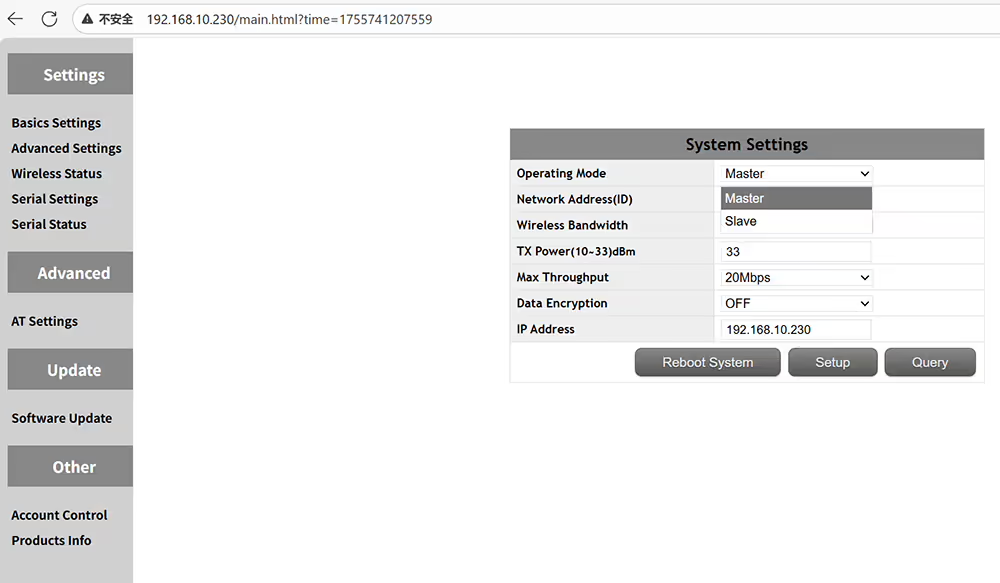 ドローングランドレシーバーはマスターで、エアトランスミッターは奴隷です
 ペアリングには同じIDのみを使用できます
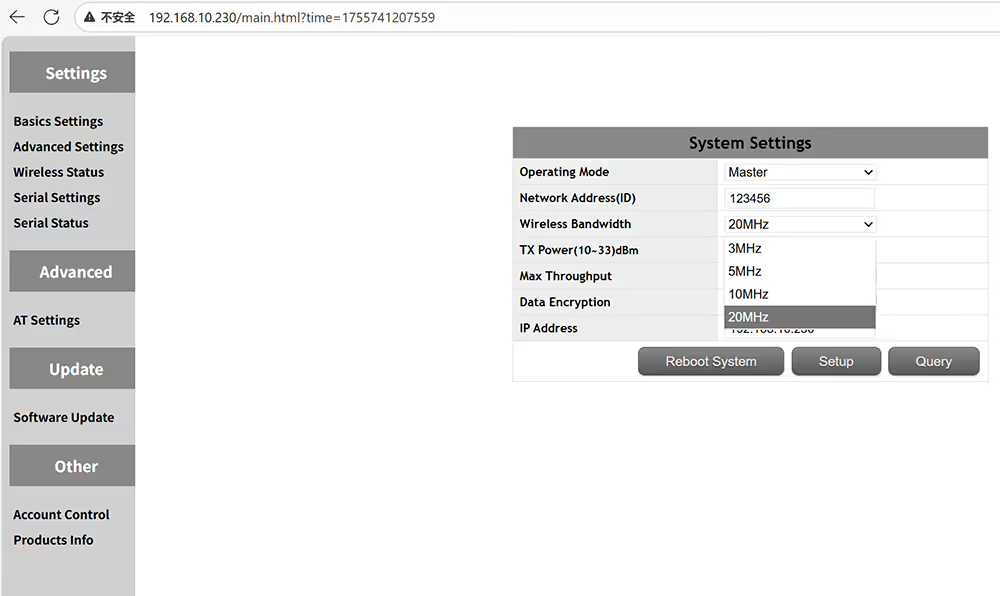 オプショントランスミッションワイヤレス帯域幅3MHz 5MHz 10MHz 20MHz
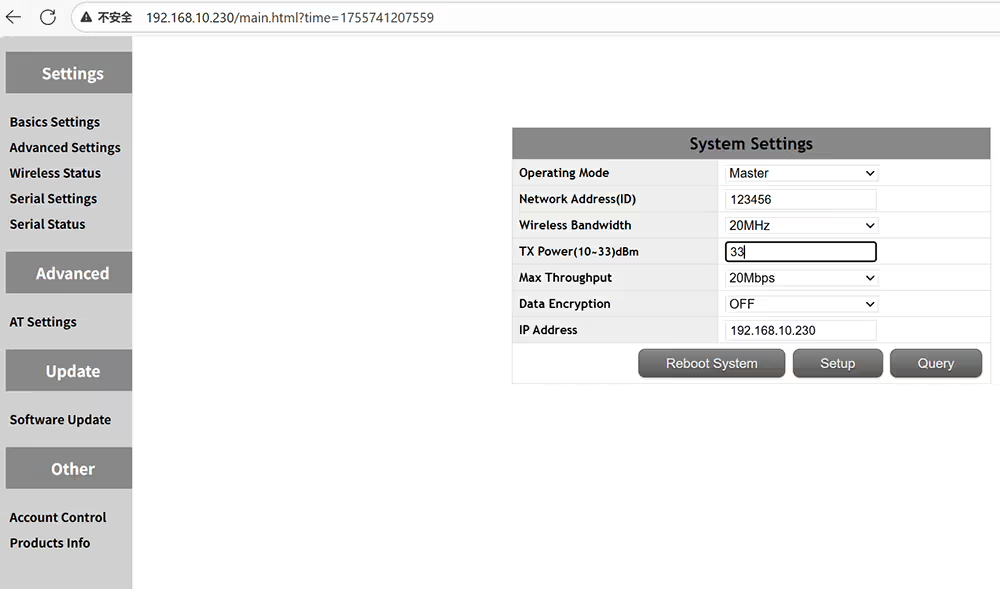 からのオプションの送信電力出力 10-33 dBmの
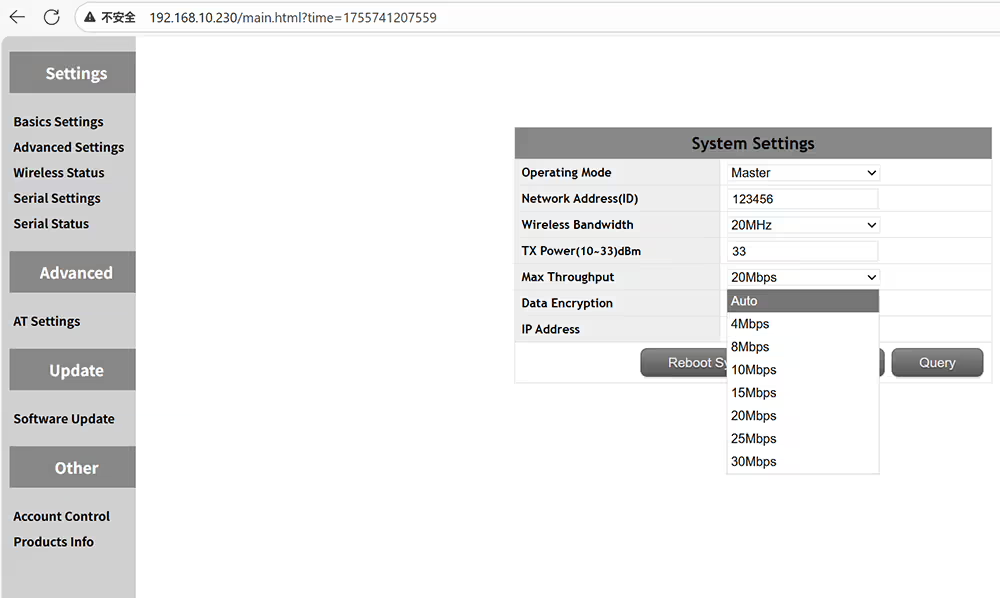 オプショントランスミッションマックススループットオート4-8-10-15-20-25-30Mbps
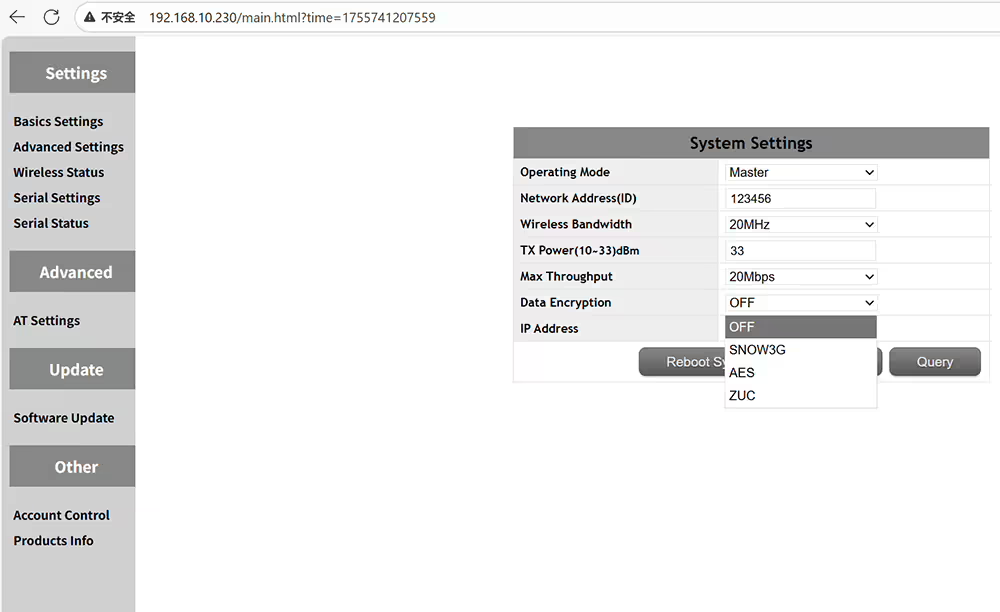 オプションのデータ暗号化方法Snow3g Aes Zuc
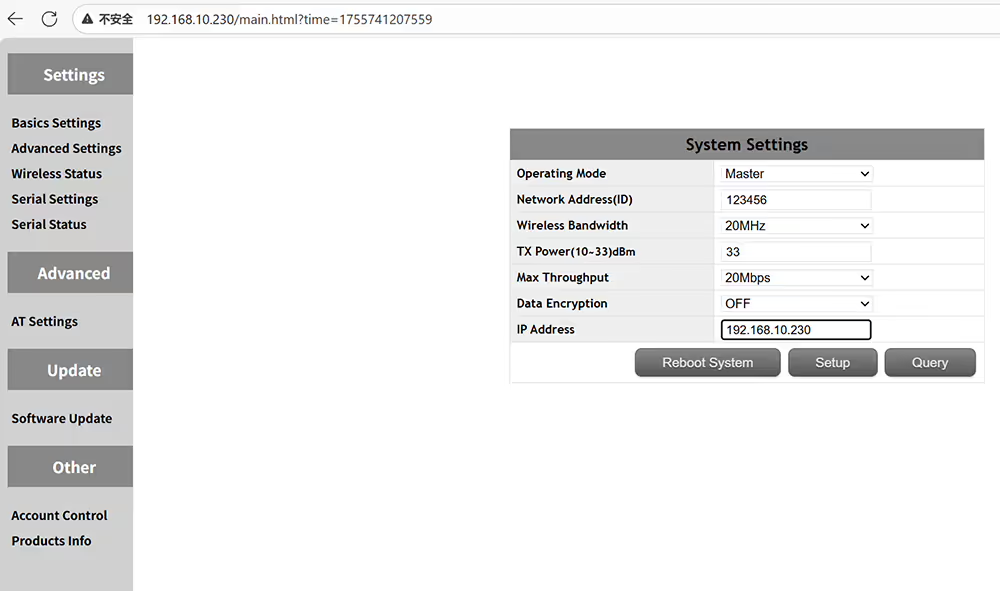 IPアドレスを設定します + エアトランスミッターと同じネットワークセグメントで必要です
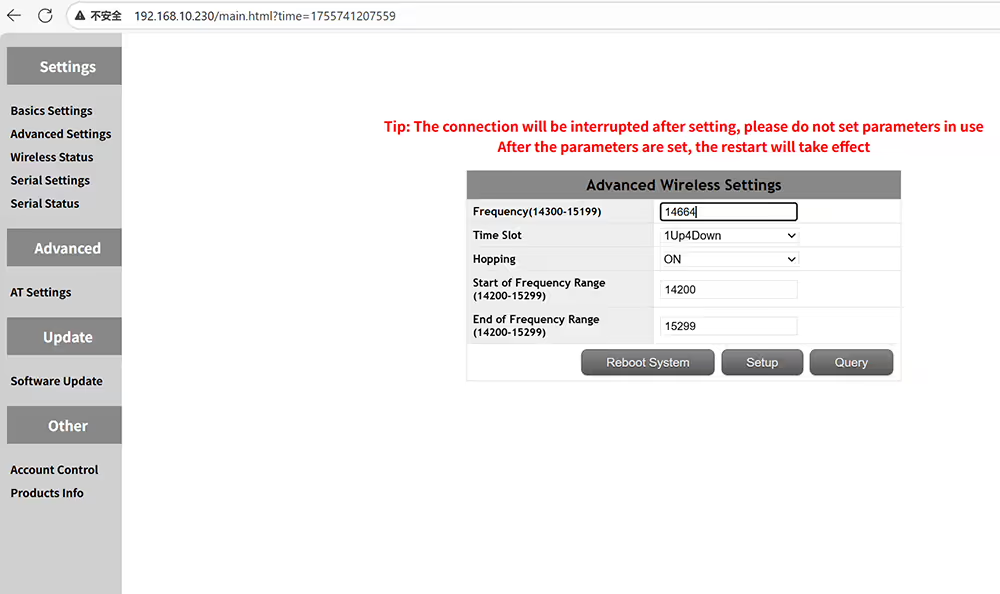 周波数ホッピングオフになり、作業周波数を修正できます
 P2Pの1UP4Downに設定されたタイムスロットまたはリレーネットワークの2UP3Down
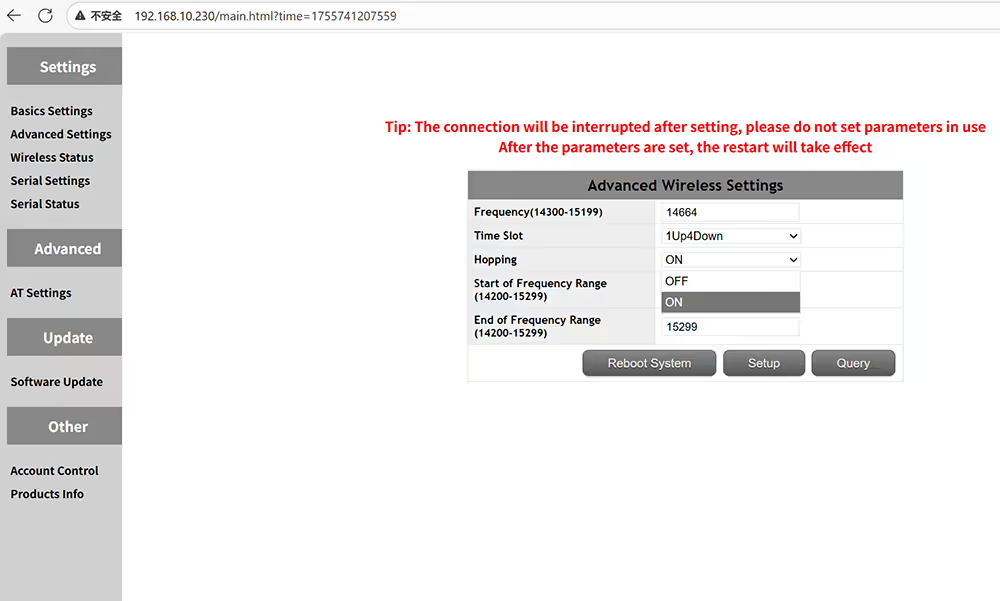 FHSS ONまたはOFF ON OFF FREERCING HOPPINGがジャミングを避けることを可能にします
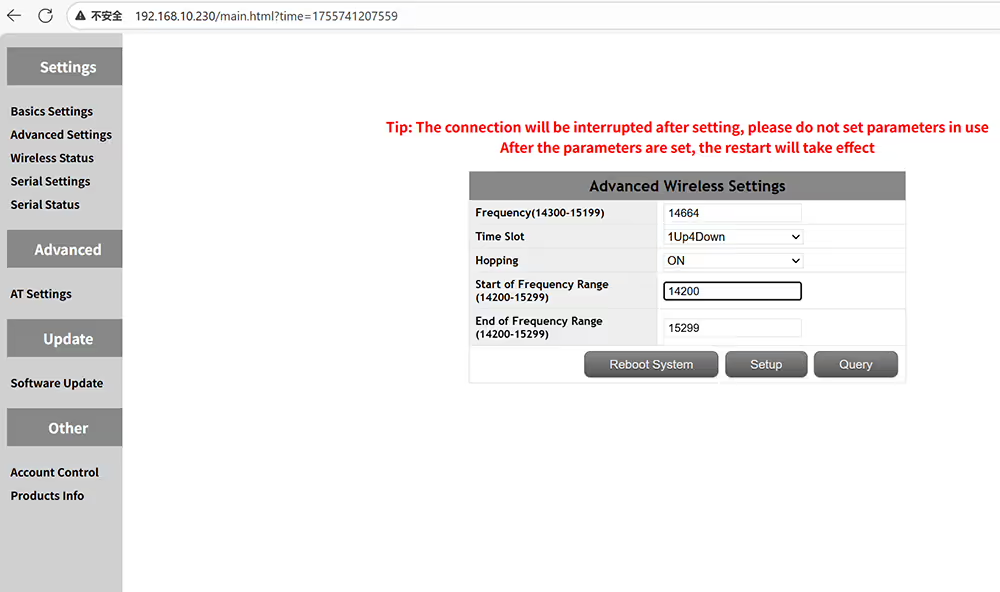 伝送周波数範囲の開始周波数を手動で入力する
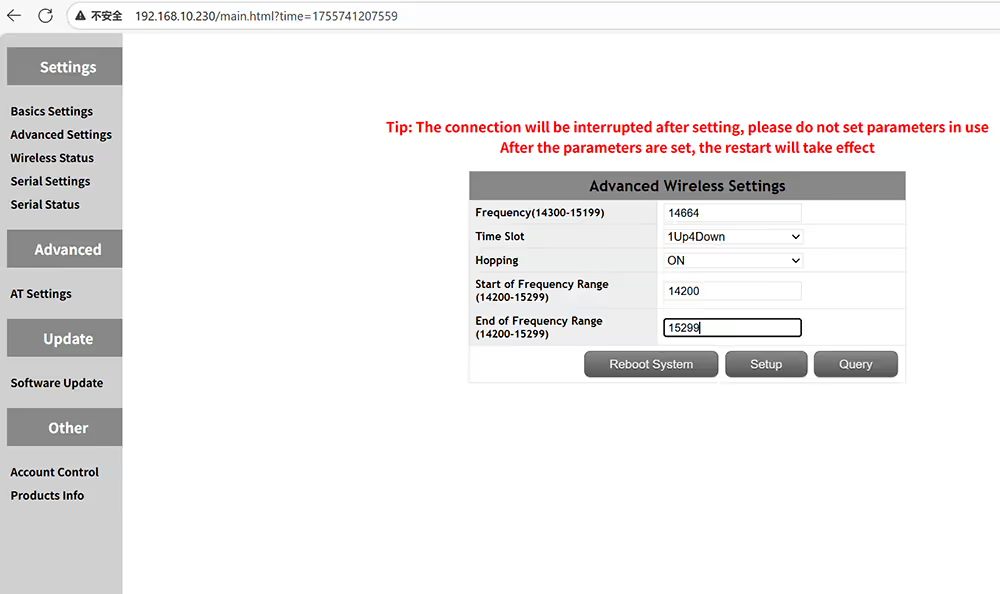 トランスミッション周波数範囲のエンド周波数を手動で入力する
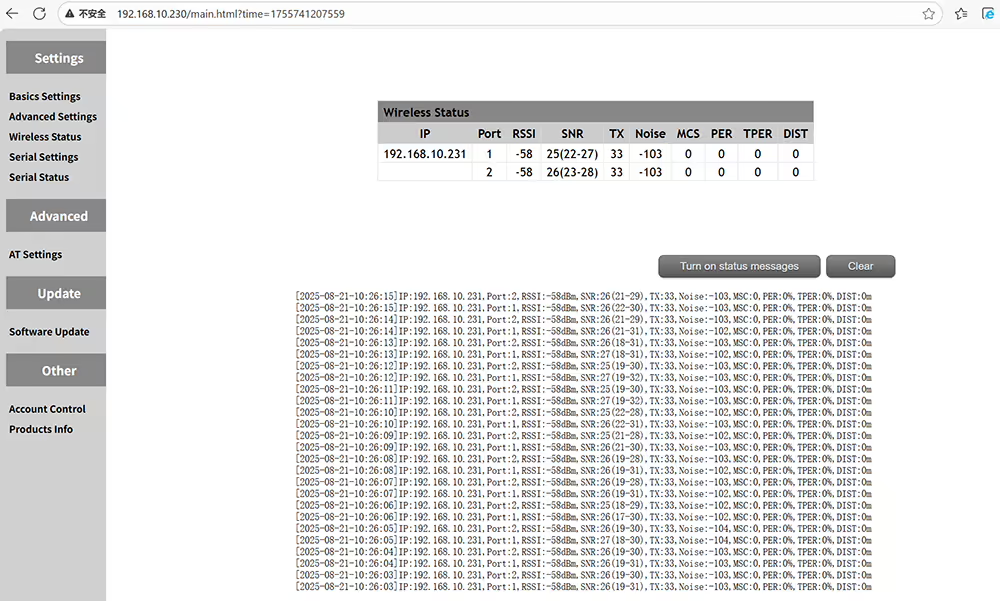 RSSI SNRおよびトランスミッション距離のワイヤレスステータス
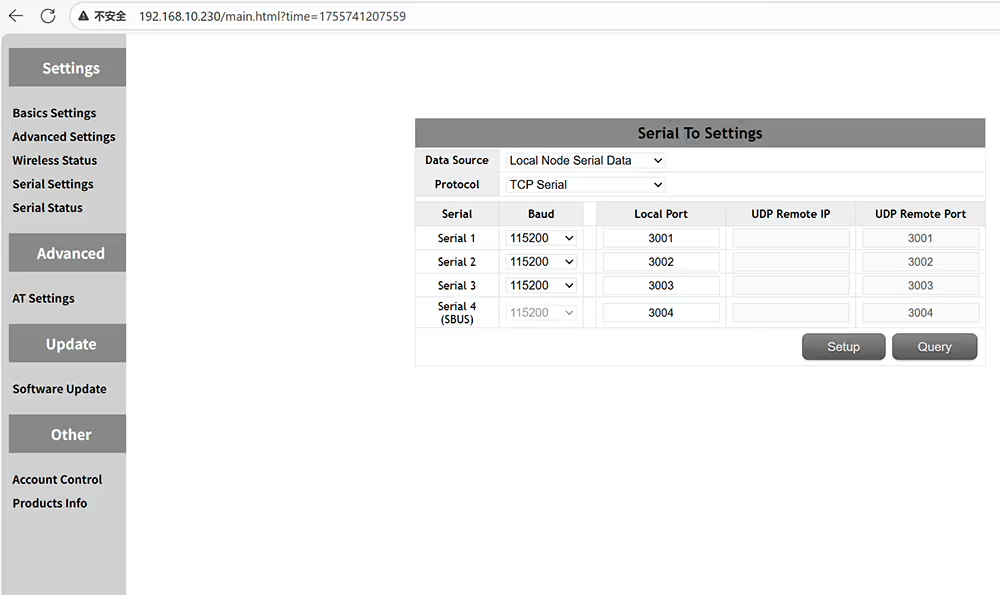 4つのシリアルポートはボーレートとポート番号を設定できます
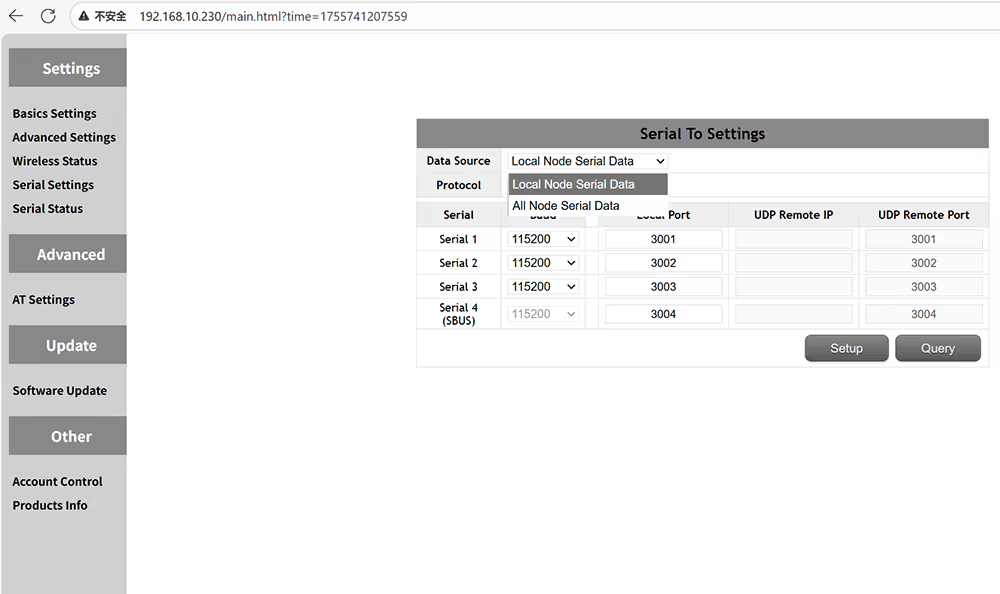 ローカルノードシリアルデータまたはすべてのノードシリアルデータ
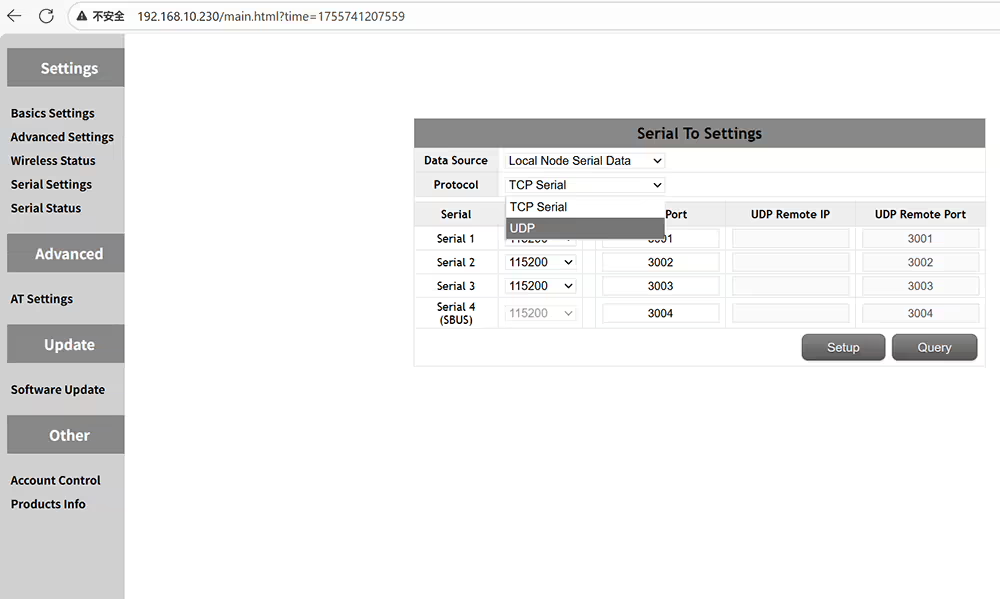 UDPまたはTCPシリアルプロトコルを選択します
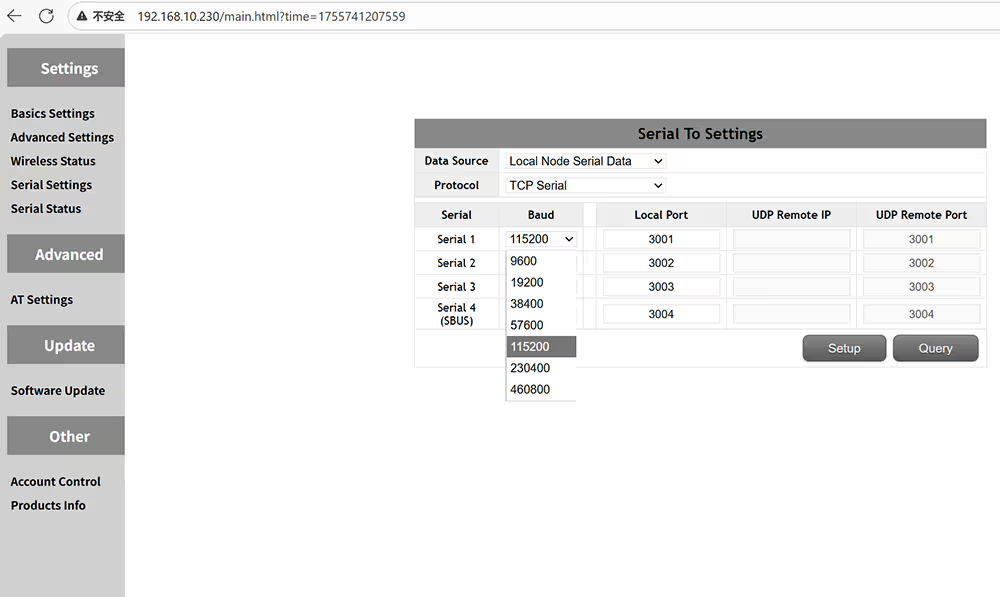 フライトコントローラーまたはデバイスの仕様に応じてボーレートを変更する
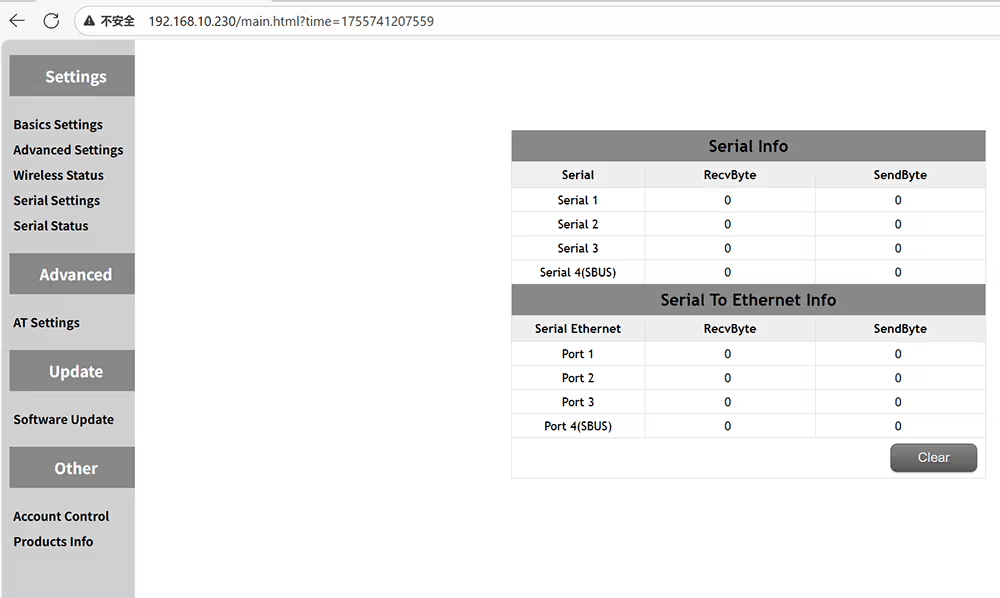 送信機と受信機のデータ送信と受信のステータスを確認します
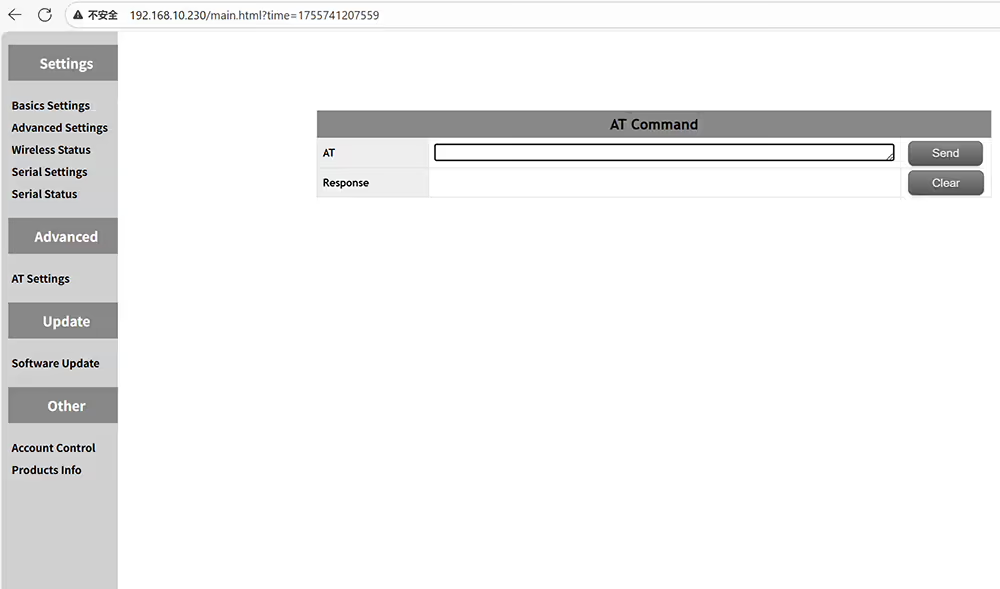 コマンドでは、追加の機能を照会または実行するために使用できます
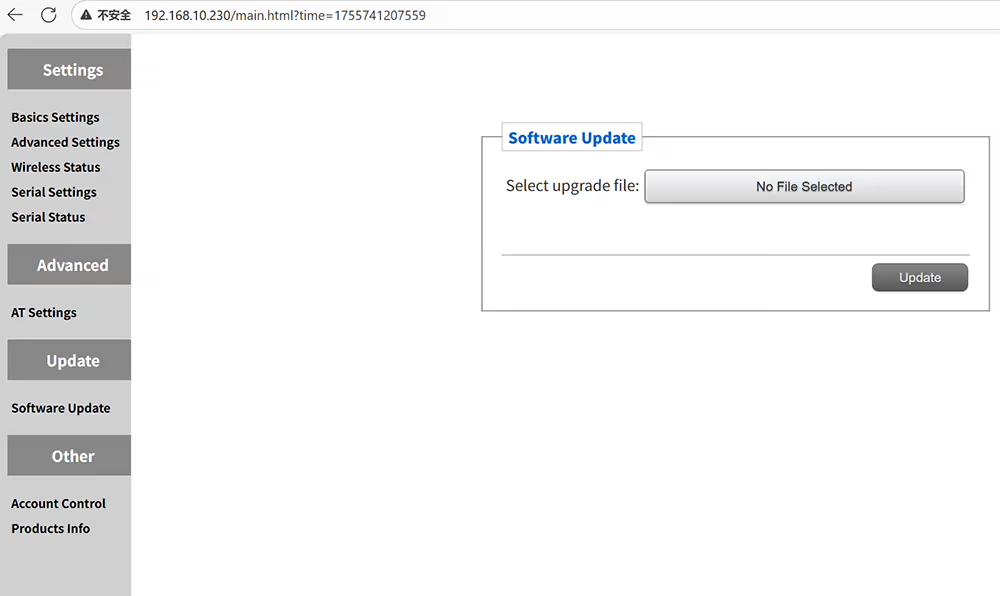 最新のファームウェアにアップグレードできます
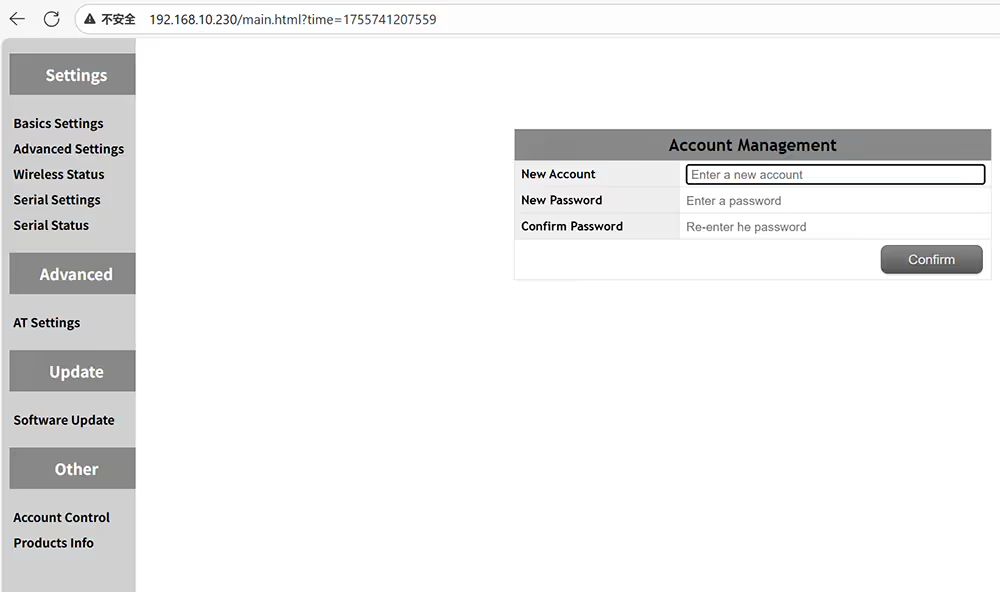 許可されていないアクセスと変更を防ぐために、管理パネルのパスワードを設定します
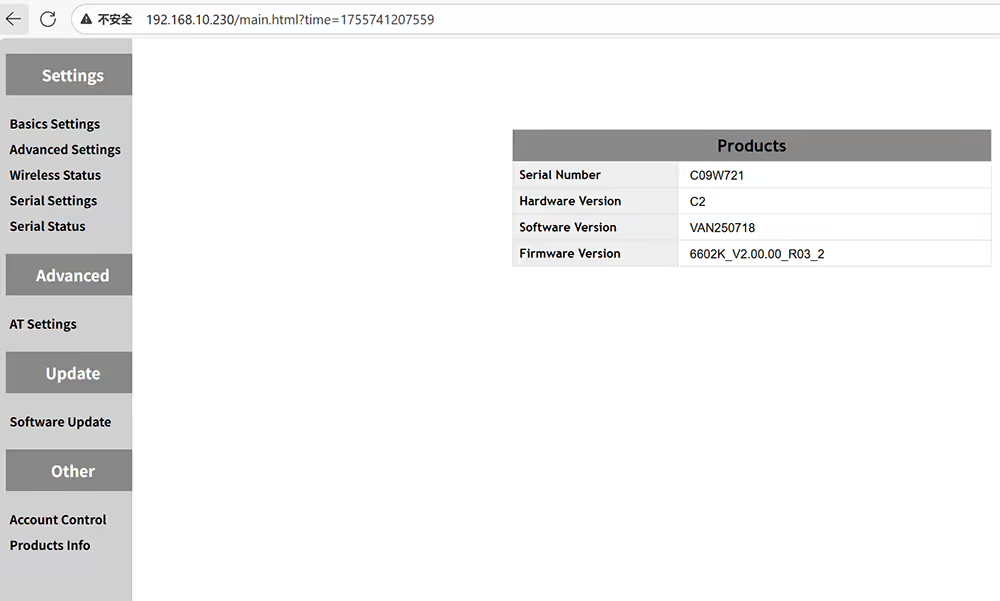 デバイスのハードウェアソフトウェアとファームウェアバージョンを確認してください
$722.00 – $1,250.00価格帯: $722.00 を通して $1,250.00







質問する
ご回答をありがとうございました。 ✨