$1,200.00Orihinal na presyo ay: $1,200.00.$410.00Ang kasalukuyang presyo ay: $410.00.
Paano I -configure ang UAV Video Data Air Transmiter
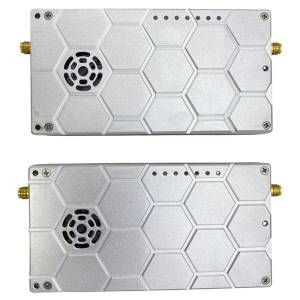
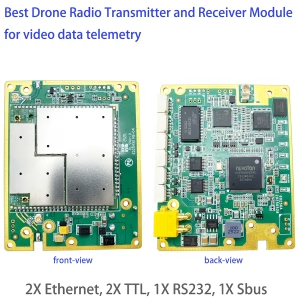
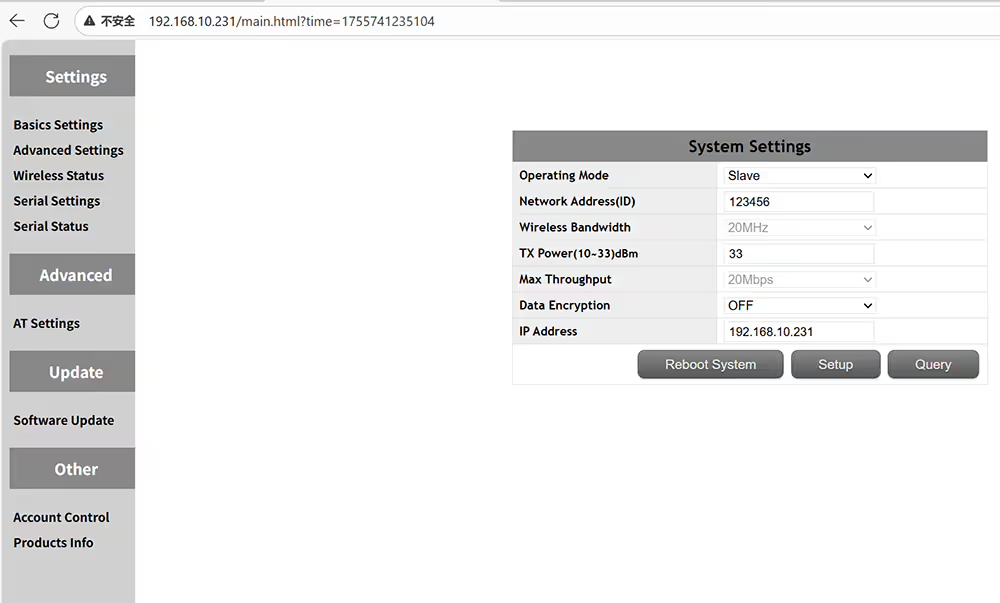
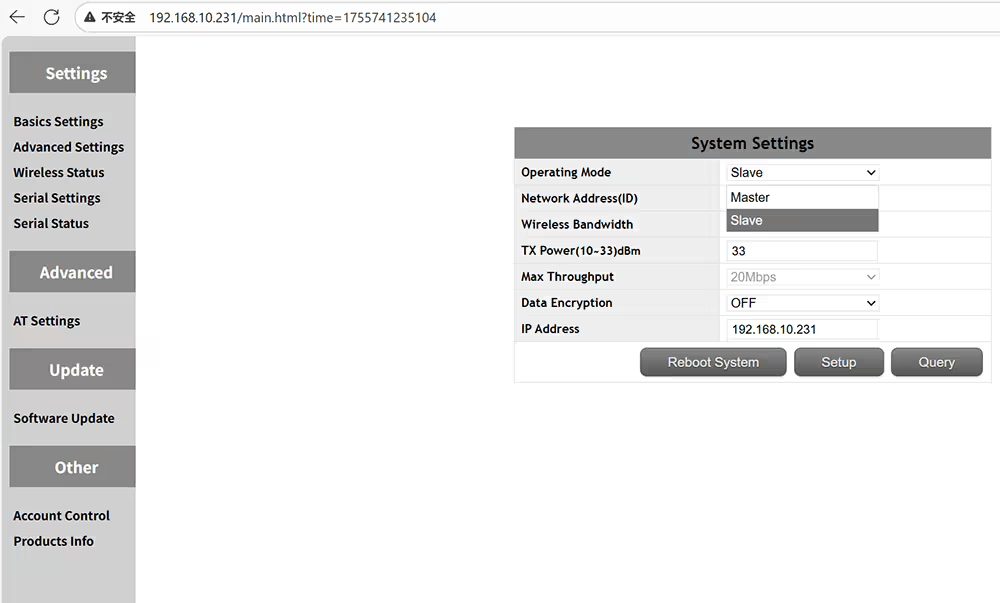
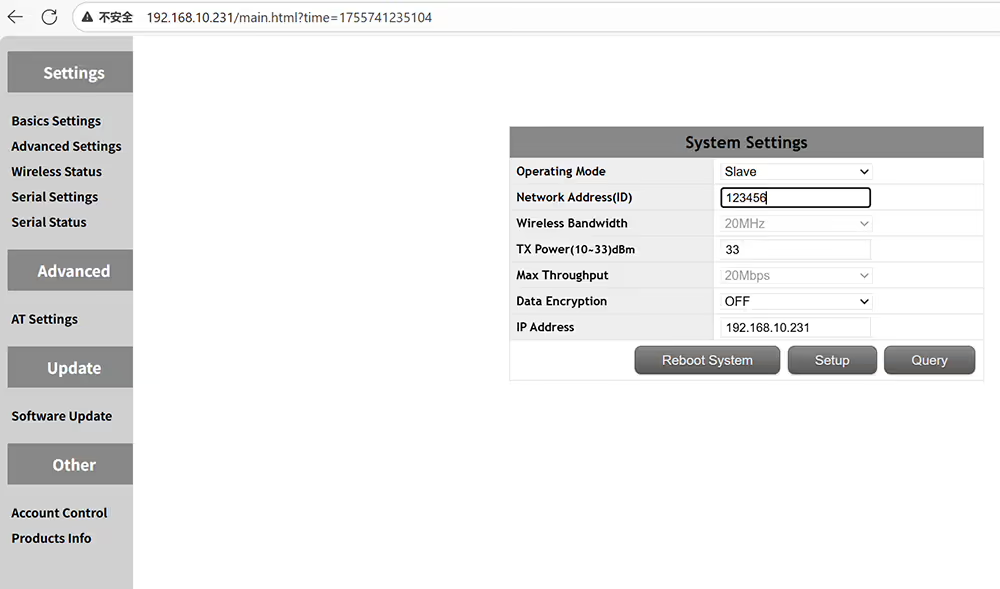
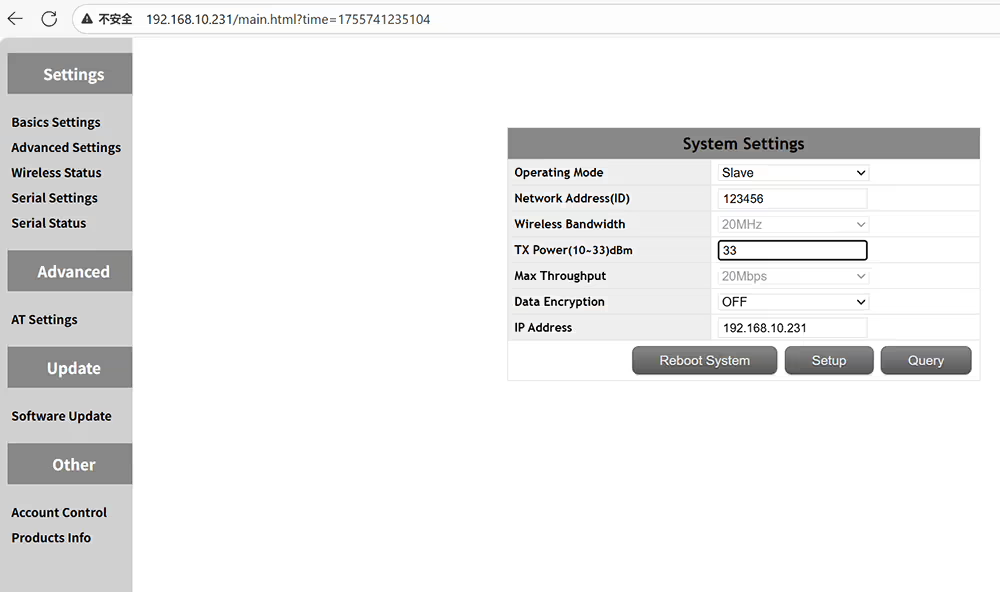
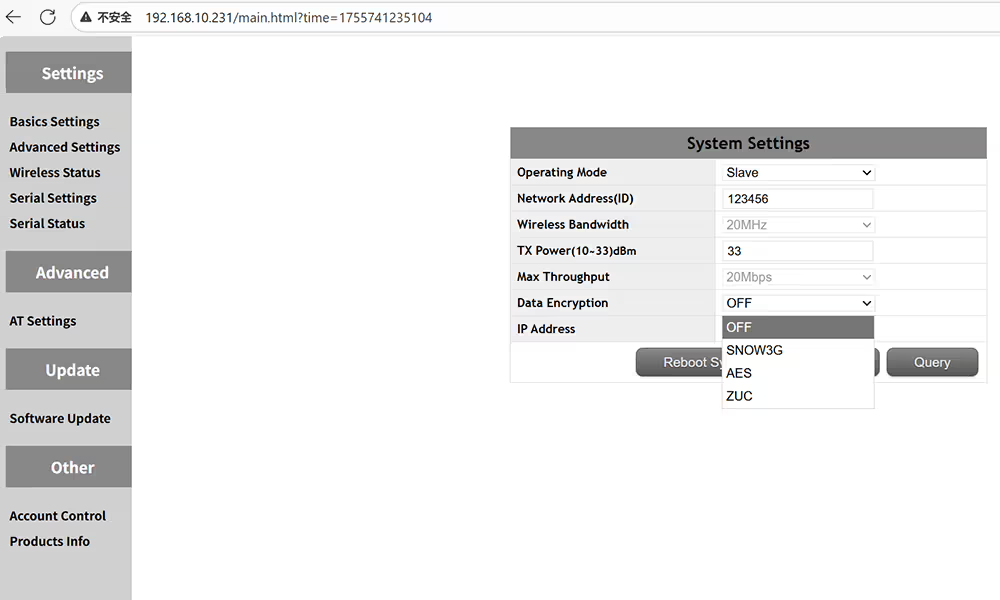
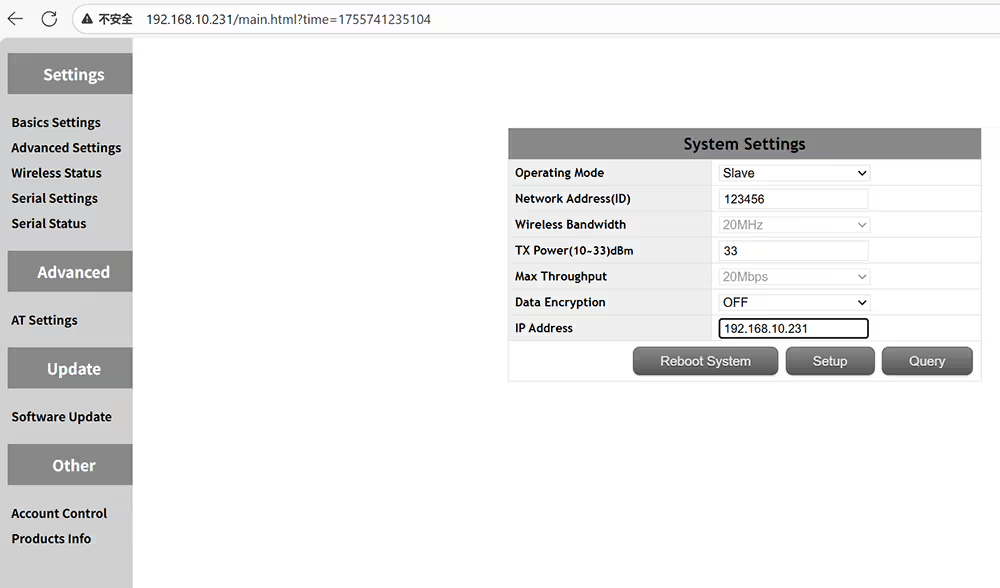
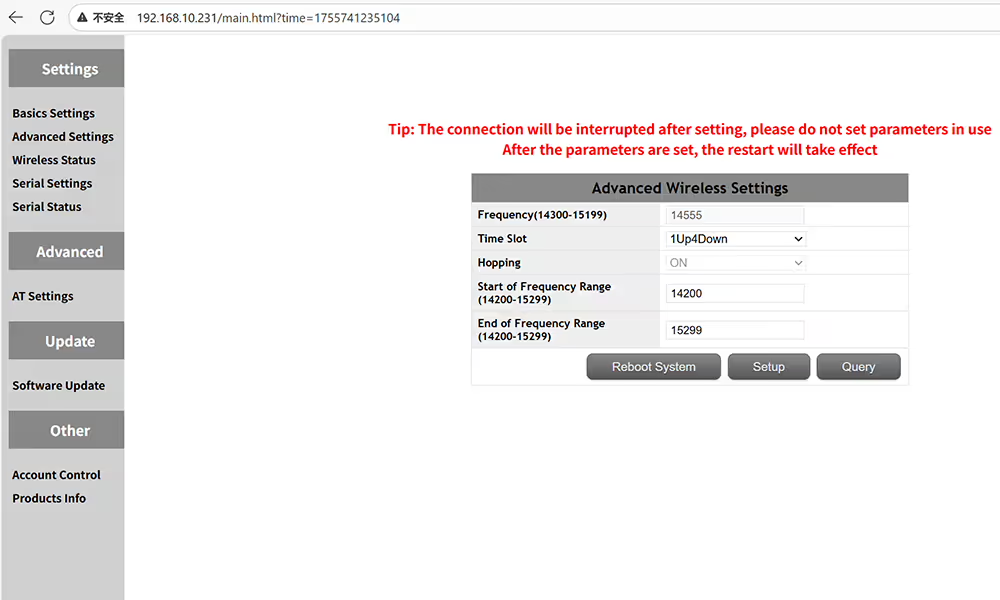
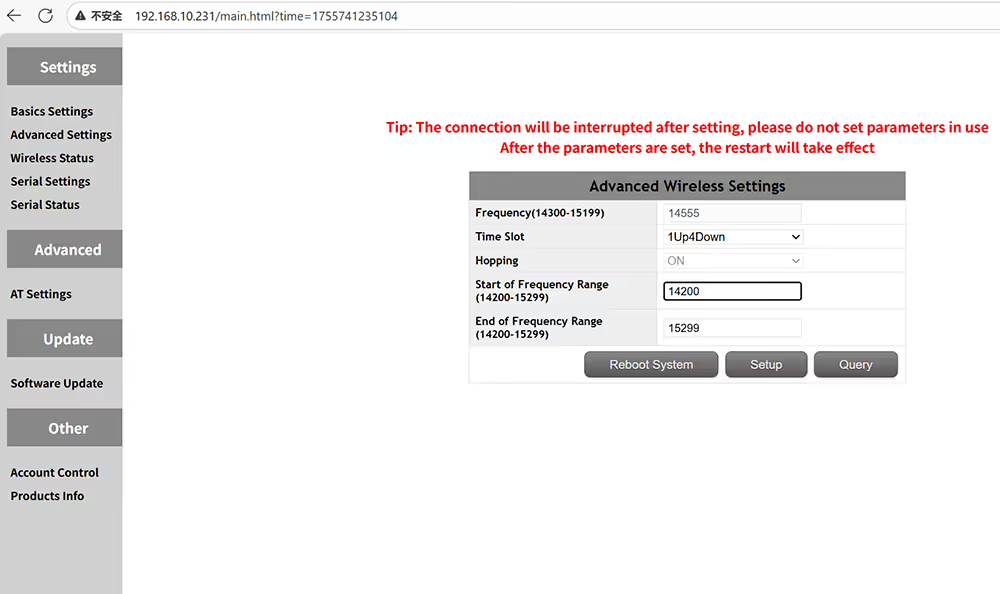
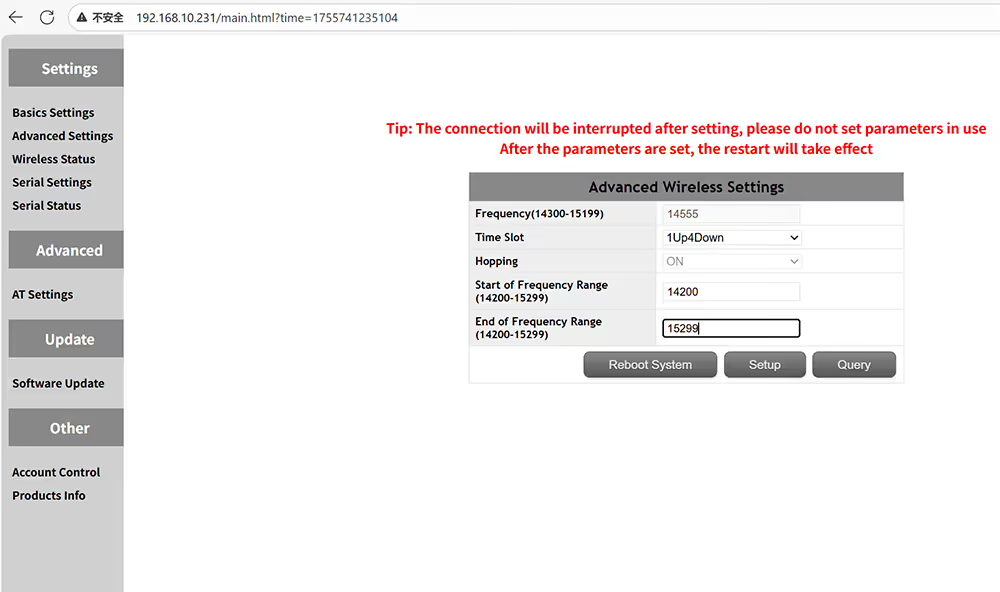
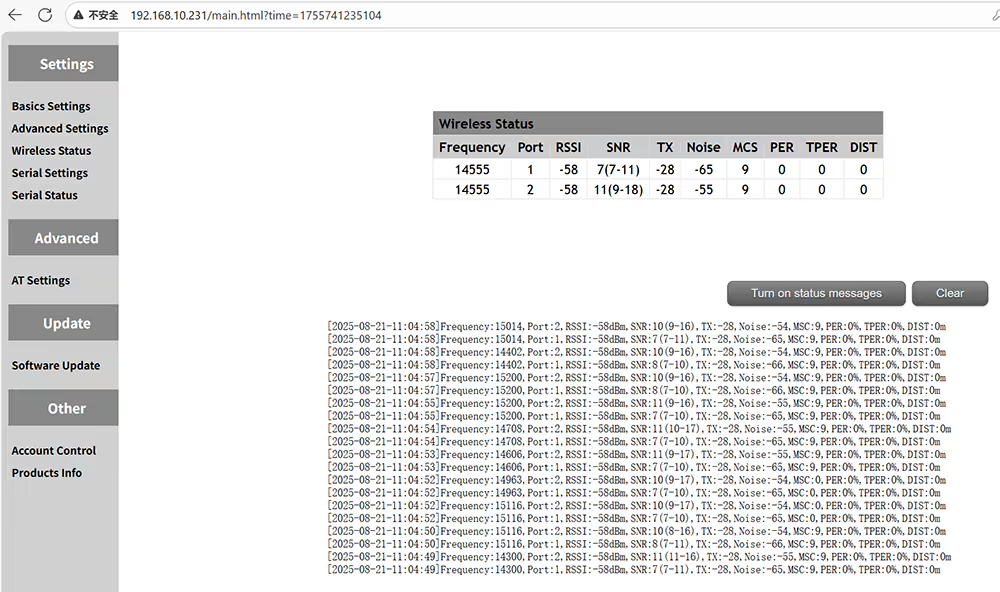
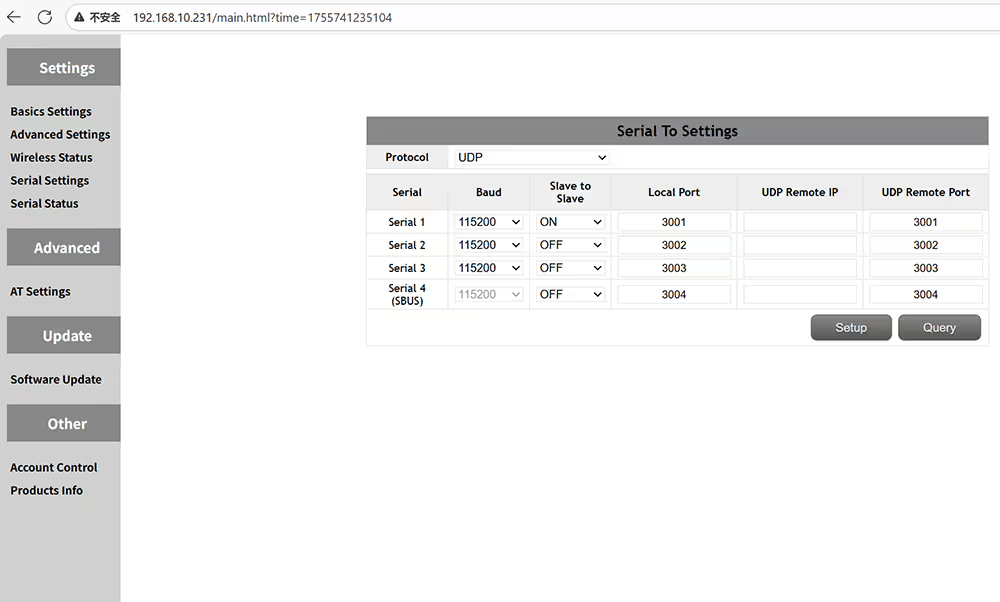
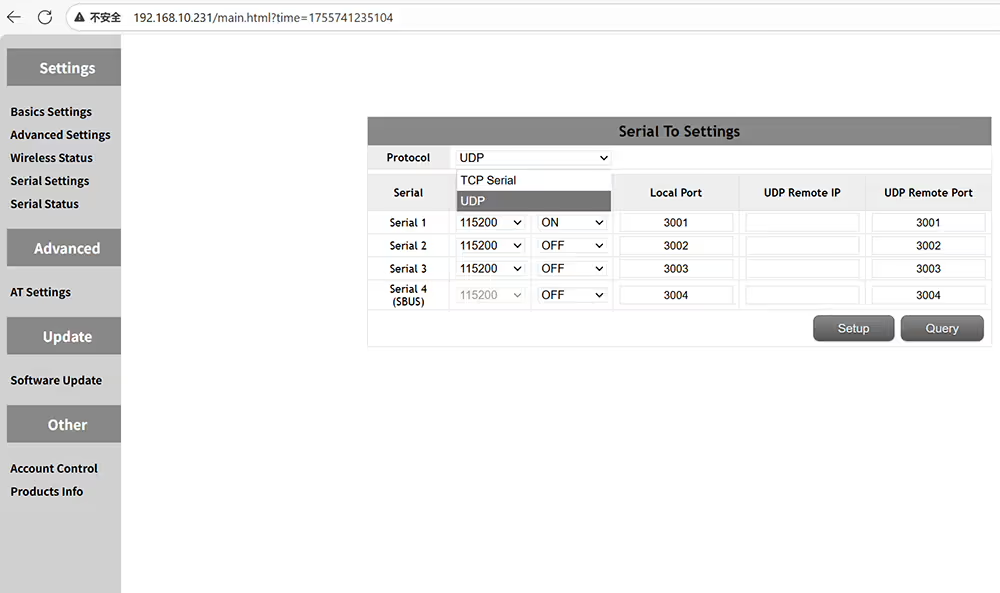
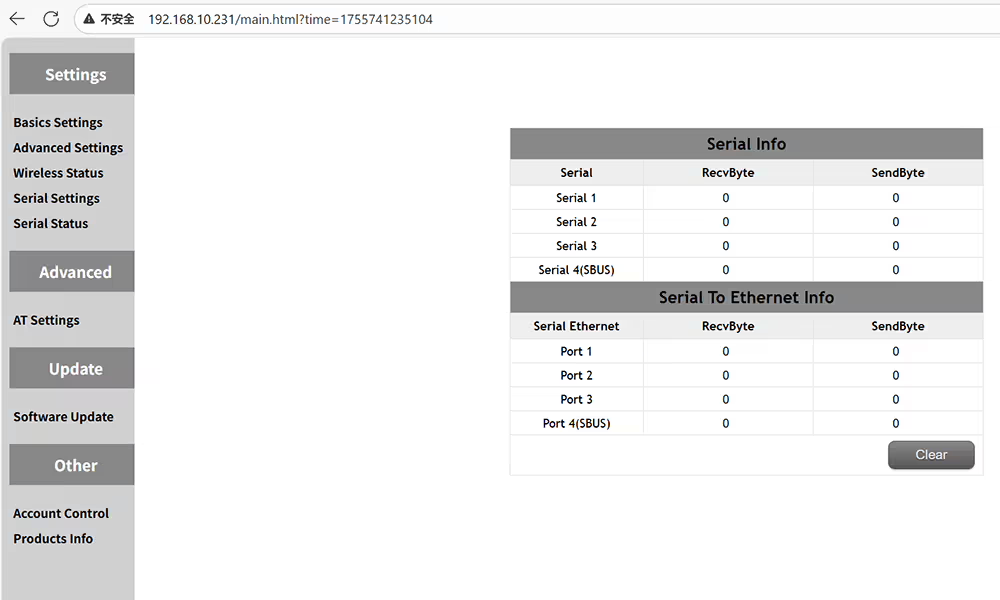
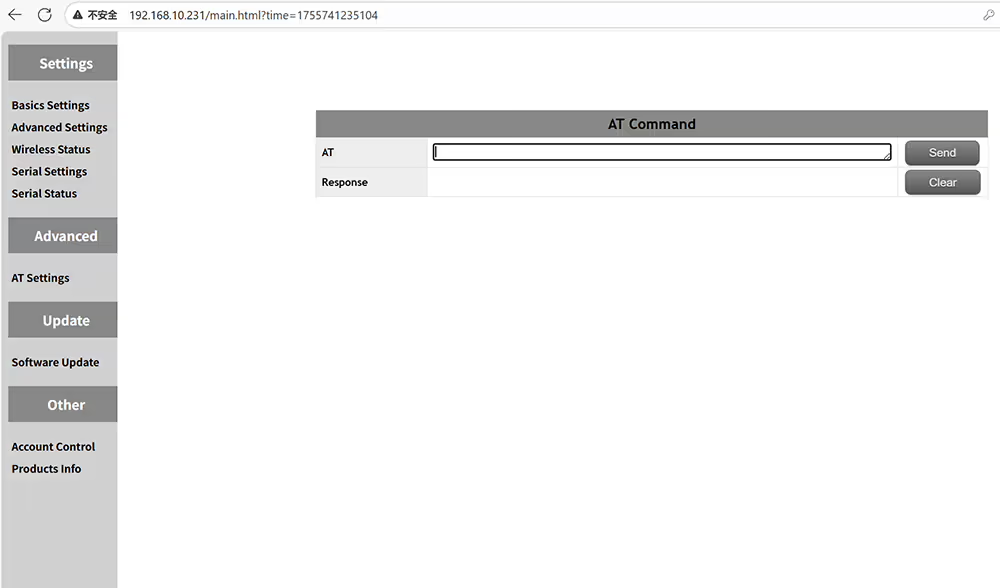
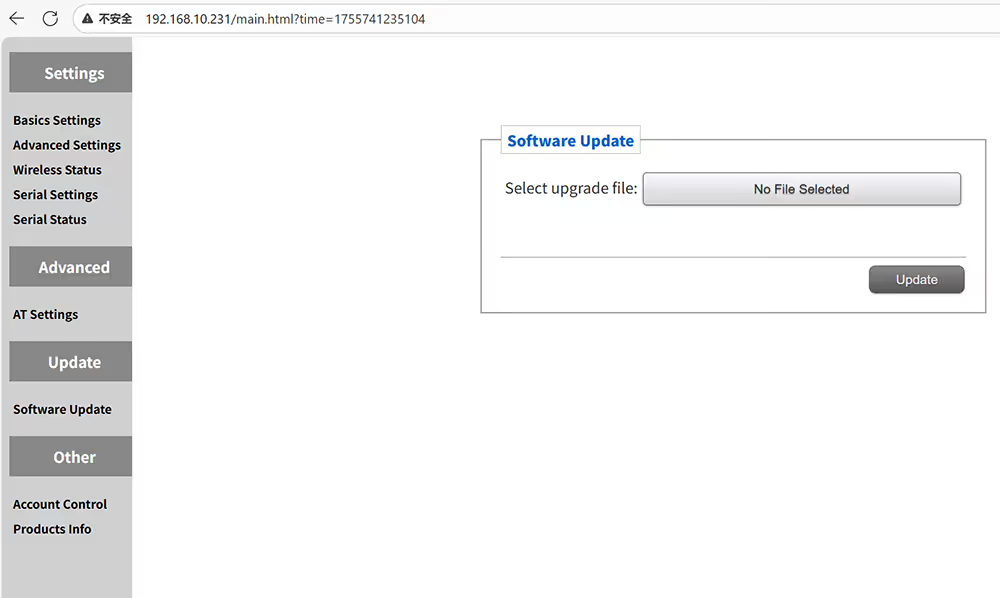
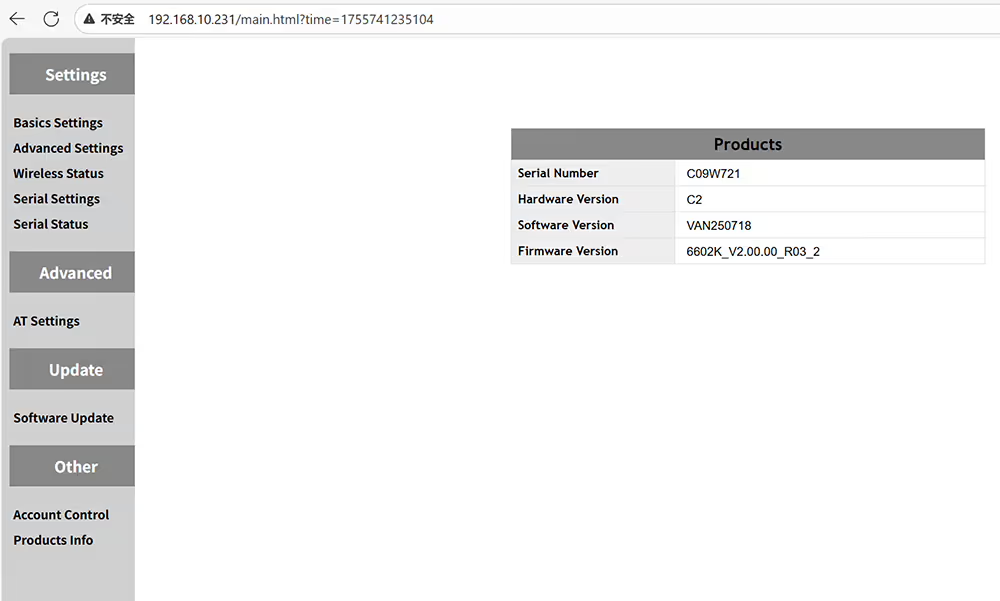
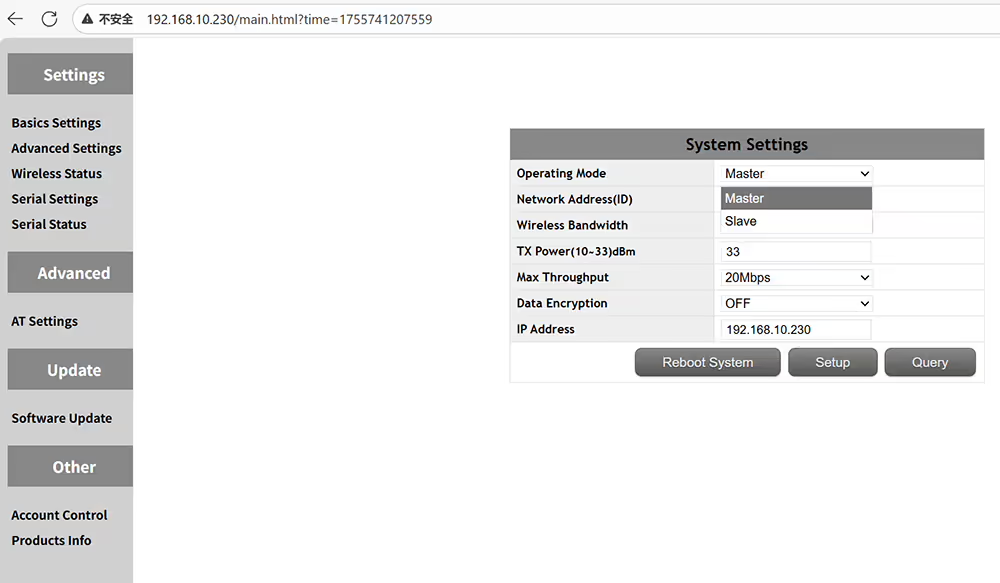
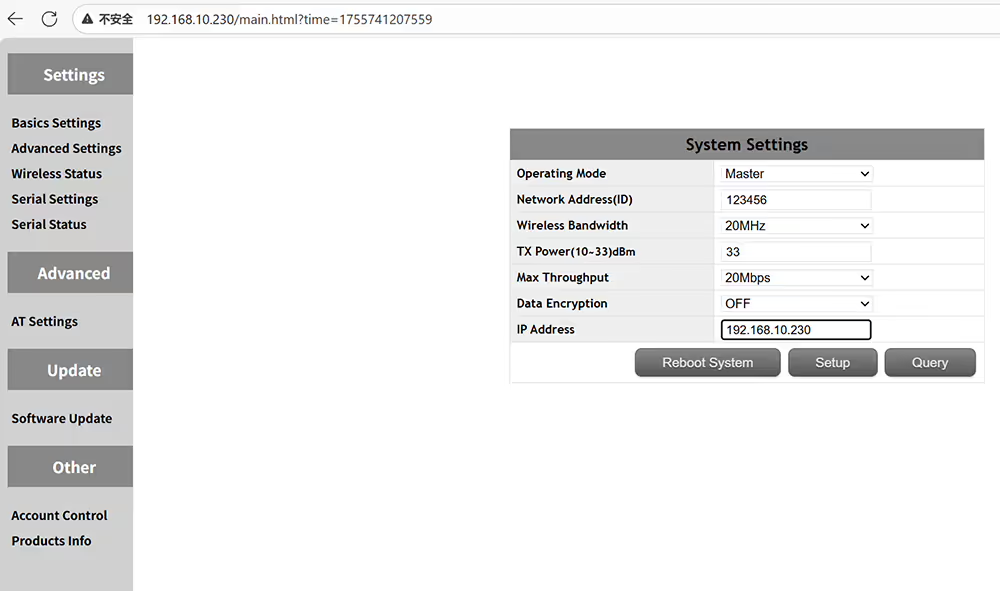
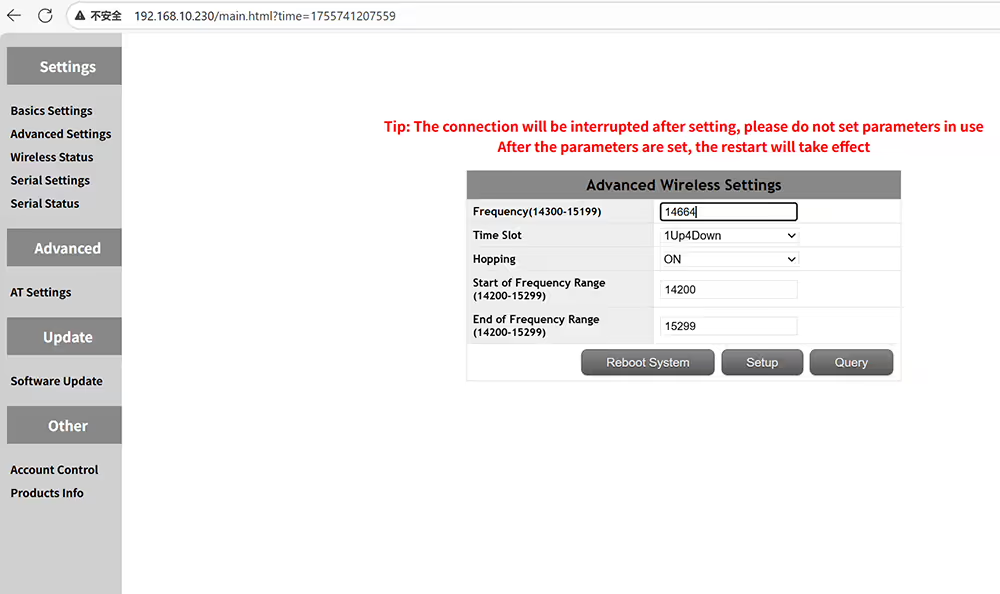
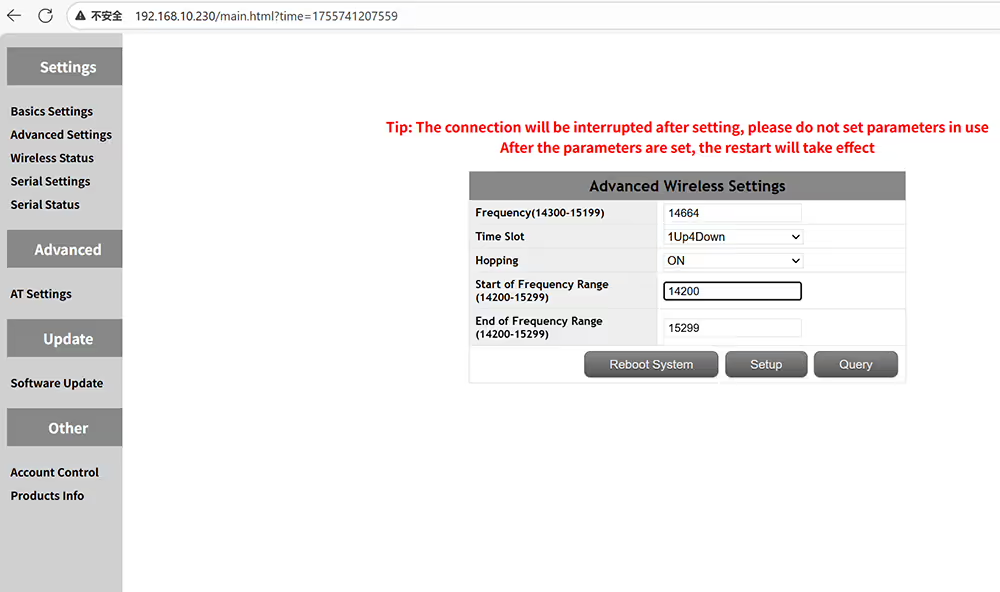
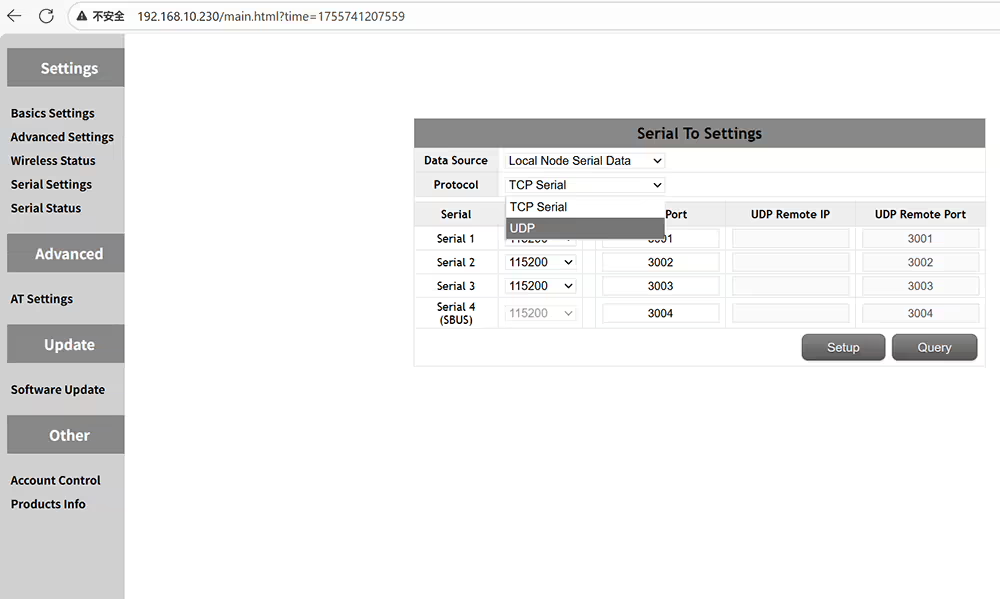
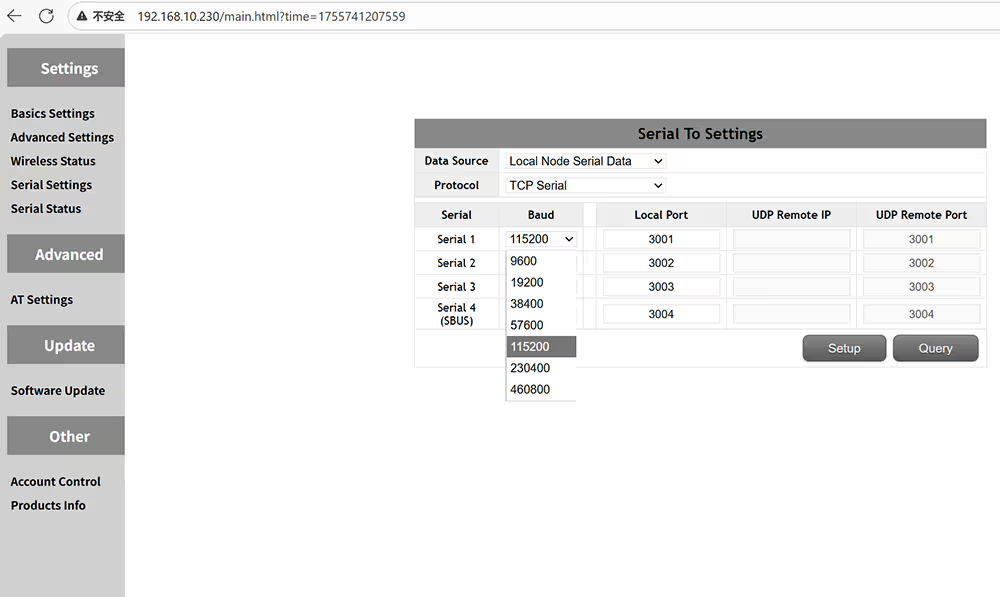
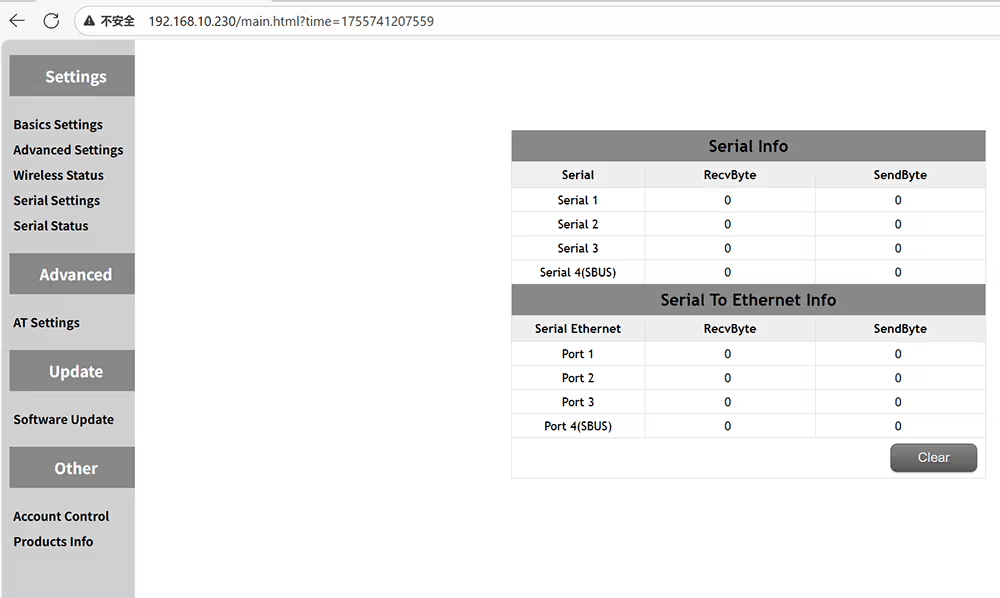
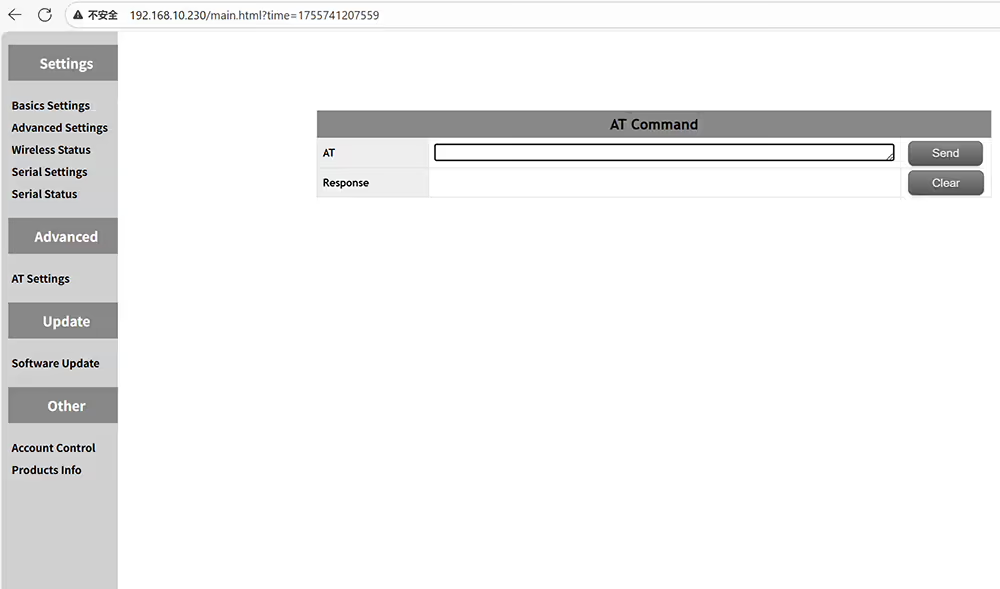
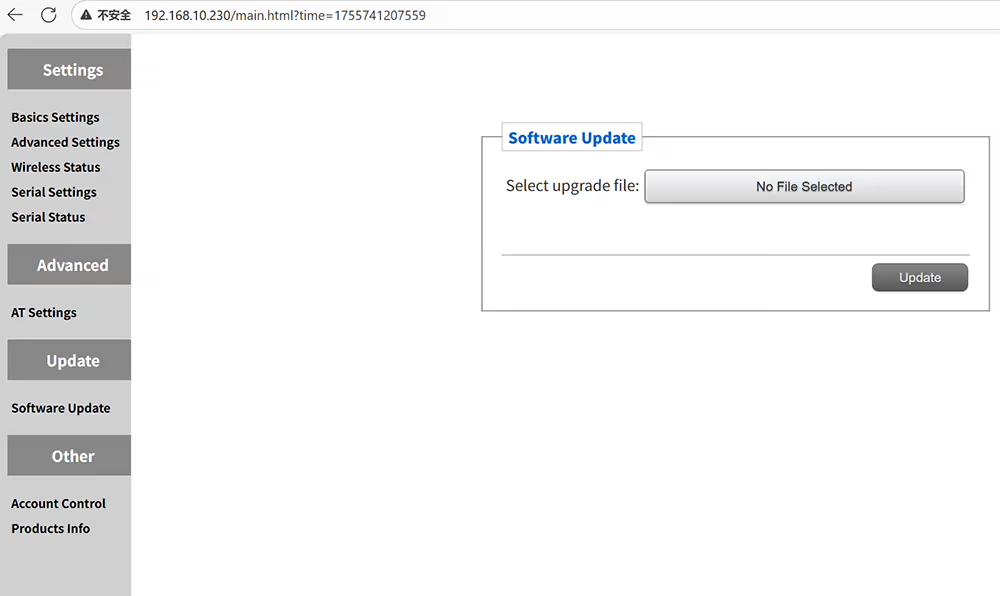
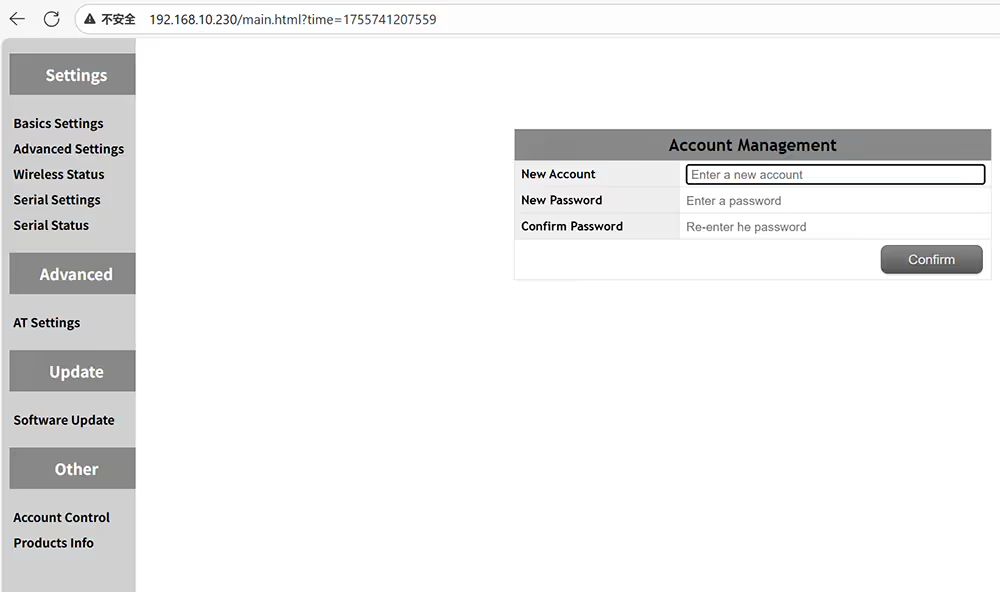
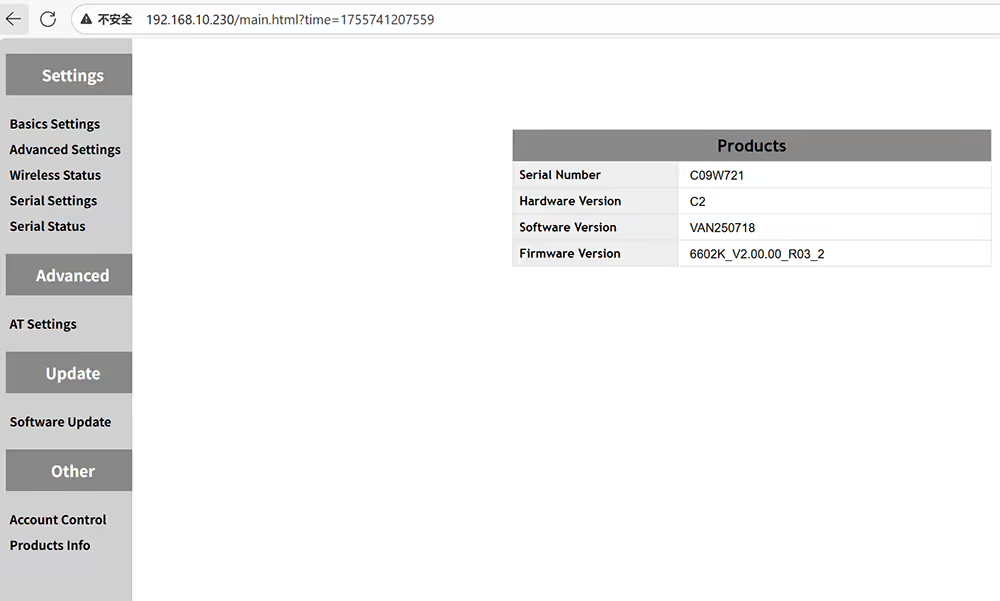
Paano Itakda ang Air Unit UAV Video Data TransmitterAng master ay gitnang node ay nangangahulugang alipin ng ground receiver ay ang pag -access node ay nangangahulugang air transmiterMangyaring itakda ang parehong ID kung nais mong ipares ang transmiter at tatanggapAng output power amplifier ay maaaring itakda sa mas mababa sa 2 wattsOpsyonal na paraan ng pag -encrypt snow3g aes zucIpasadya ang IP address ng aparato at tiyakin sa parehong segment ng networkAdvanced na mga setting ng dalas at oras slot sa air sideMangyaring tiyakin na ang mga puwang ng master at alipin ay parehoItakda ang dalas ng pagsisimula ng saklaw ng dalas ng operatingItakda ang dalas ng pagtatapos ng saklaw ng dalas ng operatingQuery Wireless Status kabilang ang Frequency RSSI SNR Noise MSc bawat Tper DistansyaMga setting ng kahulugan ng Data Serial PortAng mga suportadong protocol ay TCP at UDPKasama sa mga suportadong rate ng baud 9600, 19200, 38400, 57600, 115200, 230400, at 460800Suriin ang katayuan ng serial port, tulad ng halaga ng data na ipinadala at natanggapMagpadala ng mga utos upang makakuha ng mas maraming impormasyon sa pag -andarI -upgrade ang Transceiver ng Data ng Iyong UAVBaguhin ang username at password ng pahina ng pamamahala ng web UIQuery ang impormasyon ng hardware at software ng kasalukuyang aparato
Paano i -configure ang UAV Video Data Ground Receiver
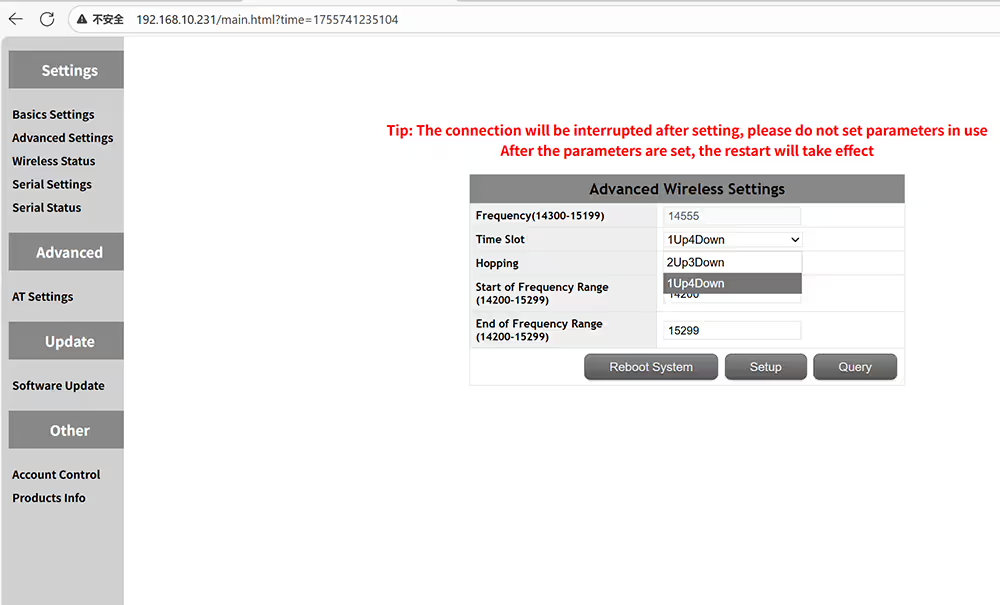
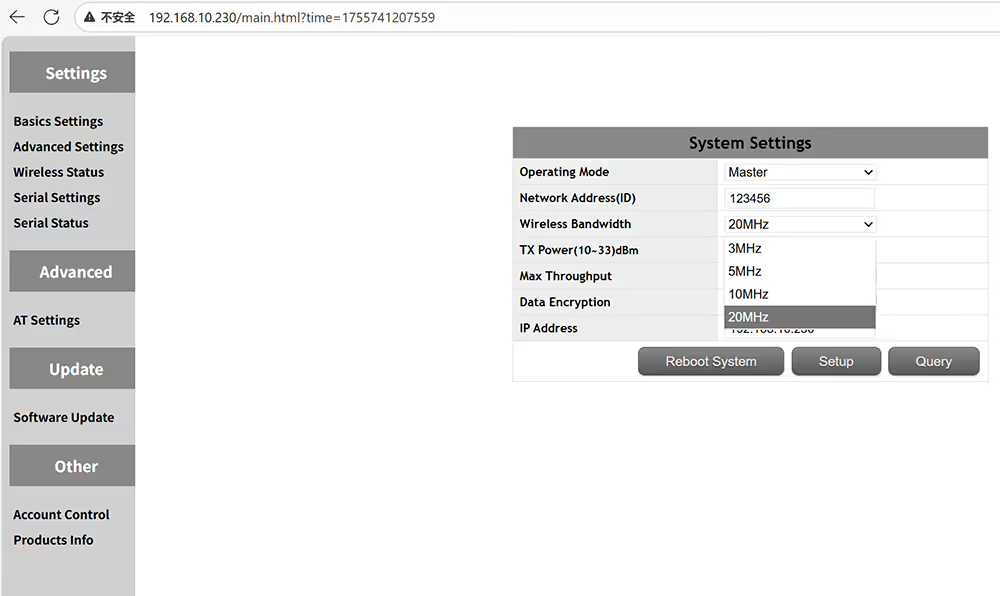
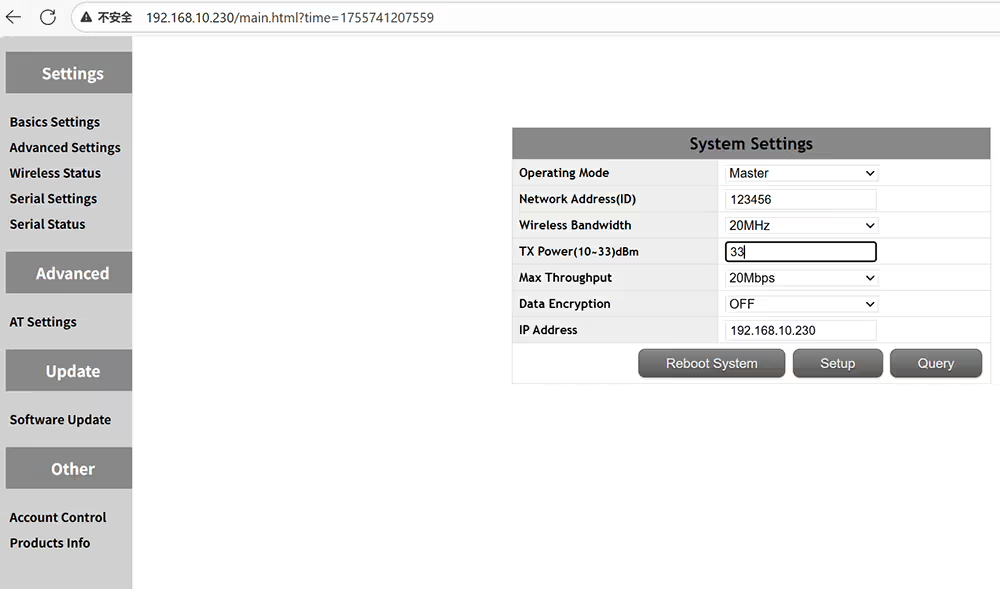
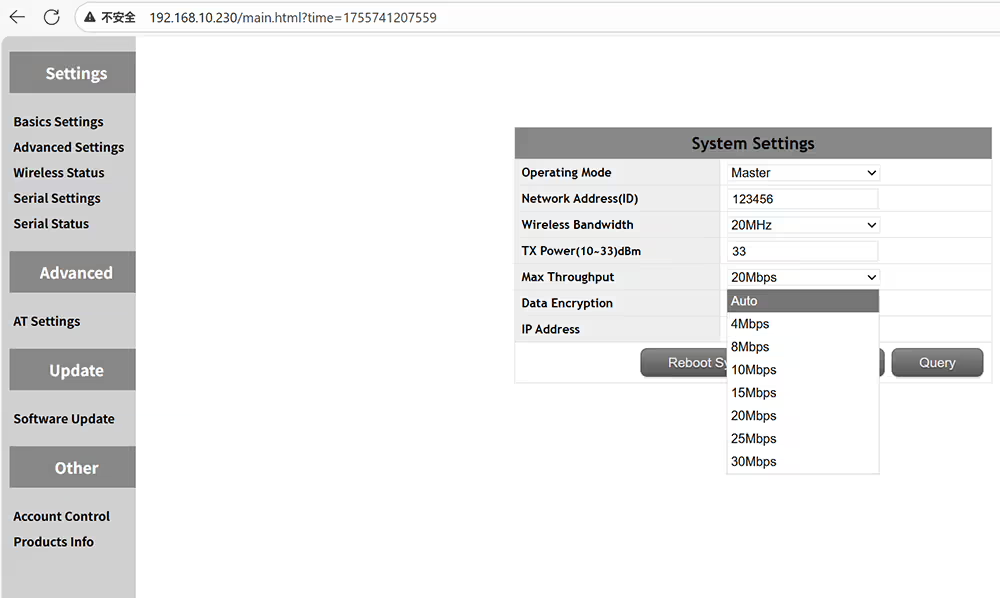
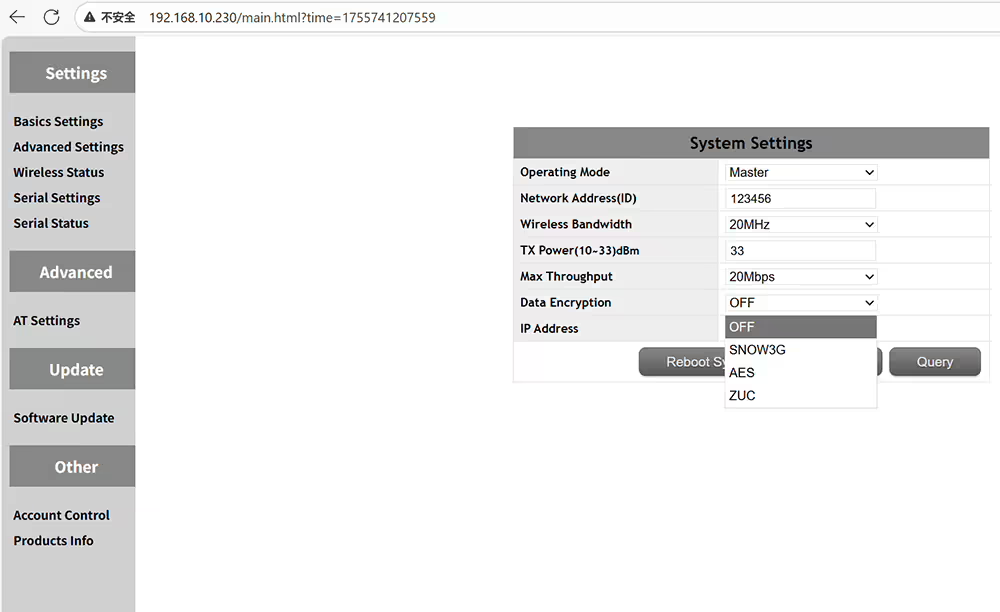
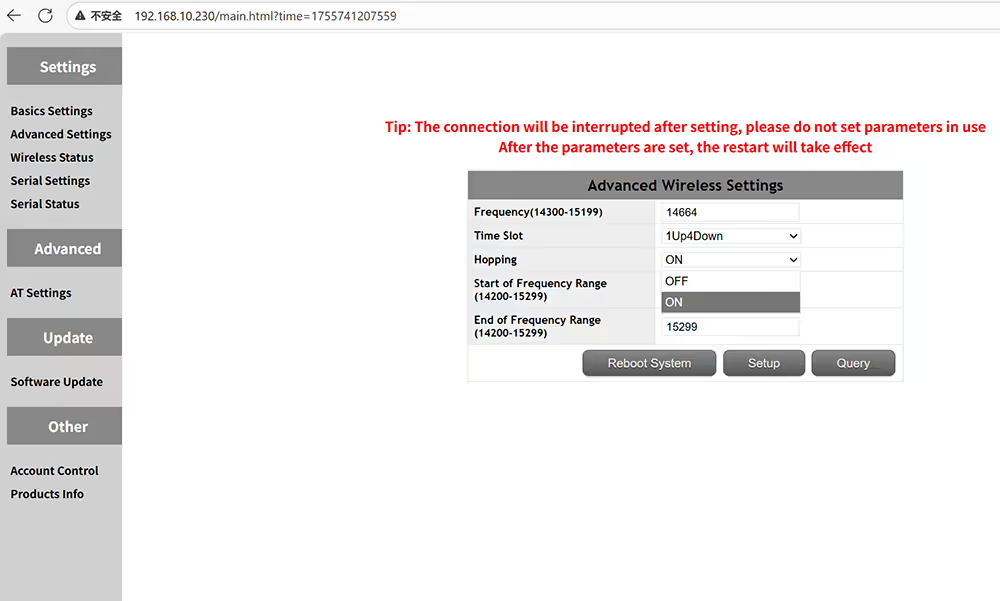
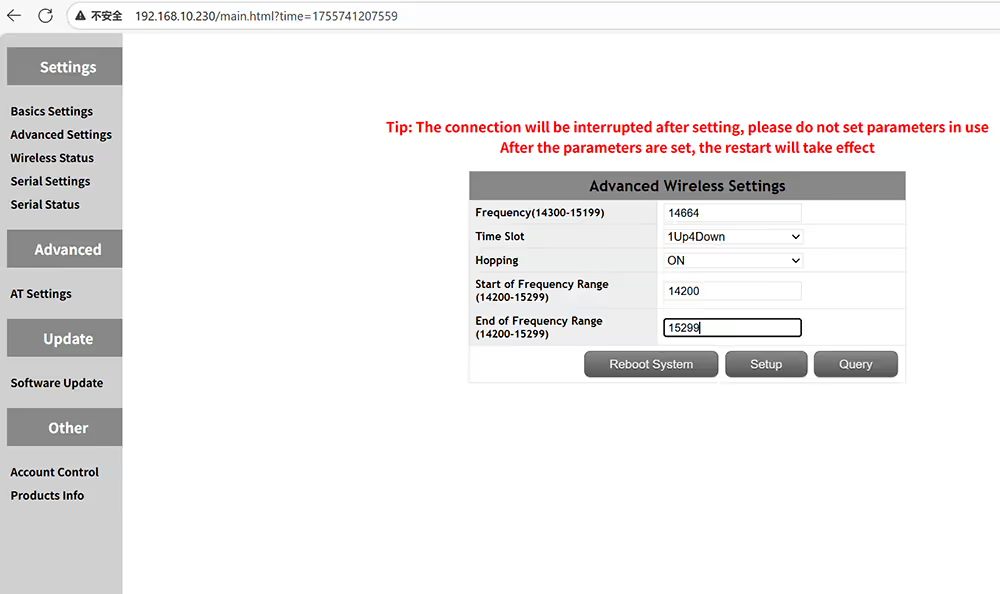
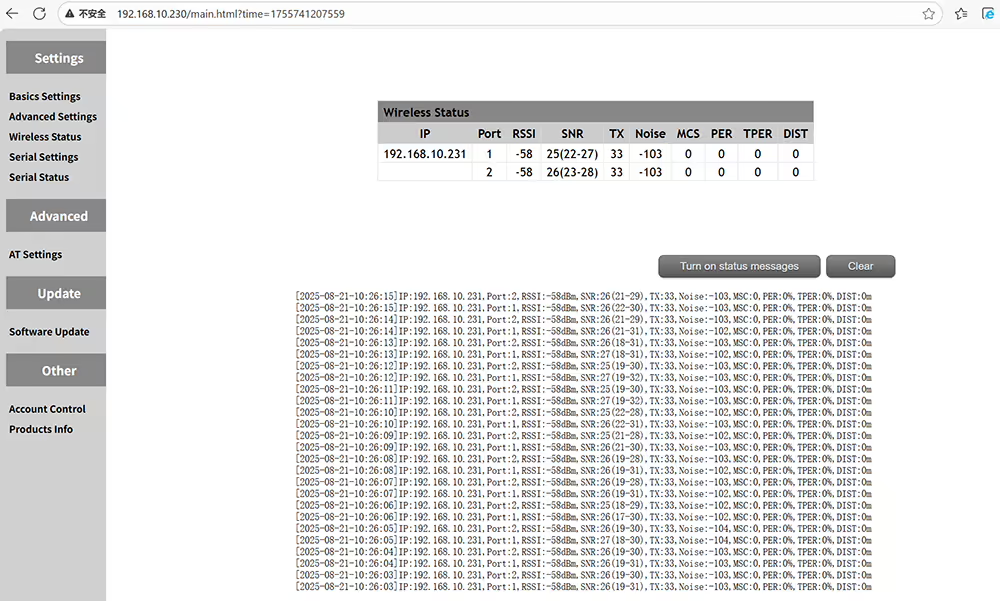
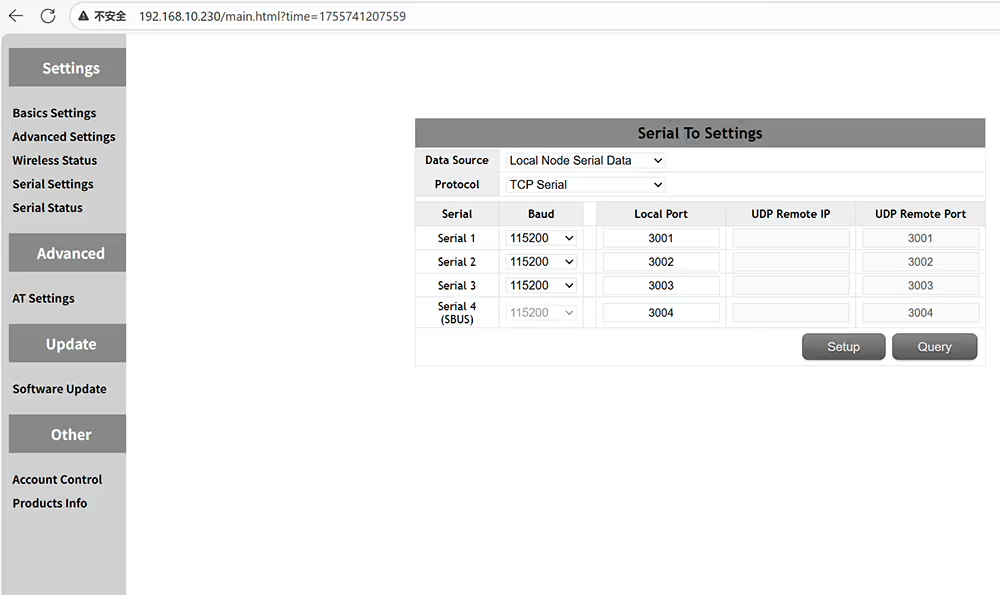
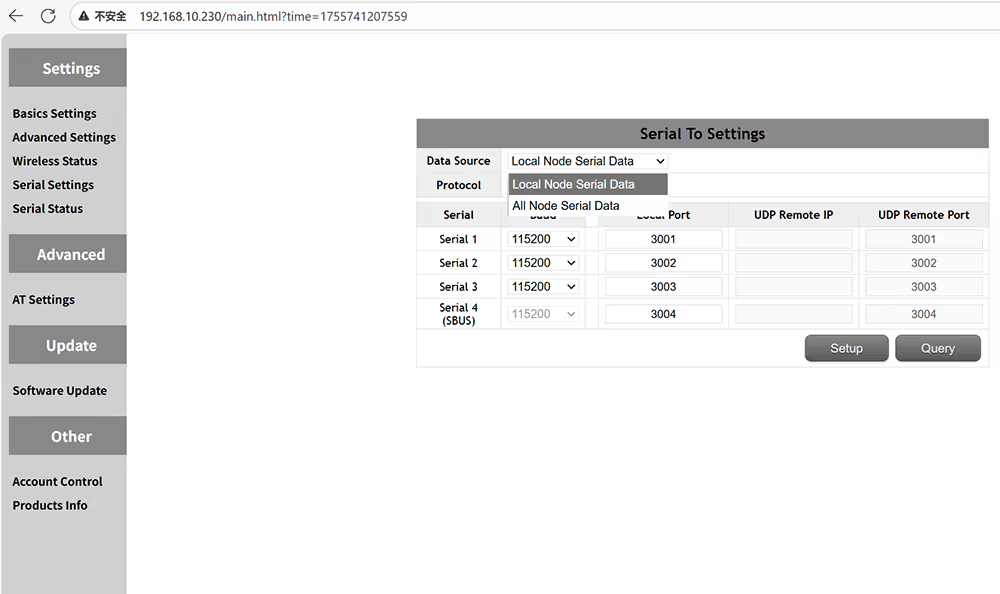
Paano Itakda ang Role ID Bandwidth TX Power Encryption IP Address ng Ground ReceiverAng drone ground receiver ay master at ang air transmiter ay alipinAng parehong ID lamang ang maaaring magamit para sa pagpaparesOpsyonal na paghahatid wireless bandwidth 3MHz 5MHz 10MHz 20MHzOpsyonal na output ng kapangyarihan ng paghahatid mula sa 10-33 dBmOpsyonal na paghahatid ng max throughput auto 4-8-10-15-20-25-30MbpsOpsyonal na paraan ng pag -encrypt ng data snow3g aes zucItakda ang IP address + dapat sa parehong segment ng network na may air transmiterFrequency Hopping Off pagkatapos ay maaari mong ayusin ang isang dalas ng pagtatrabahooras slot na nakatakda sa 1up4down para sa P2P o 2UP3Down para sa relay networkingAng FHSS ON o OFF upang payagan ang dalas ng pag -hopping upang maiwasan ang jammingManu -manong ipasok ang dalas ng pagsisimula ng saklaw ng dalas ng paghahatidManu -manong ipasok ang dalas ng dulo ng saklaw ng dalas ng paghahatidWireless status para sa RSSI SNR at distansya ng paghahatidApat na serial port ang maaaring magtakda ng rate ng baud at numero ng portLokal na node serial data o lahat ng mga serial data ng nodePinipili ang UDP o TCP serial protocolBaguhin ang rate ng baud ayon sa flight controller o mga pagtutukoy ng aparatoSuriin ang katayuan ng paghahatid ng data at pagtanggap para sa transmiter at tatanggapSa mga utos ay maaaring magamit upang mag -query o magsagawa ng mga karagdagang pag -andarMaaari itong ma -upgrade sa pinakabagong firmwareMagtakda ng isang password para sa panel ng admin upang maiwasan ang hindi awtorisadong pag -access at pagbabagoSuriin ang Hardware Software at bersyon ng firmware ng aparato












Magtanong ng isang katanungan
Ipinadala ang iyong mensahe