






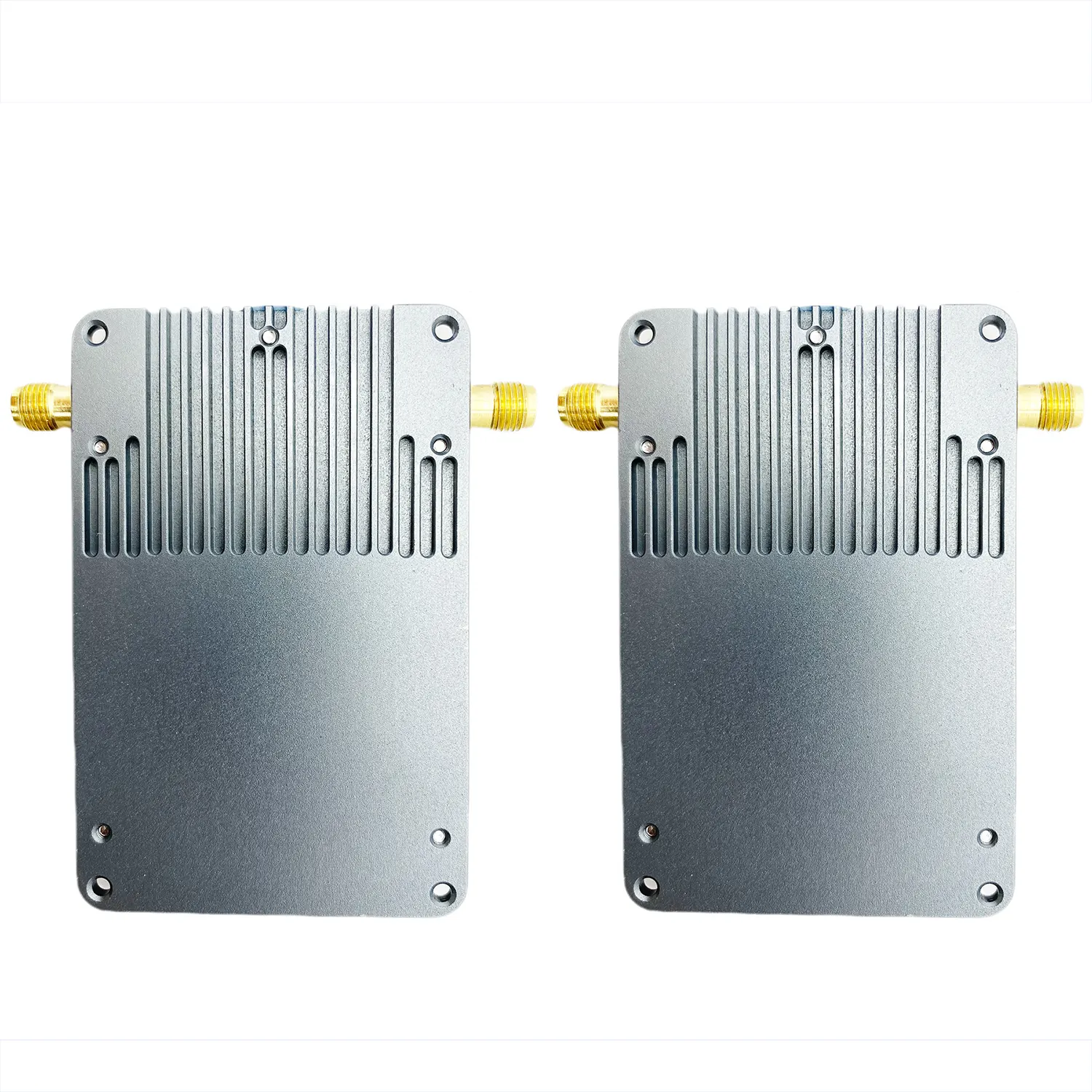

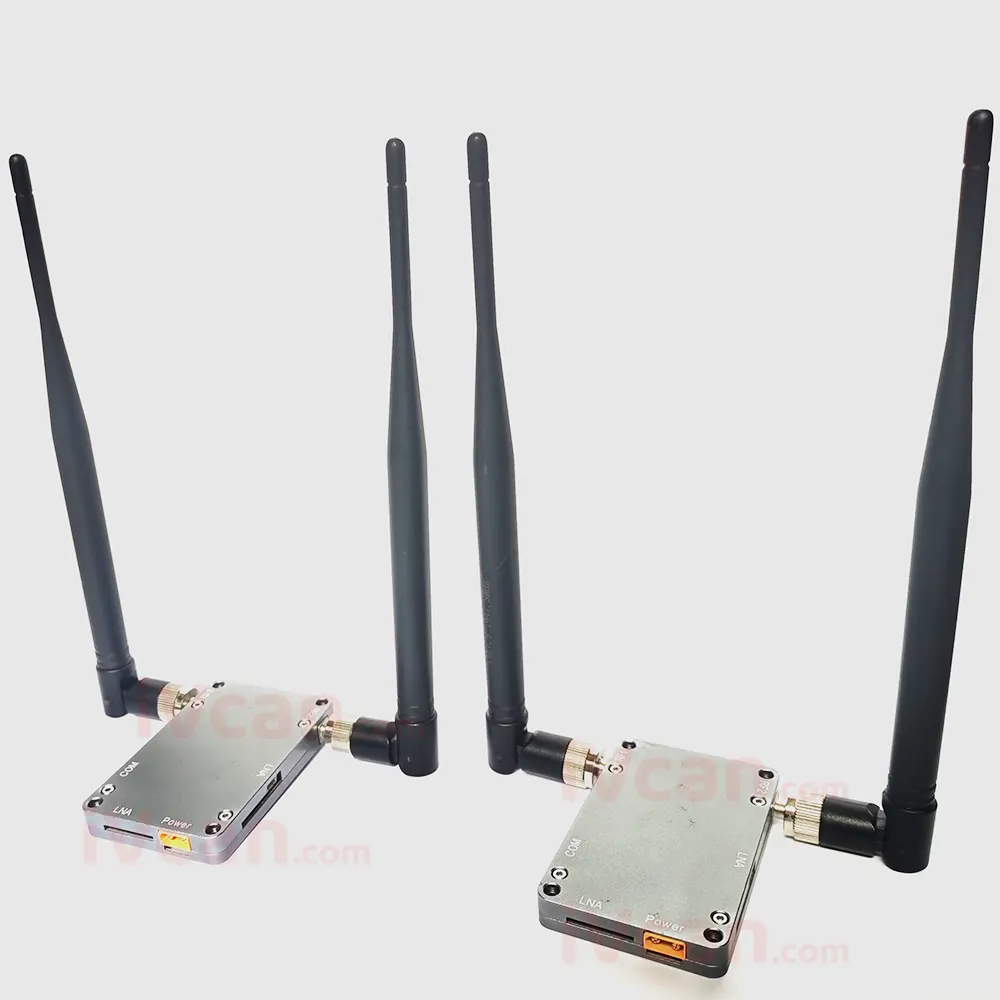
IP mesh ad hoc transceiver OFDM Transmitter and receiver Wireless Video Data Transmission for UAV Drone IP camera
IP メッシュ アドホック トランシーバー OFDM トランスミッター レシーバー ドローン IP カメラ用ワイヤレス ビデオ データ送信
目次
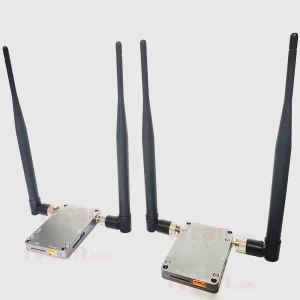
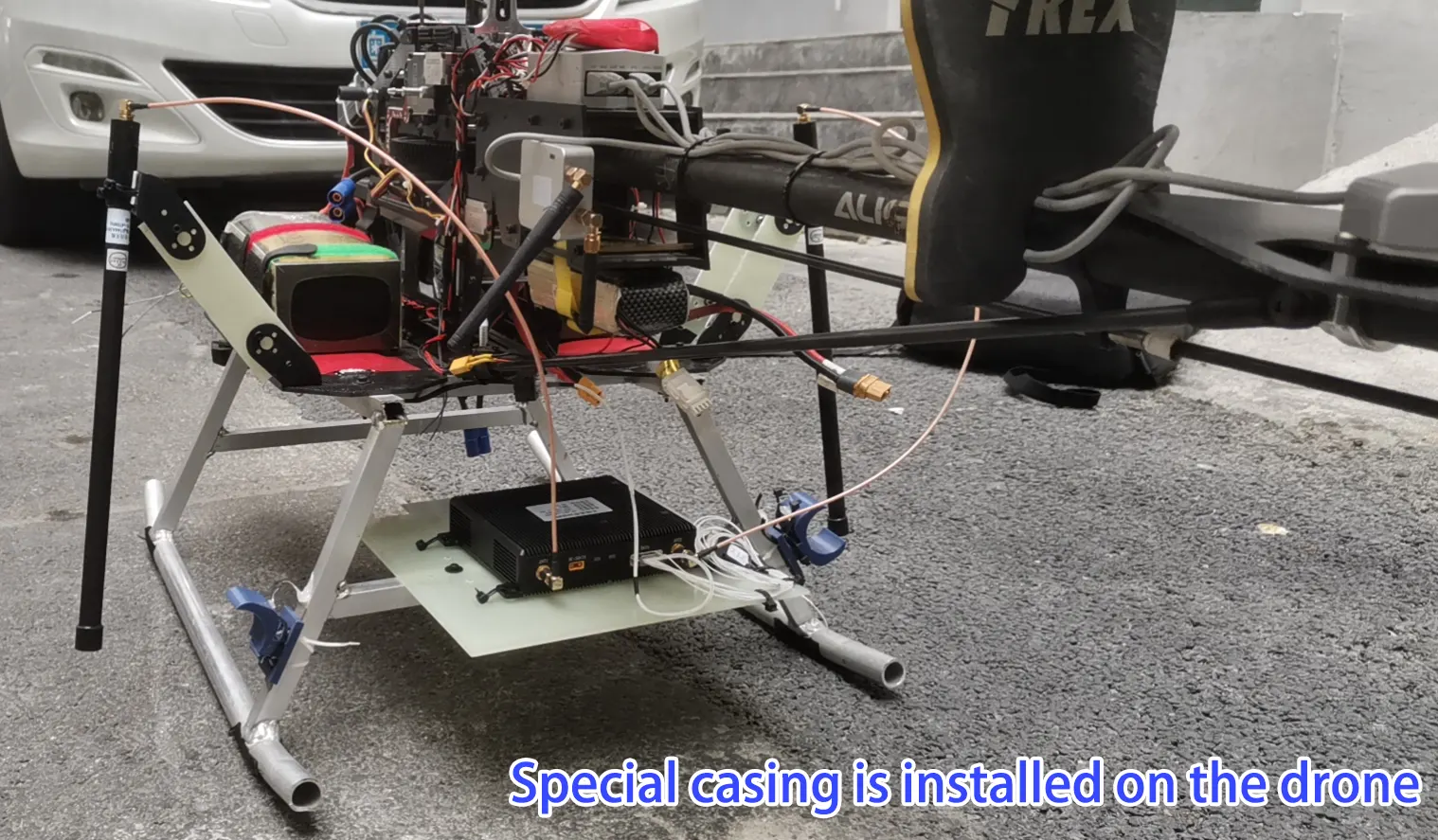
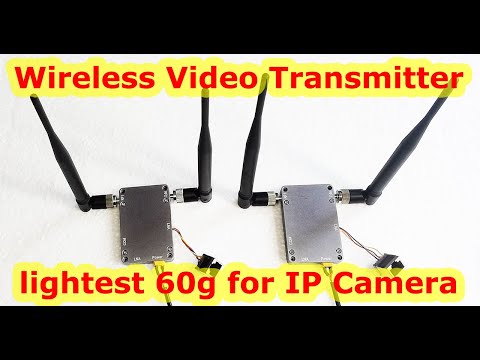
Installed on the Drone
製品概要
This system adopts a new type of sub-broadband “wireless networking” based on point-to-point, ポイントツーマルチポイント, and AD-Hoc networking. As a mobile center organization network, Vcan1401 is a central, 配布された, マルチホップリレー, 動的ルーティング, strong invulnerability, and good scalability wireless broadband system. It uses its own routing protocol internally. Jump forwarding completes wireless communication between nodes. 効率的なMAC層伝送プロトコルと2層ルーティングプロトコルを備えたアドホック分散ブロードバンド無線ネットワーク伝送システム. It has excellent sub-broadband performance, strong anti-interference ability of system technology, 高いスペクトル効率, 長い伝送距離, 退色防止能力, 強い回折能力. 複雑な見通し外環境でもリアルタイムかつ高品質な無線双方向データ伝送機能を実現します。.
Facing the information communication transmission of drones, ロボット, and unmanned boat platforms in complex environments, we follow the design principles of generalization, modularization, and standardization to realize high-speed real-time transmission of telemetry, リモコン, and payload data from ground control stations to unmanned terminals on the water surface As well as the information collaborative interaction function between unmanned terminals, the system works continuously, stably and reliably for a long time.
Technical Feature
- After the central station is turned on, there is no need for complicated system configuration. After the on-site power-on, 自動的にネットワークを形成します, で通信を開始できます “秒”;
- 任意のトポロジ, マルチホップリレー, リレー転送;
- 各ノードの論理属性を柔軟に設定可能;
- 現在のところ, the same frequency network can support the interconnection of 1024 ノード;
- チャンネルはAESで暗号化されています;
- The system data bandwidth peak value is 32Mbps;
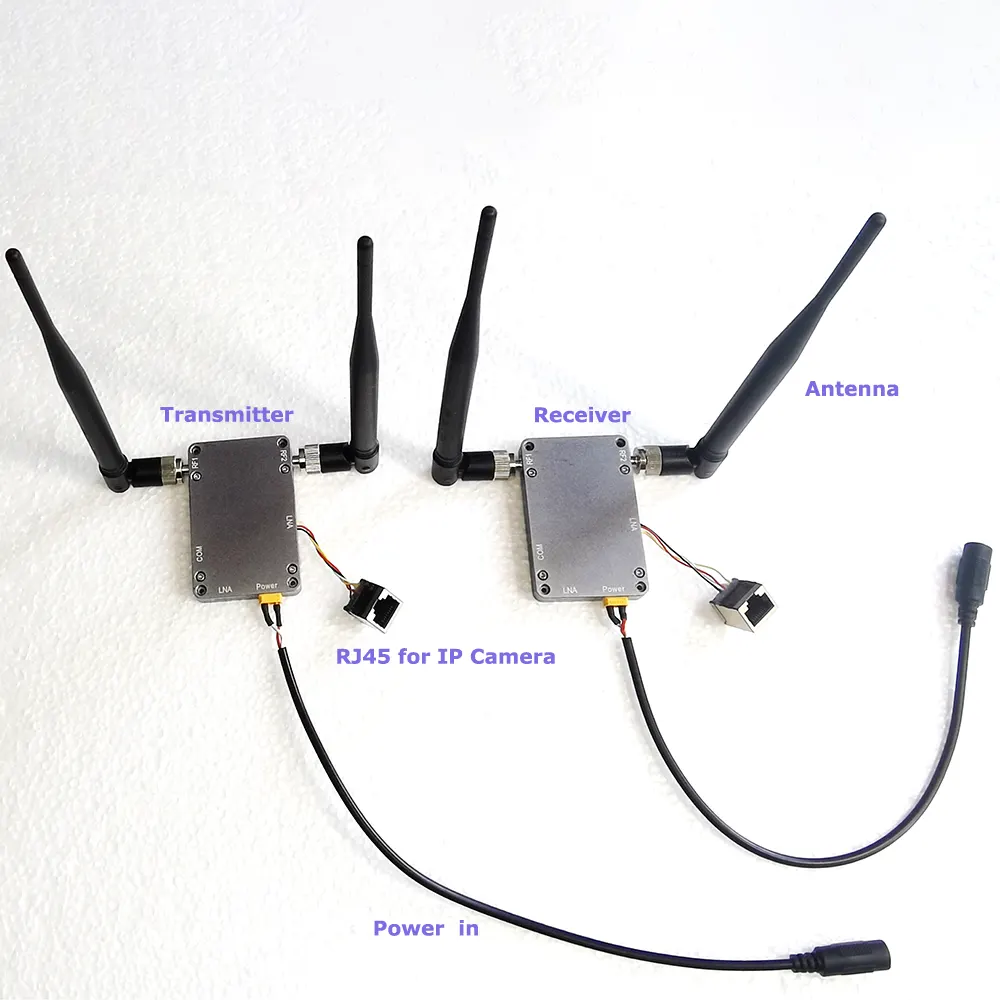
Hardware description
- 1) Adopt domestic self-organized intellectual property technology, プライベートネットワーク, private communication transmission protocol, and unique synchronization code.
- AES 128-bit encryption technology: After the information data is encrypted by AES, the information before encryption cannot be obtained;
- OFDM pilot and data position scrambling code encryption: The number of OFDM subcarriers is kept secret, the number of pilots is kept secret, and the position of the pilot is kept secret, making it impossible to obtain pilot information for channel estimation and frequency domain equalization; the change method of pilot and data position is encrypted In this way, illegal users cannot correctly distinguish pilot frequency and data.
- LDPC code word structure encryption: LDPC code word structure includes code length, information bit, and check bit; the position changes of information bit and check bit are encrypted, and illegal users cannot correctly distinguish between information bit and check bit.
- Using multiple encryption methods and modular design;
- Centralized and distributed, all nodes are equal in status, and can self-organize a network under complex conditions such as shielding non-line-of-sight (NLOS) and high-speed movement, and realize TDD two-way communication;
- Support any network topology such as point-to-point, 鎖, star, 等, and can realize real-time interaction of multi-channel IP-based sub-broadband data, multi-serial port data, and other multimedia information;
- マルチホップリレー, each node can move randomly and quickly, and the route can be dynamically reconfigured when the system topology changes rapidly;
- Convenient deployment, flexible use, simple operation, convenient maintenance, and all-IP design (supporting various data transparent transmission) make it easy to realize the interconnection of heterogeneous systems, especially suitable for wireless coverage transmission and wireless narrowband data networking;
技術的パラメータ
- 通信周波数: 1415~1465MHz (3G\2.4G), 調整可能な;
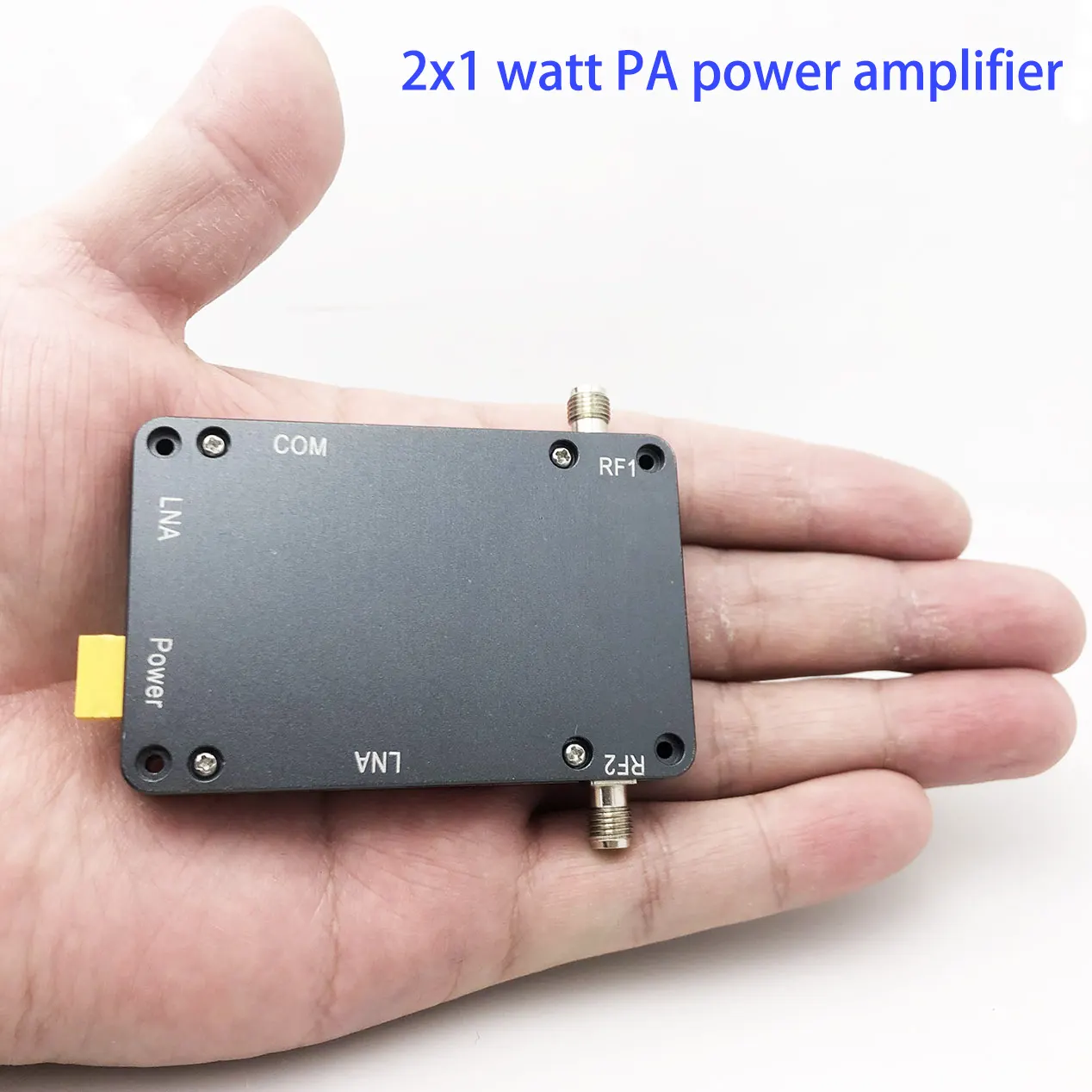
- 送信電力: 2*30dBmの (2*1W), 1dBmステップ調整可能;
- 帯域幅モード: 4 / 8 メガヘルツ;
- 変調方式: マルチキャリア TDD-COFDM;
- キャリア変調: BPSK/QPSK/16QAM/64QAM (適応型または固定型);
- 受信感度: -110dBm @ 1MHz;
- 伝送遅延: about 2ms for a single hop;
- Startup time: ポイントツーポイント, point-to-multipoint≤5S (AD-Hoc start-up time 25S);
- ネットワークアクセス時間: 未満 1 2番;
- ルーティング切り替え: 未満 1 2番;
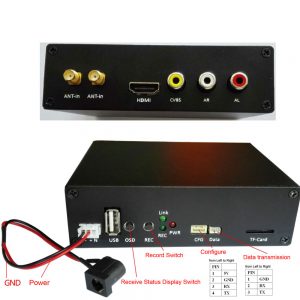
- データインターフェース: ネットワークポートx 2, RS232× 2;
- Battery power supply: 12V/1A;
- Power consumption of the whole machine: 6~12W, standby 6W, receiving 8W, full load sending 12W;
- 使用温度: -40~+70℃;
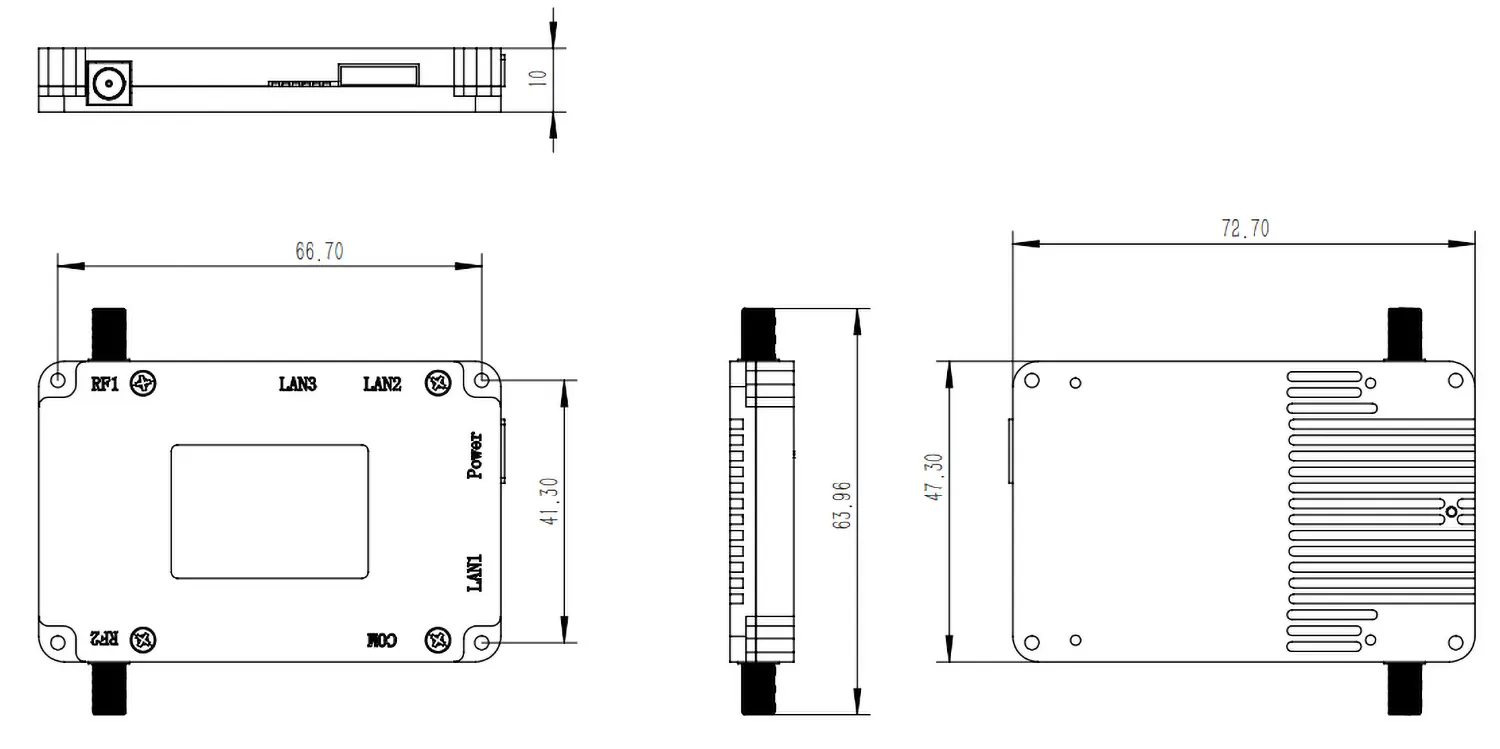
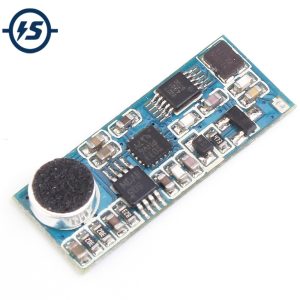
- サイズ: 長さ: 73mm*width 47mm*height 10mm;
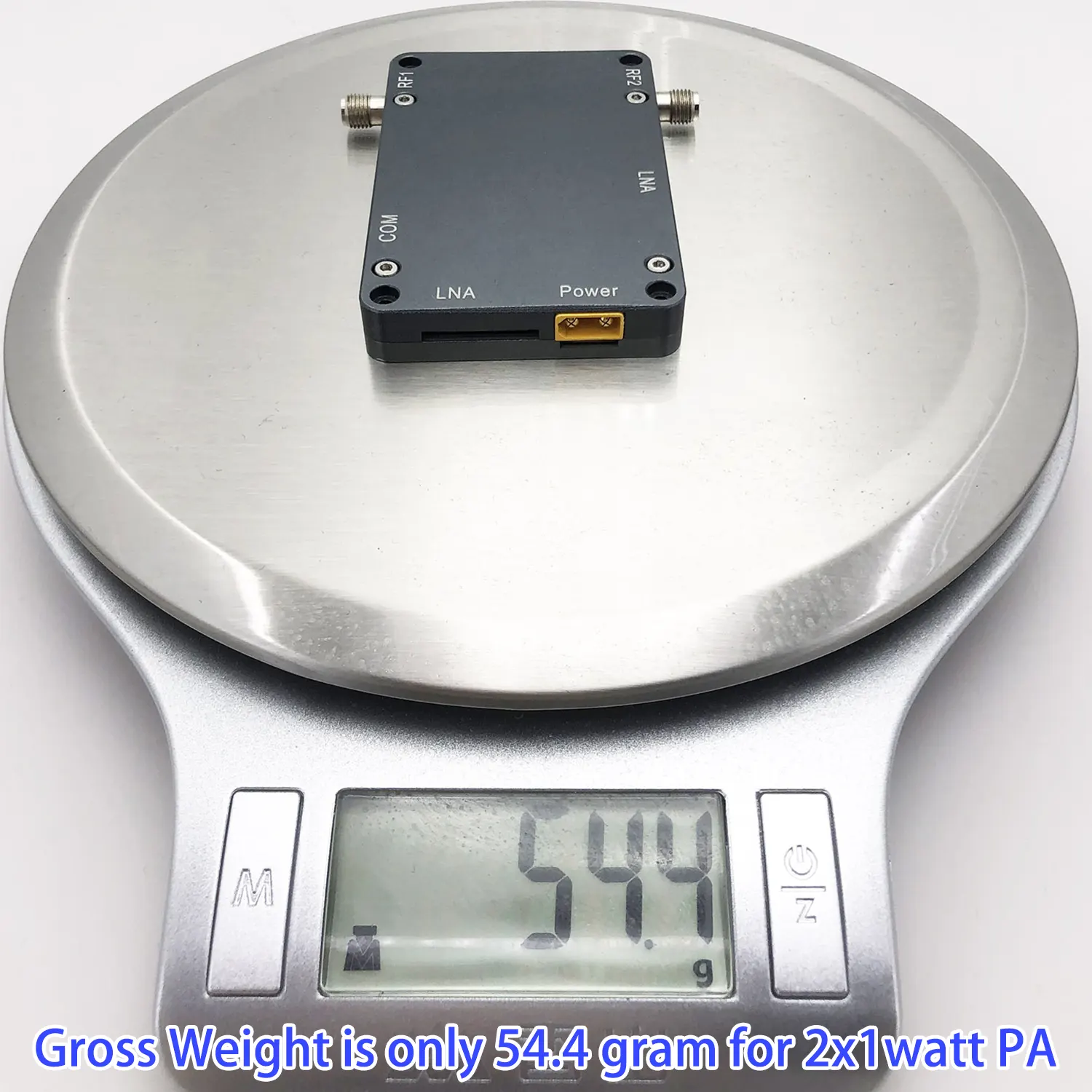
- 重量: 60グラム
Data Chart
|
変調 |
1MHz Bandwidth (Mbps) | 2メガヘルツ
帯域幅 (Mbps) |
4メガヘルツ
帯域幅 (Mbps) |
8メガヘルツ
帯域幅 (Mbps) |
|
BPSK 1/2 |
0.38 | 0.7 | 1.25 |
2.15 |
|
QPSK 1/2 |
0.9 | 1.6 | 2.6 |
4.5 |
|
QPSK 3/4 |
1.6 | 2.7 | 4 | 7.1 |
|
16QAM 1/2 |
1.8 | 3.1 | 5.3 | 9.5 |
|
16QAM 3/4 |
2.2 | 3.9 | 8 |
14.2 |
| 64QAM 2/3 | 2.8 | 5.2 | 10.6 |
19.5 |
| 64QAM 3/4 | 3.8 | 6.4 | 12 |
21.5 |
| 64QAM 5/6 | 4.2 | 7.8 | 13.5 |
24 |

よくある質問 もっと
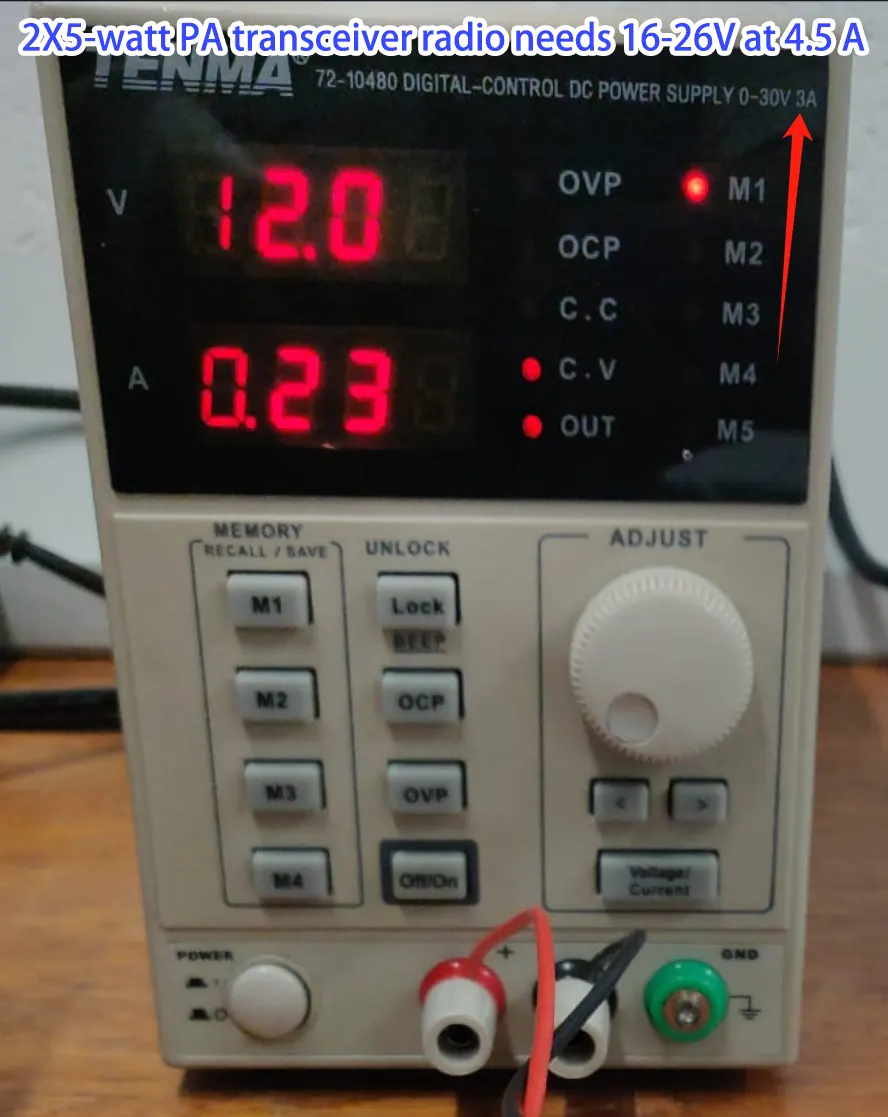
Q: Why does the radio transceiver seem to power on in seconds and power off always restart?
A: Please check the power supply, for the 2×5-watt PA inside, the power supply should be 16-26V at 4.5A. Maybe the power supply is not enough, then always restart. (2×1-watt or 2×2-watt need 12-18V)
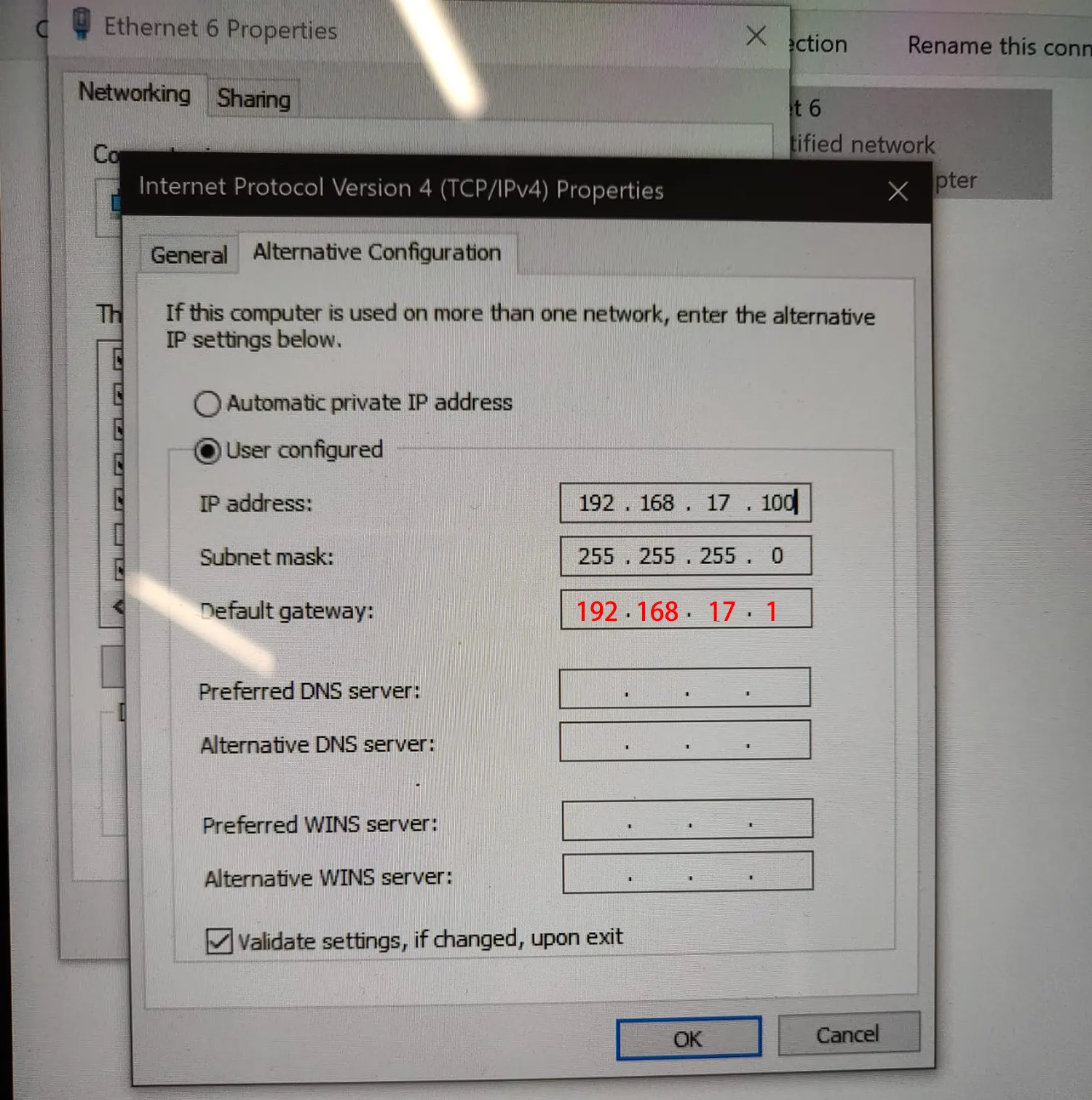
Q: Why can’t I connect the transceiver radio device via web cable or get a ping feedback?
A: The default IP address of the two-way radio transceiver is 192.168.17.1.
Please make sure that the IPV4 address of your computer is the same net segment, for example, 192.168.17.xxx.
Please set the default gateway of the IPV4 address is 192.168.17.1.
Q: Does your mesh two-way transceiver module support changing the frequency (チャネル) via the UART AT command?
A: はい, please type the below commands at the serial port tool.
AT-API+ set
wlan.radios.0.name phy0
wlan.radios.0.txpower 30 (power amplifier, 30 means 2-watts)
wlan.radios.0.帯域幅 10 (frequency bandwidth)
wlan.radios.0.チャネル 2 (channel)
END-AT-API
(The numbers 30, 10, そして 2 of the above command should change to what you want the number. )
Q: Does the radio support frequency hopping/ changing dynamically?
A: We have many models that support the frequency hopping function (このモデルは、双方向ワイヤレスデータリンクを使用したビデオおよびデータワイヤレス伝送用に設計されました). The cost is different.
The model you bought does not support frequency hopping. You can choose the frequency from the below picture. (Choose from the web page or AT commands)
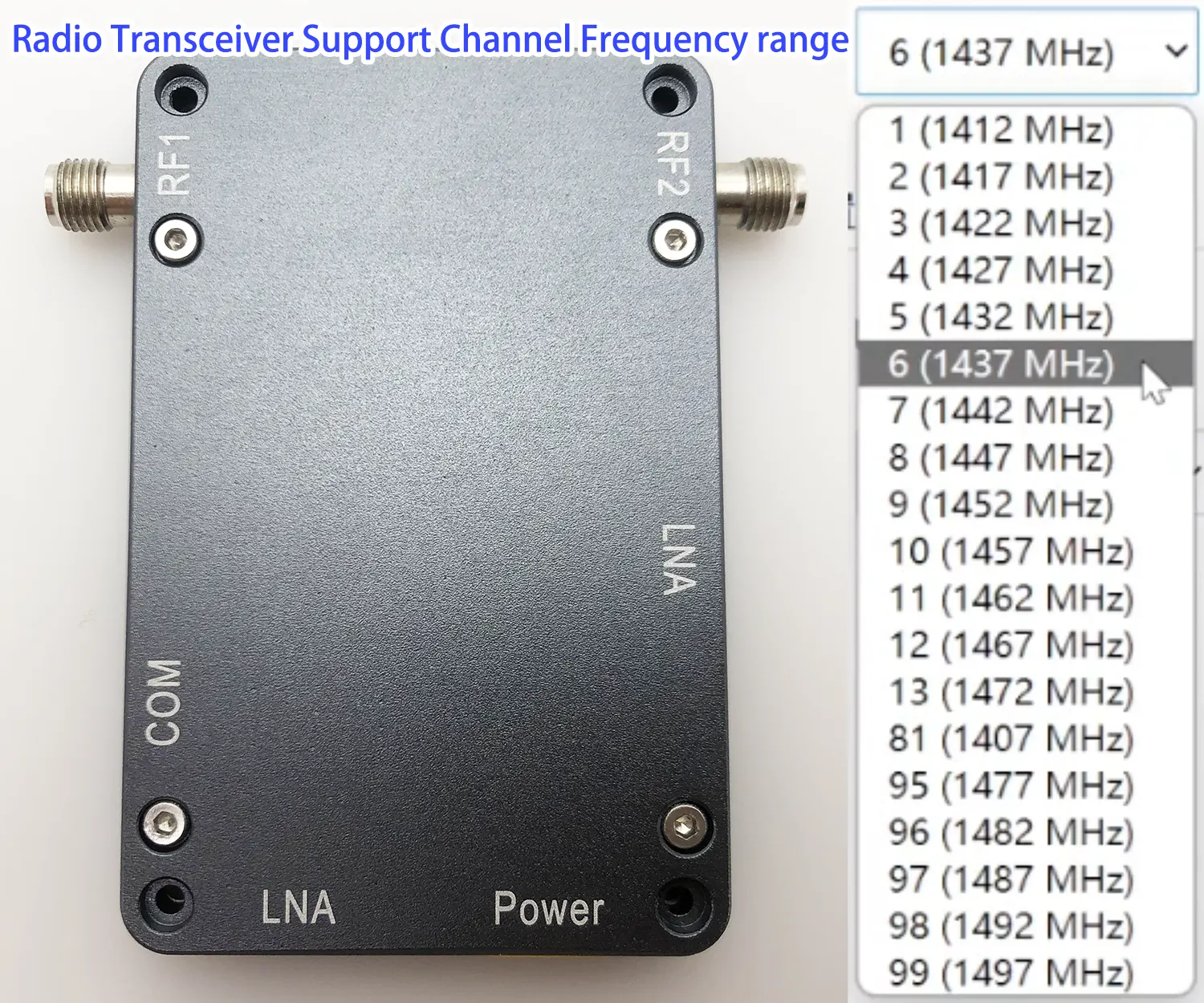
Mesh Radio Transceiver Support Channel Frequency range
Q: Can I modify the less transmission power?
A: もちろん. When you are testing the sample on the function except for the real transmission range, it is better to change the less transmission power in the lab.
20mWは13dBmです
200mWは23dBmです
1 ワットは30dBmです
2 ワットは33dBmです
5 ワットは37dBmです
10 ワットは40dBmです
20 ワットは43dBmです
50 ワットは47dBmです
100 ワットは50dBmです

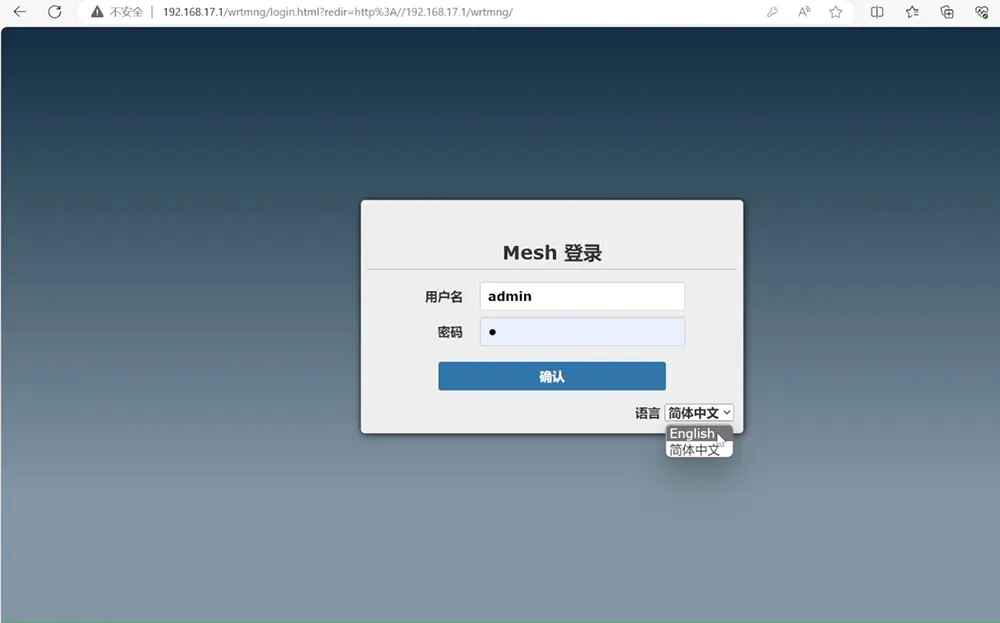
Q: Can the web interface contain only the English language?
Now it supports English and Chinese.
Q: How many nodes the mesh architecture can support?
A: Supports up to 32-node networking. Too many nodes will cause high system overhead and the network will be very unstable. 一般的に, a dozen nodes are recommended.
Q: Is the relay function available in this modem? if yes then how many hops possible?
A: Support relay function. マックス 5 hops in the one line.
Q: Can we decrease the data rate to increase the range?
A: はい.
Q: Does the frequency band support 2280 MHzから 2380 メガヘルツ?
A: The frequency band can not meet your demand now. Only 2310-2380Mhz is available.
Q: What about the encryption? Do you provide by default encryption details?
Q: Please show us the drawing for hole positions and size of the 2×1-watt PA model.
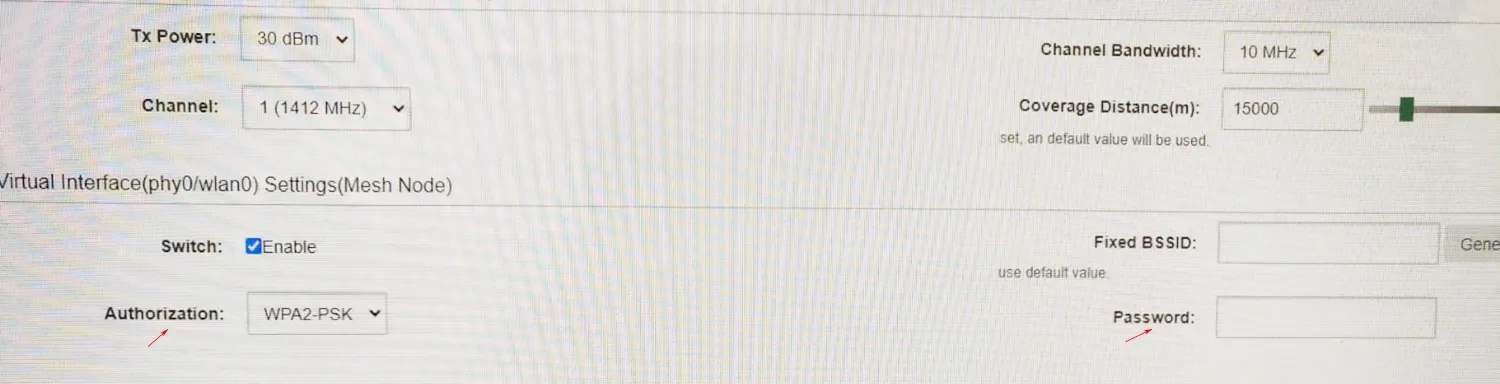
Q: At this mesh IP radio, the new unit will be auto-joining my networking, how can we set authorization and protect our privacy?
A: If you have three or four robots, those who walk in the middle will serve as relays or repeaters for those who walk in the front. If you have three or four units, they can be auto-forming networking, so setting passwords is very important.
下の写真をご確認ください.
Q: How can I update the firmware of your two-way IP radio?
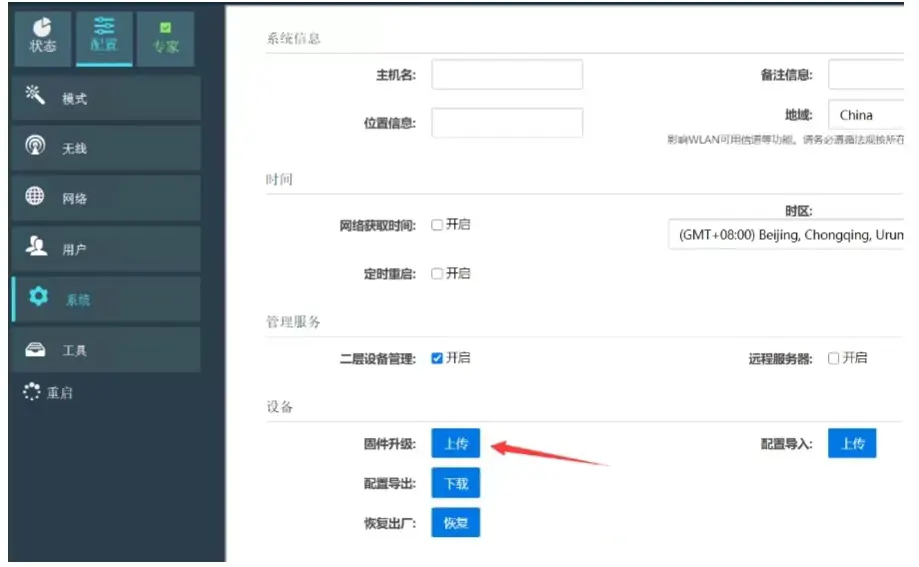
Here is an example firmware of 20240415. Please contact us for the latest update firmware if you need it.
https://drive.google.com/file/d/1OcGiQ3gdaxTvjX3bpS2yJWzn4nNecq-S/view?usp=drive_link
Q: Why my IP transceivers have stopped talking to each other?
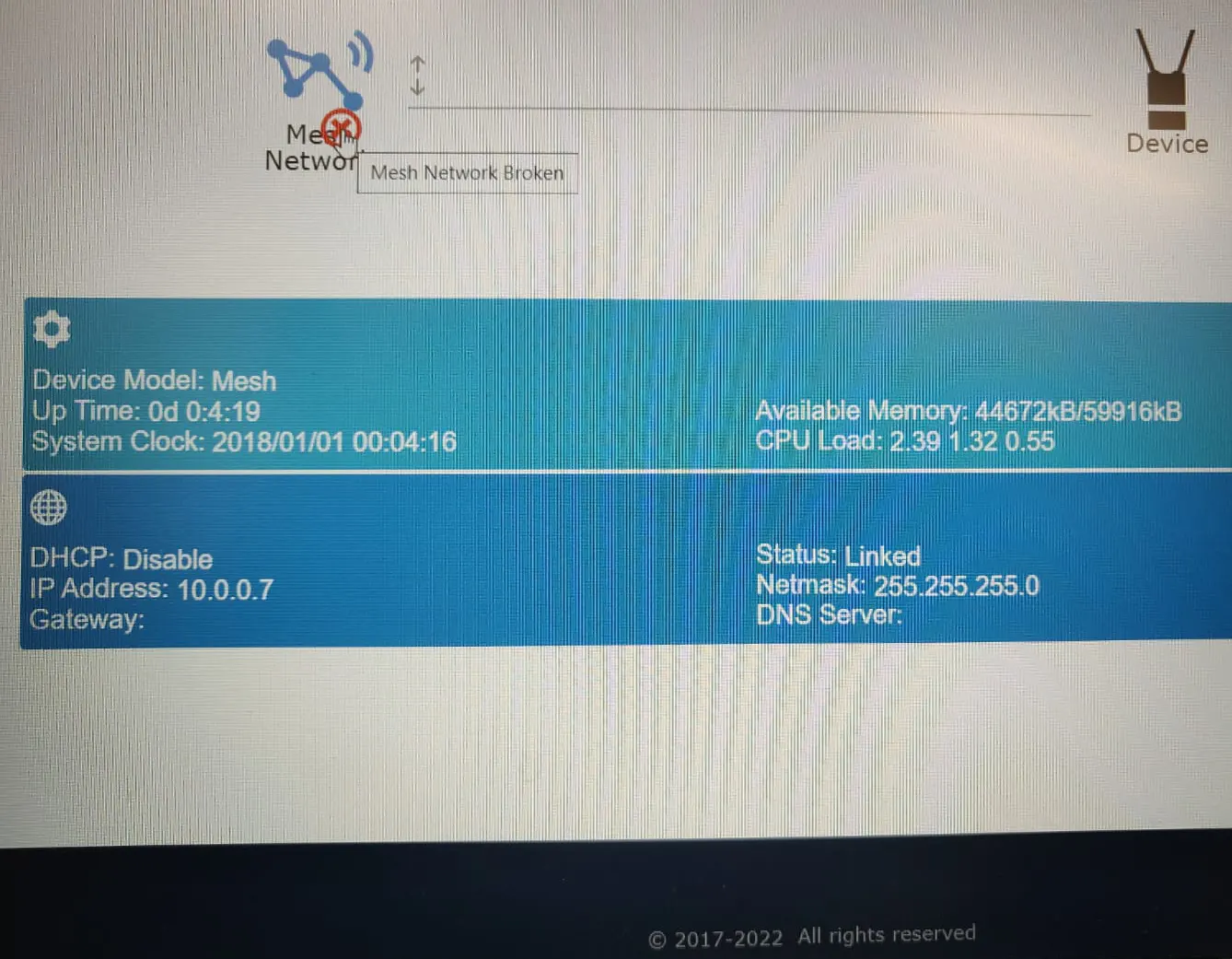
Why did our IP transceivers stop talking to each other? The UI says Mesh Network is broken. We cannot ping any Radio, we can not see any transmissions using the Spectrum Analyzer when we ping.
A: The parameter configuration should be messed up. What’s the situation with the wireless part? Is it convenient to take a screenshot? The easiest way is to restore the factory settings (after restoration, the IP address is: 102.168.17.1)

ダウンロード
Vcan1401 mesh version serial port AT setting routine description.pdf


Juan Dudulec –
The anti-jamming capabilities and frequency agility ensure secure data transmission even in contested environments. Used in our border patrol systems, it’s proven indispensable for encrypted reconnaissance missions.