





AP در مقابل. حالت Wi-Fi STA در ماژول رمزگذار CVBS به IP: What’s the Difference and Which Should You Use?
فهرست مطالب
مقدمه
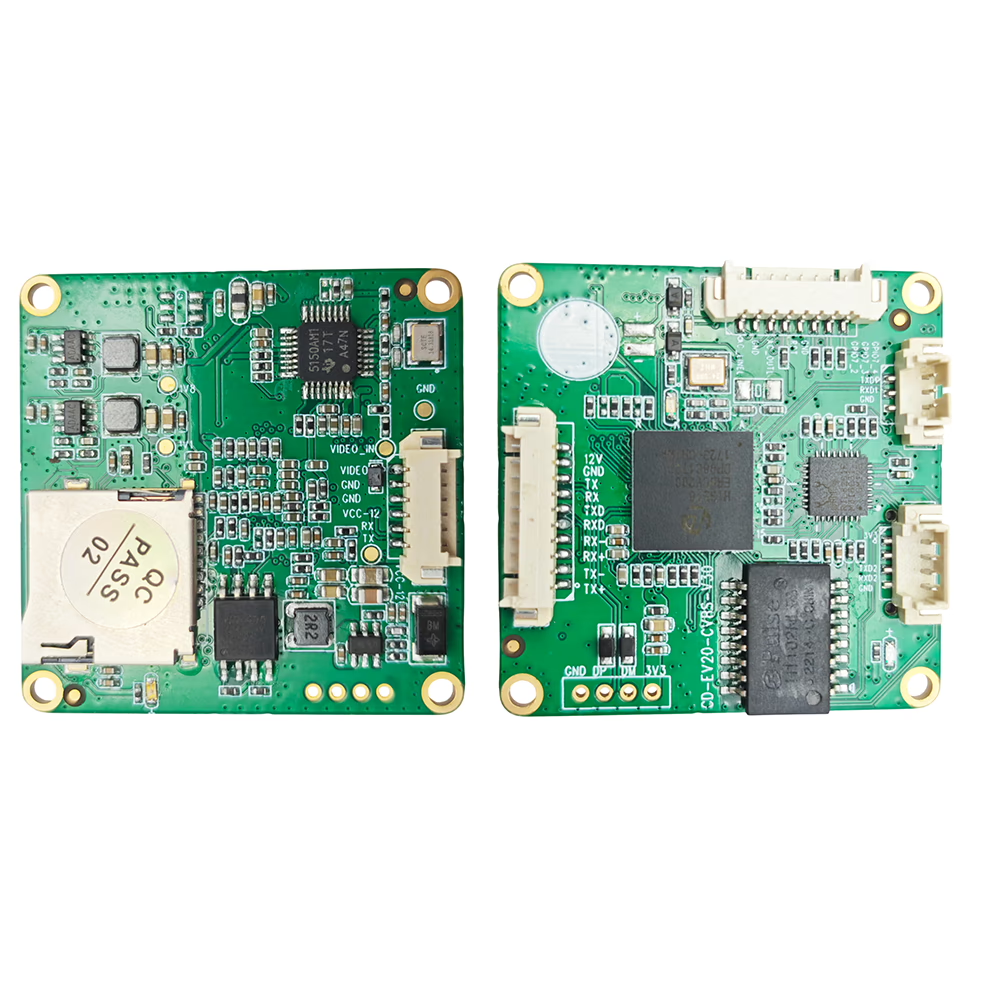
As more legacy analog video systems transition to IP-based architectures, Wi-Fi-enabled encoder modules are becoming the bridge between traditional CVBS video signals and modern IP networks.
Among these, the CVBS to IP Encoder with Wi-Fi module stands out as a lightweight, low-latency solution for drone FPV, vehicle monitoring, and industrial IoT applications.
But many users are confused by the two Wi-Fi operating modes — AP (Access Point) و STA (Station).
Both use the same module, but the way they work and the scenarios they suit are quite different.
در این مقاله, we’ll explain their differences in detail and help you choose the right mode for your project.
1. What Is an AP (Access Point) حالت?
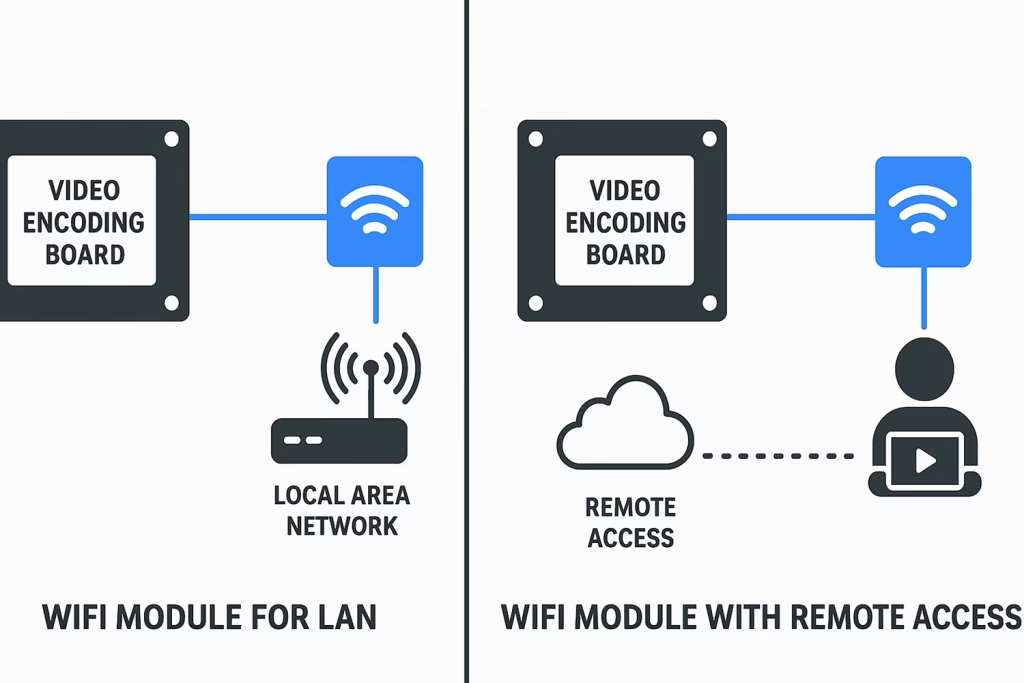
در AP Mode, the encoder board itself becomes a small Wi-Fi hotspot.
It creates its own SSID (به عنوان مثال, VcanEncoder_01), and your laptop, phone, or tablet can connect directly to it — no router or Internet connection required.
پس از اتصال, you can access the encoder’s web interface or real-time video stream by entering its local IP address (usually 192.168.1.188) in a browser or media player.
In simple terms:
The encoder board becomes the “center” of the Wi-Fi network, and your device connects directly to it.
Key Characteristics of AP Mode:
- Works without any external router or Internet access
- فراهم می کند local wireless connectivity up to 30–100 meters
- تاخیر کم and high reliability, similar to a cable connection
- ایده آل برای on-site preview, field setup, drone FPV, یا temporary monitoring
Example Use Case:
A drone’s analog FPV camera connects to the CVBS encoder board, which broadcasts a Wi-Fi hotspot.
Your ground control station connects to this Wi-Fi and receives the video feed instantly — completely wire-free.
2. What Is a STA (Station) حالت?
در STA Mode, the encoder board acts as a Wi-Fi client instead of a hotspot.
It connects to an existing router, mobile hotspot, or access point — just like your phone connects to Wi-Fi.
پس از اتصال, the encoder becomes part of the larger local network or even the Internet, depending on the router’s setup.
این اجازه می دهد remote devices to access the encoder’s IP stream through LAN, WAN, or cloud servers.
In simple terms:
The encoder joins an existing Wi-Fi network instead of creating its own.
Key Characteristics of STA Mode:
- Requires a router or Wi-Fi access point
- Can connect to the Internet for دسترسی از راه دور
- Supports DDNS, public IP, or P2P cloud connections
- مناسب برای IoT integration, نظارت صنعتی, یا off-site remote viewing
Example Use Case:
An industrial camera connected to the encoder streams to a factory router.
The engineer can view the live video from another building or even from home using the public IP or DDNS address.
3. AP Mode vs. STA Mode — What’s the Difference?
| ویژگی | AP Mode (Access Point) | STA Mode (Station) |
|---|---|---|
| Network Role | Encoder creates its own Wi-Fi network | Encoder connects to an existing Wi-Fi network |
| Internet Required | خیر | بله (if remote access needed) |
| Connection Range | Typically 30–100 meters | Depends on router coverage |
| تأخیر | Very low (100–150 ms typical) | کمی بالاتر (150–300 ms typical) |
| Accessibility | Only within local Wi-Fi range | Anywhere via Internet |
| Setup Complexity | Simple plug-and-play | Requires router configuration |
| Best For | پهپادهای FPV, field testing, portable setups | Remote surveillance, industrial IoT, cloud access |
4. How to Switch Between AP and STA Mode
Most encoder boards, such as the Vcan CVBS AV Analog to IP Encoder + ماژول وای فای, allow you to switch between the two modes through the web configuration page or a serial command interface.
گام به گام (مثال):
- Power up the encoder board.
- Connect your PC to the encoder’s Wi-Fi network (AP mode).
- Open a browser →
192.168.1.188. - Log in and navigate to Network Settings → Wi-Fi Mode.
- Choose either AP یا STA حالت.
- For STA mode, enter your router’s SSID and password.
- Save and reboot — the encoder will connect to the new network.
نکته: If you lose connection after switching to STA mode, use an IP search tool to locate the new address assigned by the router.
5. When to Use AP Mode
You should choose AP Mode when:
- You need quick, local access without any Internet setup
- You’re testing, calibrating, or configuring the device on-site
- The encoder is installed on a moving platform like a drone or robot
- You want a direct connection for lowest possible latency
Best Applications:
- Drone FPV and UAV image transmission
- Mobile inspection or temporary setup
- Local wireless display or testing environment
6. When to Use STA Mode
You should choose STA Mode when:
- The encoder needs to transmit video beyond local range
- You want to view or control the device from a remote location
- You plan to integrate it with NVR, VMS, or cloud services
- You need multiple encoders accessible on the same network
Best Applications:
- Vehicle monitoring and remote fleet tracking
- Industrial process monitoring and IoT integration
- Long-range security or smart home systems
- Remote video relay and live streaming over Internet
7. Real-World Example: CVBS Encoder with Wi-Fi for Drone and IoT
Let’s take the CVBS AV Analog to IP Encoder with Wi-Fi Module as a real-world example.
- در AP mode, the encoder directly transmits video from an analog FPV camera to a tablet on the ground — no router, no cables.
- در STA mode, the same board connects to a mobile 4G Wi-Fi router and streams live video to a remote monitoring center or cloud server.
Both modes use the same hardware — the only difference is توپولوژی شبکه و how you access the stream.
8. Performance Notes
- تأخیر: شبکه محلی کابلی < وای فای (AP) < وای فای (STA). For critical applications like FPV, always use AP or wired Ethernet.
- امنیت: In STA mode, router-based encryption (WPA2/WPA3) applies; in AP mode, set a strong password for the SSID.
- Bandwidth: H.265 encoding minimizes bitrate requirements — typically 0.5–2 Mbps is enough for 720p@30fps.
- سازگاری: Both modes support RTSP, ONVIF, UDP, and WebRTC streaming protocols.
9. پرسش و پاسخ
Q1. Can the encoder use AP and STA modes at the same time?
Some modules support dual-mode (AP+STA) عملیات, but this depends on firmware. در اکثر موارد, only one mode can be active at a time.
Q2. Which mode gives lower latency?
AP mode provides lower latency because it eliminates router routing and Internet delay.
Q3. Does STA mode need a public IP?
Only if you want to access it over the Internet. For local router access, a LAN IP is enough.
Q4. Can I use STA mode with mobile hotspots?
بله, if the hotspot provides DHCP and Internet sharing. It’s ideal for mobile setups.
Q5. What happens if Wi-Fi signal drops?
The encoder will automatically reconnect. For critical use, consider Ethernet or add a 4G fallback module.
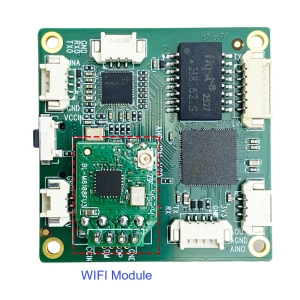
Q5: I will connect to IoT devices based on ESP32-S3. Which WiFi module function should I choose—AP mode or STA mode?
A5: Based on your application with ESP32-S3 IoT devices, we recommend using the WiFi module in Local Network Mode (LAN only).
The ESP32-S3 can directly communicate with the encoder board within the same WiFi network, so remote-access WiFi is not required for this type of IoT application.
This setup is simpler, more stable, and offers lower latency, making it ideal for ESP32-S3 IoT integration.
10. نتیجه گیری
Understanding the difference between AP و STA Wi-Fi modes is essential for deploying your CVBS to IP Encoder Module effectively.
- استفاده کنید AP Mode when you need a fast, direct, cable-free local connection — perfect for drone FPV, local monitoring, or testing.
- استفاده کنید STA Mode when you need remote access, cloud integration, or multi-device networking.
With flexible dual-mode Wi-Fi capability, modern CVBS encoder modules empower developers and system integrators to build everything from portable FPV transmitters به global IoT surveillance networks — bridging the gap between traditional analog video and the connected digital world.
CVBS HDMI به IP رمزگذار
تابلوهای ماژول های رمزگذار









تابلوهای ماژول های رمزگشا




برای سفارشی سازی موجود است
محصولات رمزگذار جدید
| خیر. | Product Name | پیکربندی | ویژگی های کلیدی | وضعیت |
|---|---|---|---|---|
| 1 | رمزگذار ویدئویی نور مرئی UVC دو کاناله USB | 2× ورودی USB | پشتیبانی از کدگذاری ویدئویی با دوربین دوگانه USB, و RTSP جریان; خروجی محلی CVBS/HDMI; حالت های نمایش قابل تغییر | تولید انبوه |
| 2 | رمزگذار دو کاناله (1× USB Visible Light + 1× دوربین تصویربرداری حرارتی USB) | 2× ورودی USB | پشتیبانی از دوربین دوگانه USB (قابل مشاهده است + حرارتی) capture, رمزگذاری, و RTSP جریان; خروجی محلی CVBS/HDMI; حالت های نمایش قابل تغییر | تولید انبوه |
| 3 | ماژول نمایش HDMI/CVBS رسیور RTSP | HDMI + خروجی CVBS | پشتیبانی از رمزگشایی جریان RTSP تا 4×1080P@30fps; پشتیبانی از ارسال پروتکل جریان ویدئو; نمایشگر خروجی HDMI/CVBS | نمونه موجود است |
| 4 | ماژول نمایش HDMI/CVBS رسیور RTSP با 4.3"/5" ال سی دی | HDMI output + صفحه نمایش LCD | پشتیبانی از رمزگشایی جریان RTSP تا 4×1080P@30fps; ارسال پروتکل; نمایشگر خروجی HDMI/CVBS | اشکال زدایی |
| 5 | رمزگذار دو کاناله (1× USB Visible Light + 1× CVBS آنالوگ) | 1× CVBS + 1× ورودی USB UVC | ویدئوی دوگانه (یو اس بی + CVBS), رمزگذاری و جریان RTSP; خروجی محلی CVBS/HDMI; حالت های نمایش قابل تغییر | اشکال زدایی |
| 6 | رمزگذار دو کاناله (1× USB UVC + 1× AHD آنالوگ) | 1× AHD + 1× ورودی USB UVC | فیلمبرداری دوگانه (یو اس بی + AHD), رمزگذاری و جریان RTSP; خروجی محلی CVBS/HDMI; حالت های نمایش قابل تغییر | اشکال زدایی |
| 7 | رمزگذار دو کاناله (1× CVBS + 1× ویدئو آنالوگ AHD) | CVBS + AHD 2 ورودی ویدیو | فیلمبرداری دوگانه آنالوگ, رمزگذاری و جریان RTSP; خروجی محلی CVBS/HDMI; حالت های نمایش قابل تغییر | اشکال زدایی |
| 8 | رمزگذار دو کاناله (1× دوربین CMOS + 1× دوربین تصویربرداری حرارتی USB) | 1× رابط USB | پشتیبانی از CMOS + USB thermal camera capture, رمزگذاری و جریان RTSP; خروجی محلی CVBS/HDMI; حالت های نمایش قابل تغییر | تولید انبوه |
برای راه حل های تبدیل ورودی/خروجی ویدیویی سفارشی شده که در محصولات ما ذکر نشده است, لطفا برای پشتیبانی OEM/ODM با ما تماس بگیرید. ما می توانیم محصولات متناسب با نیاز شما را توسعه دهیم.
سوال بپرسید
از پاسخ شما سپاسگزاریم. ✨