






UDP H.264/H.265 Player SDK mit geringer Latenz für Windows x64 – Benutzerdefinierte UDP-Demux-Lösung für Python/Qt-Anwendungen
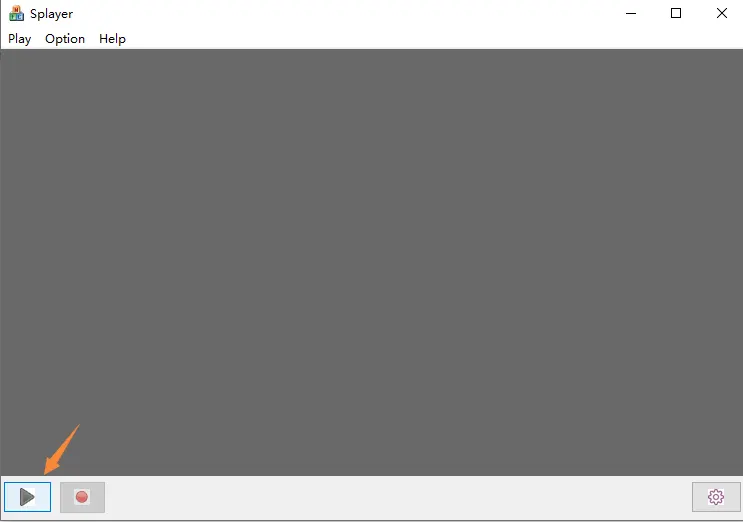
Viele Entwickler, die HDMI/CVBS/UVC-zu-IP-Encoder-Boards verwenden, stehen irgendwann vor der gleichen Herausforderung:
Die RTSP-Latenz ist zu hoch.
Für professionelle Echtzeitanwendungen wie z:
- Videoübertragung per Drohne
- Robotik
- Industrielle Überwachung
- FPV-Systeme
- KI-Vision-Verarbeitung
- Übertragung mit geringer Latenz
- Sicherheitssysteme
- Medizinische Bildgebung
- Benutzerdefinierte Videowände
Selbst eine Latenz von 100 ms kann bereits zu viel sein.
Kürzlich, Einer unserer Kunden kontaktierte uns mit einer sehr professionellen Anforderung:
„Wir entwickeln unsere eigene Player-Software mit geringer Latenz für Ihr Encoder-Board. Die RTSP-Verzögerung ist zu hoch. Wir möchten den benutzerdefinierten UDP-Stream direkt empfangen und unsere eigene Decoder-/Anzeigepipeline aufbauen.“
Genau hier werden das SPlayer SDK und die benutzerdefinierte UDP-Demux-Lösung wichtig.
Inhaltsverzeichnis
Warum FFmpeg oder VLC den UDP-Stream nicht abspielen können
Eine häufige Frage ist:
„Warum funktioniert ffplay udp://xxx funktioniert nicht?”
Der Grund ist einfach:
Der Encoder verwendet NICHT Standard-MPEG-TS oder Standard-RTP über UDP.
Stattdessen, Das Gerät verwendet ein proprietäres/privates UDP-Transportprotokoll, das für die Übertragung mit extrem geringer Latenz optimiert ist.
Die UDP-Pakete können enthalten:
- Private Header
- Rahmenindex
- Zeitstempel
- Fragmentierte Videopakete
- Audiodaten
- Serielle/UART-Daten
Aus diesem Grund, Standardspieler wie:
- VLC
- ffplay
- Gstreamer
Der Stream kann nicht direkt dekodiert werden.
Eine dedizierte Demux-Schicht ist erforderlich.
SPlayer SDK-Architektur
Das SPlayer SDK für Windows wurde speziell für diesen Zweck entwickelt.
Typische Architektur:
Encoder
   ↓
Custom UDP protocol
   ↓
SPlayer Demux SDK
   ↓
H.264 / H.265 Elementary Stream
   ↓
Custom Decoder
   ↓
Custom Renderer / Display
Der vollständige interne Fluss ist typischerweise:
demux → decode → display → record
Das SDK ist besonders nützlich für Entwickler, die dies möchten:
- Erstellen Sie Ihre eigene Player-Software
- Integrieren Sie in Python/Qt
- Verwenden Sie DirectX/OpenGL-Rendering
- Reduzieren Sie die Pufferung
- Erzielen Sie eine Anzeige mit extrem geringer Latenz
RTSP vs. benutzerdefinierte UDP-Latenz
Typischer Latenzvergleich:
| Protokoll | Typische Latenz |
|---|---|
| RTSP | 150~500ms |
| Standard-RTP/UDP | 80~150ms |
| Benutzerdefiniertes UDP-Protokoll | 20~80ms |
Ein Kunde berichtete:
- Aktuelle Latenz: ~100ms
- Ziellatenz: ~60ms
Das ist realistisch mit:
- benutzerdefinierte Player-Software
- optimierte Pufferung
- direkter UDP-Demux
- Hardwarebeschleunigte Dekodierung
Können wir einen Player in Python erstellen??
Ja.
Dies ist eine weitere häufig gestellte Frage.
Der Kunde fragte:
„Wie können wir den Videoplayer in Python implementieren??”
Der wichtige Punkt ist:
Python ist NICHT für das Parsen des proprietären UDP-Protokolls selbst verantwortlich.
Stattdessen, Die Architektur sieht normalerweise so aus:
Python/Qt UI
      ↓
ctypes / cffi / pybind11
      ↓
SPlayer SDK DLL
      ↓
H264/H265 elementary stream
      ↓
FFmpeg / PyAV decode
      ↓
OpenGL / DirectX rendering
Python funktioniert sehr gut für:
- Benutzeroberfläche
- Steuerlogik
- KI -Verarbeitung
- Multi-Channel-Management
- Netzwerksteuerung
während die SDK-DLL den Echtzeit-UDP-Demux übernimmt.
Was Entwickler normalerweise vom SDK benötigen
Professionelle Kunden fragen normalerweise nach:
1. Unterstützung für Windows x64
Moderne Software erfordert:
- Windows x64-DLL
- x64 LIB
- x64-Demo
Viele ältere SDKs unterstützen nur Win32/x86, was nicht mehr reicht.
2. H.264 / H.265 Elementary Stream-Ausgabe
Das wichtigste Merkmal:
Das SDK sollte verfügbar sein:
- rohe H264/H265 WELLE
- Zeitstempel
- Audio-Frames
- Serielle/UART-Daten
Dies ermöglicht die Integration mit:
- Ffmpeg
- PyAV
- NVIDIA-Decoder
- Intel QuickSync
- benutzerdefinierte GPU-Pipelines
3. Rückruf-API
Zu den typischen APIs gehören::
on_video_frame(...)
on_audio_frame(...)
on_serial_data(...)
Dies ist für Anwendungen mit geringer Latenz unerlässlich.
4. Compiler-Kompatibilität
Entwickler fragen normalerweise:
- Visual Studio-Version?
- MSVC-Laufzeit?
- x64-Unterstützung?
- statische oder dynamische Laufzeit?
- DLL oder Quellcode?
Diese Details sind für die Integration in professionelle Software von Bedeutung.
Typische Anwendungsfälle
Das SDK wird häufig verwendet für:
- UAV/Drohnen-Bodenstationen
- Echtzeitüberwachung
- Industriekameras
- Medizinische Systeme
- Live-Produktion
- KI-Videoanalyse
- Edge-Computing
- Video-Relay-Systeme
- Benutzerdefinierte NVR-Software
SPlayer SDK herunterladen
Unser Ingenieur hat das SDK-Paket zur Evaluierung und Sekundärentwicklung bereitgestellt:
SDK-Download-Link:
https://drive.google.com/file/d/1ifdJtE50YKH3S9JaAV0LCTKZcZgUtN_b/view?usp=drive_link
Das SDK ist für Entwickler gedacht, die Folgendes benötigen:
- UDP-Empfang mit geringer Latenz
- Benutzerdefinierte Player-Entwicklung
- H264/H265-Demux
- Windows x64-Integration
- Python/Qt-Integration
- sekundäre Softwareentwicklung
Schlussbemerkungen
Wenn Ihr Projekt es erfordert:
- geringere Latenz als RTSP
- benutzerdefinierte Videoverarbeitung
- proprietärer UDP-Transport
- Entwicklung von Python/Qt-Playern
- Windows x64 SDK-Integration
Dann ist die Verwendung eines dedizierten UDP-Demux-SDK der richtige Ansatz.
Die herkömmliche VLC- oder ffmpeg-Wiedergabe funktioniert möglicherweise nicht mit proprietären UDP-Protokollen mit geringer Latenz.
Professionelle Systeme mit geringer Latenz erfordern normalerweise:
- benutzerdefinierter Demux
- optimierte Pufferung
- Direktdecoder-Pipeline
- GPU-beschleunigtes Rendering
Für Entwickler, die Echtzeit-Videosysteme der nächsten Generation entwickeln, Diese Architektur bietet eine viel bessere Latenzleistung als Standard-RTSP-Workflows.
Stelle eine Frage
Vielen Dank für deine Antwort. ✨