





Low Latency UDP H.264/H.265 Player SDK for Windows x64 – Custom UDP Demux Solution for Python/Qt Applications
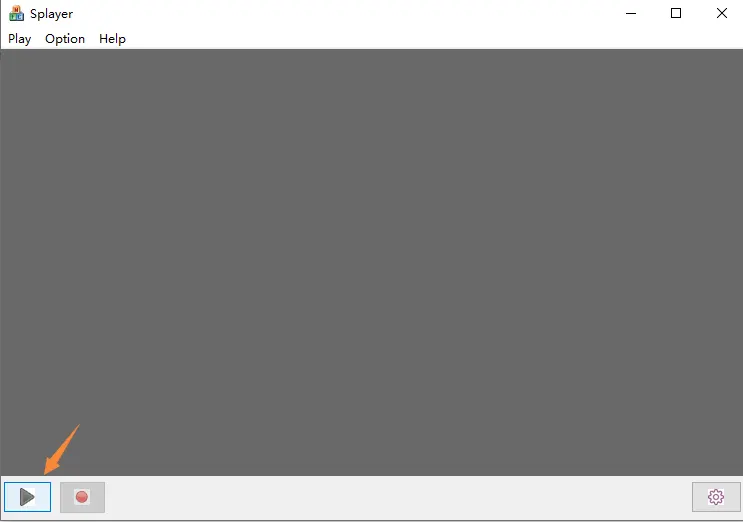
Many developers using HDMI/CVBS/UVC to IP encoder boards eventually face the same challenge:
RTSP latency is too high.
For professional real-time applications such as:
- Drone video transmission
- Robotyka
- Monitoring przemysłowy
- Systemy FPV
- AI vision processing
- Low latency broadcasting
- Security systems
- Medical imaging
- Custom video walls
even 100ms latency may already be too much.
Ostatnio, one of our customers contacted us with a very professional requirement:
“We are developing our own low-latency player software for your encoder board. RTSP delay is too high. We want to receive the custom UDP stream directly and build our own decoder/display pipeline.”
This is exactly where the SPlayer SDK and custom UDP demux solution become important.
Spis treści
Why FFmpeg or VLC Cannot Play the UDP Stream
A common question is:
“Why does ffplay udp://xxx not work?”
The reason is simple:
The encoder does NOT use standard MPEG-TS or standard RTP over UDP.
Instead, the device uses a proprietary/private UDP transport protocol optimized for ultra-low latency transmission.
The UDP packets may contain:
- Private headers
- Frame index
- Znacznik czasu
- Fragmented video packets
- Audio data
- Serial/UART data
Because of this, standard players such as:
- VLC
- ffplay
- GStreamer
cannot directly decode the stream.
A dedicated demux layer is required.
SPlayer SDK Architecture
The SPlayer SDK for Windows is designed specifically for this purpose.
Typical architecture:
Encoder
   ↓
Custom UDP protocol
   ↓
SPlayer Demux SDK
   ↓
H.264 / H.265 Elementary Stream
   ↓
Custom Decoder
   ↓
Custom Renderer / Display
The complete internal flow is typically:
demux → decode → display → record
The SDK is especially useful for developers who want to:
- Build their own player software
- Integrate into Python/Qt
- Use DirectX/OpenGL rendering
- Reduce buffering
- Achieve ultra-low latency display
RTSP vs Custom UDP Latency
Typical latency comparison:
| Protokół | Typical Latency |
|---|---|
| RTSP | 150~500ms |
| Standard RTP/UDP | 80~150ms |
| Custom UDP protocol | 20~80ms |
One customer reported:
- Current latency: ~100ms
- Target latency: ~60ms
This is realistic with:
- custom player software
- optimized buffering
- direct UDP demux
- hardware accelerated decoding
Can We Build a Player in Python?
tak.
This is another common question.
The customer asked:
“How can we implement the video player in Python?”
The important point is:
Python is NOT responsible for parsing the proprietary UDP protocol itself.
Instead, the architecture usually looks like this:
Python/Qt UI
      ↓
ctypes / cffi / pybind11
      ↓
SPlayer SDK DLL
      ↓
H264/H265 elementary stream
      ↓
FFmpeg / PyAV decode
      ↓
OpenGL / DirectX rendering
Python works very well for:
- Interfejs użytkownika
- control logic
- AI processing
- multi-channel management
- network control
while the SDK DLL handles the real-time UDP demux.
What Developers Usually Need from the SDK
Professional customers usually ask:
1. Windows x64 support
Modern software requires:
- Windows x64 DLL
- x64 LIB
- x64 demo
Many older SDKs only support Win32/x86, which is no longer enough.
2. H.264 / H.265 Elementary Stream Output
The most important feature:
The SDK should expose:
- raw H264/H265 NALU
- znaczniki czasu
- audio frames
- serial/UART data
This allows integration with:
- FFmpeg
- PyAV
- NVIDIA decoder
- Intel QuickSync
- custom GPU pipelines
3. Callback API
Typical APIs include:
on_video_frame(...)
on_audio_frame(...)
on_serial_data(...)
This is essential for low latency applications.
4. Compiler Compatibility
Developers usually ask:
- Visual Studio version?
- MSVC runtime?
- x64 support?
- static or dynamic runtime?
- DLL or source code?
These details matter for integration into professional software.
Typowe przypadki użycia
The SDK is commonly used for:
- UAV/Drone ground stations
- Real-time surveillance
- Industrial cameras
- Medical systems
- Live production
- AI video analytics
- Edge computing
- Video relay systems
- Custom NVR software
SPlayer SDK Download
Our engineer has provided the SDK package for evaluation and secondary development:
SDK Download Link:
https://drive.google.com/file/d/1ifdJtE50YKH3S9JaAV0LCTKZcZgUtN_b/view?usp=drive_link
The SDK is intended for developers who need:
- low latency UDP reception
- custom player development
- H264/H265 demux
- Windows x64 integration
- Python/Qt integration
- secondary software development
Final Notes
If your project requires:
- lower latency than RTSP
- custom video processing
- proprietary UDP transport
- Python/Qt player development
- Windows x64 SDK integration
then using a dedicated UDP demux SDK is the correct approach.
Traditional VLC or ffmpeg playback may not work with proprietary low-latency UDP protocols.
Professional low latency systems usually require:
- custom demux
- optimized buffering
- direct decoder pipeline
- GPU accelerated rendering
For developers building next-generation real-time video systems, this architecture provides much better latency performance than standard RTSP workflows.
Zadać pytanie
Twoja wiadomość została wysłana