






SDK Pemain UDP H.264/H.265 Latensi Rendah untuk Windows x64 – Solusi Demux UDP Khusus untuk Aplikasi Python/Qt
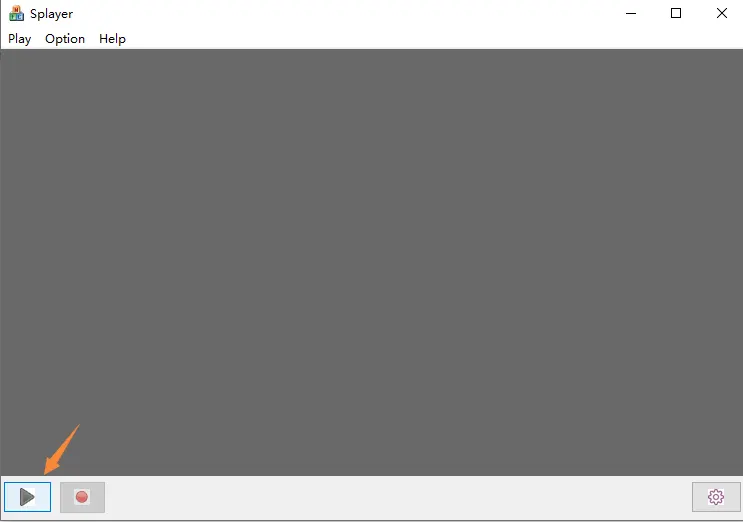
Banyak pengembang yang menggunakan papan encoder HDMI/CVBS/UVC ke IP akhirnya menghadapi tantangan yang sama:
Latensi RTSP terlalu tinggi.
Untuk aplikasi real-time profesional seperti:
- Transmisi video drone
- Robotika
- Pemantauan industri
- sistem FPV
- Pemrosesan visi AI
- Penyiaran latensi rendah
- Sistem keamanan
- Pencitraan medis
- Dinding video khusus
bahkan latensi 100 ms mungkin sudah terlalu berlebihan.
Baru-baru ini, salah satu pelanggan kami menghubungi kami dengan persyaratan yang sangat profesional:
“Kami sedang mengembangkan perangkat lunak pemutar latensi rendah kami sendiri untuk papan encoder Anda. Penundaan RTSP terlalu tinggi. Kami ingin menerima aliran UDP khusus secara langsung dan membangun saluran dekoder/tampilan kami sendiri.”
Di sinilah tepatnya SPlayer SDK dan solusi demux UDP khusus menjadi penting.
Daftar isi
Mengapa FFmpeg atau VLC Tidak Dapat Memutar Aliran UDP
Pertanyaan umum adalah:
“Kenapa ffplay udp://xxx tidak berfungsi?”
Alasannya sederhana:
Encoder TIDAK menggunakan MPEG-TS standar atau RTP standar melalui UDP.
Alih-alih, perangkat ini menggunakan protokol transport UDP milik/pribadi yang dioptimalkan untuk transmisi latensi sangat rendah.
Paket UDP mungkin berisi:
- Header pribadi
- Indeks bingkai
- Cap waktu
- Paket video terfragmentasi
- data audio
- Data seri/UART
Karena ini, pemain standar seperti:
- VLC
- bermain ff
- Gstreamer
tidak dapat secara langsung memecahkan kode aliran.
Diperlukan lapisan demux khusus.
Arsitektur SDK SPlayer
SPlayer SDK untuk Windows dirancang khusus untuk tujuan ini.
Arsitektur yang khas:
Encoder
   ↓
Custom UDP protocol
   ↓
SPlayer Demux SDK
   ↓
H.264 / H.265 Elementary Stream
   ↓
Custom Decoder
   ↓
Custom Renderer / Display
Aliran internal yang lengkap biasanya:
demux → decode → display → record
SDK ini sangat berguna bagi pengembang yang menginginkannya:
- Bangun perangkat lunak pemutar mereka sendiri
- Integrasikan ke dalam Python/Qt
- Gunakan rendering DirectX/OpenGL
- Kurangi buffering
- Mencapai tampilan latensi sangat rendah
RTSP vs Latensi UDP Khusus
Perbandingan latensi tipikal:
| Protokol | Latensi Khas |
|---|---|
| RTSP | 150~500 md |
| RTP/UDP standar | 80~150 md |
| Protokol UDP khusus | 20~80 md |
Seorang pelanggan melaporkan:
- Latensi saat ini: ~100 md
- Latensi target: ~60 md
Ini realistis dengan:
- perangkat lunak pemutar khusus
- buffering yang dioptimalkan
- demux UDP langsung
- decoding yang dipercepat perangkat keras
Bisakah Kita Membangun Pemain dengan Python?
iya nih.
Ini adalah pertanyaan umum lainnya.
Pelanggan bertanya:
“Bagaimana kita bisa mengimplementasikan pemutar video dengan Python?”
Poin pentingnya adalah:
Python TIDAK bertanggung jawab untuk menguraikan protokol UDP berpemilik itu sendiri.
Alih-alih, arsitekturnya biasanya terlihat seperti ini:
Python/Qt UI
      ↓
ctypes / cffi / pybind11
      ↓
SPlayer SDK DLL
      ↓
H264/H265 elementary stream
      ↓
FFmpeg / PyAV decode
      ↓
OpenGL / DirectX rendering
Python bekerja dengan sangat baik:
- UI
- logika kontrol
- Pemrosesan AI
- manajemen multi-saluran
- kontrol jaringan
sedangkan SDK DLL menangani demux UDP waktu nyata.
Apa yang Biasanya Dibutuhkan Pengembang dari SDK
Pelanggan profesional biasanya bertanya:
1. Dukungan Windows x64
Perangkat lunak modern membutuhkan:
- Windows x64 dll
- x64LIB
- demo x64
Banyak SDK lama hanya mendukung Win32/x86, yang tidak lagi cukup.
2. H.264 / Keluaran Aliran Dasar H.265
Fitur yang paling penting:
SDK harus terbuka:
- GELOMBANG H264/H265 mentah
- cap waktu
- bingkai audio
- data seri/UART
Hal ini memungkinkan integrasi dengan:
- Ffmpeg
- PyAV
- Dekoder NVIDIA
- Sinkronisasi Cepat Intel
- pipeline GPU khusus
3. API Panggilan Balik
API yang umum termasuk:
on_video_frame(...)
on_audio_frame(...)
on_serial_data(...)
Ini penting untuk aplikasi latensi rendah.
4. Kompatibilitas Kompiler
Pengembang biasanya bertanya:
- Versi Visual Studio?
- Waktu proses MSVC?
- dukungan x64?
- runtime statis atau dinamis?
- DLL atau kode sumber?
Detail ini penting untuk integrasi ke perangkat lunak profesional.
Kasus Penggunaan Khas
SDK biasanya digunakan untuk:
- Stasiun bumi UAV/Drone
- Pengawasan waktu nyata
- Kamera industri
- Sistem medis
- Produksi langsung
- Analisis video AI
- Komputasi tepi
- Sistem relai video
- Perangkat lunak NVR khusus
Unduh SPlayer SDK
Teknisi kami telah menyediakan paket SDK untuk evaluasi dan pengembangan sekunder:
Tautan Unduhan SDK:
https://drive.google.com/file/d/1ifdJtE50YKH3S9JaAV0LCTKZcZgUtN_b/view?usp=drive_link
SDK ditujukan bagi pengembang yang membutuhkan:
- penerimaan UDP latensi rendah
- pengembangan pemain khusus
- Demux H264/H265
- Integrasi Windows x64
- Integrasi Python/Qt
- pengembangan perangkat lunak sekunder
Catatan Akhir
Jika proyek Anda memerlukan:
- latensi lebih rendah dari RTSP
- pemrosesan video khusus
- transportasi UDP berpemilik
- Pengembangan pemain Python/Qt
- Integrasi SDK Windows x64
maka menggunakan UDP demux SDK khusus adalah pendekatan yang tepat.
Pemutaran VLC atau ffmpeg tradisional mungkin tidak berfungsi dengan protokol UDP berlatensi rendah.
Sistem latensi rendah profesional biasanya memerlukan:
- demux khusus
- buffering yang dioptimalkan
- pipa dekoder langsung
- Rendering yang dipercepat GPU
Untuk pengembang yang membangun sistem video real-time generasi berikutnya, arsitektur ini memberikan kinerja latensi yang jauh lebih baik daripada alur kerja RTSP standar.
Berikan pertanyaan
Terima kasih atas tanggapan Anda. ✨