






All COFDM modules(发射器模块还是接收器模块) can have their parameters configured through the uart port. These parameters include modulation setup, 工作频率, 带宽, transmitted gain, H264 code rate, encryption and decryption password, uart baud rate, 等等. provides three models of uart config panel for different applications and cases, named SconA, SconB, and SconC.
我们已经发送了更新的软件并解决了这个问题。
| Uart config panel | SconA | SconB | SconC |
| 显示 | 0.96 英寸 OLED | 8 digit 8-segments LED | 1.54 英寸 OLED |
| 外形尺寸 | 54*23.4毫米 | 85*50*22毫米 | 65*31毫米 |
| 按键 | 3 | 4 | 3 |
| Supported modules | All COFDM modules | ||
| 电源 | Powered from COFDM module(5V) | ||
| Connection interface | Uart signal with VDD, 4 PIN PH1.25 connector or USB connector or just 4 solder holes | ||
| Parameters configurable | 全部 | parts of | 全部 |
SconA

The SconA config panel has a 0.96-inch OLED display, 同 3 operation buttons. SconA config panel dimensions: 54*23.4毫米, it does not include the connectors out of the board edge. For different COFDM modules and device case designs, it should use one of the three connecting interfaces:
- 4 PIN PH1.25 connector(TTL uart), 用此连接带TTL控制UART的模块.
- USB连接器(RS232串口), 使用此模块将模块与 USB 连接器中的 RS232 控制 UART 连接.
- 4 PIN 孔(RS232串口), 使用此模块连接带有 RS232 控制 UART 的模块,以实现紧凑的设备外壳设计.
SconB
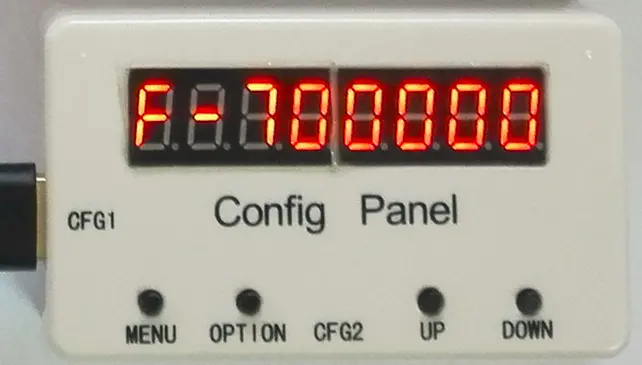
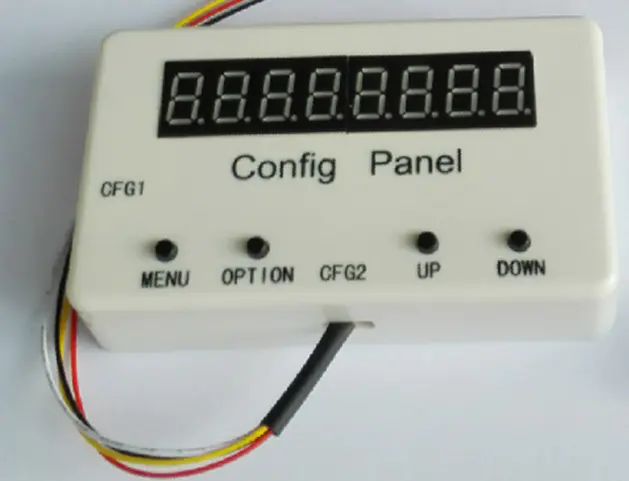
SconB 配置面板具有 8 位 8 段 LED 显示屏, 同 4 operation buttons. SconB 配置面板安装在塑料外壳中, 尺寸85*50*22mm. 对于不同的COFDM模块, 它应该使用两个连接接口之一:
- 4 PIN PH1.25 connector(CFG2, TTL uart), 用此连接带TTL控制UART的模块.
- USB连接器(CFG1, RS232串口), 使用此模块将模块与 USB 连接器中的 RS232 控制 UART 连接.
我们已经发送了更新的软件并解决了这个问题。
SconC
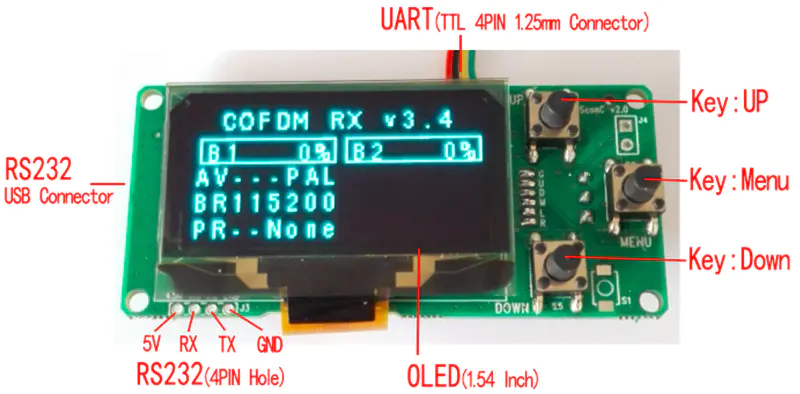
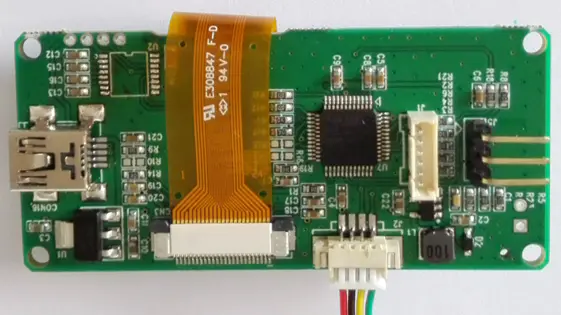
SconC 配置面板具有 1.54 英寸 OLED 显示屏, 同 3 operation buttons. SconC 配置面板尺寸: 65*31毫米, it does not include the connectors out of the board edge. For different COFDM modules and device case designs, it should use one of the three connecting interfaces:
- 4 PIN PH1.25 connector(TTL uart), 用此连接带TTL控制UART的模块.
- USB连接器(RS232串口), 使用此模块将模块与 USB 连接器中的 RS232 控制 UART 连接.
- 4 PIN 孔(RS232串口), 使用此模块连接带有 RS232 控制 UART 的模块,以实现紧凑的设备外壳设计.
问一个问题
感谢您的回复。 ✨