






In our two-way wireless link system TX900, the output power is automatically adjusted based on transmission distance. 如果您需要 test the PA (功率放大器) 输出功率, the automatic adjustment must be temporarily disabled, and long-range mode enabled. This guide provides a safe, step-by-step procedure.
目录
步 1: Stop the Wireless Modem
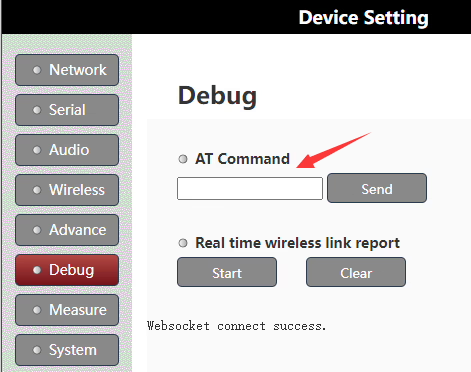
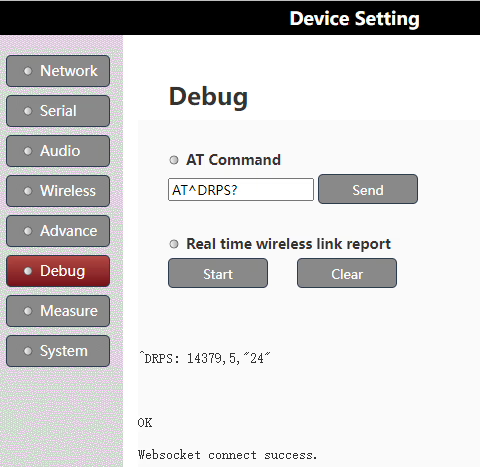
Before making any changes, stop the modem to prepare for configuration:
AT+CFUN=0
步 2: Enable QPSK Single-Antenna Long-Range Mode
Activate the long-range test mode to fix the output power for accurate measurement: (The TX900 purchased by the customer operates at 800 MHz, and the shipped 800 MHz units are configured with a 2 W transmit power using the specific set parameter 19. 因此, this naming corresponds to that configuration. 对于其他频率, please confirm with us first.)
AT^DSONCTX=1,8160,5,"19",0,0,0
步 3: Start the Wireless Modem
Restart the modem to apply the changes:
AT+CFUN=1
步 4: Measure the Spectrum
Perform spectrum measurements on ANT1. Make sure your measurement equipment is correctly connected and calibrated.
步 5: Restore Normal Operation
After testing, return the modem to normal operation by executing:
AT+CFUN=0              // Stop the modem
AT^DSONCTX=0           // Disable long-range test mode
AT+CFUN=1              // Start the modem in normal mode
Important Safety Precautions
- Only trained engineers should perform this procedure.
- Improper testing may damage the device. Any damage requires repair in China.
- Double-check all commands and connections before executing.
按照这些步骤, you can safely test PA output on a two-way wireless link while ensuring the device returns to normal operation afterward.
问一个问题
感谢您的回复。 ✨