







5G 無線視訊發射器和接收器通訊模組
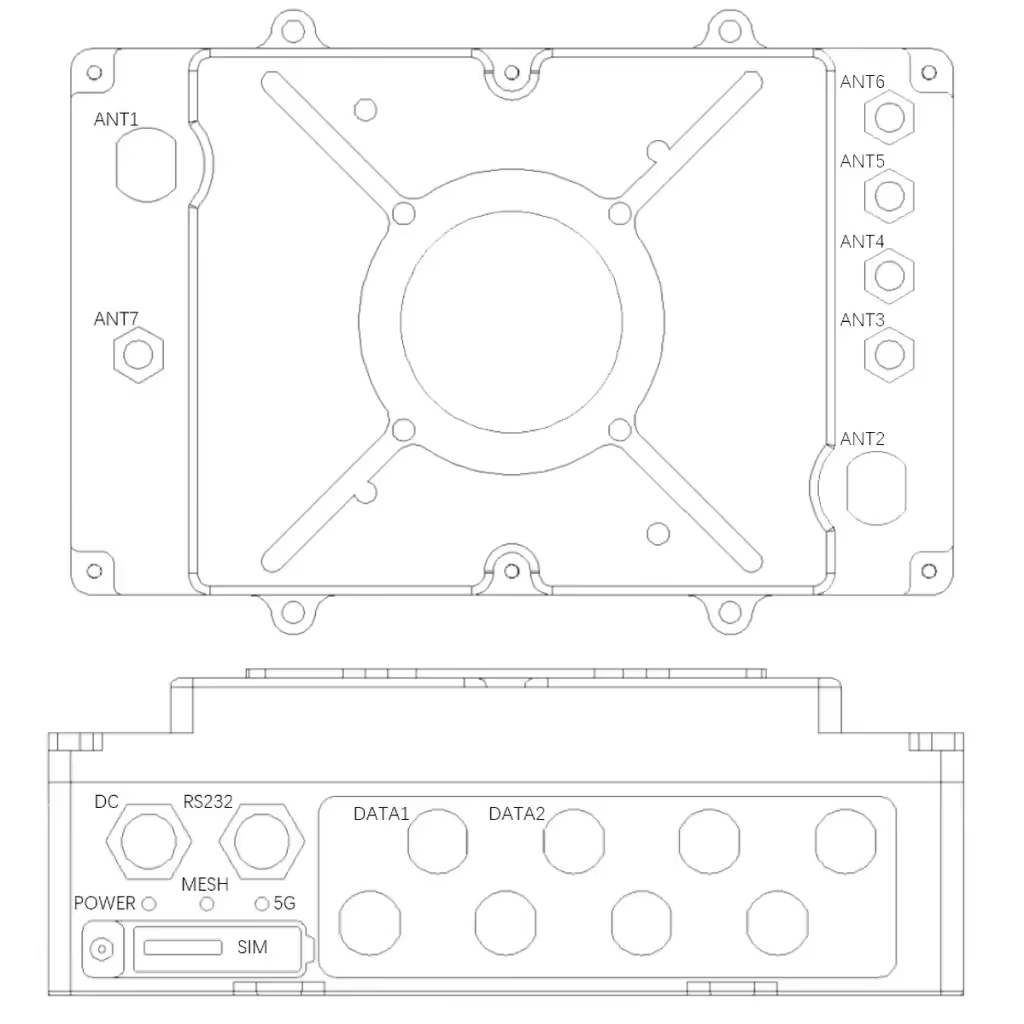
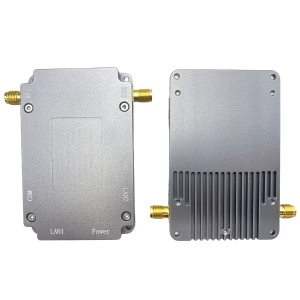
| 序號 | bit number | 姓名 | 訊號定義 |
| 1 | ANT3 | 5G Antenna Port 1 | 5G RF |
| 2 | ANT4 | 5G Antenna Port 2 | 5G RF |
| 3 | ANT5 | 5G Antenna Port 3 | 5G RF |
| 4 | ANT6 | 5G Antenna Port 4 | 5G RF |
| 5 | ANT1 | Mesh antenna port 1 | MESH RF |
| 6 | ANT2 | Mesh antenna port 2 | MESH RF |
| 7 | ANT7 | BD antenna interface | BD RF |
| 8 | 辛 | SIM card slot | Nano-SIM |
| 9 | DATA1 | 100M network interface 1 | 發射+ |
| TX | |||
| 接收+ | |||
| / | |||
| / | |||
| 接收- | |||
| / | |||
| / | |||
| 10 | 數據2 | 預訂 | |
| 11 | RS232 | RS232 serial interface | 接地 |
| 接收 | |||
| TX | |||
| / | |||
| / | |||
| / | |||
| 12 | 直流 | 24V power interface | 24V |
| 接地 | |||
| 13 | 力量 | 電源指示燈 | |
| 14 | 網 | Mesh Network Indicator | |
| 15 | 5G | 5G network indicator light |
目錄
包裝
- One communication module host
- 2 dedicated frequency band (1.4千兆赫) 天線 (depending on different models, other types of antennas are optional)
- 4 general frequency band (5千兆赫) 天線 (depending on different models, other types of antennas are optional)
- 1 GPS/BD antenna (depending on different models, other types of antennas are optional)
- One 100M network port conversion cable (airline plug to RJ45 network port)
- 1 serial port conversion cable (aviation plug to RS232 serial port)
- DC 24V adapter 1 (aviation plug 2 核心)
1.3 安裝步驟
- Install the self-organizing network antenna: 連接專用頻段天線 (或餵食器) to the N head (ANT1, ANT2), 按下並旋轉以固定它, 並確保天線緊固無鬆動;
- Install the 5G antenna: connect the 5G frequency band antenna (或餵食器) to the SMA head (ANT1, ANT2, ANT3, ANT4), 按下並旋轉以固定它, 並確保天線緊固無鬆動;
- Install the Beidou antenna: Connect the Beidou antenna (或餵食器) to the SMA head (ANT7), 按下並旋轉以固定它, 並確保天線緊固無鬆動;
- Install the network port conversion cable: connect the network cable to the host aviation seat (DATA1), and ensure good contact after plugging in; (5). Install the serial port conversion cable: connect the network cable to the host aircraft seat (RS232), and insert it tightly (6). Install the power cord: Connect the DC 24V power supply to the host aviation seat (直流) through the aviation plug (2 核心), 然後擰緊螺母,確保接觸良好.
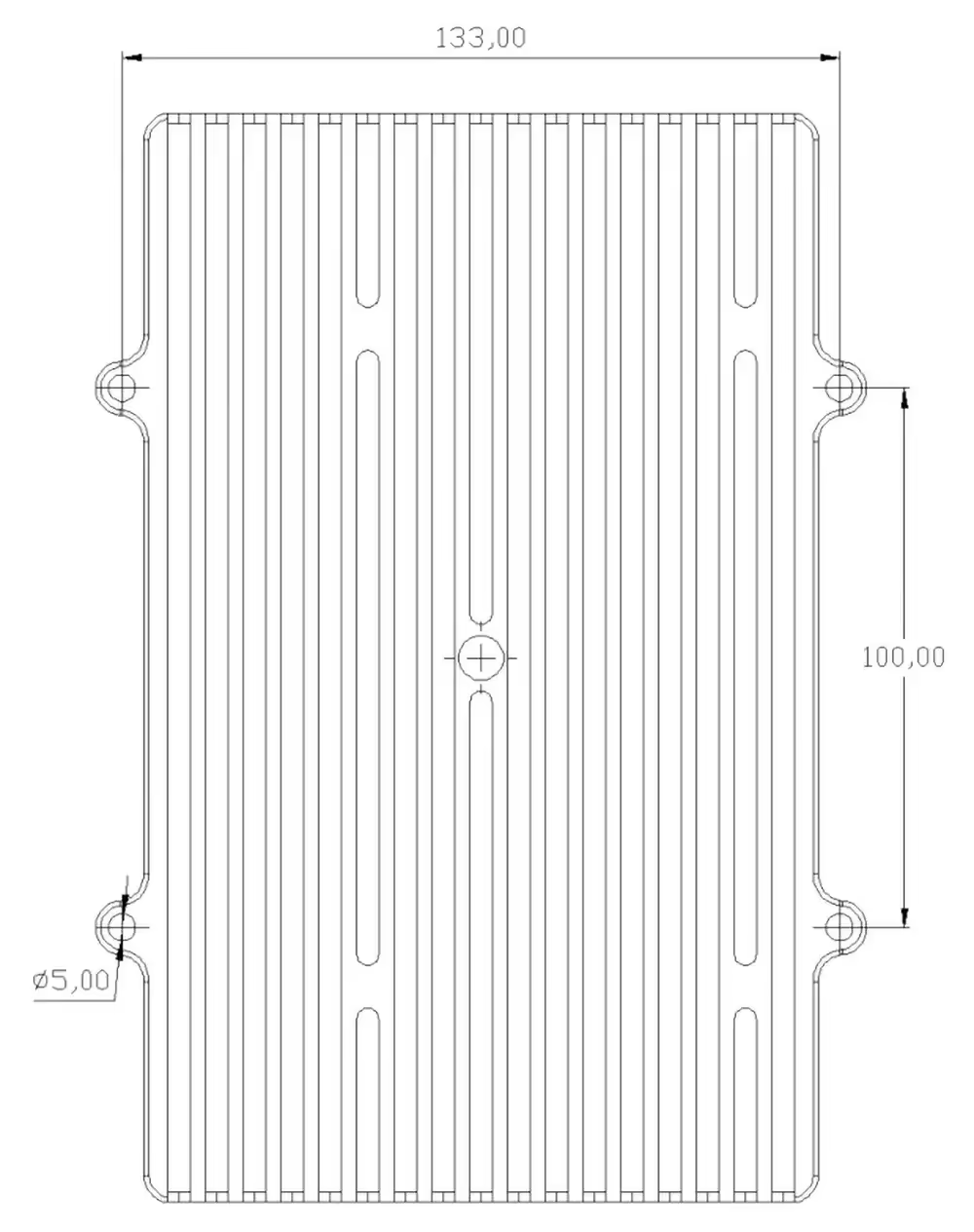
1.4 開機步驟
(1). 按下開關, 打開電源, the indicator light of the power switch (力量) is on, 系統開始自檢 (禁止在未連接天線的情況下開啟電源, and it forbidden to use other types of adapters)
LED status
| indicator light | 狀態 | 意義 |
| 直流 | 離開 | Not powered on |
| 始終開啟 | powered on | |
| 網 | 閃爍 | 聯網 |
| 紅色常亮 | signal difference | |
| solid yellow | General Signal | |
| 綠色穩定 | good signal | |
| 5G | 離開 | 4G/5G is not connected to the network |
| 閃爍 | 4G/5G has entered the network |
規範
| Basic parameters of duty room communication module | |
| 設備介面 | 電源介面: 2-core aviation plug × 1 |
| 100M Ethernet interface: 8-core aviation plug | |
| RS232 interface: 6-core aviation plug × 1 | |
| Ad hoc network radio frequency interface: N-type radio frequency interface × 2 | |
| 5G radio frequency interface: SMA type radio frequency interface × 4 | |
| Beidou RF interface: SMA type RF interface × 1 | |
| indicator light | 電源指示燈 |
| Ad Hoc Network Indicator | |
| 5G indicator light | |
| wireless specification | Ad hoc network: 1400~1500Mhz |
| GPS/BD | |
| 5G | |
| 輸出功率 | 37dBm*2 |
| 頻道頻寬 | 2.5Mhz/5Mhz/10Mhz |
| performance parameters | |
| Networking method | Ad hoc network/5G (automatic switching) |
| multiple antennas | DESPITE |
| peak rate | 50Mbps的 |
| hop count | 多於 10 啤酒花 |
| 節點數量 | ≥32個節點 |
| 開始時間 | ≤60 seconds |
| transmission encryption | AES 256 |
| hardware parameters | |
| 尺寸 | 202*133*72毫米 |
| 重量 | 3.5公斤 |
| 天線 | Standard 5dBi omnidirectional fiberglass antenna |
| 電源 | 直流24V |
| 耗電量 | Peak 70W |
| 工作溫度 | (-20ºC to 65ºC) |
| 工作濕度 | 10% 到 90% 非冷凝 |
| installation method | Ship-mounted/vehicle-mounted/fixed erection |
Precaution
- 確保天線已擰緊;
- 測試時保持天線垂直於地面;
- 測試過程中請勿用手或其他物體接觸天線;
- 不建議設備之間距離太近, 且間距應大於5M;
- 如果有測試條件, 選擇一個制高點來架設其中一個節點;
- 透過網路指示燈檢查通訊鏈路是否正常, 且網路指示燈常亮, 表示鏈路層已連接成功;
- 透過WEB介面查看環境噪音狀況,了解周圍是否存在同頻幹擾;
- 關於 5 連網成功後秒數, 可以透過ping包檢查各個節點的網路連通性;
- 確保相機, 件, 與其他需要連接的設備在同一IP位址段, 在有線連接的情況下可以正常通訊, 不使用NexFi設備的相同位址段 (NexFi 設備透過 MAC 位址進行通訊);
- 交通流量, 人流, 建築物, 而樹木都會對通訊品質產生不同程度的影響;
- 在建築物內外進行滲透測試時, 外部節點不宜距離建築物太近, 且距離應大於10M;
- 如果您需要實現更長的測試距離, you can adjust the bandwidth to 2Mhz through the management interface, 如果您需要獲得更大的頻寬, 您可以將其調整為20Mhz;
- 如果用於視訊傳輸, 以避免視訊卡頓, 您可以透過調整相機解析度來優化影片效果, 幀率, 轉碼串流, 及其他參數;
- If used for open-air day and night testing, 請採取防水措施並確保散熱接觸良好.





評測
還沒有評論.