






VCAN1294 instrukcja
VCAN1294 2 Din Nawigacja GPS

VCAN1294 instrukcja




VCAN1294 User Manual
2 Din GPS Navigation • DVD • USB • SD • Bluetooth • Touch Screen
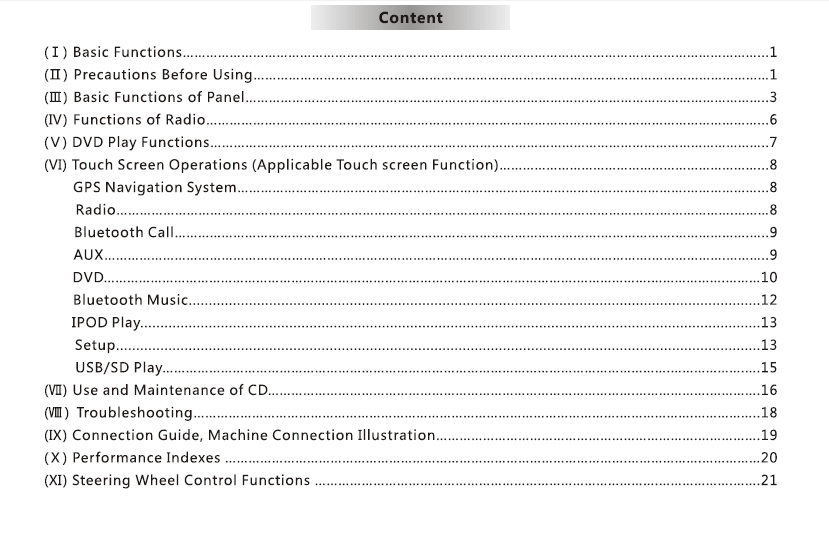
Spis treści
1. Wprowadzenie
Thank you for choosing the VCAN1294 2 Din GPS Navigation System.
This multimedia head unit combines nawigacja GPS, DVD playback, Bluetooth, USB/SD media support, FM/AM radio, and a full-touch interface to enhance your in-car entertainment and driving convenience.
Przed użyciem należy uważnie przeczytać niniejszą instrukcję.
2. Przegląd produktów
The VCAN1294 is designed for a wide range of 2-DIN dashboard vehicles. Ma high-resolution touch screen, built-in GPS, multi-format media playback, i hands-free calling for a safer and more enjoyable driving experience.
Main Functions
- GPS navigation with voice guidance
- DVD/VCD/CD playback
- USB & SD card media input
- Bluetooth hands-free calling & muzyka
- FM/AM radio with RDS
- Rear-view camera input
- Kontrola za pomocą kierownicy (SWC) wsparcie
- High-power amplifier and EQ settings
3. guziki & Porty
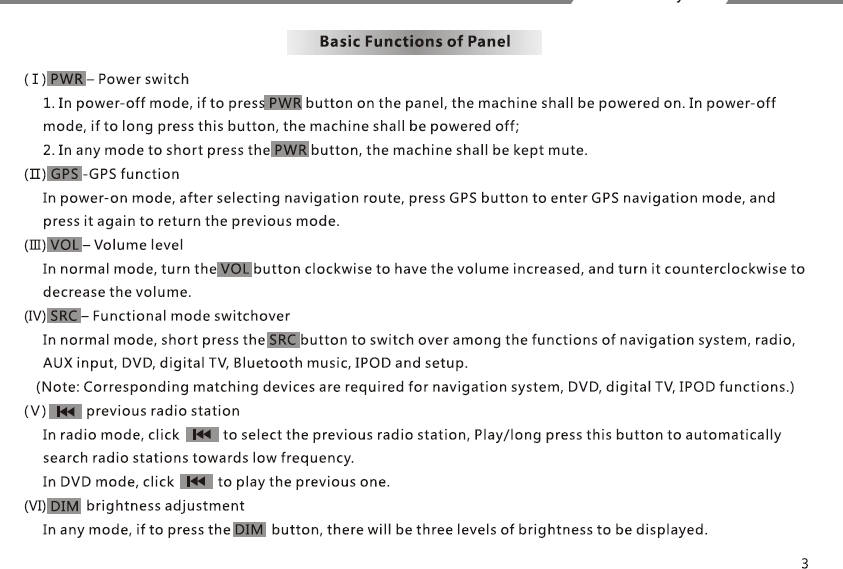
Przedni panel
- Moc / Volume knob
- Touchscreen display
- Gniazdo kart SD
- port USB
- Eject button
- Home/Menu/Back buttons (w zależności od modelu)
Tylny panel
- Power harness connector
- RCA audio/video output
- Reverse camera input
- Złącze antenowe
- GPS antenna port
- Fuse
4. Podstawowe operacje
Zasilanie włącz / wyłącz
- The unit powers on automatically when the vehicle starts.
- Long press the POWER button to manually turn off.
Home Menu
Dostęp: Nawigacja, Radio, płyta DVD, USB, SD, Bluetooth, Ustawienia.
Kontrola głośności
Use the knob or on-screen slider.
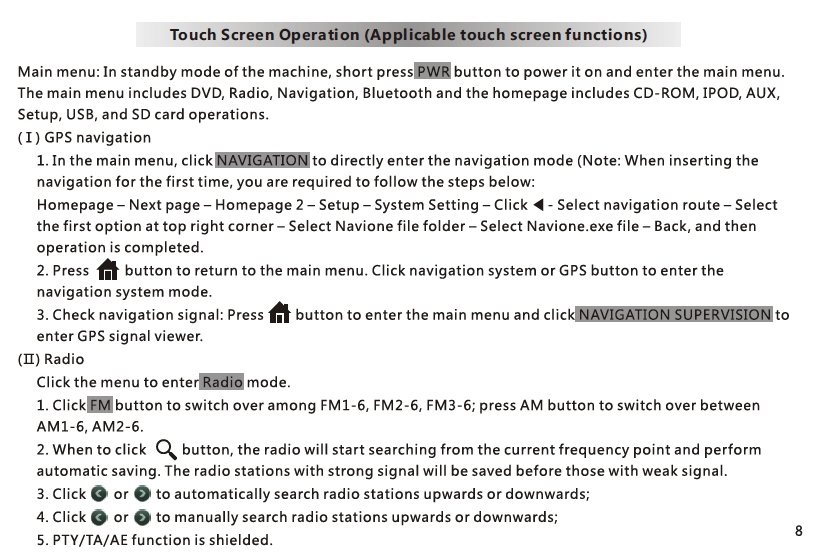
5. Nawigacja GPS
- Tap NAV to enter the GPS application.
- GPS map software is stored in the karta SD in the navigation slot.
- Follow the on-screen instructions for destination input.
- Voice guidance and zoom controls are available.
Uwaga: Different map brands (iGO, Navitel, itp.) may be used depending on region.
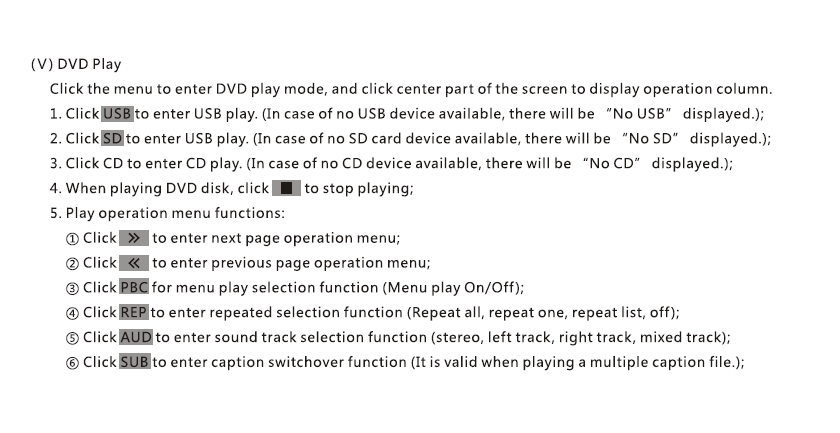
6. płyta DVD / CD Playback
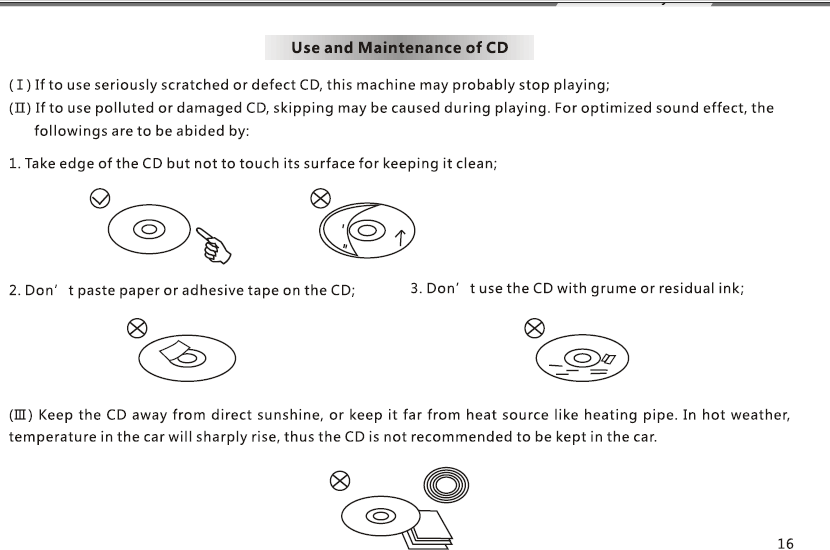
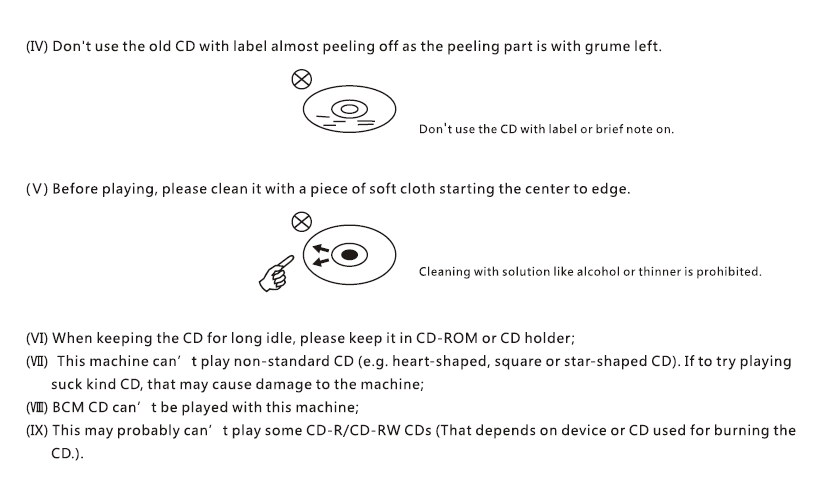
- Insert disc; playback begins automatically.
- Use on-screen controls: Jeśli moduł jest w trybie transmisji, Następny, Poprzedni, Podtytuł, Audio Track.
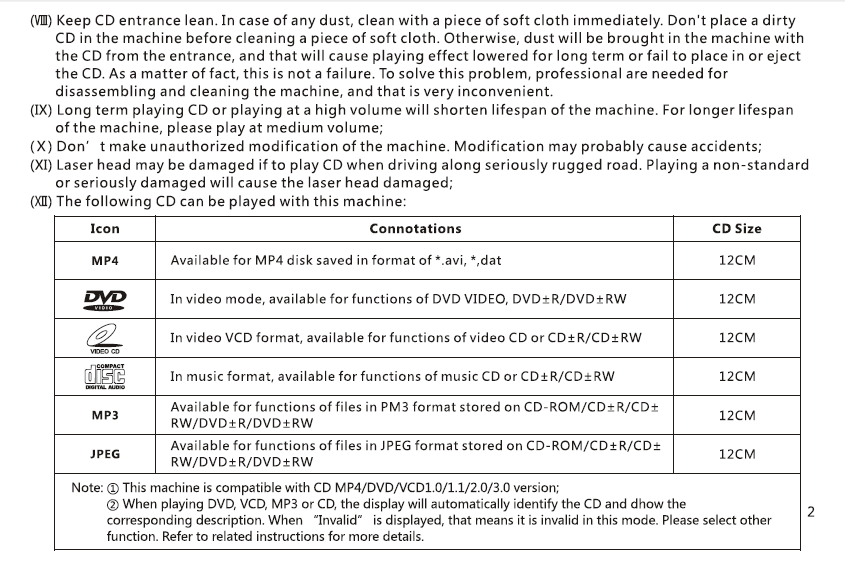
- Supports DVD, VCD, Płyta CD, MP3 disc formats.
7. USB / SD Media Playback
- Insert a USB drive or SD card with media files.
- wsporniki: MP4, AVI, MP3, WMA, JPG (format support may vary).
- File browser allows selection of folders and files.
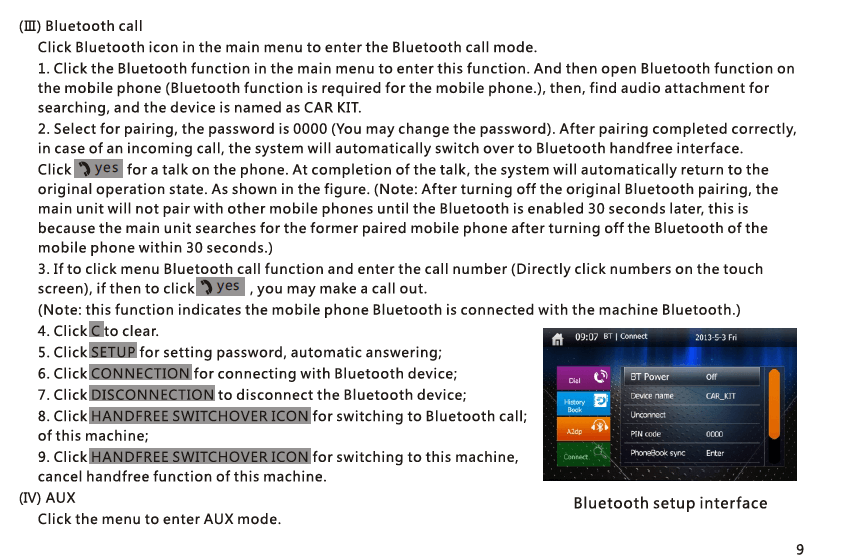
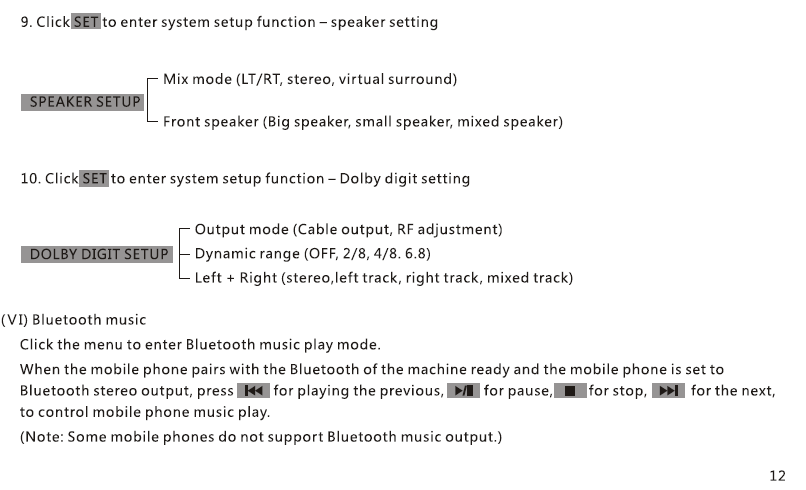
8. Bluetooth Hands-Free & Music
Pairing
- Turn on Bluetooth on your phone.
- Search and select “VCAN1294”.
- Confirm pairing code.
Funkcje
- Make/receive calls
- Sync phonebook
- Bluetooth music A2DP playback
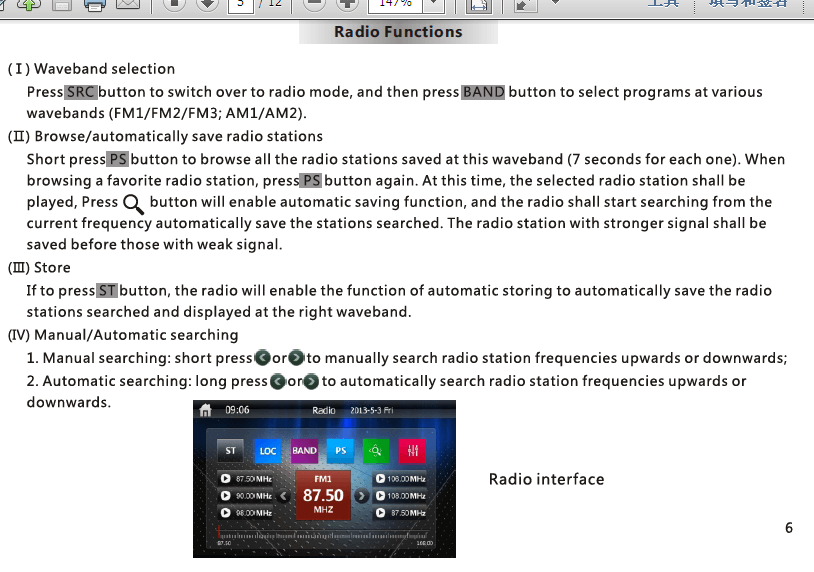
9. FM/AM Radio
- Automatyczne skanowanie, manual tune, and preset storage
- RDS support (depending on region)
- Save up to 30 stations
10. Rear-View Camera
- Connect reverse camera to CAM-IN Port RCA.
- When vehicle shifts to Reverse, screen switches automatically.
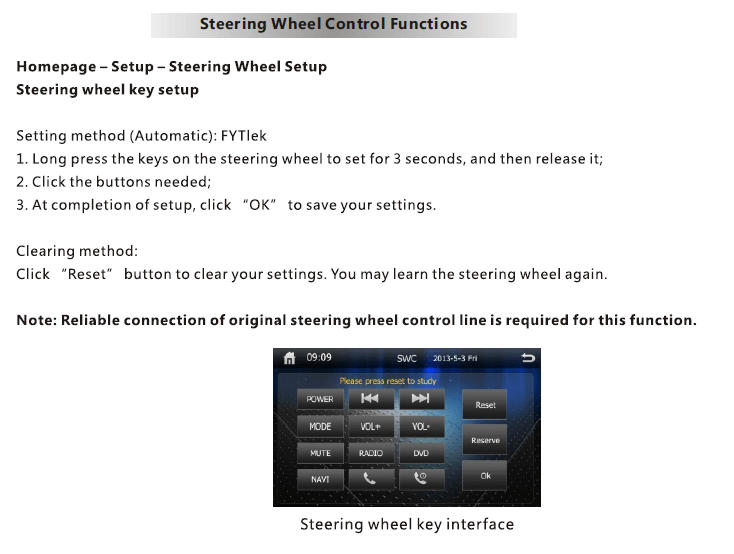
11. Kontrola za pomocą kierownicy (SWC)
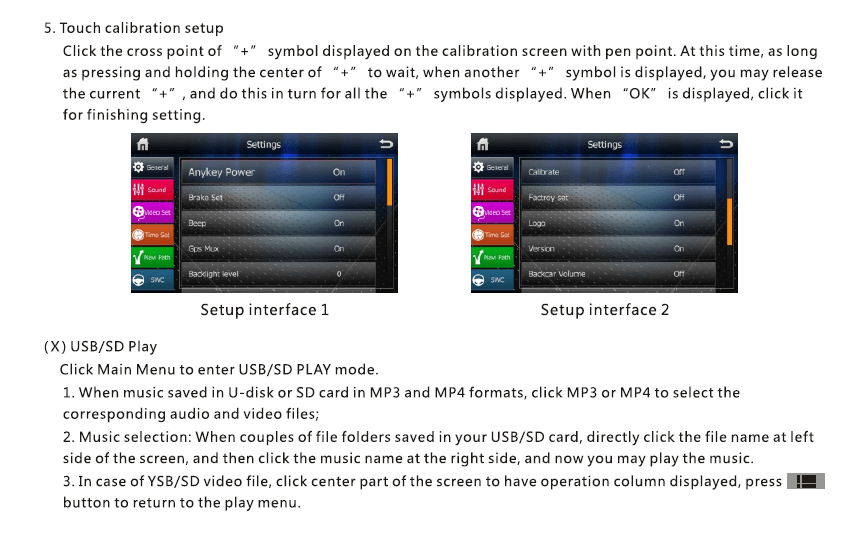
- Wchodzić Settings → SWC.
- Press each steering wheel button and assign a function (Tom, Następny, Tryb, itp.).
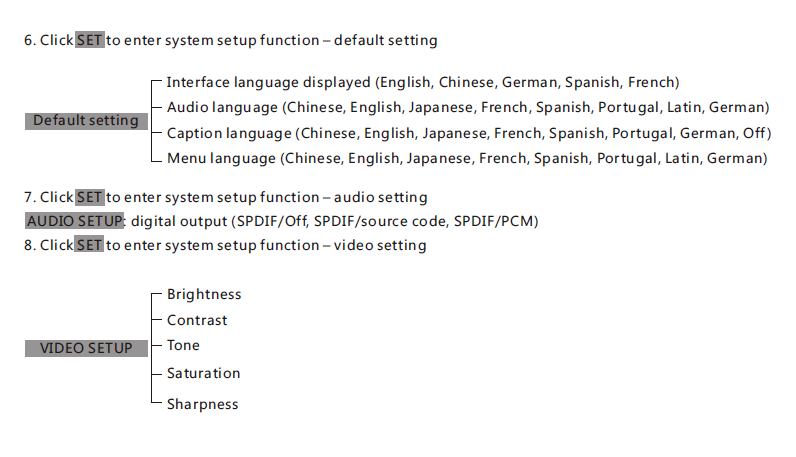
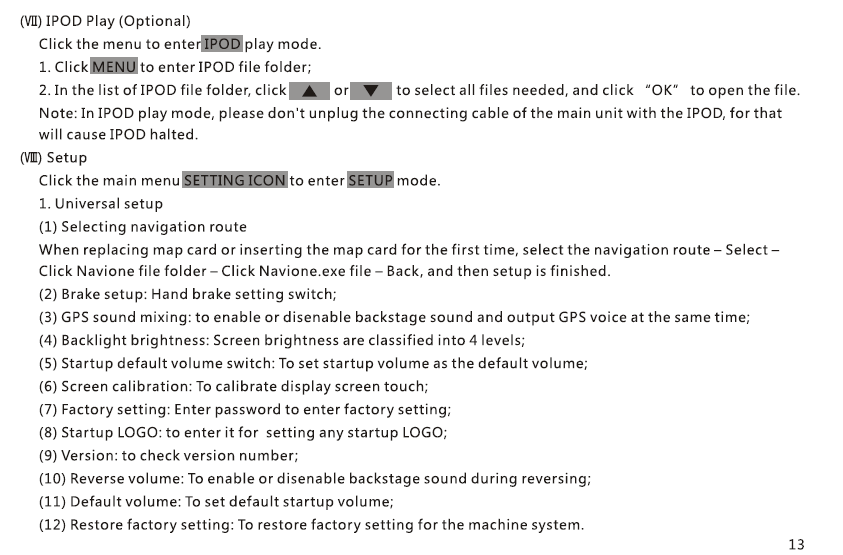
12. Settings Menu
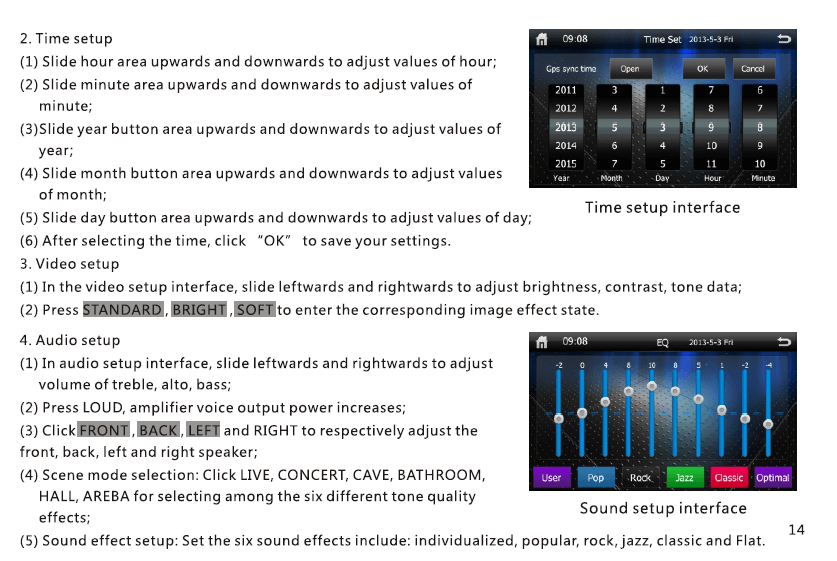
- Pokaz & Jasność
- Język
- Czas & Data
- Sound EQ / Subwoofer control
- Navigation path
- Reset fabryki
13. specyfikacje
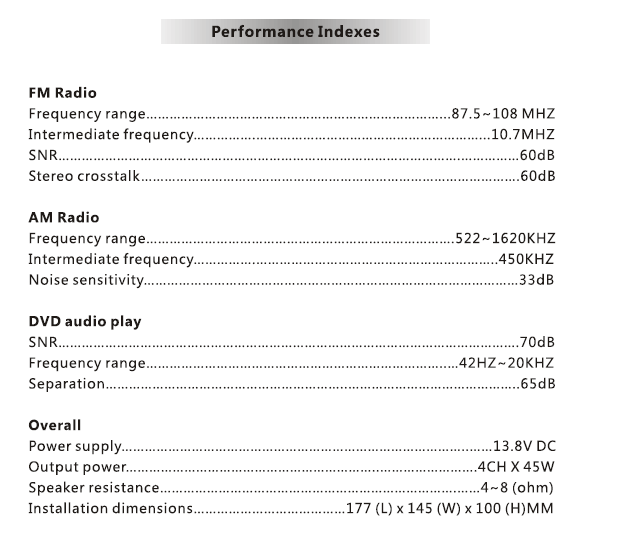
| Pozycja | Opis |
|---|---|
| Model | VCAN1294 |
| Pokaz | 2 Din touch screen |
| Nawigacja | Built-in GPS, external GPS antenna |
| Głoska bezdźwięczna | płyta DVD / Płyta CD / USB / SD |
| Bluetooth | Hands-free + Music A2DP |
| Radio | FM/AM with RDS |
| Wyjście audio | 4 × 45W (szczyt) |
| Camera Input | tak, rear view (RCA) |
| Przechowywanie | USB up to 32GB, SD up to 32GB |
| TY | Proprietary embedded system |
| Moc | DC 12V vehicle power |
14. Uwagi dotyczące instalacji
- Professional installation is recommended.
- Connect the wiring harness according to the pin diagram.
- Ensure reverse trigger wire is connected to the reverse lamp.
- Use only the supplied GPS antenna.
15. Rozwiązywanie problemów
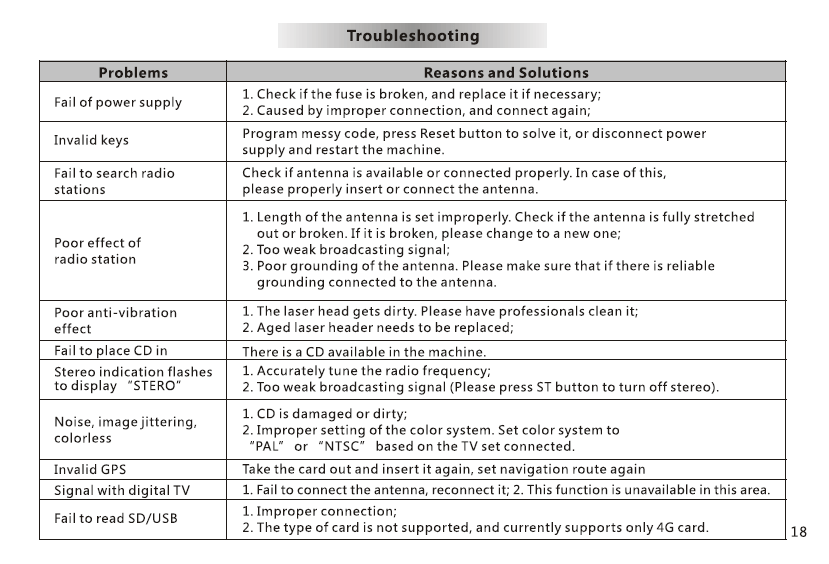
No power: Check fuse, wiązkę przewodów, ACC/B+ connections.
No GPS signal: Ensure antenna is placed on open dashboard.
Brak dźwięku: Check speaker wiring and MUTE settings.
Touchscreen misaligned: Perform touch calibration in Settings.
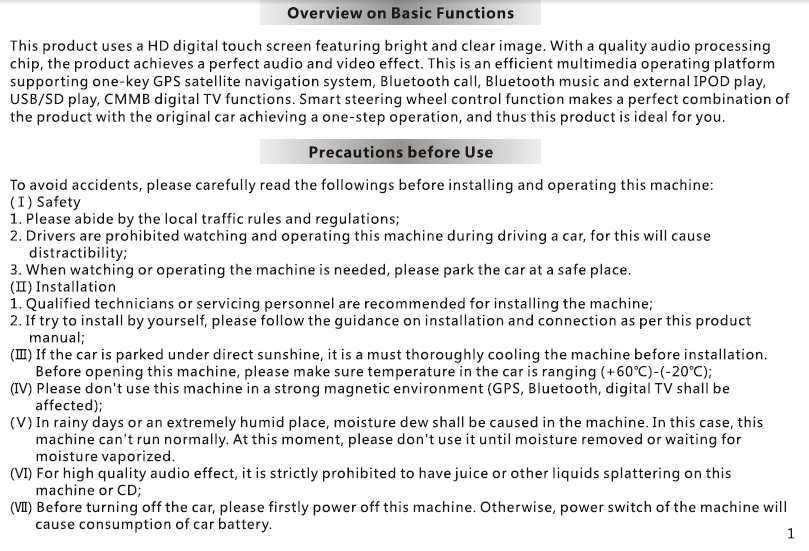
16. Uwagi dotyczące bezpieczeństwa
- Do not operate the device while driving.
- Keep the volume at a safe level.
- Do not expose the unit to moisture or high heat.
- Use only approved accessories.
Zadać pytanie
Twoja wiadomość została wysłana