






המשתמש VCAN1294
VCAN1294 2 דין ניווט GPS

המשתמש VCAN1294




מדריך למשתמש VCAN1294
2 ניווט GPS • DVD • USB • SD • Bluetooth • מסך מגע
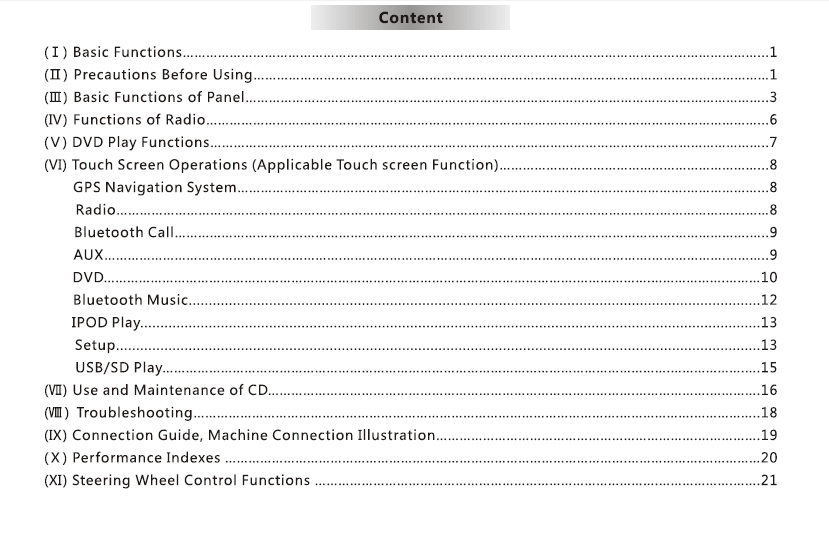
תוכן העניינים
1. מבוא
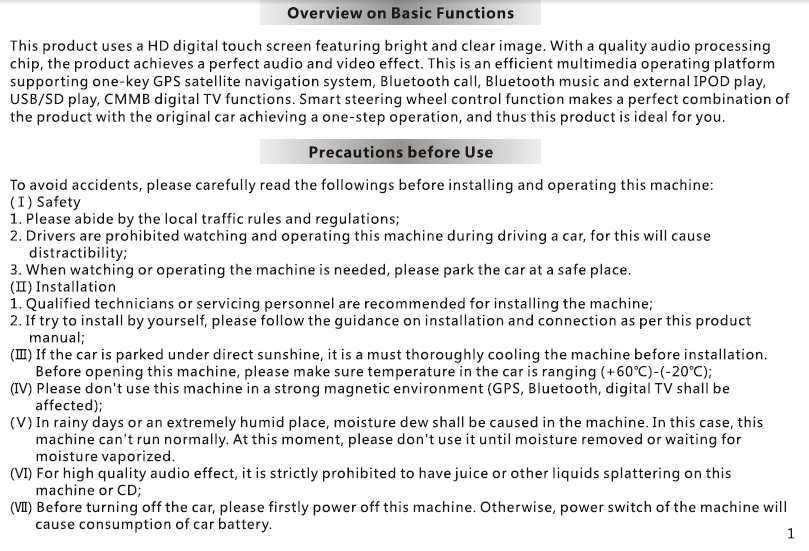
תודה שבחרת ב VCAN1294 2 מערכת ניווט דין GPS.
יחידת ראש מולטימדיה זו משלבת ניווט GPS, השמעת DVD, בלוטות, תמיכה במדיה USB/SD, רדיו FM/AM, וממשק מגע מלא כדי לשפר את נוחות הבידור והנהיגה ברכב.
אנא קרא מדריך זה בעיון לפני השימוש.
2. סקירת מוצר
ה-VCAN1294 מיועד למגוון רחב של רכבי 2-DIN לוח מחוונים. זה כולל א מסך מגע ברזולוציה גבוהה, GPS מובנה, השמעת מדיה מרובת פורמטים, ו שיחות ללא ידיים לחוויית נהיגה בטוחה ומהנה יותר.
פונקציות עיקריות
- ניווט GPS עם הדרכה קולית
- השמעת DVD/VCD/CD
- יו אס בי & כניסת מדיה לכרטיס SD
- שיחות דיבורית בלוטות' & מוּסִיקָה
- רדיו FM/AM עם RDS
- כניסת מצלמה אחורית
- שליטת הגה (SWC) תמיכה
- הגדרות מגבר ו-EQ בהספק גבוה
3. כפתורים & נמלים
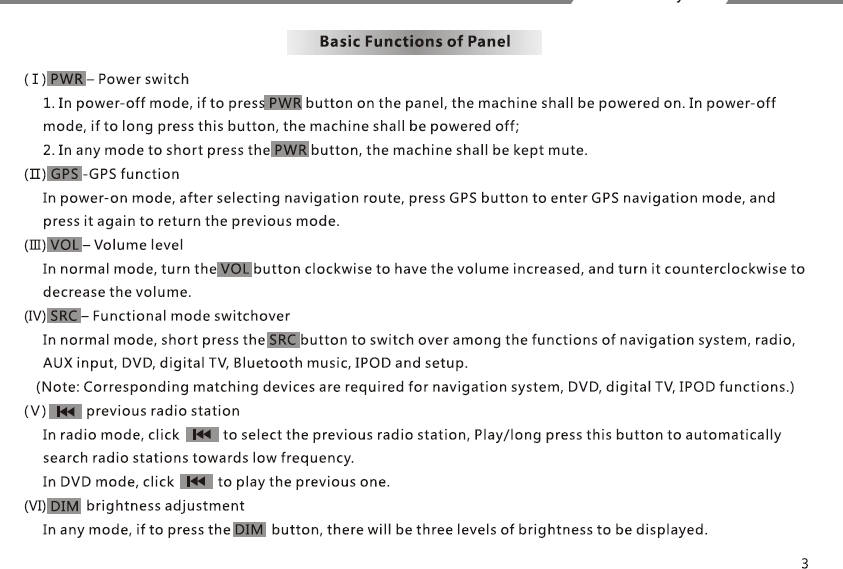
פאנל קדמי
- כּוֹחַ / כפתור עוצמת הקול
- תצוגת מסך מגע
- חריץ לכרטיס SD
- יציאת USB
- לחצן הוצא
- לחצני דף הבית/תפריט/הקודם (תלוי בדגם)
לוח אחורי
- מחבר רתמת חשמל
- פלט שמע/וידאו RCA
- כניסת מצלמת רוורס
- מחבר אנטנה
- יציאת אנטנת GPS
- נָתִיך
4. פעולות בסיסיות
Power On / Off
- היחידה מופעלת אוטומטית כאשר הרכב מתניע.
- לחץ לחיצה ארוכה על לחצן POWER כדי לכבות באופן ידני.
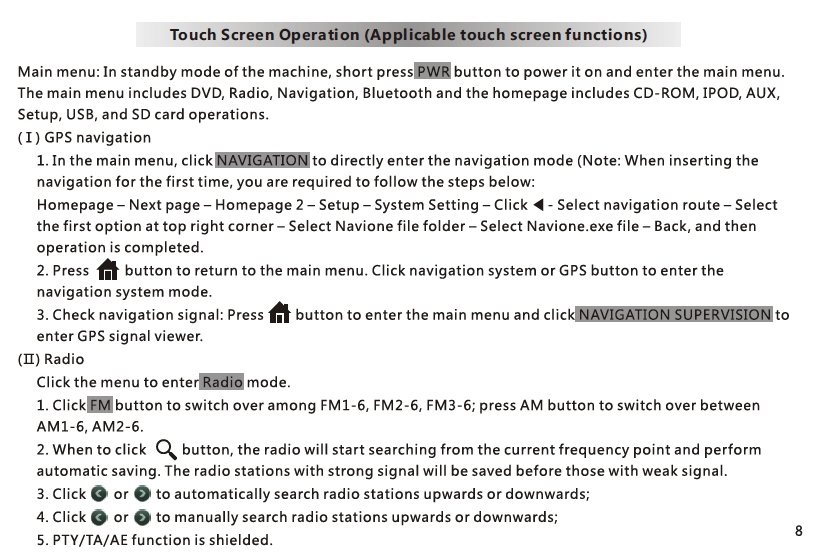
תפריט הבית
גִישָׁה: ניווט, רָדִיוֹ, DVD, יו אס בי, SD, בלוטות, הגדרות.
בקרת עוצמה
השתמש בכפתור או במחוון על המסך.
5. ניווט GPS
- בֶּרֶז NAV כדי להיכנס לאפליקציית ה-GPS.
- תוכנת מפות GPS מאוחסנת ב כרטיס זיכרון בחריץ הניווט.
- פעל לפי ההוראות שעל המסך להזנת יעד.
- הדרכה קולית ופקדי זום זמינים.
הערה: מותגי מפות שונים (iGO, נביאטל, וכו ') ניתן להשתמש בהתאם לאזור.
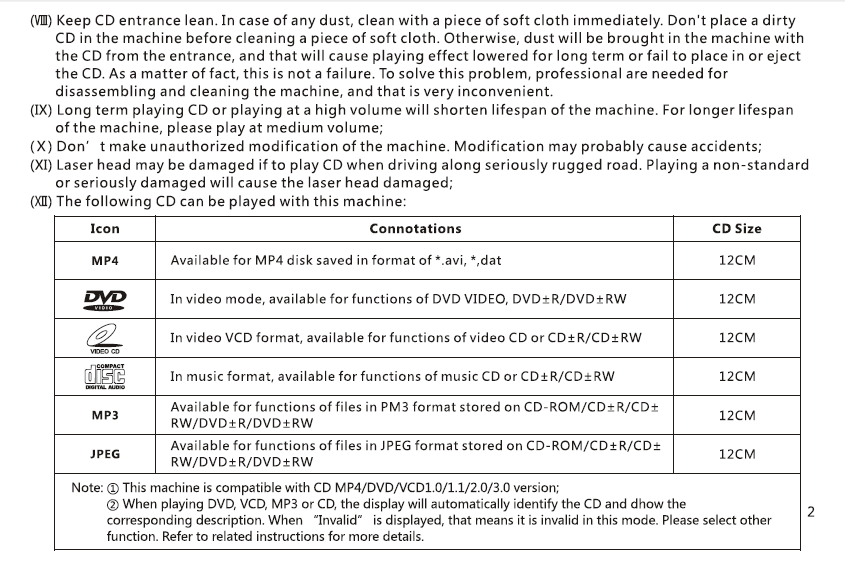
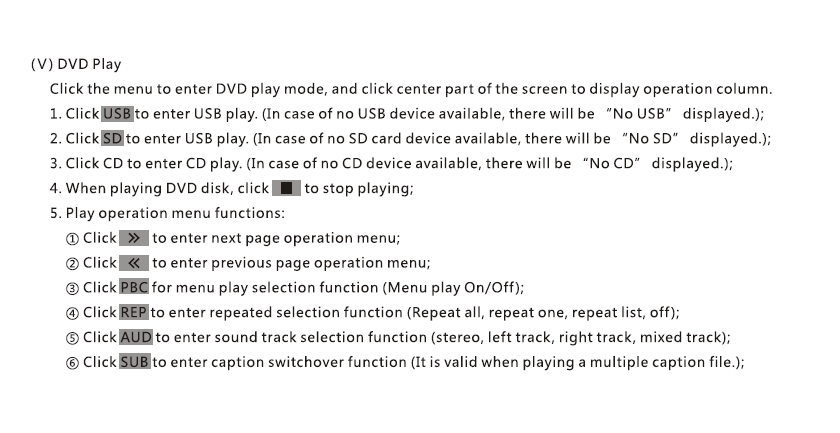
6. DVD / השמעת CD
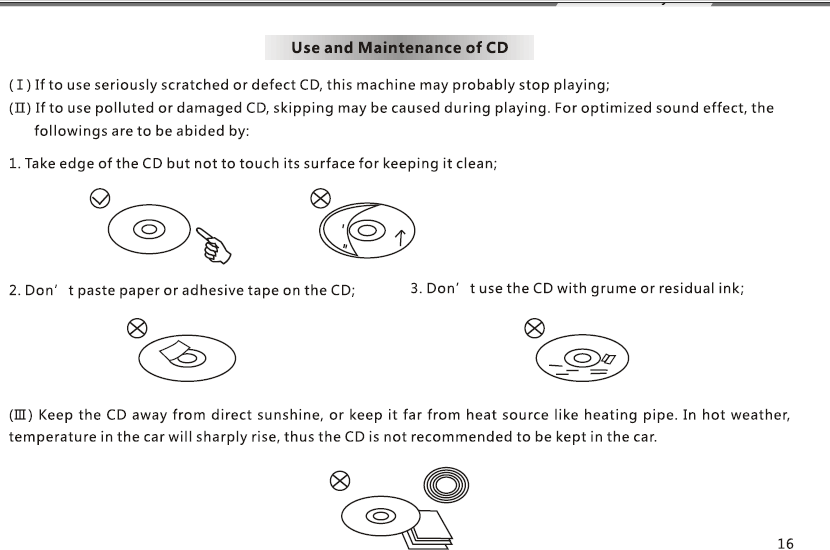
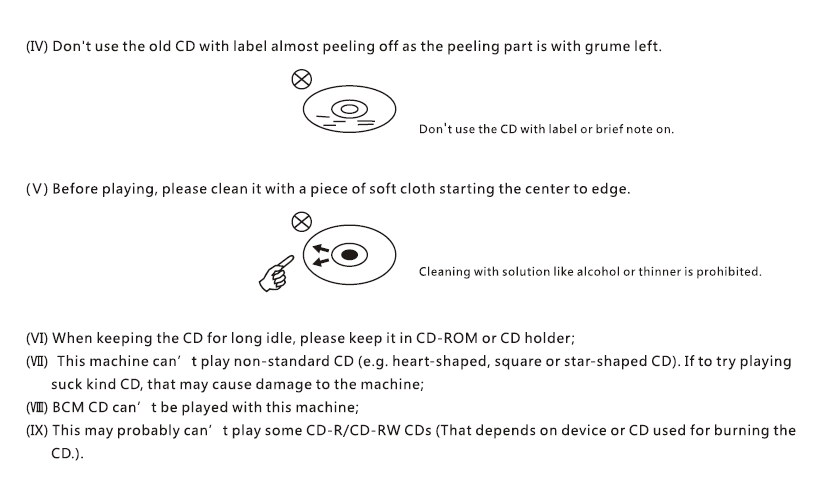
- הכנס דיסק; ההשמעה מתחילה באופן אוטומטי.
- השתמש בפקדים על המסך: הפעל/השהה, הַבָּא, קודם, כתוביות, רצועת אודיו.
- תומך ב-DVD, VCD, CD, פורמטים של דיסק MP3.
7. יו אס בי / השמעת מדיה SD
- הכנס כונן USB או כרטיס SD עם קבצי מדיה.
- תומך: MP4, AVI, MP3, WMA, JPG (התמיכה בפורמט עשויה להשתנות).
- דפדפן קבצים מאפשר בחירה של תיקיות וקבצים.
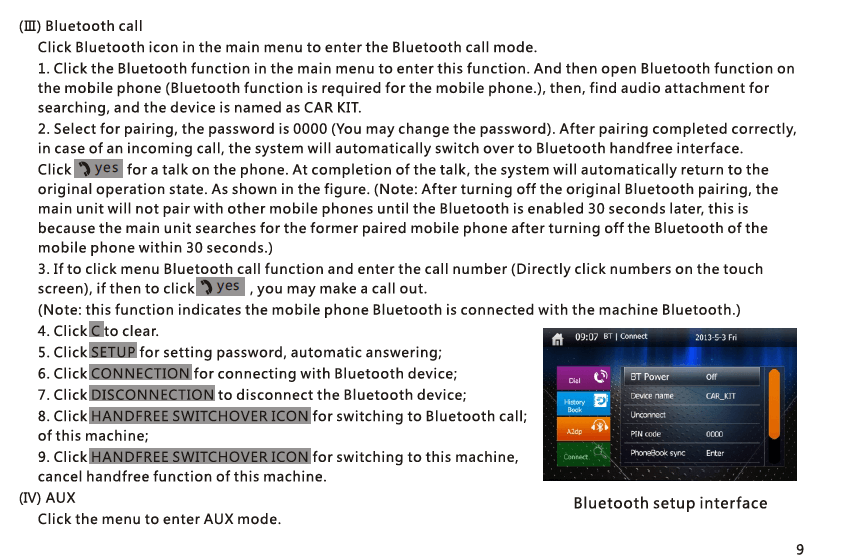
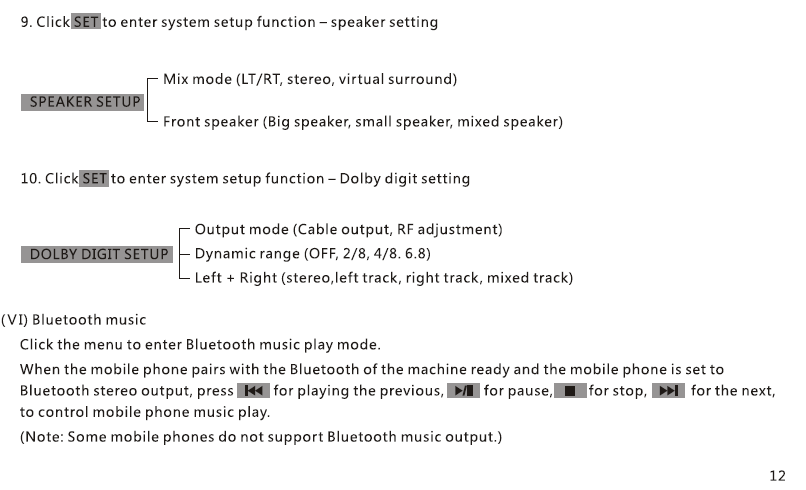
8. דיבורית בלוטות' & מוּסִיקָה
צִמוּד
- הפעל את Bluetooth בטלפון שלך.
- חפש ובחר "VCAN1294".
- אשר את קוד ההתאמה.
פונקציות
- בצע/קבל שיחות
- סנכרון ספר טלפונים
- השמעת מוזיקת Bluetooth A2DP
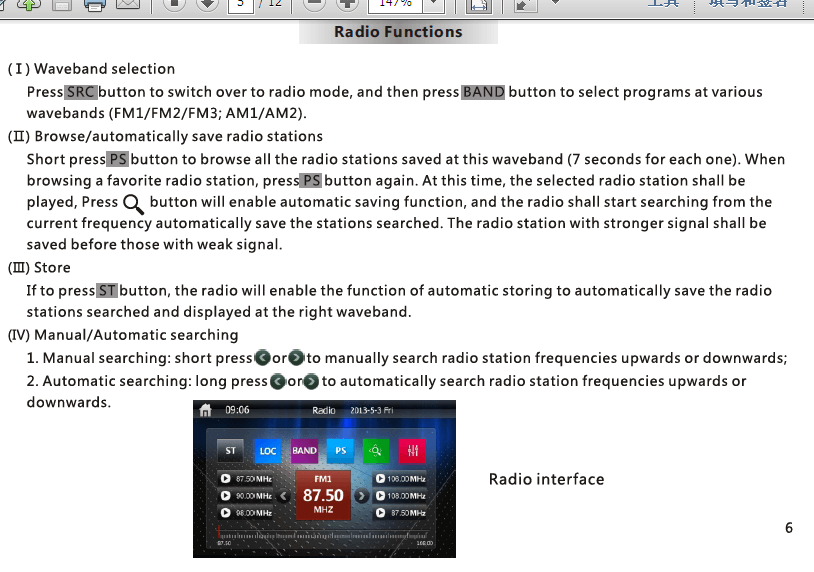
9. רדיו FM/AM
- סריקה אוטומטית, מנגינה ידנית, ואחסון מוגדר מראש
- תמיכה ב-RDS (בהתאם לאזור)
- חסוך עד 30 תחנות
10. מצלמה אחורית
- חבר מצלמת רוורס ל CAM-IN יציאת RCA.
- כאשר הרכב עובר לרוורס, מסך מתחלף באופן אוטומטי.
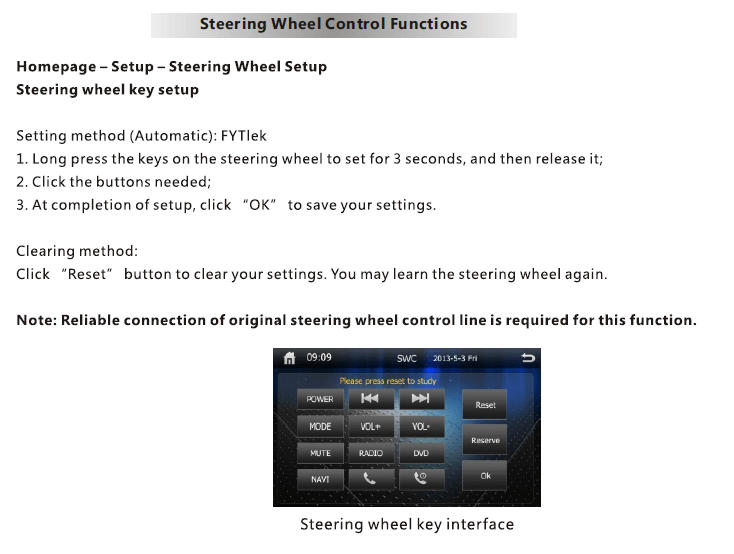
11. שליטת הגה (SWC)
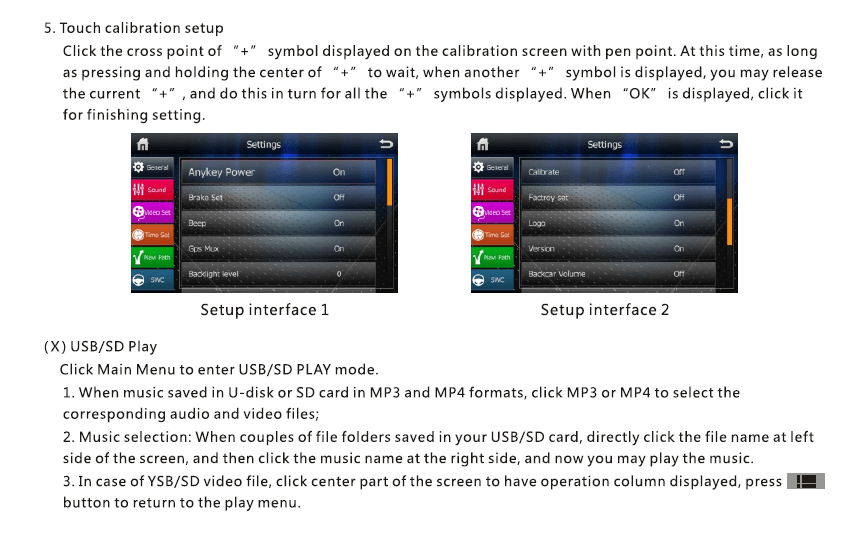
- להיכנס הגדרות ← SWC.
- לחץ על כל כפתור בגלגל ההגה והקצה פונקציה (כֶּרֶך, הַבָּא, מצב, וכו ').
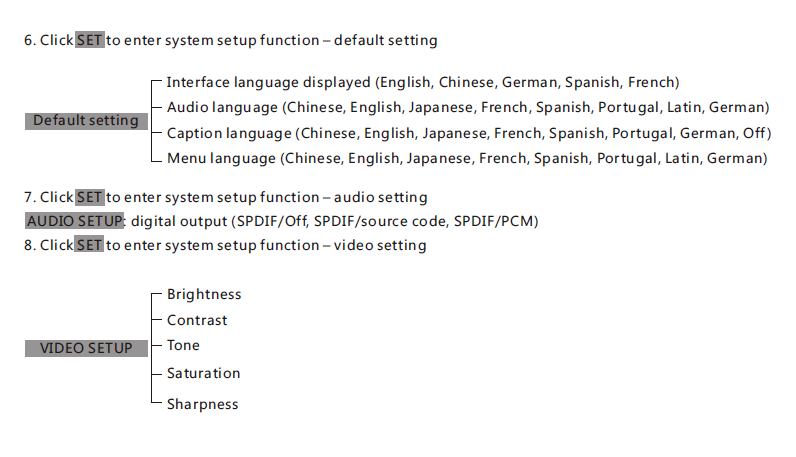
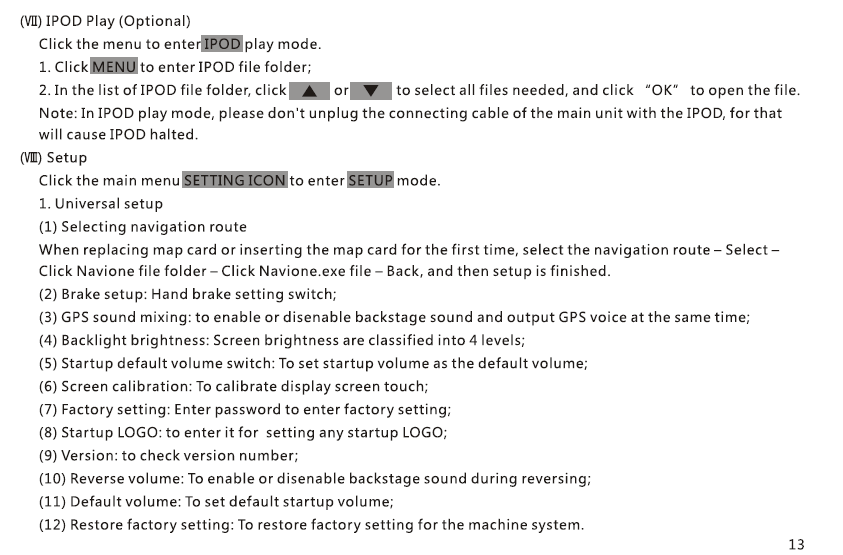
12. תפריט הגדרות
- לְהַצִיג & בְּהִירוּת
- שפה
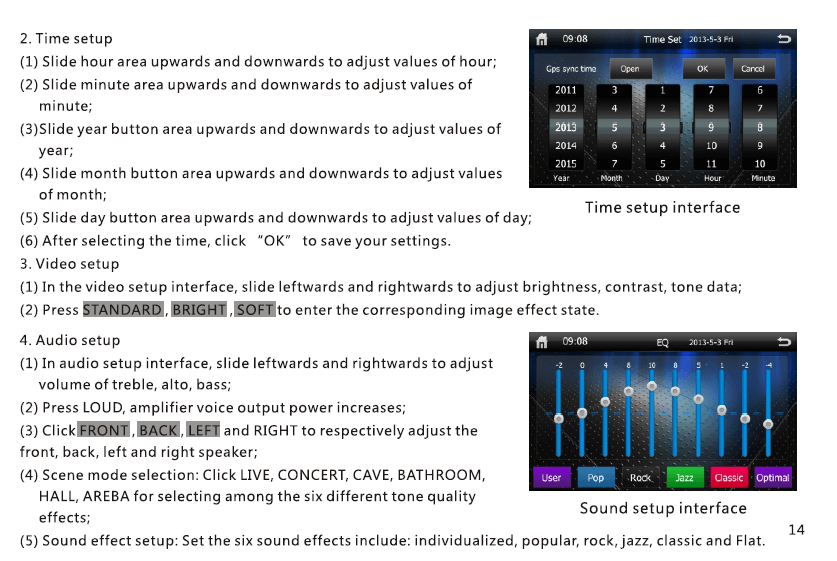
- זמן & תַאֲרִיך
- קול EQ / שליטה בסאב וופר
- נתיב ניווט
- איפוס מפעל
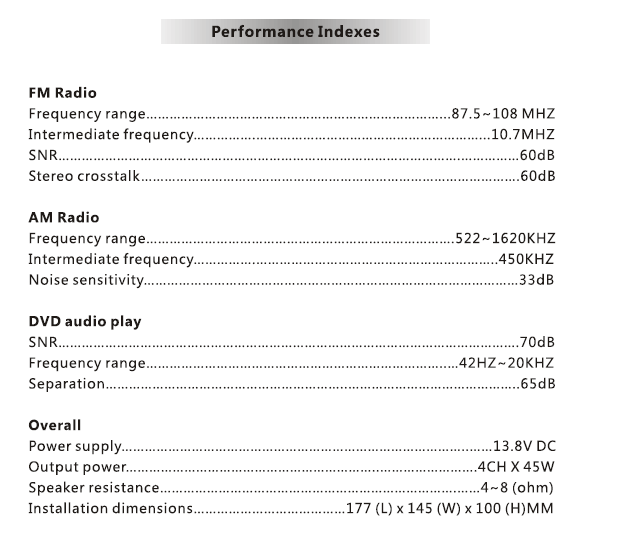
13. מפרטים
| פריט | תאור |
|---|---|
| דֶגֶם | VCAN1294 |
| לְהַצִיג | 2 מסך מגע דין |
| ניווט | GPS מובנה, אנטנת GPS חיצונית |
| כְּלֵי תִקְשׁוֹרֶת | DVD / CD / יו אס בי / SD |
| בלוטות | ללא ידיים + מוזיקה A2DP |
| רָדִיוֹ | FM/AM עם RDS |
| פלט שמע | 4 × 45W (שִׂיא) |
| קלט מצלמה | כן, מבט לאחור (RCA) |
| אִחסוּן | USB עד 32GB, SD עד 32GB |
| אתה | מערכת משובצת קניינית |
| כּוֹחַ | מתח רכב DC 12V |
14. הערות התקנה
- מומלצת התקנה מקצועית.
- חבר את רתמת החיווט בהתאם לתרשים הפינים.
- ודא כי חוט ההדק לאחור מחובר למנורת ההפוך.
- השתמש רק באנטנת ה-GPS המצורפת.
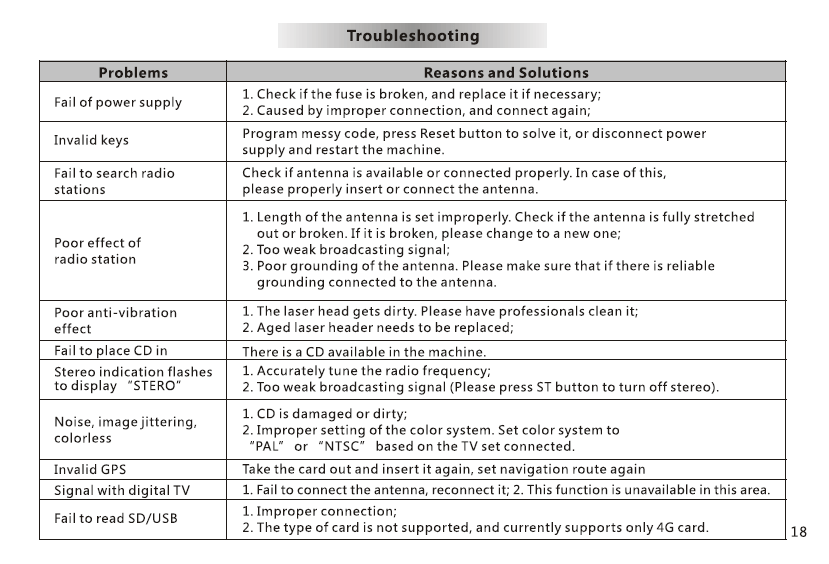
15. פתרון תקלות
אין כוח: בדוק נתיך, רתמת חיווט, חיבורי ACC/B+.
אין אות GPS: ודא שהאנטנה ממוקמת על לוח המחוונים הפתוח.
אין קול: בדוק את הגדרות חיווט הרמקולים ו-MUTE.
מסך מגע לא מיושר: בצע כיול מגע בהגדרות.
16. הערות בטיחות
- אל תפעיל את המכשיר בזמן נהיגה.
- שמור על עוצמת הקול ברמה בטוחה.
- אין לחשוף את היחידה ללחות או לחום גבוה.
- השתמש רק באביזרים מאושרים.
שאל שאלה
תודה רבה ששלחת את התשובה! ✨