





VCAN1294 посібник користувача
VCAN1294 2 Din GPS навігація

VCAN1294 посібник користувача




Посібник користувача VCAN1294
2 Din GPS навігація • DVD • USB • SD • Bluetooth • Сенсорний екран
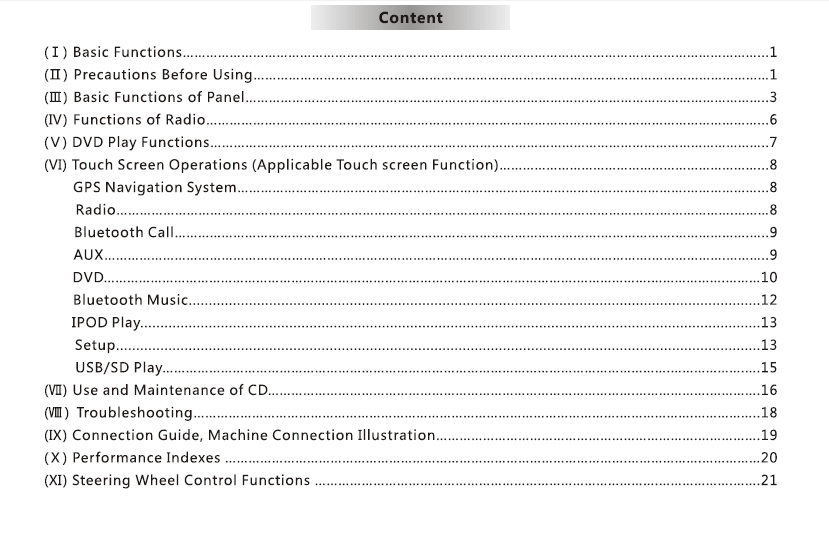
Зміст
1. введення
Дякуємо за вибір VCAN1294 2 GPS-навігаційна система Din.
Цей мультимедійний головний пристрій поєднує в собі GPS навігація, Відтворення DVD, Bluetooth, Підтримка носіїв USB/SD, FM/AM радіо, і повністю сенсорний інтерфейс для покращення розваг у автомобілі та зручності водіння.
Перед використанням уважно прочитайте цей посібник.
2. Огляд продукту
VCAN1294 розроблено для широкого діапазону приладових панелей автомобілів з 2-DIN. Він містить a сенсорний екран високої роздільної здатності, вбудований GPS, мультиформатне відтворення медіа, і гучний зв'язок для більш безпечного та приємного водіння.
Основні функції
- GPS-навігація з голосовими підказками
- Відтворення DVD/VCD/CD
- USB & Вхід для SD-карти
- Дзвінки через Bluetooth & музика
- FM/AM радіо з RDS
- Вхід для камери заднього виду
- Управління кермом (SWC) підтримка
- Потужний підсилювач і налаштування еквалайзера
3. кнопки & Порти
Передня панель
- потужність / Ручка гучності
- Сенсорний дисплей
- Слот для карт SD
- порт USB
- Кнопка викидання
- Кнопки Home/Menu/Назад (в залежності від моделі)
Задня панель
- Роз'єм джгута живлення
- RCA аудіо/відео вихід
- Вхід камери заднього виду
- Роз'єм антени
- Антенний порт GPS
- Запобіжник
4. Основні операції
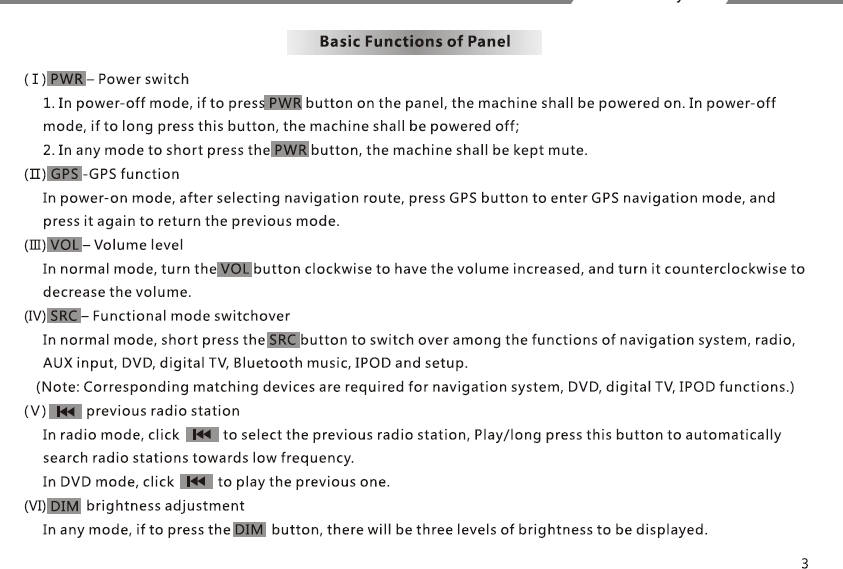
Увімкнення/вимкнення живлення
- Пристрій включається автоматично, коли автомобіль рушає з місця.
- Натисніть і утримуйте кнопку ЖИВЛЕННЯ, щоб вимкнути вручну.
Головне меню
Доступ: Навігація, радіо, DVD, USB, SD, Bluetooth, Налаштування.
Регулювання гучності
Використовуйте ручку або повзунок на екрані.
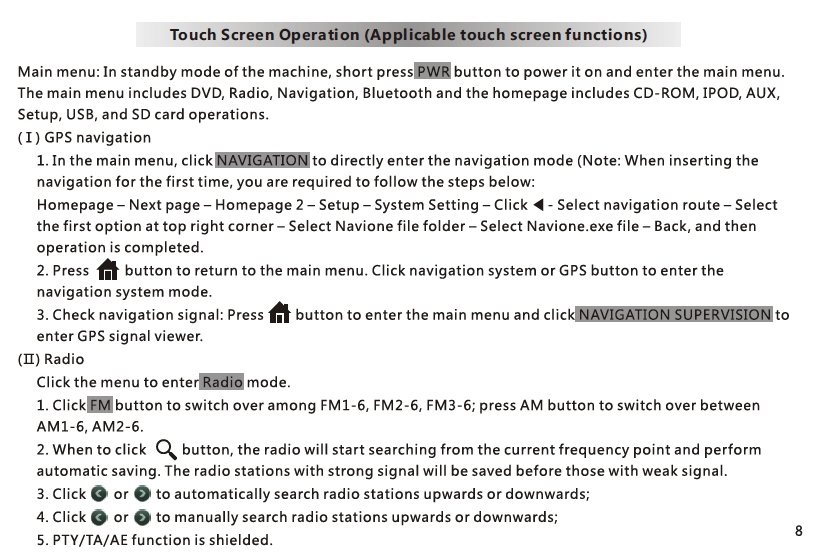
5. GPS навігація
- Торкніться NAV щоб увійти в програму GPS.
- Програмне забезпечення карти GPS зберігається в SD-карта у слот навігації.
- Дотримуйтесь інструкцій на екрані для введення адресата.
- Доступні голосові підказки та елементи керування масштабуванням.
Примітка: Різні марки карт (iGO, Навітел, тощо) можна використовувати в залежності від регіону.
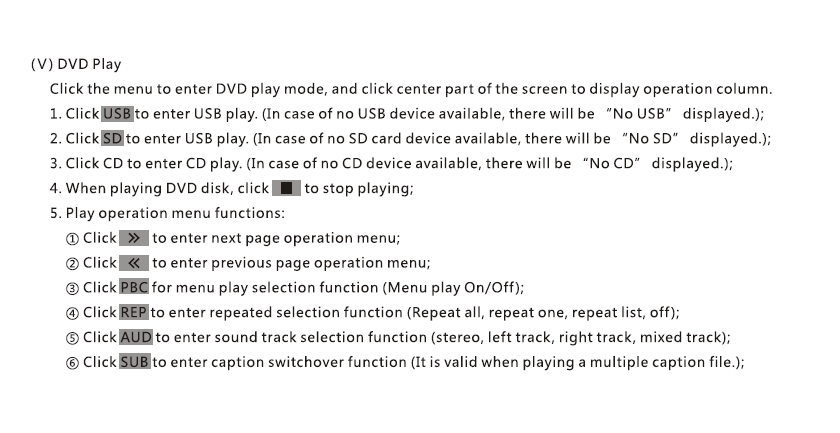
6. DVD / Відтворення CD
- Вставте диск; відтворення почнеться автоматично.
- Використовуйте елементи керування на екрані: Відтворення/Пауза, Далі, Попередній, Підзаголовок, Аудіодоріжка.
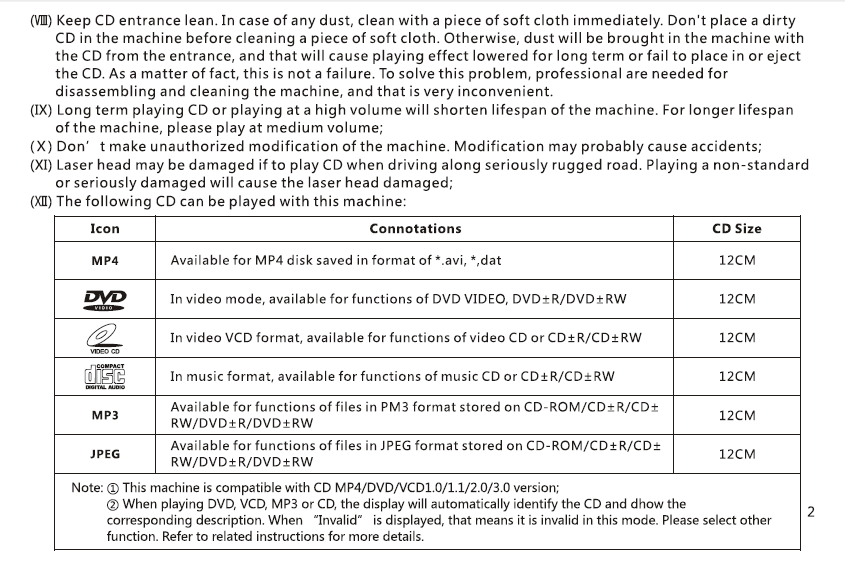
- Підтримує DVD, VCD, CD, Формати дисків MP3.
7. USB / Відтворення медіафайлів SD
- Вставте USB-накопичувач або SD-карту з мультимедійними файлами.
- Підтримує: MP4, AVI, MP3, WMA, JPG (підтримка форматів може відрізнятися).
- Файловий браузер дозволяє вибирати папки та файли.
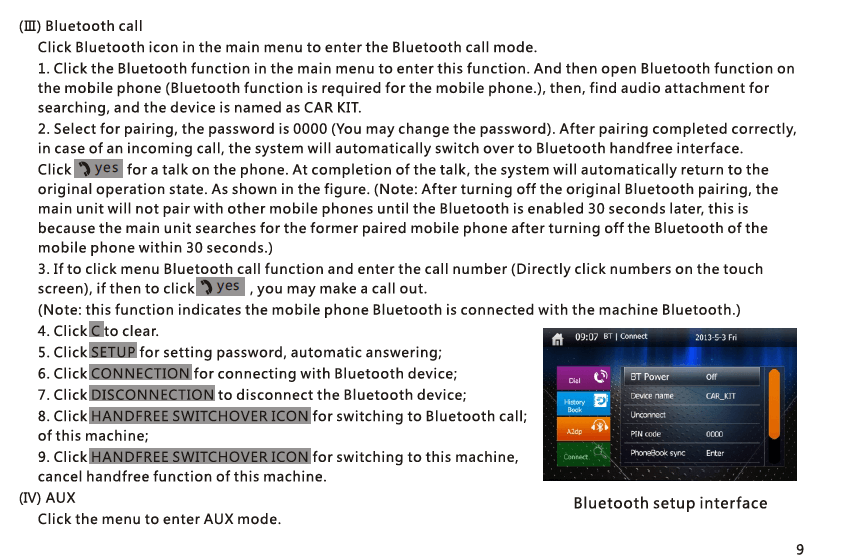
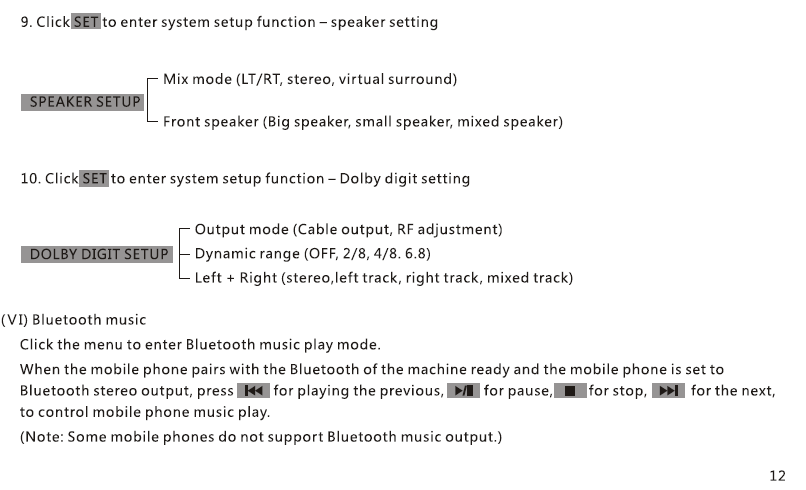
8. Bluetooth Hands-Free & музика
Створення пари
- Увімкніть Bluetooth на телефоні.
- Пошук і вибір “VCAN1294”.
- Підтвердьте код сполучення.
Функції
- Здійснювати/отримувати дзвінки
- Синхронізація телефонної книги
- Bluetooth відтворення музики A2DP
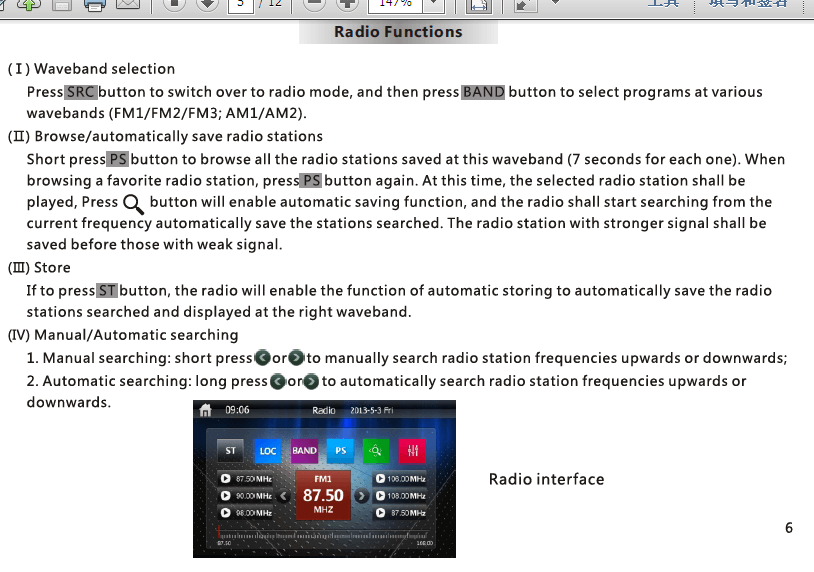
9. FM/AM радіо
- Автоматичне сканування, ручна настройка, і попередньо встановлене зберігання
- Підтримка RDS (в залежності від регіону)
- Заощадити до 30 станції
10. Камера заднього виду
- Підключіть камеру заднього виду CAM-IN порт RCA.
- Коли автомобіль перемикається на задній хід, екран перемикається автоматично.
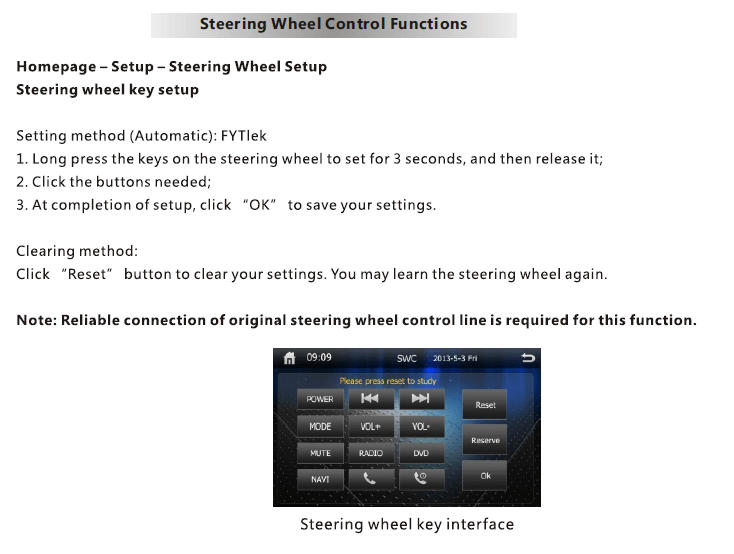
11. Управління кермом (SWC)
- Введіть Налаштування → SWC.
- Натисніть кожну кнопку на кермі та призначте функцію (Обсяг, Далі, Режим, тощо).
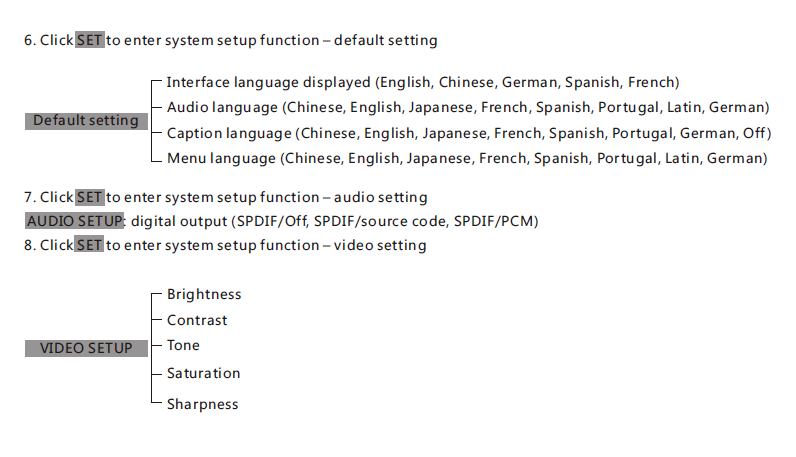
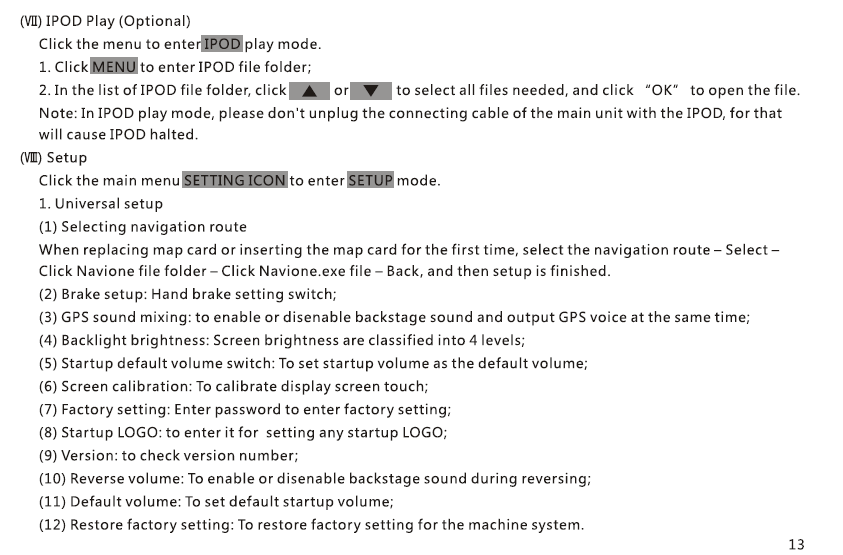
12. Меню налаштувань
- Дисплей & Яскравість
- Мова
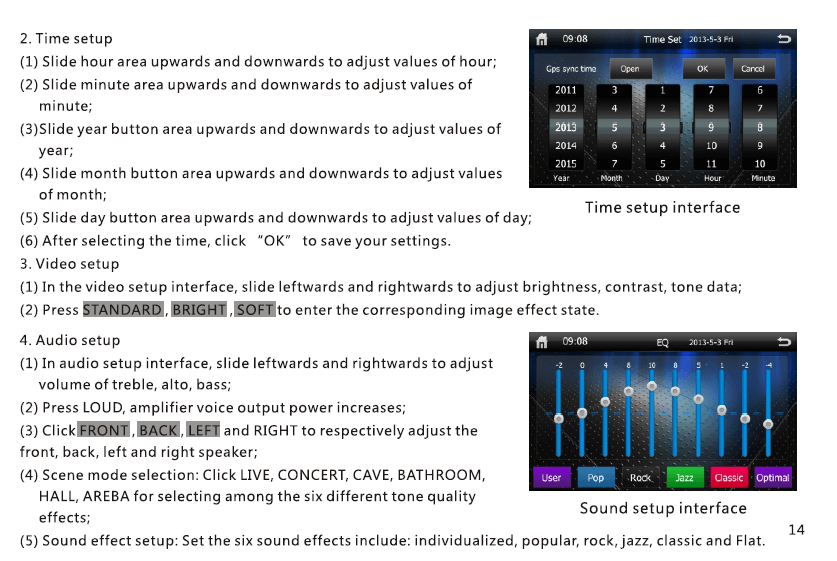
- час & Дата
- Еквалайзер звуку / Керування сабвуфером
- Шлях навігації
- Скидання до заводських налаштувань
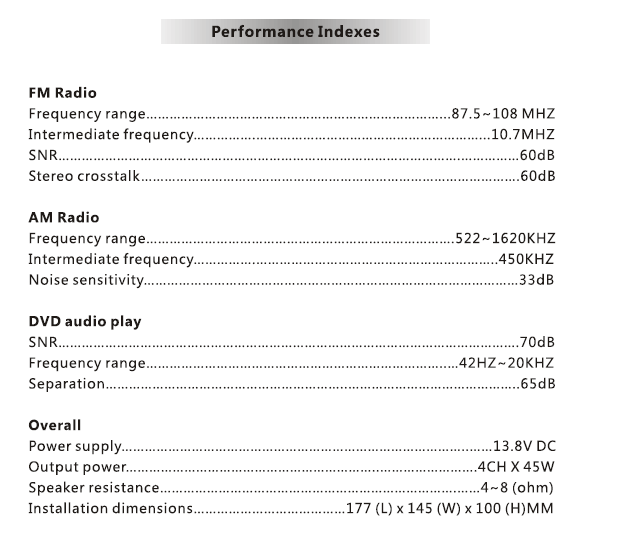
13. специфікації
| Пункт | опис |
|---|---|
| Модель | VCAN1294 |
| Дисплей | 2 Сенсорний екран Din |
| Навігація | Вбудований GPS, зовнішня GPS антена |
| ЗМІ | DVD / CD / USB / SD |
| Bluetooth | Без рук + Музика A2DP |
| радіо | FM/AM з RDS |
| Аудіовихід | 4 × 45 Вт (пік) |
| Вхід з камери | Так, вид ззаду (RCA) |
| Зберігання | USB до 32 ГБ, SD до 32 ГБ |
| ОС | Власна вбудована система |
| потужність | Живлення автомобіля DC 12V |
14. Примітки щодо встановлення
- Рекомендується професійний монтаж.
- Підключіть джгут проводів згідно зі схемою контактів.
- Переконайтеся, що провід тригера заднього ходу під’єднано до лампи заднього ходу.
- Використовуйте лише антену GPS із комплекту постачання.
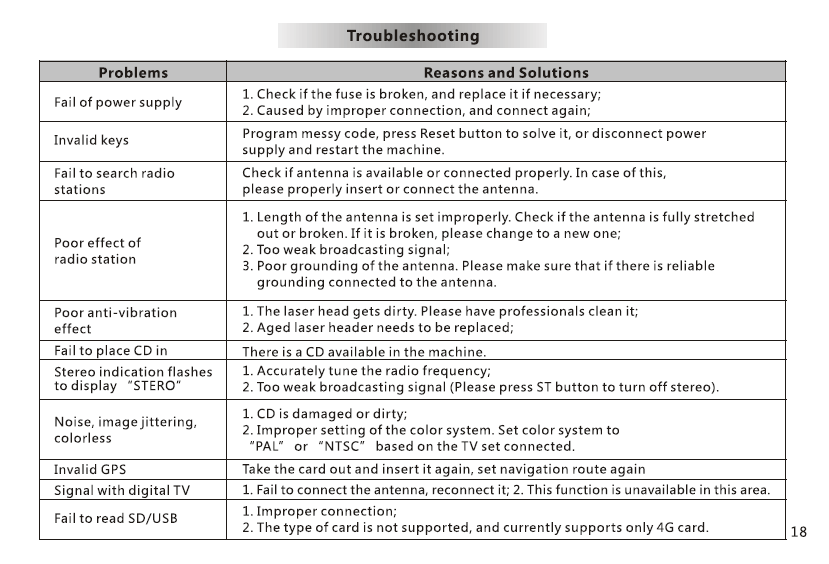
15. Усунення несправностей
Немає живлення: Перевірте запобіжник, джгут проводів, З'єднання ACC/B+.
Немає сигналу GPS: Переконайтеся, що антена розміщена на відкритій панелі приладів.
Ні звуку: Перевірте проводку динаміків і налаштування MUTE.
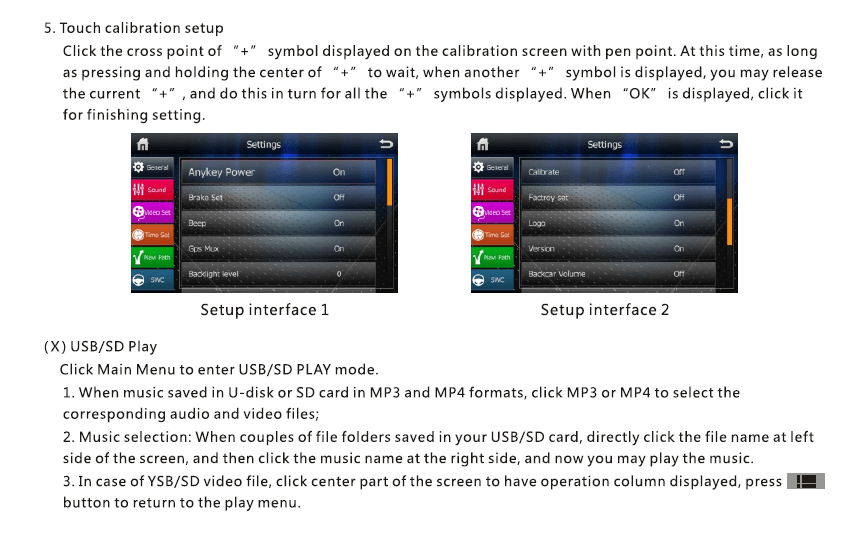
Сенсорний екран зміщений: Виконайте калібрування дотику в налаштуваннях.
16. Примітки з безпеки
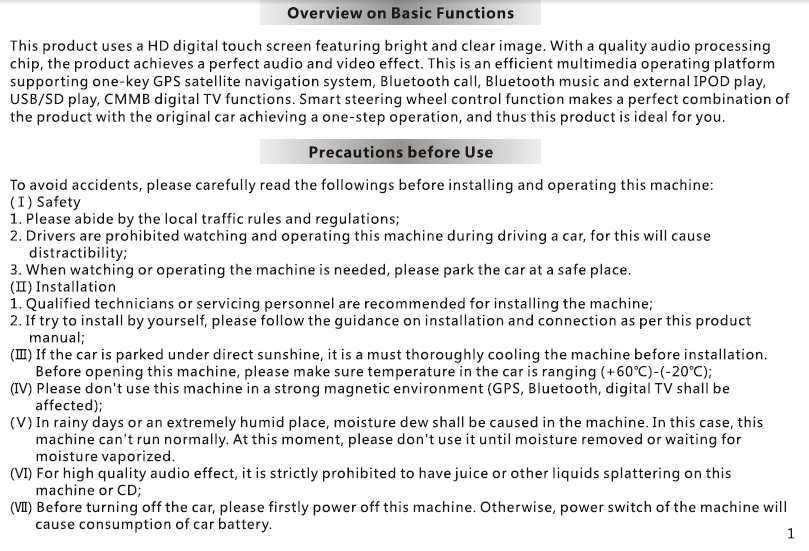
- Не використовуйте пристрій під час водіння.
- Підтримуйте безпечний рівень гучності.
- Не піддавайте пристрій дії вологи або високої температури.
- Використовуйте тільки схвалені аксесуари.
задавати питання
Дякуємо за вашу відповідь. ✨