






panduan VCAN1294 pengguna
VCAN1294 2 Din GPS Navigasi

panduan VCAN1294 pengguna




Panduan Pengguna VCAN1294
2 Din Navigasi GPS • DVD • USB • SD • Bluetooth • Layar Sentuh
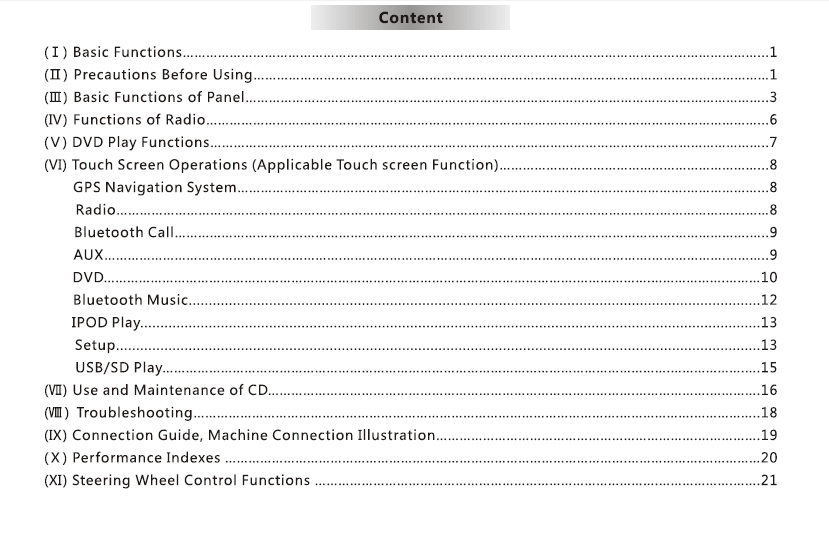
Daftar isi
1. pengantar
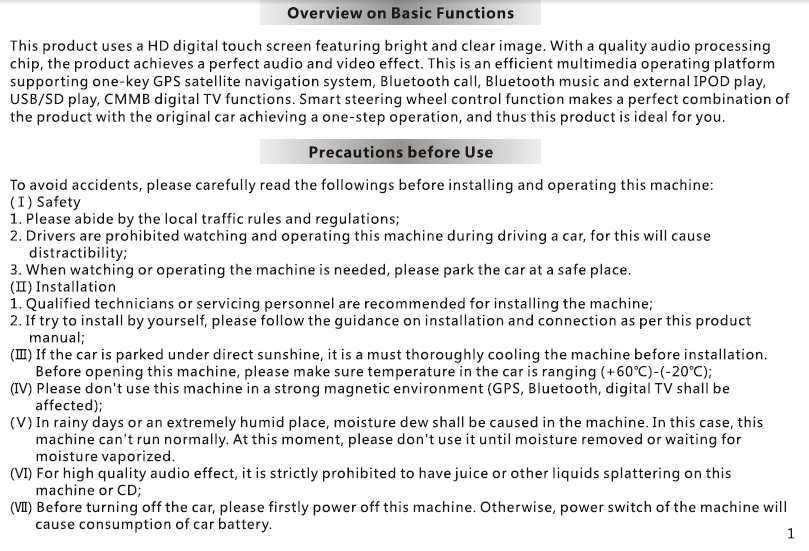
Terima kasih telah memilih VCAN1294 2 Sistem Navigasi GPS Din.
Head unit multimedia ini menggabungkan Navigasi GPS, Pemutaran DVD, Bluetooth, Dukungan media USB/SD, Radio FM/AM, dan antarmuka sentuh penuh untuk meningkatkan hiburan dalam mobil dan kenyamanan berkendara Anda.
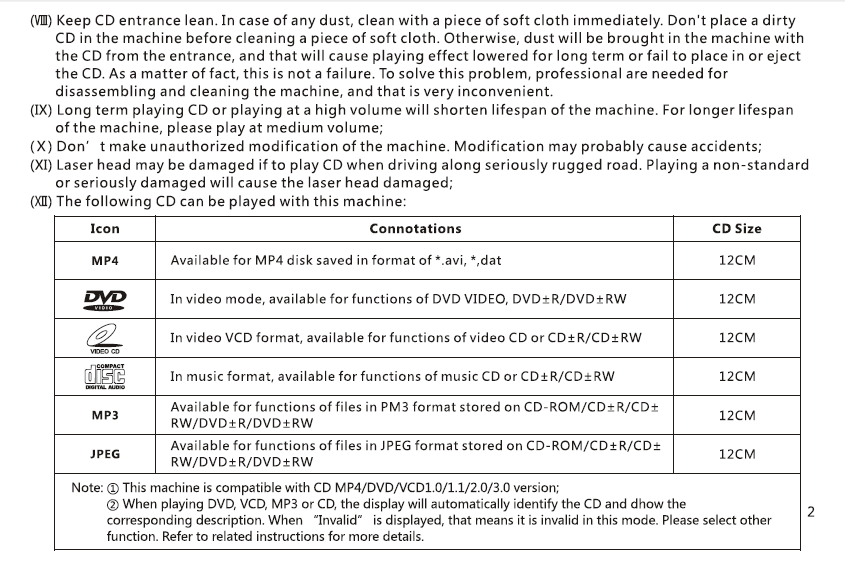
Harap baca manual ini dengan seksama sebelum digunakan.
2. Ikhtisar Produk
VCAN1294 dirancang untuk berbagai macam kendaraan dasbor 2-DIN. Ini fitur a layar sentuh resolusi tinggi, GPS bawaan, pemutaran media multi-format, dan panggilan bebas genggam untuk pengalaman berkendara yang lebih aman dan menyenangkan.
Fungsi Utama
- Navigasi GPS dengan panduan suara
- Pemutaran DVD/VCD/CD
- USB & Masukan media kartu SD
- Panggilan bebas genggam Bluetooth & musik
- Radio FM/AM dengan RDS
- Masukan kamera tampak belakang
- Kontrol roda kemudi (SWC) mendukung
- Penguat daya tinggi dan pengaturan EQ
3. kancing-kancing & Pelabuhan
Panel depan
- Kekuasaan / Tombol volume
- Tampilan layar sentuh
- slot kartu SD
- port USB
- Tombol keluarkan
- Tombol Beranda/Menu/Kembali (tergantung pada model)
Panel belakang
- Konektor rangkaian daya
- Keluaran audio/video RCA
- Masukan kamera terbalik
- Konektor antena
- Pelabuhan antena GPS
- Sekering
4. Operasi Dasar
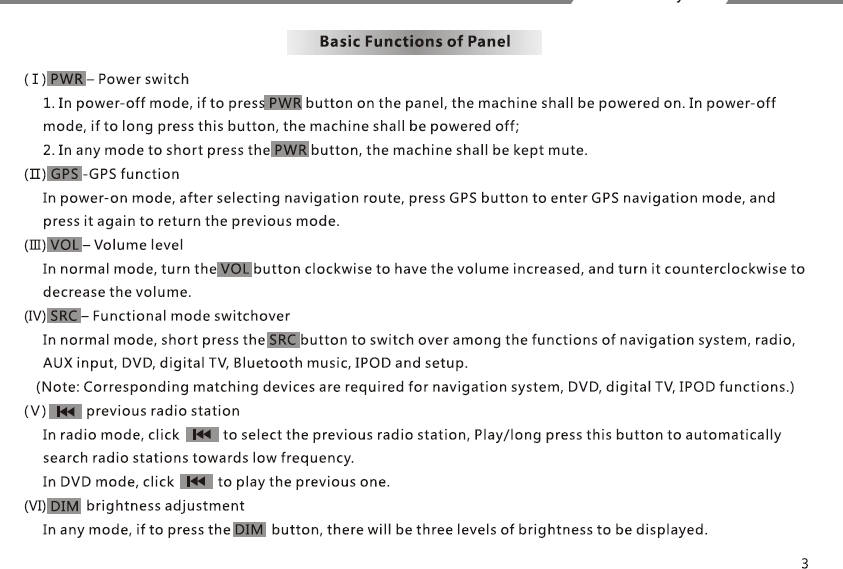
Power On / Off
- Unit menyala secara otomatis saat kendaraan dihidupkan.
- Tekan lama tombol POWER untuk mematikan secara manual.
Menu Beranda
Mengakses: Navigasi, Radio, DVD, USB, SD, Bluetooth, pengaturan.
Pengatur suara
Gunakan kenop atau penggeser di layar.
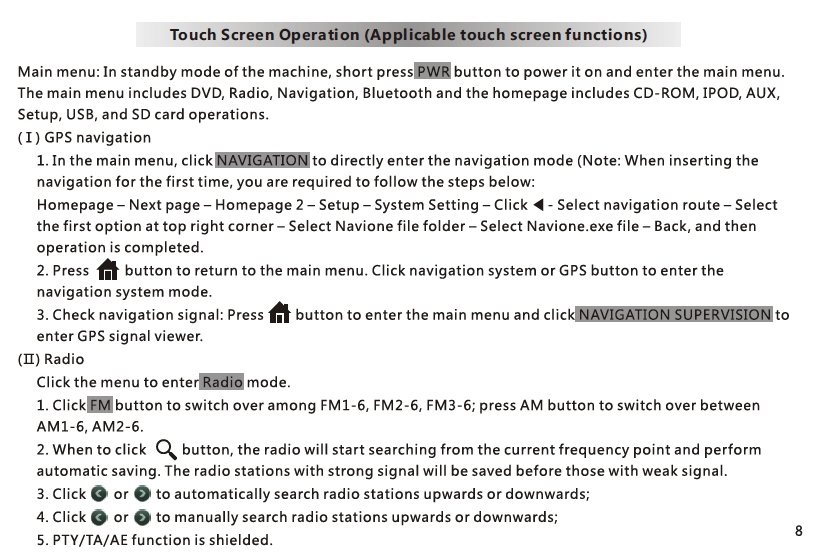
5. GPS Navigasi
- Mengetuk NAV untuk masuk ke aplikasi GPS.
- Perangkat lunak peta GPS disimpan di kartu SD di slot navigasi.
- Ikuti petunjuk di layar untuk input tujuan.
- Panduan suara dan kontrol zoom tersedia.
Catatan: Merek peta yang berbeda (saya pergi, Navitel, dan lain-lain) dapat digunakan tergantung pada wilayah.
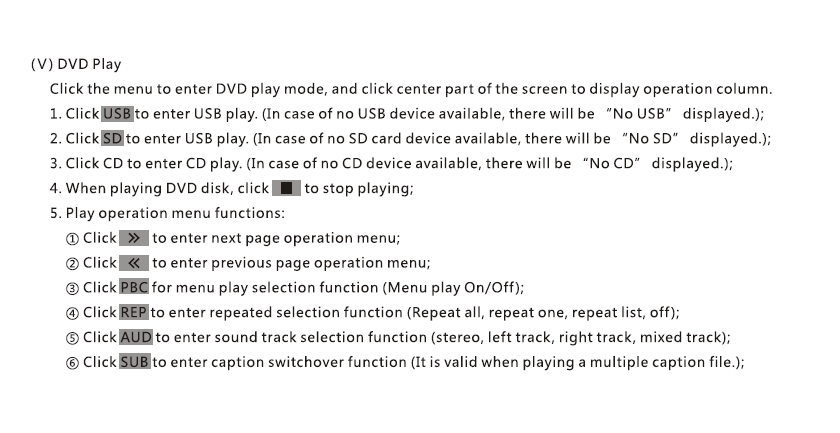
6. DVD / Pemutaran CD
- Masukkan disk; pemutaran dimulai secara otomatis.
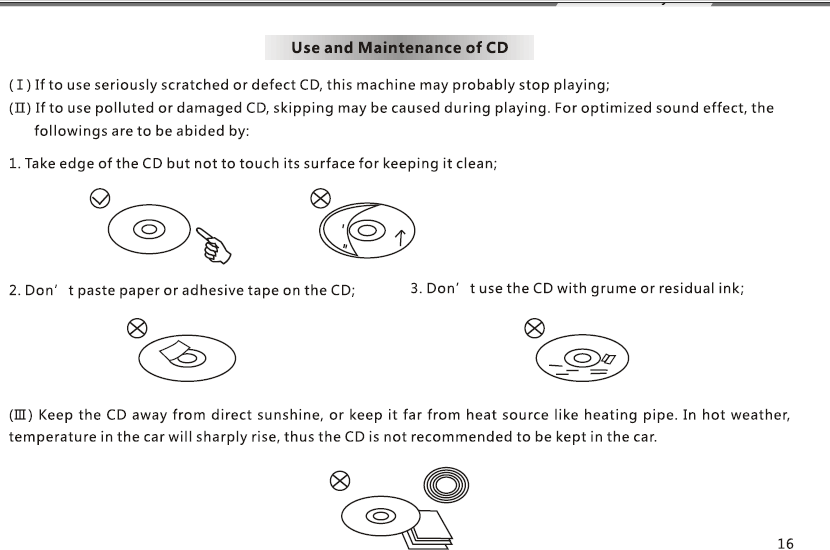
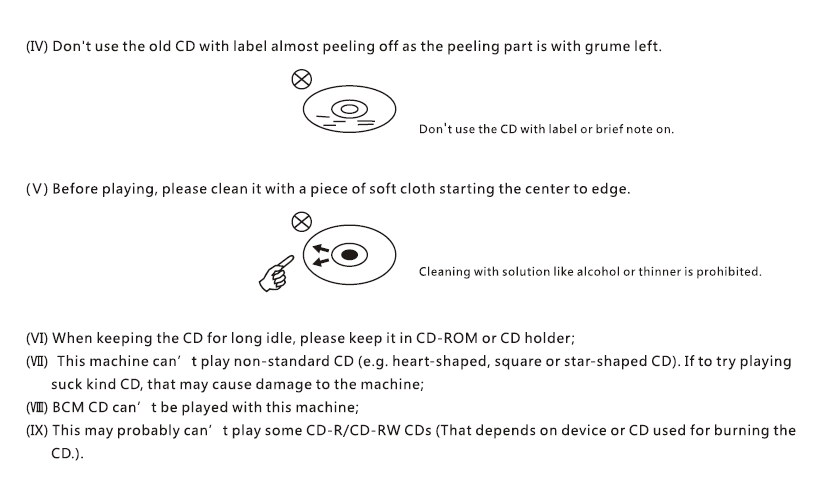
- Gunakan kontrol di layar: Putar/Jeda, Berikutnya, Sebelumnya, anak judul, Trek Audio.
- Mendukung DVD, VCD, CD, format disk MP3.
7. USB / Pemutaran Media SD
- Masukkan drive USB atau kartu SD dengan file media.
- mendukung: MP4, AVI, MP3, WMA, JPG (dukungan format mungkin berbeda).
- Browser file memungkinkan pemilihan folder dan file.
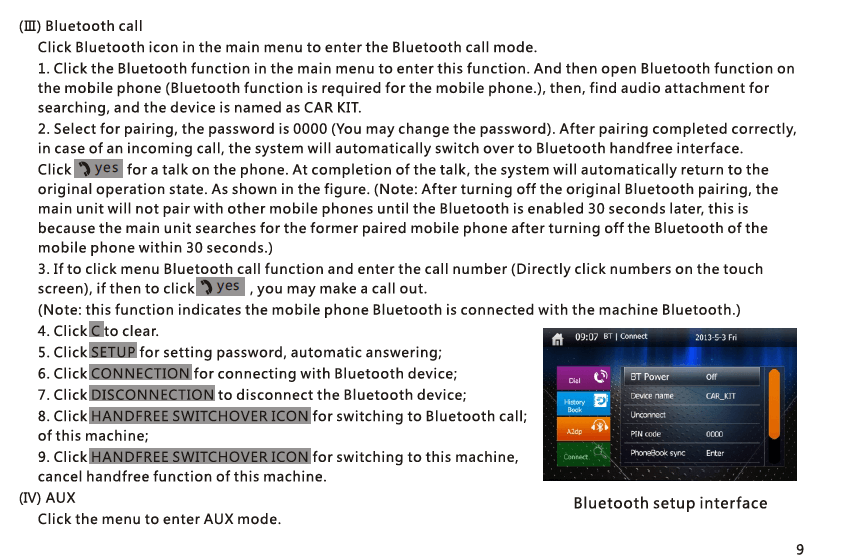
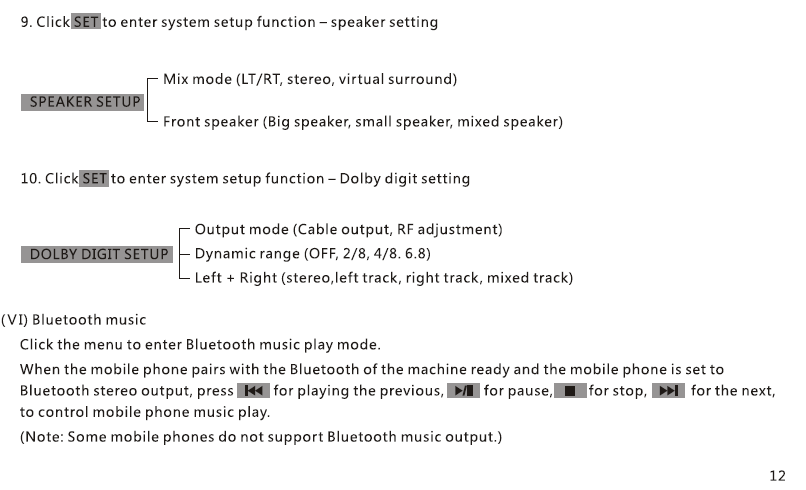
8. Bluetooth Bebas Genggam & Musik
berpasangan
- Aktifkan Bluetooth di ponsel Anda.
- Cari dan pilih “VCAN1294”.
- Konfirmasikan kode penyandingan.
Fungsi
- Melakukan/menerima panggilan
- Sinkronkan buku telepon
- Pemutaran A2DP musik Bluetooth
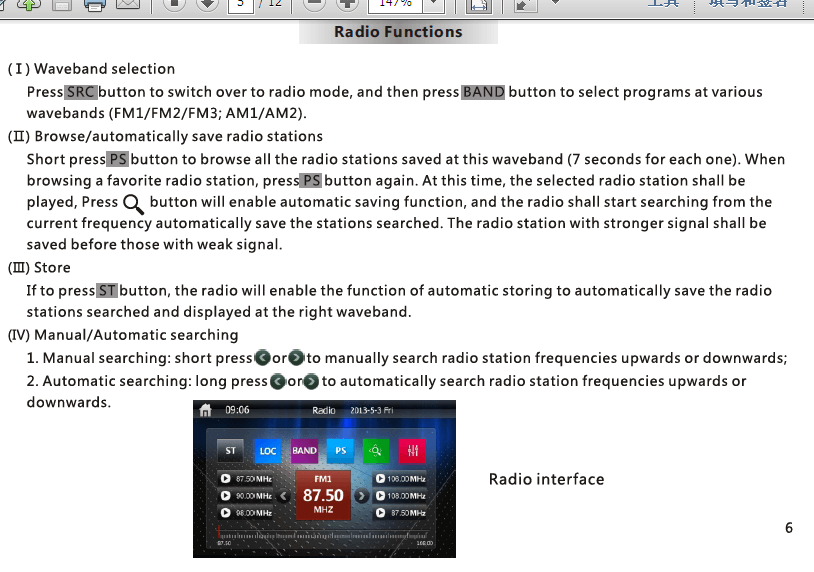
9. Radio FM/AM
- Pemindaian otomatis, lagu manual, dan penyimpanan preset
- dukungan RDS (tergantung pada wilayah)
- Hemat hingga 30 stasiun
10. Kamera Tampak Belakang
- Hubungkan kamera mundur ke CAM-IN Port RCA.
- Saat kendaraan berpindah ke Mundur, layar beralih secara otomatis.
11. Steering Wheel Control (SWC)
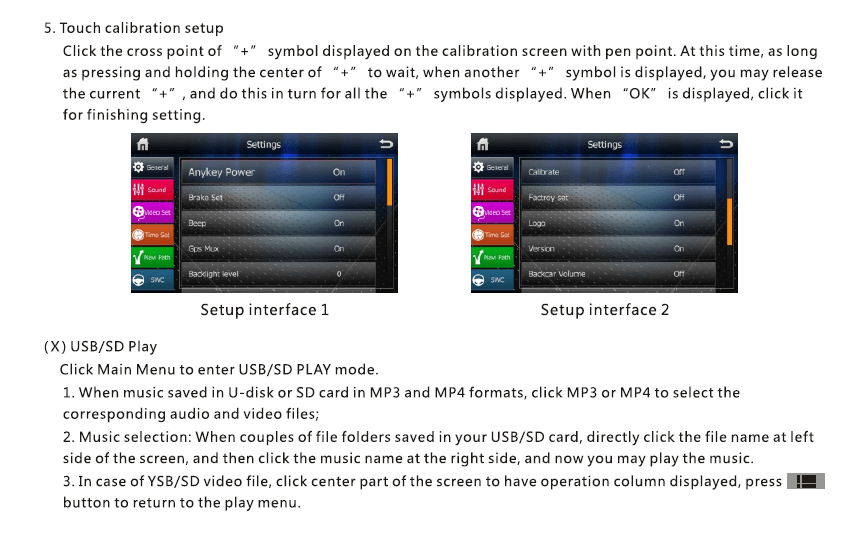
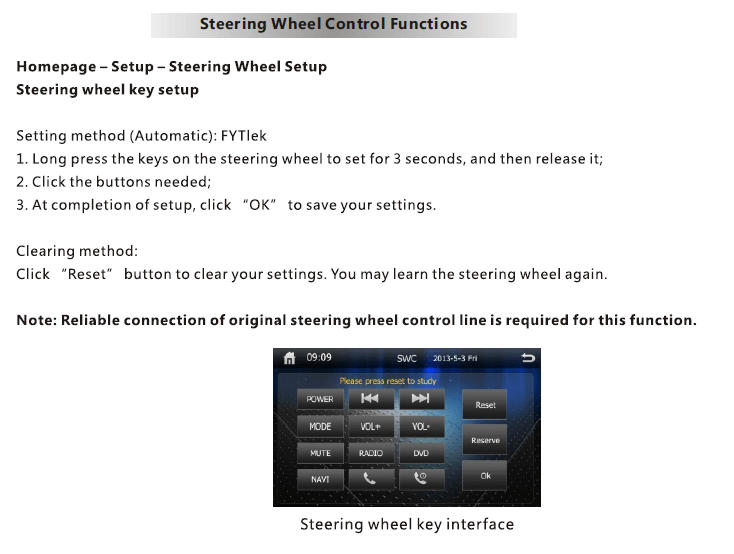
- Memasuki Pengaturan → SWC.
- Tekan setiap tombol roda kemudi dan tetapkan fungsinya (Volume, Berikutnya, Mode, dan lain-lain).
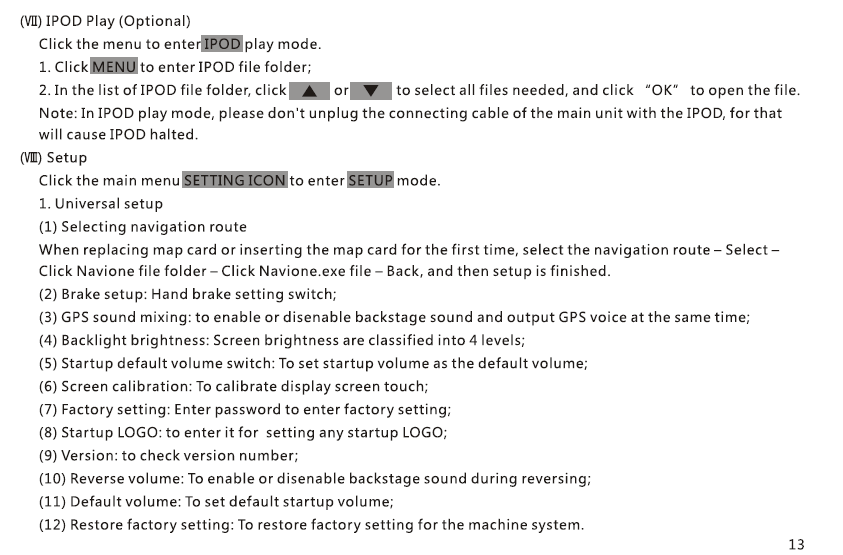
12. Menu Pengaturan
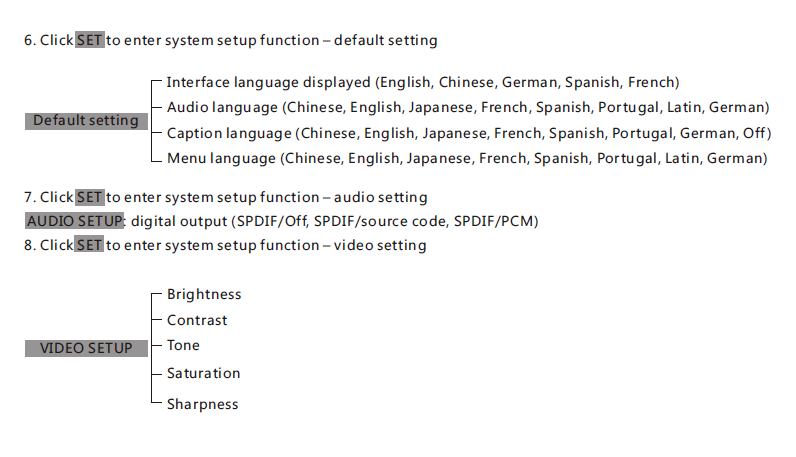
- pameran & Kecerahan
- Bahasa
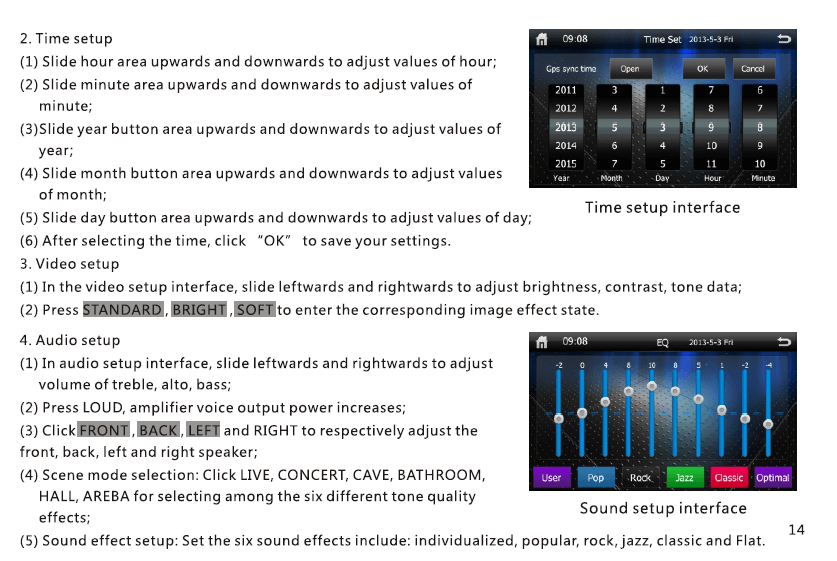
- Waktu & Tanggal
- EQ Suara / Kontrol subwoofer
- Jalur navigasi
- Reset pabrik
13. spesifikasi
| Barang | Deskripsi |
|---|---|
| Model | VCAN1294 |
| pameran | 2 Layar sentuh Din |
| Navigasi | GPS bawaan, antena GPS eksternal |
| Media | DVD / CD / USB / SD |
| Bluetooth | Bebas genggam + Musik A2DP |
| Radio | FM/AM dengan RDS |
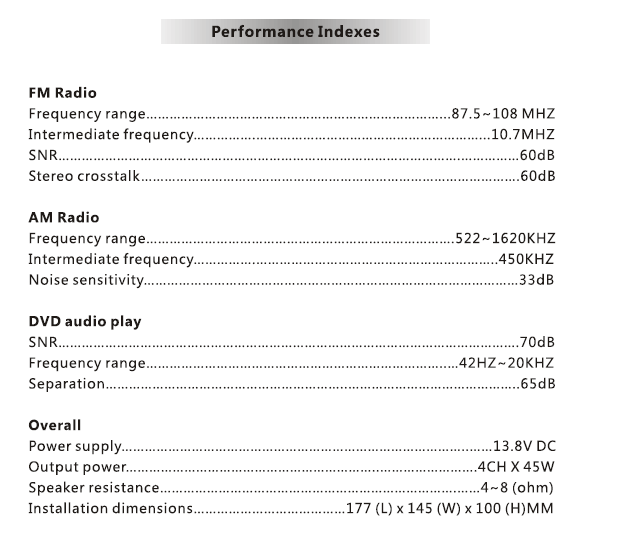
| Audio output | 4 × 45W (puncak) |
| Masukan Kamera | iya nih, tampak belakang (RCA) |
| Penyimpanan | USB hingga 32GB, SD hingga 32GB |
| THE | Sistem tertanam berpemilik |
| Kekuasaan | Tenaga kendaraan DC 12V |
14. catatan instalasi
- Instalasi profesional dianjurkan.
- Hubungkan rangkaian kabel sesuai dengan diagram pin.
- Pastikan kabel pemicu mundur terhubung ke lampu mundur.
- Gunakan hanya antena GPS yang disertakan.
15. Penyelesaian masalah
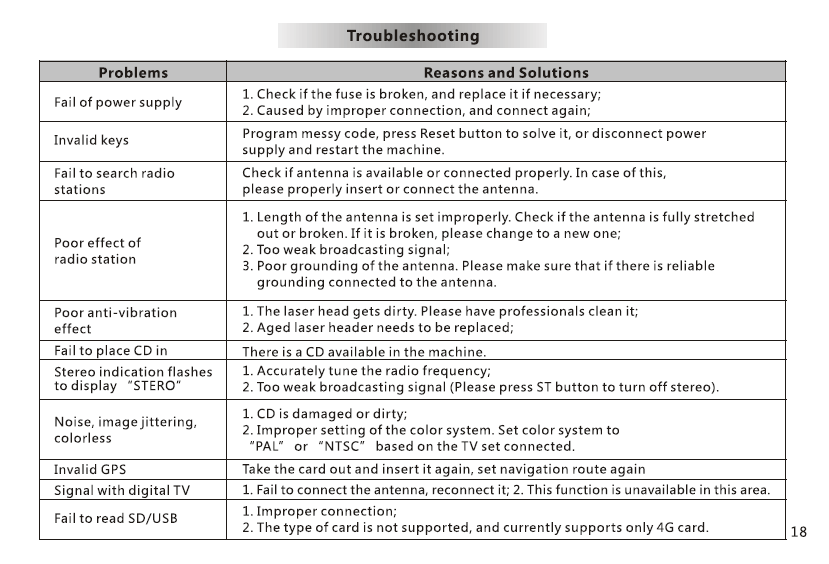
Tidak ada kekuatan: Periksa sekering, rangkaian kabel, Koneksi ACC/B+.
Tidak ada sinyal GPS: Pastikan antena ditempatkan pada dashboard terbuka.
Tidak ada suara: Periksa kabel speaker dan pengaturan MUTE.
Layar sentuh tidak sejajar: Lakukan kalibrasi sentuh di Pengaturan.
16. Catatan Keamanan
- Jangan mengoperasikan perangkat saat mengemudi.
- Jaga volume pada tingkat yang aman.
- Jangan biarkan unit terkena kelembapan atau panas tinggi.
- Gunakan hanya aksesori yang disetujui.
Berikan pertanyaan
Terima kasih atas tanggapan Anda. ✨