






Podłącz kontrolę lotu do linku danych wideo dronów za pośrednictwem TCP
Jak podłączyć sterowanie lotem do linku danych wideo dronów za pośrednictwem TCP?
Spis treści
Setting on the webpage of 192.168.1.12 (Drone Transmitter air Unit)
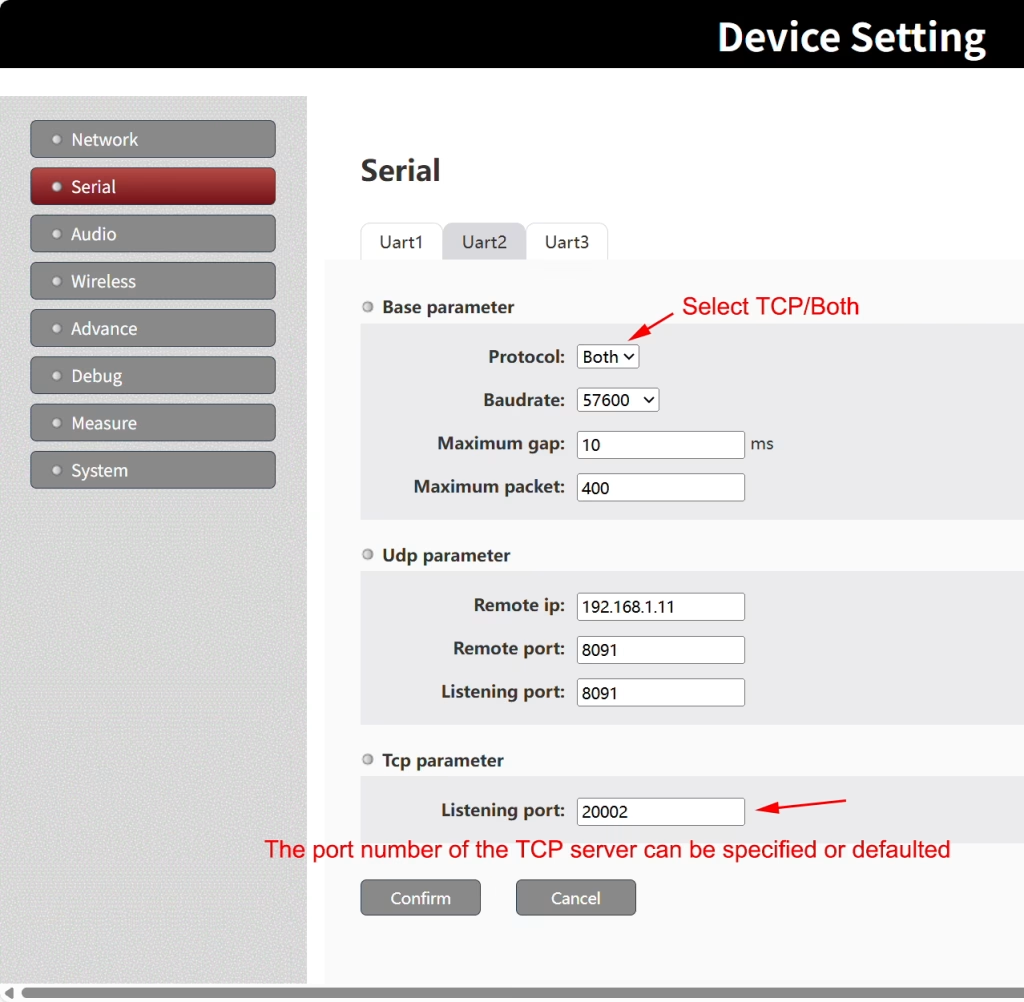
Please note that the flight control interface is TTL. Please check that the data port of your drone video and data link should also be TTL. If it is RS232, you need to use an RS232 to TTL conversion module, and the conversion module needs to be powered separately.
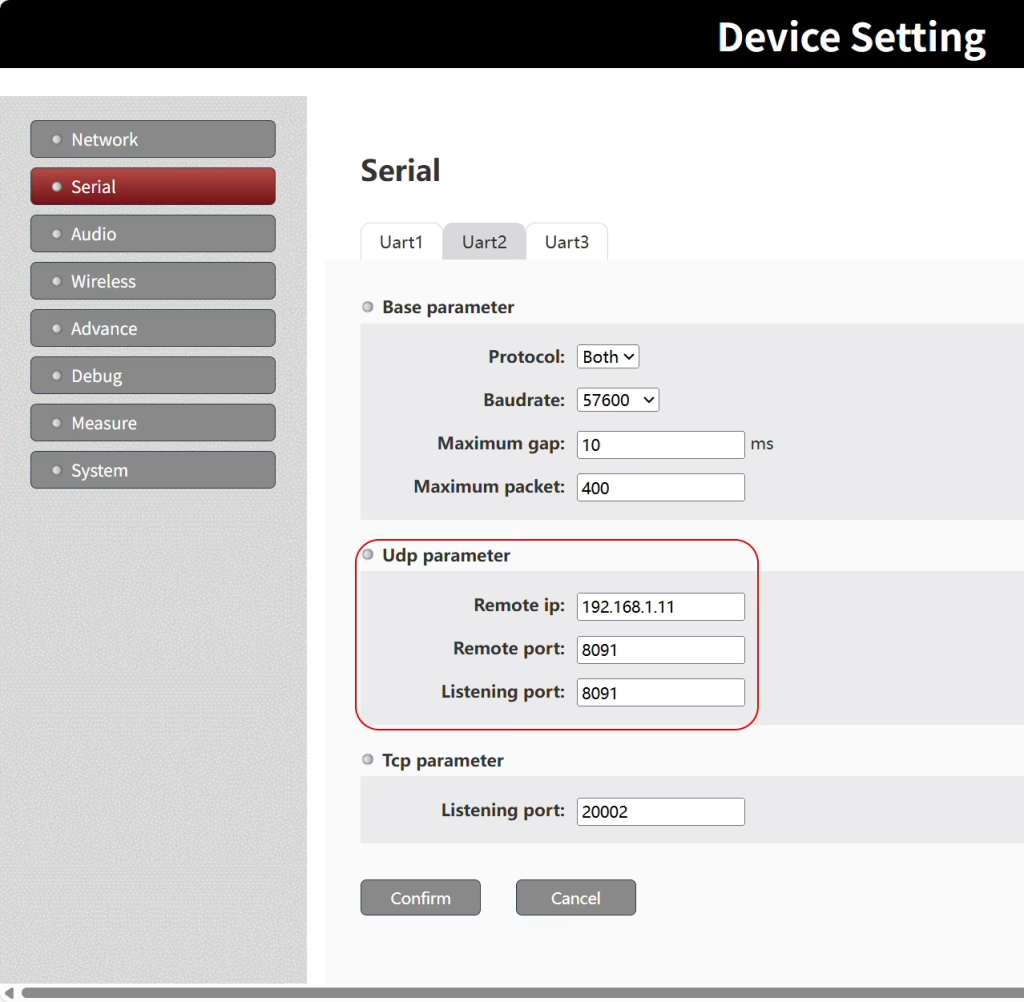
Another advantage of Both mode is that it can transparently transmit flight control data to another drone video data link devices TX900 lub 1681, through UDP at the same time, so that flight control data can be accessed through serial port and network cable at the same time.
Uwaga: After modifying the serial port parameters, you need to restart the device to take effect.
You only need to configure the serial port parameters of the wireless link device connected to the flight controller (zaniedbanie 192.168.1.12). The serial port parameters of the other wireless link device connected to the computer (zaniedbanie 192.168.1.11) do not need to be modified.
Setting on the Mission Planner of computer (Odbiorca’ Computer Ground Unit)
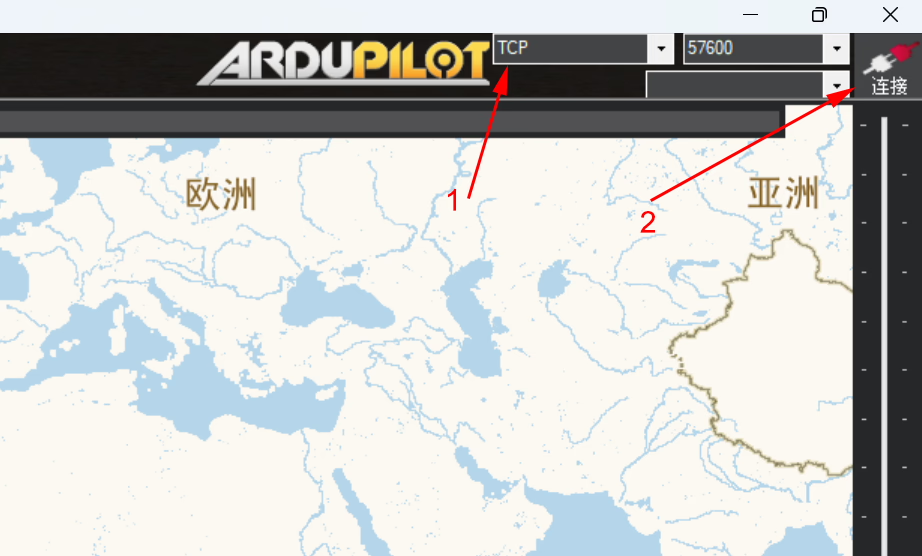
Choose TCP mode
Click Connect.
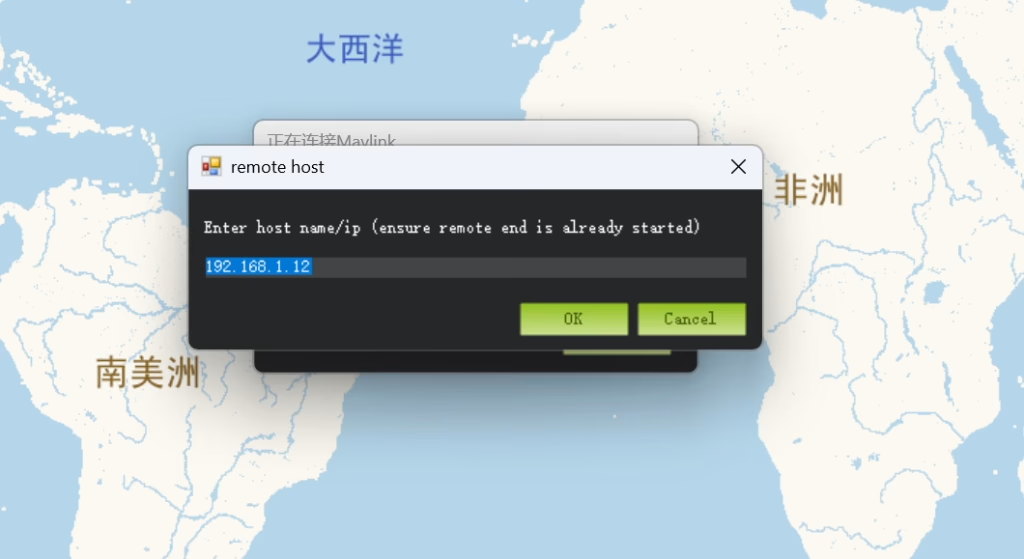
At the remote host windows, rodzaj 192.168.1.12 of Drone Transmitter air Unit ip address)
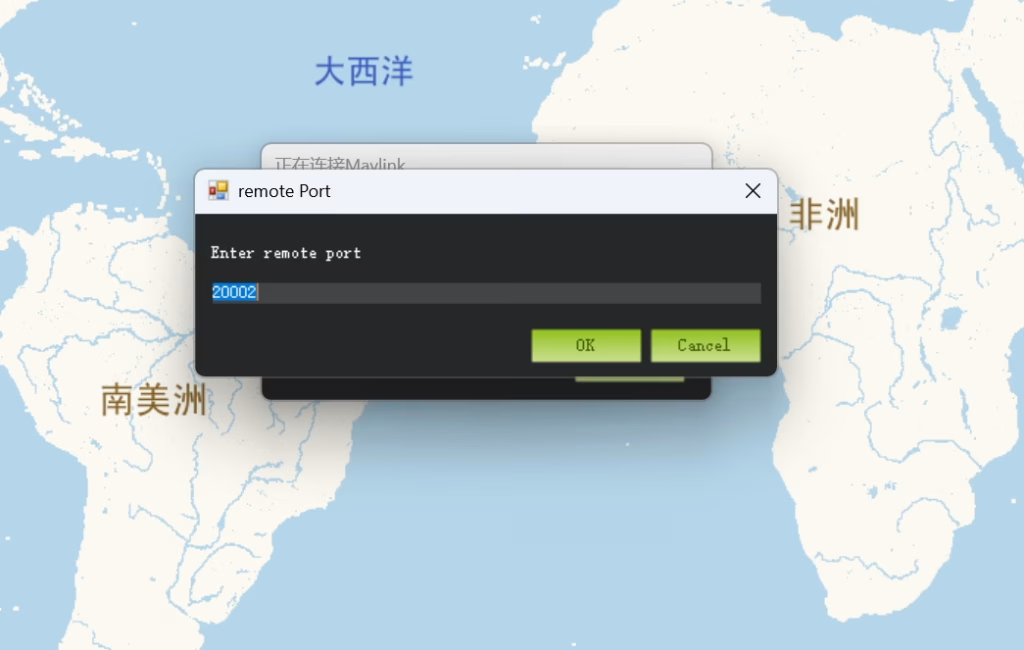
Also type the remote port number: 20002 (default or your specified)
Advice of Connect flight control to drone video data link via TCP
Faktycznie, udp mode is much simpler and more stable, and tcp mode is suitable for local connection (through wired network), rather than connection through wireless link.
This tcp mode is the demand of another customer before, saying that other devices on his aircraft also need to obtain flight control data through network cable tcp, and we made it to meet his demand. Faktycznie, for most customers, we still recommend them to use udp mode for serial port transparent transmission or serial to network to PC).
Zadać pytanie
Twoja wiadomość została wysłana