




Many customers want to transmit 동영상, 오디오, and UART data using our encoder boards. Here’s a clear guide on what’s possible, the limitations, and the best way to achieve it.
1. Current Status of HDMI+CVBS Encoder Boards
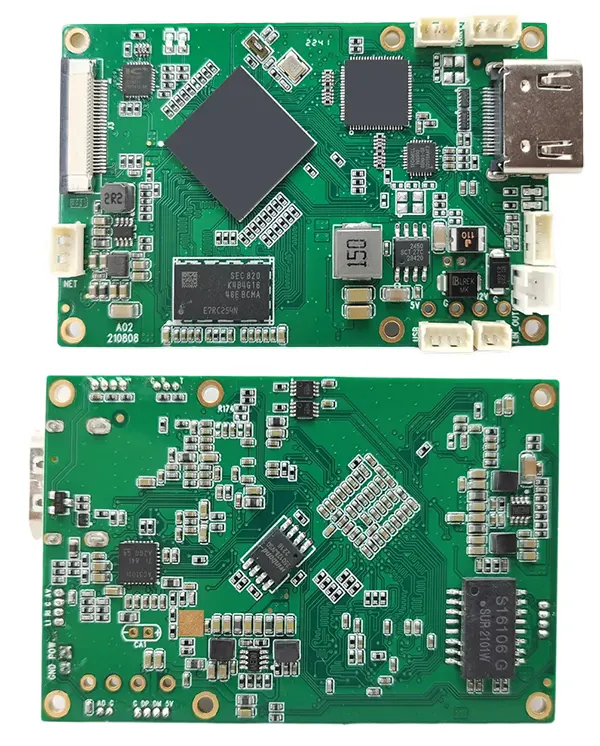
| 특색 | HDMI+CVBS Encoder Board |
|---|---|
| Serial tab in web UI | ❌ Not available |
| UART data transmission | ❌ Not available by default; 사용자 정의할 수 있습니다 |
| Video/Audio Protocols | ✅ RTSP (video/audio only) ✅ UDP (supports video/audio + UART if used with decoder) |
Key point: The encoder board alone cannot decode UART data on a PC with VLC or other generic players. You need our paired decoder board.

CVBS HDMI에서 IP 인코더

CVBS HDMI에서 IP 인코더
2. How UART Data Transmission Works
- Encoder Board
- Accepts UART data input for transmission (UDP only).
- RTSP stream is video/audio only; UART data cannot be sent via RTSP.
- Decoder Board
- Required to properly decode UART data from the encoder.
- Generic video players (예를 들어, VLC) cannot decode UART data.
Illustration of Setup:
PC ---Ethernet---> HDMI+CVBS Encoder Board ---UDP---> Matching Decoder Board ---> UART Data Output
3. 대안: 의 (CVBS) Input with UART
If you are using 의 (CVBS) 입력, you can use our dedicated converter board:
CVBS/AV Video to Ethernet IP Video Stream Converter Board
| 특색 | 의 (CVBS) Converter Board |
|---|---|
| HDMI 입력 | ❌ Not supported |
| UART data input | ✅ Supported |
| Data retrieval on PC | ✅ TCP protocol |
팁: This is ideal if you only need UART + CVBS video streaming, and want to receive UART data directly on a PC.
4. Recommendations
- HDMI+CVBS input + UART: Must use both encoder and matching decoder.
- 의 (CVBS) + UART: Use the AV converter board with TCP to retrieve UART data on PC.
- Do not expect VLC or generic players to decode UART data; they only handle video/audio streams.
결론:
Our encoder boards can transmit UART data, 하지만 only with the matching decoder or the AV converter board. Understanding these options ensures you pick the right board for your system and avoid confusion or failed setups.
목차
인코더 모듈 보드









디코더 모듈 보드




사용자 정의 가능
새로운 인코더 제품
| 아니. | 제품명 | 구성 | 주요 특징 | 상태 |
|---|---|---|---|---|
| 1 | 듀얼 채널 USB UVC 가시광선 비디오 인코더 | 2× USB 입력 | 듀얼 USB 카메라 비디오 인코딩 지원, 및 RTSP 스트리밍; 로컬 CVBS/HDMI 출력; 전환 가능한 디스플레이 모드 | 양산 |
| 2 | 듀얼 채널 인코더 (1× USB 가시광선 + 1× USB 열화상 카메라) | 2× USB 입력 | 듀얼 USB 카메라 지원 (보이는 + 열의) 포착, 부호화, 및 RTSP 스트리밍; 로컬 CVBS/HDMI 출력; 전환 가능한 디스플레이 모드 | 양산 |
| 3 | RTSP 디코더 HDMI/CVBS 디스플레이 모듈 | HDMI + CVBS 출력 | 최대 4×1080P@30fps RTSP 스트림 디코딩 지원; 비디오 스트리밍 프로토콜 전달 지원; HDMI/CVBS 출력 디스플레이 | 샘플 사용 가능 |
| 4 | RTSP 디코더 HDMI/CVBS 디스플레이 모듈 4.3"/5" LCD | HDMI 출력 + LCD 화면 | 최대 4×1080P@30fps RTSP 스트림 디코딩 지원; 프로토콜 전달; HDMI/CVBS 출력 디스플레이 | 디버깅 |
| 5 | 듀얼 채널 인코더 (1× USB 가시광선 + 1× CVBS 아날로그) | 1× CVBS + 1× USB UVC 입력 | 듀얼 비디오 (USB + CVBS), 인코딩 및 RTSP 스트리밍; 로컬 CVBS/HDMI 출력; 전환 가능한 디스플레이 모드 | 디버깅 |
| 6 | 듀얼 채널 인코더 (1× USB UVC + 1× AHD 아날로그) | 1× AHD + 1× USB UVC 입력 | 듀얼 비디오 캡처 (USB + AHD), 인코딩 및 RTSP 스트리밍; 로컬 CVBS/HDMI 출력; 전환 가능한 디스플레이 모드 | 디버깅 |
| 7 | 듀얼 채널 인코더 (1× CVBS + 1× AHD 아날로그 비디오) | CVBS + AHD 2 비디오 입력 | 듀얼 아날로그 비디오 캡처, 인코딩 및 RTSP 스트리밍; 로컬 CVBS/HDMI 출력; 전환 가능한 디스플레이 모드 | 디버깅 |
| 8 | 듀얼 채널 인코더 (1× CMOS 카메라 + 1× USB 열화상 카메라) | 1× USB 인터페이스 | CMOS 지원 + USB 열화상 카메라 캡처, 인코딩 및 RTSP 스트리밍; 로컬 CVBS/HDMI 출력; 전환 가능한 디스플레이 모드 | 양산 |
당사 제품에 포함되지 않은 맞춤형 비디오 입출력 변환 솔루션의 경우, OEM/ODM 지원을 원하시면 문의해주세요. 우리는 귀하의 요구 사항에 따라 맞춤형 제품을 개발할 수 있습니다..
질문하기
응답해 주셔서 감사합니다. ✨