






رادیوهای مش در کتابچه راهنمای دستورات
The AT Command may have a little different for different model/version, این سند در دستور توضیحات اساسی دستور AT برای مرجع شما است.
Suitable the below models of Mesh Version.
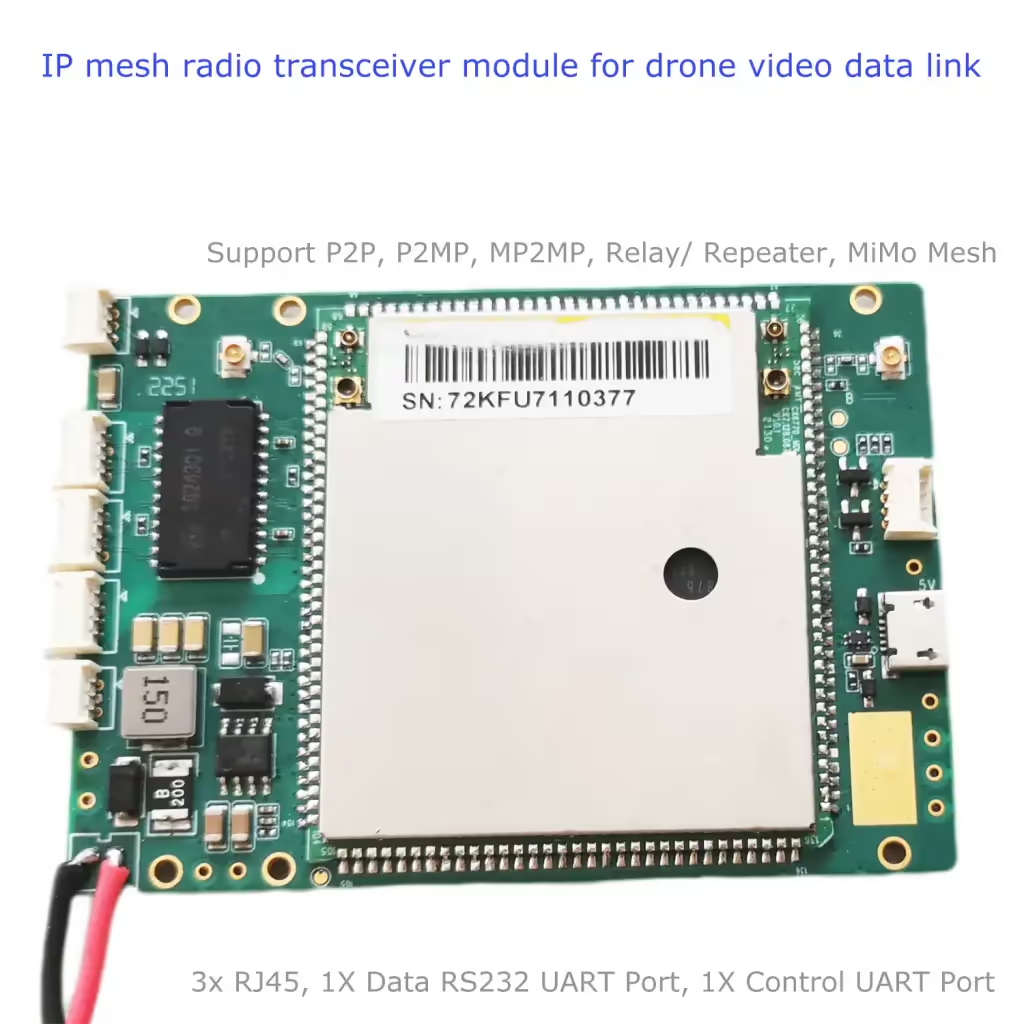
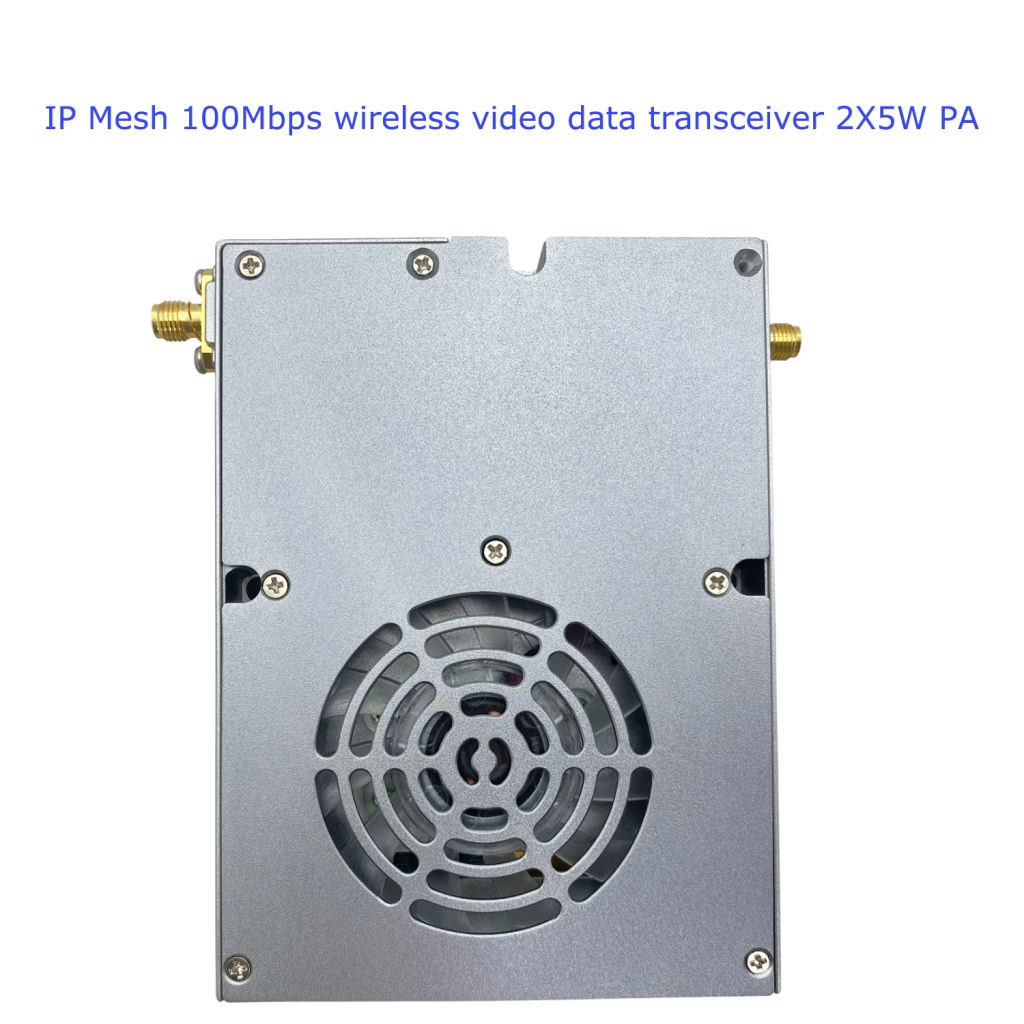
فهرست مطالب
1.AT+CFUN: Wireless link enable switch configuration
| فرمان | پاسخ احتمالی(بازدید کنندگان) |
| AT+CFUN=[<fun>[,<rst>]] | |
| AT+CFUN? | +CFUN:<fun> |
| AT+CFUN=? | +CFUN:(لیست پشتیبانی شده<fun>بازدید کنندگان),(list of support<rst>بازدید کنندگان) |
شرح
Run the command to set the MT’s <fun> function level, full functinality is the highest level, minimum Functionality is the minimum level, there is a user-defined level between the highest and lowest levels, این < RST > parameter is valid if the user defines the level.
کد نتیجه نهایی
خوب
موفق
خطا یا خطای CME: <اشتباه کردن>
انجام فرمان انجام نشد
مقادیر تعریف شده
<fun>: نوع عدد صحیح
0: Minimum Functionality
1: Full functionality
<rst>: نوع عدد صحیح
0: do not reset the MT before setting it to <fun> سطح قدرت.
مثال
AT+CFUN=1<CR>
<CR><LF>خوب<CR><LF>
AT+CFUN?<CR>
<CR><LF>+CFUN:1<CR><LF>
<CR><LF>خوب<CR><LF>
AT+CFUN=?<CR>
<CR><LF>+CFUN:(0~1)<CR><LF>
<CR><LF>خوب<CR><LF>
2.AT+CMEE: Indicates that the AT command is abnormal
| فرمان | پاسخ احتمالی(بازدید کنندگان) |
| AT+CMEE=[<n>] | |
| AT+CMEE? | +CMEE:<n> |
| AT+CMEE=? | +CMEE:(لیست پشتیبانی شده<n>بازدید کنندگان) |
شرح
Run this command to enable or disable the format of the final ERROR report. When MT is turned on, the format of the ERROR report is +CME ERROR:<اشتباه کردن> instead of general ERROR.However, if the ERROR is caused by invalid parameter values or syntax errors, the ERROR is normally reported as well.
کد نتیجه نهایی
خوب
موفق
خطا یا خطای CME: <اشتباه کردن>
انجام فرمان انجام نشد
مقادیر تعریف شده
<n>: نوع عدد صحیح
0: disable +CME ERROR:<اشتباه کردن> result code and use ERROR instead
1: enable +CME ERROR:<اشتباه کردن> result code and use numeric <اشتباه کردن> ارزش.
2: enable +CME ERROR:<اشتباه کردن> result code and use verbose <اشتباه کردن> ارزش.
مثال
AT+CMEE=1<CR>
<CR><LF>خوب<CR><LF>
AT+CMEE?<CR>
<CR><LF>+CMEE:1<CR><LF>
<CR><LF>خوب<CR><LF>
AT+CMEE=?
<CR><LF>+CMEE:(0-2)<CR><LF>
<CR><LF>خوب<CR><LF>
3.در^dacs: access status
| فرمان | پاسخ احتمالی(بازدید کنندگان) |
| AT^DACS=<n> | |
| در^dacs? | ^dacs: <n>,<حالت> |
| AT^DACS=? | ^dacs: (لیست پشتیبانی شده <n>بازدید کنندگان) |
شرح
The DACSI: <حالت> command is used to set the status of the DACSI: <حالت> report. The status of the DACSI: <حالت> report is reported by default when the DACSI: <حالت> is started.Active reporting When this function is enabled, the UE proactively reports the access status indicator after successful access.After the network of the main control node is successfully deployed, the main control node is successfully connected.
Query commands are used to query the status of the current reporting switch and access status.
Test commands are used to test whether the command is supported and query the value range of <n> مولفه های.
کد نتیجه نهایی
خوب
موفق
خطا یا خطای CME: <اشتباه کردن>
انجام فرمان انجام نشد
مقادیر تعریف شده
<n>: نوع عدد صحیح: indicates the status of the proactively reported switch
0: shut down
1: باز کردن
2: queries the current access status
<حالت>: نوع عدد صحیح, نشانگر وضعیت دسترسی
صفر: no access
1: have access
مثال
AT^DACS=1<CR><LF>
<CR><LF>^DACSI: 0<CR><LF>
<CR><LF>خوب<CR><LF>
<CR><LF>^DACSI: 1<CR><LF>
در^dacs?<CR><LF>
< CR > < LF > ^ dacs: 1, 1 < CR > < LF >
<CR><LF>خوب<CR><LF>
AT^DACS=?<CR><LF>
<CR><LF>^dacs: (0-2)<CR><LF>
<CR><LF>خوب<CR><LF>
4.AT^DRPC: Connected wireless parameters take effect in real time
| فرمان | پاسخ احتمالی(بازدید کنندگان) |
| AT^DRPC=<فرکانس>[,پهنای باند] [,<cellid>] | |
| AT^DRPC? | ^drpc: (<فرکانس>,<پهنای باند>), (<scellfreq>,< scellBandwidth >), cellid |
| AT^DRPC=? | ^drpc: (لیست پشتیبانی شده <فرکانس>بازدید کنندگان), (لیست پشتیبانی شده <پهنای باند>بازدید کنندگان), (لیست پشتیبانی شده <cellid>بازدید کنندگان) |
شرح
Run commands to set parameters in the access state.
Query commands are used to query the current parameter Settings.
Test commands are used to test whether the command is supported and the range of query parameters.
یادداشت: If CA is supported, cellid must be set and cannot be empty.If CA is not supported, cellid cannot be set.
For the default preset frequency points, see the appendix. The preset frequency points must be in the preset frequency points list. If they are not in the list, setting failure is displayed.
کد نتیجه نهایی
خوب
موفق
خطا یا خطای CME: <اشتباه کردن>
انجام فرمان انجام نشد
مقادیر تعریف شده
<فرکانس>: نوع عدد صحیح, indicating the point frequency, in the unit of 100KHz
(5660-6780, 14200-15300)
<پهنای باند>: نوع عدد صحیح: پهنای باند را نشان می دهد
صفر: 1.4 M
1: 3M
2: 5M
3: 10M
4: 15M(پشتیبانی نشده)
5: 20M
<cellid> نوع عدد صحیح , Physical cell id
0: Pcell primary cell
1: Scell second cell
Other value reserved.
مثال
AT ^ drpc = 14300,3,0 < CR > < LF >
<CR><LF>خوب<CR><LF>
AT^DRPC?<CR><LF>
< CR > < LF > ^ drpc: (14300, 3), 0655 (35), و 0 < CR > < LF >
<CR><LF>خوب<CR><LF>
AT ^ drpc = 14300,5,1 < CR > < LF >
AT^DRPC?<CR><LF>
< CR > < LF > ^ drpc (14300, 3), (14600, 3), 1 < CR > < LF >
<CR><LF>خوب<CR><LF>
AT^DRPC=?<CR><LF>
<CR><LF>^drpc:( 5660-6780, 14200-15300),(0-5) ,(0-1)<CR><LF>
<CR><LF>خوب<CR><LF>
5.در^drps: Disconnected wireless parameter configuration
| فرمان | پاسخ احتمالی(بازدید کنندگان) |
| AT^DRPS=<فرکانس>,<پهنای باند>,<قدرت>[,<cellid>] | |
| در^drps? | ^drps: (<فرکانس>,<پهنای باند>,<قدرت>), (<scellfreq>,< scellPower >),cellid |
| AT^DRPS=? | ^drps: (لیست پشتیبانی شده <فرکانس>بازدید کنندگان), (لیست پشتیبانی شده <پهنای باند>بازدید کنندگان, (لیست پشتیبانی شده <قدرت>بازدید کنندگان, (لیست پشتیبانی شده <cellid>بازدید کنندگان) |
شرح
The command is used to save the parameters to NVRAM, which will take effect after the flight.
Query commands are used to query the current NVRAM parameter Settings.
Test commands are used to test whether the command is supported and the range of query parameters.
یادداشت: If CA is supported, cellid must be set and cannot be empty.If CA is not supported, cellid cannot be set.
For the default preset frequency points, see the appendix. The preset frequency points must be in the preset frequency points list. If they are not in the list, setting failure is displayed
کد نتیجه نهایی
خوب
موفق
خطا یا خطای CME: <اشتباه کردن>
انجام فرمان انجام نشد
مقادیر تعریف شده
<فرکانس>: نوع عدد صحیح, indicating the point frequency, in the unit of 100KHz
(5660-6780, 14200-15300)
<پهنای باند>: نوع عدد صحیح: پهنای باند را نشان می دهد
صفر: 1.4 M
1: 3M
2: 5M
3: 10M
4: 15M(پشتیبانی نشده)
5: 20M
<قدرت>: “عدد صحیح” نوع, indicating power, in dBm, اعم از “-40” به “40”
<cellid> نوع عدد صحیح , Physical cell id
0: Pcell primary cell
1: Scell second cell
Other value reserved.
مثال
AT ^ drps = 14300, 3, ’40 “, 0 < CR > < LF >
<CR><LF>خوب<CR><LF>
در^drps?<CR><LF>
< CR > < LF > ^ drps: (14300, 3, ’40 “), (0655, 35, “15”), و 0 < CR > < LF >
<CR><LF>خوب<CR><LF>
AT ^ drps = 14300, 5, 10 “, “1 < CR > < LF >
<CR><LF>خوب<CR><LF>
در^drps?<CR><LF>
< CR > < LF > ^ drps (14300, 3, ’40 “), (14500, 3, “10”), 1 < CR > < LF >
<CR><LF>خوب<CR><LF>
AT^DRPS=?<CR><LF>
< CR > < LF > ^ drps: (5660-6780, 14200-15300), (0 به 5), (” – “~ 40” 40 “), (0-1) < CR > < LF >
<CR><LF>خوب<CR><LF>
6.AT^DRPR: Wireless parameter reporting
| فرمان | پاسخ احتمالی(بازدید کنندگان) |
| AT^DRPR=<n> | |
| AT^DRPR? | ^DRPR: <n> |
| AT^DRPR=? | ^DRPR: (لیست پشتیبانی شده <n>بازدید کنندگان) |
شرح
Run the following command to set local wireless parameters for reporting ^DRPRI: <cell_index>,<arefcn>,<cell_id>,<NodeFlag>,<IPV4 address>,<SN >,<فهرست>,<RSSI>,<مسیر>,<rsrp>,<snr>,<فاصله>,<TX_POWER>,<rx_throughput_total_tbs>,<rx_tb_error_per>,<max_data_per _second >, < tx_mcs >, < tx_rb_num >, < rx_mcs >, < rx_rb_num >, < wide_cqi >, < ri >, < rx_tb_error_percent_total >, < max_snr >, < minr > switch state, The initial startup is disabled by default.
Query commands are used to query the current parameter Settings.
Test commands are used to test whether the command is supported and the range of query parameters.
کد نتیجه نهایی
خوب
موفق
خطا یا خطای CME: <اشتباه کردن>
انجام فرمان انجام نشد
مقادیر تعریف شده
<n>: نوع عدد صحیح: indicates the status of the proactively reported switch
0: shut down
1: باز کردن
2: queries the reported value
<cell_index>: نوع صحیح, indicating primary cell or secondary cell
صفر: Pcell (Main area)
1: Scell (auxiliary cell)
<arefcn>: نوع عدد صحیح
<cell_id>: نوع عدد صحیح
< NodeFlag >: نوع عدد صحیح, which identifies whether the neighboring one-hop node is a one-way node
0: dual-pass node
1: single-pass node
<آدرس آی پی> String type. The value consists of four groups of digits (0-255) separated by periods (.) in the format of A1.A2.A3.A3.A4.
<SN>: indicates a one-hop neighbor node. The value is a 7-digit hexadecimal number ranging from 0000000 to FFFFFFF
<فهرست>: نوع عدد صحیح, indicating the port index number
1: بندر 1
2: بندر 2
< rSSI >: نوع رشته, DBM به, rSSI measurement of port 1 و بندر 2 on a hop adjacent node, قالب “± ارزش”(جز “0”)
“-141” به “-44”: indicates the RSSI measurement value
“+ 32767” : invalid values
<مسیر>: نوع عدد صحیح, pathloss value,DBM به
0 به 191: road damage
32767: invalid values
< RSRP >: نوع رشته, DBM به, مقدار اندازه گیری RSRP, قالب “± ارزش”(جز “0”)
“-141” به “-44”: مقدار اندازه گیری RSRP
“+ 32767” : invalid values
< SNR >: نوع رشته,مقدار اندازه گیری SNR. قالب: “± ارزش”(جز “0”)
“-50” به “+50”: مقدار اندازه گیری SNR
“+ 32767” : invalid values
< فاصله >: نوع عدد صحیح, distance from the peer node, در متر, دامنه [0, 5000]
< TX_POWER >:نوع رشته, transmission power sent by this node to each one-hop neighbor node, in dBm, in the format of “± ارزش”(جز “0”).
“-50” به “+50”: indicates the transmitted power
“+ 32767” : invalid values
< rx_throughput_total_tbs > : نوع عدد صحیح, receives the throughput information, the total size of TB in the reporting period, the unit of Byte, the range of [0120000]
< rx_tb_error_per >: نوع صحیح, receiving Bler structure, percentage of error bits in the reporting period, محدوده از 0 به 100
< max_datA_per_second >: نوع عدد صحیح: indicates the theoretical peak rate when the packet is filled.
< tx_MCS >: integer type specifies the instantaneous MCS of the last data sent within the reporting period. مقدار از 0 به 29.
<tx_rb_num>: integer type specifies the instantaneous rb_num of the last data sent within the reporting period. مقدار از 6,100.
< rx_MCS >: integer type specifies the last instantaneous MCS received from a neighboring node in the reporting period. مقدار از 0 به 29.
<rx_rb_num>: integer type specifies the instantaneous rb_num of a neighboring node received for the last time in the reporting period. مقدار از 6,100.
< wiDE_CQI >: نوع عدد صحیح, indicating the received broadband CQI of the neighboring node. مقدار از 1 به 15, and the average value is reported within a period
<ri>: نوع عدد صحیح, rank ri with neighboring nodes. The value range is [1,2]. Ri =2 indicates that MIMO is enabled.
< rx_tb_percent_total >: نوع عدد صحیح, after entering the connection state, receive the cumulative bit error rate corresponding to the neighboring node data, دامنه [0,100]
<max_snr>: نوع عدد صحیح, the maximum SNR in 1000ms of the two antennas corresponding to the data received from the adjacent node. The value range is [-40,40].
<minr>: نوع عدد صحیح, the minimum SNR in 1000ms for the two antennas corresponding to the data received from adjacent nodes, [-40,40]
مثال
AT^DRPR=1<CR><LF>
<CR><LF>خوب<CR><LF>
AT^DRPR?<CR><LF>
<CR><LF>^DRPR: 1<CR><LF>
<CR><LF>خوب<CR><LF>
<CR><LF>^DRPRI: 0,1,1000,16, “192.168.1.13”, 4020096, “- 46”, 20, “60”, “195”, “0”, 4000, “- 36”, 10000000500000,10,1,15,3,15 < CR > < LF >
< CR > < LF > ^ drpri: 1, 2100 دسامبر, “192.168.1.13”, 4020096, “106”, 115, “100”, “194”, “+ 20, 4000,” – 36 “, 10000000500000,10,2, 15,3,15 < CR > < LF > AT ^ drpr =?<CR><LF>
<CR><LF>^DRPR: (0-2)<CR><LF>
<CR><LF>خوب<CR><LF>
7.در^daocndi: user frequency band configuration
| فرمان | پاسخ احتمالی(بازدید کنندگان) |
| AT^DAOCNDI=<band_bitmap> [,<scell_band_bitmap>] | |
| در^daocndi? | ^DAOCNDI: <band_bitmap> , <scell_band_bitmap> |
| AT^DAOCNDI=? |
شرح
این دستور برای تنظیم باند فرکانس کار دستگاه ارتباطی شبکه ad hoc استفاده می شود.
دستورات پرس و جو برای پرس و جو در مورد باند فرکانس کار دستگاههای ارتباطی موقت استفاده می شوند.
از دستورات آزمون برای آزمایش پشتیبانی از دستور استفاده می شود.
یادداشت: If CA is supported, scell_band_bitmap باید تنظیم شود. اگر CA پشتیبانی نمی شود, scell_band_bitmap قابل تنظیم نیست.
کد نتیجه نهایی
خوب
موفق
خطا یا خطای CME: <اشتباه کردن>
انجام فرمان انجام نشد
مقادیر تعریف شده
<band_bitmap>: نوع رشته(بدون نقل قول مضاعف),در قالب شش ضلعی, درست ترین بیت کمترین نکته مهم است (LSB/BIT0).
bit0: (رزرو شده است)
bit2: 1.4باند g: [1420,1530]مگاهرتز, مربوط به band66
bit3: (رزرو شده است)
bit4: (رزرو شده است)
bit5: (رزرو شده است)
bit6: (رزرو شده است)
بیت 7: (رزرو شده است)
bit8: (رزرو شده است)
bit9: (رزرو شده است)
bit10: 600باند m: [566,678] مگاهرتز, مربوط به band71
<scell_band_bitmap>: نوع رشته(بدون نقل قول مضاعف),در قالب شش ضلعی, درست ترین بیت کمترین نکته مهم است (LSB/BIT0).
bit0: (رزرو شده است)
bit2: 1.4باند g: [1420,1530]مگاهرتز, مربوط به band66
bit3: (رزرو شده است)
bit4: (رزرو شده است)
bit5: (رزرو شده است)
bit6: (رزرو شده است)
بیت 7: (رزرو شده است)
bit8: (رزرو شده است)
bit9: (رزرو شده است)
bit10: 600باند m: [566,678] مگاهرتز, مربوط به band71
مثال
AT^DAOCNDI=04<CR><LF>// باند PCELL را به عنوان 1.4 گرم تنظیم کنید <CR><LF>خوب<CR><LF>
در^daocndi?<CR><LF>
<CR><LF>^DAOCNDI: 04<CR><LF>
<CR><LF>خوب<CR><LF>
AT^DAOCNDI=?<CR><LF>
<CR><LF>خوب<CR><LF>
8.و^dapi: Access key configuration
| فرمان | پاسخ احتمالی(بازدید کنندگان) |
| AND^WHERE=<رمز عبور_ید> | |
| و^dapi? | ^dapi: <رمز عبور_ید> |
| AND^WHERE=? |
شرح
تنظیم دستورات برای تنظیم شناسه رمز عبور دستگاه Ad Hoc Network استفاده می شود.
دستورات پرس و جو برای پرس و جو از شناسه رمز عبور دستگاه شبکه ad hoc استفاده می شود.
از دستورات آزمون برای آزمایش پشتیبانی از دستور استفاده می شود.
کد نتیجه نهایی
خوب
موفق
خطا یا خطای CME: <اشتباه کردن>
انجام فرمان انجام نشد
مقادیر تعریف شده
<رمز عبور_ید>: نوع رشته, در قالب hex
طول پیکربندی پارامتر ورودی باید یکنواخت باشد.
مثال
AT ^ fbfa dapi = “30313233” < CR > < LF >
<CR><LF>خوب<CR><LF>
و^dapi?<CR><LF>
< CR > < LF > ^ dapi: “30313233 FBFA” < CR > < LF >
<CR><LF>خوب<CR><LF>
AND^WHERE=?<CR><LF>
<CR><LF>خوب<CR><LF>
9.AT^DIPAN: Query the SN list of all reachable nodes
| فرمان | پاسخ احتمالی(بازدید کنندگان) |
| در^dipan =<n> | ^غرق شدن: <متر>[,<SN_1>[,SN_2>,…[,<SN_M>]]] |
| AT^DIPAN? | ^غرق شدن: <n> |
| در^dipan =? | ^غرق شدن: (لیست پشتیبانی شده <n>بازدید کنندگان) |
شرح
این دستور را برای فعال کردن یا غیرفعال کردن گزارش فعال SN برای گره های قابل دسترسی اجرا کنید. این عملکرد به طور پیش فرض فعال است. اگر این عملکرد فعال باشد, اطلاعات گره قابل دسترسی فعلی یک بار گزارش می شود., جریان اطلاعات گره تغییر می کند, گزارش فعال مودم ^ دیپانی: < متر > [,, < SN_1 > [, SN_2 >,… [, < SN_M >]]].
از دستورات پرس و جو برای پرس و جو از وضعیت سوئیچ گزارش استفاده می شود.
Test commands are used to test whether the command is supported and query the value range of <n>.
کد نتیجه نهایی
خوب
موفق
خطا یا خطای CME: <اشتباه کردن>
انجام فرمان انجام نشد
کد نتیجه ناخواسته
^دیان: <متر>[,< SN_1>, [,SN_2>,…[,<SN_M>]]]
مقادیر تعریف شده
<n>: نوع عدد صحیح: indicates the status of the proactively reported switch
0: shut down
1: باز کردن
2: اطلاعات مربوط به گره های قابل دسترسی فعلی
<متر>: نوع عدد صحیح, نشان دهنده تعداد گره های قابل دسترسی
<SN>: تعداد شش ضلعی 7 ارقام اعم از 0000000 to FFFFFFF
مثال
در^dipan = 1<CR><LF>
<CR><LF>^غرق شدن: 0<CR><LF>
<CR><LF>خوب<CR><LF>
<CR><LF>^دیان: 1, A020001<><CR><LF>
<CR><LF>^دیان:2, A020001, A021201<><CR><LF>
AT^DIPAN?<CR><LF>
<CR><LF>^غرق شدن: 1<CR><LF>
<CR><LF>خوب<CR><LF>
در^dipan =?<CR><LF>
<CR><LF>^غرق شدن: (0-2)<CR><LF>
<CR><LF>خوب<CR><LF>
10.در^dubr: Com-uart baud rate configuration
| فرمان | پاسخ احتمالی(بازدید کنندگان) |
| در^dubr =<نرخ> | |
| در^dubr? | ^دوبل: <نرخ> |
| در^dubr =? | ^دوبل: (لیست پشتیبانی شده <نرخ>بازدید کنندگان) |
شرح
این دستور را اجرا کنید تا پارامترهای Baud Rate از درگاه Com-UART را تنظیم کنید.
Query commands are used to query the current parameter Settings.
Test commands are used to test whether the command is supported and the range of query parameters.
کد نتیجه نهایی
خوب
موفق
خطا یا خطای CME: <اشتباه کردن>
انجام فرمان انجام نشد
مقادیر تعریف شده
<نرخ>: نوع عدد صحیح, نشانگر نرخ Baud بندر UART. مقادیر به شرح زیر است:
1200: 1200 بایت/ثانیه
2400: 2400 بایت/ثانیه
4800: 4800 بایت/ثانیه
9600: 9600 بایت/ثانیه
19200: 19200 بایت/ثانیه
28800: 28800 بایت/ثانیه
38400: 38400 بایت/ثانیه
57600: 57600 بایت/ثانیه
76800: 76800 بایت/ثانیه
115200: 115200 بایت/ثانیه
مثال
در^dubr = 57600<CR>
<CR><LF>خوب<CR><LF>
در^dubr?<CR><LF>
<CR><LF>^دوبل: 57600<CR><LF>
<CR><LF>خوب<CR><LF>
در^dubr =?<CR>
< CR > < LF > ^ دوبل: (1200240 0480 0960 0192 00288 00384 00576 00768 00115 200) < CR > < LF >
<CR><LF>خوب<CR><LF>
11.AT^DSONRIRPT: Switch of route information reporting
| فرمان | پاسخ احتمالی(بازدید کنندگان) |
| در^dsonrirpt =<نوع عمل> | ^dsonrirpt: <سد حرکت کردن>,<از سرنوشت سرنوشت>,<هاپ>,<Nextsn> |
| در^dsonrirpt =? | (لیست پشتیبانی شده <نوع عمل>بازدید کنندگان) |
شرح
Run these commands to enable or disable the active route report function or query the current route information.When the route information reporting switch is enabled, the terminal reports ^DSONRIRPTI: < routeInfoType >,<از سرنوشت سرنوشت>,<هاپ>,<Nextsn> whenever the route information changes.
Test commands are used to test whether the command is supported and query the value range of <نوع عمل>
کد نتیجه نهایی
خوب
موفق.
خطا یا خطای CME: <اشتباه کردن>
انجام فرمان انجام نشد.
کد نتیجه ناخواسته
^DSONRIRPTI: <سد حرکت کردن>,<از سرنوشت سرنوشت>,<هاپ>,<Nextsn>
this unsolicited result code is returned when the route information changed.
مقادیر تعریف شده
<نوع عمل>: نوع عدد صحیح, which identifies the type of operation to be performed
0: Close route info report Disables active route information reporting
1: Open route info Report Enables active route information reporting
2: Query route info Queries routing information
< routeInfoType > : نوع عدد صحیح, indicating the type of the route information
0: indicates a dynamic routing table. Routing algorithms are generated
1: static routing table, which is manually configured and generated
<از سرنوشت سرنوشت> : indicates the SN of the destination node. مقدار از 0000000 to FFFFFFF, مثلا, 4020006.
<Nextsn> : indicates the SN of the next hop node. The value is a 7-digit hexadecimal number ranging from 0000000 to FFFFFFF, مثلا, 4020006.
<هاپ>: نوع عدد صحیح, نشان دهنده تعداد هاپ
مثال
در^dsonrirpt =?<CR>
<CR><LF>^dsonrirpt: (0-2)<CR><LF>
<CR><LF>خوب<CR><LF>
در^dsonrirpt = 1<CR>
<CR><LF>خوب<CR><LF>
< CR > < LF > ^ dsonrirpti: 0, 4134567412345 < CR > < LF >
در^dsonrirpt = 2<CR>
< CR > < LF > ^ dsonrirpt: 0, 4134567412345 < CR > < LF >
<CR><LF>خوب<CR><LF>
12.AT^DSONRICFG: fixed route management configuration
| فرمان | پاسخ احتمالی(بازدید کنندگان) |
| در^dsonricfg =<Op>,<DSTSN>,<nxtsn> | |
| در^dsonricfg =? | (لیست پشتیبانی شده <Op>بازدید کنندگان) |
شرح
این <DSTSN> از پارامتر به عنوان شناسه هر رکورد مسیر استفاده می شود. به این معنا که, اگر همان است <DSTSN> هنگام اضافه کردن یک رکورد مسیر ، رکورد مسیر از قبل وجود دارد, رکورد اصلی رونویسی خواهد شد. اگر همان است <DSTSN> هنگام حذف یک رکورد مسیر ، رکورد مسیر وجود ندارد, حذف نادیده گرفته می شود و موفقیت نمایش داده می شود. ورودی های مسیریابی برای پشتیبانی از پس انداز در NVRAM.
از دستورات آزمون برای آزمایش اینکه آیا این دستور پشتیبانی می شود و دامنه دامنه <Op> پارامتر
توجه داشته باشید: هر ورودی مسیر را به یک گره مقصد اضافه کنید. فقط می توانید تعداد گره های هاپ بعدی را تنظیم کنید 1.
کد نتیجه نهایی
خوب
موفق.
خطا یا خطای CME: <اشتباه کردن>
انجام فرمان انجام نشد.
مقادیر تعریف شده
<Op>: نوع صحیح, که نوع عملکردی را که باید انجام شود مشخص می کند
0: یک رکورد مسیر را اضافه می کند
1: یک رکورد مسیر را حذف می کند
2: کل جدول مسیریابی استاتیک را حذف می کند. در این عمل, delete all routes and restart the static routes or save the original static routes
3: کل جدول مسیریابی استاتیک را حذف می کند. After the restart, static routes are empty
<DSTSN>: indicates the SN of the destination node.The SN of the destination node is a 7-digit hexadecimal number ranging from 0000000 to FFFFFFF, مثلا, 4020006.
<nxtsn>: indicates the SN of the next hop node. The value is a 7-digit hexadecimal number ranging from 0000000 to FFFFFFF, مثلا, 4020006.
مثال
The AT ^ DSONRICFG = 0400001401210 < CR >
<CR><LF>خوب<CR><LF>
AT^DSONRICFG=1, 4002001<CR>
<CR><LF>خوب<CR><LF>
در^dsonricfg =?<CR>
<CR><LF>^DSONRICFG: (0-3)<CR><LF>
<CR><LF>خوب<CR><LF>
13.AT^DSONMIRPT: Reports information about the logical main control node
| فرمان | پاسخ احتمالی(بازدید کنندگان) |
| AT^DSONMIRPT=<n> | ^DSONMIRPT: <MstrSN> |
| AT^DSONMIRPT? | ^DSONMIRPT: <n> |
| AT^DSONMIRPT=? | (لیست پشتیبانی شده <Op>بازدید کنندگان) |
شرح
Run commands to enable or disable the active information reporting function of the main control node or query the information about the current main control node.When the main control node information reporting switch is turned on, the terminal reports ^DSONMIRPTI: <MstrSN> whenever the main control node information changes.
Query commands are used to query the status of active information reporting on the current main control node.
از دستورات آزمون برای آزمایش اینکه آیا این دستور پشتیبانی می شود و دامنه دامنه <Op> پارامتر
کد نتیجه نهایی
خوب
موفق.
خطا یا خطای CME: <اشتباه کردن>
انجام فرمان انجام نشد.
کد نتیجه ناخواسته
^DSONMIRPTI: <MstrSN>
this unsolicited result code is returned when the master node information changed.
مقادیر تعریف شده
<n>: نوع عدد صحیح, which identifies the operation type
0: Disables the active information reporting function of the main control node
1: Enable the active information reporting function of the main control node
2: Queries information about the current main control node
< MstrSN>: indicates the SN of the main control node. The value is a 7-digit hexadecimal number ranging from 0000000 to FFFFFFF, مثلا, 4020006.
مثال
AT^DSONMIRPT?<CR>
<CR><LF>^DSONMIRPT: 0<CR><LF>
<CR><LF>خوب<CR><LF>
AT^DSONMIRPT=1<CR>
<CR><LF>خوب<CR><LF>
<CR><LF>^DSONMIRPTI: 4023456<CR><LF>
AT^DSONMIRPT=2<CR>
<CR><LF>^DSONMIRPT: 4023456<CR><LF>
<CR><LF>خوب<CR><LF>
AT^DSONMIRPT=?<CR>
<CR><LF>^DSONMIRPT: (0-2)<CR><LF>
<CR><LF>خوب<CR><LF>
14.AT^DSONIPNN: Query the IP address of the network node
| فرمان | پاسخ احتمالی(بازدید کنندگان) |
| AT^DSONIPNN=<حالت> | ^DSONIPNN: <حدود>,<RecvMsgAll>[,<SN1> [,SN2>,…[,<SNm>]] When Mode=3 ^DSONIPNN: <حدود>,<RecvMsgAll> [,<SN1>,<IPAddr1> [, SN2 >, < IPAddr2 >,… [,<SNm>,<IPAddrm>]]] |
| AT^DSONIPNN? | ^DSONIPNN: <حالت> |
| AT^DSONIPNN=? | ^DSONIPNN: (لیست پشتیبانی شده <حالت>بازدید کنندگان) |
شرح
Run these commands to enable or disable active node information reporting.When the reporting switch is turned on, the terminal reports ^DSONIPNNI: <حدود>,<RecvMsgAll>[,<SN1> [,SN2>…[,<SNm>]] whenever the network node information changes in the entire network.
Query commands are used to query the status of active node reporting.
Test commands are used to test whether the command is supported and the range of query parameters.
When mode is 0 یا 1, the parameters need to be stored in NVRAM, which will take effect after the flight.
کد نتیجه نهایی
خوب
موفق
خطا یا خطای CME: <اشتباه کردن>
انجام فرمان انجام نشد
کد نتیجه ناخواسته
^DSONIPNNI: <حدود>,<RecvMsgAll>[ ,<SN1> [,SN2>,…[,<SNm>]]]
مقادیر تعریف شده
<حالت>: نوع عدد صحیح: indicates the status of the switch that is proactively reported
0: shut down
1: باز کردن
2: queries the information about the current nodes on the network
3: Query the IP address and SN of the current node on the network
<حدود>: نوع عدد صحیح, which indicates the number of nodes in the network
<RecvMsgAll> : نوع عدد صحیح, indicating whether the information of the entire network is collected (SIB1 messages may be segmted, and the reported information needs to be indicated)
0: Not collected
1: Collect everything
<SN>: indicates the SN of the network node. The value is a hexadecimal number ranging from 0000000 to FFFFFFF, مثلا, 4020006
<IPAddr >: indicates the IPV4 address. The value consists of four groups of digits (0-255) separated by periods (.) in the format of A1.A2.A3.A3.A4.
مثال
AT^DSONIPNN?<CR><LF>
<CR><LF>^DSONIPNN: 0<CR><LF>
<CR><LF>خوب<CR><LF>
AT^DSONIPNN=1<CR><LF>
<CR><LF>خوب<CR><LF>
<CR><LF>^DSONIPNNI: 1, 1, A023456<><CR><LF>
<CR><LF>^DSONIPNNI: 2, 1, A023456, A120345<><CR><LF>
AT^DSONIPNN=3<CR><LF>
<CR><LF>^DSONIPNN: 2, 1<CR><LF>
A023456, 170.168.1.56 < CR > < LF >
A120345, 170.168.1.45 < CR > < LF >
AT^DSONIPNN=?<CR><LF>
<CR><LF>^DSONIPNN: (0-3)<CR><LF>
<CR><LF>خوب<CR><LF>
15.AT^DSONNMF: subnet merge control switch
| فرمان | پاسخ احتمالی(بازدید کنندگان) |
| AT^DSONNMF=<fun> | |
| AT^DSONNMF? | ^DSONNMF: <fun> |
| AT^DSONNMF=? | ^DSONNMF: (لیست پشتیبانی شده <fun>بازدید کنندگان) |
شرح
Run this command to enable or disable the subnet merging function.
Query commands are used to query whether the subnet merge function is enabled.
The set parameters are stored in NVRAM and take effect after they are saved in and out of flight.
کد نتیجه نهایی
خوب
موفق
خطا یا خطای CME: <اشتباه کردن>
انجام فرمان انجام نشد
مقادیر تعریف شده
<fun>: نوع صحیح, which indicates whether the subnet merging function is enabled or disabled. برد: 0: disabled.1: باز کن.
مثال
AT^DSONNMF=1<CR>
<CR><LF>خوب<CR><LF>
AT^DSONNMF?<CR>
<CR><LF>^DSONNMF: 1<CR><LF>
<CR><LF>خوب<CR><LF>
AT^DSONNMF=?<CR>
<CR><LF>^DSONNMF: (0-1)<CR><LF>
<CR><LF>خوب<CR><LF>
16.AT^DSONNST: network stability time
| فرمان | پاسخ احتمالی(بازدید کنندگان) |
| AT^DSONNST=<زمان> | |
| AT^DSONNST=? | ^DSONNST: <زمان> |
| AT^DSONNST? |
شرح
Run this command to set the step for stabilizing a subnet. The actual time for stabilizing a subnet is 15 ثانیه.
Query commands are used to query the current step size.
از دستورات آزمون برای آزمایش پشتیبانی از دستور استفاده می شود.
The set parameters are stored in NVRAM and take effect after they are saved in and out of flight.The default save step in Nvram is 4, which means the subnet stability time is 60 ثانیه.
کد نتیجه نهایی
خوب
موفق
خطا یا خطای CME: <اشتباه کردن>
انجام فرمان انجام نشد
مقادیر تعریف شده
<زمان>: INTEGER type indicates the step of the subnet stability time. واحد است 15 ثانیه. If the value is set to 1, the value is 15 ثانیه, and if the value is set to 2, the value is 30 ثانیه, و غیره.
مثال
AT^DSONNST=1<CR><LF>
<CR><LF>خوب<CR><LF>
AT^DSONNST=?<CR><LF>
<CR><LF>^DSONNST: 1<CR><LF>
<CR><LF>خوب<CR><LF>
AT^DSONNST?<CR><LF>
<CR><LF>خوب<CR><LF>
17.AT^DSONSDA: indicates the destination address of the Com-uart data transmission.
| فرمان | پاسخ احتمالی(بازدید کنندگان) |
| AT^DSONSDA=<IPV4 address> | |
| AT^DSONSDA? | ^DSONSDA: <IPV4 address> |
| AT^DSONSDA=? |
شرح
Setting commands are used to set the destination ADDRESS of com-UART packets.
Query command To query the packet address of the current COM-uART port.
از دستورات آزمون برای آزمایش پشتیبانی از دستور استفاده می شود.
کد نتیجه نهایی
خوب
موفق.
خطا یا خطای CME: <اشتباه کردن>
انجام فرمان انجام نشد.
مقادیر تعریف شده
<IPV4 address> String type. Only IPV4 addresses are supported
مثال
The AT ^ DSONSDA = “192.168.1.20” < CR > < LF >
<CR><LF>خوب<CR><LF>
AT^DSONSDA?<CR><LF>
< CR > < LF > ^ DSONSDA: “192.168.1.20” < CR > < LF >
<CR><LF>خوب<CR><LF>
AT^DSONSDA=?<CR><LF>
<CR><LF>خوب<CR><LF>
18.در^dciac: encryption algorithm selection
| فرمان | پاسخ احتمالی(بازدید کنندگان) |
| AT^DCIAC=<ایت> | |
| در^dciac? | ^dciac: <ایت> |
| AT^DCIAC=? | ^dciac: (لیست پشتیبانی شده <ایت>بازدید کنندگان) |
شرح
Run these commands to set the encryption and security algorithms. The Settings take effect for inbound and outbound flights.
Query commands are used to query the current parameter Settings.
Test commands are used to test whether the command is supported and the range of query parameters.
توجه داشته باشید: The network node algorithm is based on the network node. The user-configured algorithm will adjust itself during the access process.
کد نتیجه نهایی
خوب
موفق
خطا یا خطای CME: <اشتباه کردن>
انجام فرمان انجام نشد
مقادیر تعریف شده
<ایت>: نوع عدد صحیح: indicates the encryption and completion algorithm. The value range is as follows:
0: هیچ رمزگذاری و یکپارچه سازی
1: SNOW3G
2: AES
3: ZUC
مثال
AT^DCIAC=2<CR>
<CR><LF>خوب<CR><LF>
در^dciac?<CR><LF>
<CR><LF>^dciac: 2<CR><LF>
<CR><LF>خوب<CR><LF>
AT^DCIAC=?<CR>
<CR><LF>^dciac: (0-3) <CR><LF>
<CR><LF>خوب<CR><LF>
19.AT^DSONSFTP: Fixed Tx power configuration
| فرمان | پاسخ احتمالی(بازدید کنندگان) |
| AT^DSONSFTP=<حالت>[,<قدرت>[,<cellid>]] | |
| AT^DSONSFTP? | ^DSONSFTP: <حالت>,<pcellpower>[,<scellpower>,cellid] |
| AT^DSONSFTP=? | ^DSONSFTP: (لیست پشتیبانی شده < حالت>بازدید کنندگان), (لیست پشتیبانی شده < قدرت>بازدید کنندگان) [, (لیست پشتیبانی شده < cellid>بازدید کنندگان)] |
شرح
This command is used to enable or disable the fixed power setting. The fixed power enabling switch takes effect immediately. The switch is saved to NVRAM and disabled by default.When turned on, the switch allows the user to set fixed power, which takes effect immediately and is saved to NVRAM.
Query commands are used to query the current NVRAM parameter Settings.
Test commands are used to test whether the command is supported and the range of query parameters.
کد نتیجه نهایی
خوب
موفق
خطا یا خطای CME: <اشتباه کردن>
انجام فرمان انجام نشد
مقادیر تعریف شده
<حالت>: نوع صحیح: indicates the control status of the fixed power switch configured by the user
0: shut down
1: باز کردن
<قدرت>: نوع عدد صحیح: specifies the fixed transmission power of a node, بیان شده در dBm. مقدار از -40 به 40. If the value exceeds the maximum value supported by the terminal, مقدار حداکثر مقدار پشتیبانی شده توسط ترمینال است.
<cellid> نوع عدد صحیح , Physical cell id
0: Pcell primary cell
1: Scell second cell
Other value reserved.
مثال
The AT ^ DSONSFTP = 1, “- 10”, 0 < CR > < LF >
<CR><LF>خوب<CR><LF>
AT^DSONSFTP?<CR><LF>
< CR > < LF > 1, “10”, “0”, 0 < CR > < LF >
<CR><LF>خوب<CR><LF>
AT^DSONSFTP=?<CR><LF>
< CR > < LF > ^ DSONSFTP: (0-1), “- 40”, “40”, (0-1) < CR > < LF >
<CR><LF>خوب<CR><LF>
AT^DSONSFTP=0<CR><LF>
<CR><LF>خوب<CR><LF>
AT^DSONSFTP?<CR><LF>
< CR > < LF > 0, “10”, “0”, 0 < CR > < LF >
<CR><LF>خوب<CR><LF>
The AT ^ DSONSFTP = 1, “- 10” < CR > < LF >
<CR><LF>خوب<CR><LF>
AT^DSONSFTP?<CR><LF>
< CR > < LF > 0, “10” < CR > < LF >
<CR><LF>خوب<CR><LF>
20.AT^DSONSNA: Node movement attribute configuration
| فرمان | پاسخ احتمالی(بازدید کنندگان) |
| AT^DSONSNA=<MobilityType> | |
| AT^DSONSNA? | ^DSONSNA: <MobilityType> |
| AT^DSONSNA=? | ^DSONSNA: (لیست پشتیبانی شده < MobilityAttribute >بازدید کنندگان) |
شرح
Run this command to set the node attributes of the device. The mobility attribute is used to set whether the node is a mobile node or a non-mobile node.
Query commands are used to query the properties of the current controller.Stored in NVRAM for in-and-out flight.
از دستورات آزمون برای آزمایش پشتیبانی از دستور استفاده می شود
NOTE1: If it is an unmovable product model, failure is returned when the node attribute is set to move.If the product model is mobile, you can set the node to be mobile or fixed.
NOTE2: non-mobile nodes serve as backbone routing trunks.
کد نتیجه نهایی
خوب
موفق
خطا یا خطای CME: <اشتباه کردن>
انجام فرمان انجام نشد
مقادیر تعریف شده
< MobilityType >: نوع عدد صحیح, indicating whether the node attribute is moved or fixed;
0: ثابت
1: سیار
مثال
AT^DSONSNA=1<CR><LF>
<CR><LF>خوب<CR><LF>
AT^DSONSNA=?<CR><LF>
<CR><LF>^DSONSNA: 1<CR><LF>
<CR><LF>خوب<CR><LF>
AT^DSONSNA=?<CR>
<CR><LF>^DSONSNA: (0-1)<CR><LF>
<CR><LF>خوب<CR><LF>
21.AT^DSONSBR: set the operating frequency range
| فرمان | پاسخ احتمالی(بازدید کنندگان) |
| AT ^ dsonsbr = < باند >, < Earfcn_start >, < Earfcn_end > [, < باند >, < Earfcn_start >, < Earfcn_end > [, < باند >, < Earfcn_start >, < Earfcn_end >]…]. | |
| AT^DSONSBR? | ^ dsonsbr: < باند >, < Earfcn_start >, < Earfcn_end > [, < باند >, < Earfcn_start >, < Earfcn_end > [, < باند >, < Earfcn_start >, < Earfcn_end >]…]. |
| AT^DSONSBR=? | ^DSONSBR: <باند>,(لیست پشتیبانی شده <arefcn>بازدید کنندگان), <باند>,(لیست پشتیبانی شده <arefcn>بازدید کنندگان),… |
شرح
These commands are used to configure the frequency range of each sub-band, save the configuration to NVRAM, and take effect in and out flight.
Query commands are used to query the configurations of subband ranges.
Test commands are used to test whether the command is supported and the allowed frequency range of each subband.
توجه داشته باشید:
1) This setting is overridden. If only one frequency band is set, the node is considered to support only one frequency band.
2) Ensure that the frequency band set by this command overlaps with that set by AT^DAOCNDI. اگر نه, set AT^DAOCNDI before the restart. در غیر این صورت, the frequency band set by sub-frequency band is supported.
3) Ensure that the preset frequency point information of the current bandwidth supported by the node is included in the subband range (set by AT^DSONPFCFG); در غیر این صورت, the node will select the center frequency point supporting the subband range as the preset frequency point, and the supported bandwidth may change.
کد نتیجه نهایی
خوب
موفق
خطا یا خطای CME: <اشتباه کردن>
انجام فرمان انجام نشد
مقادیر تعریف شده
<باند>: نوع عدد صحیح, شماره فرعی
64: باند 64 (رزرو شده است)
65: باند 65 (رزرو شده است)
66: باند 66
67: BAND67 (رزرو شده است)
68: BAND68 (رزرو شده است)
69: BAND69 (رزرو شده است)
46: BAND46 (رزرو شده است)
71: BAND71
< EARfCN_start >: نوع عدد صحیح, starting frequency number. The value range is related to the subband and must not be greater than < EARfCN_end >
باند 64: (رزرو شده است)
باند 65: (رزرو شده است)
باند 66: 14200-15300
BAND67: (رزرو شده است)
BAND68: (رزرو شده است)
BAND69: (رزرو شده است)
BAND46 :(رزرو شده است)
BAND71:5660-6780
< EARfCN_end >: نوع عدد صحیح, indicating the end frequency. The value range is related to the subband and cannot be smaller than <Earfcn_start>
باند 64 :(رزرو شده است)
باند 65 :(رزرو شده است)
باند 66: 14200-15300
BAND67 :(رزرو شده است)
BAND68 :(رزرو شده است)
BAND69 :(رزرو شده است)
BAND46 :(رزرو شده است)
BAND71:5660-6780
مثال
AT ^ dsonsbr = 66142, 00148, 00 < CR > < LF >
<CR><LF>خوب<CR><LF>
AT^DSONSBR?<CR><LF>
< CR > < LF > ^ dsonsbr: 66142 00148 0 < CR > < LF >
<CR><LF>خوب<CR><LF>
AT^DSONSBR=?<CR><LF>
<CR><LF>^DSONSBR: 66,(14200-15299), <CR><LF>
<CR><LF>خوب<CR><LF>
22.AT^DFHC: Frequency hopping switch control
| فرمان | پاسخ احتمالی(بازدید کنندگان) |
| AT^DFHC=<n> | |
| AT^DFHC? | ^dfhc: <n> |
| AT^DFHC=? | ^dfhc: (لیست پشتیبانی شده <n>بازدید کنندگان) |
شرح
Run commands to set frequency hopping parameters and save them to NVRAM. تنظیمات بلافاصله عملی می شوند.
Query commands are used to query the current parameter Settings.
Test commands are used to test whether the command is supported and the range of query parameters.
کد نتیجه نهایی
خوب
موفق
خطا یا خطای CME: <اشتباه کردن>
انجام فرمان انجام نشد
مقادیر تعریف شده
<n>: نوع عدد صحیح, نشان دهنده تنظیم عملکرد عملکرد فرکانس
0: عملکرد پرش فرکانس را غیرفعال می کند
1: عملکرد فرکانس را فعال کنید
مثال
در^dfhc = 0<CR><LF>
<CR><LF>خوب<CR><LF>
AT^DFHC?<CR><LF>
<CR><LF>^dfhc:0<CR><LF>
<CR><LF>خوب<CR><LF>
AT^DFHC=?<CR><LF>
<CR><LF>^dfhc: (0-1)<CR><LF>
<CR><LF>خوب<CR><LF>
23.AT^DSONTFT: TFT rule table configuration for different services
| فرمان | پاسخ احتمالی(بازدید کنندگان) |
| در^dsontft =<نوع on_type>,<data_pri> [,<شناسه فیلتر بسته>,<شاخص تقدم ارزیابی> [,<آدرس منبع و ماسک زیر شبکه> [,<شماره پروتکل (IPv4) / عنوان بعدی (IPv6)> [,<محدوده بندر مقصد> [,<دامنه بندر منبع> [,<شاخص پارامتر امنیت IPSec (حصار)> [,<نوع خدمات (قله) (IPv4) و ماسک / طبقه ترافیک (IPv6) و ماسک> [,<برچسب جریان (IPv6)>[,<جهت>]]]]]]]]]] | |
| AT^DSONTFT? | [^dsontft: < data_pri>,<شناسه فیلتر بسته>,<شاخص تقدم ارزیابی>,<آدرس منبع و ماسک زیر شبکه>,<شماره پروتکل (IPv4) / عنوان بعدی (IPv6)>,<محدوده بندر مقصد>,<دامنه بندر منبع>,<شاخص پارامتر امنیت IPSec (حصار)>,<نوع خدمات (قله) (IPv4) و ماسک / طبقه ترافیک (IPv6) و ماسک>,<برچسب جریان (IPv6)>] [<CR><LF>^dsontft: < data_pri>,<شناسه فیلتر بسته>,<شاخص تقدم ارزیابی>,<آدرس منبع و ماسک زیر شبکه>,<شماره پروتکل (IPv4) / عنوان بعدی (IPv6)>,<محدوده بندر مقصد>,<دامنه بندر منبع>,<شاخص پارامتر امنیت IPSec (حصار)>,<نوع خدمات (قله) (IPv4) و ماسک / طبقه ترافیک (IPv6) و ماسک>,<برچسب جریان (IPv6)> […]] |
| در^dsontft =? | ^dsontft: (لیست پشتیبانی شده <نوع on_type>بازدید کنندگان), (لیست پشتیبانی شده <data_pri>بازدید کنندگان), (لیست پشتیبانی شده <شناسه فیلتر بسته>بازدید کنندگان),(لیست پشتیبانی شده <شاخص تقدم ارزیابی>بازدید کنندگان),(لیست پشتیبانی شده <آدرس منبع و ماسک زیر شبکه>بازدید کنندگان),(لیست پشتیبانی شده <شماره پروتکل (IPv4) / عنوان بعدی (IPv6)>بازدید کنندگان),(لیست پشتیبانی شده <محدوده بندر مقصد>بازدید کنندگان),(لیست پشتیبانی شده <دامنه بندر منبع>بازدید کنندگان),(لیست پشتیبانی شده <شاخص پارامتر امنیت IPSec (حصار)>بازدید کنندگان),(لیست پشتیبانی شده <نوع خدمات (قله) (IPv4) و ماسک / طبقه ترافیک (IPv6) و ماسک>بازدید کنندگان),(لیست پشتیبانی شده <برچسب جریان (IPv6)>بازدید کنندگان) [<CR><LF>^dsontft: …] |
شرح
تنظیم دستورات برای حذف استفاده می شود, تنظیم, و TFT را در MT به روز کنید. در حال حاضر, فقط پارامترهای IPv4 TFT پشتیبانی می شوند.<data_pri> اولویت خدمات را نشان می دهد که پیکربندی فیلتر TFT را برآورده می کند. این حامل داده را تعیین می کند که TFT در آن قرار دارد.<نوع on_type> نوع عملکرد را نشان می دهد. برای سفارشی سازی تنظیمات TFT, شما می توانید در^dsontft = 1 اجرا کنید, xxx, xxx…قوانین TFT سفارشی را یک به یک تنظیم کنید, و سپس در^dsontft = 2 اجرا کنید, XXX to make the previous custom TFT rules take effect. توجه داشته باشید: The previous custom TFT rules take effect only after you run AT^DSONTFT=2, xxx.
To customize TFT rules, you need to configure them before AT+CFUN=1. بعد از پیکربندی, the TFT rules will not reset when you fly in and out again. The previous configuration will be cleared only when you power on and off again.
The read command returns the current settings for all Packet Filters for each defined Bearer.
The test command returns values supported as a compound value. In current version, only IPv6(IP type) پشتیبانی می شود.
کد نتیجه نهایی
خوب
موفق
خطا یا خطای CME: <اشتباه کردن>
انجام فرمان انجام نشد
مقادیر تعریف شده
<نوع on_type>: نوع عدد صحیح, speifies the operation type.
0: Delete All Customized (All Default and Dedicated Bearers)
1: Set Customized TFT Packet filter
2: Update Customized TFT already set
<data_pri>: نوع صحیح,specifies each TFT’s priority matched with the same priority Bearer. Indicates the data carrying priority. مقدار از 1 به 3. A smaller value indicates a higher priority
<شناسه فیلتر بسته>: نوع عدد صحیح,TFT id
1-16: Valid range of TFT ID.
<شاخص تقدم ارزیابی>: نوع عدد صحیح
0-255: Valid range of index
<آدرس منبع و ماسک زیر شبکه>: نوع رشته(بدون نقل قول مضاعف),Consists of dot-separated numeric parameters on the form ‘a1.a2.a3.a4.m1.m2.m3.m4’, for IPv4 and ‘a1.a2.a3.a4.a5.a6.a7.a8.a9.a10.a11.a12.a13.a14.a15.a16.m1.m2.m3.m4.m5.m6.m7.m8.m9.m10.m11.m12.m13.m14.m15.m16’, for IPv6.
0-255.
<شماره پروتکل (IPv4) / عنوان بعدی (IPv6)>: نوع عدد صحیح
0-255: Valid range of parameters
<محدوده بندر مقصد>: نوع رشته(بدون نقل قول مضاعف),Consists of dot-separated numeric parameters on the form ‘f.t’.
0-65535: Valid range of each number
<دامنه بندر منبع>: نوع رشته(بدون نقل قول مضاعف),Consists of dot-separated numeric parameters on the form ‘f.t’.
0-65535: Valid range of each number
<شاخص پارامتر امنیت IPSec (حصار)>: نوع رشته(بدون نقل قول مضاعف),Hexadecimal parameter
00000000 – FFFFFFFF: Valid range
<نوع خدمات (قله) (IPv4) و ماسک / طبقه ترافیک (IPv6) و ماسک>: نوع رشته(بدون نقل قول مضاعف),Dot-separated numeric parameters on the form ‘t.m’.
0-255.
<برچسب جریان (IPv6)>: نوع رشته(بدون نقل قول مضاعف),Hexadecimal parameter,valid for IPv6 only.
0000 – FFFF
<جهت>: نوع عدد صحیح,speifies the transmission direction in which the packet filter shall be applied.
0: Pre-release 7 TFT filter (see 3GPP TS 24.008 [8], جدول 10.5.162)
1: the Uplink
2: در بستر پایین
3: Birectional (بالا & در بستر پایین) (Default if omitted)
پیاده سازی
اختیاری
مثال
The AT ^ DSONTFT = 1, 1, 0, 1.2.3.4.5.6.7.8.9.10.11.12.13.14.15.16.1.2.3.4.5.6.7.8.9.10.11.12.13.14.15.16,,1.1 6, 2.2, 1.3, و 1 < CR >
<CR><LF>خوب<CR><LF>
The AT ^ DSONTFT = 2, 1 < CR >
<CR><LF>خوب<CR><LF>
AT^DSONTFT?<CR>
<CR><LF>^dsontft: 1,2,1,0, ,1.1 1.2.3.4.5.6.7.8.9.10.11.12.13.14.15.16.1.2.3.4.5.6.7.8.9.10.11.12.13.14.15.165, 6, 2.2, 1.3, و 1 < CR > < LF > ^ DSONTFT: 2,2,1,0, ,1.1 1.2.3.4.5.6.7.8.9.10.11.12.13.14.15.16.1.2.3.4.5.6.7.8.9.10.11.12.13.14.15.165, 6, 2.2, 2.3, و 1 < CR > < LF > ^ DSONTFT: 3,2,1,0 1.2.3.4.5.6.7.8.9.10.11.12.13.14.15.16.1.2.3.4.5.6.7.8.9.10.11.12.13.14.15.165,,1.1 6, 2.2, 3.3, و 1 < CR > < LF >
<CR><LF>خوب<CR><LF>
در^dsontft =?<CR>
^dsontft: (0-2), (1-3), (1-16), (0-255), (‘ a1.a2.a3.a4.a5.a6.a7.a8.a9.a10.a11.a12.a13.a14.a15.a16.m1.m2.m3.m4.m5.m6.m7.m8.m9.m10.m11.m12.m13.m14.m15.m16’),(0-255), (0-65535).(0-65535),(0-65535).(0-65535),(0x00000000-0xFFFFFFFF),(0-255).(0-255),(0x00000-0xFFFFF),(0-3)<CR><LF>
<CR><LF><CR><LF>خوب<CR><LF>
24.AT^DSONMOC: Channel measurement switch configuration
| فرمان | پاسخ احتمالی(بازدید کنندگان) |
| AT^DSONMOC=<ارزش> | |
| AT^DSONMOC? | ^DSONMOC: <ارزش> |
| AT^DSONMOC=? | ^DSONMOC: (لیست پشتیبانی شده <ارزش>بازدید کنندگان) |
شرح
Run commands to set measurement objects.
Query commands are used to query measurement objects.
The set parameters are stored in NVRAM and take effect after they are saved in and out of flight.
کد نتیجه نهایی
خوب
موفق
خطا یا خطای CME: <اشتباه کردن>
انجام فرمان انجام نشد
مقادیر تعریف شده
<ارزش>: نوع صحیح: indicates the type of the measurement object.
0: detects only frequency points under the current bandwidth.
1: detects the frequency points of all bandwidths currently supported;
مثال
AT^DSONMOC=1<CR>
<CR><LF>خوب<CR><LF>
AT^DSONMOC?<CR>
<CR><LF>^DSONMOC: 1<CR><LF>
<CR><LF>خوب<CR><LF>
AT^DSONMOC=?<CR>
<CR><LF>^DSONMOC: (0-1)<CR><LF>
<CR><LF>خوب<CR><LF>
25.AT^DSONSMFL: Network node scale configuration
| فرمان | پاسخ احتمالی(بازدید کنندگان) |
| AT^DSONSMFL=<ارزش> | |
| AT^DSONSMFL? | ^DSONSMFL: <ارزش> |
| AT^DSONSMFL=? | ^DSONSMFL: (لیست پشتیبانی شده <ارزش>بازدید کنندگان) |
شرح
Run this command to set the maximum number of nodes on a subnetwork.
Query commands are used to query the maximum number of nodes on a subnetwork.
The set parameters are stored in NVRAM and take effect after they are saved in and out of flight.
کد نتیجه نهایی
خوب
موفق
خطا یا خطای CME: <اشتباه کردن>
انجام فرمان انجام نشد
مقادیر تعریف شده
<ارزش>: نوع عدد صحیح, which indicates the maximum number of nodes.
0: 32.
1: indicates 16.
2: indicates eight.
3: indicates four.
مثال
AT^DSONSMFL=1<CR>
<CR><LF>خوب<CR><LF>
AT^DSONSMFL?<CR>
<CR><LF>^DSONSMFL: 1<CR><LF>
<CR><LF>خوب<CR><LF>
AT^DSONSMFL=?<CR>
<CR><LF>^DSONSOMFL: (0-3)<CR><LF>
<CR><LF>خوب<CR><LF>
26.AT^DSONSCAP: MIMO and CA feature selection configuration switch
| فرمان | پاسخ احتمالی(بازدید کنندگان) |
| AT^DSONSCAP=<حالت>[,<نوع>] | |
| AT^DSONSCAP? | ^DSONSCAP: <حالت>,<نوع> |
| AT^DSONSCAP=? | ^DSONSCAP: (لیست پشتیبانی شده <حالت>بازدید کنندگان), (لیست پشتیبانی شده <نوع>بازدید کنندگان) |
شرح
تنظیم دستورات برای فعال کردن یا غیرفعال کردن قابلیت MIMO CA استفاده می شود;وقتی نوع است 1, شما می توانید قابلیت کامل شبکه را فقط پس از اتصال گره به شبکه تنظیم کنید. 0, هیچ محدودیتی در زمان تنظیم وجود ندارد.
از دستورات پرس و جو برای پرس و جو از وضعیت قابلیت MIMO CA استفاده می شود.
دستور آزمون پشتیبانی شده را برمی گرداند <حالت>,<نوع> ارزش ها;
کد نتیجه نهایی
خوب
موفق
خطا یا خطای CME: <اشتباه کردن>
انجام فرمان انجام نشد
مقادیر تعریف شده
<حالت>: نوع عدد صحیح, نوع عملیاتی که باید انجام شود
0: CA MIMO پشتیبانی نمی شود
1: CA پشتیبانی می شود (رزرو شده است)
2: از MIMO پشتیبانی می کند
3: CA+MIME(رزرو شده است)
<نوع>:نوع عدد صحیح, که عملکرد را به کل شبکه یا گره محلی محدود می کند
0: گره محلی را تغییر می دهد
1: کل شبکه را تغییر دهید
مثال
AT ^ dsonscap = 1, 0 < CR >
<CR><LF>خوب<CR><LF>
در^ dsonscap?<CR>
< CR > < LF > ^ dsonscap: 1, 0 < CR > < LF >
<CR><LF>خوب<CR><LF>
AT^DSONSCAP=?<CR>
<CR><LF>^DSONSCAP: (0-3) ,(0-1)<CR><LF>
<CR><LF>خوب<CR><LF>
27.AT^DSONPFCFG: preset frequency point list configuration
| فرمان | پاسخ احتمالی(بازدید کنندگان) |
| AT ^ dsonpfcfg = < حالت > [, < freq1 > [, < blandthbit1 >] [, < freq2 > [, < پهنای باند 2 >]]… [, < قید > [, < پهنای باند >]]]] | |
| AT^DSONPFCFG? | ^dsonpfcfg: <کلنگ>[, (< freq1>,<blandthbit1>)]… [, (<قید>,<پهنای باند>)] |
| در^dsonpfcfg =? | ^dsonpfcfg: (لیست پشتیبانی شده <حالت>بازدید کنندگان) |
شرح
تنظیم دستورات برای افزودن استفاده می شود, حذف, or clear the prememory frequency points.The set frequency points are saved in NVRAM, which will take effect after entering and leaving flight.
Query commands are used to query information about all pre-stored frequency points in NVRAM.
Test whether the command is supported and query the parameter value range.
توجه داشته باشید: When adding the prestored frequency point, ensure that the frequency band is within the range supported by the node (can be changed through AT^DAOCNDI and AT^DSONSBR); در غیر این صورت, an error will be returned.
کد نتیجه نهایی
خوب
موفق.
خطا یا خطای CME: <اشتباه کردن>
انجام فرمان انجام نشد.
مقادیر تعریف شده
<حالت>: نوع عدد صحیح, که نوع عملکردی را که باید انجام شود مشخص می کند
0: adds the prememory frequency point
1: deletes the prememory frequency points
2: Clear all prestorage frequency points
<کلنگ>: total number of pre-stored frequency points
<فرکانس>: frequency information
<BandWidthBit> : when a certain frequency point is added, the bandwidth information corresponding to the frequency point is represented by bitmap, جایی که:
bit0: نشان می دهد که آیا متعلق به 1.4 متر است
بیت 1: نشان می دهد که آیا متعلق به 3 متر است
bit2: نشان می دهد که آیا متعلق به 5 متر است
bit3: نشان می دهد که آیا 10 متر است
bit4: نشان می دهد که آیا متعلق به 15 متر است
bit5: نشان می دهد که آیا متعلق به 20 متر است
اگر یک نقطه فرکانس متعلق به چندین پهنای باند باشد, بیت های مربوطه روی تنظیم شده اند 1
مثال
AT ^ dsonpfcfg = 0, 51600, 47579, 00,47 < CR >
<CR><LF>خوب<CR><LF>
AT^DSONPFCFG?<CR>
^dsonpfcfg: 15, 51600,47,52050,47,52500,47,52950,47,53400,47,53850, 47543, 00, 47547, 50, 47552, 00, 47556, 50, 47561, 00, 50, 47565 47570, 00, 47574 50, 47579, 00,47 < CR > < LF >
<CR><LF>خوب<CR><LF>
در^dsonpfcfg =?<CR>
<CR><LF>^dsonpfcfg: (0-2) <CR><LF>
<CR><LF>خوب<CR><LF>
28.AT^DSONMWLS: Whitelist switch configuration
| فرمان | پاسخ احتمالی(بازدید کنندگان) |
| در^dsonmwls =<حالت> | |
| AT^DSONMWLS? | ^dsonmwls: <حالت> |
| در^dsonmwls =? | ^dsonmwls: (لیست پشتیبانی شده <حالت>بازدید کنندگان) |
شرح
تنظیم دستورات برای فعال کردن یا غیرفعال کردن عملکرد Whitelist آدرس MAC استفاده می شود. فقط پس از اتصال گره به شبکه می توان تنظیم کرد, و بعد از ورود و خروج از پرواز ، عملی می شود;قبل از تغییر وضعیت فعال, اطمینان حاصل کنید که وضعیت فعال کل شبکه سازگار است. در غیر این صورت, وضعیت فعال کننده انجام نمی شود.
دستورات پرس و جو برای پرس و جو از وضعیت عملکرد Whitelist آدرس MAC استفاده می شود.
دستورات آزمون پشتیبانی می شوند <حالت> ارزش ها;
کد نتیجه نهایی
خوب
موفق
خطا یا خطای CME: <اشتباه کردن>
انجام فرمان انجام نشد
مقادیر تعریف شده
<حالت>: نوع عدد صحیح, نوع عملیاتی که باید انجام شود
0: عملکرد Whitelist آدرس MAC را غیرفعال می کند
1: Enables the MAC address whitelist function
مثال
AT^DSONMWLS=1<CR>
<CR><LF>خوب<CR><LF>
AT^DSONMWLS?<CR>
^dsonmwls: 1
<CR><LF>خوب<CR><LF>
در^dsonmwls =?<CR>
^dsonmwls: (0-1)
<CR><LF>خوب<CR><LF>
29.AT^DSONMWLM: Whitelist list configuration
| فرمان | پاسخ احتمالی(بازدید کنندگان) |
| AT^DSONMWLM=<حالت>[,<MacAddr1>[,<MacAddr2>] …[,<MacAddrn>]]] | |
| AT^DSONMWLM? | ^ DSONMWLM: < کلنگ >, < n > [, < MacAddr1 > [, < MacAddr2 >]… [, < MacAddrn >]] [< CR > < LF > ^ DSONMWLM: < کلنگ >, < n >, < MacAddr1 > [, < MacAddr2 >]… [, < MacAddrn >] […]] |
| AT^DSONMWLM=? |
شرح
Setting commands are used to add or delete records from the MAC address whitelist. حداکثر از 16 records can be added or deleted at a time. حداکثر از 32 records can be saved in the MAC address whitelist.The setting takes effect immediately.You can change the whitelist only after the whitelist switch is turned on. در غیر این صورت, failure is returned.
If the whitelist check is not enabled, the whitelist operation fails.
Query commands are used to query all records in the CURRENT MAC address whitelist.
Test whether the command return supports the command;
کد نتیجه نهایی
خوب
موفق
خطا یا خطای CME: <اشتباه کردن>
انجام فرمان انجام نشد
مقادیر تعریف شده
<حالت>: نوع عدد صحیح, نوع عملیاتی که باید انجام شود
0: Adds records to the MAC address whitelist
1: Deletes the MAC address whitelist
2: Deletes all records from the MAC address whitelist
<کلنگ>: تعداد کل آدرس های MAC را در لیست سفید نشان می دهد
<n>: تعداد آدرسهای MAC برگرفته شده توسط این پیام را نشان می دهد
این < یخی > : آدرس MAC
مثال
AT ^ dsonmwlm = 0, “00:01:00:12:23:34”, “00:01:02:12:34:56 < CR >”
<CR><LF>خوب<CR><LF>
AT^DSONMWLM?<CR>
^ DSONMWLM: 2, 2, “00:01:00:12:23:34”, “00:01:02:12:34:56”
<CR><LF>خوب<CR><LF>
در^dsonmwlm =?<CR>
<CR><LF>خوب<CR><LF>
30.AT^MACCFG: private MAC address configuration
| فرمان | پاسخ احتمالی(بازدید کنندگان) |
| در^maccfg =<انتخاب>[,<آدرسهای MAC>] | |
| AT^MACCFG? | ^ maccfg: < 0 >, < Mac_address > ^ maccfg: < 1 >, < Mac_address > |
| در^maccfg =? | ^maccfg: (لیست پشتیبانی شده < انتخاب >بازدید کنندگان) |
شرح
این دستور را برای تنظیم آدرس MAC اجرا کنید (توجه داشته باشید که پس از تنظیم در^ maccfg = 0, شما باید سیستم را به صورت دستی مجدداً راه اندازی کنید).
دستورات پرس و جو برای پرس و جو از آدرس MAC ماژول فعلی استفاده می شود.
Test commands are used to test whether the command is supported and the range of query parameters.
| واکنش | نتیجه |
| خوب | موفق |
| خطا یا خطای CME: <اشتباه کردن> | انجام فرمان انجام نشد |
مقادیر تعریف شده
< انتخاب >: عدد صحیح پیش فرض یا پیکربندی شده توسط AT
0:آدرس MAC پیش فرض
1:در آدرس MAC پیکربندی
[,<آدرسهای MAC>]: آدرس MAC
اگر < انتخاب > است 0, آدرس MAC تنظیم نشده است
اگر < انتخاب > است 1, آدرس MAC باید تنظیم شود
مثال
AT ^ maccfg = 0
<CR><LF>خوب<CR><LF>
AT ^ maccfg = 1, “CA. 01.00.00:1 ب: 7”
<CR><LF>خوب<CR><LF>
AT^MACCFG?<CR><LF>
< CR > < LF > ^ maccfg: 1, “CA. 01.00.00:1 ب: 7” < CR > < LF >
<CR><LF>خوب<CR><LF>
در^maccfg =?<CR><LF>
maccfg: (0-1), [آدرس MAC HEX]<CR><LF>
<CR><LF>خوب<CR><LF>
31.AT^DSONCTX: سیگنال بی سیم مداوم انتقال می دهد
| فرمان | پاسخ احتمالی(بازدید کنندگان) |
| در^dsonctx =<حالت>[,<فرکانس >,<پهنای باند>,<قدرت>,<tx_mode>,< تک_ >[,<modu_type>]] | |
| AT^DSONCTX? | ^dsonctx: <حالت>[,<فرکانس >,<پهنای باند>,<قدرت>,<tx_mode>,<تک_>[,<modu_type>]] |
| در^dsonctx =? | ^dsonctx: (لیست پشتیبانی شده <حالت>بازدید کنندگان), (لیست پشتیبانی شده <فرکانس>بازدید کنندگان),(لیست پشتیبانی شده <پهنای باند>بازدید کنندگان), (لیست پشتیبانی شده < قدرت >بازدید کنندگان) ,(لیست پشتیبانی شده < tx_mode >بازدید کنندگان), (لیست پشتیبانی شده < تک_>بازدید کنندگان), (لیست پشتیبانی شده < modu_type>بازدید کنندگان) |
شرح
این دستورالعمل برای نشان دادن اینکه آیا گره با عملکرد موهای بلند فعال شده است استفاده می شود. پس از فعال شدن عملکرد, گره به طور مداوم ارسال می شود و در حوزه زمان و دامنه فرکانس هر فریم فرعی پر می شود. فرمان پس از تنظیم مجدد اعمال می شود..
کد نتیجه نهایی
خوب
موفق
خطا یا خطای CME: <اشتباه کردن>
انجام فرمان انجام نشد
مقادیر تعریف شده
<حالت> : نوع عدد صحیح, نوع عملیاتی که باید انجام شود:
0: عملکرد موهای بلند را خاموش کنید;
1: عملکرد موهای بلند را فعال کنید;
<فرکانس>: نوع عدد صحیح, نشان دهنده فرکانس نقطه در 100 کیلوهرتز. برای محدوده به دستورالعمل AT^DSONSBR مراجعه کنید
<پهنای باند>: نوع صحیح: پهنای باند را نشان می دهد. برای حالت مدولاسیون, only 10M\20M is supported. برای حالت تک تن, 1.4m \3M\5M\10M\20M is supported
صفر: 1.4 M
1: 3M
2: 5M
3: 10M
4: 15M(پشتیبانی نشده)
5: 20M
<قدرت>: نوع عدد صحیح: قدرت را نشان می دهد, بیان شده در dBm. مقدار از -40 به 40. اگر توان از حداکثر مقدار پشتیبانی شده توسط ترمینال بیشتر شود, مقدار حداکثر مقدار پشتیبانی شده توسط ترمینال است.
< tx_mode >:نوع عدد صحیح, حالت ارسال را نشان می دهد:
0: تک آنتن;
1: انتقال دو آنتن;
< single_TONE >:نوع عدد صحیح, نشان می دهد که آیا آن یک تن است. اگر تک لحن باشد, modu_type تنظیم نشده است:
0: تک صدایی نیست;
1: تک صدا;
<modu_type >:نوع عدد صحیح, حالت مدولاسیون را نشان می دهد:
QPSK; 0:
16 QAM.
“4 قام;
مثال
AT ^ DSONCTX = 0, 5, 1145 “23”, 0, 0, < CR >
<CR><LF>خوب<CR><LF>
AT^DSONCTX?<CR>
^ DSONCTX: 1, 14500, 5, “23”, 0, 0
<CR><LF>خوب<CR><LF>
AT^DSONCTX=0<CR>
<CR><LF>خوب<CR><LF>
در^dsonctx =?<CR>
^ DSONCTX: (0 و 1), (14200-15300566-6780), (0 به 5),
(” – “~ 40” 40 “), (0-1), (0-1), (0, 2)
<CR><LF>خوب<CR><LF>
32.AT^ELFUN: ELog function configuration
| فرمان | پاسخ احتمالی(بازدید کنندگان) |
| AT^ELFUN=<حالت> | |
| AT^ELFUN? | ^ELFUN : <حالت> |
| AT^ELFUN=? | ^ELFUN : (لیست پشتیبانی شده <حالت>بازدید کنندگان) |
شرح
Run commands to switch on or off the Elog module.
Query commands are used to query the status of the Elog switch.
Test commands are used to test whether the command is supported and the range of query parameters.
| واکنش | نتیجه |
| خوب | موفق |
| خطا یا خطای CME: <اشتباه کردن> | انجام فرمان انجام نشد |
مقادیر تعریف شده
< حالت >: نوع عدد صحیح
0: Close ELOG Module
1: Open ELOG Module
مثال
AT^ ELFUN =0<CR><LF>
<CR><LF>خوب<CR><LF>
AT^ ELFUN?<CR><LF>
<CR><LF>^ ELFUN:0<CR><LF>
<CR><LF>خوب<CR><LF>
AT^ ELFUN =?<CR><LF>
<CR><LF>^ ELFUN: (0-1)<CR><LF>
<CR><LF>خوب<CR><LF>
33.AT^APLFUN: APLog function configuration
| فرمان | پاسخ احتمالی(بازدید کنندگان) |
| AT^APLFUN =<n> | |
| AT^APLFUN? | ^APLFUN: <n> |
| AT^APLFUN =? | ^APLFUN: (لیست پشتیبانی شده <n>بازدید کنندگان) |
شرح
Run this command to enable the AP LOG function.
کد نتیجه نهایی
خوب
موفق
خطا یا خطای CME: <اشتباه کردن>
انجام فرمان انجام نشد
مقادیر تعریف شده
<n>: نوع عدد صحیح, which indicates the fast frequency hopping function setting
0: Disables the AP LOG function
1: Enable the AP LOG function
مثال
AT^APLFUN=0<CR><LF>
<CR><LF>خوب<CR><LF>
AT^APLFUN?<CR><LF>
<CR><LF>^APLFUN:0<CR><LF>
<CR><LF>خوب<CR><LF>
AT^ APLFUN=?<CR><LF>
<CR><LF>^APLFUN(0-1)<CR><LF>
<CR><LF>خوب<CR><LF>
34.AT^NETIFCFG: indicates the device IP address
| فرمان | پاسخ احتمالی(بازدید کنندگان) |
| AT^ NETIFCFG =<انتخاب>,<master_ip address>[,<sub_ip addresss>] | |
| AT^ NETIFCFG? | ^ NETIFCFG: < 0 >, < ip_address >, < ip_address > ^ NETIFCFG: < 1 >, < ip_address >, < ip_address > |
| AT^ NETIFCFG =? | ^ NETIFCFG: (لیست پشتیبانی شده < انتخاب >بازدید کنندگان) |
شرح
Run this command to set the IP addresses of the primary and secondary modules.
Query commands are used to query the IP address of the current module.
Test commands are used to test whether the command is supported and the range of query parameters.
| واکنش | نتیجه |
| خوب | موفق |
| خطا یا خطای CME: <اشتباه کردن> | انجام فرمان انجام نشد |
مقادیر تعریف شده
< انتخاب >: integer of the selected network card type
0:RNDIS
1:RJ45
< master_IP address > string of network card interface’s IP address, host IP address
< ub_IP addresSS > string of network card interface’s IP address, the IP address of the slave machine
مثال
The AT ^ NETIFCFG = 0, “192.168.43.128”
<CR><LF>خوب<CR><LF>
AT^NETIFCFG?<CR><LF>
< CR > < LF > ^ NETIFCFG: 0, “192.168.43.128” < CR > < LF >
<CR><LF>خوب<CR><LF>
AT^NETIFCFG =?<CR><LF>
<CR><LF>^NETIFCFG: (0-1)<CR><LF>
<CR><LF>خوب<CR><LF>
What is Mesh Radios?
Mesh radios are wireless communication devices that are part of a شبکه مش, where each radio (or node) connects directly to others, creating a decentralized and self-healing network.
Key Features of Mesh Radios:
- Peer-to-peer communication: Each device can communicate with others without relying on a central hub.
- خود درمانی: If one node fails or is out of range, data automatically routes through other nodes.
- Extended range: Nodes relay data for each other, extending the network far beyond the range of a single device.
- مقیاس پذیری: Adding more devices generally improves the network’s reliability and coverage.
موارد استفاده:
- واکنش اضطراری (disaster zones, wildfires)
- Military and tactical operations
- Off-grid communication (hiking, camping, remote areas)
- Smart cities and IoT شبکه
- Amateur radio and community networks
سوال بپرسید
از پاسخ شما سپاسگزاریم. ✨