





如何升級COFDM中繼或網路埠收發模組?
- Prepare a formatted FAT32 Format Micro SD card.
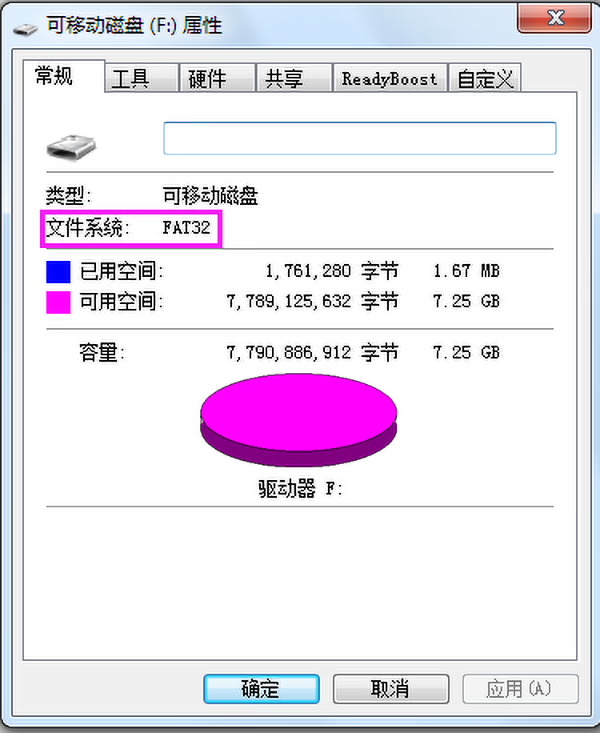
2. Ask we offer you the correct version upgrade firmware.
https://drive.google.com/file/d/1BztD-7mMy1N0WT0gfG2-fTO-7WtKTte9/view?usp=sharing
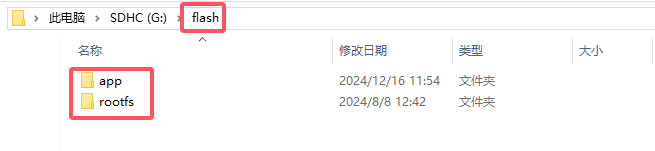
3. Unzip the “update_image_xx_yy.zip” file and copy it to the root directory of the Micro SD card. Be careful to keep the directory structure unchanged (Micro SD卡根目錄下有一個flash資料夾, which contains app and rootfs folders):
4. Insert the Micro SD card into board, 通電等待板上紅燈閃爍, 表明昇級成功:
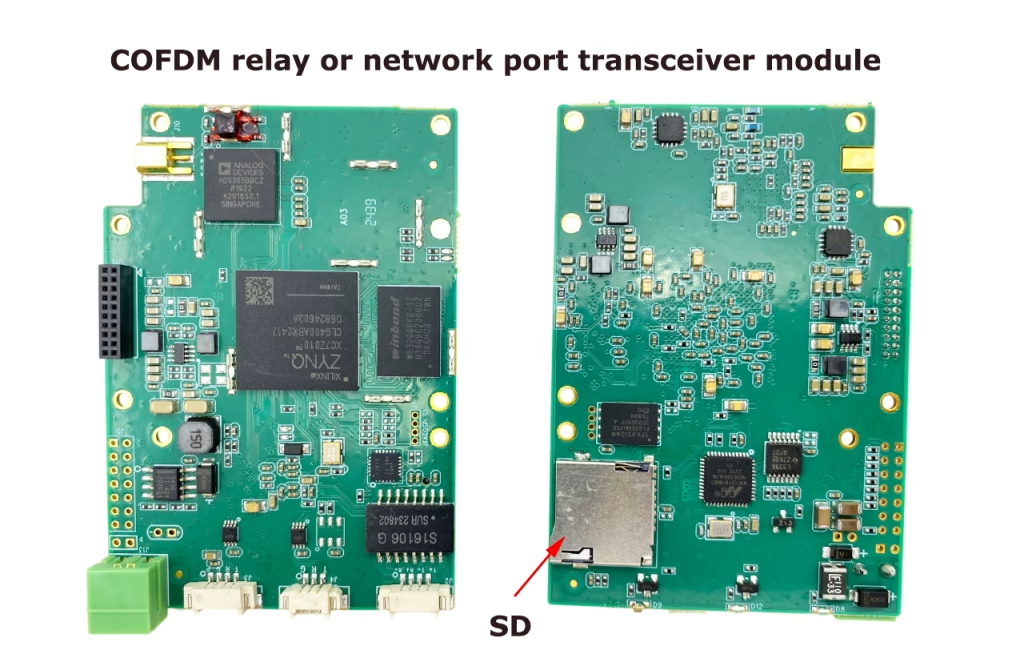
注意:
Normally, the update will be completed within 30 seconds after power-on (紅燈閃爍). 若開機後紅燈長時間不閃爍, please check the connection of the Micro SD and try again.
Need details of COFDM relay or network port transceiver module? 請檢查以下連結. 維肯1816

CVBS HDMI到IP編碼器
$980.00
問一個問題
感謝你的回應。 ✨