





How to upgrade COFDM relay or network port transceiver module?
- Prepare a formatted FAT32 Format Micro SD card.
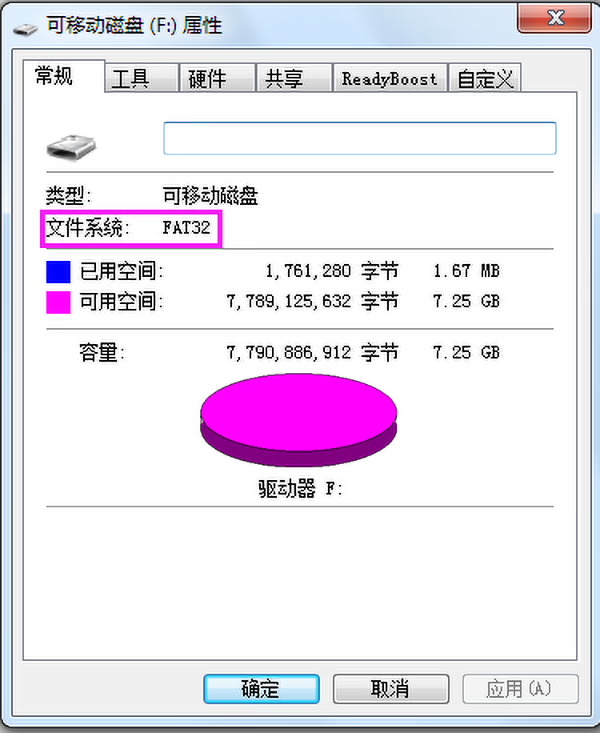
2. Ask we offer you the correct version upgrade firmware.
https://drive.google.com/file/d/1BztD-7mMy1N0WT0gfG2-fTO-7WtKTte9/view?usp=sharing
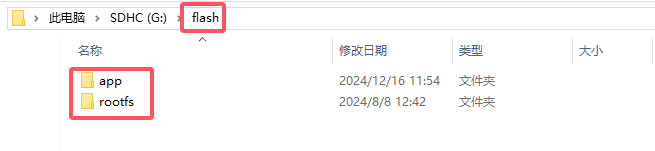
3. Unzip the “update_image_xx_yy.zip” file and copy it to the root directory of the Micro SD card. Be careful to keep the directory structure unchanged (there is a flash folder in the root directory of the Micro SD card, which contains app and rootfs folders):
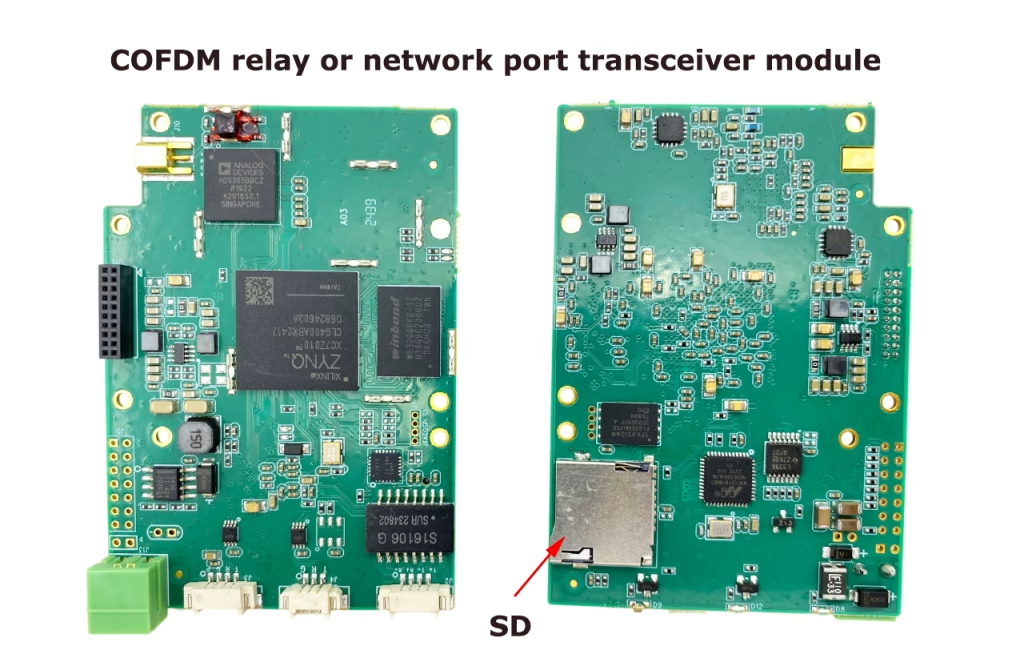
4. Insert the Micro SD card into board, power on and wait for the red light on the board to flash, indicating that the upgrade is successful:
Notatka:
Normalnie, the update will be completed within 30 seconds after power-on (the red light flashes). If the red light does not flash for a long time after power-on, please check the connection of the Micro SD and try again.
Need details of COFDM relay or network port transceiver module? Proszę sprawdzić poniższy link. Vcan 1816

CVBS HDMI do enkodera IP
COFDM jednokierunkowa transmisja wideo lub danych dla nadajnika i odbiornika protokołu UDP
Zadać pytanie
Twoja wiadomość została wysłana