






VCAN1915 Radio Telemetry Data Link Parameter modification instruction
目錄
1. Enter configuration mode
第一, refer to the VCAN1915 operation manual to learn how to configure the radio and the functions of various commands. The radio can enter diagnosis through the data port, using HyperTerminal or SSCOM3.2 serial port software. Set the serial port baud rate to the current radio interface rate, 如 115200, 進入 +++ 進入, and NO CARRIER OK is displayed at the same time to indicate that you have entered, and then enter the following commands (each command is followed by a carriage return):

Power on the radio (please connect the antenna first and connect the radio to the computer serial port with a data cable), open the HyperTerminal or serial port software, set the baud rate to the same rate as the radio (如 115200 8 FIAT Ducato 防水 CCD 剎車燈攝像頭帶音頻夜視紅外 LED VCAN1338 1), in the software After entering +++ in the blank space (the entered +++ is not displayed), NO CARRIER OK is displayed, 如圖所示:


Change configuration
1. 400M fixed frequency mode setting:
Enter the following command, and the prompt OK means correct, 和 [ENTER] 表示回車:
- ATS128=0[ENTER]—————————Change to 400M fixed frequency mode
- 在&F51[ENTER]——————————Change to MH transparent transmission default configuration
- ATS131=0[ENTER]—————————Change the transmit frequency
- ATS132=0[ENTER]—————————Change the receiving frequency
- ATS102=5[ENTER]—————————Change the interface rate
- ATS103=7[ENTER]—————————Change air speed
- ATP0=[ENTER], then enter deal%er to display Enter Channel Number (0 至 63), then enter 0[ENTER], then enter 459837500[ENTER], 進入 2[ENTER], then enter 2[ENTER], and finally press ESC to exit — —-Edit frequency table
- 在&W¯¯[ENTER]——————————–保存
- ATA[ENTER]————————————Exit
注意: The frequencies of the four selected channels S131, S132, S191 and S192 cannot be empty. 例如, S191=2-000.000000 will not be saved at this time.
After setting up, the working frequency is 459.837500MHz, the interface rate is 19200, the air rate is 19200, and the protocol is MH transparent transmission mode for communication. If you need to change the PCC transparent transmission protocol, set AT&F53 and set a different address code (S105). Check the manual to set up AT&FXX in other modes.
The 400M fixed frequency mode can be directly configured using SDRCOM software. For instructions, please refer to the VCAN1915 operation manual.
2. 900M frequency hopping mode setting:
Enter the following command, and the prompt OK means correct, 和 [ENTER] 表示回車:
一個. Configure as main station (地面):
- ATS128=1[ENTER]—————————Change to 900M frequency hopping mode
- 在&F1[ENTER]——————————-Change to point-to-multipoint master station
- ATS102=1[ENTER]————————–Set the interface rate (1 代表 115200)
- ATS103=1[ENTER]—————————Set the air rate (1 代表 115200)
- ATS113=0[ENTER]—————————Cancel data retransmission
- ATS104=XXXX[ENTER]———————-Set ID number
- ATS109=10[ENTER]—————–Set the frequency hopping interval (10 represents 30ms, set as needed, default 20ms)
- 在&W¯¯[ENTER]——————————–保存
- ATA[ENTER]————————————Exit
b. Configuration of component stations (空降的):
- ATS128=1[ENTER]—————————-Change to 900M frequency hopping mode
- 在&F2[ENTER]—————————–Change to point-to-multipoint slave
- ATS102=1[ENTER]—————————Set the interface rate (1 代表 115200)
- AtS103=1[ENTER]—————————Set the air rate (1 代表 115200)
- ATS113=0[ENTER]—————————Cancel data retransmission
- ATS104=XXXX[ENTER]———————-Set ID number
- ATS248=4[ENTER]—————————Set the reconnection interval
- 在&W¯¯[ENTER]——————————–保存
- ATA[ENTER]————————————Exit
When there are multiple sub-stations, different address codes (S105) need to be set. 設定後, the frequency band is 902-928MHz, the interface rate is 115200, and the air rate is 115200 for communication.
3. 400M frequency hopping mode setting
Enter the following command, and the prompt OK means correct, 和 [ENTER] 表示回車:
一個. Configure as main station (地面):
- ATS128=2[ENTER]—————————Change to 400M frequency hopping mode
- 在&F1[ENTER]——————————-Change to point-to-multipoint master station
- ATS102=1[ENTER]————————–Set the interface rate (1 代表 115200)
- ATS103=1[ENTER]—————————Set the air rate (1 代表 115200)
- ATS113=0[ENTER]—————————Cancel data retransmission
- ATS104=XXXX[ENTER]———————-Set ID number
- ATS109=10[ENTER]—————–Set the frequency hopping interval (10 represents 30ms, set as needed, default 20ms)
- ATP0=[ENTER], click to open the file in SSCOM, select the frequency table file, and click to send the file
- ATP1=[ENTER], click to open the file in SSCOM, select the frequency table file, and click to send the file
- 在&W¯¯[ENTER]——————————–保存
- ATA[ENTER]————————————Exit
b. Configuration of component stations (空降的):
- ATS128=2[ENTER]—————————-Change to 400M frequency hopping mode
- 在&F2[ENTER]—————————–Change to point-to-multipoint slave
- ATS102=1[ENTER]—————————Set the interface rate (1 代表 115200)
- AtS103=1[ENTER]—————————Set the air rate (1 代表 115200)
- ATS113=0[ENTER]—————————Cancel data retransmission
- ATS104=XXXX[ENTER]———————-Set ID number
- ATS248=4[ENTER]—————————Set the reconnection interval
- ATP0=[ENTER], click to open the file in SSCOM, select the frequency table file, and click to send the file
- ATP1=[ENTER], click to open the file in SSCOM, select the frequency table file, and click to send the file
- 在&W¯¯[ENTER]——————————–保存
- ATA[ENTER]————————————Exit
The frequency table file format is TXT, 50 頻點, based on the antenna coverage frequency.


When there are multiple sub-stations, different address codes (S105) need to be set. 設定後, the frequency band is 419-421MHz, the interface rate is 115200, and the air rate is 115200 for communication.
4. 840M frequency hopping mode setting:
Enter the following command, and the prompt OK means correct, 和 [ENTER] 表示回車:
一個. Configure as main station (地面)
- 在&F1[ENTER]——————————-Change to point-to-multipoint master station
- ATS102=1[ENTER]————————–Set the interface rate (1 代表 115200)
- ATS103=1[ENTER]—————————Set the air rate (1 代表 115200)
- ATS113=0[ENTER]—————————Cancel data retransmission
- ATS104=XXXX[ENTER]———————-Set ID number
- ATS109=10[ENTER]—————-Set the frequency hopping interval (10 represents 30ms, set as needed, default 20ms)
- 在&W¯¯[ENTER]——————————–保存
- ATA[ENTER]————————————Exit
b. Configure component station (空降的)
- 在&F2[ENTER]—————————–Change to point-to-multipoint slave
- ATS102=1[ENTER]—————————Set the interface rate (1 代表 115200)
- AtS103=1[ENTER]—————————Set the air rate (1 代表 115200)
- ATS113=0[ENTER]—————————Cancel data retransmission
- ATS104=XXXX[ENTER]———————-Set ID number
- ATS248=4[ENTER]—————————Set the reconnection interval
- 在&W¯¯[ENTER]——————————–保存
- ATA[ENTER]————————————Exit
When there are multiple sub-stations, different address codes (S105) need to be set. 設定後, the frequency band is 840-845MHz, the interface rate is 115200, and the air rate is 115200 for communication. The 840M frequency hopping frequency table settings are the same as the 400M frequency hopping settings.
注意: 840M is a separate software version and cannot be changed to 400M and 900M frequency hopping.
- Other reference content
1. TDMA mode
詳情, refer to the TDMA instructions in the VCAN1915 operation manual. If you need to change, add the following command. OK means correct, 和 [ENTER] 表示回車. Taking one-to-three as an example, the slave address code is 2, 3, 4:
Main station:
- ATS244=1—————————————-Change to TDMA mode
- ATS251=1—————————————-Set timeout configuration
- ATT0=2————————————————–Edit slave station List, starting with station 2
- ATT1=3d
2. 900M frequency limit
After entering the configuration mode, you need to enter the following command to set the frequency band limit:
在&H0

進入 1 然後按 Enter 鍵

進入 902.400 然後按 Enter 鍵, then enter 907.500 然後按 Enter 鍵, and press ESC twice to exit.

SaveAT&W¯¯
The above is that under the condition of 340K air rate, you can limit the frequency from 902.400 至 907.500. You can also choose to limit the frequency from 922.800 至 927.600. A channel of 400K is required. At least 51 從渠道 902.400 至 927.600 are required. If the air rate is 230K or below, Only one channel of 280K is needed, which can limit the frequency from 902.400 至 913.500, or the frequency from 916.700 至 927.600. If you need to cancel the restriction, 進入 000.000 at the beginning and end.
The above operation instruction is suitable for the below two models:

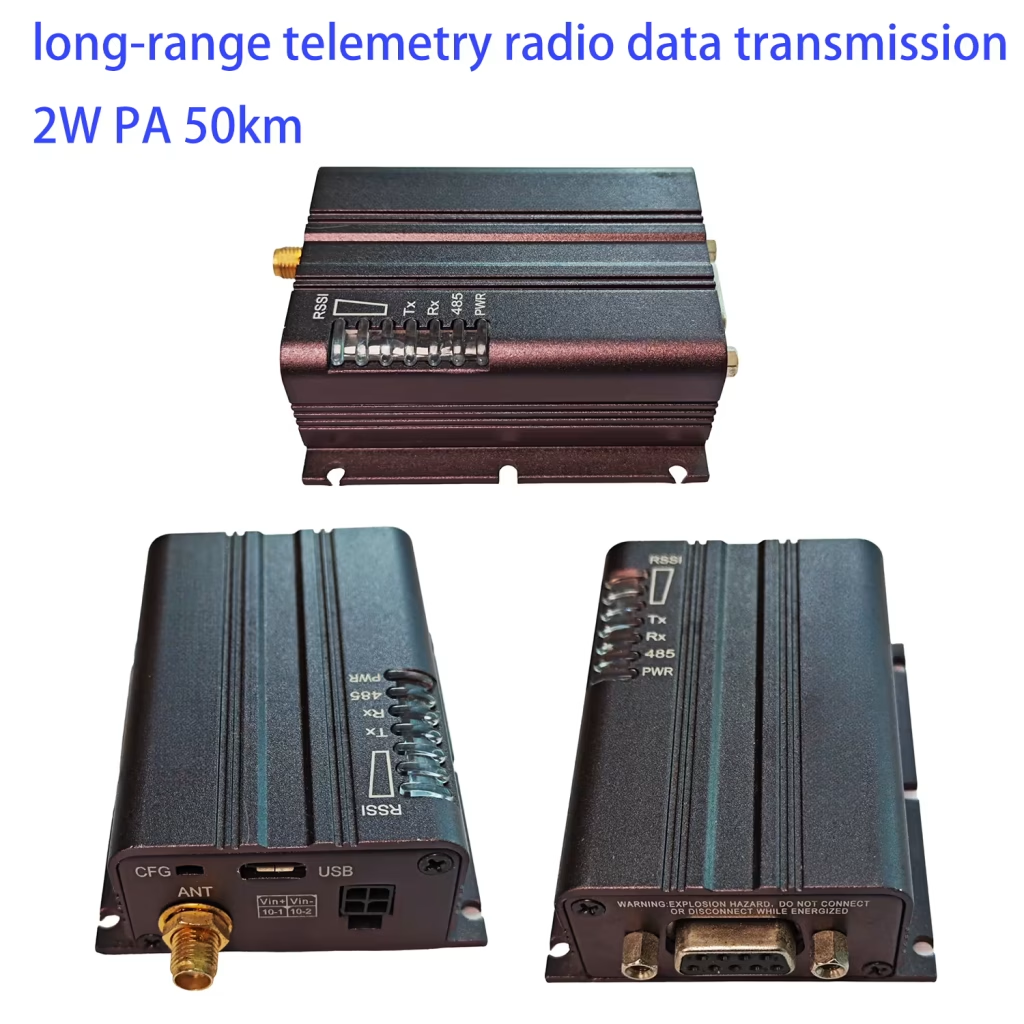
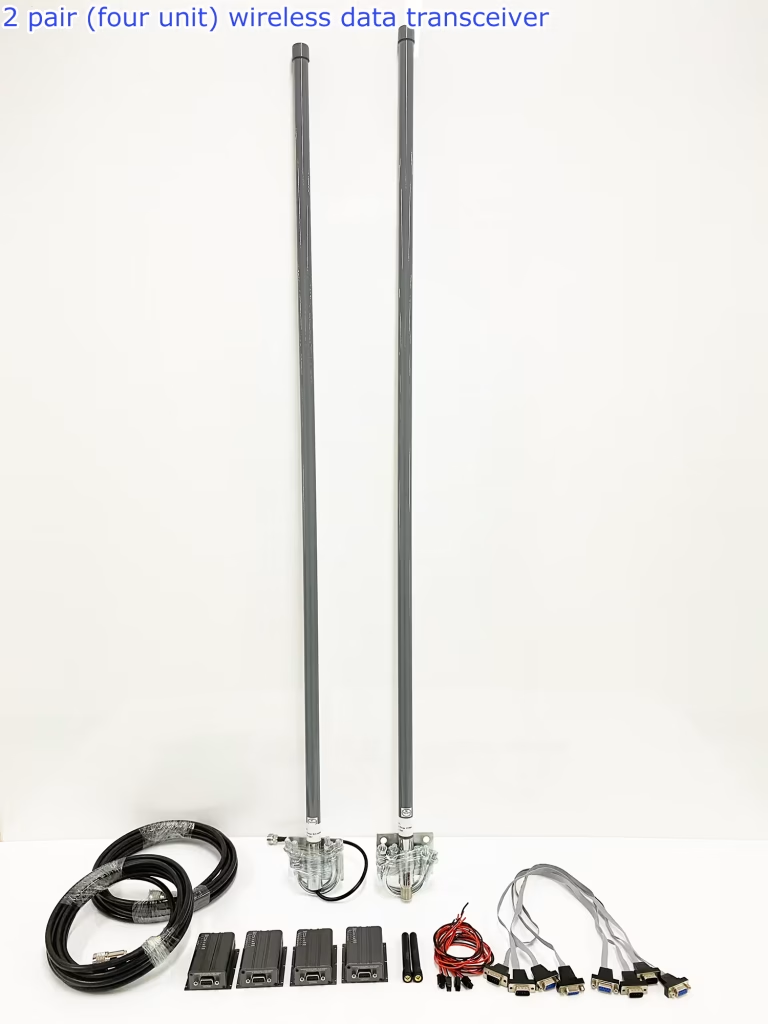
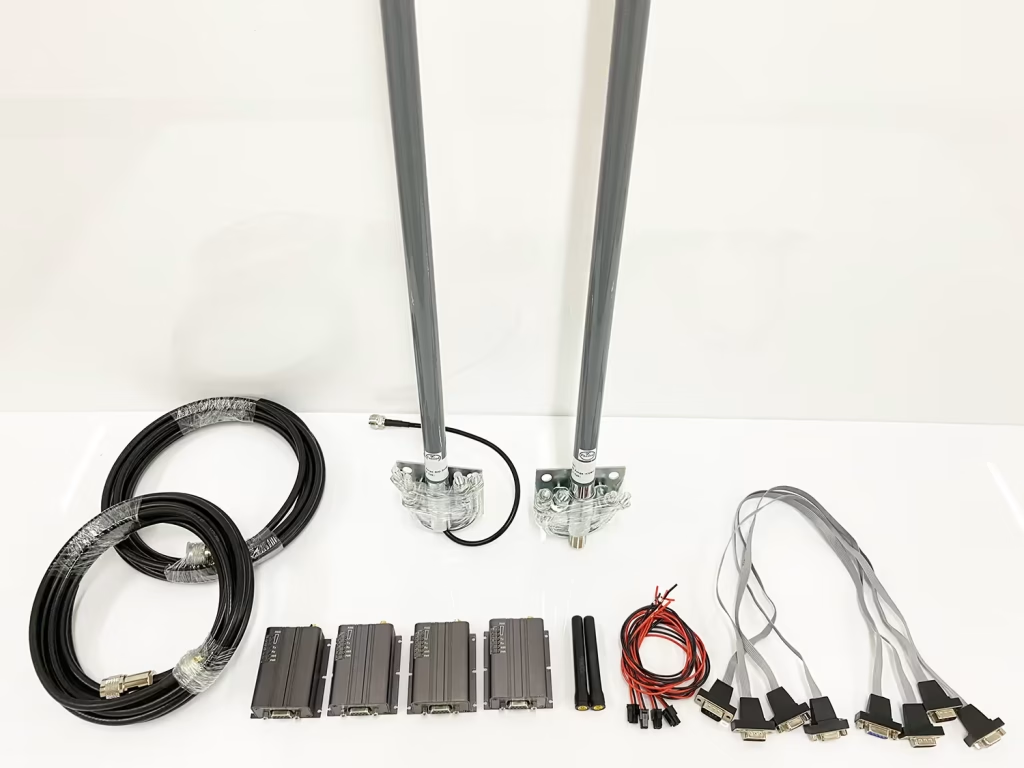
問一個問題
感謝你的回應。 ✨